Customer Ratings & Reviews



- Model:
- i3020-5234BLU-PUS
- SKU:
- 6537087
Rating by feature
- Value
Rating 4.7 out of 5 stars
- Quality
Rating 4.6 out of 5 stars
- Ease of Use
Rating 4.6 out of 5 stars
Customers are saying
Customers praise the Inspiron 3020 Desktop for its ease of use, performance, and affordability. Many appreciate its compact size and fast SSD drive, while some users note limitations in graphics capabilities and potential challenges with sleep mode. A few also mention pre-installed software as a drawback. Overall, the positive feedback on performance and ease of setup outweighs the reported minor issues.
This summary was generated by AI based on customer reviews.
- Pros mentioned:Ease of use, Speed

Perfect desktop for photos, work and school!
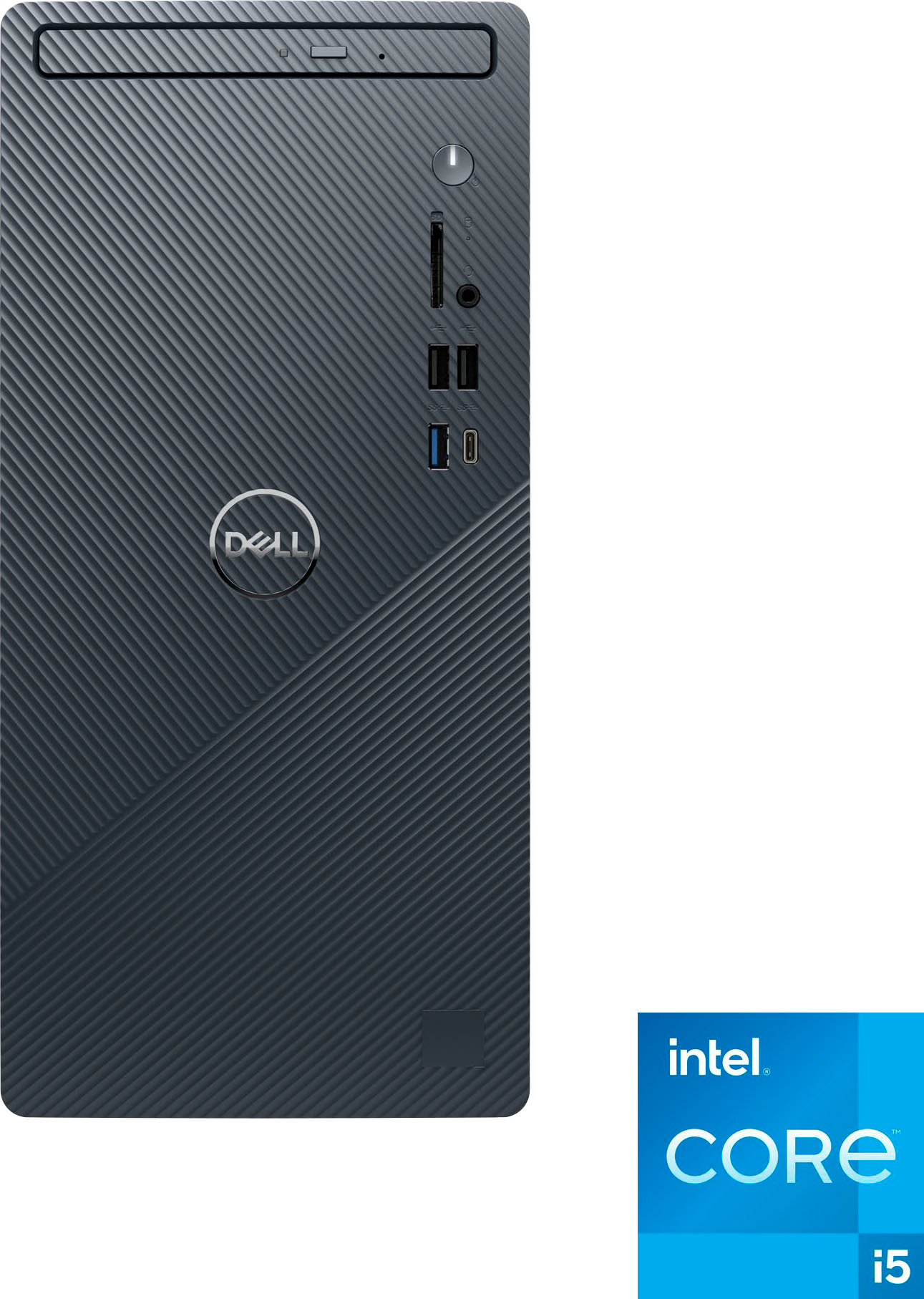
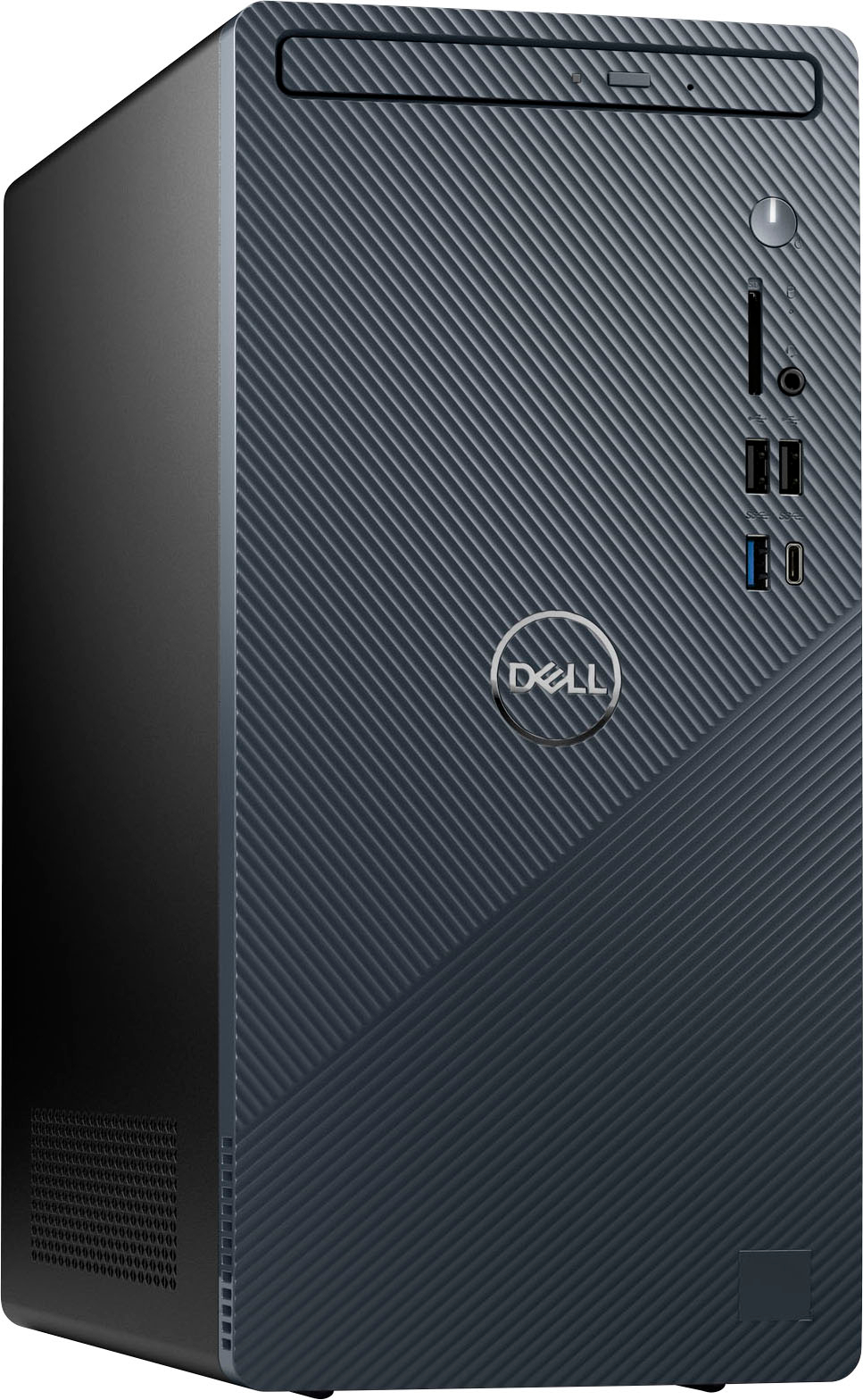
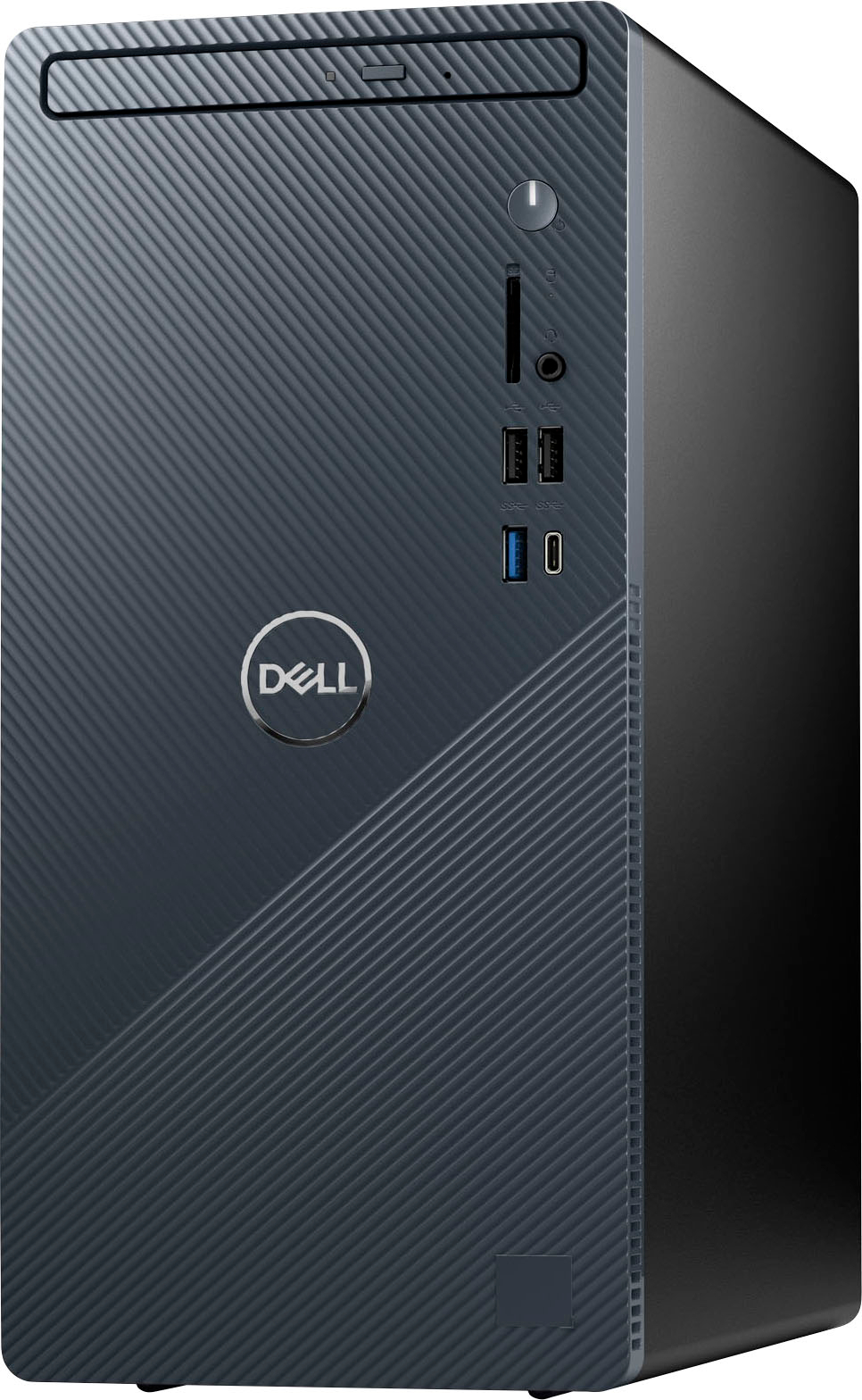
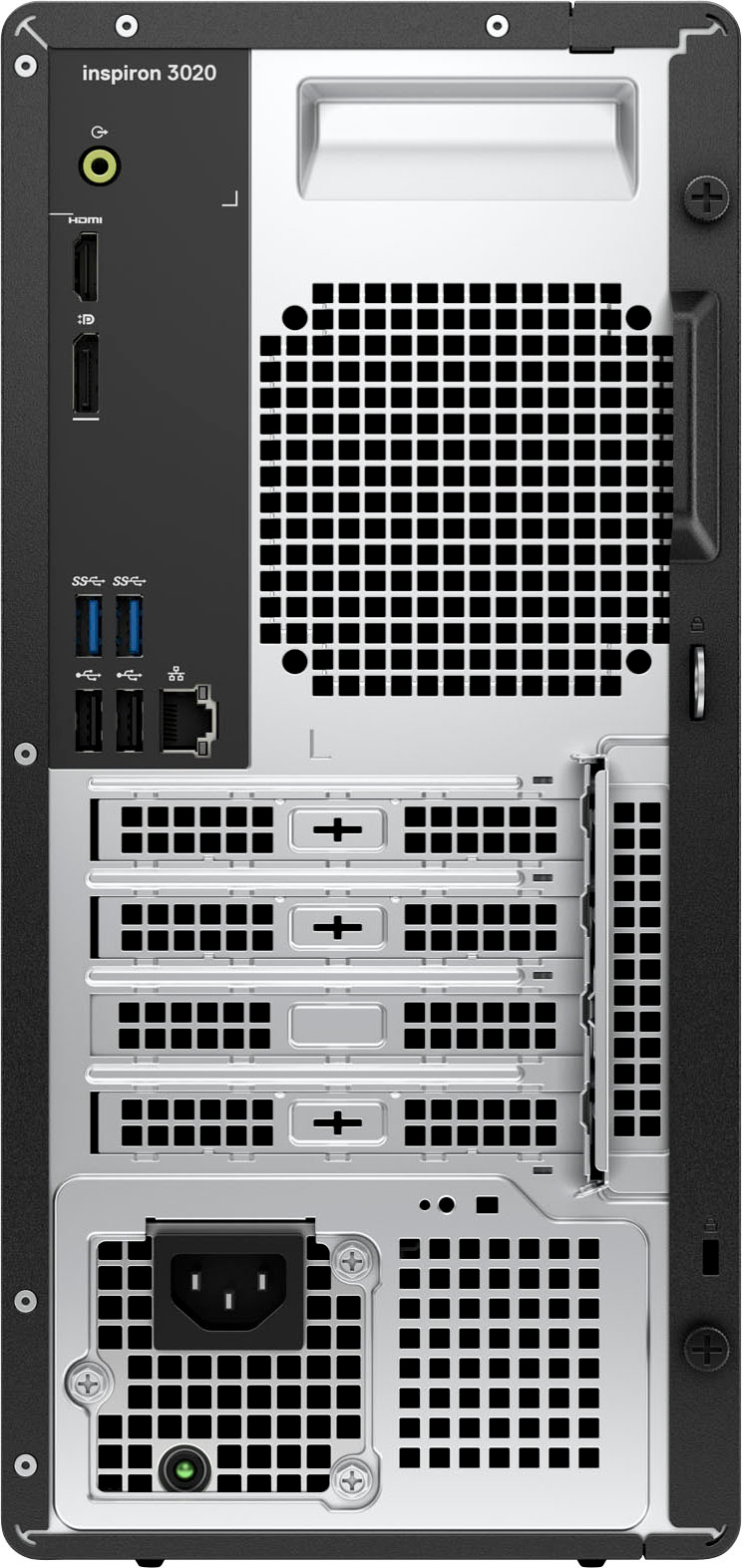
|Posted .This reviewer received promo considerations or sweepstakes entry for writing a review.This desktop is the perfect balance of hardware for everyday use and based on use so far I'd recommend it for home/home office and school use. Setup out of the box is very easy, just connect the power, setup the keyboard/mouse and connect to a monitor. The Windows 11 Home OS makes it easy to set this machine up to get up and going within minutes. The setup walks you through it step by step to get connected and makes it easy to get going. If you've signed in to Windows using your Microsoft account you may get presented the option to use those same settings and sync them to the new computer or you can set it up as a new computer. You also get an option to tryout Microsoft Office on a trial but you can easily skip it if you have it already or don't need/want it. If you have an Android or iOS device, it also walks you through setting up your phone which is pretty cool because it lets you access things from your phone on your PC easily through the Phone Link app. On Android devices it lets you even use the apps and see your phones screen from the PC. It also lets you send/receive text messages and calls on Android as well if you have a headset hooked up that has a mic, pretty cool. So far, in the time I've been using it I've been able to setup and use it for email, web browsing and the office apps with easy. For web browsing, school work and business work this machine is perfect and is fast at loading up programs, spreadsheets and documents. It also seems to work well with photos so I'd say for someone who does photos this machine has enough processing power and memory to work with photos. In terms of 3D graphics, I was also able to load Fusion 360 to pull up some designs, though keep in mind the integrated graphics do limit performance of programs like Fusion 360 and more complex 3d objects may have trouble loading. Games that require discrete graphics may run with settings and resolution turned way way down or they may not run not at all. I tried a couple of card games and they worked just fine then loaded Diablo 3 and found that performance was not that great. I'd say a lot depends on what game so I'd say most simple games should work like those found on the Windows Store like the card games, but I would not get this machine for graphics intense 3D gaming as this PC was not designed for that and upgrading may be possible but may require very specific components from Dell. I opened the tower up and you do have some limited ability to upgrade/add storage and you could swap out memory to increase to 16gb if your programs need it. It's possible that you could add graphics card but it would require an upgrade of the power supply which you would have to reach out to Dell for and ultimately would defeat the point of why you'd purchase this machine. The latest gen i5 processor this machine has is more than powerful enough for most applications and should be able to handle most workloads and multi-tasking. I like that this PC has USB-C ports both in front and back with 10gbps/5gbps ports as you can easily add external high speed storage for fast access to photos and it has a SD card reader in the front. I also like that it has an optical drive so you can backup things using the drive or install from disc for any programs that you have only on disc. In terms of aesthetics, the tower is small that it should fit on most desktop and not take up a lot of room and still look good while being accessible. The front panel has a nice color/finish to it that I don't mind on my desk next to or behind the monitor. For overall useability and speed, I'd say this machine is perfect for everyday use and home office use. It's small, doesn't use a ton of power and is easy to use. Microsoft has made huge advances with Windows 11 making it easier to use, faster and more stable than ever so I'd recommend it.
I would recommend this to a friend desktop
||Posted . Owned for 3 weeks when reviewed.This reviewer received promo considerations or sweepstakes entry for writing a review.cheap the old type towers were much better, the cd drive is so cheap the size is smaller, but easier to find a place to put it.
No, I would not recommend this to a friendBrand response from YourDellTeam
Posted .Hey There CarolH,
Thank you for taking the time to leave a review of your Inspiron 3020 desktop. We are sorry to hear that you are not completely satisfied with the quality of your device. That is not the type of feedback we like to hear from our customers, or the type of product Dell intends to deliver. We have noted the details of your statement and will use them to improve current and future products.
If you need further assistance, we recommend using the toll-free number or chat link below at your convenience to reach a member of our Dell Support Team.
Chat or call: https://bit.ly/DellSupportTeam
Phone number to Dell: 1-800-624-9896
Best,
Summer@Dell
Not Reconditioned
||Posted . Owned for 1 month when reviewed.This reviewer received promo considerations or sweepstakes entry for writing a review.This was a "Geek Squad Certified" reconditioned unit that I had to bring into a store and spend over two hours waiting while a tech removed the previous "owner's" log in/lock screen!
No, I would not recommend this to a frienddell no start
||Posted . Owned for 1 month when reviewed.This reviewer received promo considerations or sweepstakes entry for writing a review.no paper instruction come with computer --- slow to start itakes@25 minutes to warm up after shutdown i had to push and hold button 5 times to start i might return it alan
No, I would not recommend this to a friendBrand response from YourDellTeam
Posted .Hi AlanP,
We value your feedback and want to thank you for taking the time to leave a review of your Inspiron 3020 desktop. We are sorry to hear that you are experiencing an issue with the performance of your device and setting your device up. That is not the type of feedback we like to hear from our customers, or the type of product Dell intends to deliver. Below I have provided troubleshooting steps to help resolve issues with your performance and also an additional link for the setup guide for your device.
Here are the steps to help you with slow performance issues:
1. Run the automated tools in SupportAssist to ensure that the drivers are up to date and your computer is optimized.
2. Restart the computer
3. Run a hardware diagnostic test
4. Scan your computer for malware
5. Restore the computer using Windows System Restore
6. Restore the computer to factory default settings
You can read the article that can help you with slow performance issues here: https://dell.to/3yqre8r
System Setup Guide: https://bit.ly/49REBAT
If you continue to experience issues, please reach out to Dell Support directly by using the information provided below.
Chat or call: https://bit.ly/DellSupportTeam
Phone number to Dell: 1-800-624-9896
Best,
Summer@Dell
Unhappy Buyer
||Posted . Owned for 3 weeks when reviewed.This reviewer received promo considerations or sweepstakes entry for writing a review.I had to send the first one back due to a corrupted system. Then sent the second one back for a bad processor. Now waiting for my third on and it's been over 8 weeks. Not happy at all.
No, I would not recommend this to a friendBrand response from YourDellTeam
Posted .Hi WilliamH,
We value your feedback and want to thank you for taking the time to leave a review of your Inspiron 3020 desktop. We are sorry to hear that you have been experiencing an issue with your devices. That is not the type of product Dell intends to deliver or the type of feedback we like to hear from our customers. We have noted the details of your statement and will use them to improve current and future products. Below I have provided the toll-free number and chat link for our support team. At your convenience we recommend reaching out to them to see if they can help you resolve your issue and track your package.
If you continue to experience issues, please reach out to Dell Support directly by using the information provided below.
Chat or call: https://bit.ly/DellSupportTeam
Phone number to Dell: 1-800-624-9896
Best,
Summer@Dell
Shouldn’t be used for games
||Posted . Owned for 1 month when reviewed.This reviewer received promo considerations or sweepstakes entry for writing a review.When playing on steam the computer will freeze up and the only way to get out of the game is to do a hard shut down
I would recommend this to a friendBrand response from YourDellTeam
Posted .Hey There KathrynR,
Thank you for taking the time to leave a review and for your feedback. We are sorry to hear that you are experiencing freezing issues with your Inspiron 3020 desktop. It's important for us to hear about inconsistencies in our products for consideration of future development. Below I have provided troubleshooting instructions with the full article that can help resolve this issue.
Here are the steps to help resolve your freezing issue:
1. Search for Windows Error Codes.
2. Run a Computer Diagnostic.
3. Run Routine System Maintenance.
4. Update Drivers and BIOS.
5. Check Air Vents.
6. Check Safe Mode Symptoms.
7. Update Windows.
8. Uninstall, Reinstall and Update Software.
9. Look for Multiple Anti-Virus Programs.
10. Check for Malware.
11. Use System Restore.
12. Factory Install or Reinstall Microsoft Windows.
You can read the full article on solving freezing issues here: https://dell.to/33Y2KFn
I have also added a video link for additional troubleshooting: https://bit.ly/3qzpXZg
If you still experience any issues after you have finished troubleshooting your laptop using the steps above, please reach out to us at: https://bit.ly/DellSupportTeam
We look forward to making this right for you!
Chat or call: https://bit.ly/DellSupportTeam
Phone number to Dell: 1-800-624-9896
Best,
Summer@Dell
Worrhless
||Posted . Owned for 1 month when reviewed.This reviewer received promo considerations or sweepstakes entry for writing a review.Problems 2 weeks replaced monitor then problems persisted 2 weeks later. Best Buy won’t warranty after 2 weeks and dell customer service hasn’t contacted after several calls and emails. Piece of junk and I’ve only ever bought dells!!! Does customer service exist anywhere anymore!!!!!
No, I would not recommend this to a friendBrand response from YourDellTeam
Posted .Hello ToddA,
We would like to thank you for taking the time to leave us your review. We're sorry to hear about the difficulty that you had with Dell Inspiron 3020 Desktop. This is certainly not the experience we like to hear from our customers.
Please take a moment to call or chat to speak with another representative at your earliest convenience. We hope that the next representative you speak with can help resolve your concerns to your satisfaction.
Chat or call: https://bit.ly/DellSupportTeam
Phone number to Dell: 1-800-624-9896
Best,
Minhaj@Dell
- Pros mentioned:Speed, Ssd
Capable well optioned desktop system
|Posted .This reviewer received promo considerations or sweepstakes entry for writing a review.When searching for a desktop system, I’m interested in capabilities and future upgrades. Balancing that with cost and support. That’s why this Dell 3020 desktop was a great choice. It’s a well-designed compact desktop ideal for home or office use. Fully equipped with the Intel i5 processor, 8GB of Ram, and 512GB SSD, it is extremely responsive. A DVD RW drive, with Audio and headphone outputs, adds to its capabilities. Multiple ports including SS USB and USB C are available. Easy connectivity which supports Wifi, an Ethernet port, and Bluetooth. Display connections include display port and HDMI. An SD card reader is included. The included mouse and keyboard are both wired USB. It includes just about everything I need today or tomorrow. Speaking of tomorrow, this system can handle most future upgrades if desired. The case and component design makes access easy, with no tools required. It supports one installed SSD drive (already used). A hard drive can be installed. There is one open memory slot available. A video card can be installed in the available PCIe x16 slot. After using it for a while, it was more than fast enough for anything I attempted. Office apps, photo and movie editing, Video streaming etc. all exceeded my expectations. I found it could multitask smoothly. Dell support is outstanding, with all of the manuals and helpful setup videos right on their website. A small footprint and extremely quiet operation, makes it an ideal fit for any room. A worthy upgrade to anyone looking to replace an older system, add a second system for home or college use, you’ll find there’s no disappointments.
I would recommend this to a friend - Cons mentioned:Upgradability
junk
||Posted . Owned for 2 weeks when reviewed.This reviewer received promo considerations or sweepstakes entry for writing a review.junk not upgradeable mmmmmmmmmmmmmmmmmmmmmmmmmmmmmmmm
No, I would not recommend this to a friendBrand response from YourDellTeam
Posted .Hello MichaelwarrenA,
We would like to thank you for taking the time to leave us your review. We are sorry to hear that you are not 100% satisfied with your Dell Inspiron 3020 Desktop. That is not the type of feedback we like to hear from our customers, or the type of product Dell intends to deliver.
Furthermore, we always strive to get better, and reviews like yours help us develop products our customers love. Your feedback will be shared with our quality team for consideration in future enhancements in products.
Below I have provided the link of Setup and Specifications supported by your desktop.
Setup and Specifications Link: https://bit.ly/4bJ0QK9
With a little more information from you, we would like to help you resolve issues you may be facing to your satisfaction. Please do not hesitate to get in touch with another Dell representative using the information provided below.
Chat or call: https://bit.ly/DellSupportTeam
Phone number to Dell: 1-800-624-9896
Best,
Minhaj@Dell
Junk computer
||Posted . Owned for 2 weeks when reviewed.This reviewer received promo considerations or sweepstakes entry for writing a review.Been a problem since i bought, hard drive went bad after 3 days, had issues loading apps
No, I would not recommend this to a friendBrand response from YourDellTeam
Posted .Hey Lollyhenry,
Thank you for taking the time to leave a review of your Inspiron 3020 Desktop. We are sorry to hear that your device is not functioning properly. That is not the type of feedback we like to hear from our customers, or the type of product Dell intends to deliver. We have noted the details of your statement and will use them to improve current and future products.
If you continue to experience issues, please reach out to Dell Support directly by using the information provided below.
Chat or call: https://bit.ly/DellSupportTeam
Phone number to Dell: 1-800-624-9896
Best,
Summer@Dell
Cable
||Posted . Owned for 1 month when reviewed.This reviewer received promo considerations or sweepstakes entry for writing a review.The cable does not fit my monitor as promised. The end that connects with the tower fits. the other end is too wide. It should be 2 centimeters across. Do you have such a cable?
No, I would not recommend this to a friendBrand response from YourDellTeam
Posted .Hey AransasV,
Thank you for your review. We apologize for any troubles you have come across with your Inspiron 3020 desktop. That is not the type of feedback we like to hear from our customers, or the type of product Dell intends to deliver. Below, we have provided a link that you can use to check available adapters and chargers specific to your PC.
Charger and Adapter Compatibility: https://dell.to/2zrcr3l
If you need further assistance, please reach out to us at: https://bit.ly/DellSupportTeam
Chat or call: https://bit.ly/DellSupportTeam
Phone number to Dell: 1-800-624-9896
Best,
Summer@Dell
jo
||Posted . Owned for 3 weeks when reviewed.This reviewer received promo considerations or sweepstakes entry for writing a review.bought open box but new condition and keyboard was damaged and does not work
No, I would not recommend this to a friendBest Buy sux
||Posted . Owned for 1 month when reviewed.This reviewer received promo considerations or sweepstakes entry for writing a review.I bought two of these. The very next day, they went on sale for $200.00 less. I requested a price match refund. Wait, wait, sent to wrong team. Wait, so far only two case ID#. Here it is 25 business days later, and still told to wait. Where the heck is my refund? Big Box tight wad. Lot's of excuses.
No, I would not recommend this to a friendDesktop
||Posted . Owned for 1 month when reviewed.This reviewer received promo considerations or sweepstakes entry for writing a review.It did not work, kept shutting off. Could turn it back on but it would shut off within a short time. We returned it.
No, I would not recommend this to a friendBrand response from YourDellTeam
Posted .Hey There Lexi,
Thank you for taking the time to leave a review of your Inspiron 3020 desktop. We are sorry to hear that you were experiencing an issue with your device shutting down intermittently and you made the decision to return it. That is not the type of feedback we like to hear from our customers, or the type of product Dell intends to deliver. We have noted the details of your statement and will use them to improve current and future products.
If you need further assistance, please reach out to Dell Support directly by using the information provided below.
Chat or call: https://bit.ly/DellSupportTeam
Phone number to Dell: 1-800-624-9896
Best,
Summer@Dell
- Pros mentioned:Performance, Ssd
Excellent Household PC
|Posted .This reviewer received promo considerations or sweepstakes entry for writing a review.We have been looking for a new desktop PC tower for our family room for quite awhile. The new Inspiron 3020 was a great option to replace our aging tower. The smaller footprint has saved us a bit of desk space right out of the gate, that was a nice surprise. It is much sleeker than our old tower that was about twice as big. A DVD Drive is something even our old computer didn't have, and our daughter has a bunch of DVD movies, so it is nice to have another way she can watch these. The keyboard and mouse included are fine, just the standard run of the mill you can expect but they work just fine. Setup was a breeze on this, unboxing and initial boot up took about 30 minutes and that is including setting up multiple user accounts. Performance is definitely great, the 13th Gen i5 and SSD make a great combo, and we have had no issues browsing the web, working on spreadsheets, and even doing some basic photo editing. Overall I would not hesitate to use this tower for work or family fun, it will definitely serve your basic computing needs very well!
I would recommend this to a friend ???
||Posted . Owned for less than 1 week when reviewed.This reviewer received promo considerations or sweepstakes entry for writing a review.Needs to be replaced...Waiting for Geek Squad to replace defective equipment. Wait is too long
No, I would not recommend this to a friendBrand response from YourDellTeam
Posted .Hi Michael,
We value your feedback and thank you for taking the time to leave a review of your Inspiron 3020 desktop. We are sorry to hear that your device is defective, and you are waiting on a replacement. That is not the type of feedback we like to hear from our customers, or the type of product Dell intends to deliver. We would love to help you resolve your issue but will need a little more information. We recommend using the toll-free number or chat link below to reach a member of our Dell Support Team at your convenience.
If you need further assistance, please reach out to Dell Support directly by using the information provided below.
Chat or call: https://bit.ly/DellSupportTeam
Phone number to Dell: 1-800-624-9896
Best,
Summer@Dell
It's Not Mine
||Posted . Owned for 3 weeks when reviewed.This reviewer received promo considerations or sweepstakes entry for writing a review.Like I have previously stated in one of your MANY email's, this product was purchased for my Son. Does he like it? More than likely. Will he purchase again from BestBuy? Have no idea -- I bought it not him. Stop the spam email PLEASE.
I would recommend this to a friendBrand response from YourDellTeam
Posted .Hello MichaelH,
We appreciate you taking the time to leave a review of your Inspiron 3020 desktop. We are sorry to hear that you are continuing to get spam mail. That is not the type of feedback we like to hear from our customers, or the type of product Dell intends to deliver. We have noted the details of your statement and will use them to improve current and future products. Below I have provided a toll-free number and chat link for our customer support team for your convenience.
If you still experience any issues, please reach out to us at: https://bit.ly/DellSupportTeam
Chat or call: https://bit.ly/DellSupportTeam
Phone number to Dell: 1-800-624-9896
Best,
Summer@Dell
Worst ever computer
||Posted . Owned for 3 weeks when reviewed.This reviewer received promo considerations or sweepstakes entry for writing a review.It doesn't work right at all. We've had nothing but problems with it. We are probably going to have to return it.
No, I would not recommend this to a friendBrand response from YourDellTeam
Posted .Hello AndrievsJ,
We value your feedback and want to thank you for taking the time to leave a review of your Dell Inspiron 3020 Desktop. We are sorry to hear that you are experiencing an issue with your device. That is not the type of product Dell intends to deliver or the type of feedback we like to hear from our customers. Before making the decision to return it, we would love to help you resolve any issue you are experiencing but will need a little more information. Below I have provided the toll-free number and chat link for our Dell Support team. At your convenience we recommend reaching out to us so that we can offer a solution for you.
If you need further assistance, please reach out to us at: https://bit.ly/DellSupportTeam.
Chat or call: https://bit.ly/DellSupportTeam
Phone number to Dell: 1-800-624-9896
Best,
Summer@Dell
- Pros mentioned:Speed, Ssd
The new Best Entry Level Everyday Desktop!
|Posted .This reviewer received promo considerations or sweepstakes entry for writing a review.This new desktop tower from Best Buy offers everything your average use-case prospective desktop buyer would want in a desktop that offers blistering fast speeds while maintaining many useful, albeit antiquated features such as a DVD/CD-ROM disk drive. This computer is the latest upgrade I have offered my grandparents and have enjoyed getting their feedback on it. They were long-time owners and users of an ancient Windows XP operating system (OS) computer that was under threat of confiscation by an archeological society to place in a museum. They were desperately in need of an upgrade but stubborn until I showed them the benefits and features of this PC. First of all, with the OS installed on a solid-state drive (SSD) hard drive and with 8GB of random-access memory (RAM), this thing is pants sizzling fast from startup to shut down. Everything including program load times, menu navigation, and browser navigation are all fast as can be with the stats of this computer including the 10-core Intel 13th gen Core i5 CPU chip in this computer. Although there is a price to pay for these speeds, trust me when I say that this desktop is essentially demonstrative of what is usably a daily driver for most productivity and multitasking activities on computers these days. What sold them is the fact that, unlike last year’s entry-level Dell Inspiron desktop that still had the OS installed on a spinning disk hard drive, everything is ready to go right here on a commendably large 512 GB SSD hard drive to boot! This is plenty of storage for most people's needs but is easily expandable if need be, with the cheap digital and physical storage available these days! Another easy sell of this PC was the fact that included here is a great selection of input/output (I/O) connectivity for both modern and older devices! A USB-C port is present here for the connection of devices like modern portable disk drives with USB-C cables. A full-size SD card slot is here for offloading your SD cards from cameras and more. Another aspect that made this an easy sell was the included wired mouse and keyboard. All we had to do was get an HDMI cable for their current monitor and we had them up and running in no time! Also present here is the provision for wireless internet hookup with Wi-Fi or the built-in ethernet port allows for physical connection to your internet router. The last thing I wanted to discuss was the form factor and build quality of this computer. While the peripherals (keyboard and mouse) are a little bit flimsy in their build quality, the tower itself is excellent. It is less than 13” tall, 12” deep, 6” wide, and weighs less than 12 pounds which makes it perfect for even the smallest of desktop computer setups! Also, the mist blue color of the tower is really this almost pearlescent gray in our lighting and looks really really good! Altogether, what is being offered here is probably the best iteration I have seen in the last few years of a truly entry-level desktop in today’s economy being offered with excellent, higher-level appointments like SSD storage that will make this thing feel blazing fast for years to come. Thanks for reading this review and let me know if it was helpful!
I would recommend this to a friend Not bad not the best for the money
||Posted . Owned for 3 weeks when reviewed.This reviewer received promo considerations or sweepstakes entry for writing a review.Not as fast as I thought, slow with only a few windows open
No, I would not recommend this to a friendBrand response from YourDellTeam
Posted .Hi There Yoyoyo,
Thank you for taking the time to leave us your review. We are sorry to hear that you are experiencing slow performance issues with your Inspiron 3020. It's important for us to hear about inconsistencies in our products for consideration of future development. Below I have provided steps with the full article that can help you with slow performance issues with your laptop.
Here are the steps to help you with slow performance issues:
1. Run the automated tools in SupportAssist to ensure that the drivers are up to date and your computer is optimized.
2. Restart the computer
3. Run a hardware diagnostic test
4. Scan your computer for malware
5. Restore the computer using Windows System Restore
6. Restore the computer to factory default settings
You can read the article that can help you with slow performance issues here: https://dell.to/3yqre8r
If you continue to experience issues, please reach out to Dell Support directly by using the information provided below.
We look forward to making this right for you!
If you continue to experience issues, please reach out to Dell Support directly by using the information provided below.
Chat or call: https://bit.ly/DellSupportTeam
Phone number to Dell: 1-800-624-9896
Best,
Summer@Dell