Customer Ratings & Reviews



- Model:
- i3511-5174BLK-PUS
- SKU:
- 11411148
Rating by feature
- Battery Life
Rating 4.3 out of 5 stars
- Speed
Rating 4.5 out of 5 stars
- Display
Rating 4.6 out of 5 stars
to a friend
Great Buy!
||Posted . Owned for 1 month when reviewed.This reviewer received promo considerations or sweepstakes entry for writing a review.This laptop is amazing. Great for all of my needs.
I would recommend this to a friendGreat one!
||Posted . Owned for less than 1 week when reviewed.This reviewer received promo considerations or sweepstakes entry for writing a review.Loving the laptop. Really great and works perfectly.
I would recommend this to a friendWorks as advertised
||Posted . Owned for 1 week when reviewed.This reviewer received promo considerations or sweepstakes entry for writing a review.I don't have a ton of time with it, but so far so good.
I would recommend this to a friendWould buy again
||Posted . Owned for 1 month when reviewed.This reviewer received promo considerations or sweepstakes entry for writing a review.Solid laptop. Good value for the price. Bought to run windows based CAD/ CAM program. Screen is bright and clear. Having the integrated numeric keypad is a plus.
I would recommend this to a friendPoor Battery life.
||Posted . Owned for 1 month when reviewed.This reviewer received promo considerations or sweepstakes entry for writing a review.Battery life is not what bestbuy advertised. Barely stands for 2 hours in a single charge.
No, I would not recommend this to a friendBrand response from YourDellTeam
Posted .Hello SajithW,
Thank you for taking the time to leave a review of your Inspiron 3511. We are sorry to hear that you are experiencing an issue with the performance of your battery. That is not the type of feedback we like to hear from our customers, or the type of product Dell intends to deliver. We have noted the details of your statement and will use them to improve current and future products. Below I have provided troubleshooting steps to help with the performance of your battery.
Here are the steps to help improve the battery performance of your laptop:
1. On the notification area of the taskbar, right-click the Battery icon.
2. On the options list, click Power Options.
3. Select a power plan on the battery meter, such as Power Saver or Balanced. Windows 10 has a built-in 'Battery Saver' mode that can be activated to extend your system's battery life. The Battery Saver mode will monitor and limit background activity and other features such as push notifications. You do have the option to enable or disable this mode within settings or within advanced Battery Saver settings, you can customize the mode to best suit your needs.
a) Click on the Action Center icon in the taskbar and select the tile for Battery Saver.
b) If running Cortana, type Battery Saver into the search box and select from the results.
Within the Battery Saver settings page, you will be able to turn on and off the feature and customize the feature to best meet your needs.
c) Turn the Battery Saver On or Off.
d) Additional settings are available via the Battery use and Battery saver settings links.
e) Battery use shows further info on apps and their power usage.
f) Battery Saver Settings screen allows you to customize further the Battery Saver feature.
How to Improve the Performance of a Dell Laptop Battery: http://dell.to/2vfXWf4
Should you need further assistance; we recommend that you contact Dell directly with the information below.
Chat or call: https://bit.ly/DellSupportTeam
Phone number to Dell: 1-800-624-9896
Best,
Summer@Dell
Microsoft Fine Tuned
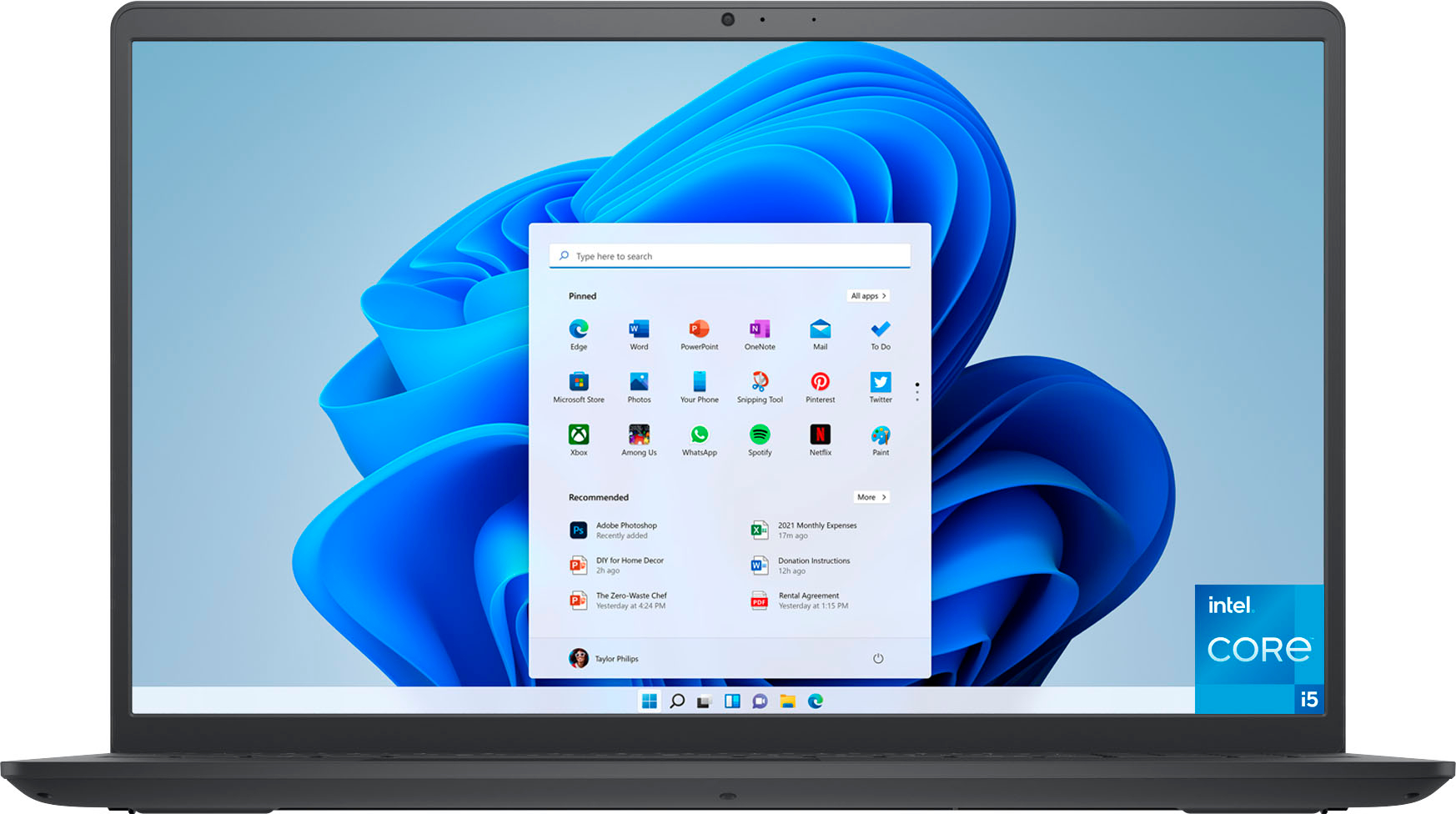
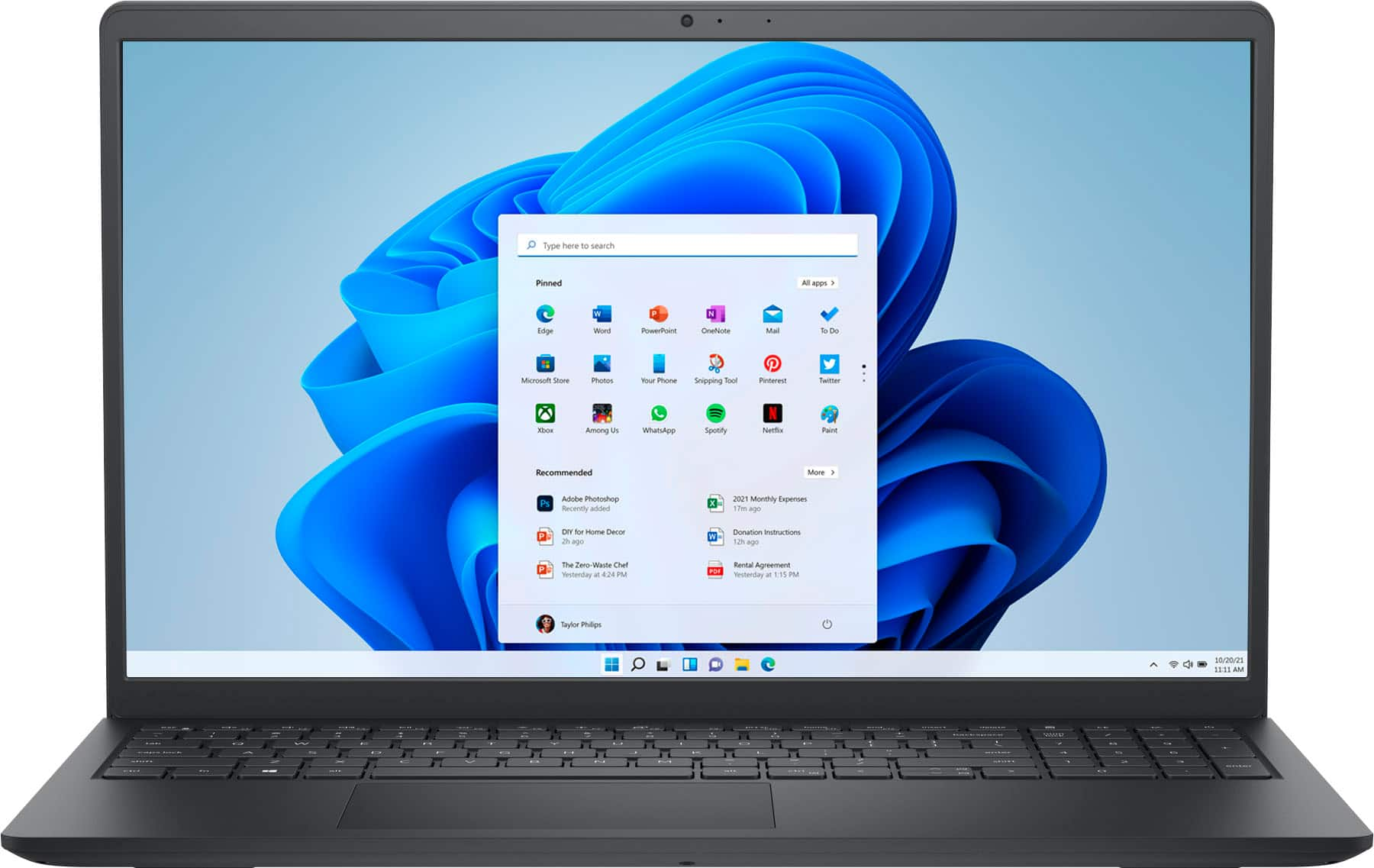
||Posted .This reviewer received promo considerations or sweepstakes entry for writing a review.I specifically fell for the Dell - Inspiron 3511 15.6" Touch Laptop - Intel Core i5 - 8GB Memory - 256GB Solid State Drive - Black was it’s new sleek look, it’s lightweight feel and it’s new look on it Home Screen. Everything was was easy to navigate to and the outlay simple is simple to obtain
I would recommend this to a friendA great value for the money.
||Posted . Owned for 3 weeks when reviewed.This reviewer received promo considerations or sweepstakes entry for writing a review.We purchased this laptop computer for my wife and she is very pleased with it. The main reason she wanted the laptop was for word processing but that quickly expanded when she discovered many of the additional features that came with the laptop. The sale price made this a sweet deal indeed.
I would recommend this to a friendFeels like I’m carrying a Ton of Bricks!
||Posted . Owned for 2 weeks when reviewed.This reviewer received promo considerations or sweepstakes entry for writing a review.It’s a very nice laptop…but unbeknownst to me, it is very heavy and difficult for me to be able to use it remotely. I would like to please, to just exchange it for a smaller one and one that is not so heavy.
No, I would not recommend this to a friendBrand response from YourDellTeam
Posted .Hello There TammyA,
Thank you for taking the time to leave a review of your Inspiron 3511. We are sorry to hear that you are not completely satisfied with the weight and size of your device. That is not the type of feedback we like to hear from our customers, or the type of product Dell intends to deliver. We have noted the details of your statement and will use them to improve current and future products.
Should you need further assistance; we recommend that you contact Dell directly with the information below.
Chat or call: https://bit.ly/DellSupportTeam
Phone number to Dell: 1-800-624-9896
Best,
Summer@Dell
Great laptop!
||Posted . Owned for 1 month when reviewed.This reviewer received promo considerations or sweepstakes entry for writing a review.I'm lacking in technology skills but with the aid of my wife I was able to pick up this laptop and get started on my own after some guidance. Now I'm more confident, after only a month, that I can do what I need to and in a relatively short amount of time and searching!
I would recommend this to a friendGood Value
||Posted . Owned for 1 month when reviewed.This reviewer received promo considerations or sweepstakes entry for writing a review.I needed this as an emergency for one of my co-workers. It worked right out of the box. Only drawback is has 8GB memory, but for the price and functionality, it's find for now until his laptop is repaired.
I would recommend this to a friendI wish I could return
||Posted . Owned for 5 months when reviewed.This reviewer received promo considerations or sweepstakes entry for writing a review.In 6 months my laptop it’s not working well. It takes a long time to turn it on and the battery is not that good. I would love to return it
No, I would not recommend this to a friendBrand response from YourDellTeam
Posted .Hey There LaisS,
We value your feedback and want to thank you for taking the time to leave a review of your Inspiron 3511 laptop. We are sorry to hear that you are experiencing an issue with the performance of your battery. That is not the type of feedback we like to hear from our customers, or the type of product Dell intends to deliver. We have noted the details of your statement and will use them to improve current and future products. Below I have provided troubleshooting steps to help resolve your issue.
Here are the steps to help improve the battery performance of your laptop:
1. On the notification area of the taskbar, right-click the Battery icon.
2. On the options list, click Power Options.
3. Select a power plan on the battery meter, such as Power Saver or Balanced. Windows 10 has a built-in 'Battery Saver' mode that can be activated to extend your system's battery life. The Battery Saver mode will monitor and limit background activity and other features such as push notifications. You do have the option to enable or disable this mode within settings or within advanced Battery Saver settings, you can customize the mode to best suit your needs.
a) Click on the Action Center icon in the taskbar and select the tile for Battery Saver.
b) If running Cortana, type Battery Saver into the search box and select from the results.
Within the Battery Saver settings page, you will be able to turn on and off the feature and customize the feature to best meet your needs.
c) Turn the Battery Saver On or Off.
d) Additional settings are available via the Battery use and Battery saver settings links.
e) Battery use shows further info on apps and their power usage.
f) Battery Saver Settings screen allows you to customize further the Battery Saver feature.
How to Improve the Performance of a Dell Laptop Battery: http://dell.to/2vfXWf4
Should you need further assistance; we recommend that you contact Dell directly with the information below.
Chat or call: https://bit.ly/DellSupportTeam
Phone number to Dell: 1-800-624-9896.
Best,
Summer@Dell
battery sucks
||Posted . Owned for 3 weeks when reviewed.This reviewer received promo considerations or sweepstakes entry for writing a review.cool Laptop, but the battery sucks. I really like the laptop, but the battery isn't that good. I'm going back to school and was looking for a good laptop. This is it!
I would recommend this to a friendBrand response from YourDellTeam
Posted .Hello Stitch2009,
Thank you very much for your valued feedback. We are glad you like some of the features of your Dell Inspiron 3511 laptop but we are sorry to hear that you are not 100% satisfied with it because its battery life is not as you expected.
I have included steps to help improve the battery performance of your laptop:
1. On the taskbar’s notification area, right-click the Battery icon.
2. On the options list, click Power Options.
3. Select a power plan on the battery meter, such as Power Saver or Balanced. Windows 10 has a built-in 'Battery Saver' mode that can be activated to extend your system's battery life. The Battery Saver mode will monitor and limit background activity and other features such as push notifications. You do have the option to enable or disable this mode within settings or within advanced Battery Saver settings, you can customize the mode to best suit your needs.
a) Click on the Action Center icon in the taskbar and select the tile for Battery Saver.
b) If running Cortana then type Battery Saver into the search box and select from the results.
Within the Battery Saver settings page, you will be able to turn on and off the feature and customize the feature to best meet your needs.
c) Turn Battery Saver On or Off.
d) Additional settings available via the Battery use and Battery saver settings links.
e) Battery use shows further info on apps and their power usage.
f) Battery Saver Settings screen allows you to customize further Battery Saver feature.
How to Improve the Performance of a Dell Laptop Battery: http://dell.to/2vfXWf4
If the battery issue with your laptop is still not resolved after utilizing the troubleshooting options above, please contact the Dell Support Team at 1-800-624-9896 for further guidance.
Best,
Katarina@Dell
Should you need further assistance, you can contact Dell directly with the information below.
Chat or call: https://bit.ly/DellSupportTeam
Phone number to Dell 1-800-624-9896
Battery lasts about 2 hours
||Posted . Owned for 1 month when reviewed.This reviewer received promo considerations or sweepstakes entry for writing a review.I got a good price for a Dell computer but for some reason there are certain movies I cannot watch on Netflix. It must be on the settings and I need to figure it out
I would recommend this to a friendGreat computer
||Posted . Owned for 3 weeks when reviewed.This reviewer received promo considerations or sweepstakes entry for writing a review.I am happy about my purchase, Brianna who assisted me, has been very helpful and very professional. She helped me in an emergency after my computer was not functioning and I had a college test to take the day after . She is amazing!!! Thank you Brianna!!! You are the best!!
I would recommend this to a friendDell Inspiron 3511 15.6 Touch Laptop
||Posted . Owned for 3 weeks when reviewed.This reviewer received promo considerations or sweepstakes entry for writing a review.Nice Computer. Just wish I had known it was going on sale the very next day and that I had to pay the sales tax when there was some no sales tax days in Florida. I could have used the extra savings.
I would recommend this to a friendNew purchase
||Posted . Owned for 3 weeks when reviewed.This reviewer received promo considerations or sweepstakes entry for writing a review.When my old laptop would no longer turn on, I was dreading shopping for a new one. I was pleasantly surprised at how easy it was and am very happy with my purchase from Best Buy. The salesperson was very helpful and helped me pick out the perfect laptop for me!
I would recommend this to a friendNice computer problems with Dell.
||Posted . Owned for 3 weeks when reviewed.This reviewer received promo considerations or sweepstakes entry for writing a review.First issue: When I attempted to install Steam it sent me to Microsoft and wouldn't allow me to install Steam. I tried chat with Dell. They told me that I hadn't purchased a hardware warranty, though the problem was software. It took someone on Reddit to tell me how to make the needed changes. Second issue: I tried to install Linux but the computer cam with 2 drives that were RAID 0. The only way to install Linux was to break the RAID. I didn't want to break the RAID so I left the computer as is. Would I recommend this computer? Sort of . . . not "Yes" or "No."
No, I would not recommend this to a friendBrand response from YourDellTeam
Posted .Dear BettyandWilma,
We would like to thank you for taking the time to provide us with your feedback. We apologize for the issues you have encountered with your Dell Inspiron 3511 computer and that the Dell Support Team member was not able to help you. This is certainly not the experience that we like to hear from our customers. We appreciate your feedback and will use it to help improve our current and future products and services.
For the issues with the software, please make sure you have downloaded the latest system update and that software you are using meets all system requirements. I have provided a link to the drivers and downloads page where you can check for any applicable updates.
Drivers and Downloads page: https://dell.to/3hLXbku
If the issue with your computer is still not resolved after utilizing the troubleshooting option above, please contact the Dell Support Team at 1-800-624-9896 for further guidance.
Best,
Katarina@Dell
Should you need further assistance, you can contact Dell directly with the information below.
Chat or call: https://bit.ly/DellSupportTeam
Phone number to Dell: 1-800-624-9896
Always Dependable, Always Dell.
||Posted . Owned for 3 weeks when reviewed.This reviewer received promo considerations or sweepstakes entry for writing a review.I have been a loyal customer of Dell laptops and computers. The Dell Inspiron is lite weight, stylish, and a solid investment. I am a returning college student and the Inspiron is more than capable of helping me in completing my academic goals.
I would recommend this to a friendGood laptop for the price
||Posted . Owned for 1 month when reviewed.This reviewer received promo considerations or sweepstakes entry for writing a review.The computer is totally adequate. This will meet all the basic needs of your average user. It does not blow you away with its performance but neither will the price. Fair purchase.
I would recommend this to a friendA joke
||Posted . Owned for less than 1 week when reviewed.This reviewer received promo considerations or sweepstakes entry for writing a review.I don't even know if this laptop works because a charger was not included and no one notified me of this. Absolutely terrible to act like a charger is an optional "accessory" when it's necessary for functionality. Terrible on Dell for not including it and on Best Buy for not being willing to ship a charger. Pure corporate greed.
No, I would not recommend this to a friendBrand response from YourDellTeam
Posted .Dear SaraM,
Thank you for taking the time to leave a review of your Inspiron 3511. We are sorry to hear that you did not receive a charging cord with your device. That is not the kind of feedback we like to hear from our loyal customers. We have noted the details of your statement and will escalate them to our quality team for improvements on future and current products. Please reach out to our support team at your earliest convenience so that we can help you resolve this issue. I have provided the toll-free number and chat link below.
Should you need further assistance; we recommend that you contact Dell directly with the information below.
Chat or call: https://bit.ly/DellSupportTeam
Phone number to Dell: 1-800-624-9896.
Regards,
Summer@Dell