Customer Ratings & Reviews



- Model:
- i3511-5174BLK-PUS
- SKU:
- 11411148
Rating by feature
- Battery Life
Rating 4.3 out of 5 stars
- Speed
Rating 4.5 out of 5 stars
- Display
Rating 4.6 out of 5 stars
to a friend
He loved it!
Posted .This reviewer received promo considerations or sweepstakes entry for writing a review.Bought as a gift, he loved it! Exactly as described, quick shipping
I would recommend this to a friendGreat laptop for a great price
Posted .This reviewer received promo considerations or sweepstakes entry for writing a review.I used a similar laptop at my previous employer, so I wanted to purchase something that was familiar. I have used the Dell for my job search, and so far, I have zero complaints. Dell is a great brand, and Bestbuy is my go to for all electronics and appliance purchases.
I would recommend this to a friendNice laptop
Posted .This reviewer received promo considerations or sweepstakes entry for writing a review.Nice, thin, tough screen laptop. It’s good for normal use.
I would recommend this to a friendAmazing
Posted .This reviewer received promo considerations or sweepstakes entry for writing a review.Great product and came in handy when I needed to get the job done.
I would recommend this to a friendGreat purchase
Posted .This reviewer received promo considerations or sweepstakes entry for writing a review.Great picture and sound for price. Perfect size too.
I would recommend this to a friendGreat Computer
Posted .This reviewer received promo considerations or sweepstakes entry for writing a review.I’m still getting used to it so I haven’t figured out all it can do. Still I’m not disappointed at all. It works like a dream. I’m very happy with it. It was even easy to set up. I was able to do it myself.
I would recommend this to a friendjust okay
Posted .This reviewer received promo considerations or sweepstakes entry for writing a review.First laptop I've had in a good while. It's got a nice screen, feels sturdy, and overall fulfills my needs; however, it's got mediocre battery life. It drains fast and I've found myself at the midway point within two-three hours or so. On the other hand, it charges fast (I'd say on the lows of one hour to two) even when drained completely. It's a decent starter if you want something that'll get the job done!
I would recommend this to a friendBrand response from YourDellTeam
Posted .Dear Raitu,
We want to thank you for taking the time to leave us a review of your Inpsiron 3511. We are sorry that you are having an issue with the performance of your battery. I have provided steps below to change your battery power plan.
Change the Power Plan:
1. On the notification area of the taskbar, right-click the Battery icon.
2. On the options list, click Power Options.
3. Select a power plan on the battery meter, such as Power Saver or Balanced. Windows 10 has a built in 'Battery Saver' mode that can be activated to extend your system's battery life. The Battery Saver mode will monitor and limit background activity and other features such as push notifications. You do have the option to enable or disable this mode within settings or within advanced Battery Saver settings, you can customize the mode to best suit your needs.
a) Click on the Action Center icon in the taskbar and select the tile for Battery Saver.
b) If running Cortana then type Battery Saver into the search box and select from the results.
Within the Battery Saver settings page, you will be able to turn on and off the feature and customize the feature to best meet your needs.
c) Turn Battery Saver On or Off.
d) Additional settings available via the Battery use and Battery saver settings links.
e) Battery use shows further info on apps and their power usage.
f) Battery Saver Settings screen allows you to customize further Battery Saver feature.
You can read the full article here - http://dell.to/2vfXWf4.
After changing your power plan if you still experience an issue please use the contact information provided below to contact our Dell Support Team.
Regards,
Summer@Dell
Should you need further assistance, you can contact Dell directly with the information below.
Chat or call: https://bit.ly/DellSupportTeam
Phone number to Dell: 1-800-624-9896
What Title are you referring too?
Posted .This reviewer received promo considerations or sweepstakes entry for writing a review.I have already given you, my ratings. My best Geek Squad is wonderful. I'm still learning with my newest Laptop by Dell. I have touch screen, touch keyboard, are among so many great features that I never had before.
I would recommend this to a frienddell inspiron
Posted .This reviewer received promo considerations or sweepstakes entry for writing a review.if the screen lit up would have rated it higher- great overall especially for the price- still have a old dell from 12 years ago- it still works -slow but steady
I would recommend this to a friendHas a issue waking back up from sleep
Posted .This reviewer received promo considerations or sweepstakes entry for writing a review.Nice laptop but will not wake back up from sleep, been through customer service 3 times and still not fixed. So i must turn off the laptop and turn it back on everytime i want to use it.
No, I would not recommend this to a friendBrand response from YourDellTeam
Posted .Dear JoeyD,
Thank you for taking the time to leave a review of your Inspiron 3511. We are sorry to hear that you are experiencing an issue with your device not waking up from sleep mode. That is not the type of feedback we like to hear from our customers. We have noted the details of your statement and will use them to improve current and future products. Below I have provided a troubleshooting link to help resolve your issue.
System Troubleshooting Link: https://dell.to/3GDMaPh
Should you need further assistance; we recommend that you contact Dell directly with the information below.
Chat or call: https://bit.ly/DellSupportTeam
Phone number to Dell: 1-800-624-9896.
Best,
Summer@Dell
Dell Computer
Posted .This reviewer received promo considerations or sweepstakes entry for writing a review.Nice computer. Wish i wouldn't have bought it. Windows OS is extremely difficult. Wish I would have gotten a Google system. So much easier to use. Windows just plain sucks
No, I would not recommend this to a friendBrand response from YourDellTeam
Posted .Dear User158967,
We appreciate you taking the time to leave a review of your Inspiron 3511. We are sorry to hear that you are not completely satisfied with Windows operating system. That is not the type of feedback we like to hear from our customers. Below I have provided a troubleshooting link to help resolve your issue.
Windows Support Link: https://dell.to/3EshP4M
Should you need further assistance; we recommend that you contact Dell directly with the information below.
Chat or call: https://bit.ly/DellSupportTeam
Phone number to Dell: 1-800-624-9896
Best Regards,
Summer@Dell
Dell
Posted .This reviewer received promo considerations or sweepstakes entry for writing a review.Nice Laptop Small hard drive Light Need an external hard drive if you do video or lots of photos
I would recommend this to a friendSome Flaws but mostly ok.
Posted .This reviewer received promo considerations or sweepstakes entry for writing a review.Great for simple work but it can only run ram at 2666 and you can't change it in the bios. It's very upgradeable I have changed the m.2 to a 970 Evo, changed the ram for 16gbs, and changed the os over to Linux Pop os. It can also do gaming if you upgrade the ram or changed the os for something lighter and use GeForce Now,
I would recommend this to a friendGreat so far
Posted .This reviewer received promo considerations or sweepstakes entry for writing a review.Great computer. I always love Dell. Still learning the program. Still have my 10 year old Dell but was ready for an update
I would recommend this to a friendCheap computer, lasted 3 years
Posted .This reviewer received promo considerations or sweepstakes entry for writing a review.Computer lasted 3 years and now is basically non functioning. Paid $450…so buying cheap, equals cheap timeframe.
No, I would not recommend this to a friendinspiron
Posted .This reviewer received promo considerations or sweepstakes entry for writing a review.works great for what a needed, surf, shop, e-mails, pay bills, so far so good
I would recommend this to a friendI bought this laptop for my daughter
Posted .This reviewer received promo considerations or sweepstakes entry for writing a review.I bought this laptop for my daughter for school, and she is loving it.
I would recommend this to a friendSpeakers are underneath laptop, muffled sound.
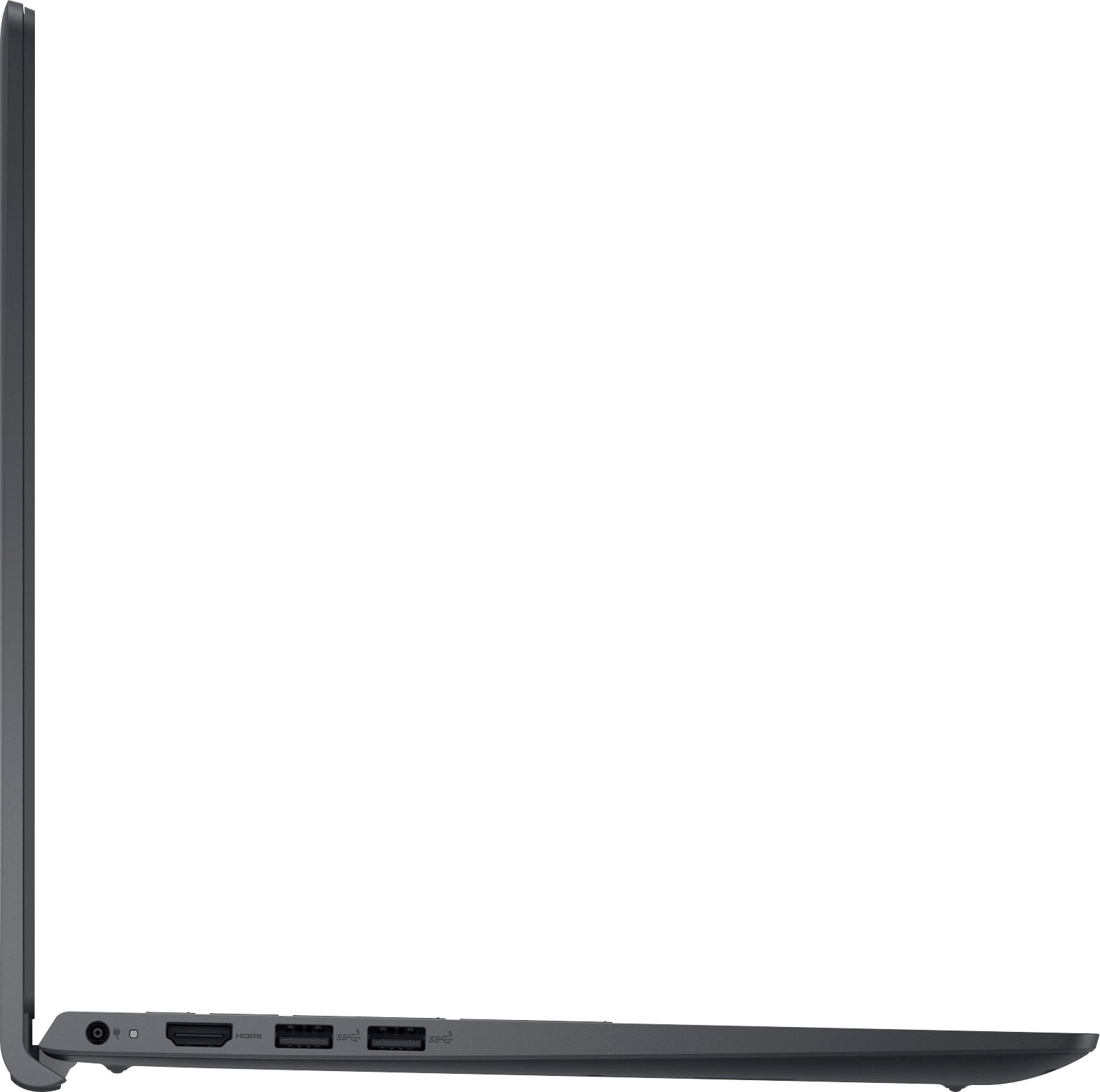
Posted .This reviewer received promo considerations or sweepstakes entry for writing a review.Nice laptop. Has great features, good battery life, fast etc. My only complaint is the speaker placement. The speakers are underneath the laptop via small slits on each side. I like to stream videos or watch youtube on my bed and the sound gets completely muffled while on my sheets, I have to slightly tilt the laptop for better sound. Not sure why they didn't just build the speakers on top, by the keyboard. I suppose if you plan to only use it on a desk it shouldn't be too bad but regardless, optimal sound is lacking. Also wish the keyboard was backlit but I don't mind that as much as the speakers. It's sort of a bummer. I had a Macbook Air prior to this, and the sound and resolution were so crisp.
No, I would not recommend this to a friendBrand response from YourDellTeam
Posted .Hi AnaJ,
Thank you for taking the time to leave a review of your Inspiron 3511. We are sorry to hear that you are not satisfied with the speaker location on your device. We have noted the details of your statement and will use them to improve current and future products. In the meantime if you need further assistance I have provided the toll-free number and chat link below to reach our support team.
Should you need further assistance; we recommend that you contact Dell directly with the information below.
Chat or call: https://bit.ly/DellSupportTeam
Phone number to Dell: 1-800-624-9896.
Sincerely,
Summer@Dell
Na
Posted .This reviewer received promo considerations or sweepstakes entry for writing a review.Good, slow in few apps and battery life needs improvement’s
I would recommend this to a friendbest laptop
Posted .This reviewer received promo considerations or sweepstakes entry for writing a review.best laptop and works well for my day 2 day work..
I would recommend this to a friend