Customer Ratings & Reviews
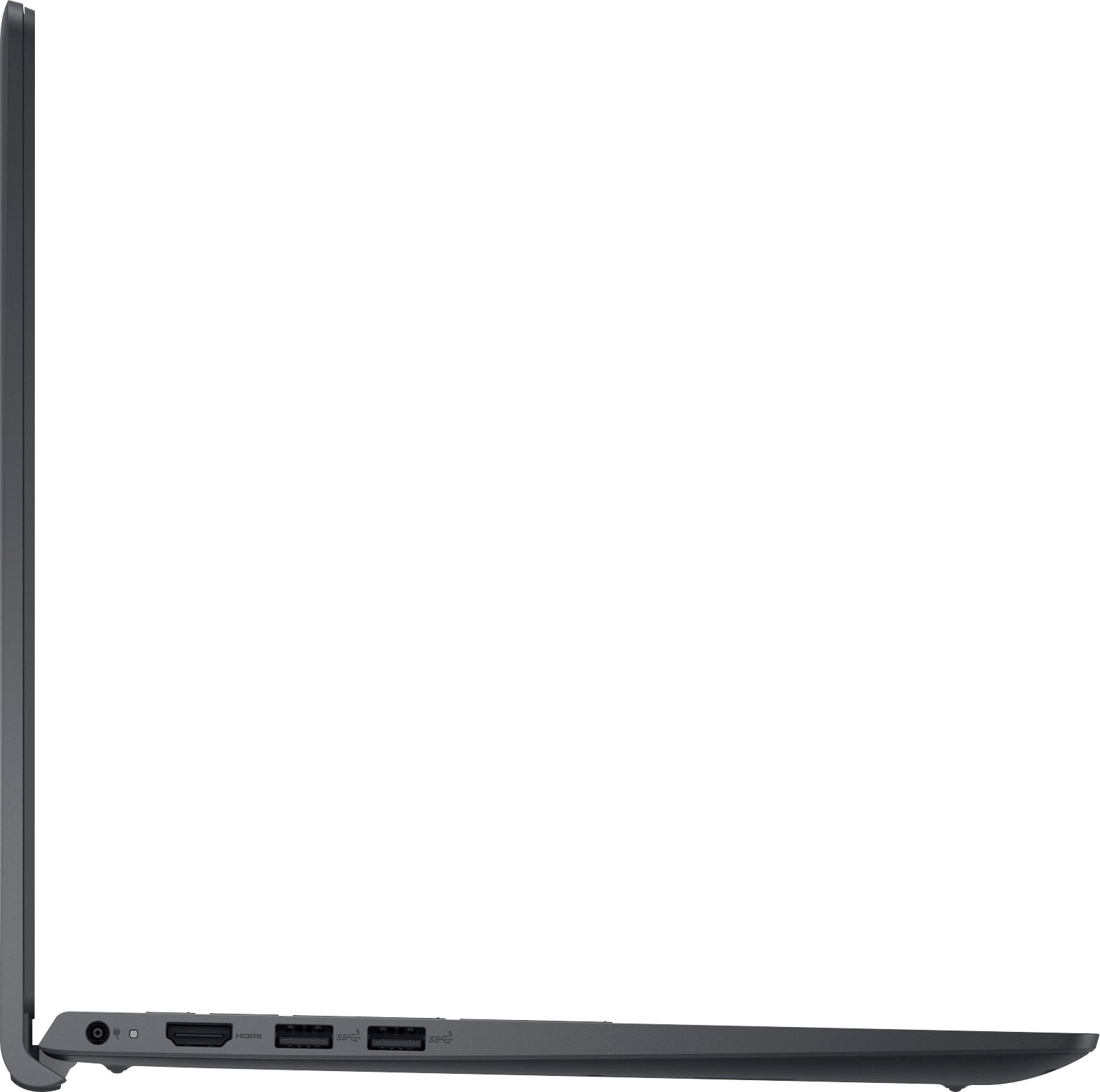
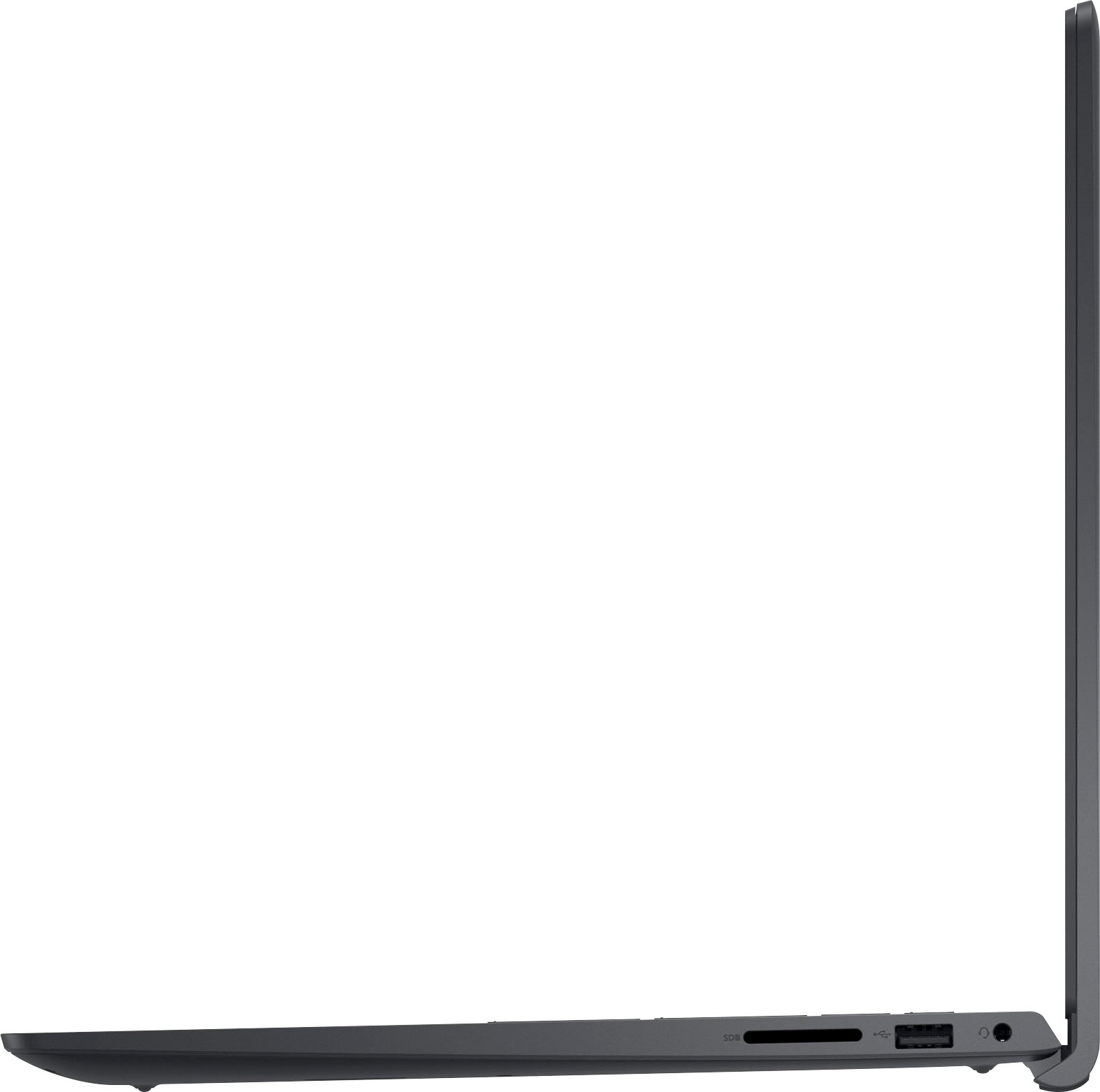
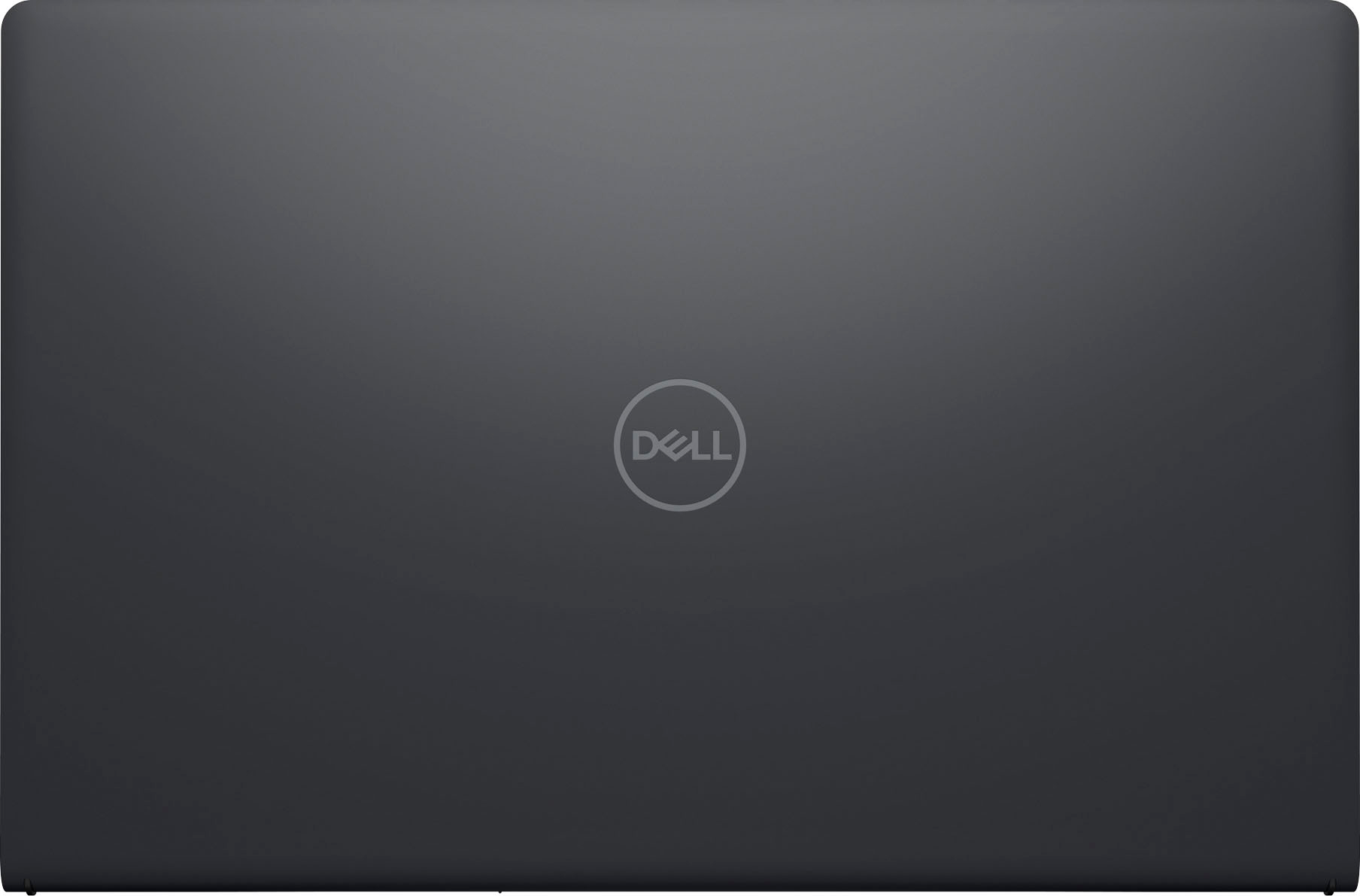



- Model:
- i3511-5174BLK-PUS
- SKU:
- 6500646
Rating by feature
- Battery Life
Rating 4.3 out of 5 stars
- Speed
Rating 4.5 out of 5 stars
- Display
Rating 4.6 out of 5 stars
Customers are saying
Customers commend the Inspiron 3511 for its touchscreen, ease of use, and affordability, frequently praising its performance and lightweight design. However, some users reported concerns regarding battery life and occasional overheating. A few also mentioned issues with fan noise and storage capacity.
This summary was generated by AI based on customer reviews.
- Cons mentioned:Battery life
It could easily be much better
||Posted . Owned for 3 weeks when reviewed.This reviewer received promo considerations or sweepstakes entry for writing a review.Battery is bad on my new computer. Now I got to drive 68 miles one way to get it fixed. Probably cost me 40 bucks in gas and two and a half hours of my time. I could ship it a lot easier
No, I would not recommend this to a friendBrand response from YourDellTeam
Posted .Dear Valued Customer,
We want to thank you for taking the time to leave us your review and valued feedback. We apologize for the troubles you have come across with your Dell Inspiron 3511 computer because its battery is not good. If the performance of the battery is not as good as you would expect, we recommend changing the Power Plan:
1. On the notification area of the taskbar, right-click the Battery icon.
2. On the options list, click Power Options.
3. Select a power plan on the battery meter, such as Power Saver or Balanced. Windows 10 has a built-in 'Battery Saver' mode that can be activated to extend your system's battery life. The Battery Saver mode will monitor and limit background activity and other features such as push notifications. You do have the option to enable or disable this mode within settings or within advanced Battery Saver settings, you can customize the mode to best suit your needs.
a) Click on the Action Center icon in the taskbar and select the tile for Battery Saver.
b) If running Cortana then type Battery Saver into the search box and select from the results.
Within the Battery Saver settings page, you will be able to turn on and off the feature and customize the feature to best meet your needs.
c) Turn the Battery Saver On or Off.
d) Additional settings are available via the Battery use and Battery saver settings links.
e) Battery use shows further info on apps and their power usage.
f) Battery Saver Settings screen allows you to customize further Battery Saver features.
You can read the full article here - http://dell.to/2vfXWf4
If the battery on you new computer is not functioning at all, please contact the Dell Support Team at 1-800-624-9896 for further guidance.
Best,
Katarina@Dell
Should you need further assistance, you can contact Dell directly with the information below.
Chat or call: https://bit.ly/DellSupportTeam
Phone number to Dell 1-800-624-9896
C-
||Posted . Owned for 1 month when reviewed.This reviewer received promo considerations or sweepstakes entry for writing a review.To be honest it isn’t as user friendly as my previous computer and Word. Might take some adjusting to.
No, I would not recommend this to a friendBrand response from YourDellTeam
Posted .Dear Caverage,
Thank you very much for your valuable feedback. We are sorry to hear that you are not 100% satisfied with your new Dell Inspiron 3511 laptop because it is not very user-friendly.
Below I have provided a link to documentation for your Inspiron for your reference, where manuals and troubleshooting articles could be found:
Documentation (Inspiron 15 3511): https://dell.to/3a9Sro2
If you come across any questions or have concerns about this product, please don’t hesitate to contact Dell Support Team at the information provided below.
Best,
Katarina@Dell
Should you need further assistance, you can contact Dell directly with the information below.
Chat or call: https://bit.ly/DellSupportTeam
Phone number to Dell 1-800-624-9896
Dell Inspiron Laptop
||Posted . Owned for 1 month when reviewed.This reviewer received promo considerations or sweepstakes entry for writing a review.1. My ear plug port does not work. 2. The store did not transfer over my WORD program. 3. I do not like the program on the new computer. I thought the store said the transfer from the old computer would look the same. 4. My address book did not transfer over in total.
No, I would not recommend this to a friendBrand response from YourDellTeam
Posted .Dear Tilt,
We appreciate you taking the time to leave us your review. We are sorry to hear about the issues you have come across with your Dell Inspiron 3511 computer.
To help with audio jack issues, I have provided the steps to run the Microsoft Sound Troubleshooter. I have also included the full article link that has more options if they are needed.
We also suggest making sure the audio drivers are up to date on your PC. I have included a link to the Drivers and Downloads page for your computer below so you can check for and do any applicable updates.
How to run the Windows Sound Troubleshooter in Microsoft Windows
1. Click Start, and then select Settings (gear icon).
2. Click Update & Security and select Troubleshoot.
3. Click Playing Audio and then click Run the troubleshooter.
4. Follow the on-screen instructions to complete the troubleshooting process.
Troubleshoot Audio or Sound Playback Issues: https://dell.to/3u4pzmX
Drivers and Downloads page: https://dell.to/3hLXbku
To help with Microsoft Office programs, I have provided a link to Microsoft Support:
Microsoft Support: http://bit.ly/36ClDzK
I have also provided 2 links that should help with Microsoft Office if still needed.
User Guide for Microsoft Office: https://dell.to/2MG9brH
FAQ about Microsoft Office on your Dell PC: https://dell.to/3tCRfz9
To help with transferring the address book to your new computer, please see these steps: https://dell.to/3QYxRap
If the issues with your computer are still not resolved after utilizing the troubleshooting options above, please contact the Dell Support Team at 1-800-624-9896 for further guidance.
Best,
Katarina@Dell
Should you need further assistance, you can contact Dell directly with the information below.
Chat or call: https://bit.ly/DellSupportTeam
Phone number to Dell: 1-800-624-9896
Ok Laptop
||Posted . Owned for 1 month when reviewed.This reviewer received promo considerations or sweepstakes entry for writing a review.it was an ok laptop but very flimsy. I run CAD and it did not do to good of a job with CAD
No, I would not recommend this to a friendBrand response from YourDellTeam
Posted .Dear LarryS,
We would like to thank you for taking the time to provide us with your feedback. We are sorry to hear that you are not 100% satisfied with your Dell Inspiron 3511 laptop because it feels flimsy and it is not running well the programs you need it to. We will share your review issues with our quality team, so future improvements can be made.
Please make sure you have downloaded the latest system update and that software you are using meets all system requirements. I have provided a link to the drivers and downloads page where you can check for any applicable updates.
Drivers and Downloads page: https://dell.to/3hLXbku
If you come across any questions or have concerns about this product, please don’t hesitate to contact Dell Support Team at the information provided below.
Best,
Katarina@Dell
Should you need further assistance, you can contact Dell directly with the information below.
Chat or call: https://bit.ly/DellSupportTeam
Phone number to Dell: 1-800-624-9896
garbage
||Posted . Owned for 3 weeks when reviewed.This reviewer received promo considerations or sweepstakes entry for writing a review.this computer sucks its like a cheap toy . hard to connect to internet
No, I would not recommend this to a friendBrand response from YourDellTeam
Posted .Greetings JosephG,
We value your feedback and want to thank you for taking the time to leave a review of your Inspiron 3511. We are sorry to hear that you are experiencing an issue with your Wi-Fi connectivity. That is not the type of feedback we like to hear from our customers. Below I have provided steps to help resolve your issue.
1. Run the Network Troubleshooter.
a) Touch and hold or right-click the network icon (Available Networks or Network Icon, located in the lower right-hand corner).
b) Touch or click Troubleshoot problems and then follow the prompts.
You can read the full article here - http://dell.to/2sLtwRh.
Should you need further assistance; we recommend that you contact Dell directly with the information below.
Chat or call: https://bit.ly/DellSupportTeam
Phone number to Dell: 1-800-624-9896.
Sincerely,
Summer@Dell
Be better prepared or better informed b4 deciding.
||Posted . Owned for 3 weeks when reviewed.This reviewer received promo considerations or sweepstakes entry for writing a review.I decided to return it and purchase another product. WRONG CHOICE!
No, I would not recommend this to a friendBrand response from YourDellTeam
Posted .Greetings TishaO,
We want to thank you for taking the time to leave a review of your Inspiron 3511 laptop. We are sorry to hear that you were not completely satisfied with your device and made the decision to return it. That is not the type of feedback we like to hear from our customers, or the type of product Dell intends to deliver. We have noted the details of your statement and will use them to improve current and future products.
Should you need further assistance; we recommend that you contact Dell directly with the information below.
Chat or call: https://bit.ly/DellSupportTeam
Phone number to Dell: 1-800-624-9896.
Best,
Summer@Dell
- Cons mentioned:Heat
Dissatisfied customer
||Posted .This reviewer received promo considerations or sweepstakes entry for writing a review.it is the worst product. /The system heats up after 5 minutes of being on. NOT recommended
No, I would not recommend this to a friendBrand response from YourDellTeam
Posted .Hello Valued Customer,
Thank you very much for your valued feedback. We are sorry to hear about the issues you came across with your Inspiron 3511 laptop because it is overheating.
To help with this issue, we would recommend making sure the BIOS is up to date on your PC. I have provided a link to the Drivers and Downloads page so you can check for and do any applicable updates. Dell has also released an Intel Power Management Utility to help with the overheating that you may be experiencing on your computer. For this package to take effect, the system power plan must be set to Balanced under the Additional Power Settings. Also, the Power Mode option that is displayed when you click the battery icon, should be set to Better Performance. This package only takes effect on AC power and not on battery power. The Intel Power Management Utility can be found here - http://dell.to/3tStRgX.
Drivers and Downloads page: https://dell.to/3hLXbku
If the issue with your Inspiron is still not resolved after utilizing the troubleshooting options above, please contact the Dell Support Team at 1-800-624-9896 for further guidance.
Best,
Katarina@Dell
Should you need further assistance, you can contact Dell directly with the information below.
Chat or call: https://bit.ly/DellSupportTeam
Phone number to Dell 1-800-624-9896
Too slow
||Posted . Owned for 3 weeks when reviewed.This reviewer received promo considerations or sweepstakes entry for writing a review.This Dell Laptop is a disappointment. I find it slower than my 5 year old HP!
No, I would not recommend this to a friendBrand response from YourDellTeam
Posted .Dear Falcon70,
We appreciate you taking the time to leave us your review. We apologize for the issues you have come across with your Dell Inspiron 3511 laptop because it is performing very slowly.
I have provided some steps you can take that should help with this issue.
There are several ways to help improve the performance of your computer if it is running slower than you expected it to. We'd recommend the following steps to help improve your computer's overall performance and speed:
1. Restart your computer regularly.
2. Run the automated tools provided in the SupportAssist Tool.
3. Run a complete hardware diagnostic test.
4. Scan your computer for malware.
5. Restore your Dell computer using Windows System Restore.
6. Reinstall Microsoft Windows.
You can read the full steps associated with each of these recommendations here: https://dell.to/3n29QjE.
If the performance issue with your Inspiron is still not resolved after utilizing the troubleshooting options above, please contact the Dell Support Team at 1-800-624-9896 for further guidance.
Best,
Katarina@Dell
Should you need further assistance, you can contact Dell directly with the information below.
Chat or call: https://bit.ly/DellSupportTeam
Phone number to Dell: 1-800-624-9896
Not happy
||Posted . Owned for 2 weeks when reviewed.This reviewer received promo considerations or sweepstakes entry for writing a review.The computer is fine, but I hated Widows 11 S Mode. Awful
No, I would not recommend this to a friendBrand response from YourDellTeam
Posted .Hi There Ahp76gg,
We value your feedback and want to thank you for taking the time to leave a review of your Inspiron 3511. We are sorry to hear that you are not satisfied with Windows 11 S mode. That is not the type of feedback we like to hear from our customers, or the type of product Dell intends to deliver. We have noted the details of your statement and will use them to improve current and future products. If you need further assistance I have provided the toll-free number and chat link below for your convenience.
Should you need further assistance; we recommend that you contact Dell directly with the information below.
Chat or call: https://bit.ly/DellSupportTeam
Phone number to Dell: 1-800-624-9896.
Sincerely,
Summer@Dell
So so
||Posted . Owned for 1 month when reviewed.This reviewer received promo considerations or sweepstakes entry for writing a review.Nice laptop, but I expected much better from Dell Service @ Best buy was Great!
I would recommend this to a friendBrand response from YourDellTeam
Posted .Hello MCmc,
We appreciate you taking the time to leave us your review. We are glad you like your Dell Inspiron 3511 laptop but we are sorry to hear that you are not too happy with Dell and you would expect more from this company. With a little more information, we would like to help you resolve any issues you may be facing and we would like to solve these to your satisfaction.
Please contact Dell Support Team at the information provided below at your earliest convenience, so we can help you to resolve these problems.
Best,
Katarina@Dell
Should you need further assistance, you can contact Dell directly with the information below.
Chat or call: https://bit.ly/DellSupportTeam
Phone number to Dell 1-800-624-9896
Poor Performance
||Posted . Owned for 8 months when reviewed.This reviewer received promo considerations or sweepstakes entry for writing a review.worst Machine. don't ever buy it. poor performance
No, I would not recommend this to a friendBrand response from YourDellTeam
Posted .Hey Reddy,
Thank you for taking the time to leave us your review. We are sorry to hear that you are experiencing slow performance issues with your Inspiron 3511. It's important for us to hear about inconsistencies in our products for consideration of future development. Below I have provided steps with the full article that can help you with slow performance issues with your laptop.
Here are the steps to help you with slow performance issues:
1. Run the automated tools in SupportAssist to ensure that the drivers are up to date and your computer is optimized.
2. Restart the computer
3. Run a hardware diagnostic test
4. Scan your computer for malware
5. Restore the computer using Windows System Restore
6. Restore the computer to factory default settings
You can read the article that can help you with slow performance issues here: https://dell.to/3yqre8r
If you continue to experience issues, please reach out to Dell Support directly by using the information provided below.
We recommend that you contact Dell directly with the information below if you need further assistance.
Chat or call: https://bit.ly/DellSupportTeam
Phone number to Dell: 1-800-624-9896.
Best,
Summer@Dell
My review
||Posted . Owned for 3 weeks when reviewed.This reviewer received promo considerations or sweepstakes entry for writing a review.Product seems good. Windows 11 is iffy…I will learn how to use it!
I would recommend this to a friendBrand response from YourDellTeam
Posted .Dear Dello,
Thank you very much for your review. We appreciate your kind words and are happy to know you're enjoying your Dell Inspiron 3511 computer.
For your reference, I have provided links to articles that have the specs and system requirements for Windows 11 and some Windows tips and tricks.
Windows 11 Specs and System Requirements: https://bit.ly/3nyMmF3
Windows 11 Tips and Tricks: https://bit.ly/3CQXeUa
If you come across any questions or have concerns about this product, please don’t hesitate to contact Dell Support Team at the information provided below.
Best,
Katarina@Dell
Should you need further assistance, you can contact Dell directly with the information below.
Chat or call: https://bit.ly/DellSupportTeam
Phone number to Dell: 1-800-624-9896
Over heating
||Posted . Owned for 3 weeks when reviewed.This reviewer received promo considerations or sweepstakes entry for writing a review.The laptop is getting overheated after few minutes used.
No, I would not recommend this to a friendBrand response from YourDellTeam
Posted .Hey There ZillurR,
We value your feedback and want to thank you for taking the time to leave a review of your Inspiron 3511. We are sorry to hear that you are experiencing trouble with your device overheating. That is not the type of feedback we like to hear from our customers. Below I have provided troubleshooting steps to help resolve your issue.
Here are the steps to help resolve your overheating issue:
1. Inspect and clean the air vents and fans.
2. Restart the computer.
3. Update the BIOS and Chipset driver.
4. Download and install Microsoft Windows updates.
5. Run a hardware diagnostic test.
6. Use Dell Power Manager to manage thermal performance.
7. Improve efficiency to reduce heat.
8. Perform a Windows System Restore.
9. Restore the computer to factory settings.
How to Troubleshoot Overheating, Shutdown, or Thermal Issue on a Dell Computer: https://dell.to/3oAEYsV
Should you need further assistance; we recommend that you contact Dell directly with the information below.
Chat or call: https://bit.ly/DellSupportTeam
Phone number to Dell: 1-800-624-9896.
Best,
Summer@Dell
Do not recommend
||Posted . Owned for 3 weeks when reviewed.This reviewer received promo considerations or sweepstakes entry for writing a review.Extremely slow computer. i returned it after a week.
No, I would not recommend this to a friendBrand response from YourDellTeam
Posted .Dear LemuelL,
We value your feedback and want to thank you for taking the time to leave a review of your Inspiron 3511. We are sorry to hear that you were experiencing an issue with the performance of your device and made the decision to return your laptop. That is not the type of feedback we like to hear from our customers, or the type of product Dell intends to deliver. We have noted the details of your statement and will use them to improve current and future products.
Should you need further assistance; we recommend that you contact Dell directly with the information below.
Chat or call: https://bit.ly/DellSupportTeam
Phone number to Dell: 1-800-624-9896.
Best,
Summer@Dell
Probably wouldn’t make this purchase again
||Posted . Owned for 1 month when reviewed.This reviewer received promo considerations or sweepstakes entry for writing a review.It didn’t have the functionality that I ask used to.
No, I would not recommend this to a friendBrand response from YourDellTeam
Posted .Dear Glow,
We would like to thank you for taking the time to provide us with your feedback. We are sorry to hear that you are not 100% satisfied with your Dell Inspiron 3511 because it does not include the features and functions you expected. We will share your review with our quality team, so future improvements can be made.
If you come across any questions or have concerns about this product, please don’t hesitate to contact Dell Support Team at the information provided below.
Best,
Katarina@Dell
Should you need further assistance, you can contact Dell directly with the information below.
Chat or call: https://bit.ly/DellSupportTeam
Phone number to Dell: 1-800-624-9896
- Cons mentioned:Battery life
Better have an outlet handy
||Posted . Owned for 3 weeks when reviewed.This reviewer received promo considerations or sweepstakes entry for writing a review.Great as long as it’s plugged in. Barely had it 3 weeks and it dies almost immediately upon unplugging. Unfortunately, 2 weeks is the return window.
No, I would not recommend this to a friendBrand response from YourDellTeam
Posted .Hi Unplugged,
We would like to thank you for taking the time to provide us with your feedback. We are sorry to hear about the battery issue you have experienced with your Dell Inspiron 3511 computer. This is certainly not the experience that we like to hear from our customers. We appreciate your feedback and will use it to help improve our current and future products.
Please take a moment to contact Dell Support Team at the information provided below at your earliest convenience so we can help you to resolve this issue to your satisfaction.
Best,
Katarina@Dell
Should you need further assistance, you can contact Dell directly with the information below.
Chat or call: https://bit.ly/DellSupportTeam
Phone number to Dell: 1-800-624-9896
Dell Laptop
||Posted . Owned for 3 weeks when reviewed.This reviewer received promo considerations or sweepstakes entry for writing a review.No face recognition. Display dull……………………………………….
No, I would not recommend this to a friendBrand response from YourDellTeam
Posted .Hello James,
We appreciate you taking the time to leave us your review. We are sorry to hear that you are not too happy with your Dell Inspiron 3511 laptop because its screen is dull and it doesn’t have face recognition. We will share your comments with our quality team, so future improvements can be made.
To help with the screen issues, we recommend making sure, that all drivers are current and up to date. I have provided a link to the Drivers and Downloads Page for your Inspiron laptop where you can check for any applicable updates.
Drivers and Downloads page: https://dell.to/3hLXbku
We also recommend following these troubleshooting tips:
1. Run the automated tools in SupportAssist to ensure that the drivers and BIOS are up to date and your computer is optimized
2. Verify display or video issue on an external monitor
3. Check for physical damage on the LCD screen
4. Run hardware diagnostics on the LCD screen
5. Verify the display or video issue in Windows Safe Mode
6. Download and install Microsoft Windows Updates
7. Change the video or display settings, and adjust the brightness
8. Touch screen troubleshooting
9. Run a Video Stress Test using Dell SupportAssist
10. Perform a Windows System Restore
11. Restore the computer to factory defaults
The whole article on this subject can be found here:
How to Troubleshoot Display or Video Issues on a Dell Laptop: https://dell.to/3pE7wm4
If the issue with the screen is still not resolved after utilizing the troubleshooting options above, please contact the Dell Support Team at 1-800-624-9896 for further guidance.
Best,
Katarina@Dell
Should you need further assistance, you can contact Dell directly with the information below.
Chat or call: https://bit.ly/DellSupportTeam
Phone number to Dell 1-800-624-9896
Everything is good except touchpad
||Posted . Owned for 1 week when reviewed.This reviewer received promo considerations or sweepstakes entry for writing a review.This computer us slim an quick the only issue I had with it was the touchpad which would freeze up and take forever to start back working plus the pad was really sensitive but I guess you can adjust that in the settings
No, I would not recommend this to a friendBrand response from YourDellTeam
Posted .Hi There Jrock ,
Thank you for taking the time to leave us your review. We're sorry to hear that you are having issues with the touchpad on your Inspiron 3511 laptop. This is certainly not the experience we like to hear from our customers. Below, I have included a link to an article with troubleshooting steps that should help in resolving your touchpad issues.
Touchpad Usage and Troubleshooting Guide: https://dell.to/3tXxiof
Please take a moment to call or chat with a Dell Support Representative at your earliest convenience if you continue to have this issue: https://bit.ly/DellSupportTeam.
Should you need further assistance; we recommend that you contact Dell directly with the information below.
Chat or call: https://bit.ly/DellSupportTeam
Phone number to Dell: 1-800-624-9896.
Best,
Summer@Dell
Don't Buy
||Posted . Owned for 3 weeks when reviewed.This reviewer received promo considerations or sweepstakes entry for writing a review.Don't buy. Not very user friendly unless you want to spend a lot of time repeating yourself when making changes to anything on the laptop
No, I would not recommend this to a friendBrand response from YourDellTeam
Posted .Dear GGGG,
Thank you for taking the time to leave us a review of your Inspiron 3511. We are sorry to hear that your new laptop does not meet your expectations and that you are experiencing issues when making changes to your device. That is not the type of feedback we like to hear from our customers. I have noted the details of your statement and will use them to help improve our current and future products. If we can assist you we recommend that you reach out to a member of our support team with the chat link or toll free number below.
Chat or call: https://bit.ly/DellSupportTeam
Phone number to Dell: 1-800-624-9896.
Regards,
Summer@Dell
Mousepad stopped working after one week
||Posted . Owned for 1 month when reviewed.This reviewer received promo considerations or sweepstakes entry for writing a review.Supposed to be a good brand. mousepad stopped working after one week, made it work after troubleshooting with a youtube video, worked for a few days, same solution did not help again. I have reviewed many videos, nothing seems to solve it. last option I see, buy external mouse. Hopefully that will move the cursor again.
No, I would not recommend this to a friendBrand response from YourDellTeam
Posted .Hello Valued Customer,
We would like to thank you for taking the time to provide us with your feedback. We are sorry to hear about the issues you have encountered with your Dell Inspiron 3511 laptop because its touchpad is not working. We recommend that all drivers are updated. I have provided a link to the Drivers and Downloads page for your Inspiron, where you can check for any applicable updates.
Drivers and Downloads page: https://dell.to/3hLXbku
If the issue with the touchpad is still not resolved after utilizing the troubleshooting options above, please contact the Dell Support Team at 1-800-624-9896 for further guidance.
Best,
Katarina@Dell
Should you need further assistance, you can contact Dell directly with the information below.
Chat or call: https://bit.ly/DellSupportTeam
Phone number to Dell 1-800-624-9896