Customer Ratings & Reviews






- Model:
- i7490-7842SLV-PUS
- SKU:
- 6434279
Rating by feature
- Battery Life
Rating 4.6 out of 5 stars
- Speed
Rating 4.5 out of 5 stars
- Display
Rating 4.4 out of 5 stars
Customers are saying
Customers admire the Inspiron 7000 laptop for its fast performance, lightweight design, and reasonable price. Many users appreciate its long battery life and portability, making it a great choice for those who are always on the go. While some users have expressed concerns about the keyboard's backlighting, the overall positive feedback suggests that this laptop meets the needs of many users.
This summary was generated by AI based on customer reviews.
Thought I could get by with USED
||Posted . Owned for 2 months when reviewed.This reviewer received promo considerations or sweepstakes entry for writing a review.I purchased two of these used and wasn’t happy with the physical condition. Otherwise this machine seemed solid.
I would recommend this to a friend- Cons mentioned:Keyboard
Dell
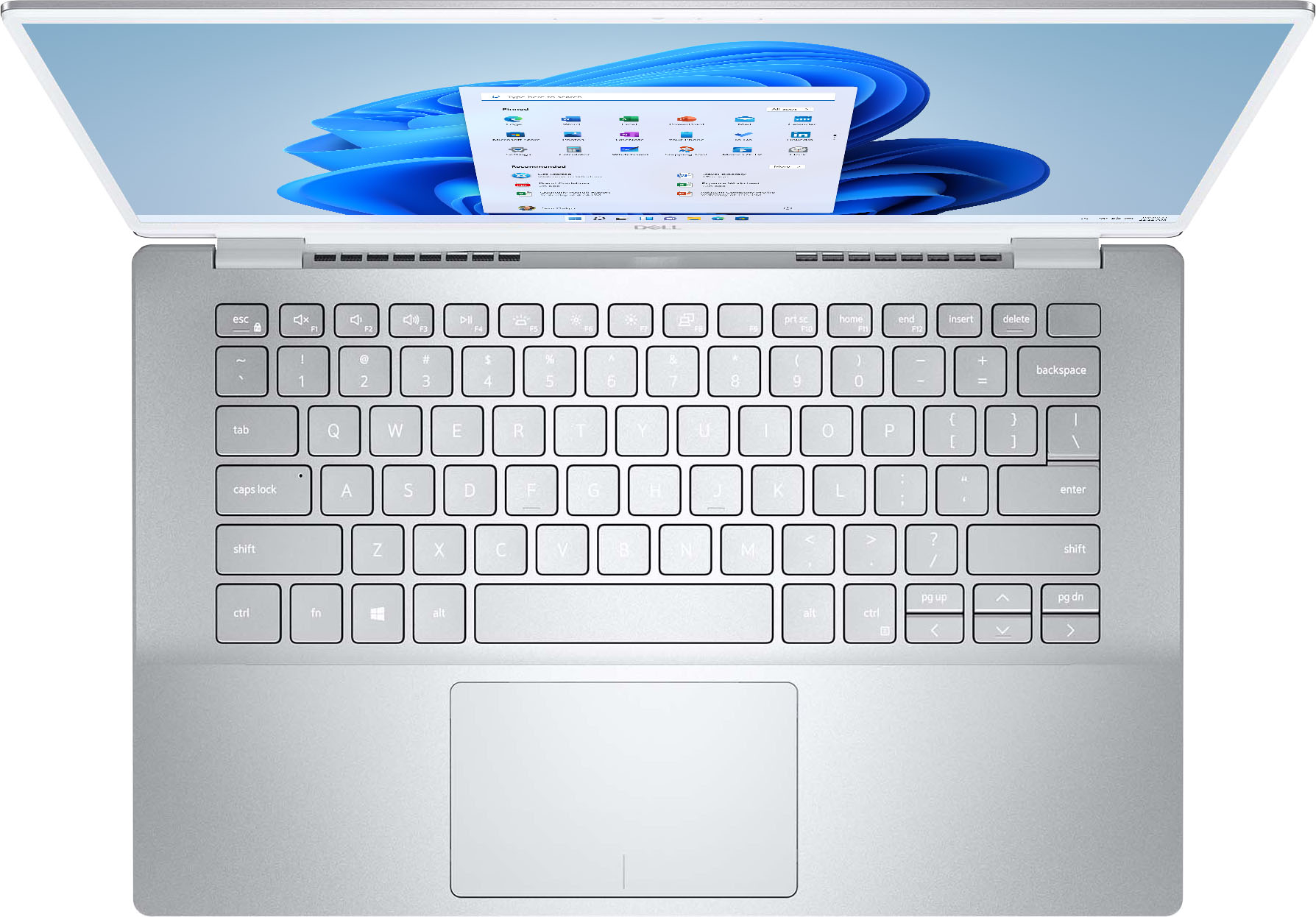
||Posted . Owned for 3 weeks when reviewed.This reviewer received promo considerations or sweepstakes entry for writing a review.The keyboard is too hard to see with the white on silver. I ended up returning it.
No, I would not recommend this to a friendBrand response from YourDellTeam
Posted .Hello None,
Thank you for your review. It is sincerely appreciated and your feedback will surely be taken into consideration when designing future products. If you have any other questions, feel free to visit the support page for your product.
Best Regards,
Anthony P.
1-800-624-9896
The laptop is screen is faulty when we opened it
||Posted . Owned for 1 month when reviewed.This reviewer received promo considerations or sweepstakes entry for writing a review.I ordered the Dell Inspiron 7490 as a gift to my brother. I made the order from Canada to be picked up at NORTHLAKE GA. My sister picked the order on 05/26/2021, and she gave it to my brother when he arrives roughly after 20 days. So he received it packed, and when he opened it and turned on the laptop, the screen LCD shows broken color. We contacted BestBuy hoping to return it, but they shut us down by saying it passed two weeks since the purchase and suggested contacting Dell. I contacted DELL, and they insist the damage is from the customer and I explained to them maybe the accident happened when they shipped it, but they fail to support it and suggest contacting BestBuy. Now, I am very frustrated by the lack of genuine support and the money I spent on a new laptop that we didn't even use for a second. I have been a BestBuy customer for a long time in Canada. This is the first time I am encountering an unfortunate coincidence. I don't know what to do!. I hope to receive genuine support from BestBuy.
No, I would not recommend this to a friendNot worth the price
||Posted . Owned for 1 month when reviewed.This reviewer received promo considerations or sweepstakes entry for writing a review.Built cheap. The fingerprint reader did not work from the start. Dell wasted my time trying to fix it, and it still does not work. Do not lift it by the edge or the frame might bend and it will rock when you set it on flat surfaces. In addition you cannot install Linux on this laptop because of hard drive.
No, I would not recommend this to a friendBrand response from YourDellTeam
Posted .Hello laptopcustomer,
Thank you for sharing your experience. Your feedback is sincerely appreciated and will surely be taken into consideration when designing future products. Please keep in mind that for Linux to be installed, Intel Optane Memory would need to be accounted for during installation and the drive is to be formatted correctly. If you have any other questions, feel free to visit the support page for your Inspiron.
Best Regards,
Anthony P.
My new puter
||Posted . Owned for 1 month when reviewed.This reviewer received promo considerations or sweepstakes entry for writing a review.haven't had a chance to use it very much. It seems rather slow.
No, I would not recommend this to a friendBrand response from YourDellTeam
Posted .Hello TelevisioHookup,
Thank you for your feedback. We understand that it is early to request a review and we would love to help right away with the performance issue of your Inspiron. To make sure we can help in the future there are steps below that can be used to improve performance overall.
1. Restart your computer regularly
2. Run the automated tools provided in the SupportAssist tool
3. Run a complete hardware diagnostic test
4. Scan your computer for malware
5. Restore your Dell computer using Windows System Restore
6. Reinstall Microsoft Windows
Here is the link to the full article to assist with your performance issue: https://dell.to/32wo0Ss.
Best regards,
Wendy C.
For further assistance, you can contact Dell directly with the information below Chat or Call:
https://bit.ly/DellSupportTeam.
Phone number to Dell: 1-800-264-9896.
Good
||Posted .This reviewer received promo considerations or sweepstakes entry for writing a review.Good screen resolutin. Nice specs. Sound was alright.
I would recommend this to a friendBrand response from YourDellTeam
Posted .Hi Rogel,
We want to thank you for taking the time to leave us your review. We appreciate your kind words and are happy to know you're enjoying your Inspiron 7490. The contents of your review will be used to help improve now and future Dell products. If you come across any questions, issues, or concerns, please use the information below to contact Dell at your earliest convenience.
If you require further assistance, you can contact Dell directly with the information below.
Chat or call: https://bit.ly/DellSupportTeam
Phone number to Dell 1-800-624-9896
Best,
Ashley@Dell
Inspiron
||Posted . Owned for 1 month when reviewed.This reviewer received promo considerations or sweepstakes entry for writing a review.Everything was working good, until the screen showed black.
No, I would not recommend this to a friendBrand response from YourDellTeam
Posted .Hello Miguel,
Thank you for your review and input. We apologize for the issues you have come across with the screen of your laptop and have provided steps below that may help with fixing your black screen. The details include how to perform a hard reset along with expelling and lingering power.
1. Disconnect all external devices or peripherals (such as a printer, Bluetooth, or USB devices).
2. Power off your laptop by pressing the Power button for about 10 to 20 seconds.
3. Disconnect the AC adapter and remove the battery intact.
4. Drain the remaining battery by holding onto the power button for approximately 60 seconds.
5. Place the battery back in and plug in the charger.
6. Press the Power button to turn on your laptop.
If you require further assistance, please visit the Support Page of your Inspiron.
Best regards,
Wendy C.
For further assistance, you can contact Dell directly with the information below Chat or Call:
https://bit.ly/DellSupportTeam.
Phone number to Dell: 1-800-264-9896.
Bad charger
||Posted . Owned for 3 weeks when reviewed.This reviewer received promo considerations or sweepstakes entry for writing a review.Nice computer. Power cord went band. No longer changing laptop.
I would recommend this to a friendBrand response from YourDellTeam
Posted .Rick,
Thanks for your review and we're sorry to hear about your power cord. Here's a list of compatible chargers for your computer: https://dell.to/2zrcr3l.
Best,
Bryan
1-800-624-9896
Dell Laptop
||Posted . Owned for 2 months when reviewed.This reviewer received promo considerations or sweepstakes entry for writing a review.I brought it 5/4 months ago. Sometimes when I open my laptop the cursor moves so slow and stuck the problem is not solve until I restart it. Another thing I dislike about this laptop is when I open it's lid the laptop automatically start by itself.
No, I would not recommend this to a friendBrand response from YourDellTeam
Posted .Hello Muhaimin,
Thank you for your review. We apologize for the trouble you have come across with your mouse cursor. Below are steps that can assist with making your mouse cursor move smoothly.
1. Open Control Panel.
2. In the Control Panel window you will need to left click on the Find and fix problems.
- Note: The Find and fix problems feature can be found on the System and Security section.
3. A Troubleshooting window will show, from the right side of the window left click on the Hardware and Sound option.
4. In the Device category left click on Next button for the Hardware and Devices.
5. A scan will begin and after it is finished you will need to left click on Apply this fix.
6. Close the windows you have open.
7. Reboot the Windows 8 or Windows 10 device and see if you still have this issue.
If your problem continues, please use the information below to contact Dell Support as soon as possible. at 1-800-264-9896.
Best regards,
Wendy C.
Computer
||Posted . Owned for 3 weeks when reviewed.This reviewer received promo considerations or sweepstakes entry for writing a review.Very disappointed, I spent a significant amount of money on a new computer ($800.00 Plus) and received my computer in good shape however a computer and a box with a power cord, no manuals just warranty information so not happy, living in a rural area of Saginaw means we don't have the greatest internet and to go on line to review anything is difficult, typically a manual also depicts associated hardware like docking station, external options and other potential accessories. so you asked and maybe you can share this comment with Dell as well. a $2.00 operating manual included would have changed position my position entirely. Thanks
No, I would not recommend this to a friendBrand response from YourDellTeam
Posted .DellComputer,
Thanks for your review and we're sorry that setting up your computer has been difficult so far. Here's a link to the Owner's Manual for your computer: http://dell.to/3pvgdxy.
We hope this helps you setup your computer easier.
Best,
Bryan
1-800-624-9896
I returned it
||Posted . Owned for 5 months when reviewed.This reviewer received promo considerations or sweepstakes entry for writing a review.I was really disappointed in this laptop. I have owned several Dell desktops in the past and this laptop just wasn't the quality that I expected. I returned it.
No, I would not recommend this to a friendBrand response from YourDellTeam
Posted .Hello JYNWFTX,
Thank you very much for your feedback. We are sorry to hear that you were not too happy with the quality of your Inspiron 7490 laptop and that you have ultimately decided to return this system. We will share your comment with our quality team, so future improvements can be made.
If you come across any questions about the Dell products, please don’t hesitate to contact Dell Support Team at the information provided below.
Best,
Katarina@Dell
Should you need further assistance, you can contact Dell directly with the information below.
Chat or call: https://bit.ly/DellSupportTeam
Phone number to Dell: 1-800-624-9896
Best laptop
||Posted . Owned for 7 months when reviewed.This reviewer received promo considerations or sweepstakes entry for writing a review.Very good laptop. Smaller than I thought but easy to carry
I would recommend this to a friendBrand response from YourDellTeam
Posted .Hello Valued Customer,
Thank you very much for your valued feedback. We appreciate your kind words and are happy to know you're enjoying your Dell Inspiron 7490 laptop.
If you come across any questions, issues, or concerns, please use the information below to contact Dell at your earliest convenience.
Best,
Katarina@Dell
Should you need further assistance, you can contact Dell directly with the information below.
Chat or call: https://bit.ly/DellSupportTeam
Phone number to Dell 1-800-624-9896
Hi
||Posted . Owned for 1 week when reviewed.This reviewer received promo considerations or sweepstakes entry for writing a review.It's an ok laptop for the price looks pretty nice.
No, I would not recommend this to a friendBrand response from YourDellTeam
Posted .Hello,
Thank you for your review. We are happy to hear all is well with your monitor. For additional support, please call Dell directly at 1-800-624-9896
Best, Lexy
Help-failure
||Posted . Owned for 1 month when reviewed.This reviewer received promo considerations or sweepstakes entry for writing a review.help. I had to go to the hosp a couple weeks back and now that I am home I cannot get the computer to go on.....I have unplugged and tried another outlet and still no picture.....what can I do???? will somebody please call me~!!!
No, I would not recommend this to a friendBrand response from YourDellTeam
Posted .Hello,
Thank you for your review. We are sorry to hear about the issues you have with powering on your laptop. We would love to help as best as we can and have provided steps that can help to troubleshoot the power function of your laptop.
1. If the computer is displaying the Dell logo and does not move past that point, it has probably failed POST.
2. If the power indicator lights up and it is amber or orange, this is usually an indicator that it has failed POST.
3. If you see text on a black screen, the computer is currently performing the POST. If the computer stays in that condition and does not move past it, it has probably failed POST.
4. If the video screen displayed anything at all during the startup process but is now black, this probably indicates that the computer failed POST.
5. If the computer is beeping or if Caps/Num/Scroll Locks are flashing, note if there is a particular pattern in which it beeps or flashes.
6. If the computer is not beeping and caps/num/scroll locks are not flashing, unplug all connections and remove all media communication devices (e.g. external monitors); reconnect one at a time and check if the computer functions.
7. For a notebook, press and hold the Fn key and then press the power button. This starts the pre-boot testing and will launch ePSA. In case you have a Desktop at the Dell logo screen tap the F12 key to enter One Time Boot Menu and use the arrow keys to highlight Diagnostics and press enter.
You can read the full article here - http://dell.to/2uj1Sby. If the issue persists, please contact Dell Support at your earliest convenience at 1-800-264-9896.
Best,
Wendy C.
https://bit.ly/DellSupportTeam.
Phone number to Dell: 1-800-264-9896.
Bad laptop
||Posted .This reviewer received promo considerations or sweepstakes entry for writing a review.This laptop stop working after I bought it with in 4 month. When I took it for repair they told me liquid detect on the device and they try to charge me $500 My laptop not even near the liquid disappointing
No, I would not recommend this to a friendBrand response from YourDellTeam
Posted .Hello Soli,
We want to thank you for taking the time to leave us your review. We sincerely apologize for the trouble you have had with your Inspiron 7490. This is certainly not what we like to hear from our valued customers. Below I have provided a link to help resolve this issue. On that page, you can choose between, no power, no post not boot, or no video. Once you choose which one, you can find the options to help troubleshoot and resolve that issue.
Resolve boot up issues: https://dell.to/3sdfce6
If you still experience this problem after you have finished troubleshooting your system, please feel free to reach out to our support team here at your earliest convenience: https://bit.ly/DellSupportTeam.
Best Regards,
Ashley@Dell
Should you need further assistance, you can contact Dell directly with the information below.
Chat or call: https://bit.ly/DellSupportTeam
Phone number to Dell 1-800-624-9896
It turned itself into a non-portable computer
||Posted . Owned for 10 months when reviewed.This reviewer received promo considerations or sweepstakes entry for writing a review.The screen stopped working a month after the warranty ended (6 months). The laptop still works but only with an external monitor plugged in. So, it is effectively not a laptop but a non-portable desktop.
No, I would not recommend this to a friendBrand response from YourDellTeam
Posted .Hi BossierNewbee,
We would like to thank you for taking the time to provide us with your feedback. We are sorry to hear about the issues you have come across with your Inspiron laptop.
To help with the screen issue, we recommend making sure, that all drivers are current and up to date. I have provided a link to the Drivers and Downloads Page for your laptop where you can check for any applicable updates.
Drivers and Downloads Page: https://dell.to/3sslVEr
For issues with your screen, we recommend following these troubleshooting tips:
1. Run the automated tools in SupportAssist to ensure that the drivers and BIOS are up to date and your computer is optimized
2. Verify display or video issue on an external monitor
3. Check for physical damage on the LCD screen
4. Run hardware diagnostics on the LCD screen
5. Verify the display or video issue in Windows Safe Mode
6. Download and install Microsoft Windows Updates
7. Change the video or display settings, and adjust the brightness
8. Touch screen troubleshooting
9. Run a Video Stress Test using Dell SupportAssist
10. Perform a Windows System Restore
11. Restore the computer to factory defaults
The whole article on this subject can be found here:
How to Troubleshoot Display or Video Issues on a Dell Laptop: https://dell.to/3pE7wm4
If the issue with the screen is still not resolved after utilizing the troubleshooting options above, please contact the Dell Support Team at 1-800-624-9896 for further guidance.
Best,
Katarina@Dell
Should you need further assistance, you can contact Dell directly with the information below.
Chat or call: https://bit.ly/DellSupportTeam
Phone number to Dell 1-800-624-9896
Shame on you Dell!
||Posted . Owned for 2 weeks when reviewed.This reviewer received promo considerations or sweepstakes entry for writing a review.Seriously? Now there's an 'agreement' between Intel and Microsoft where you cannot install a different operating system? Linux, etc. is no longer an option - not just on any of these SSD devices that are new, but most.
No, I would not recommend this to a friendBrand response from YourDellTeam
Posted .Anonymous,
Thanks for your review and we're sorry to hear about the concerns that you have with your computer and Linux and other operating systems. If you have any questions about using another operating system like Linux on your computer we'd recommend checking some of the resources on this site - https://linux.dell.com/.
If you have questions about your computer you can always check our Product Support Page also: https://dell.to/38mZ8Qk.
Best,
Bryan
1-800-624-9896
What a Lemmon !?!?
||Posted .This reviewer received promo considerations or sweepstakes entry for writing a review.I returned the laptop after 3 repair with the Geek squad technician group. Finally I didn’t want to repair. To bad for a new laptop. Thank you
No, I would not recommend this to a friendBrand response from YourDellTeam
Posted .Hello Delonghi,
Thanks for taking the time to share your review. We apologize for the issues you have come across with your product and having to repair it several times. We understand how upsetting it can be. We would love to assist you with any troubleshooting needs but would have needed a little more information. Please feel free to visit the Support Page of the Inspiron if you have any questions or concerns.
Best,
Wendy C.
https://bit.ly/DellSupportTeam.
Phone number to Dell: 1-800-264-9896.
Exchanged
||Posted .This reviewer received promo considerations or sweepstakes entry for writing a review.I exchanged it for a MacBook. Did not like anything about it.
No, I would not recommend this to a friendBrand response from YourDellTeam
Posted .Hello,
Thank you for taking a the time to share your response. We are extremely sorry to hear that this Inspiron has not met all of your expectations, and we greatly appreciate your feedback. If you come across any questions, issues, or concerns, please contact our support team here: https://bit.ly/DellSupportTeam.
Sincerely,
Wendy C.
https://bit.ly/DellSupportTeam.
Phone number to Dell: 1-800-264-9896.
Junk
||Posted .This reviewer received promo considerations or sweepstakes entry for writing a review.Junk. Havent had it 5 hours and it is stuck in "restarting"
No, I would not recommend this to a friendBrand response from YourDellTeam
Posted .Hello,
Thank you for your review. We apologize for the issues you have come across with your laptop. We would love to help right away and have provided steps below that can assist with your startup issues.
1. At the desktop, click the Search the web and Windows box and type ""problem reports"".
2. Select View all problem reports to view a list of errors that have occurred on your computer and possible solutions for them, such as updating drivers, flashing your system BIOS, or checking for updates to the software.
3. Under the Source column, look for Windows and under Summary, look for Shut down unexpectedly.
4. Right-click the line item and select Check for a solution.
We'd also suggest checking to make sure that your software and drivers are up to date on Dell's Product Page - http://dell.to/3hmUpRy.
Best regards,
Wendy C.
For further assistance, you can contact Dell directly with the information below Chat or Call:
https://bit.ly/DellSupportTeam.
Phone number to Dell: 1-800-264-9896.