Customer Ratings & Reviews


- Model:
- i3910-5870BLU-PUS
- SKU:
- 6501295
Rating by feature
- Value
Rating 4.6 out of 5 stars
- Quality
Rating 4.7 out of 5 stars
- Ease of Use
Rating 4.6 out of 5 stars
Customers are saying
Customers praise the Inspiron Compact Desktop's performance, ease of use, and compact size, frequently citing its quiet operation and good value for the price. Many appreciate the easy setup and the speed provided by the solid-state drive. However, some users express concerns about the limited storage capacity and have noted issues with the pre-installed operating system.
This summary was generated by AI based on customer reviews.
Office Computers
||Posted . Owned for 3 weeks when reviewed.This reviewer received promo considerations or sweepstakes entry for writing a review.I like my Dell because it is perfect for my work station.
I would recommend this to a friendComputer useless
||Posted . Owned for 3 weeks when reviewed.This reviewer received promo considerations or sweepstakes entry for writing a review.Purchase item brand new from best buy. Once home and set-up. It wouldn't turn on. And best buy was not helpful. I had to return it .
No, I would not recommend this to a friendBrand response from YourDellTeam
Posted .Hi Betty,
Thank you for taking the time to leave a review of your Inspiron 3910 desktop. We are sorry to hear that you experienced an issue with no power on your device once it was setup and made the decision to return it. That is not the type of feedback we like to hear from our customers, or the type of product Dell intends to deliver. We have noted the details of your statement and will escalate them to our quality team for improvements in current and future products.
Should you need further assistance; we recommend that you contact Dell directly with the information below.
Chat or call: https://bit.ly/DellSupportTeam
Phone number to Dell: 1-800-624-9896
Best Regards,
Summer@Dell
It's working perfect and faster
||Posted .This reviewer received promo considerations or sweepstakes entry for writing a review.I do like my new Desktop. More because is one Dell
I would recommend this to a friendGood Value for the Money
||Posted . Owned for 1 week when reviewed.This reviewer received promo considerations or sweepstakes entry for writing a review.Good value for the money just wish it had a second HDMI port for dual monitor set up.
I would recommend this to a friend- Pros mentioned:Ease of use, Performance, Size

Great Little PC for Home use
|Posted .This reviewer received promo considerations or sweepstakes entry for writing a review.This is a very nice PC product. It is well built, looks modern, and performs very well. The performance is very good for the price point and I would say it is a good buy for the price. The startup is fast, setup was a. Reeze, and the wifi is fast. I did not need teck support, ut my experience with Dell i. The past has been very positive. The unit is a fairly small size and fits in a lot of different setups and hides away nicely. The only thing I wish it had at this pricepoint is a little better video card. Other than tjat I would definitely reco mend this PC for your average use as a personal or basic business computer. I had no issues with compatibility of monitors, printer, wireless keyboard and mouse and it fit into my home very well for the uses I intend to use it for. I have been using a laptop for a few years and its nice to have the flexibility to upgrade the hardware should I need a little better performance down the line. Other than the usage I need it for, I don't anticipate needing to upgrade anytime soon.
I would recommend this to a friend New times
||Posted . Owned for 3 weeks when reviewed.This reviewer received promo considerations or sweepstakes entry for writing a review.So far it all good come with windows 11 still working with it.
I would recommend this to a friendputer came with a broken dvr
||Posted . Owned for 1 year when reviewed.This reviewer received promo considerations or sweepstakes entry for writing a review.i never used the dvr till about a month ago,it was broken,could not use it,what do i do now,i believe manfacture warrenty has expired
No, I would not recommend this to a friendLorenzo
||Posted . Owned for 1 month when reviewed.This reviewer received promo considerations or sweepstakes entry for writing a review.Happy with this purchase. Will be using it for a long time.
I would recommend this to a frienddell desktop
||Posted . Owned for 3 weeks when reviewed.This reviewer received promo considerations or sweepstakes entry for writing a review.I am very happy with my inspiron dell compact desktop-
I would recommend this to a friendF#$#%%%%%%
||Posted . Owned for 2 weeks when reviewed.This reviewer received promo considerations or sweepstakes entry for writing a review.I was very happy with the sound volume it was very poor
No, I would not recommend this to a friendSonny
||Posted . Owned for 1 month when reviewed.This reviewer received promo considerations or sweepstakes entry for writing a review.Liked the product and service not so much windows 11.
I would recommend this to a friendGreat PC for Doing Nothing
||Posted . Owned for 1 month when reviewed.This reviewer received promo considerations or sweepstakes entry for writing a review.If you just do paper work, Youtube and Face Book this is a great pc...it will not play any video games. Even old ones. I bought this after it being suggested by Best Buy staff.
No, I would not recommend this to a friendBrand response from YourDellTeam
Posted .Hello Chull,
We appreciate you taking the time to leave us your review. We are glad that your Dell Inspiron 3910 compact desktop is working well for lightweight tasks but we are sorry to hear that it is not performing well when you using it for video games.
Please make sure you have downloaded the latest system update and that software you are using meets all system requirements. I have provided a link to the drivers and downloads page where you can check for any applicable updates.
Drivers and Downloads page: https://dell.to/3PQa4tw
If you come across any questions or have concerns about this product, please don’t hesitate to contact Dell Support Team at the information provided below.
Best,
Katarina@Dell
Should you need further assistance, you can contact Dell directly with the information below.
Chat or call: https://bit.ly/DellSupportTeam
Phone number to Dell 1-800-624-9896
dell desk top computer
||Posted . Owned for 3 weeks when reviewed.This reviewer received promo considerations or sweepstakes entry for writing a review.its ok but i'm not sure it has a place for the cable that goes to the tv. the person who installed told me there no place
No, I would not recommend this to a friendBrand response from YourDellTeam
Posted .Dear Valued Customer,
We would like to thank you for taking the time to provide us with your feedback. We are sorry to hear that you are not 100% satisfied with your Dell Inspiron 3910 desktop computer because it doesn’t include the port for the cable to connect to your TV.
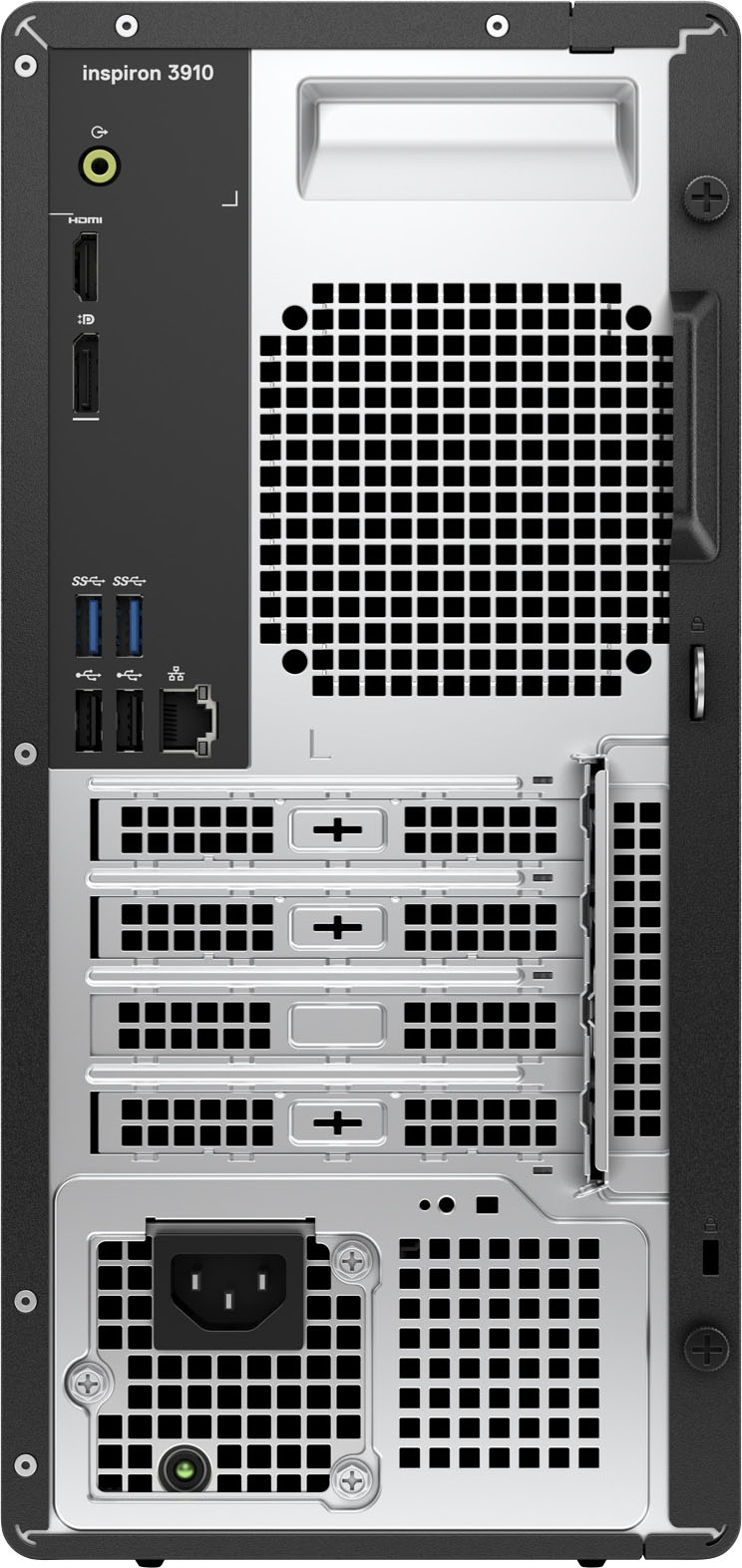
Your Inspiron is equipped with the following external ports:
• Network – Ethernet port
• USB ports - Three USB 3.2 Gen 1 port, Four USB 2.0 ports, One USB 3.2 Gen 1 Type-C port
• Audio port - One global headset jack, One audio line-out port
• Video port/TV - One HDMI 1.4b port, One DisplayPort 1.4 port
• Media-card reader - One SD card slot
• Power Port - One AC power-supply port
• Security - One padlock ring slot, One security-cable slot (wedge-shaped)
Please see the link below for a more specific description of your computer:
Setup and Specification Guide (Dell Inspiron 3910): https://dell.to/3TJenJ6
I have also included a link to the troubleshooting article:
How to Connect a Dell Computer to TV: https://dell.to/3AU0xuO
If you are still not able to connect a TV to your computer, please contact the Dell Support Team at 1-800-624-9896 for further guidance.
Best,
Katarina@Dell
Should you need further assistance, you can contact Dell directly with the information below.
Chat or call: https://bit.ly/DellSupportTeam
Phone number to Dell: 1-800-624-9896
- Cons mentioned:Operating system
Crappy Little Computer
||Posted . Owned for 3 weeks when reviewed.This reviewer received promo considerations or sweepstakes entry for writing a review.Filled with win 11 buggy crap and does not work well. I Had to install win. 10 to fix it !
No, I would not recommend this to a friendBrand response from YourDellTeam
Posted .Hi Veteran,
Thank you very much for your valuable feedback. We are sorry to hear that you were not too happy with your Dell Inspiron Compact desktop because its operating system Windows 11 was not working as well as you expected and you had to reinstall another operating system.
It sounds like you did end up getting the issue resolved, but if you do need technical support in the future, please use this support page link: https://dell.to/3swyZqB or call the Dell Support Team at 1-800-624-9896.
Best,
Katarina@Dell
Should you need further assistance, you can contact Dell directly with the information below.
Chat or call: https://bit.ly/DellSupportTeam
Phone number to Dell 1-800-624-9896
- Pros mentioned:Performance, Ssd
Really Fast Setup!
|Posted .This reviewer received promo considerations or sweepstakes entry for writing a review.The Dell Inspiron 3910 is a desktop computer in a compact case. It has an Intel I5 chip a 125 Gb SSD and 12 Gb of ram. The thing that appealed to me about this computer was the size of its case. The case is the right size to fit on my kitchen counter. I hooked this up to our kitchen TV, it fits under the cabinets and hides behind the TV. The setup was the fastest PC I have ever set up. Usually, I have to wait for update after update, restarting between each one. This computer was ready to go right out of the box. Entering my Microsoft credentials effortlessly set up my office and cloud. There wasn't much else to do. It's been a while since I had a desktop, and I was surprised at how simple the rear of the computer has become. The only connections necessary were the HDMI to the TV/Monitor, the power cord and a USB each for the included mouse and keyboard. So far, we have used the computer for the daily things that we do like e-mail, social media, streaming television and music and it has done all of this with ease. We have also loaded and edited photos which were handled quickly. It's really nice to have the computer in the corner of the kitchen so that we don't have to use a laptop or tablet in the messy kitchen environment. This is the closest to "plug and play" I have ever had in setting up a PC.
I would recommend this to a friend - Pros mentioned:Ease of use
One of the best desktops that I have used.
|Posted .This reviewer received promo considerations or sweepstakes entry for writing a review.This computer was an answer to lots of problems that I have with submitting documents as well as things that I need to do for projects. I own a laptop as well as a tablet and in the past I chose these over a traditional desk top computer basically for the convenience. My wife enjoys using it for the ease of submitting excel sheets, powerpoint presentations and word documents. Using tablets sometimes is a bit difficult because of the formatting but this computer made it easy. It is powerful, loads of storage and great features. The tower is small enough to fit on top of my desk without disrupting the vision of my monitors and the graphics are amazing The layout of the screen makes it user friendly and very easy to navigate. It also comes with a free trial of McAfee software that way you can see if this specific software is something that you are comfortable with if you are not familiar with other Security software. This computer was also very easy to install and quite simple to set up.
I would recommend this to a friend - Pros mentioned:Ssd
Perfect desktop PC for everyday and light gaming.
|Posted .This reviewer received promo considerations or sweepstakes entry for writing a review.This Dell Inspiron Compact Desktop Intel Core i5-12400i is a great desktop for everyday computing and light gaming. The color is listed as Mist Blue. Upon unboxing, I checked that all of the necessary accessories where included. The accessories include the power cord, documentation, a wired keyboard and mouse. This desktop will be used in my home office where I will edit my photos. I installed Adobe Photoshop Elements and Premier Elements on the Inspiron Compact desktop without any problems. Both of the programs ran without any problems. This desktop has 12GB of memory, and 256GB of SSD storage. When using PSE and PRE I plan to store my photos on my external hard drive instead of the local storage. The Inspiron Compact Desktop 3910 also had a DVD+/-RW for watching and making DVD's and reading and writing CD's. It is running Windows 11 and completely compatible with my installed apps. It is Bluetooth and Wi-Fi enabled. Overall this is a very good basic desktop for everyday use, that can handle some gaming if you have external storage. Highly recommend.
I would recommend this to a friend Horrible purchase
||Posted . Owned for 3 weeks when reviewed.This reviewer received promo considerations or sweepstakes entry for writing a review.I got the computer home and discovered the keyboard and mouse came with cords. How archaic! I tried to load two programs from CDs: one from Microsoft and one from Adobe. The CD player would not recognize either one. The 256GB SSD drive is an OS drive. All my work goes to the cloud. Had I known that, I would not have bought the computer.
No, I would not recommend this to a friendBrand response from YourDellTeam
Posted .Greetings Marylee,
Thank you for your valued feedback and review of your Inspiron Compact Desktop. We are sorry to hear that you are experiencing an issue with your CD player. That is not the type of feedback we like to hear from our customers. Below I have provided a troubleshooting link to help resolve your issue.
How To Troubleshoot CD, DVD or Blue-Ray Issues: https://dell.to/3VCMkf8
Should you need further assistance; we recommend that you contact Dell directly with the information below.
Chat or call: https://bit.ly/DellSupportTeam
Phone number to Dell: 1-800-624-9896.
Best,
Summer@Dell
- Pros mentioned:Ssd
Good Basic Desktop Computer
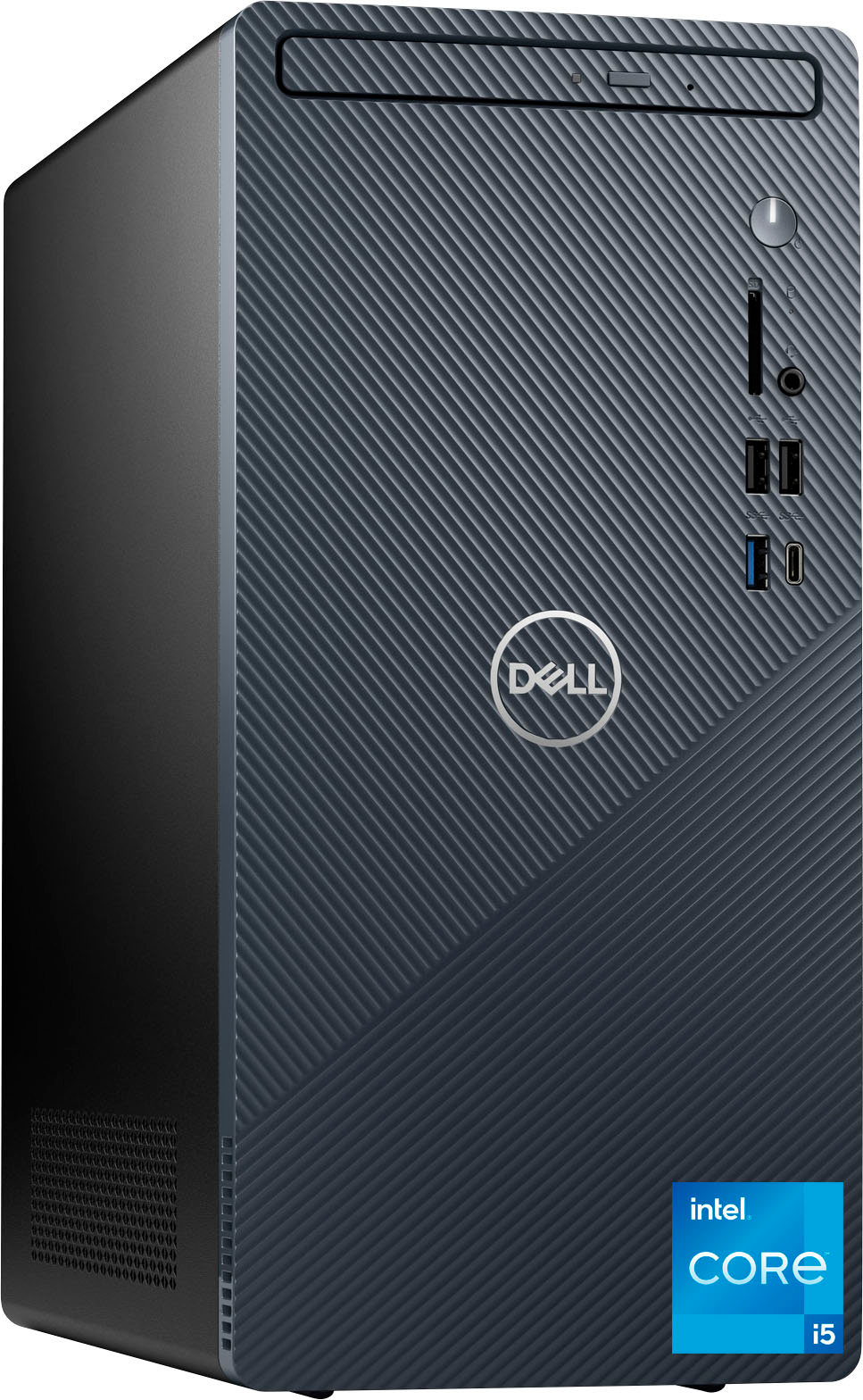
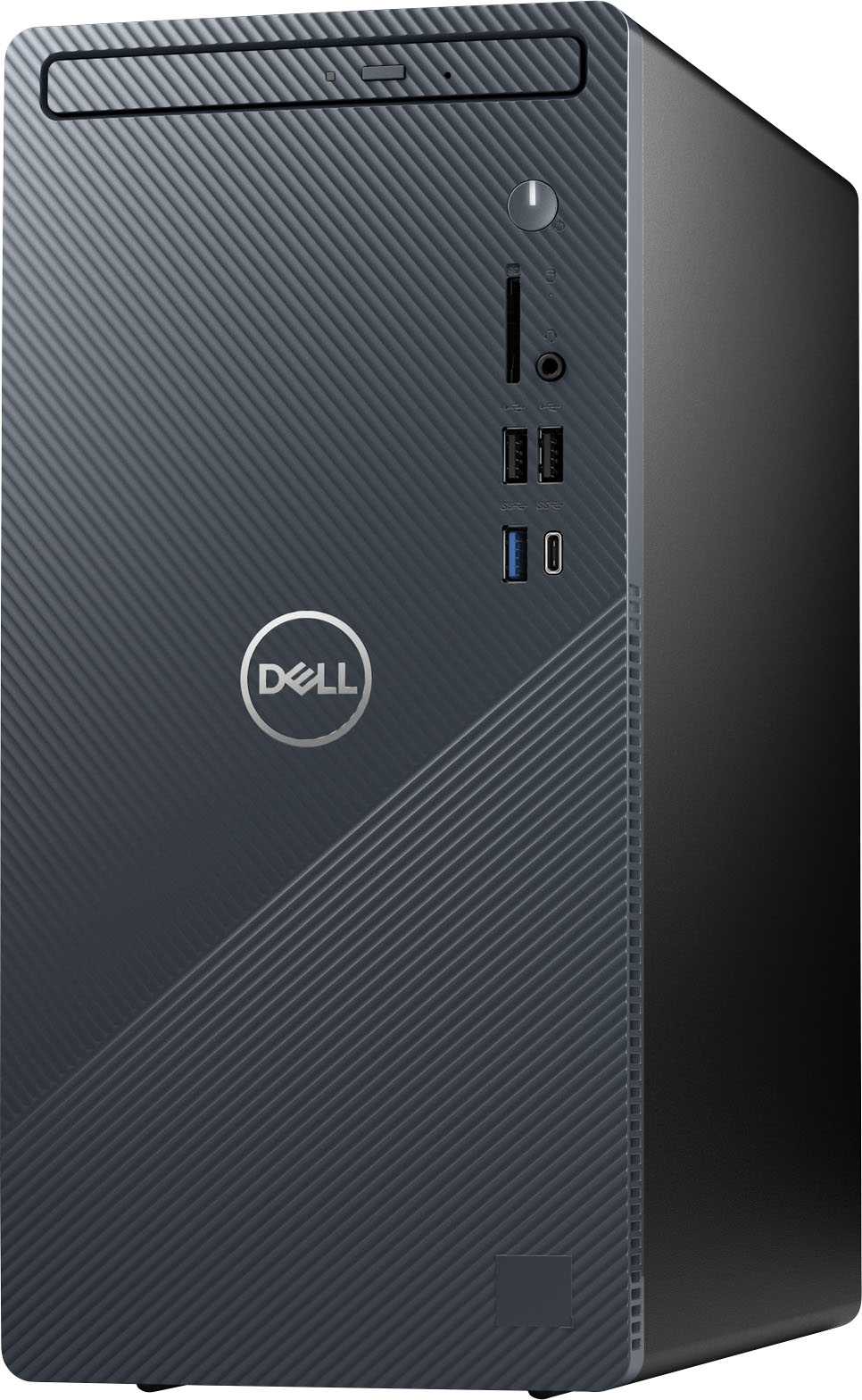
|Posted .This reviewer received promo considerations or sweepstakes entry for writing a review.The Dell Inspiron 3910 compact desktop tower comes with a wired keyboard and a wired mouse. It’s nice that they are included since the wired mouse was needed for set up. The color is called mist blue. From the pictures I expected a medium blue. The color is actually a dark, almost navy/teal blue. When the tower is sitting on the floor the only part that looks blue is the top edge where the front case and the black top meet. In the front it has a DVD/CD read/write drive, an SD card slot, 2 USB 2.0 slots, a USB-C 3.2 and a USB 3.2 slot. In the back it has 2 more USB 2.0 slots, 2 USB 3.2 Gen, 1 HDMI, 1 Display port and 1 Ethernet port. It has a 256 GB SSD, 12 GB RAM and comes with the Windows 11 Home edition operating system. The processor speed is (up to) 2.5 gigahertz. It’s fairly compact at 13 tall, 6 wide and 11.5 deep. The Dell desktop was noisy on start up and then mellowed out to a constant hum. When I turned it on for the first time the speakers (in the monitor) came on at 100% volume, not the 33% where I had them set. Cortana was extremely loud for the time it took me to get the mouse unwrapped and plugged in so I could click down the volume. I’m used to having at least 3 USB 2.0 slots in the front - one for my keyboard, one for my mouse and one available and open. The Dell desktop only has 2. I had to adjust my way of doing things and use the back slots for the keyboard and mouse. It shouldn’t be too inconvenient since I don’t have to access them very often. If necessary, I can also connect them via Bluetooth to free up even more slots. My HP U27 4K wireless monitor connected OK via Bluetooth, but it doesn’t seem to be compatible with the Dell computer. The display is washed out and fuzzy and I haven’t been able to find a way in the Scale and Layout settings to get the same sharp image I had before. I'm going to keep working on it and see if maybe the settings on the monitor itself have to be adjusted. Windows 11 comes with Microsoft Edge as the default browser. I always replace Edge with Google Chrome and sync all my devices. If I had left Microsoft Edge as the browser, my favorites, passwords, mail, pictures and documents would be in 2 places and it would be a nightmare. It took over 30 minutes for Chrome to download, but other than that, the install went smoothly since I’ve now learned all the settings that need to be changed to prevent Edge from trying to take control again. The Dell Inspiron 3910 is a good basic desktop computer. I don’t care for the wired mouse or keyboard and I swapped them out as soon as set up was completed. It does seem quite slow to me. I’m used to a computer with a very quick response time. A processor speed of 3.7 gigahertz vs 2.5 gigahertz apparently does make a big difference. The Dell desktop will be good for my husband to use for playing games and doing a little browsing. He won’t mind the wired keyboard and mouse. It’s just too slow for me to use for my business which requires a lot of multi-tasking and at least 8 tabs open at one time.
I would recommend this to a friend - Pros mentioned:Speed
Great Value in a Small Package
|Posted .This reviewer received promo considerations or sweepstakes entry for writing a review.Good things come in small packages. The packaging is of standard high quality from Dell. Included are the unit, power cord, basic mouse, and basic keyboard. Typically when purchasing a stand alone unit the peripherals are not super extreme. Those included are serviceable but as in my case, I have a nice set which I transferred from my pervious computer. If you are starting from scratch you might want to consider an upgrade. The form factor is compact and fits perfectly on the bottom book shelf next to my desk. I also appreciate that it comes with an optical drive. It seems we don't use optical media as much these days but for those occasions where your installation option is a CD I appreciate this device. Also, take note that the video outputs are HDMI and Display Port. So if you want to connect two monitors right away you may need an adapter to make use of both ports. Which brings me to my only complaint which is that the USB C port is on the front. I have a USB C to HDMI adapter with two HDMI ports but I cant deal with the clutter in the front of the machine so I went with the Display Port adapter in the back. Now, getting started was fast and easy. I booted up for the first time with two monitors plugged in and everything went off without a hitch. I do not use third party virus software so I deleted what came on the unit and enabled windows defender. Beyond that the installation of my image editing software was fast and smooth. Overall the performance for the image and video editing programs I use is fast and smooth even when rendering a large video. I really like this unit and it will be a work horse in my office for some time to come.