Customer Ratings & Reviews
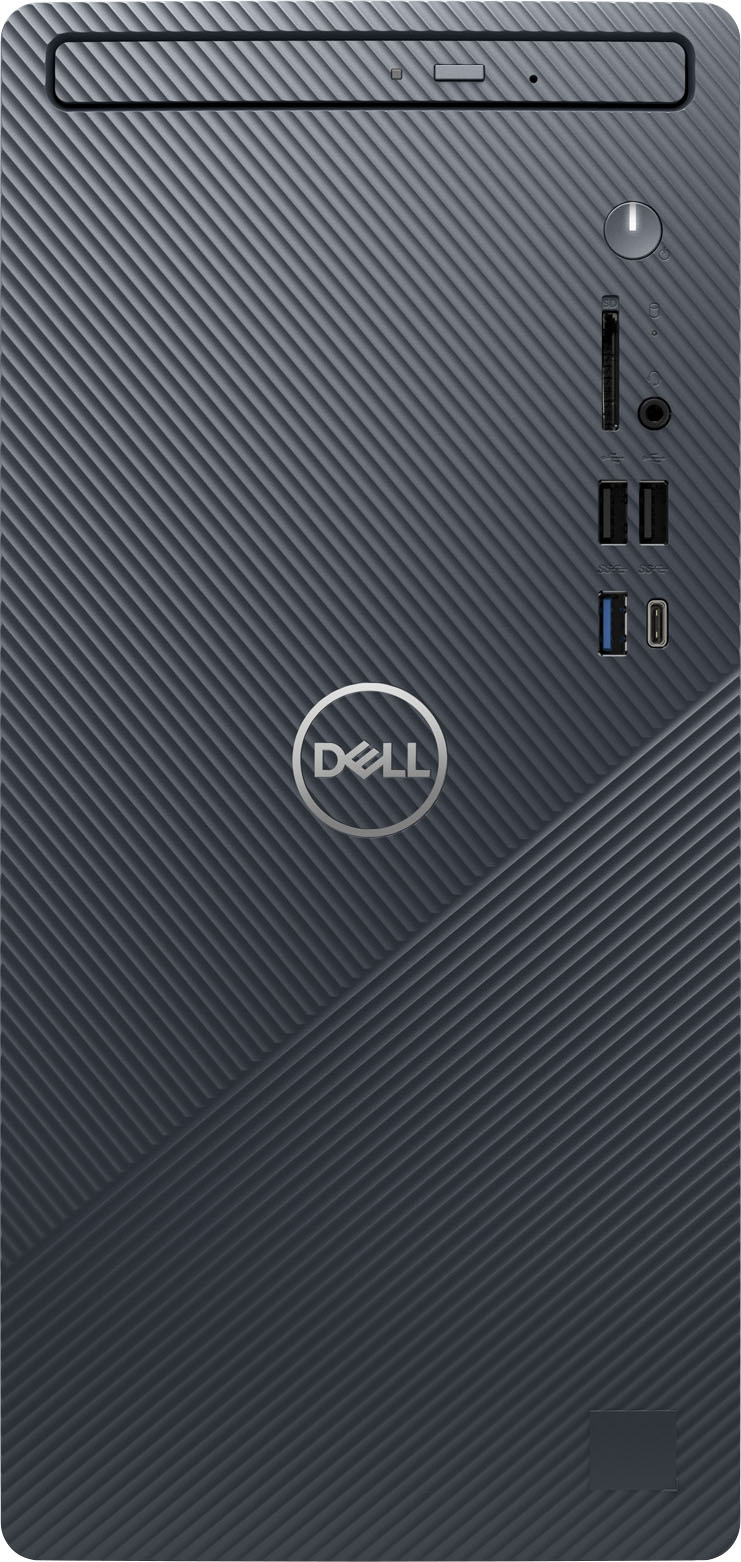
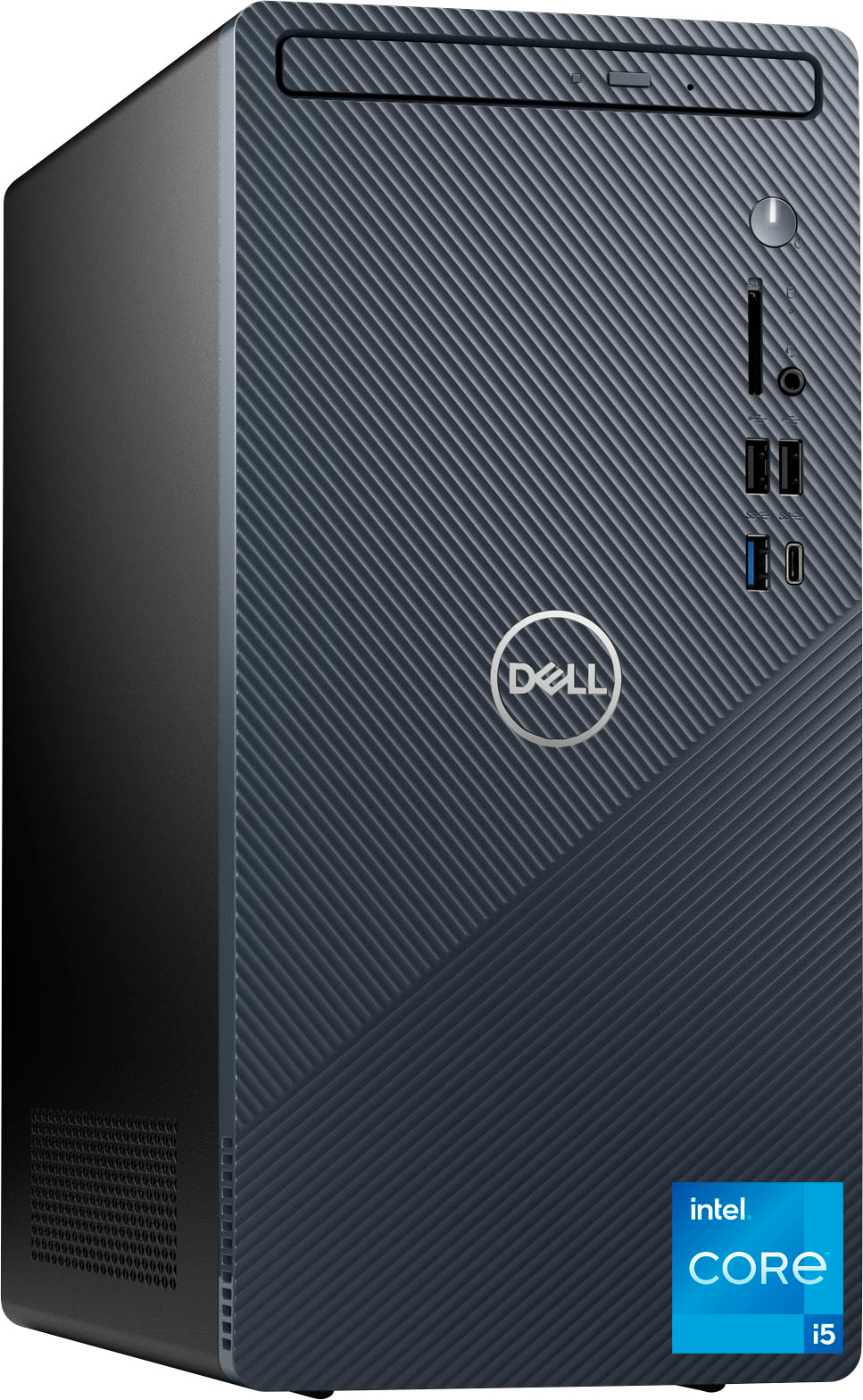
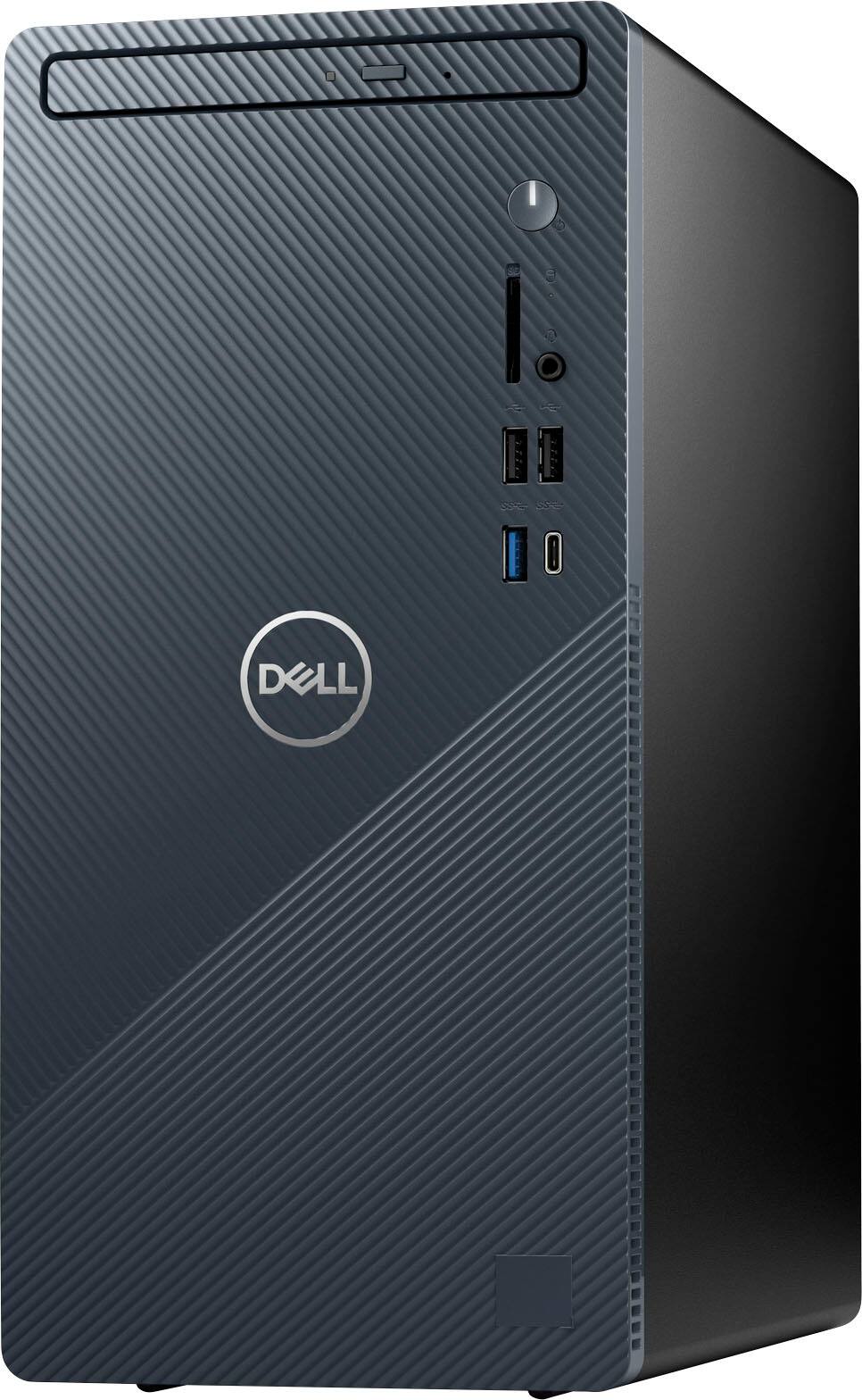
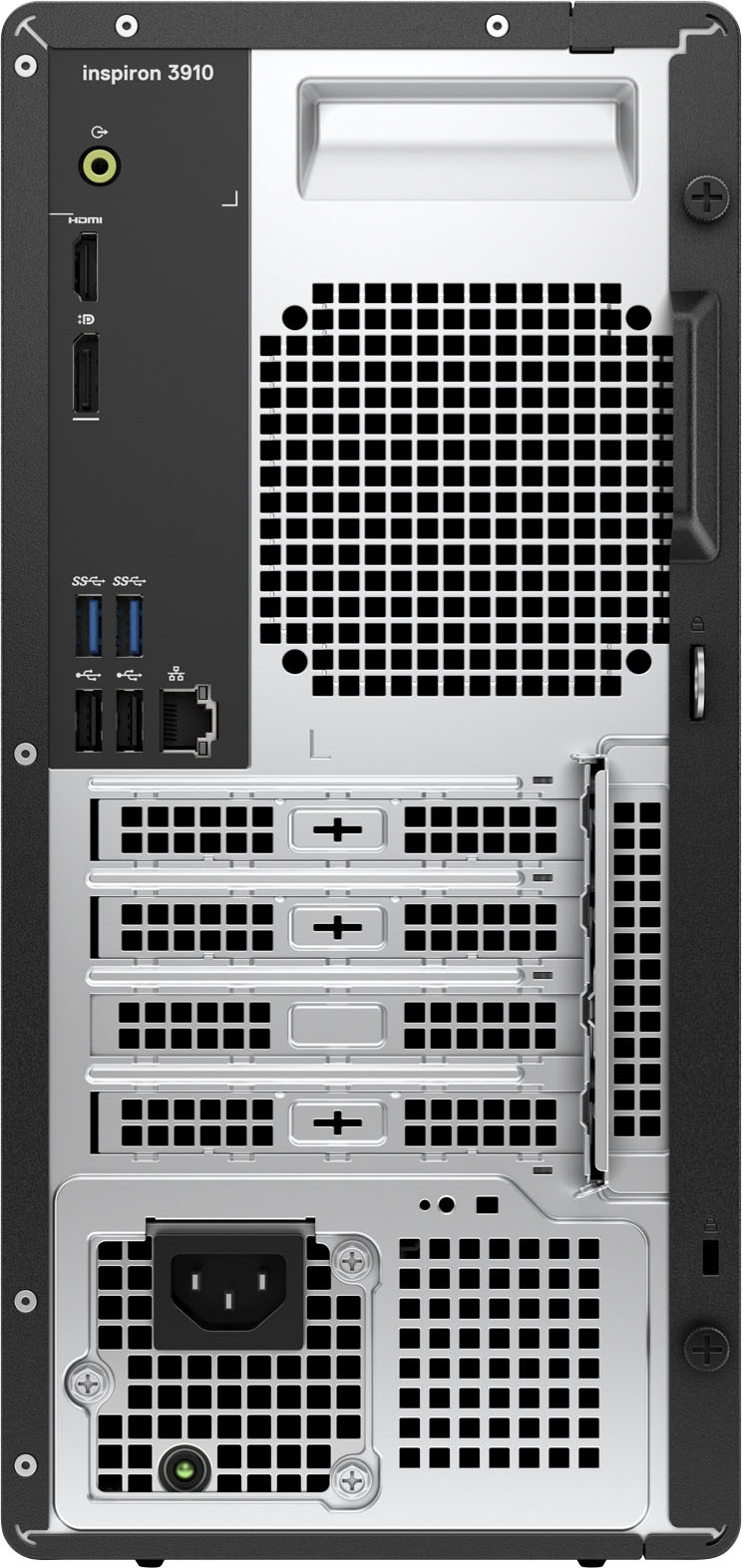
- Model:
- i3910-7198BLU-PUS
- SKU:
- 6501298
Rating by feature
- Value
Rating 4.5 out of 5 stars
- Quality
Rating 4.6 out of 5 stars
- Ease of Use
Rating 4.6 out of 5 stars
Customers are saying
Customers express satisfaction with the Inspiron Compact Desktop's ease of use, performance, and compact size. Many appreciate its good value for the price and the relatively easy setup and upgrade options. Positive feedback also highlights its speed, quiet operation, and sufficient processing power for various tasks. A minor drawback mentioned by some users is a limited number of USB ports.
This summary was generated by AI based on customer reviews.
Not impressed
||Posted . Owned for 3 weeks when reviewed.This reviewer received promo considerations or sweepstakes entry for writing a review.I didn’t think it provided much of an upgrade to my existing desktop that was six years old. I didn’t like Windows 11 operating system. I returned the equipment.
No, I would not recommend this to a friendBrand response from YourDellTeam
Posted .Hey There Bill2864,
Thank you for taking the time to leave us a review of your Inspiron Compact Desktop. We are sorry to hear that you were not completely satisfied with Windows 11 and made the decision to return your device. That is not the type of product Dell intends to deliver. We have noted the details of your statement and will use them to improve current and future products.
Should you need further assistance; we recommend that you contact Dell directly with the information below.
Chat or call: https://bit.ly/DellSupportTeam
Phone number to Dell: 1-800-624-9896.
Regards,
Summer@Dell
Not as good as it once was
||Posted . Owned for 1 month when reviewed.This reviewer received promo considerations or sweepstakes entry for writing a review.Dell isn't what it once was. I have been having issues with this pc since I got it. Start menu stops working and video display goes nuts when bringing it back from sleep mode unless you reboot it. I was going to return it but when I checked I was one day over the 15 days allowed.
No, I would not recommend this to a friendBrand response from YourDellTeam
Posted .Hi Bill,
We would like to thank you for taking the time to provide us with your feedback. We are sorry to hear that you are not too happy with your Dell Inspiron Compact Desktop because of the start menu and sleep mode issues. We will share your comment with our quality team, so future improvements can be made.
Below I have provided the steps to run The Windows Power Troubleshooter to help resolve sleep mode issues. I have also provided the full article link, which has more options if they are needed.
Run Windows Power Troubleshooter
1. Open the Power Troubleshooter
*Click on the Windows Start Button and type Troubleshoot, select the troubleshoot icon that appears to open the troubleshooter
2. Scroll down through the options and select power
3. Click on the Run the troubleshooter button
4. Follow the on-screen prompts and see if it resolves the issue
Troubleshooting Sleep and Hibernation Issues: https://dell.to/2Pvpzwp
After utilizing the troubleshooting options provided, if the problem is not resolved, please contact our support team here: https://bit.ly/DellSupportTeam for further guidance.
Best,
Katarina@Dell
Should you need further assistance, you can contact Dell directly with the information below.
Chat or call: https://bit.ly/DellSupportTeam
Phone number to Dell 1-800-624-9896
- Pros mentioned:Ease of use, Speed
Inspiron computer
Posted .This reviewer received promo considerations or sweepstakes entry for writing a review.Very fast. This is an excellent computer. Dell was smart by putting in the Intel Core i7 with 16GB RAM. Great computer to buy in store. You don't have to go to the Dell site and customize a computer. Also, it was very easy to set up. I did it myself.
I would recommend this to a friend - Pros mentioned:Performance
Good but Bad
||Posted . Owned for 3 weeks when reviewed.This reviewer received promo considerations or sweepstakes entry for writing a review.When it’s working it’s great. But keeps constantly cutting off in middle of work. Stating driver_state_power_failure
No, I would not recommend this to a friend - Pros mentioned:Price, Speed
Perfect!
Posted .This reviewer received promo considerations or sweepstakes entry for writing a review.Excellent computer tower! Super fast, better than anything at work and school. First thing I did was get a antivirus and the second was google chrome. Easy to upgrade the ram but have not done it yet. Great computer for the price!
I would recommend this to a friend Doesn't Work
||Posted . Owned for 3 weeks when reviewed.This reviewer received promo considerations or sweepstakes entry for writing a review.This PC hasn't worked correctly since purchased. Music stops playing, screen goes blank and you have to log back in to the PC. The user name and password doesn't always work. This PC is garbage.
No, I would not recommend this to a friendBrand response from YourDellTeam
Posted .Hi CathyH,
We would like to thank you for taking the time to provide us with your feedback. We apologize for all the issues you have come across with your Dell Inspiron 3910 desktop computer because its audio is not working well, the screen goes blank, and you are having trouble logging in. This is certainly not the experience that we like to hear from our customers. We appreciate your feedback and will use it to help improve our current and future products.
Below I have provided the steps to run the Microsoft Sound Troubleshooter which should help with audio issues. I have also included the full article link that has more options if they are needed. We also suggest making sure the audio drivers are up to date on your PC. I have given you a link to the Drivers and Downloads page for your computer below so you can check for and do any applicable updates.
How to run the Windows Sound Troubleshooter
1. Click Start, and then select Settings (gear icon).
2. Click Update & Security and select Troubleshoot.
3. Click Playing Audio and then click Run the troubleshooter.
4. Follow the on-screen instructions to complete the troubleshooting process.
How to Troubleshoot Audio Issues or Sound Playback Issues: https://dell.to/3u4pzmX
Drivers and Downloads page: https://dell.to/3PQa4tw
To help with screen issues, I have provided the steps to run a diagnostic test on the display and the full article link, which has more options if they are needed.
1. Power off the Dell Laptop PC.
2. Disconnect any peripherals that are connected to the PC, and connect the AC Adapter (charger) to the PC.
3. Make sure that the LCD screen is clean (no dust particles are on the surface of the screen).
4. Press and hold D key and power on the PC to enter LCD built-in self test (BIST) mode.
Continue to hold the D key until you see the entire screen change colors.
5. The screen changes colors to black, white, red, green, and blue.
6. Carefully inspect the screen for abnormalities.
7. Press Esc key to exit.
How to Troubleshoot Display Issues: https://dell.to/2O1UnnF
Please see the link below that includes tips on setting up logins:
Windows Hello: https://dell.to/3smxei6
Setting Up and Using Windows Hello: https://dell.to/3zcNFjv
If the issues with your Inspiron are still not resolved after utilizing the troubleshooting options above, please contact the Dell Support Team at 1-800-624-9896 for further guidance.
Best,
Katarina@Dell
Should you need further assistance, you can contact Dell directly with the information below.
Chat or call: https://bit.ly/DellSupportTeam
Phone number to Dell: 1-800-624-9896
open box
||Posted .This reviewer received promo considerations or sweepstakes entry for writing a review.Died in one week never buy open Box items lesson learned
No, I would not recommend this to a friendDisappointed
||Posted . Owned for 3 weeks when reviewed.This reviewer received promo considerations or sweepstakes entry for writing a review.Product information was incorrect this is not a complete desktop unit it did not have audio or a camera.
No, I would not recommend this to a friendBrand response from YourDellTeam
Posted .Hi Valued Customer,
We would like to thank you for taking the time to provide us with your feedback. We are sorry to hear that you are disappointed in the purchase of your Dell Inspiron Compact Desktop because it didn’t include a camera and audio speakers.
We will share your review with our quality team, so improvements can be made in the future.
If you come across any questions or have concerns about this product, please don’t hesitate to contact Dell Support Team at the information provided below.
Best,
Katarina@Dell
Should you need further assistance, you can contact Dell directly with the information below.
Chat or call: https://bit.ly/DellSupportTeam
Phone number to Dell: 1-800-624-9896
- Pros mentioned:Ease of use, Speed
Great Value
Posted .This reviewer received promo considerations or sweepstakes entry for writing a review.This Dell PC was configured with the processor, RAM, SSD drive and CD drive that I wanted. I looked at other retailers and found that CD drives are becoming as rare as CD's in cars. The i7 processor may be overkill for home applications, but when you need the power, it is really fast. This PC has worked perfectly right out of the box.
I would recommend this to a friend - Pros mentioned:Size, Speed
Dell Inspiron Compact Desktop
Posted .This reviewer received promo considerations or sweepstakes entry for writing a review.This is a great computer. It is fast and has a good size. Fits nicely in any area. I recommend this device.
I would recommend this to a friend DVD Drive Poorly Thought Out
Posted .This reviewer received promo considerations or sweepstakes entry for writing a review.My only complaint is the DVD drive. The drive is really shabby and poorly thought out!! Didn't know this before I bought it!! I like to burn CD's and DVD's and this computer isn't the best for that.
No, I would not recommend this to a friend- Pros mentioned:Speed
Great purchase
Posted .This reviewer received promo considerations or sweepstakes entry for writing a review.For a small unit its lighting fast speed ...I would definitely recommend it to others
I would recommend this to a friend - Pros mentioned:Speed
dell inspiron
Posted .This reviewer received promo considerations or sweepstakes entry for writing a review.works great. with the i7 processor and memory capacity major improvement over the 8-year-old tower it replaced
I would recommend this to a friend Locked out of my new computer
Posted .This reviewer received promo considerations or sweepstakes entry for writing a review.Good computer, but I bought it at the Jensen Beach store because they did not have it at the Vero Beach store, as an Open Box but GeekSquad Certified. When I tried to start it, I found that a store employee had registered it with Microsoft under his name, and nobody bothered to do a factory reset before selling it. Fortunately, the GeekSquad at the Vero Beach store quickly did the factory reset allowing me to get into my own computer for which I thank them. Not good for me to be locked out of my own computer! Not professional on the part of the Jensen Beach store management to allow it.
I would recommend this to a friend- Pros mentioned:Performance, Speed
The computer
Posted .This reviewer received promo considerations or sweepstakes entry for writing a review.I love this computer. It does everything that I need it to and fast.
I would recommend this to a friend Ann P
Posted .This reviewer received promo considerations or sweepstakes entry for writing a review.Verry happy with our purchase. Jesse really helped us a lot. Our thanks to him.
I would recommend this to a friendSTEER CLEAR OF DELL
Posted .This reviewer received promo considerations or sweepstakes entry for writing a review.Worst desktop Computer brand hands down I would highly recommend going with literally any other brand I have waisted sooooo much time trying to get my Vostro added ram working and not a single shred of info on it from them....VERY DISSATISFIED
No, I would not recommend this to a friendBrand response from YourDellTeam
Posted .Hi There Dontbuy,
We want to thank you for taking the time to leave a review of your Inspiron 3910. We are sorry that your device does not meet your expectations. That is not the type of product Dell intends to deliver or the type of feedback we like to hear from our customers. We have noted the details of your statement and will use them to improve current and future products. If you need further assistance, I have provided the toll-free number and chat link below to reach a member of our support team.
We recommend that you contact Dell directly with the information below if you need further assistance.
Chat or call: https://bit.ly/DellSupportTeam
Phone number to Dell: 1-800-624-9896.
Regards,
Summer@Dell