Customer Ratings & Reviews
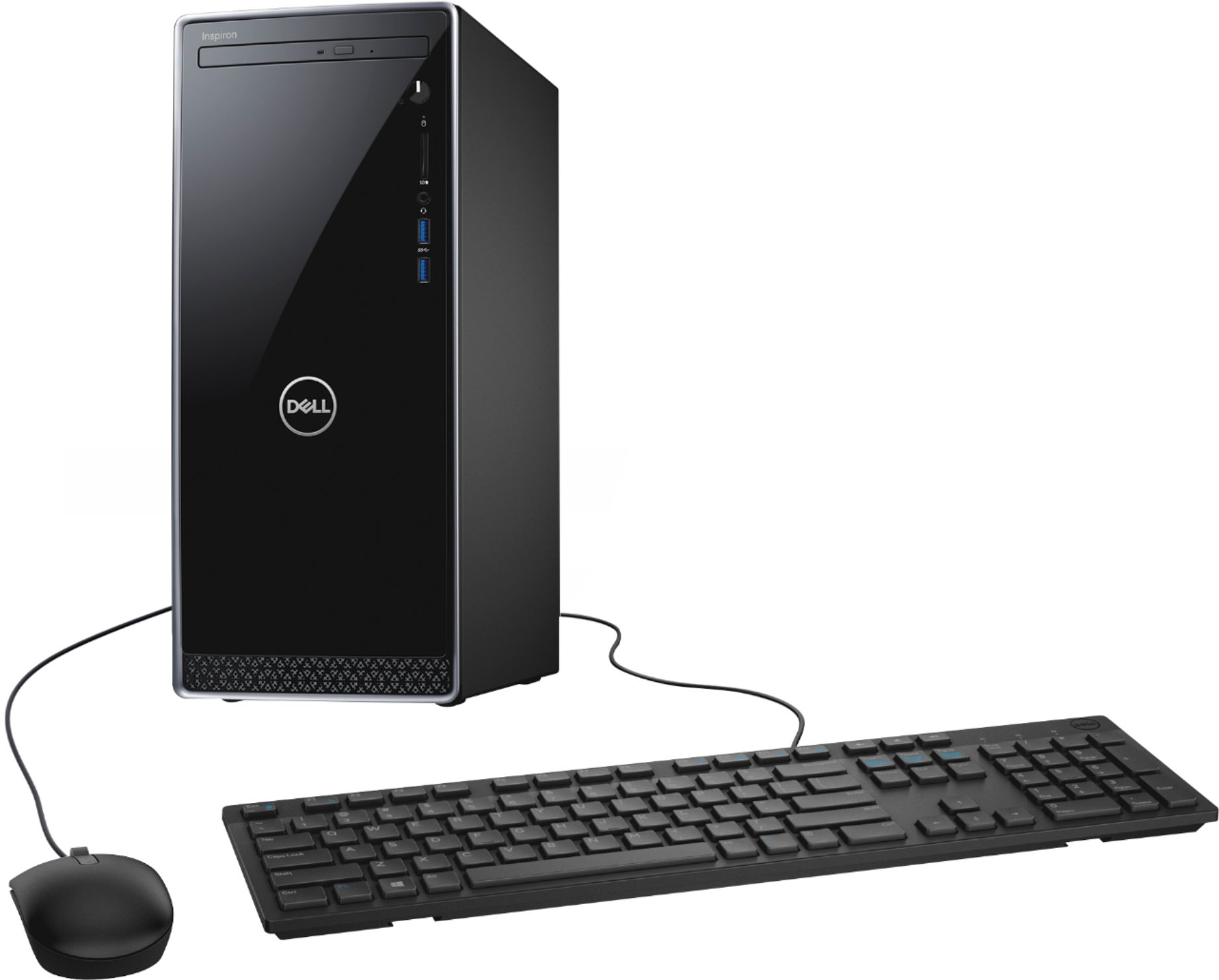
- Model:
- I3670-7905BLK-PUS
- SKU:
- 6334302
Rating by feature
- Value
Rating 4.4 out of 5 stars
- Quality
Rating 4.6 out of 5 stars
- Ease of Use
Rating 4.6 out of 5 stars
Customers are saying
Customers enjoy the Inspiron Desktop's impressive performance and ease of use, praising its speed, simple setup, and compact size. Many appreciate the solid-state drive (SSD) for faster boot times and multitasking capabilities. While some wish for more storage, the overall positive feedback highlights the value and efficiency of this desktop computer.
This summary was generated by AI based on customer reviews.
- Pros mentioned:Speed
works well
||Posted . Owned for 3 weeks when reviewed.This reviewer received promo considerations or sweepstakes entry for writing a review.The PC seems sturdy and fast for a medium priced PC
I would recommend this to a friendBrand response from YourDellTeam
Posted .alli,
Thanks for your review. We're happy to hear that your computer is working well for you so far. If you do have technical questions about your desktop you can check our Product Support Page here: https://dell.to/2mpf8IW.
Best,
Bryan
1-800-624-9896
so far so good
||Posted . Owned for 3 weeks when reviewed.This reviewer received promo considerations or sweepstakes entry for writing a review.Have had limited time to use my computer, but it works just fine.
I would recommend this to a frienddell is a good product
||Posted . Owned for 1 month when reviewed.This reviewer received promo considerations or sweepstakes entry for writing a review.product was in stock, sales person was helpful,product arrived on time.
I would recommend this to a friendExelent computer
||Posted . Owned for 3 weeks when reviewed.This reviewer received promo considerations or sweepstakes entry for writing a review.Great product im satisfied recomen to all people bla bla bla
I would recommend this to a friendgood computer
||Posted . Owned for 1 month when reviewed.This reviewer received promo considerations or sweepstakes entry for writing a review.Great camera for beginners! still getting the hang of it
I would recommend this to a friendNot good!
||Posted . Owned for 1 year when reviewed.This reviewer received promo considerations or sweepstakes entry for writing a review.Purchased computer and set it up but was barely touched for the first 8 months. Used it for 4 months. Normal usage. After 4 months of usage, computer shut off and would not start. Took it to get checked and the motherboard had died. Cost $400 to put a new motherboard. It all happened exactly a week after the year of purchase so no warranty and I had forgotten to purchase the additional warranty... Sad...
No, I would not recommend this to a friendBrand response from YourDellTeam
Posted .Jacks,
Thanks for your review and we're sorry to hear about the issues that you had with your new computer. If you do end up having your motherboard fixed and you'd like to research answers to additional questions you can always check our Product Support Page here: https://dell.to/3kDQVKS.
Best,
Bryan
1-800-624-9896
Still not sure on this one
||Posted .This reviewer received promo considerations or sweepstakes entry for writing a review.I'm having issues with it sticking, or not working at times. I am not sure if it is because of the massive traffic on the internet as this is the second Dell to do this.
No, I would not recommend this to a friendBrand response from YourDellTeam
Posted .Iroh,
We appreciate your feedback. We're sorry that your computer is not performing the way that it should. We'd recommend diagnosing the freezes on your computer with the following steps:
1. Run a Computer Diagnostic. To determine if your computer is experiencing a hardware problem, run the Dell Preboot System Assessment (PSA) Diagnostics. For information on how to run Diagnostics, and to determine the issue, refer to Dell Knowledge Base Article: http://dell.to/2iaiujA.
2. Check Safe Mode for Symptoms. To boot into safe mode, please follow the instructions below:
a) Start the computer.
b) Tap 'F8' on the keyboard immediately and every one second until the Dell logo screen disappears. From there you will see the Windows Advanced Options Menu on the screen. (If the Windows Advanced Options Menu does not appear, restart the system and try again.)
c) Select Safe mode with Networking and press Enter.
d) Log on as the administrator or as a user with administrative access.
e) Open applications and test the computer in safe mode. If the symptoms exist in safe mode, please continue the troubleshooting steps in this article. If the symptoms do not exist in safe mode, the issue is likely related to a driver or software and you may wish to complete step 3 to see if you are able to resolve the lockups or freezing.
3. Check for Malware. Malware (Virus, Spyware, etc.) can definitely cause a Windows system to lock up or appear to hang. To check for malware on your system and to ensure that your computer is up to date on security software, visit Dell Knowledge Base Article: http://dell.to/2wWP1zI.
You can read the full article here - http://dell.to/2tW5m33.
Best,
Bryan
1-800-624-9896
Nice looking
||Posted . Owned for 3 weeks when reviewed.This reviewer received promo considerations or sweepstakes entry for writing a review.It needs to come with a manual. For people who aren’t computer savvy this is imperative! Cannot get the best advantage of the desktop.
I would recommend this to a friendBrand response from YourDellTeam
Posted .JaneN,
Thanks for your review and we're sorry to hear that setting up your computer was difficult. We'd recommend checking this page for the setup manual for your computer: https://dell.to/34LMLug.
Best,
Bryan
1-800-624-9896
The PC's were fine.
||Posted . Owned for 1 month when reviewed.This reviewer received promo considerations or sweepstakes entry for writing a review.After driving 2 hours for pickup, I had to wait another hour because Best Buy Online thought my purchase may be fraudulent. I purchased 4 pc's. 2 from one store and 2 from another because neither store had more than 2 in stock. I will likely look elsewhere next time our business is in need of tech.
No, I would not recommend this to a friendBrand response from YourDellTeam
Posted .Dear Valued Customer,
We're sorry to hear that your purchase experience did not go the way that you had hoped it would. If you have any technical questions about your computers you can always check our Product Support Page here: https://dell.to/2mpf8IW.
Best,
Bryan
1-800-624-9896
DOING THE JOB
||Posted . Owned for 3 weeks when reviewed.This reviewer received promo considerations or sweepstakes entry for writing a review.THIS COMPUTER IS DOING THE JOB IT WAS PURCHASED TO DO.
No, I would not recommend this to a friendBrand response from YourDellTeam
Posted .JDSHADES,
We're glad to hear that your desktop is performing the way you intended it to. If you have any technical questions about your computer we'd recommend checking our Product Support Page here: https://dell.to/3kDQVKS.
Best,
Bryan
1-800-624-9896
Very disappointed in this desktop.
||Posted . Owned for 1 month when reviewed.This reviewer received promo considerations or sweepstakes entry for writing a review.I purchased this product on 8/8/2020, and by 9/12/2020, I had a flea power problem for the 4th time. I had this pc for one week, and I had my first experience where it would not power up. I wish I could post a review stating what a great product this is. But I am disappointed to say, “I am sorry I purchased this desktop.” I have called Dell Support two different times, and they ran several function tests and could not find a problem. I work at home due to Covid-19, and I need a PC I can depend on; I do not feel I have one.
No, I would not recommend this to a friendBrand response from YourDellTeam
Posted .Itmanager,
We're sorry to hear about the power issues that you have with your new desktop. Here are some steps you can try in the future if your computer does not start:
1. If the computer is displaying the Dell logo and does not move past that point, it has probably failed POST.
2. If the power indicator lights up and it is amber or orange, this is usually an indicator that it has failed POST.
3. If you see text on a black screen, the computer is currently performing the POST. If the computer stays in that condition and does not move past it, it has probably failed POST.
4. If the video screen displayed anything at all during the startup process but is now black, this probably indicates that the computer failed POST.
5. If the computer is beeping or if Caps/Num/Scroll Locks are flashing, note if there is a particular pattern in which it beeps or flashes.
6. If the computer is not beeping and caps/num/scroll locks are not flashing, unplug all connections and remove all media communication devices (e.g. external monitors); reconnect one at a time and check if the computer functions.
7. For a notebook, press and hold the Fn key and then press the power button. This starts the pre-boot testing and will launch ePSA. In case you have a Desktop at the Dell logo screen tap the F12 key to enter One Time Boot Menu and use the arrow keys to highlight Diagnostics and press enter.
You can read the full article here - http://dell.to/2uj1Sby.
Best,
Bryan
1-800-624-9896
Loud fans
||Posted . Owned for 3 weeks when reviewed.This reviewer received promo considerations or sweepstakes entry for writing a review.It has a weird wind tunnel sound at night, Have to shut it down every night in order to sleep. Can't find anything on google as to why it might be doing that.
No, I would not recommend this to a friendBrand response from YourDellTeam
Posted .BDBD,
Thanks for your feedback. Most times loud fan noise can be resolved by updating the BIOS on your computer: An out-of-date BIOS can cause loud fan noises by having an outdated temperature table for the system. Refer to update BIOS and follow the instructions to update the BIOS on your computer. You can also follow up with our Technical Support Team here - 1-800-624-9896.
You can read the full article here - http://dell.to/2ENlXfz.
We hope that these steps help resolve the fan noise that you're experiencing.
Best,
Bryan
1-800-624-9896
Dead power supply after one day
||Posted .This reviewer received promo considerations or sweepstakes entry for writing a review.The computer had a bad power supply after just one day of normal use
No, I would not recommend this to a friendBrand response from YourDellTeam
Posted .Jman,
Thanks for your review. We're sorry to hear about the power supply issue that you had with your new computer. Please reach out to Best Buy directly to find out about their return or exchange policy: http://bit.ly/2v2IVhI.
You can read the terms of Dell's One Year Limited Warranty here: http://dell.to/2tNsVOs.
Best,
Bryan
1-800-624-9896
Dell-Inspiron Desktop Computer Core i7
||Posted . Owned for 1 month when reviewed.This reviewer received promo considerations or sweepstakes entry for writing a review.Problem with the CD drive. Had to return computer. Purchased a new HP Ryzen core i5 desktop from Best Buy on 10-14-19, and am having a problem with signal from computer to monitor.
No, I would not recommend this to a friendIt's okay.
||Posted . Owned for 3 weeks when reviewed.This reviewer received promo considerations or sweepstakes entry for writing a review.good computer for beginners, I feel a gaming computer at the same price would have been better even for office work
No, I would not recommend this to a friendBrand response from YourDellTeam
Posted .Sandy,
Thanks for your review and for choosing a Dell desktop. If you have any questions about your new computer please don't hesitate to visit our Product Support Page: https://dell.to/2mpf8IW.
Best,
Bryan
1-800-624-9896
Could be a great computer
||Posted .This reviewer received promo considerations or sweepstakes entry for writing a review.It came without an activation code so I had to take it back to the store. Would I recommend this to a friend. Maybe if I had been able to get it set up. I have used Dell computers for myself and my wife for many years. The answers below are not valid since I was not able to use it which was no fault of the supplier..
No, I would not recommend this to a friendBrand response from YourDellTeam
Posted .Harv,
We're sorry to hear about the activation issues that you had with your computer. Here are the steps to resolve this issue in the future:
If you are receiving a Windows 10 Home Activation Error you can follow these steps:
1. Verify that the system has an active internet connection (open a web browser and navigate to Microsoft.com)
NOTE: Follow standard network troubleshooting if the system cannot connect to the internet.
2. Select Start > Settings > Update & Security > Activation , and then select Troubleshoot.
3. The system should now activate and the error message should disappear automatically. You can read the full article here: https://dell.to/2PKUhQ8.
Best,
Bryan
1-800-624-9896
- Pros mentioned:Performance, Ssd
Fast Desktop Except Wireless Capability
Posted .This reviewer received promo considerations or sweepstakes entry for writing a review.I really like this Dell Inspiron desktop. It is fast in every way except the wireless internet adapter only uses the 2.4 Ghz band. Maybe Dell expected most consumers would use a wired internet connection with a desktop computer, but I think all computers should come with 5 Ghz capability now. Maybe Dell did it to cut production costs. I just assumed the computer would come with 5 Ghz capability when I purchased it and was very disappointed it didn't. Now I have to buy a better wireless card or relocate my router to to use a cable. It makes a big difference in my situation. I had the Geek Squad install a 1 Tb drive for data files in the computer to save space on the SSD drive. It was fast and inexpensive for the Geek Squad to add the drive. Otherwise, I would fill the smallish 256 GB SSD main drive pretty quick. Something to consider.
I would recommend this to a friend turn on and error showed up saying software missin
||Posted . Owned for 1 month when reviewed.This reviewer received promo considerations or sweepstakes entry for writing a review.Turn on computer error message showed up saying software and I put it back in the box and it's been there every since.
No, I would not recommend this to a friendBrand response from YourDellTeam
Posted .frankie,
Thanks for your review. We'd recommend running the Dell Support Assist App to make sure that everything is up to date on your computer. If you have additional questions about your computer you can check our Product Support Page here: https://dell.to/2mpf8IW.
Best,
Bryan
1-800-624-9896
did not perform to standards
||Posted . Owned for 3 weeks when reviewed.This reviewer received promo considerations or sweepstakes entry for writing a review.The sound did not work on this item. Tried all the sound options.
No, I would not recommend this to a friendBrand response from YourDellTeam
Posted .DISCO,
We're sorry that the sound is not working on your new desktop. Please reach out to Dell's Technical Support Team so they can assist you with the sound on your computer: http://dell.to/2sH7Qlm.
Best,
Bryan
1-800-624-9896
Fast PC
Posted .This reviewer received promo considerations or sweepstakes entry for writing a review.Great PC. Lifesaver during the pandemic working from home.
I would recommend this to a friend