Customer Ratings & Reviews

- Model:
- KM7120W
- SKU:
- 6432650
Rating by feature
- Value
Rating 4.6 out of 5 stars
- Quality
Rating 4.7 out of 5 stars
- Ease of Use
Rating 4.6 out of 5 stars
Customers are saying
Customers are impressed with the keyboard's quality, connectivity, and ease of use, citing its solid build, reliable wireless connection, and simple setup. Many appreciate the sleek, compact design and long battery life of both the keyboard and mouse. Positive feedback also highlights the comfortable key travel. However, some users noted concerns about the mouse's click sound and the durability of the scroll wheel.
This summary was generated by AI based on customer reviews.
Mouse scrolling doesn't work
||Posted .This reviewer received promo considerations or sweepstakes entry for writing a review.While the keyboard is ok the mouse scrolling got jumpy, e.g. if I scroll down it results in the screen jumping up again or the other way around. As such the scrolling becomes more or less useless.
No, I would not recommend this to a friendLoveit
||Posted .This reviewer received promo considerations or sweepstakes entry for writing a review.Great value for the price love the color it really stand out
I would recommend this to a friendPrefer logitech to Dell
||Posted . Owned for 3 weeks when reviewed.This reviewer received promo considerations or sweepstakes entry for writing a review.Keyboard and mouse are comfortable, but not as sturdy as my previous logitech keyboard and mouse. I probably spent more on the logitech items-but it's been awhile.
No, I would not recommend this to a friendBrand response from YourDellTeam
Posted .Hello Valued Customer,
We appreciate you taking the time to leave us your review. We are sorry to hear that you are not too happy with your Dell Keyboard and Mouse Combo because they don’t feel very sturdy. We will share your comment about this design and quality issue with our quality team, so future improvements can be made.
If you come across any questions or have concerns about this product, please don’t hesitate to contact Dell Support Team at the information provided below.
Best,
Katarina@Dell
Should you need further assistance, you can contact Dell directly with the information below.
Chat or call: https://bit.ly/DellSupportTeam
Phone number to Dell: 1-800-624-9896
Good keyboard
||Posted . Owned for 8 months when reviewed.This reviewer received promo considerations or sweepstakes entry for writing a review.Average desktop keyboard that can be used across different platforms
I would recommend this to a friendBrand response from YourDellTeam
Posted .Dear SMirele,
We would like to thank you for taking the time to leave us your review and for purchasing a Dell keyboard and mouse combo. We appreciate your kind words and are happy to know you're enjoying this Dell product. The contents of your review will be used to help improve current and future Dell products.
If you come across any questions or have concerns about this product, please don’t hesitate to contact Dell Support Team at the information provided below.
Chat or call: https://bit.ly/DellSupportTeam
Phone number to Dell: 1-800-624-9896
Best,
Katarina@Dell
Good quality
||Posted . Owned for 3 weeks when reviewed.This reviewer received promo considerations or sweepstakes entry for writing a review.Good quality but MUCH smaller than expected. I have large hands and accessing some of the keys is a little difficult.
I would recommend this to a friendBrand response from YourDellTeam
Posted .Hello rheahall,
We appreciate your valued feedback. We are happy to hear you are happy with your Dell Wireless Keyboard and Mouse with the exception of the size. We will share your comments with our quality team so improvements can be made now and in the future.
Should you require further assistance, you can contact Dell directly with the information below.
Chat or call: https://bit.ly/DellSupportTeam
Phone number to Dell 1-800-624-9896
Best,
Ashley@Dell
- Pros mentioned:Connectivity, Keyboard qualityCons mentioned:Mouse click

Thoughtfully designed, but has some challenges
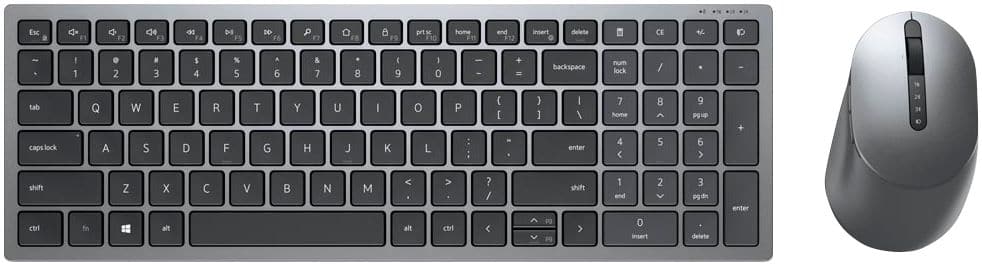
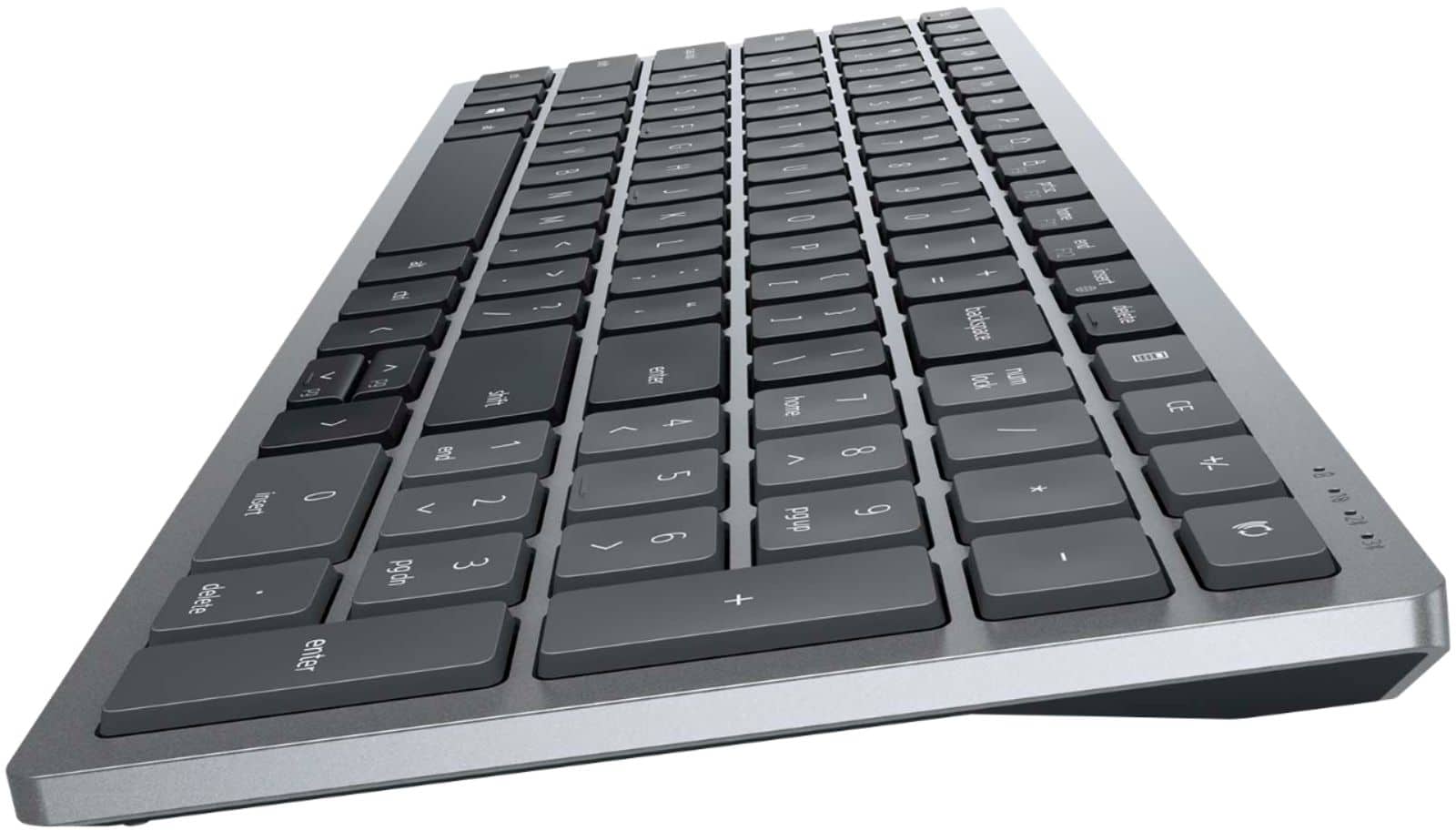
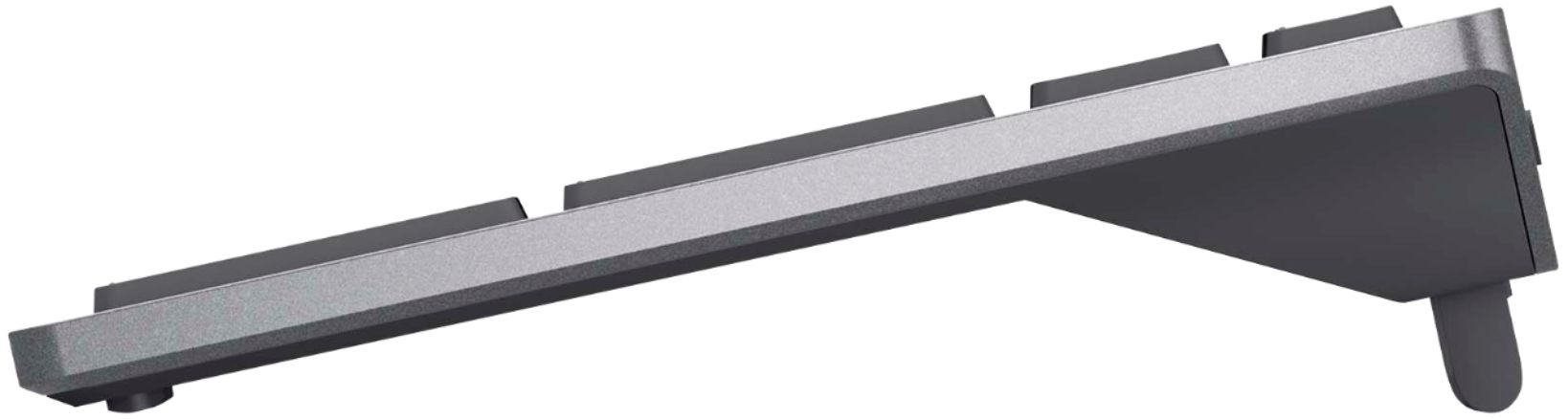
|Posted .This reviewer received promo considerations or sweepstakes entry for writing a review.I spend a lot of time on the computer, both for my job and my personal life. Since I work in accounting, a 10-key feature is a must on a keyboard. I also appreciate keyboard/mouse combos so that I only need one receiver (assuming the receiver is needed). I also discovered the "back" button feature on a mouse well over a decade ago, and I can no longer use a mouse any other way. So in this case, bare minimum requirements are met on this combo. This keyboard and mouse has some great features, of which include (a couple of these may be subjective): - An elevated back to angle the keyboard (no more bumping little tabs back into place to keep the keyboard elevated). - Separation between the keys - F keys (function keys) are customizable - The ability to connect to up to 3 devices, and switch easily between them. - Both wireless (via a USB receiver) and Bluetooth connectivity. - A dedicated calculator key (huge in my line of work), and even a CE key (for those who don't know, this means "Clear entry", so that if you are performing calculations on a series of numbers, and you make a booboo in your typing, you can hit CE and just clear the one entry without having to start the series over again). - A mouse with both forward and back keys on the side. - The mouse can also connect to up to 3 different devices. - Internal storage inside the mouse for the USB receiver, and it's even magnetic so the receiver doesn't just fly out when you pop open the cover. - The cover for the mouse is actually the top plate where your hand rests. This prevents dust and debris from your desk surface from collecting inside the mouse since there are no openings on the bottom of it. As you can see, there are some thoughtful design features in both the keyboard and mouse. For the keyboard, the keys have a moderate amount of travel. They take more pressure than say, a MacBook Air, but significantly less than what I like to call a "click clack" keyboard, such as the Logitech Wave keyboard. I find that even if I am typing a little harder, the keyboard is surprisingly quiet, which is excellent when in a shared space or having to type while on the phone. The keyboard is light and compact, making it fit nicely on my cramped keyboard tray built into my desk. However, the one downside to this keyboard being so compact is that the keys are equally spaces across the entire board. As someone who works in Accounting and is frequently hopping from the letter keys to the 10-key and back again, this is something I haven't gotten used to yet. There is no variation that my fingers can feel to tell me if I'm in the right place. Having swapped this keyboard for one that had the equivalent of an entire column of keys between the right side of the letter keys and the 10-key, I am frequently having to look down to align my hand. The arrow keys are also scrunched, particularly the up and down keys, so if you play games or otherwise frequently use these keys, this may not be the best choice for you. Since I spend a lot of time in spreadsheets, this gets a little annoying. While I overall really like the keyboard, the mouse is only average to me. It's of a larger size and good for someone like me with long fingers, but the overall click of the mouse feels the same as the cheap wired mice that Dell (and most PC manufacturers) include in the box with a desktop computer. The clicking action is a bit loud and feels flimsy. I don't mind it much, but it feels like for the price, the buttons should feel more substantial. I have tried using this keyboard both with the wireless receiver and over Bluetooth. Like most keyboard/mice combos that use both technologies, the receiver is definitely more reliable. I actually found the bluetooth to respond much better than others that I have used, but if you rely on precision in your mouse, use the receiver for a better and more reliable connection.
I would recommend this to a friendBrand response from YourDellTeam
Posted .GirlsCanTechToo,
We're happy to see that your new keyboard and mouse are working out well for you so far. If you do end up having any technical questions about your combo package you can check our Product Support Page here: http://dell.to/2KWDlGB.
Best,
Bryan
1-800-624-9896
It is a Compact keyboard
||Posted . Owned for 1 month when reviewed.This reviewer received promo considerations or sweepstakes entry for writing a review.This is a very "compact" keyboard, and I wish I bought something larger.
No, I would not recommend this to a friendBrand response from YourDellTeam
Posted .Hello lbk2022,
Thank you very much for your valuable feedback. We are sorry to hear that you are not too happy with your Dell Wireless Keyboard and Mouse combo because its look and feel are very small and compact. We will share your comment with our quality team, so future improvements can be made.
If you come across any questions or have concerns about this product, please don’t hesitate to contact Dell Support Team at the information provided below.
Best,
Katarina@Dell
Should you need further assistance, you can contact Dell directly with the information below.
Chat or call: https://bit.ly/DellSupportTeam
Phone number to Dell 1-800-624-9896
- Pros mentioned:Design, Keyboard quality
A competitive option with minimalist queues
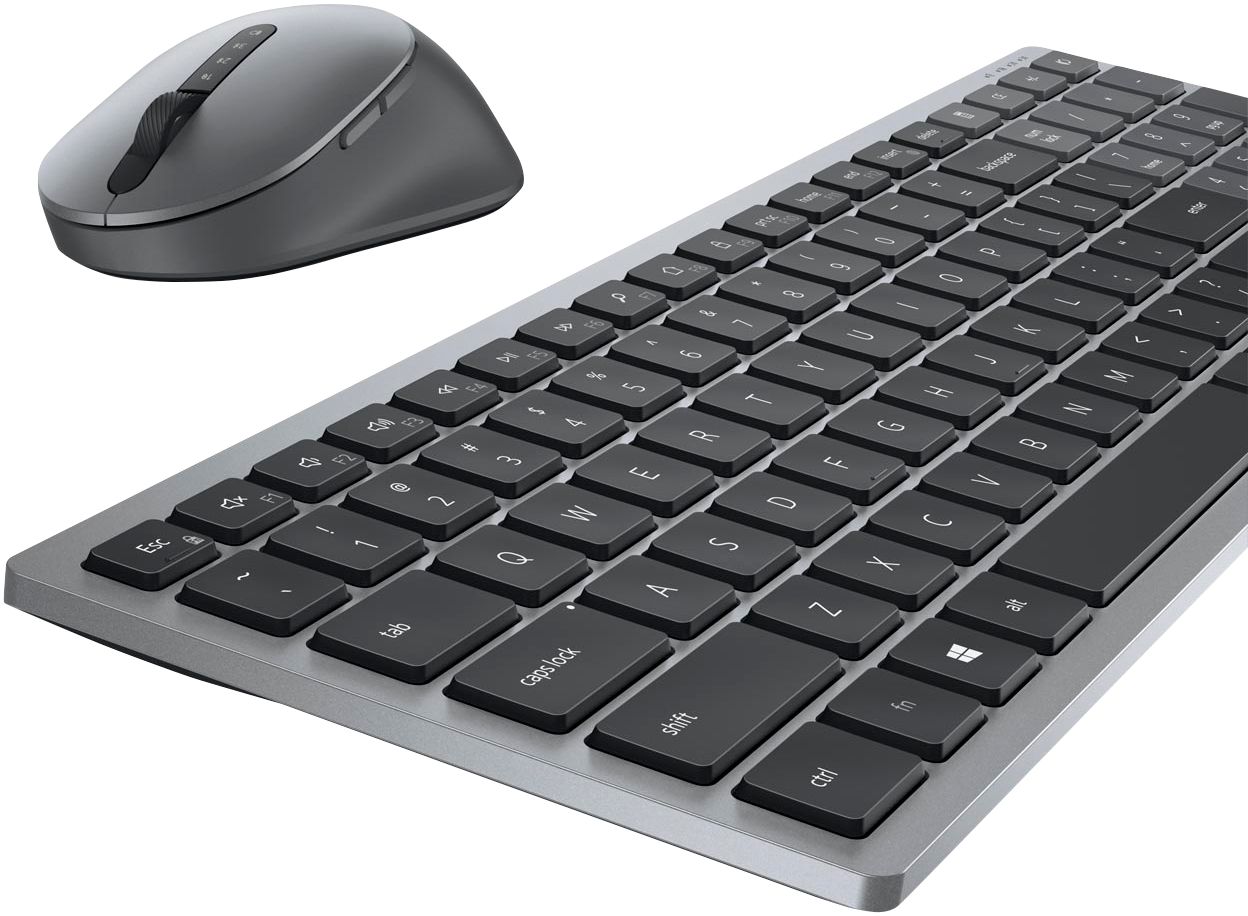
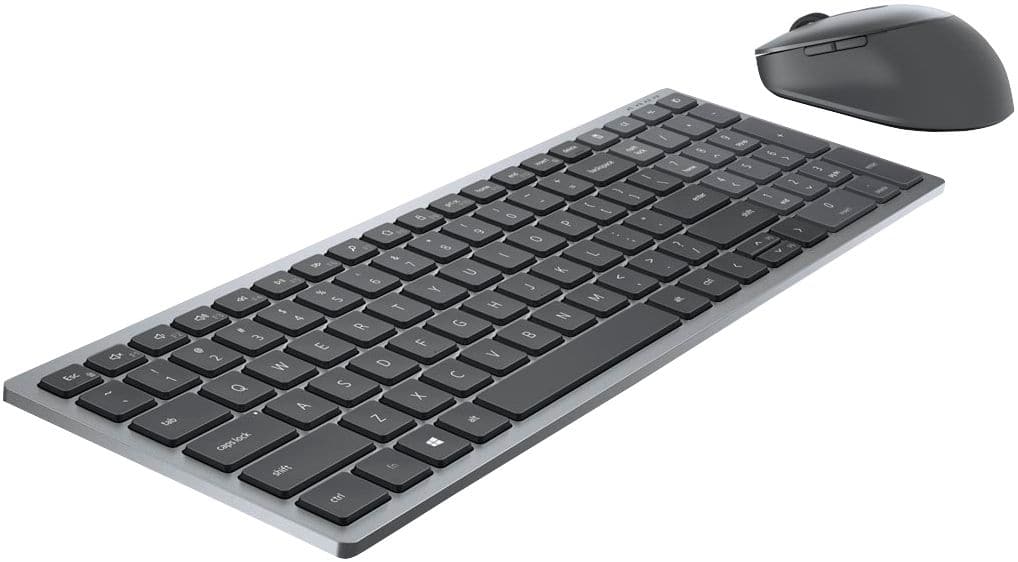
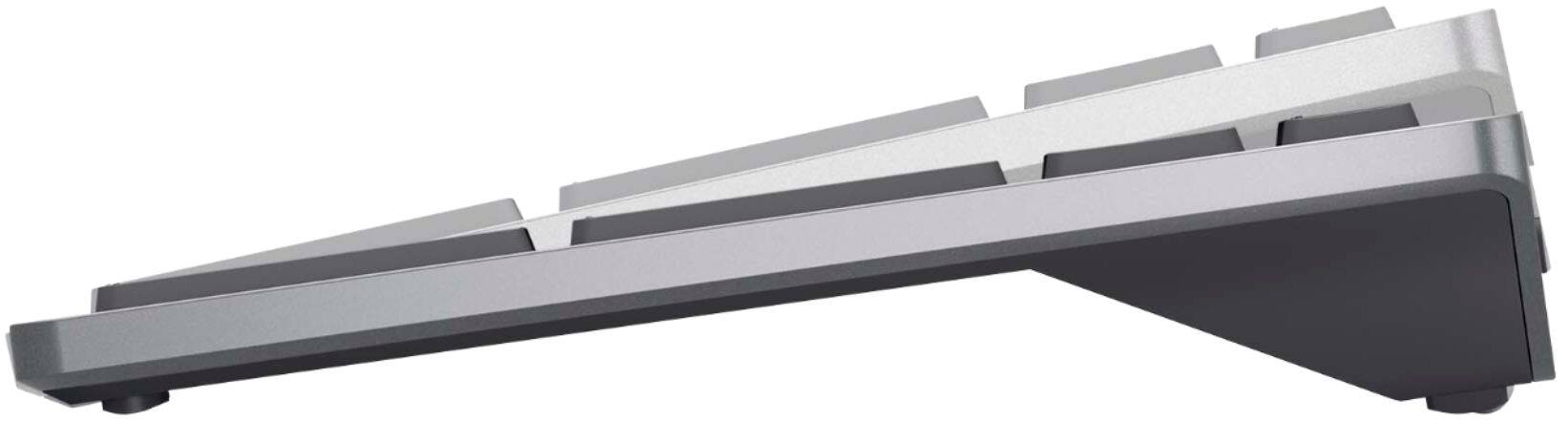
|Posted .This reviewer received promo considerations or sweepstakes entry for writing a review.I’m a long-time fan of Logitech peripherals, and I was drawn to the KM7120W from Dell because of it’s similarly minimalistic design that is seen on Logitech’s higher-end wireless products. I also tend to love Dell’s keyboards (at least, the ones on their laptops), so I thought there might be a chance at some excitement in the product. The keyboard is, in some sense, a full-sized keyboard in that it contains a number pad—but the delete/home/end/insert and page up/page down keys are either compressed to the function row or to other keys. The body is fully plastic, but the materials are premium feeling. The keyboard also has a three-tone gray palette which is great for those looking for minimalist designs. The keyboard has two height configurations, neither of which are flat; the default configuration without adjustment is adequate for me, however, I prefer a flat option. The legs that can be extended serve as ‘anti-slip’ components for the bottom of the keyboard in both configurations. Key travel on the keyboard is really, really good—not too much, not too little. In some ways, it could be thought of as an offspring of a traditional Dell laptop keyboard and a standard Lenovo laptop keyboard; if you’re familiar with those experiences, this is as close to high praise as it comes. It can be paired with up to three devices; two of those devices by bluetooth and the third by the included USB Type-A dongle included in the box. It is powered by two AA batteries which are also included. The mouse has a total of 5 buttons (left and right click, scroll wheel click, and buttons along the left side where your thumb rests). It is what I would call a ‘medium-sized’ mouse, sitting firmly between the MX Master 2S and the MX Anywhere 3. Like the keyboard, the body is fully plastic but doesn’t feel particularly cheap. The USB dongle has a magnetic storage area below a magnetically attached plate on the top of the mouse; the battery compartment for the single AA battery (included) is also under this plate. Because of its plastic build, the mouse is very lightweight and feels comfortable to use for extended periods of time. Dell did a good job designing something that would appeal to high-end mouse enthusiasts. The devices are clearly intended for use with Windows machines, as the Dell Peripheral Management software is a Windows-only program at this time. That said, the mouse and keyboard work without issue on macOS. The software allows you to customize some buttons on the mouse and keyboard. It is straightforward and easy to understand, but I would like to see some additional mapping/configuration options for more than just a subset of the buttons/keys. The keyboard’s function keys (which double as media and other controls) can be customized, as can the thumb and center click buttons on the mouse. There are options for standard system commands, as well as customizable keypresses (for instance, I configured the center click on the mouse for Windows + Shift + S for the Windows Snip and Sketch software). One minor complaint—the scroll direction on the mouse cannot be switched within the software, although you can still accomplish this with some clever registry adjustments if you want to get your hands a little dirty. The pair of devices comes in at $89.99, which is a good price all things considered. It’s clear that this product will compete with some mouse/keyboard combo options from Logitech, but the design language used here make this a good choice for someone who is looking for an inexpensive minimalist keyboard and mouse.
I would recommend this to a friend Nice but didn't work for me
||Posted . Owned for less than 1 week when reviewed.This reviewer received promo considerations or sweepstakes entry for writing a review.Unfortunately it is way too small for my needs, and I have small hands. Guess I should have realized from the factor of no front handrest, but I didn't recall seeing the actual keyboard dimensions listed. I had to return.
I would recommend this to a friendBrand response from YourDellTeam
Posted .Hello Nettie,
Thank you for this valued feedback. We are sorry that the size of this keyboard didn't meet your expectations. Your feedback is sincerely appreciated and we will use it to help improve our current and future products. If you have any other questions in regards to the keyboard, we recommend you visit the product support page.
Best regards,
Wendy C.
For further assistance, you can contact Dell directly with the information below Chat or Call:
https://bit.ly/DellSupportTeam.
Phone number to Dell: 1-800-264-9896.
- Pros mentioned:Battery life, Connectivity, Keyboard quality
Perfect blend of comfort and functionality!
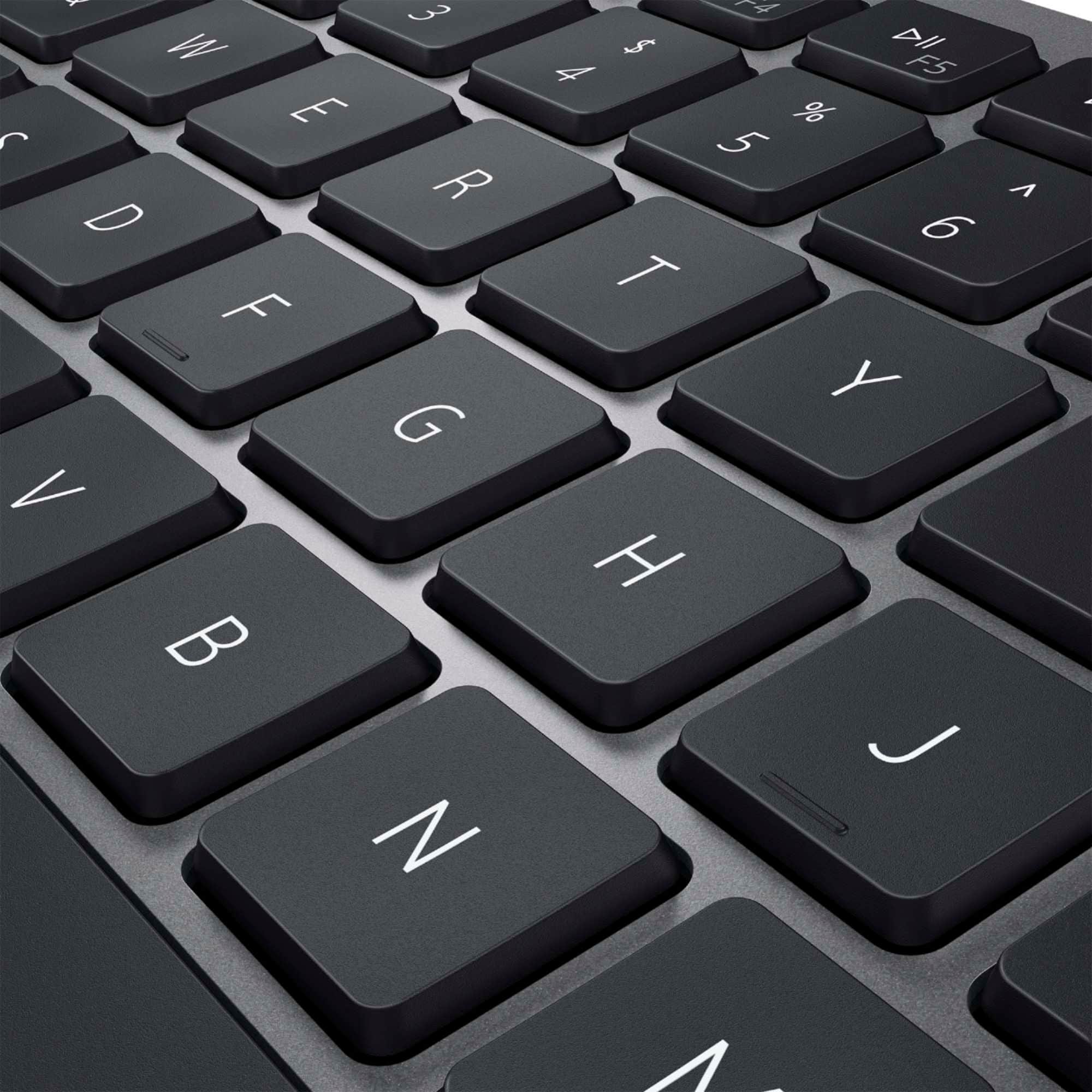
Posted .This reviewer received promo considerations or sweepstakes entry for writing a review.The Dell KM7120W keyboard and mouse combo has completely elevated my workspace experience. The keyboard's scissor clicky switches provide a satisfying tactile feedback with each keystroke, making typing a pleasure. Its full-size layout ensures comfortable typing sessions, while the compact design saves valuable desk space. The wireless connectivity is reliable and hassle-free, offering freedom of movement up to a considerable distance. The mouse is equally impressive with its smooth tracking and ergonomic design, fitting comfortably in my hand. Battery life is exceptional, lasting months on a single charge. Dell has truly delivered a premium combo that ticks all the boxes for performance, comfort, and design. Highly recommended for anyone seeking a top-notch wireless keyboard and mouse solution!
I would recommend this to a friend Terrible Dell Customer Service
||Posted . Owned for 1.5 years when reviewed.This reviewer received promo considerations or sweepstakes entry for writing a review.The keyboard works great but the mouse is really bad. The scroller stopped working. Speaking with Dell Customer Support is probably the worst experience you could possibly have. Their attitude will ruin your day
No, I would not recommend this to a friendBrand response from YourDellTeam
Posted .Hi VocalConsumer,
Thank you for taking the time to leave a review of your Wireless Scissor Clicky Switch Keyboard & Mouse combo. We are sorry to hear that you are not completely satisfied with the mouse on your device, and you did not have a good experience with our Customer Support Team. That is not the type of feedback we like to hear from our customers, or the type of product Dell intends to deliver. We have noted the details of your statement and will use them to improve current and future products.
If you continue to experience issues, please reach out to Dell Support directly by using the toll-free number or chat link provided below.
Chat or call: https://bit.ly/DellSupportTeam
Phone number to Dell: 1-800-624-9896
Best,
Summer@Dell
- Pros mentioned:Battery life, Keyboard quality
wireless keyboard mouse combo
|Posted .This reviewer received promo considerations or sweepstakes entry for writing a review.I really like this wireless keyboard and mouse. I had been using a different wireless mouse and a wired keyboard. This keyboard is thinner and the keys don’t travel as far. It didn’t take long to get used to the shorter travel on this keyboard. I really like it now. Both the keyboard and the mouse have a small power on/off switch. I like that so the batteries should last longer. The keyboard is a bit narrower than my old keyboard and does not have full size arrow up/down keys. That is really my only complaint about the keyboard. The height is fixed, so you cannot tilt the keyboard, but it works fine for me. They seem built very solid and there is no lag for me when using either the mouse or keyboard. When I turn them on, they connect quickly every time. There is a USB wireless remote that you plug into your computer. Once it loaded the driver it was ready to go. If you are looking for a wireless keyboard/mouse combo, I would highly recommend this one.
I would recommend this to a friend Poor quality - Connectivity Issues. Not worth it.
||Posted . Owned for 1 year when reviewed.This reviewer received promo considerations or sweepstakes entry for writing a review.Has serious connectivity issues. Works fine for awhile and now has lag issues that I’ve changed batteries multiple times, uploaded new drivers etc. Very disappointing.
No, I would not recommend this to a friendBrand response from YourDellTeam
Posted .Dear Phillipismyname,
We value your feedback and want to thank you for taking the time to leave a review of your Dell full-size wireless scissor clicky switch keyboard and mouse combo. We are sorry to hear that you are experiencing an issue with your device, and it does not meet your expectations. That is not the type of feedback we like to hear from our customers, or the type of product Dell intends to deliver. We have noted the details of your statement and will use them to improve current and future products.
If you still experience any issues, please reach out to us at: https://bit.ly/DellSupportTeam
Chat or call: https://bit.ly/DellSupportTeam
Phone number to Dell: 1-800-624-9896
Best,
Summer@Dell
- Pros mentioned:Battery life, Connectivity, Keyboard quality
Excellent combo.
|Posted .This reviewer received promo considerations or sweepstakes entry for writing a review.I received this to review because the insane amount of wires attached to my work setup was driving me up the wall. This setup was a night and day improvement. The keyboard is made of what looks to be aluminum and both the keyboard and mouse have some weight to them making them feel well made. The connection went relatively flawlessly to my Dell laptop. I did have a problem updating the firmware, it took about 5 tries till the mouse firmware finally updated. End result is a heavy duty keyboard and mouse that has upwards of 36 months of battery life. It looks and feels spectacular and the price can't be beat in my book.
I would recommend this to a friend Junk
||Posted . Owned for 1 month when reviewed.This reviewer received promo considerations or sweepstakes entry for writing a review.Lasted three months, don’t buy. Paid good money for it so good about it because of where it was coming from.
No, I would not recommend this to a friendBrand response from YourDellTeam
Posted .Hi PatrickM,
We want to thank you for taking the time to leave us a review of your Dell Wireless Keyboard. We are sorry that you experienced difficulty with it and it did not meet your expectations. That is not the type of feedback we like to hear from our customers. We have noted the details of your statement and will use them to help improve our current and future products. If you need further assistance, we recommend reaching out to a member of our support team with the contact information provided below.
Best Regards,
Summer@Dell
Should you need further assistance, you can contact Dell directly with the information below.
Chat or call: https://bit.ly/DellSupportTeam
Phone number to Dell: 1-800-624-9896
- Pros mentioned:Design, Keyboard quality
Perfect Size,quiet keyboard,multi device pairing!
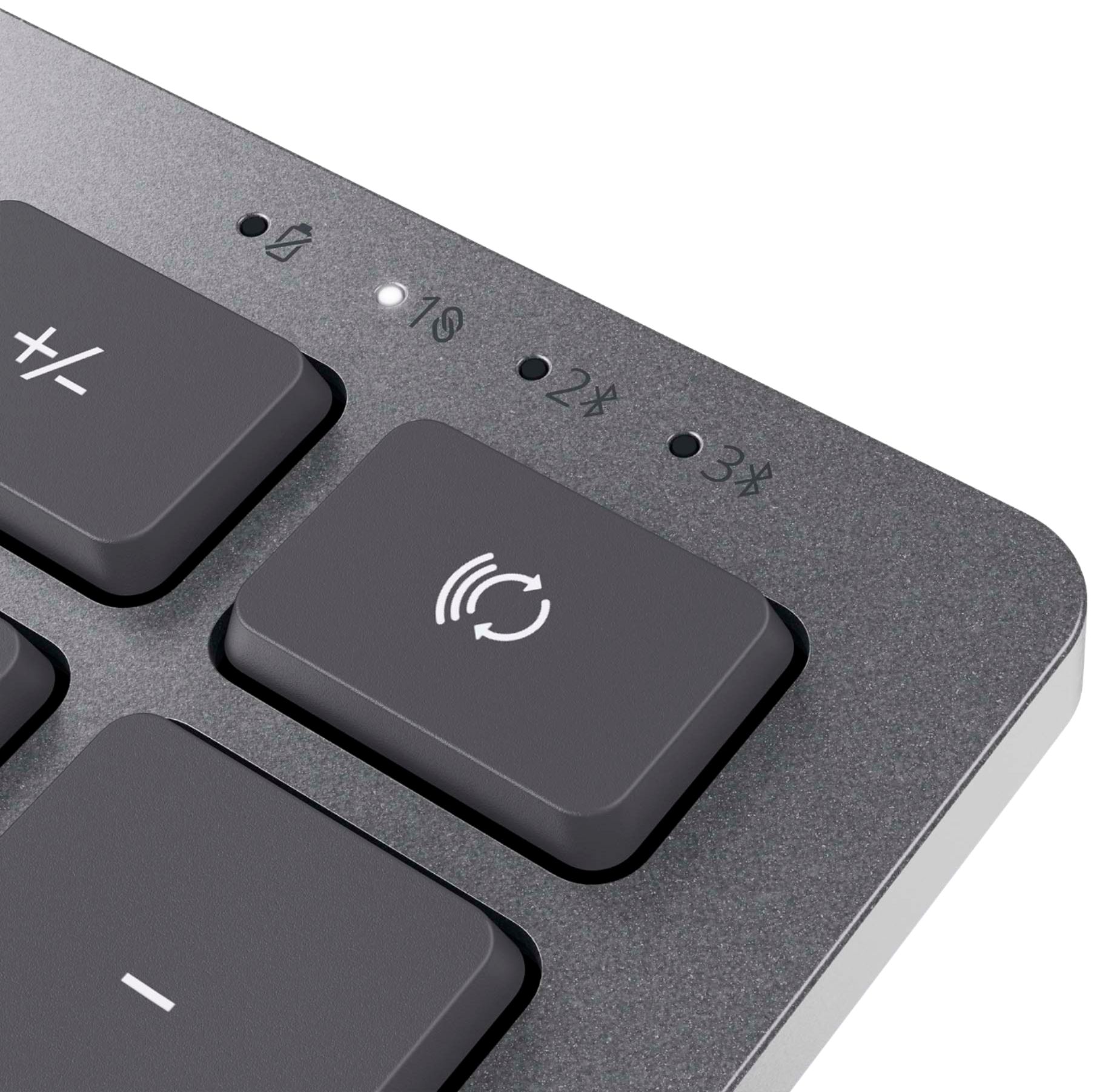
|Posted .This reviewer received promo considerations or sweepstakes entry for writing a review.First of all, this combo is very easy to set up. It works either with a dongle connected to my tower PC or via Bluetooth that I have connected to my XPS13 9365 Dell laptop. Both computers are setup with this combo and work flawlessly. The design is awesome and I love the tone of the gray color more than the common black. I have this combo connected to my desktop (via the USB dongle) and two other devices via Bluetooth, so it can be paired with multiple devices. I have connected desktop or laptops without worrying about taking out the dongle, or having to re-pair the Bluetooth connectivity. You can choose from 3 different ways of connectivity. On my laptop using the Bluetooth connectivity, it shows either as a “Dell Keyboard” or Dell Mouse” using the #2 in in the selector on both, Keyboard or Mouse. #1 is for dongle, and #3 is for another Bluetooth connectivity. I am amazed to feel how quiet the keyboard is and even if it is a full keyboard, it is very compact. When you lift the top of the mouse cover, via a little notch on the left side, you can install the Battery and also keep the dongle safe so you don’t lose it when it is not in use. Very clever. The 3 batteries are included, 2 for the keyboard and 1 for the mouse. Both devices have a power button so you can turn off the devices when they are not in use. Again, it doesn’t lose the configuration and connectivity when you turn on the combo. And with the Bluetooth connectivity you can still use the Keyboard and mouse of the laptop at the same time with this combo. I believe this combo has been very well thought out in every detail for the needs of the user I am very pleased and I highly recommend this product.
I would recommend this to a friend Not impressed
||Posted . Owned for 3 weeks when reviewed.This reviewer received promo considerations or sweepstakes entry for writing a review.Terrible keyboard. The shift and ctrl buttons only work 50% of the time.
No, I would not recommend this to a friendBrand response from YourDellTeam
Posted .Hello,
Thank you for taking the time to share your feedback and review. We apologize for the intermittent performance you have with your keyboard. Below are steps that can be used to diagnose the direct issue with your keystroke input.
1. Run diagnostics on your keyboard, and you have the option to run online or built-in diagnostics (you will need a known good keyboard that is attached to start the diagnostics).
-Online diagnostics.
2. Browse to the Online Keyboard Diagnostics page.
-The test will start automatically.
3. You may be prompted to install or update the SupportAssist program, if so, follow the prompts.
4. The keyboard test is an interactive test, and you must press every key to test your keyboard thoroughly.
5. Make sure to perform the test on the keyboard that is having the issue.
6. This link can be used to begin the diagnostic test: http://dell.to/3faPBha.
Here is a link to your product Support Page. This link can be used to help run further steps and provide more in-depth information: https://dell.to/3DrkKsk.
We recommend following the steps above to resolve your issue. If the issue continues, please contact our support team here: https://bit.ly/DellSupportTeam.
Best,
Wendy C.
https://bit.ly/DellSupportTeam.
Phone number to Dell: 1-800-264-9896.
- Pros mentioned:Connectivity, Keyboard quality
Nice Keyboard and Mouse Combo
|Posted .This reviewer received promo considerations or sweepstakes entry for writing a review.This is a very nice keyboard and mouse combo. First of all, it has a very sleek, modern look to it, that will compliment any modern computer desk setup. The feel of the keyboard is very nice. It has laptop style keys, but unlike most laptop keyboards, the keys are actually spaced out to a comfortable distance. So if you like the feel of a laptop keyboard, but want a more traditional size, this would be perfect. The mouse is nice. It has a very comfortable feel and isn't too large or too small for my hand. I do have slightly larger than average hands, so take that how you will. The connectivity options are pretty nice. First of all, you only need one dongle to connect both the keyboard and mouse, which is always nice. In addition to the dongle, you can also have both the keyboard and mouse hooked up to two additional bluetooth devices simultaneously. Once paired, switching between devices is as simple as hitting a button on the keyboard and mouse. This can be very useful if you need to quickly switch devices but don't want to swap keyboards/mice, or don't want to have to re-pair them every time. In conclusion, this is a very nice keyboard and mouse combo that has a modern look and feel, and is comfortable to use. The connectivity options are a nice touch. You will not be disappointed with this purchase.
I would recommend this to a friend - Pros mentioned:Keyboard quality
Premium Quality & Excellent Functionality
|Posted .This reviewer received promo considerations or sweepstakes entry for writing a review.All computers today regardless of price seem to come with budget keyboards and mice to which this is the perfect companion for any computer. I previously had a compact Logitech keyboard and mouse combo to which the quality of this set by DELL could not get much better. Every aspect of this keyboard and mouse has been fine tuned by DELL for optimal performance and design. Firstly, out of the box, you notice the quality of the mouse and keyboard as the keyboard actually has some heft to it and is not just lightweight plastic. Then the mouse is also very sturdy as well in that it is the perfect balance between being solidly built and also lightweight enough for ease of use. The included batteries are also a nice touch as well for upon paying for such a quality product everything is available for use right out of the box. As far as the actual functionality everything works just as expected. The pairing process for Bluetooth was hassle free and the ability to switch between multiple devices works nearly instantaneously for the couple laptops, desktop, and tablet that I paired it with. The ability to easily see which Bluetooth device the mouse and keyboard are connected to on both the mouse and the keyboard is also a nice added touch. The keys feel extremely premium like something similar to an apple keyboard which makes typing effortless. The only downside to even mention is that with this keyboard being slightly more compact there are a couple keys that are slightly smaller than traditional keys, but it does not take long to get used to this. The subtle aspect I can appreciate with the mouse is that the scroll wheel is not extremely loud with each scroll and is quiet instead. The other aspect I really like with this keyboard and mouse is the ability to turn both of them off to conserve battery. Overall, you can`t go wrong buying this mouse and keyboard as they are going to be an upgrade to nearly anything that comes with a computer nowadays. The build quality is top notch and the functionality is just as strong. I would not hesitate buying this product in the slightest.
I would recommend this to a friend - Pros mentioned:Connectivity, Keyboard quality
Great Keyboard and Mouse!
|Posted .This reviewer received promo considerations or sweepstakes entry for writing a review.The keyboard and mouse were very easy to setup. Initially, I plugged the dongle into my Dell All-in-one computer and then added the batteries to the keyboard and mouse. The setup went flawlessly! I love that you can connect via dongle or Bluetooth. The keyboard is a little more compact than the keyboard that was shipped with my Dell. It doesn't take up much room at all. The mouse fits perfectly in my hand, which is a problem that I've had with other mice. Overall this is a great combo. Highly recommend!
I would recommend this to a friend