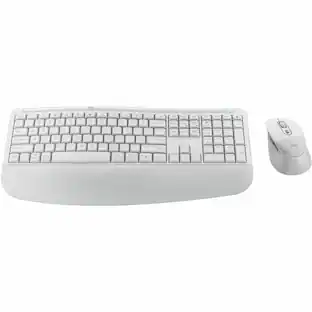
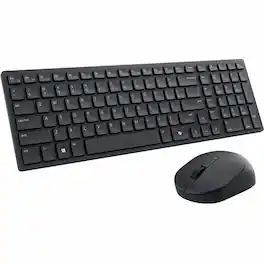
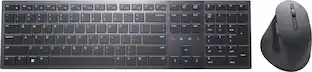
Dell - KM7120W Full-size Wireless Scissor Clicky Switch Keyboard and Mouse Combo with Compact Design - Gray
About this product
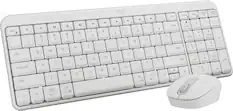
Dell Multi-Device Wireless Keyboard and Mouse Combo enhance daily performance and productivity with this keyboard mouse combo that fits into virtually any workspace. Easily switch between 2.4GHz wireless or Bluetooth connectivity.Multi-OS compatibility. Tested and certified to work seamlessly with Dell systems.Programmable shortcut keys/buttons with customizable keyboard tilt.
Features
Conveniently switch
Seamlessly connect to three PCs. The two Bluetooth 5.0 and 2.4GHz wireless connection methods allow you to switch easily across your laptop, desktop or 2-in-1 with a click of a button.
Easy Pairing
Instantly pair each device with your compatible Windows 10 system via Bluetooth without having to configure in Settings every time with Microsoft Swift Pairi. Compatibility with Windows, Chrome, Android and Mac.
Built to last
With 36 months of battery life, it lasts 3 times longer than its previous generation.
Simply reliable
Rest assured of the quality.Rigorous testing ensures that the combo works perfectly with your Dell system.
Precise tracking
Rapid responses via the 1600 DPI sensor helps you navigate effortlessly, especially across your high-resolution 4K screen.
CUSTOMIZE AND MANAGE
Tilt the keyboard to your desired angle so you can type comfortably, and then program the shortcut keys and buttons for easy navigation across your preferred applications or commands
Specifications
- Lighting TypeSingle colorAdjustable Weight SystemNoForm FactorFull-sizeKeyboard TechnologyScissorKey Switch BehaviorClickyConnection TypeWireless
Reviews
Rating 4.6 out of 5 stars with 176 reviews
Customer Images
The vast majority of our reviews come from verified purchases. Reviews from customers may include My Best Buy members, employees, and Tech Insider Network members (as tagged). Select reviewers may receive discounted products, promotional considerations or entries into drawings for honest, helpful reviews.

- Poly - Voyager 4310 Wireless Noise Cancelling Single Ear Headset with mic - Black$113.99The price was $157.99
- HP - G6 USC-C 100W Docking Station - Black$199.99The price was $264.99




Compare similar products
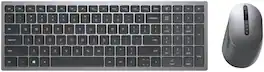
Dell Multi-Device Wireless Keyboard and Mouse Combo enhance daily performance and productivity with this keyboard mouse combo that fits into virtually any workspace. Easily switch between 2.4GHz wireless or Bluetooth connectivity.Multi-OS compatibility. Tested and certified to work seamlessly with Dell systems.Programmable shortcut keys/buttons with customizable keyboard tilt.
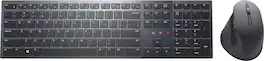
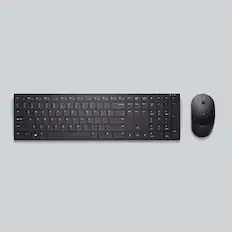
Transform the way you collaborate with KM900 Dell Premier Collaboration Keyboard — the world’s first Zoom-certified keyboard with built-in touch controls for Zoom and rechargeable mouse combo puts increased productivity and effortless collaboration right at your fingertips

Enhance your all-day productivity with this RF 2.4GHz wireless keyboard and mouse combo. With 12 programmable keys and 1 programmable scroll wheel click, you can gain quick access to your frequently used applications, folders and functions. The full-sized wireless keyboard comes with a dedicated numeric pad, function keys, and programmed pre-sets that can enhance your efficiency.
Dell KM555 Keyboard & Mouse - USB Type A Plunger Wireless Bluetooth/RF 5.1 2.40 GHz Keyboard - English (US) - Black - USB Type A Wireless Bluetooth/RF Mouse - Optical - 4020 dpi - Scroll Wheel - Black - Volume Down, Volume Up, Mute, Play/Pause, Forward, Back, CoPilot, Multimedia, On/Off Switch Hot Key(s) - Symmetrical - AAA, AA - Compatible with PC, Mac - Retail Box
Specs
Questions & Answers
Does this keyboard come with a dongle or just wireless connection?
Answered by YourDellTeamYes, this keyboard and mouse combo comes with a dongle.

Is the wireless connection encrypted?
Answered by YourDellTeamYes, the wireless connection is encrypted.
What is the wireless range? 50 feet, 100 feet?
Answered by YourDellTeamThe battery required range on this keyboard and mouse combo is up to 10 m.
Ctrl key is not working. How can I make it work?
Answered by YourDellTeamPlease reach out to the Dell technical support team to resolve this issue. They are availabe 24/7 on Facebook and Twitter(@Dellcares).
Does this keyboard and mouse plug in to the computer?
Answered by YourDellTeamThis is a wireless keyboard and mouse combo. This wireless keyboard and mouse combo comes with a USB dongle that you can connect to a compatible computer to use this wireless keyboard and mouse combo with the computer.
Customers often buy these together





More to consider
 $184.24The price was $188.18
 $33.99The price was $49.99
 $48.22The price was $59.99
 $19.99The price was $29.99
 $109.66The price was $118.44




Explore tech essentials Sponsored
 Top Deal$283.99The price was $349.99
 Top Deal$179.99The price was $229.99

Discover related products
 $12.99The price was $13.99
 $149.99The price was $169.99












Keep exploring
 $23.99The price was $25.99
 $129.95The price was $159.95
 $199.95The price was $259.95