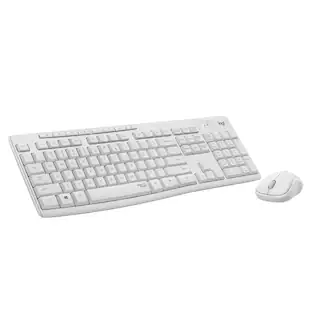
Logitech - MK250 Full-size Bluetooth Wireless Keyboard and Mouse Combo for Windows/MacOS with Fast & Easy Connectivity - Off-White
Customers are saying
Customers enjoy the seamless connectivity and easy setup process that this keyboard and mouse combo offers. Users frequently praise the reliable performance, quiet typing experience, and the comfortable, full-size layout of the keys. While the product is generally well-regarded, a small number of users have reported concerns regarding key responsiveness and occasional sticking.
Color
Off-WhiteConnect in seconds
Fast, easy Bluetooth wireless technology—pair and play this Logitech Wireless Keyboard and Mouse Combo without the need for a dongle or USB port.
Durable and reliable
Built for quality, MK250 Bluetooth keyboard offers long-lasting keys, a spill-resistant design, and a 12-month keyboard battery life. ¹ ²
Comfort is key
Deep-profile keys and an adjustable tilt-leg design make typing feel great.
Space-saving
With a compact layout that still includes number pad, arrow keys, and handy F-key shortcuts.
Made responsibly
Designed to last, MK250 plastic parts are durably made with a minimum of 66% (mouse) and 64% (keyboard) recycled plastic. ³
Comfortable, compact
A mobile Bluetooth mouse small enough to toss in a bag with a smooth ambidextrous shape to guide either hand into a natural position.
Worry-free battery life
Enjoy 12 months of daily use before changing batteries. ¹
Compatible with MacBook Neo laptops
Instant Bluetooth connection, seamless & color-matched
- Lighting TypeNoneForm FactorFull-sizeConnection TypeWireless
Reviews
Rating 4.5 out of 5 stars with 69 reviews
- Connectivity (26)
- Overall Performance (19)
- Noise Level (6)
- Typing Comfort (5)
- Size (4)
- Key Depth (3)
Customer Images
The vast majority of our reviews come from verified purchases. Reviews from customers may include My Best Buy members, employees, and Tech Insider Network members (as tagged). Select reviewers may receive discounted products, promotional considerations or entries into drawings for honest, helpful reviews.





Compare similar products

Connect easy and breeze through daily tasks using the Logitech MK250 Bluetooth wireless combo. Connect in seconds without the need for a dongle. The space-saving keyboard design includes a numpad, providing full functionality in a compact form. Enjoy a smooth ambidextrous mouse shape and deep-profile, comfortable keyboard keys in a spill-resistant design. Made to last, MK250 is made by Logitech, a brand known for quality since 1981, and made to last with recycled plastic. MK250 combines practicality and durability in one compact, full-featured solution.

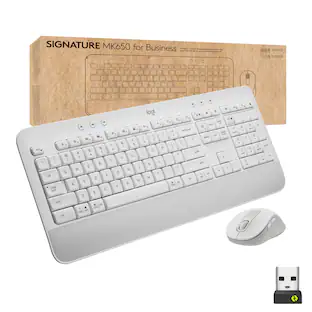
The easy-to-deploy and manage Signature MK650 for Business Wireless Mouse improves employee productivity by 50% vs laptop touchpads. And it provides Secure Connections Only Mode—Bluetooth Low Energy Security Mode 1, Level 4 protection when paired with a Logi Bolt USB receiver. Or connect via Bluetooth Low Energy when cross-platform flexibility matters. Get line-by-line precision for documents – and super fast scrolling for long web pages by switching modes with a flick of the SmartWheel. It’s also 90% less “clicky” thanks to SilentTouch technology. It has a contoured shape for the hand and soft thumb area for comfort.

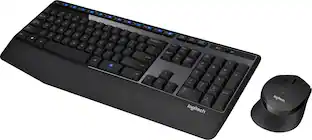
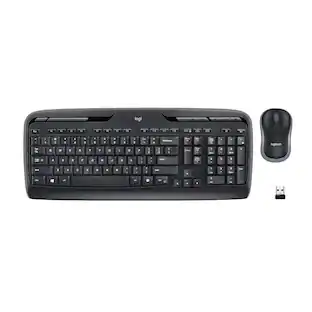
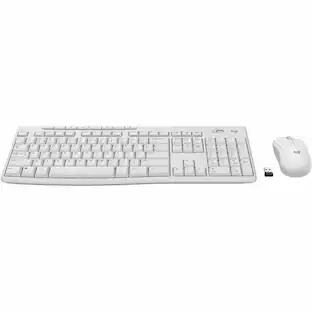
Meet all of your computer accessory needs with the Logitech MK270 Wireless Combo. A reliable wireless combo with a tiny Logitech plug-and-forget receiver. This keyboard and mouse combo features Logitech Advanced 2.4 GHz wireless, delivering the reliability of a cord with wireless convenience. Long-lasting battery life eliminates the hassle of frequently changing batteries.

MK540 Advanced is an instantly familiar wireless keyboard and mouse combo built for precision, comfort and reliability. The full-size keyboard features a familiar key shape, size, and feeling – optimized for precision and noise reduction. The palmrest and adjustable tilt legs keep you comfortable for long stretches and the contoured mouse is designed to fit perfectly into either palm. Plug and play your keyboard and mouse with one tiny USB receiver with Logitech Unifying technology. You’ll get a reliable – and encrypted – wireless connection up to 32.8 ft away with virtually no delays or dropouts.
| Pros for Logitech - MK250 Full-size Bluetooth Wireless Keyboard and Mouse Combo for Windows/MacOS with Fast & Easy Connectivity - Off-White | |||
|---|---|---|---|
| Connectivity, Overall Performance, Noise Level, Typing Comfort, Size | Keyboard Quality | Ease of use, Keyboard Quality, Wireless, Price, Battery Life | Keyboard Quality, Ease of use, Wireless, Price, Battery Life |
| Cons for Logitech - MK250 Full-size Bluetooth Wireless Keyboard and Mouse Combo for Windows/MacOS with Fast & Easy Connectivity - Off-White | |||
| Key Depth | There were no cons for this product— | Lag | Lag, Size |
Specs
More to consider
 $26.99The price was $29.99
 $34.99The price was $49.99
 Top Deal$31.99The price was $34.99
 Top Deal$119.99The price was $129.99
 Top Deal$29.99The price was $34.99



Explore tech essentials Sponsored
 $59.99The price was $99.99
 $159.99The price was $199.99
 $129.99The price was $159.99




Discover related products
 $12.99The price was $13.99











Keep exploring
 $129.95The price was $159.95
 $37.99The price was $58.99