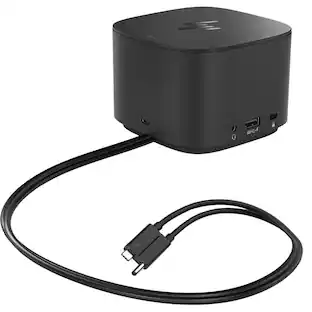
Dell - Refurbished Excellent - WD19 USB Type-C Docking Station with 180W AC Adapter
About this product
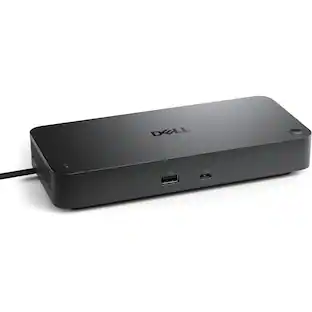
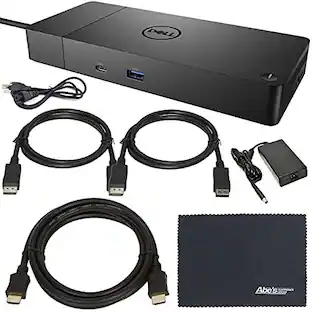
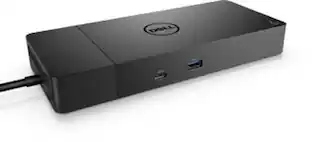
Expand the connectivity options for your USB Type-C system with the modular WD19 USB Type-C Docking Station from Dell. Compatible with Dell and non-Dell systems running Windows 10, Ubuntu 18.04, and Redhat Enterprise Linux, the WD19 connects to your host system using a 3.3' integrated USB Type-C cable and has two USB 3.1 Gen 2 Type-C ports, one of which doubles as a DisplayPort, plus three USB 3.1 Gen 1 Type-A ports, two DisplayPort 1.4 ports, one HDMI 2.0b port, one Gigabit Ethernet port, one 3.5mm headphone/mic combo jack, and one 3.5mm audio output. The WD19 will support one 3840 x 2160 / 30 Hz display, one 2560 x 1440 / 60 Hz display, or two 1920 x 1080 / 60 Hz displays and also features both Kensington and Noble Wedge lock slots. When powered using the included 180W AC adapter, this dock provides up to 130W of power delivery to your host system.
Integrated USB Type-C Cable (3.3')
Integrated USB Type-C Cable (3.3')
2 x USB 3.1 Gen 2 Type-C Ports
2 x USB 3.1 Gen 2 Type-C Ports
3 x USB 3.1 Gen 1 Type-A Ports
3 x USB 3.1 Gen 1 Type-A Ports
1 x DisplayPort 1.4
1 x DisplayPort 1.4
1 x HDMI 2.0b
1 x HDMI 2.0b
- Maximum Number of Displays Supported5Number of DisplayPort Outputs (Total)2
Reviews
Rating 5 out of 5 stars with 1 review
The vast majority of our reviews come from verified purchases. Reviews from customers may include My Best Buy members, employees, and Tech Insider Network members (as tagged). Select reviewers may receive discounted products, promotional considerations or entries into drawings for honest, helpful reviews.
Compare similar products

Expand the connectivity options for your USB Type-C system with the modular WD19 USB Type-C Docking Station from Dell. Compatible with Dell and non-Dell systems running Windows 10, Ubuntu 18.04, and Redhat Enterprise Linux, the WD19 connects to your host system using a 3.3' integrated USB Type-C cable and has two USB 3.1 Gen 2 Type-C ports, one of which doubles as a DisplayPort, plus three USB 3.1 Gen 1 Type-A ports, two DisplayPort 1.4 ports, one HDMI 2.0b port, one Gigabit Ethernet port, one 3.5mm headphone/mic combo jack, and one 3.5mm audio output. The WD19 will support one 3840 x 2160 / 30 Hz display, one 2560 x 1440 / 60 Hz display, or two 1920 x 1080 / 60 Hz displays and also features both Kensington and Noble Wedge lock slots. When powered using the included 180W AC adapter, this dock provides up to 130W of power delivery to your host system.

Provides up to 100W USB-C power delivery and supports up to 4 external displays, including dual 5K or a single 6K resolution. Features 2× DP 1.4, 1× HDMI 2.1, 1× USB-C DP 1.4, 4× USB-A, and 2 additional ports for versatile connectivity.

A smarter workspace. Gain the versatility to create your ideal workspace and boost your AI PC productivity with support for up to 4 displays, up to 130W power delivery, and multiple ports to connect all your peripherals. Most manageable. Elevate the IT management experience with no software or PC connection required, allowing you to remotely manage all your Dell Pro Smart Docks. Most manageable. Remotely manage your smart docks without end-user presence from the Dell Device Management Console - the industry's first holistic peripheral management solution[2] that configures, deploys, and updates smart docks over Wi-Fi. Work securely. Keep users working confidently with enterprise-grade WPA-3 192-bit encryption for secure Wi-Fi communication. Safeguard your sensitive data with tamper-resistant, hardware-based encryption built into your Dell Pro Smart Dock. Effortless maintenance. Reduce IT efforts by scheduling updates during off-hours, while ensuring fleetwide firmware compliance and eliminating end user interruptions. Connect your way. Configure your workspace to your liking with an ambidextrous USB-C cable[4] that can be routed left or right. Designed for sustainability. The Dell Pro Smart Dock is built with at least 65% post-consumer recycled materials[5] and packaged with 100% recycled or renewable packaging.
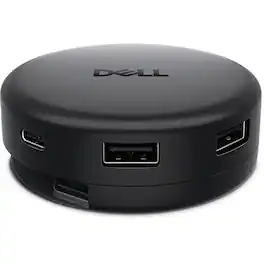
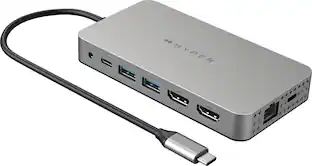
Dell Pro 7-in-1 USB-C Travel Hub - DA326. Designed for modern professionals, this hub delivers fast charging, versatile connectivity and effortless portability.
Specs
Customers often buy these together
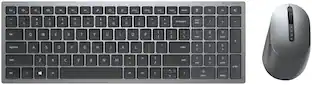
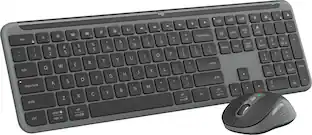
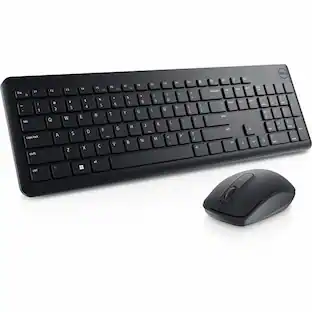
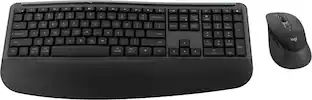
Dell - KM7120W Full-size Wireless Scissor Clicky Switch Keyboard and Mouse Combo with Compact Design
$79.00The price was $119.14 Top Deal$109.99The price was $139.99
 Top Deal$109.99The price was $119.99
 $189.00The price was $277.92
 $92.40The price was $99.99
 Clearance$159.99The price was $199.99
Customers ultimately bought
 Clearance$48.99The price was $69.99


Explore tech essentials Sponsored




Keep exploring
 $38.99The price was $45.99
 $34.99The price was $49.99
 $17.99The price was $21.99