Customer Ratings & Reviews


- Model:
- KM7120W
- SKU:
- 6432650
Rating by feature
- Value
Rating 4.6 out of 5 stars
- Quality
Rating 4.7 out of 5 stars
- Ease of Use
Rating 4.6 out of 5 stars
Customers are saying
Customers are impressed with the keyboard's quality, connectivity, and ease of use, citing its solid build, reliable wireless connection, and simple setup. Many appreciate the sleek, compact design and long battery life of both the keyboard and mouse. Positive feedback also highlights the comfortable key travel. However, some users noted concerns about the mouse's click sound and the durability of the scroll wheel.
This summary was generated by AI based on customer reviews.
- Pros mentioned:Keyboard quality

Worth consideration if you are getting a Keyboard
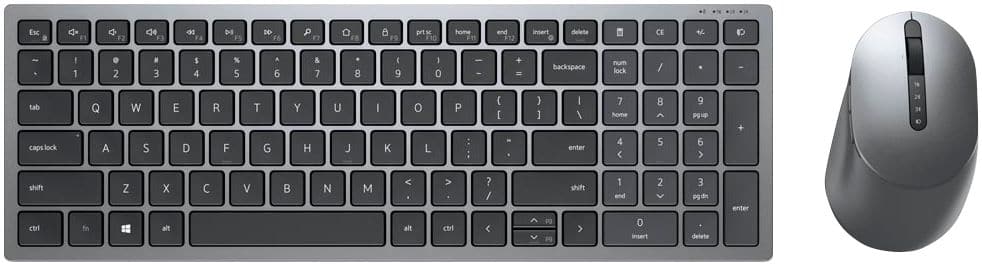
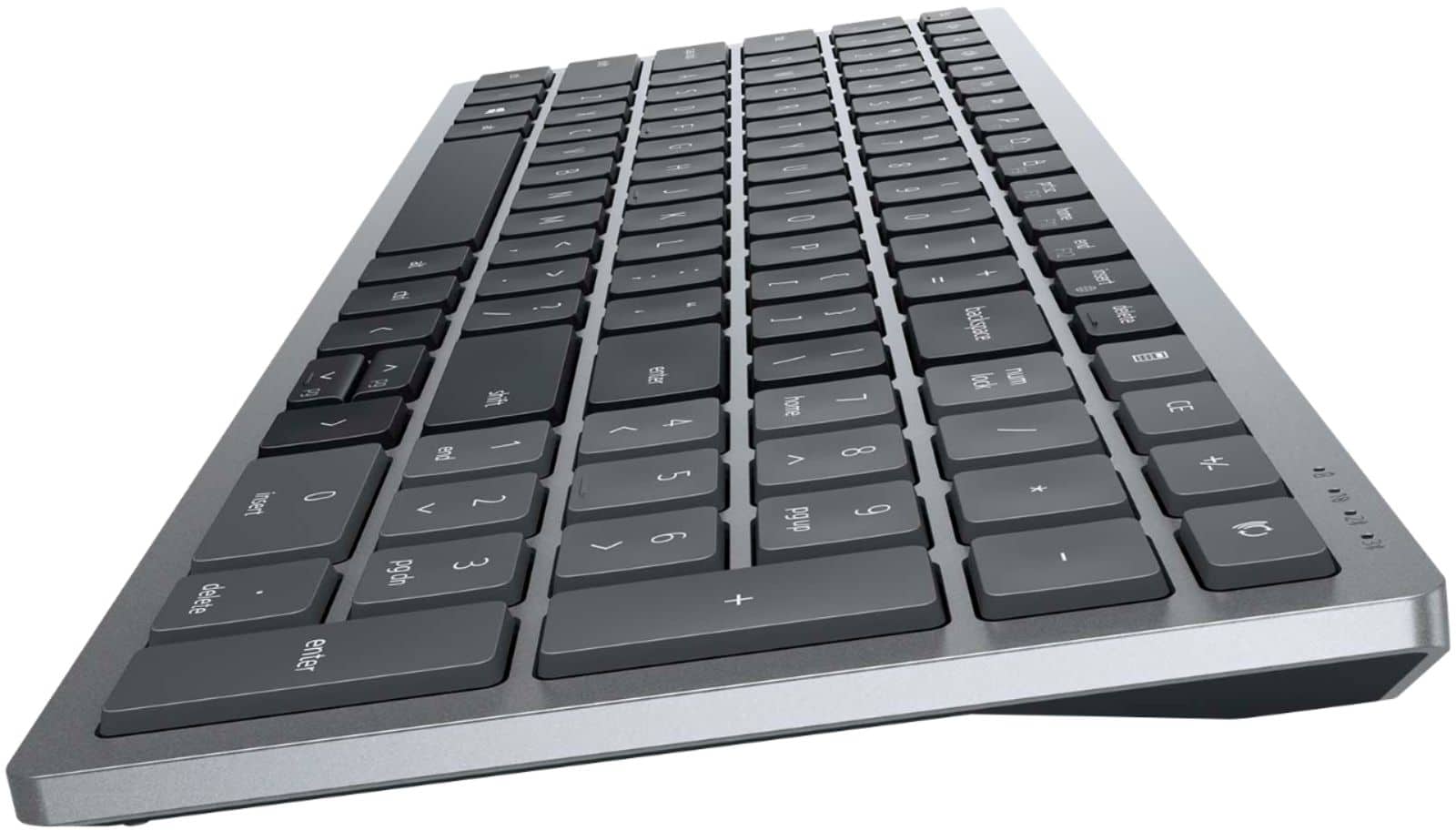
|Posted .This reviewer received promo considerations or sweepstakes entry for writing a review.The Dell Dell Multi-device Wireless Keyboard and Mouse Combo KM7120W is a very sophisticated add-on with potential for use in a multi-computer environment. The KM7120W supports Keyboard and smart tabs across Windows, Chrome, Android, Mac, Linux operating systems. It has one WiFi link with USB WiFi dongle and two bluetooth links available for connection to computer systems. In my case the WiFi dongle and connection will be used with my all-in-one desktop Windows PC. The keyboard is about three inches narrower than the keyboard that came with my all-in-one desktop PC so there will be a process of learning the keyboard layout before I will be fully comfortable with it. The build quality on the KM7120W seems a little nicer and the key touch is smoother than the keyboard that came with my desktop. I have paired the KM7120W with an android tablet, a Windows tablet and where a keyboard is an add-on to a device although usually larger in size than a tablet keyboard I think the KM7120W might often deserve consideration when a keyboard case or plain portable bluetooth keyboard case is purchased. I have used the KM7120W for three days now and the major issue I have encountered is the limited documentation that came with the keyboard. The Quick Start diagram and Regulatory information fall short, the Dell Multi-device Wireless Keyboard and Mouse Combo KM7120W User’s Guide available online fill in the voids to pairing your Windows, Chrome, Android, Mac, Linux computer and keyboard. I recommend considering the KM7120W to my friends and relations who are buying a keyboard
I would recommend this to a friend - Pros mentioned:Connectivity
Good value from Dell
|Posted .This reviewer received promo considerations or sweepstakes entry for writing a review.The Dell KM7120W set is a nice entry level keyboard for those looking for an alternative to the factory included peripherals included in a complete office PC setup. The aesthetics are nice and it seems overall well built but it will not blend with many color schemes out there. It is a grey and silver two-tone setup which looks modern and sleek. It has both Bluetooth and RF (USB receiver) supported for up to 3 devices that are easily switched with the press of a button. Setup was almost instant after putting in batteries and the USB receiver into the computer. I just turned it on and it did everything plug and play. However, it did act weird with connectivity issues out of the box. Windows automatically downloaded and installed the Dell Peripheral Manager app from the Windows Store which prompted me with an update after I had to search for the Dell app in order to access it. In all there was 3 firmware updates needed for it to work smoothly and that took a whole 10 minutes to complete. When it was the mouse's turn to update, I had to click the left button twice to activate it. The software allows you to assign actions to F1-F12 on the keyboard and the 2 side keys and scroll wheel on the mouse. I was able to use this set for my Note 20 Ultra in Samsung Dex mode via Bluetooth which was really cool since it provided me a complete desktop experience on my mobile phone without the USB needed. I'm not a fan of the mouse shape and it feels really light and cheap. The keyboard also feels light and cheap but thanks to the batteries it offers a little heft. Connectivity seems solid and I haven't had any issues with delay. The keys feel like typical Dell scissor keys which means they may pop off like other keyboards I've used in the past. The keys are tactile and mushy like most cheaper keyboards out there. In all, it is a nice setup for those who aren't really picky and any office, school, and home PC will benefit from the streamlined operation this offers. It's a nice entry level setup and the price is right for the value it brings.
I would recommend this to a friend Good combo but minor scroll wheel issue
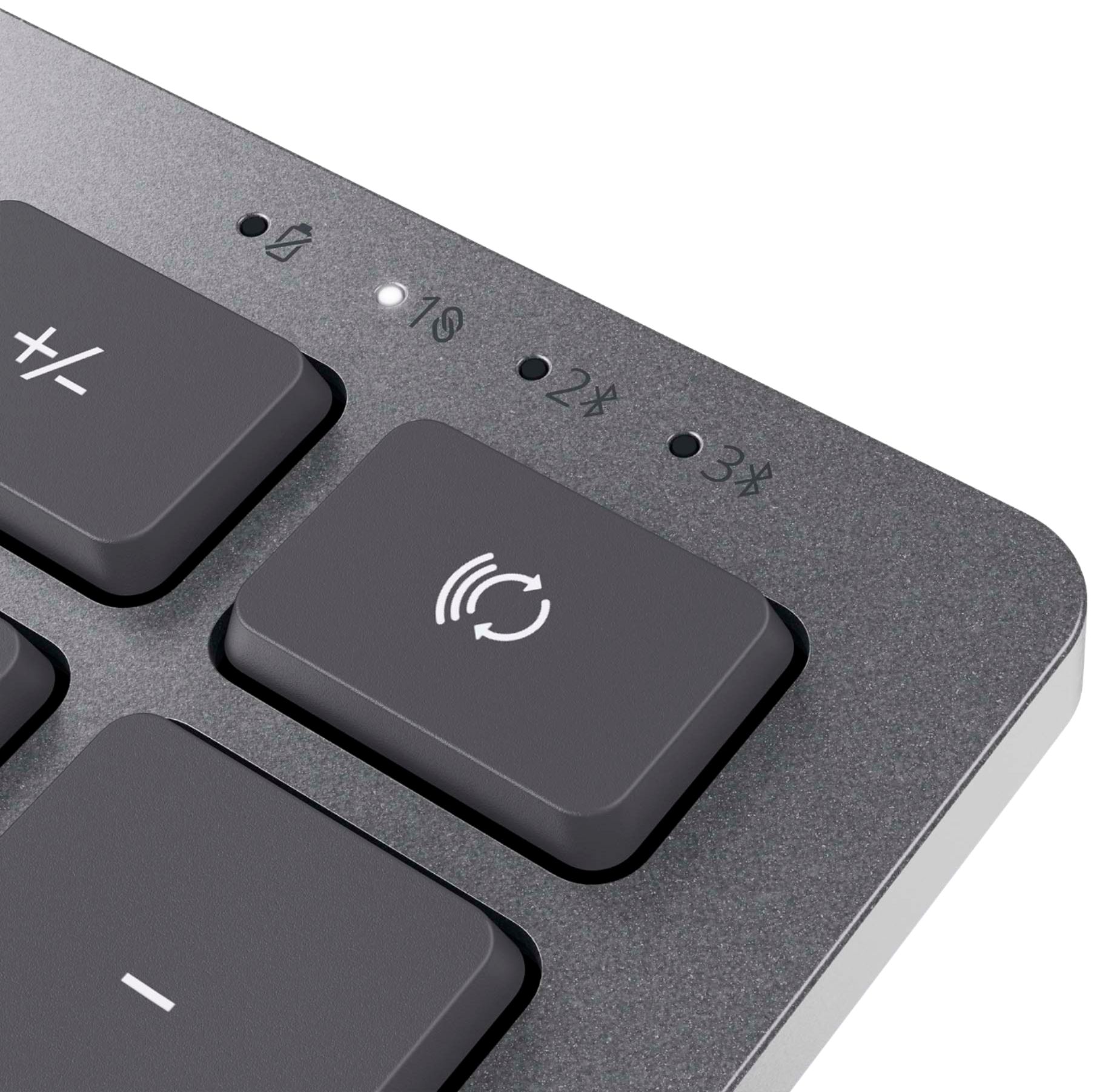
|Posted .This reviewer received promo considerations or sweepstakes entry for writing a review.The Dell Multi-device Wireless Keyboard and Mouse Combo KM7120W is a pretty sweet package. Setup was simple. I first inserted the provided batteries into the mouse and keyboard. Next, I brought up the Windows 10 Bluetooth device manager. Next, I pressed the device select key on the keyboard and button on the mouse to illuminate the Device 2 light, which made the devices visible, and they connected to my laptop immediately. I was a bit surprised to see a message on the screen indicating that the Dell peripheral manager was installed, apparently automatically once the keyboard and mouse were connected. The manager did not come with instructions, but its use was obvious, for assigning actions to the function keys of the keyboard and buttons/wheel of the mouse. Standard stuff. Which of three devices that can be controlled by the combo is chosen by pressing the device select key or button repeatedly to cycle through the choices. Device 1 is whatever the provided USB-A wireless dongle is plugged into. I tried this method after using Bluetooth and it works fine, although I will be using the Bluetooth to keep my single USB-A port clear on my laptop. The dongle is easily stored by pulling the top cover of the mouse and placing it in the provided space where it is held magnetically. The top cover did not feel super-sturdy, so I felt I had to remove and replace it gingerly. Clicking the device select button a second time chooses Device 2 and a third time, Device 3. This is a little different from the Logitech mouse I had been using, as it can manage 3 Bluetooth connections. The Logitech mouse can be recharged by a USB cable while the Dell mouse uses a disposable AA battery, which means I will have to be mindful about switching it off when not in use. It does reconnect quickly after being turned off and on. The feel of both the keyboard and mouse are very nice. They perform well except for the scroll wheel on the mouse. When I attempt to scroll down a document or web page, the response is erratic. It is almost as if the system is resisting my attempt to scroll down by bouncing back up when I turn the wheel. I haven't found a fix yet to smooth this out. Much appreciated is a dedicated calculator button near the number pad area of the keyboard. However, there is no light to indicate whether number lock is on or off; instead, a message flashes on the screen any time the num lock key is pressed to indicate whether it is on or off. In fact, there are no lights that stay on anywhere on the keyboard. The Device select lights come on briefly when the keyboard is turned on or off and when the device select key is struck, but then turn off. I suppose this saves energy, although again I will have to remember to turn the keyboard off when not in use. It is not clear if the devices turn themself off after a period of nonuse (I have another Bluetooth keyboard that does that.) The user manual on the Dell website does not provide this information or much other information for that matter. The manual does say that am amber light blinks when the battery is low. I will assume that I have to physically turn off the mouse and keyboard to save battery.
I would recommend this to a friend- Pros mentioned:Keyboard quality
Good keyboard and mouse set..
|Posted .This reviewer received promo considerations or sweepstakes entry for writing a review.With my son conducting school online, our keyboard and mouse was in need of replacement. We were fortunate to get this combo set up. It is virtually ready to use out of the box. It comes with 3 aaa batteries, 2 for the keyboard, 1 for the mouse. Simply install the batteries, pair the items with your computer and you are ready to go. The mouse performs as it should. It is comfortable and responsive. The keyboard is compact and easy to use on your lap. The keys have a good feel and it works well. We have nothing to complain about, it works as it should. A quality product.
I would recommend this to a friend - Pros mentioned:Keyboard quality
New Smaller Keyboard But Big Mouse
|Posted .This reviewer received promo considerations or sweepstakes entry for writing a review.This Dell keyboard-mouse combo is outfitted in a sleek, stylish metallic silver and gray. The keyboard is as heavy as real metal but I don't think it is. It might be weighted to keep it from moving. I any case, the buttons are fairly big and the keys are fairly quiet. The mouse? It's big. And pretty noisy. This combo features the ability to leave the dongle USB receiver in one PC and then piggy-back off that receiver for use with other wireless devices you can add from an app that mysteriously appears on your PC. There was no choice to install this app--it just appeared after plugging in the dongle and turning on the mouse and keyboard. These two devices are nice and work just fine, but the price seems rather high to me.
No, I would not recommend this to a friend Versatile!
|Posted .This reviewer received promo considerations or sweepstakes entry for writing a review.I received this keyboard and mouse combo free in exchange for an honest review. I attached it to my PC via wireless dongle, and to my iPad via bluetooth. There were no issues connecting to both, and switching between them was at the push of a button on the keyboard and the mouse. I was able to keep the mouse on one and the keyboard on the other. You can connect up to 3 devices (1 wireless dongle, 2 bluetooth) and switch between them seamlessly. The keyboard feels very premium and has some weight to it. It only uses 2 AA batteries and the mouse uses 1 AA battery. Dell claims the battery will last 36 months, so I can't comment on battery performance on this review. They keyboard keys are very clicky, with a rubberized texture and a mechanical feel. They are very responsive and springy in a good way. The mouse has side buttons which can serve as "back" and "forward" buttons on your browser. If you have several computers or devices you work at the same time, I recommend this combo to avoid having to switch between keyboards and mice all the time. The up and down arrows on the keyboard are small, but probably the price to pay for its compact size. There is no backlight, but it does have an "FN" key to add extra functions to the keys. This combo is compatible with PC, Mac, iOS, Linux, and Chrome OS, so you're covered with many systems.
I would recommend this to a friendThe Combo I Didn’t Know I Needed
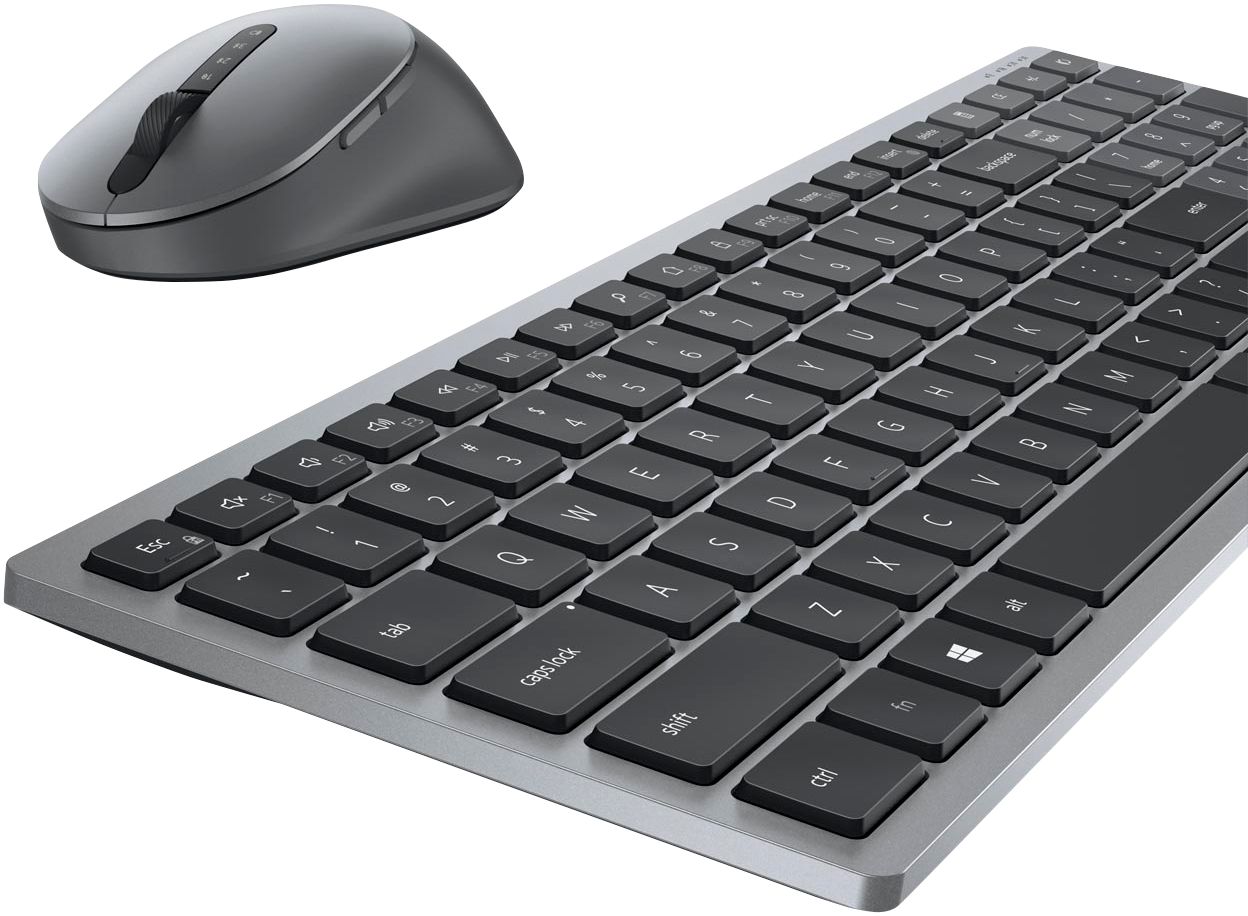
|Posted .This reviewer received promo considerations or sweepstakes entry for writing a review.The Dell Wireless Keyboard and Mouse Combo (KM7120W) is a great package that has a lot to offer. The keyboard is a compact design that still features a full number pad. It has a good weight to it, keeping it in place on your desktop. The chiclet keys have a good feel to them and are pretty quiet. Due to the compact nature, many keys are multi-function: For example Home and End are shared with the 7 and 1 on the keypad. This works fine but is admittedly taking me some time to get used to. The devoted Calculator key is nice. And the media keys work well with my Plex player. The mouse is a full-size mouse tailored to right-hand use. It features Back and Forward nav keys at the thumb location as well as side-scroll on the wheel. The scroll wheel has a soft stepped feel to it when rolled. Overall, the mouse has a good feel to it. I do kind of wish it weighed just a little more, but that’s just personal preference: I tend to like a heavier mouse. Where this whole set really comes to life is with the simultaneous multiple connections it can support. The included dongle acts as the main connection but then the set can be paired with up to 2 other computers at the same time using Bluetooth. Connections can then be toggled separately: The keyboard and mouse both have their own devoted buttons to toggle connection. I tend to have up to 3 computers running at my desk at any time and this package has drastically cleaned up my workspace. At the end of the day, this is the keyboard and mouse combo that I didn’t know I needed.
I would recommend this to a friend- Pros mentioned:Keyboard quality
Premium feel, better than a laptop keyboard
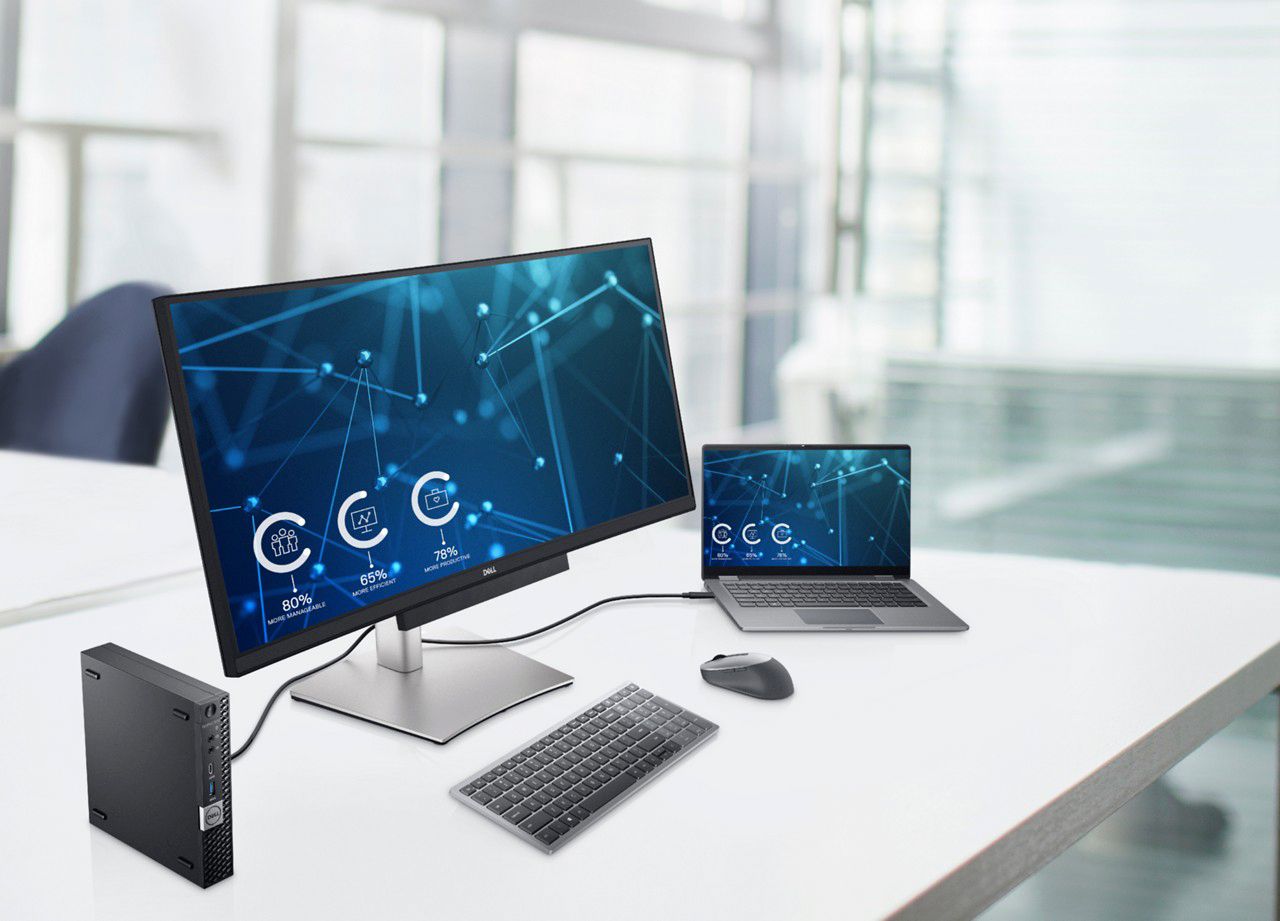
|Posted .This reviewer received promo considerations or sweepstakes entry for writing a review.This keyboard has a premium look and feel which definitely makes it a step up from using a laptop keyboard. I got this to go along with a desk set-up that I'm making, and am very pleased. It feels much better than the laptop keyboard, and has a number pad as well! It is excellent that it connects with a USB dongle as well. With my set-up, I'm using a docking station with my personal computer, but also my work computer when working from home. Security settings on the work computer wouldn't allow for a bluetooth connection, but connecting through the hub works perfectly.
I would recommend this to a friend Excellent Keyboard and Mouse Duo
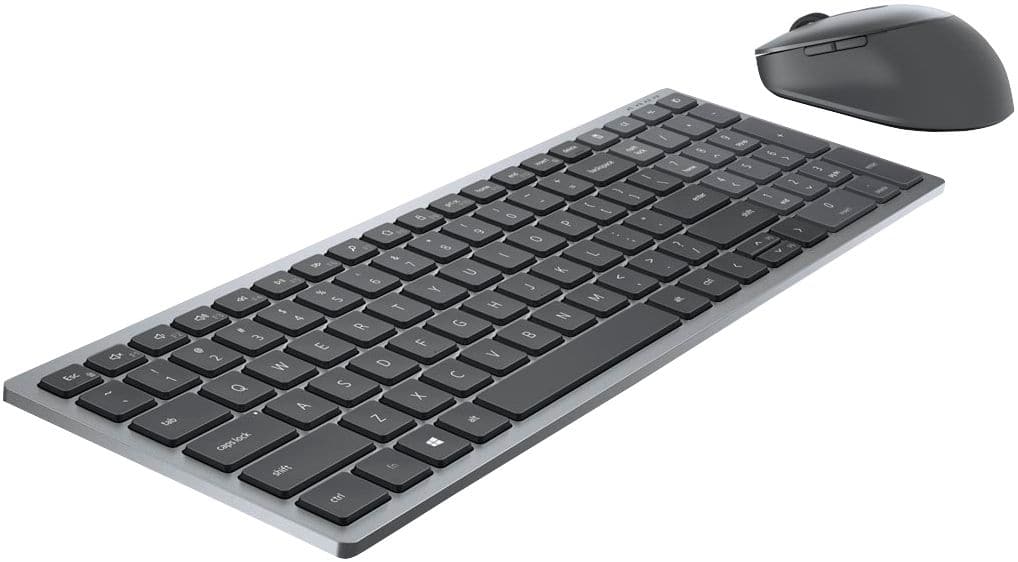
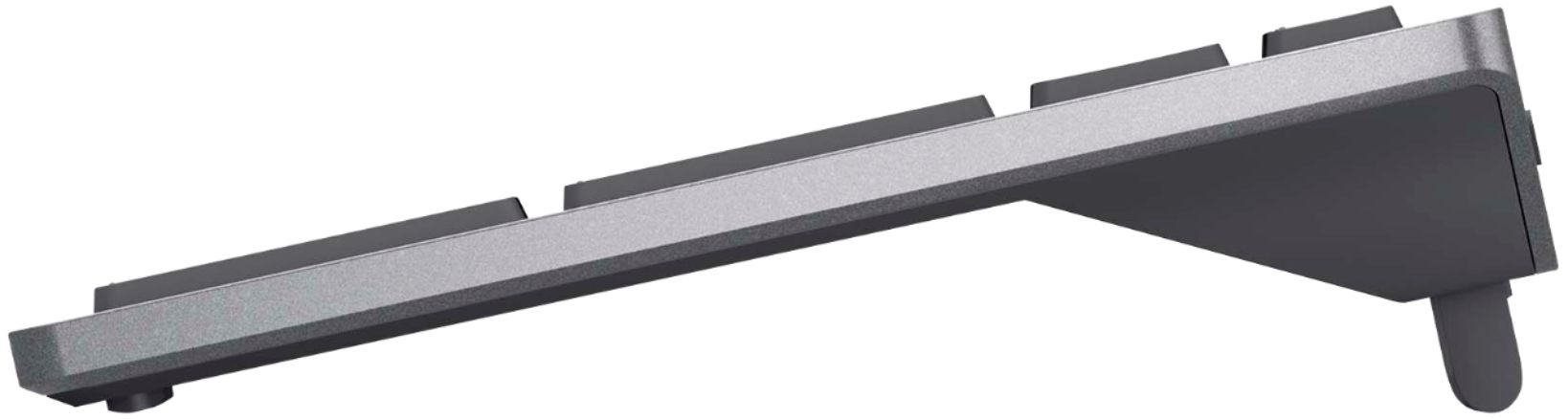
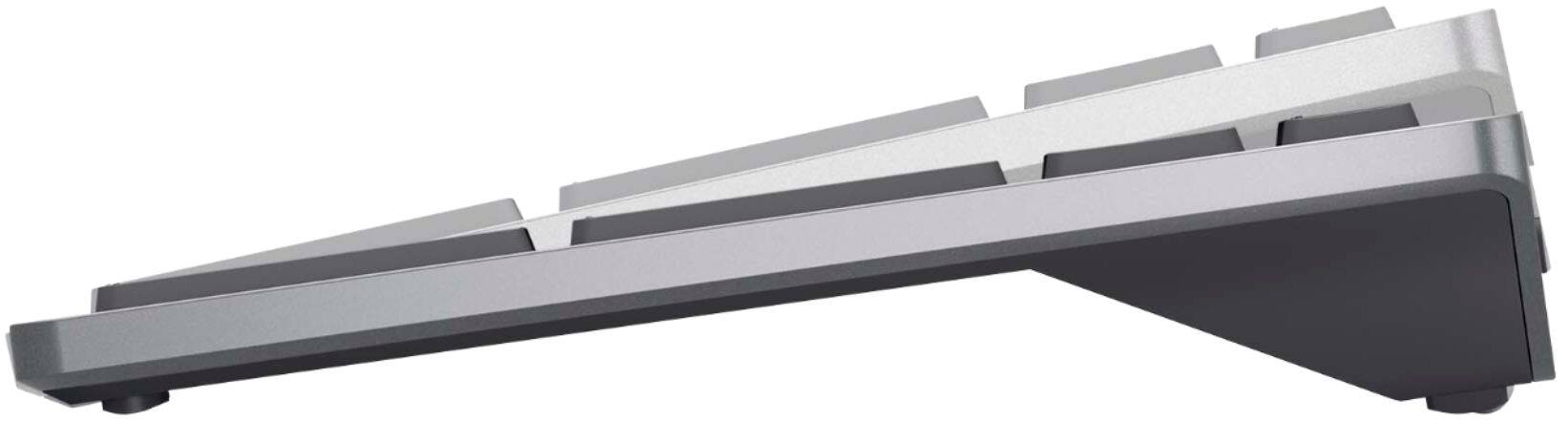
|Posted .This reviewer received promo considerations or sweepstakes entry for writing a review.I replaced the keyboard and mouse duo that came with my Dell AIO desktop with this one, and it is infinitely better. The one that came with my desktop was cheap, plasticky, and of a white/off-white color that became dirty and dingy pretty quickly, no matter that I cleaned it regularly. This one is in classy, modern shades of dark grey with black keys, and a look and feel that is vastly superior. I think it’s a bargain for the price because it works very well. I like that you can adjust the height/angle of the keyboard, and its compactness on my desk. I type an average of 100wpm and I was able to comfortably achieve that on this keyboard. The amount of travel of the individual keys are just right. I also like that it has a numeric keypad, yet it still manages to be a full-sized keyboard in a compact form that minimizes clutter on my desk. The mouse is also a winner. It is ergonomically designed to perfectly fit one’s hand, with a nice slightly rubbery feel where one’s thumb and pinky naturally rests upon it, to give it a light grippy texture. The height is just right, not too high and not too low, so that my hand stays comfortable and doesn't cramp up even during long work sessions. Both quickly connected with minimal effort to my Dell desktop, as well as to our two Dell laptops at the same time (I wanted to try out that feature, to see how well they would switch between the three systems--for those who need that, it works pretty effortlessly). But I use it primarily with my Dell desktop, and it has worked really well. Definitely recommended.
I would recommend this to a friendGreat Feel of Keys
|Posted .This reviewer received promo considerations or sweepstakes entry for writing a review.Dell has hit a homerun with this one. You can connect 3 devices (2 via bluetooth and one via the included USB dongle). Connection is super easy. Out of the box you just need to install the 2 - AA's into the keyboard and the 1 - AA into the mouse and you are ready to start syncing to your devices. Connection couldn't be easier. I tried the bluetooth connection to my windows 10 laptop, and I was prompted to type a verification code on the keyboard during the sync. Super easy! There is a Dell Peripheral Manager that will install too. This lets you further customize the functions of the devices. I never knew how much I would like a shortcut key on the mouse until I could program it to do certain tasks (like "paste") that I use all the time. The keyboard also has a natural angle built into the base so you do not have to worry about "feet" breaking or falling off. The Keys have a super responsive feel to them. Slightly rubberized to me which is great and they have enough resistance to make this a high quality product. I also completely enjoy having the side keypad on the keyboard as I am often entering numbers and this is a must for any number entry. The mouse feels great in my hands, has just enough weight to feel sturdy yet easy to manipulate. The key clicks on the mouse are great with just enough "click" in them. This device is great for your desktop, laptop or mobile devices with Bluetooth.
I would recommend this to a friendA Great Keyboard Mouse Combo for All of My Devices
|Posted .This reviewer received promo considerations or sweepstakes entry for writing a review.My review for the Dell - Wireless Keyboard and Mouse Combo will be much like the product itself. Simple yet effective. There is nothing overly complicated or elaborate about this setup, but it does everything that I need it to, and does it well. In all honesty it brings a few extras to the table as well that I didn't even realize I wanted, but makes the setup useful over a range of devices giving me much more for my money. The keyboard, and mouse are both comfortable, and well made. These are shorter stroke keys more similar to something you would find on a laptop rather than a desktop. I would wait until the batteries died to write my review so I could comment on battery life, but the estimated battery life is three years, and I don't think my review will do anyone much good at that point :D The thing I like most about this setup right now is the ability to easily switch between different devices. It is linked to my work laptop via the small USB dongle. I also use it on my Surface Pro tablet via bluetooth, and switching is very simple. I do feel like this gives me more bang for my buck, and provides something that not every wireless keyboard and mouse combo can offer. Overall I am very impressed with this Dell - Wireless Keyboard and Mouse Combo. High quality. Good battery life. Easily usable across a variety of devices. What more could you want?
I would recommend this to a friend- Pros mentioned:Keyboard quality
Versatile to connect an toggle 3 devices
|Posted .This reviewer received promo considerations or sweepstakes entry for writing a review.Pretty much works as expected. Connected quickly and easily to my Windows laptop over Bluetooth (using it right now to write this review). Very smooth motion with the mouse and no missed keystrokes with the keyboard. Ability to toggle between 3 devices is really convenient. iPad worked well too. However, connection to Mac is a little sticky and sometimes mouse jumps. Did not find dedicated Mac driver package on Dell site. But for Windows computers, this has worked perfectly for me!
I would recommend this to a friend - Pros mentioned:Keyboard quality
Good, Not Perfect
|Posted .This reviewer received promo considerations or sweepstakes entry for writing a review.I've been using the Dell KM7120W wireless keyboard and mouse combo for about a month now. Pros- Quiet keys Compact size Connectivity with multiple devices Build material is great Cons- When connected via the 2.4ghz usb dongle and bluetooth device, on my tablet using the bluetooth, it constantly disconnects and reconnects. So it was basically unusable. On my PC it worked fine. So if that was fixed. I would love this product, and it would be a 5 star.
I would recommend this to a friend Simple and very compact
|Posted .This reviewer received promo considerations or sweepstakes entry for writing a review.This keyboard and mouse are definitely compact - the keyboard is about 2.5" shorter than my next smallest keyboard. Once in a while my fingers mistype a key but the portability of this keyboard is worth it and typing is very comfortable. The mouse is slightly smaller than my current wireless. The tracking and responsiveness are great. Set up was easy - following the illustrations in the Quick Start Guide. Other features I like include the color of the keyboard (steel / grey) and the lighter color of the keypad keys (lighter grey). Both the keyboard and mouse are high quality, especially for the price point, and seem very durable. I like the hotkey function setup. Overall, a great keyboard and mouse combo!
I would recommend this to a friendDell Keyboard
Posted .This reviewer received promo considerations or sweepstakes entry for writing a review.Very happy with my purchase. It was what I needed
I would recommend this to a friendGood Deal
Posted .This reviewer received promo considerations or sweepstakes entry for writing a review.Smooth transaction and timely delivery. It worked out as planned.
I would recommend this to a friend