Last-Minute SavingsLimited quantities.Shop now

Skip to content
Gift Ideas
Main Content

Customer Ratings & Reviews
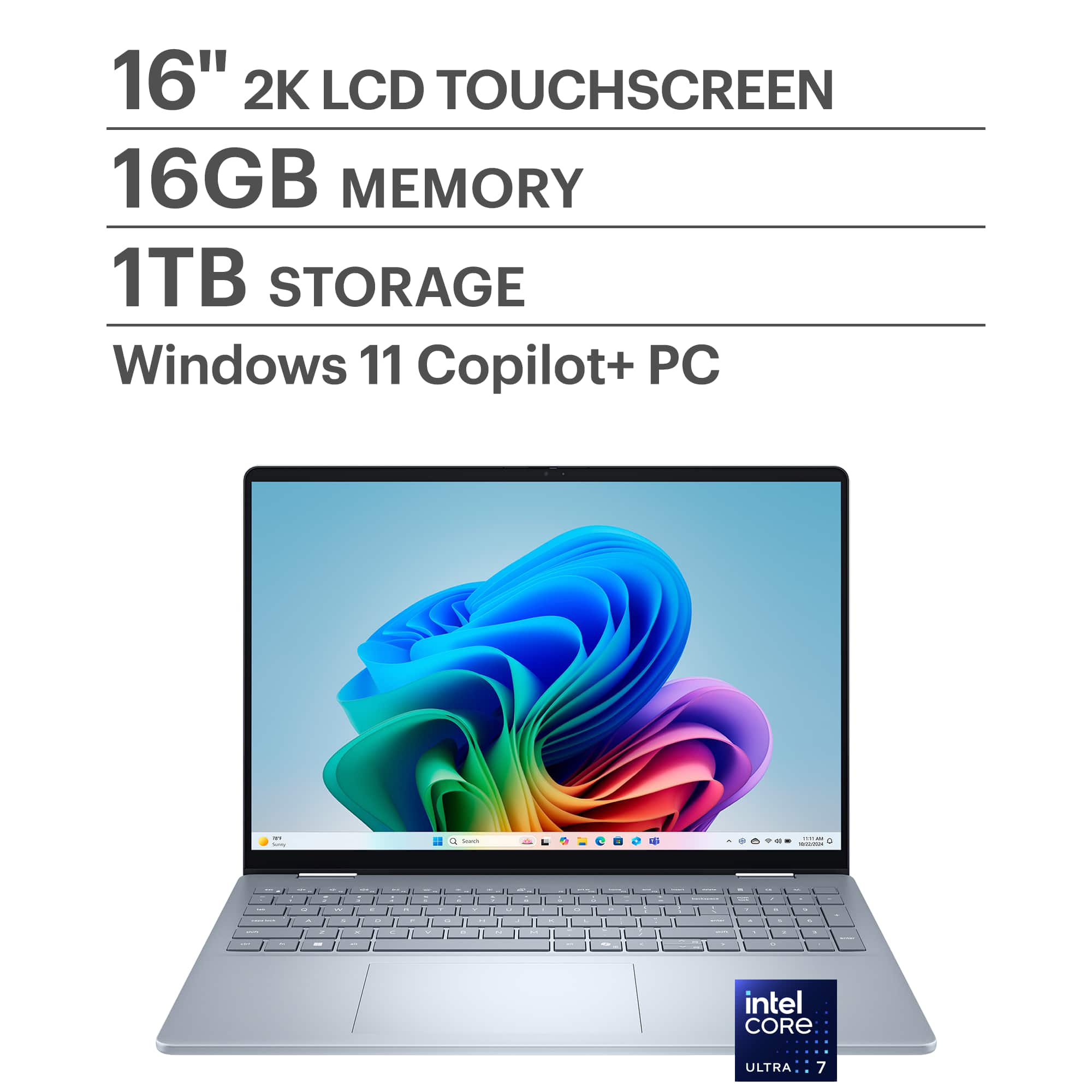
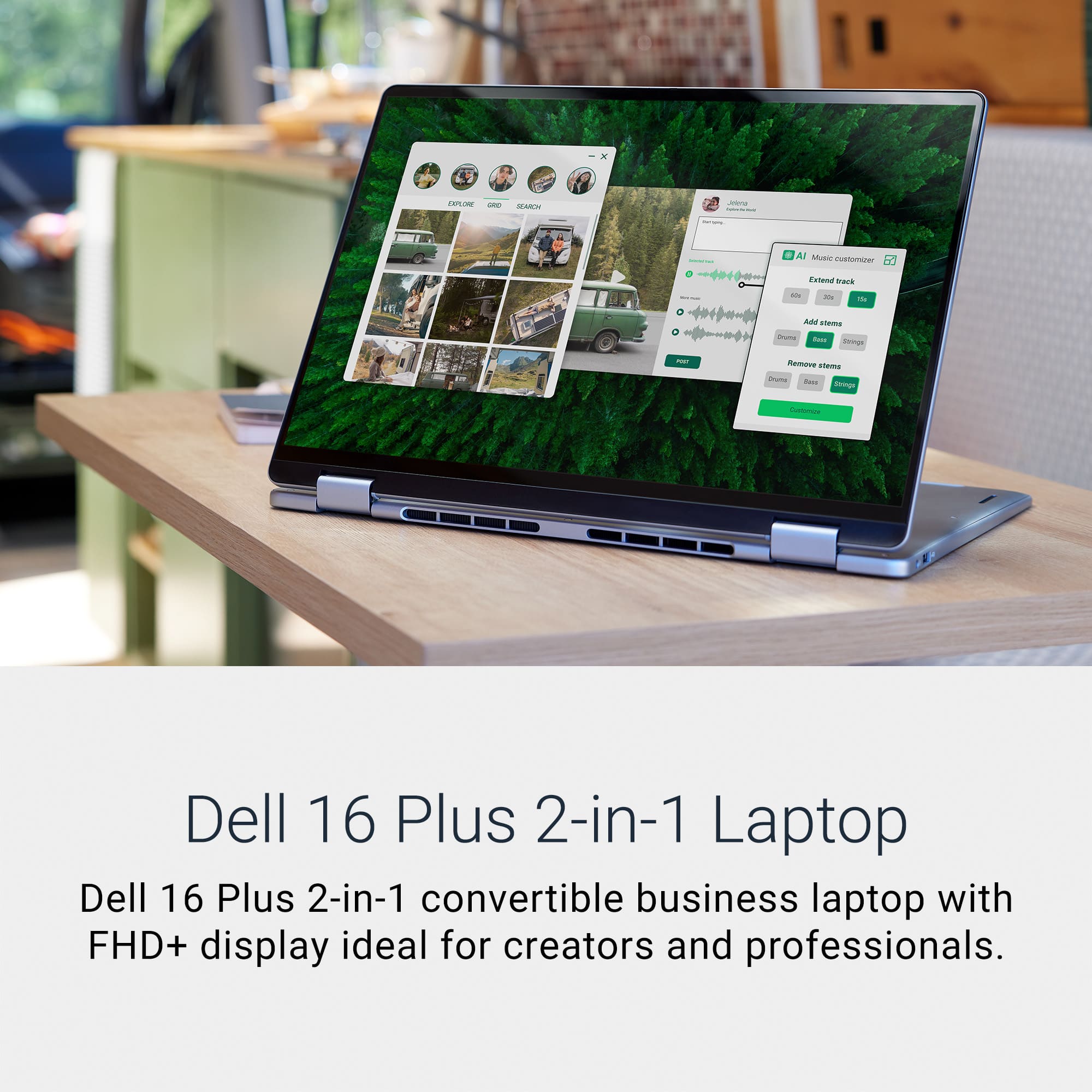
Your price for this item is $1,099.99

Customer reviews

Rating 4.7 out of 5 stars with 520 reviews

Rating Filter

Rating by feature

  • Battery Life

    Rating 4.7 out of 5 stars

  • Speed

    Rating 4.8 out of 5 stars

  • Display

    Rating 4.8 out of 5 stars

Pros mentioned filter

Cons mentioned filter

95%would recommend to a friend

Customers are saying

Customers commend the Plus - Copilot+ PC for its overall performance, fast processor speed, and ideal screen size. The laptop is also appreciated for its portability, good battery life, and responsive touchscreen. Some customers have expressed concerns about the limited number of ports and potential overheating issues.

This summary was generated by AI based on customer reviews.

The vast majority of our reviews come from verified purchases. Reviews from customers may include My Best Buy members, employees, and Tech Insider Network members (as tagged). Select reviewers may receive discounted products, promotional considerations or entries into drawings for honest, helpful reviews.

Page 26 Showing 501-520 of 520 reviews

  • Rated 1 out of 5 stars

    Incredibly disappointed

    |
    |
    Posted . Owned for 1 month when reviewed.
    This reviewer received promo considerations or sweepstakes entry for writing a review.

    I couldn’t be more disappointed in my purchase. This laptop was much cheaper than the HP & I find it incredibly hard to use. Things are popping up on the screen constantly that I don’t want. Clearly for me, this wasn’t a “Best Buy!”

    No, I would not recommend this to a friend
  • Rated 1 out of 5 stars

    Not worth the money

    |
    |
    Posted . Owned for 1 month when reviewed.
    This reviewer received promo considerations or sweepstakes entry for writing a review.

    Very slow not what i was expecting out of this high dollar computer

    No, I would not recommend this to a friend
  • Rated 1 out of 5 stars

    Crashed

    |
    |
    Posted . Owned for 1 week when reviewed.
    This reviewer received promo considerations or sweepstakes entry for writing a review.

    Kept shutting down so I returned it, super frustrating

    No, I would not recommend this to a friend
  • Pros mentioned:
    Overall performance, Processor speed
    Tech Insider Network Member

    Rated 4 out of 5 stars

    Quality laptop, slightly skittish keyboard

    |
    Tech Insider Network Member
    Posted .
    This reviewer received promo considerations or sweepstakes entry for writing a review.

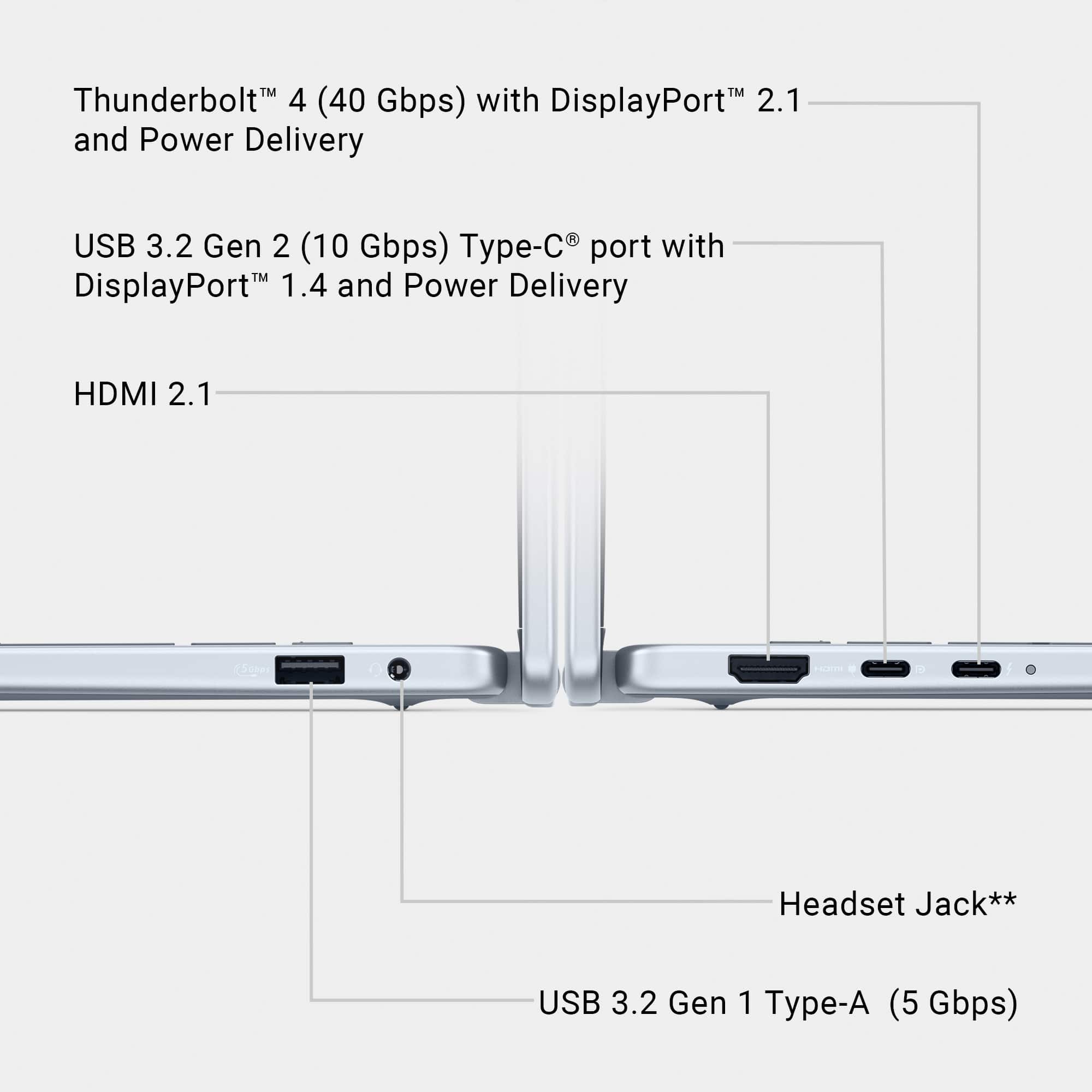
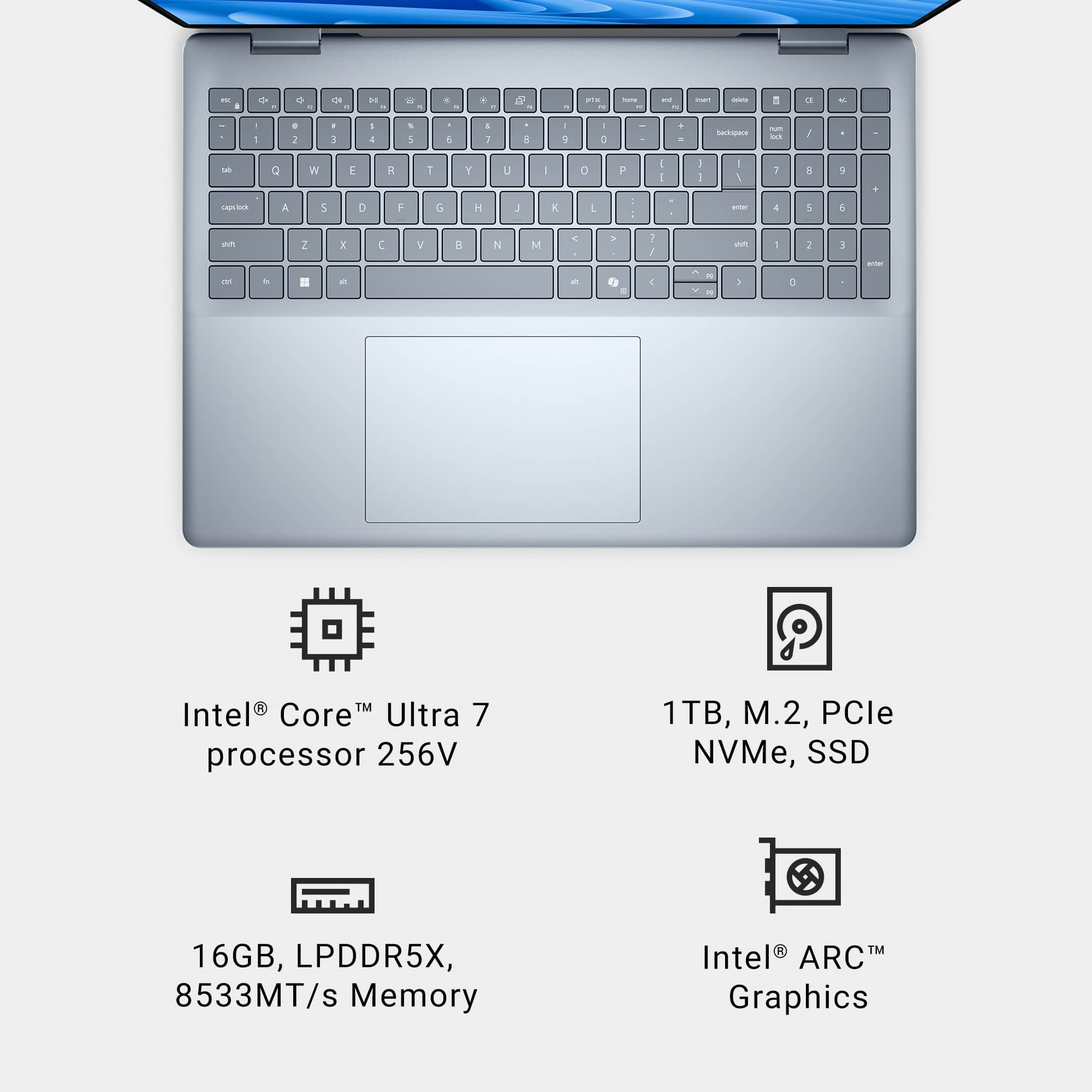
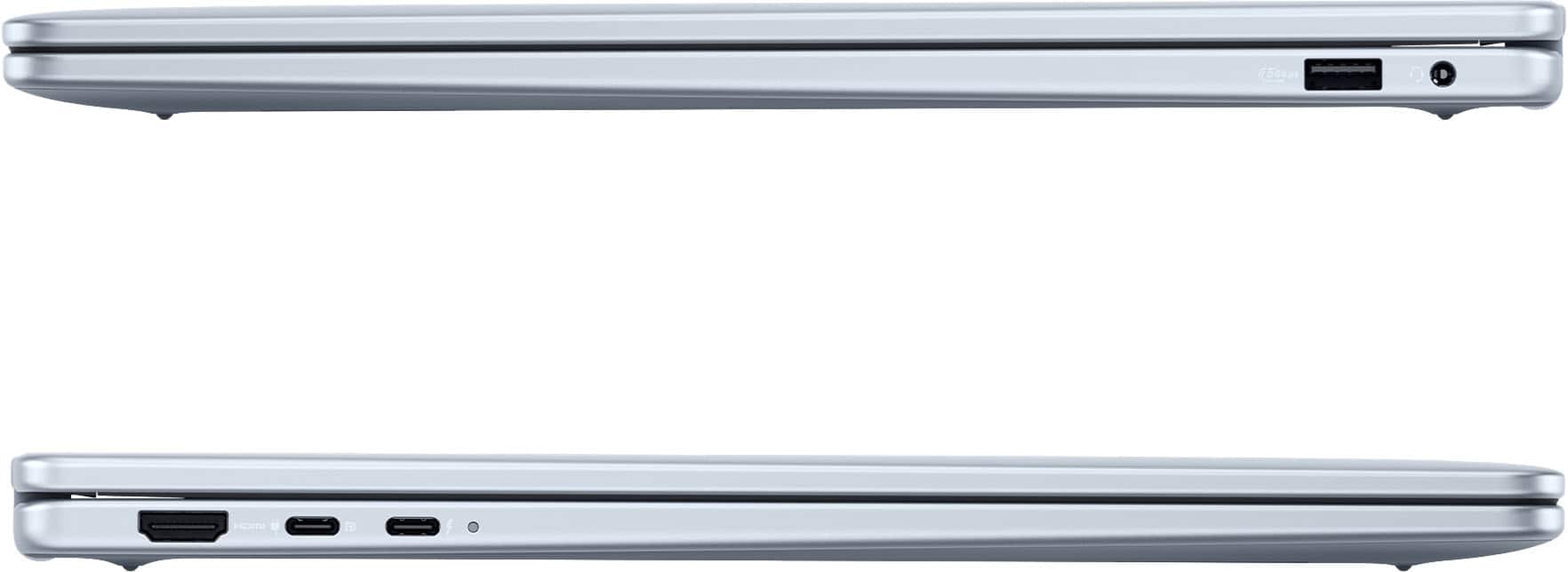
    This is a decently powerful laptop, a good looking display, but having a minor issue with the keyboard, which I'll go into later. This PC is a bit heavier than I was expecting, but then the monitor is slightly larger than most of my other laptops. I wasn't familiar with Intel's latest CPU naming convention, and wasn't certain if this was just another i7 or something else. Turns out, it's something else. But it does seem to perform well. I checked a few testing sites and this CPU compares quite well to similar CPUs. I was a bit surprised it only has eight cores (my Samsung Snapdragon laptop has 12 cores and a faster speed) but it has still performed well. It has two USB-C ports (one used as the power connection) and one USB-A. Other connections are an HDMI output and a mini-jack for a headphones/microphone. Honestly I would instead use the built-in Bluetooth for any headphone connection. It also has a camera facing the user and a built-in microphone for things like Zoom or Teams. This computer offers Microsoft Copilot functionality. A quick and simplistic explanation is the computer has AI enhancements that can assist the user. Many of the functions are for creativity uses, which doesn't fit in my use case, so I get little from it. For some users, it can be an enormous help in many ways. I'll leave it for the user to research what's available and how it can be of use to them. Now the keyboard. I have a number of laptops, not only Dell but other makers. With them all I have always placed my hands on the keyboard the same way, pretty much typing in exactly the same way. I usually press the space bar with my right thumb, but for some reason this keyboard doesn't always register the press, so I end up with no space between words. When using my left thumb, it has never missed a press. I would guess it's an anomaly specific to this piece of hardware, since I have never experienced it with any other laptop from any manufacturer. Just something to watch for.

    I would recommend this to a friend
  • Pros mentioned:
    Screen size
    Tech Insider Network Member

    Rated 4 out of 5 stars

    Fine Business Casual Laptop

    |
    Tech Insider Network Member
    Posted .
    This reviewer received promo considerations or sweepstakes entry for writing a review.

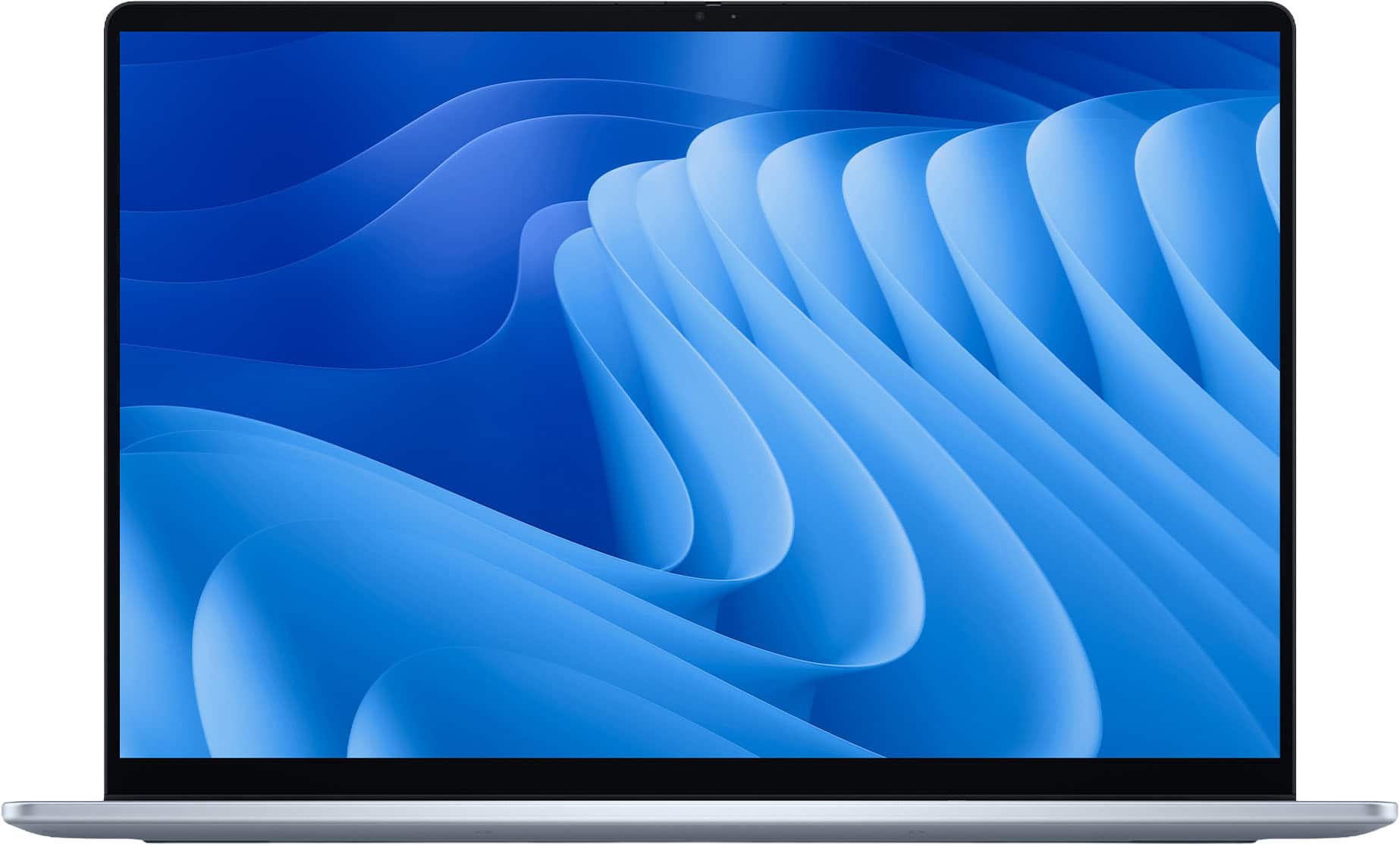
    Straight out of the box, I was happy to see that this Dell included a USB-C charger instead of some proprietary nonsense. I’m not sure why all laptops haven’t converged on a common charging technology by now! Solidly built and feeling quite sturdy, there is an associated and significant weight here that is in no small part tied to the expanse of the screen (not a negative here – just a consideration). And surely the most attractive selling point for this laptop has to be its screen size. At a whopping 16”, the immersive experience you get with this laptop is more like an interaction you would expect with a desktop and monitor. And while designated as a 2-in-1 laptop, I can’t think of a world where this unwieldy beast would ever be used as a tablet (though tenting the laptop makes for a great touch screen device for consuming video content or doom-scrolling through your social media feed). Image quality is very nice, but not excellent. I have come to expect (and would have preferred) a refresh rate higher than 60 Hz here but I’m sure that sacrifice was made to keep everything at a lower price point. And I should mention that one of the selling points for this laptop is its FHD+ display – in this case it means that instead of 1920x1080, the vertical range is expanded to a 1920x1200 display – which seemed odd to me – but I think this slight addition is a bonus when viewing at the recommended 125% scaling (so I think the “+” is actually to make the scaled image show sufficient visual information?). I did a little bit of research into the processing capabilities here and got more confused – suffice it to say that this laptop is supposed to be able to handle a ton of different simultaneous programs running. And while I was never able to truly tax the processing capabilities of the Dell, I noticed that it started running very warm any time I had it in continual use – hot laptops always concern me aside from the discomfort I feel actually using them on my lap. A few other concerns I should mention: (1) Setup took WAY longer than I thought should be realistic. Full setup with all the Windows updates including installation of Office and my preferred proprietary antivirus software took close to 3 hours. (2) Part of the lengthy installation included updates to numerous items identified as firmware. Immediate updates to firmware suggest to me an item that is being rushed to market without exhaustive evaluation. And (3) I continue to find the touch pad to be sketchy at times – even during initial installation, I noticed that I had trouble registering a single click (you had one job!) – I think it’s just very finicky about how you register your click (no other laptop that I own is like that). I also find that familiar gestures I use don’t work as consistently as I would like. Worth noting that there is a numeric keypad (“ten key”) to the right of the keyboard here – making this laptop potentially great for business applications – but that also means that to have the touch pad centered below the actual keyboard, it is ultimately not centered at the base of the laptop and my own habits might be causing some misfires because my aiming intuition is off? But back to basics – I think that the two biggest selling points for this laptop are definitely price and screen size. I would describe it as a sturdy, but heavy, business casual model with a fine screen and ample computing power. Expect good-but-not-great battery power – you’ll be looking at hours, not days here (that screen ain’t gonna power itself!). And I will have to trust, but can’t verify, that all the firmware updates will be done with for now - I have lingering suspicions.

    No, I would not recommend this to a friend
  • Pros mentioned:
    Processor speed, Screen size
    Tech Insider Network Member

    Rated 5 out of 5 stars

    Perfect for daily use

    |
    Tech Insider Network Member
    Posted .
    This reviewer received promo considerations or sweepstakes entry for writing a review.

    Laptop came perfectly packaged and delivered in perfect condition, dispite the box being really big for a laptop, but it’s also got a large 16” screen so all good. Inside is the laptop and the charger and first impressions of this laptop was the size of the screen and how beautiful it looks. I was amazed thinking to myself how did I miss that two inches (most of my laptops are 14”) I mean what a difference that makes as far as being able to see more clearly what I’m working on and of course for watching any media on it. I usually just mess around with some spreadsheets and send emails and stuff like that. One thing I always got going on is multiple browser tabs because I might be listening to phone calls, updating a price file, shopping competition, ordering supplies etc. This laptop is capable of all the task I put it through and its processing is plenty fast enough for me. The real reason to buy this is its sleek look and amazing crystal clear screen. It’s really cool. The only downside is the keyboard for some reason just seems a little off so I recommend you try out typing make sure you can live with it. Overall I’m really impressed and this is my new daily use laptop.

    I would recommend this to a friend
  • Pros mentioned:
    Battery life, Overall performance, Processor speed

    Rated 5 out of 5 stars

    Dell Ultra 7 touch

    Posted .
    This reviewer received promo considerations or sweepstakes entry for writing a review.

    Bought Dell - Plus 2-in-1 16" FHD+ Touch Screen Laptop - Intel Core Ultra 7 Copilot. The laptop is fantastic. the speed and touch usability and coding efficiency is awesome. Long battery life. Really liked it and would recommend it for others.

    I would recommend this to a friend
  • Pros mentioned:
    Screen size
    Tech Insider Network Member

    Rated 5 out of 5 stars

    A Very Good Work/School Laptop!

    |
    Tech Insider Network Member
    Posted .
    This reviewer received promo considerations or sweepstakes entry for writing a review.

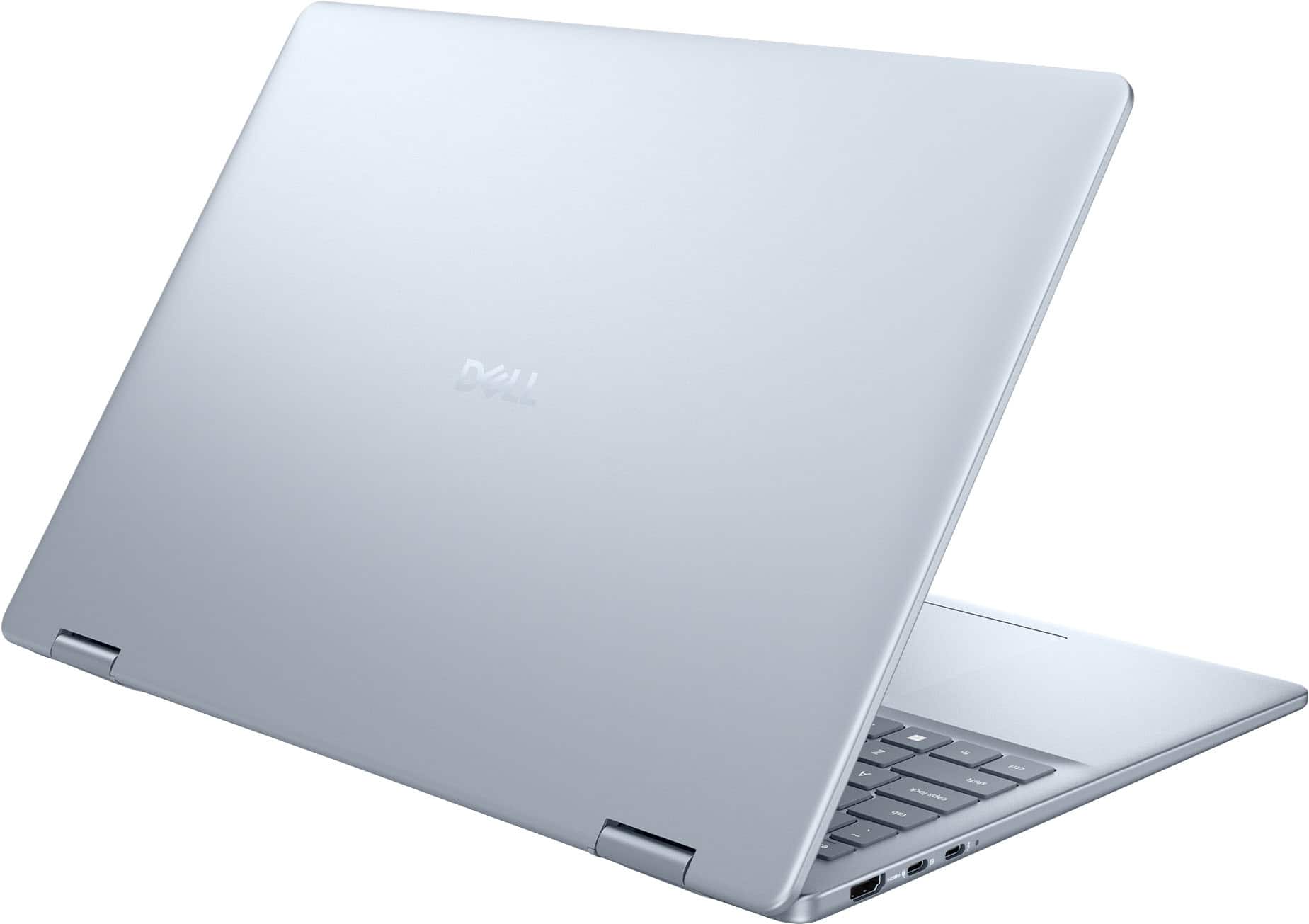
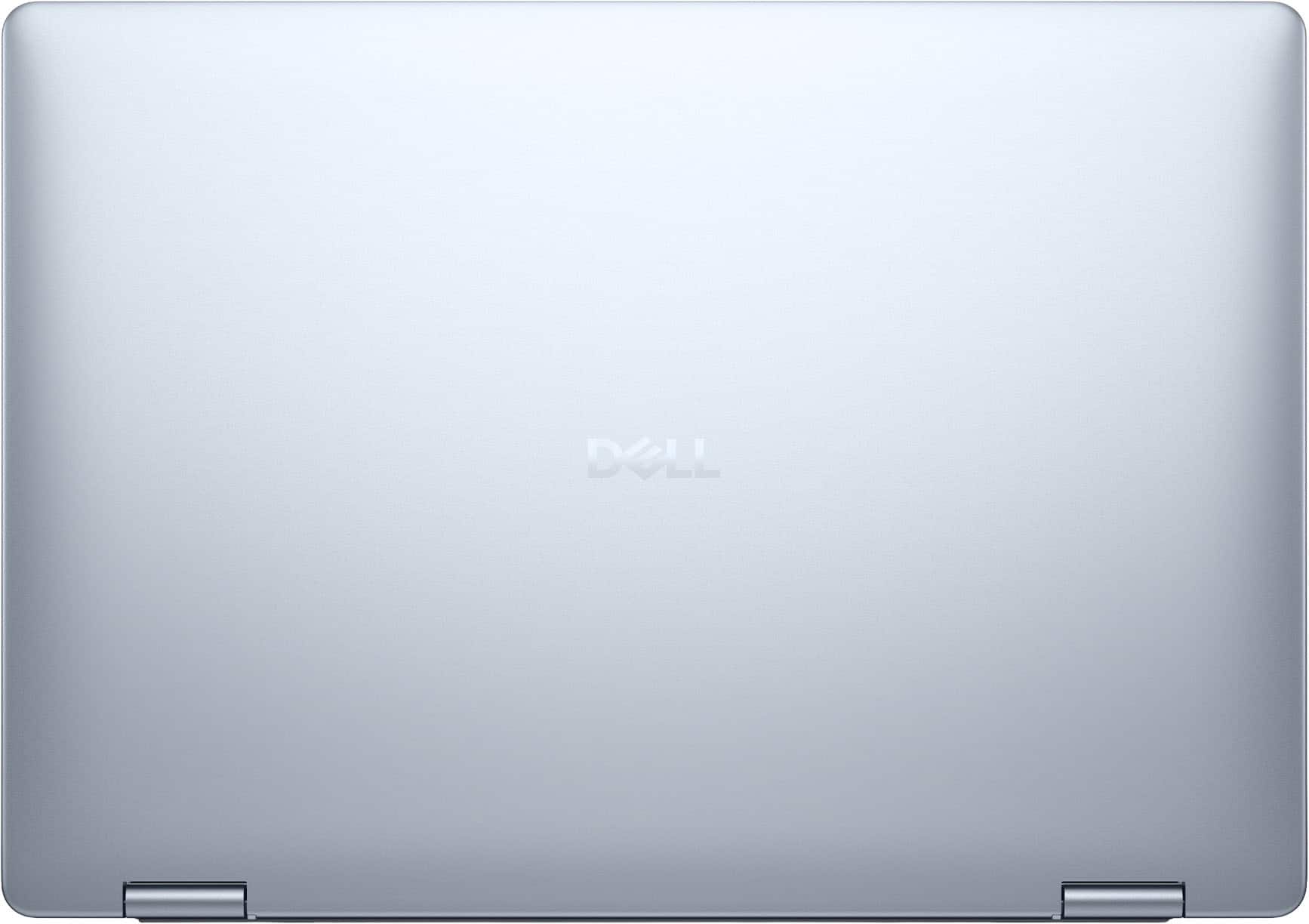
    I am writing this review for the Dell Plus 2-in-1 16” Touch-Screen Laptop with Intel Core Ultra 7 Copilot+. This laptop has 16GB onboard memory and 1TB storage. The color is Ice Blue. Overall the Dell 16 Plus laptop is a fantastic mid-range computer. For the average user who needs a good workhorse laptop for work or school, the Dell Plus will handle just about anything you throw at it. The first thing that captured my attention was the beautiful Ice Blue aluminum case. Its actually quite visibly appealing with a sleek matte finish. The design somehow makes it appear much larger than it really is. As you open it you are greeted by a very nice sized keyboard and a large profile touchpad. Setting up the Dell Plus 16 was as easy and simple as it gets. A few basic questions, software updates, and sign-on preferences and you’re ready to go. I chose the fingerprint sign-on method. I have fingerprint sign-on enabled on a couple of other laptops and they tend to give me a bit of trouble from time to time, and I sometimes end up having to sign on using my PIN or password. I have fallen in love with how easy it is to sign on with the Dell fingerprint scanner that is built in to the power button. It actually quite refreshing to simply put my finger on the reader and have no issues at all. This laptop comes with Windows 11 Home operating system. One of the first questions I have been asked since I take this laptop to work with me now is, “How is it with gaming?” To be honest, the configuration on this laptop is best designed for casual gaming. I found that trying to play any of the more “intense” games is aggravating at best. It handles many of the older games quite well, but with most of the newer ones I tried out, it tried but just couldn’t compete. But like I started off saying, it is a great all-around laptop for work and school. One of the features I like best about the Dell Plus 16 is that it is a 2-in-1. Simply fold the display all the way over, and you have a great tablet. However, because of its weight, it becomes a bit taxing if you have to carry it around for very long. As I used it at work, I realized that for the long-term, I would be better off using a dedicated tablet, and not the 2-in-1. But hey, as far as functionality goes, you can’t beat the Dell when used as a tablet. It’s auto-sensing and will adjust the display from landscape to portrait automatically. I do want to mention the Copilot+ that comes onboard with the laptop. I am not a huge fan of Microsoft, but I have to give them their props on this one. The first couple of generations of Copilot were horrible. Microsoft actually listened to all the complaints and have created a version that is quite useful. It’s build offers a good platform for human/AI conversations, but most importantly, I was blown away by its ability to conform to my “style” of conversation. If I made a suggestion (or criticism) of the way it responded, it would adapt its style to fit my own. But the absolutely greatest thing I found is that regardless of what I might want to find out about, Copilot+ is there. For example, I wanted to brush up on my calculus skills. I explained to Copilot what I wanted to do, and it designed an extremely useful “tutorial” to help me along. Even in more deep conversations dealing with the origin of man, I was so relieved it wasn’t programmed to offer one-sided viewpoints or arguments. We have carried on some great conversations, and I am constantly learning something new! Props to Microsoft for getting this one right! So, is this the “perfect” laptop? Overall, it comes really, really close. Speed, appearance, resolution…all top marks. The one and only thing I found that was less than stellar was the difficulty in converting the laptop into a tablet. There is a lot of oomph required when both opening the laptop and folding the laptop over to tablet mode. Perhaps with use it will become easier, but right now it’s a bit of a handful. So my final word? For school and work, I highly recommend the Dell Plus 2-in-1 Touchscreen Laptop.

    I would recommend this to a friend
  • Pros mentioned:
    Processor speed
    Tech Insider Network Member

    Rated 5 out of 5 stars

    Great Day to Day or Small Business Computer

    |
    Tech Insider Network Member
    Posted .
    This reviewer received promo considerations or sweepstakes entry for writing a review.

    This is the review for the Dell Plus 2 in 1 Laptop. I want to change this one up and go to what the first 5 days with this laptop were like. Here we go, so the Dell Plus 2 in 1 (just Dell Plus from here on) came in the standard cardboard box, but this time in a much more “professional” put together package. The laptop itself was in it’s own bag for protection and had all the needed parts (charger, A/C plug, etc.) contained within. Once I got everything out and charging, I proceeded to get everything set up and personalized. Wow, did that take some time! Between the Dell Setup routine and the updates required by Windows, that was several hours long. I was really surprised by the initial amount of updates. That’s Day One. Day Two consisted of putting it through paces and really getting a feel for the computer. Being a Intel Ultra 7 with 16 Gb of RAM, I was sure slowdowns would be minimal if not non-existent and I was right. The system flies, regardless of the mode it is in (Laptop, tent or tablet mode). The display is nice and bright, as well as relatively large as a 16 inch laptop should be. The display is an LED, 60 hertz display with a relatively bright display. This works well when using in the “tent” mode so you can display your work to others. The keyboard could be the “Achilles Heel” of the whole thing, as it is not a mechanically feel, but not overly soft. But keyboard use is a very subjective subject based on each person’s want as part of the laptop operation. The keyboard is definitely on the softer side, but I have no issues with it being nice and large with the number layout to the right side. Of course, being a new laptop it has the MS Co Pilot key near the space key to enable that function if you want. Having 1Tb of storage on board helps in not having to lug a portable SSD or hard drive around all the time is great. All laptops, I believe, should have at least that much storage, as portability is the major reason for a laptop! The computer has two ports (one Thunderbolt 4 with Power Delivery (charging), one USB Type C 3.2 with Power Delivery and an HDMI port) all on the left side, and USB Type A, 3.2 5Gb port and headphone jack on the right. It does not have a separate power input port but utilizes either of the USB Type C ports on the left. This could be an issue if ports are a valuable commodity for you and would require the use of port extender. As Day Three rolled around, it was time to go to work and check out the battery specs. It is advertised as 22 hours but it was getting pretty lean on power at the 18 hour mark. The use was mostly word processing, presentations and web browsing. Your mileage may vary. I have seen others have issues with the touchpad, but I had no such problems; it worked as it should, nothing special. Again, for my use, the computer never slowed nor did it overheat or have excessive fan noise. It is a 16 inch laptop so there is some heft (weight) to the laptop, so bear that in mind while travelling. I had no issues with charging as it uses either of the USB-C ports, but again could be an issue of ports are already in use. I started getting used to the keyboard a little more in use, but with having a mechanically keyboard on my desk, it takes a little getting used to. Days Four and Five mirrored Day Three, with the exception of two presentations being completed in both tent and tablet modes. Both were accomplished without issue and error. The hinges are really stiff and helps keep the laptop screen in place. The tablet mode is very cumbersome and I would not recommend this unless you have to. It sounds good but in practice is not realistic. In summary, this laptop is considered the middle of the road, not basic but not premium. In my use during these 5 days, it more than met all expectations that I had. The issue with the keyboard is again subjective to the user, as all keyboards are, and as a 16 inch laptop it definitely has some weight to it. Short of those two, this a more than capable Windows 11 laptop, great for everyday uses, college and smaller business use. Heavy gaming and video creations would be a stretch, and no, I did not run specs for this laptop. There are plenty of other reviews that run benchmarks. I want you to know the day to day operations that I had. I believe it to be worth the money and easily a day to day work or personal use laptop, Hope this helps your decision!

    I would recommend this to a friend
  • Pros mentioned:
    Portability

    Rated 5 out of 5 stars

    Aussi Scaramouche freelance writer

    Posted .
    This reviewer received promo considerations or sweepstakes entry for writing a review.

    It looks absolutely wonderful! It's realy light and comact and should be exactly what this writer needs I think. Unfortunately, I've been so hooked up with being a do-it-yoursefer Grease Monkey and Home Maker/repairer, etc because of our halacious hailstorm I haven't had a chance to use it.

    I would recommend this to a friend
  • Pros mentioned:
    Portability
    Tech Insider Network Member

    Rated 4 out of 5 stars

    Dell Quality

    |
    Tech Insider Network Member
    Posted .
    This reviewer received promo considerations or sweepstakes entry for writing a review.

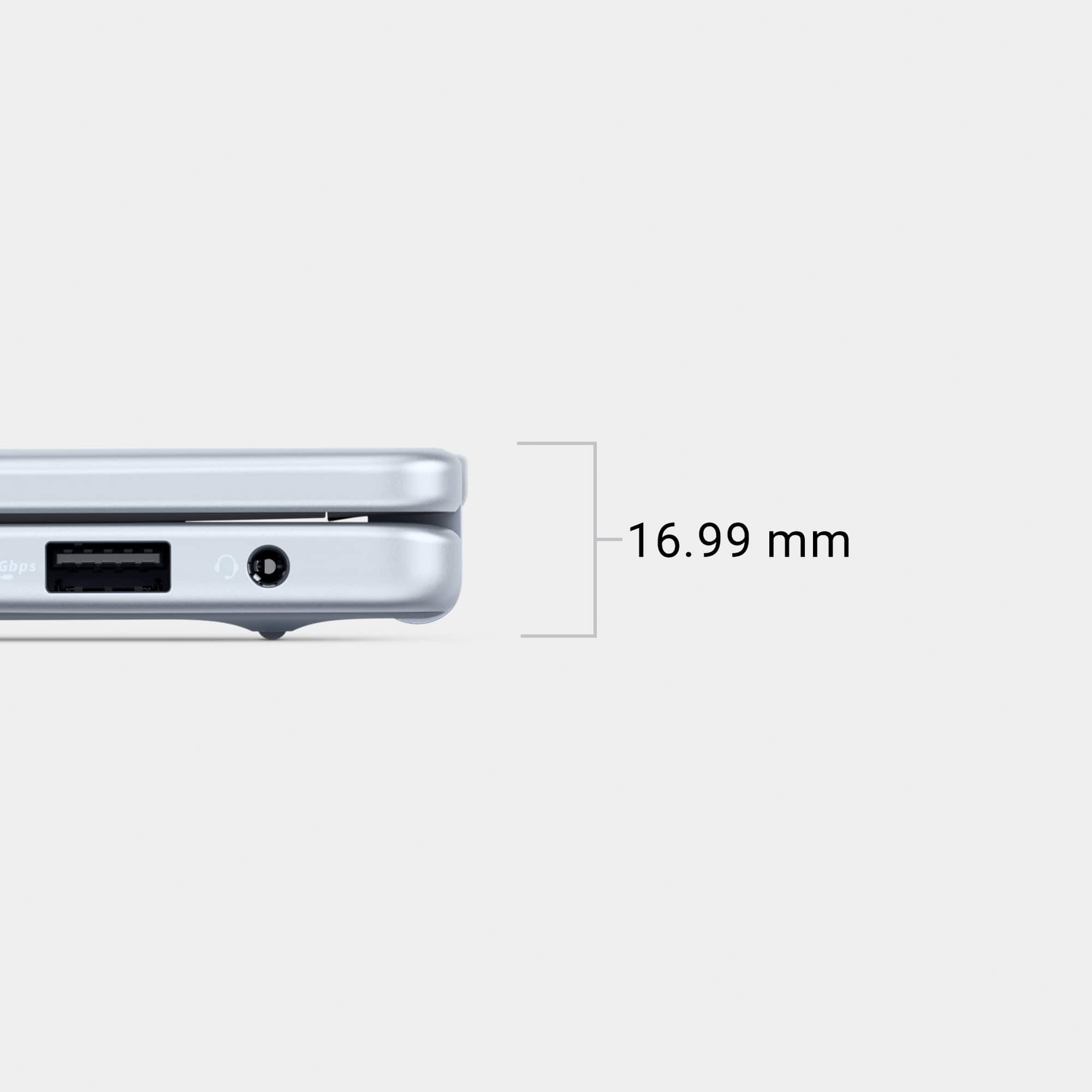
    First Impressions Has a nice solid build casing. Most of the weight (heavy) is due to the 16" LED panel. As with most new LapTops it has a thin profile to make portabilty easier. Set up was very easy and Dell offers personalizations right at the start so you can customize out of the box to save time later on. Technical Aspects I always choose a laptop for best functionality and was pleased they offer a number pad! Disappointed to fine No SD card slot Regular or Micro not available! Does Include 2 USB ports, 1 HDMI port and 1 USB A port Intel Processor Ultra 7 (8 cores) 16 GB Ram memory WiFi 7 Intel was good, but a Killer card would have been better I did find the performance a little laggy at times when loading web pages and videos. Once loaded however, operation was normal. I would not suggest this for gaming, but, more so for light productivity and multy tasking basic projects. I did uninstall the lncluded McAfee and performance did improve. Windows defender has always worked good for me! Touch sign in power key worked better than most for fingerprint recognition. Features 16" Screen edgeless 360 fold and worked well. Touch screen was very responsive Touch Pad is a good size and had good sensitivity Back Lit Keyboard, keys feel nice and easy to use. 10 key number pad There are 2 levels of back light Battery life lasted approx 6 hours Camera shows natural colors and real time movements (no laggs) Dell software offers various customazations such as 4 screen modes and battery performace and maintenance modes. Dell Support Assist offers numerous options for PC health and information Includes McAfee virous software if desired Summery I would not hesitate to get this if you are looking for a reliable machine with normal functionality and this will definitely meet those needs

    I would recommend this to a friend
  • Tech Insider Network Member

    Rated 5 out of 5 stars

    Nice Quality Product!

    |
    Tech Insider Network Member
    Posted .
    This reviewer received promo considerations or sweepstakes entry for writing a review.

    I have a lot of computers, and my favorite ones are the 2 and 1 computers simply because I can use them on the go, and I could connect my headphones and turn it into a tablet and watch movies while waiting for something. I recently purchased a computer for around $4000 from Best Buy. Comparing it as far as quality and construction to this Dell 2 in 1 computer, is really close and it's not even a touchscreen! So I had to wait a little time before I could actually use it, because we all know that we have to do a lot of updates before it's ready to go. So after the updates finally finished, I was on my way out the door to go see a few houses. I connected to my phone's Wi-Fi, so that I could use it and it worked great! I was able to research everything I needed to with speed and I was shocked it was moving that fast with cell phone Wi-Fi. Later that day I had an appointment, and I was told that the person was going to be about 15 minutes late due to unseen circumstances. So I open my bag and popped out the computer, and I started watching videos with no spinning or freezing, with high-quality videos still on the cell phone Wi-Fi! The only thing I didn't like about the computer, was when in a bright spot, it was hard to see what I was watching because of the glare on the screen. I'm not going to deduct a star from that, because the price of this computer for everything you get, is still really good! For me, it is well worth the MSRP!

    I would recommend this to a friend
  • Tech Insider Network Member

    Rated 4 out of 5 stars

    Decent Convertible Some Nits

    |
    Tech Insider Network Member
    Posted .
    This reviewer received promo considerations or sweepstakes entry for writing a review.

    The Dell Plus 2-in-1 is a 16” touch screen laptop where the hinge does a full 180 degree. Finished in the Ice trim, this convertible comes with an impressive spec list that would put it at near the top of the line for a non-gaming home laptop or non-engineering business laptop. However, despite the things the laptop does well, there are some gotchas which will prompt some thinking about the tradeoffs one is making when choosing this versus another laptop. The first thing you notice about this laptop is that it looks average. The ice color is nice enough and seems like it should be a nicer finish than the more metallic silver that Dell has used in the past, but the laptop looks and feels plasticy, on par with mid level Chromebooks or average laptops. While it looks like it would survive bumps and scrapes from being used in an active household, it will probably show that wear sooner than later. The laptop also doesn’t look particularly light and sure enough, when you pick it up, it isn’t. To be fair, it’s hard to fine many 16 inch laptops that are lighter than 4.5lbs but usually, the tradeoff you’re getting is more battery life or powerful graphics. Here, you can get 12, maybe more if you turn down the screen brightness a lot and graphics are just intel Arc, decent enough for most home use and business workflows, but will struggle with gaming or graphics intensive engineering work. Screen resolution is a max of 1920 x 1200. While it would be nice to have a higher resolution, this is where battery life tradeoffs starting coming into play. The laptop has an HDMI out port and can support DisplayPort over the USB-C. Surprisingly, you can have 4 monitors, either four external or three external and the built-in one. One of the things I really like about touch screen laptops is the mixed mode interaction. I often find myself using touch to carry out some basic UI interactions on web pages. It feels very natural. Going into tent mode is nice. Useful for watching a movie with others or doing an impromptu presentation. Being able to touch adds a nice dimension to collaboration as I can not only point, but drag things around. The screen does have a bit of glare and I found it difficult to really adjust for use outdoors on a bright day. Things were viewable, but there was definitely some strain. The built-in copilot+ is also nice. A year ago, this felt like a gimmick but over time, I’ve been doing a lot more idea or text summary with AI and asking questions to help me work through ideas so this has become a lot more useful. I’ve tried some code generation and feel like it does ok, but needs some work. Still, having that all in one laptop is compelling. This comes with Windows 11 Home installed and McAfee as its antivirus offering. Not great but serviceable. Knowing Dell, this laptop is available in a few different configurations. I think the version that would be pretty awesome would have a different color that goes better with the build, drop the convertible hinge (and hopefully some thickness) but keep the touch screen, and increase the native screen resolution (I can always drop it to better match my reading and battery needs). It’s better when I’m the one making the tradeoffs versus having a fixed set already made for me with the laptop.

    I would recommend this to a friend
  • Tech Insider Network Member

    Rated 5 out of 5 stars

    Fast, lightweight, quick charging, responsive.

    |
    Tech Insider Network Member
    Posted .
    This reviewer received promo considerations or sweepstakes entry for writing a review.

    Very nice packaging and instructions, everything showed up as expected. Setup was pretty standard if you are a windows user and the laptop charges very quickly. The screen seems larger than 16" due to the framing being narrow and also probably due to the clarity - this is a very nice looking laptop and the viewing experience on streaming was top notch. Flipping the screen around into a 'tent' and viewing vodcasts and streaming while cooking or in the garage while doing some bench repair on electronics was very nice. The viewability was good from off center as well so you don't need to be facing it squarely to see clearly. Using it that way - removed the visual distraction of the keyboard so that it is like viewing right through a window. I am not much of, or had not been, a touchscreen fan, but trying this out found it to be quite handy. Keyboard size and layout is good and the mouse pad location is just enough to the left to keep my big hands from accidently moving the mouse while typing. Very happy.

    I would recommend this to a friend
  • Pros mentioned:
    Overall performance

    Rated 5 out of 5 stars

    Laptop

    Posted .
    This reviewer received promo considerations or sweepstakes entry for writing a review.

    Was in need of a new laptop and I am finally glad I took the step to purchase a new one. Very happy with this product and the ease of using.

    I would recommend this to a friend
  • Pros mentioned:
    Portability

    Rated 5 out of 5 stars

    Review

    Posted .
    This reviewer received promo considerations or sweepstakes entry for writing a review.

    Had a very easy transaction picking up the laptop and its a great item light weight

    I would recommend this to a friend
  • Pros mentioned:
    Overall performance

    Rated 5 out of 5 stars

    Good for School

    Posted .
    This reviewer received promo considerations or sweepstakes entry for writing a review.

    This laptop is perfect for graduate school - exceeds all expectations.

    I would recommend this to a friend
  • Rated 5 out of 5 stars

    lenevo

    Posted .
    This reviewer received promo considerations or sweepstakes entry for writing a review.

    great laptop one one the best ive bought recently really enjoy that its touchscreen and fold all teh way around

    I would recommend this to a friend
  • Rated 5 out of 5 stars

    Great laptop for students

    Posted .
    This reviewer received promo considerations or sweepstakes entry for writing a review.

    Sleek, slim and well put together great for college students. Gets quite hot when kn lap best kept on hard surfaces

    I would recommend this to a friend
  • Rated 5 out of 5 stars

    best deal

    Posted .
    This reviewer received promo considerations or sweepstakes entry for writing a review.

    the price was very good, also the deal for de pc and the atention was good.

    I would recommend this to a friend