Customer Ratings & Reviews






- Model:
- DECS1250-7224BLK-PUS
- SKU:
- 11945861
Rating by feature
- Value
Rating 4.6 out of 5 stars
- Quality
Rating 4.7 out of 5 stars
- Ease of Use
Rating 4.6 out of 5 stars
Dell User for over 15 years......
||Posted .This reviewer received promo considerations or sweepstakes entry for writing a review.Not sure what has happened to dell but this tower was so bad it went right back to the store. It has a ssd hard drive should be extremely fast it was slower than my 12 year old dell tower with a heavily used standard hdd. On top of that it was poorly packed from factory and this was new sealed they have got very cheap this is a sad time for the world there is no more quality or care about anything companies just don't care about their product or customers anymore. Real review by a real human who spent his real money!
No, I would not recommend this to a friendmy mistake
||Posted . Owned for 3 months when reviewed.This reviewer received promo considerations or sweepstakes entry for writing a review.The computer came with NO instructions at all. Disappointed
No, I would not recommend this to a friendVery Bad Help ,
||Posted . Owned for 2 weeks when reviewed.This reviewer received promo considerations or sweepstakes entry for writing a review.I Would Say, No One Seemed To Know What They Were Doing, I Am Disabled, And they could Care Less , I Asked To Look At A Dell Tower. the First Person we Talked To, Said A Few, Very Few Words Then Just Left? So the Next Person was Just As Bad, Finaly Said We Don't Have Any In Stock. I Asked Well what Are Those Boxes On the Top Shelf, just Empty Boxes ? when I Got Home 20 minutes thinking about how No One Seemed To Care or just didn't Know How To Do anything, after I Had written A Check For $969.49 Cents ,I Diecided To Cancel My Order Was Told I Would Have To Wait at Least 10=14 Days , This Was On a Saturday, They Couldn't Have even Processed yet , At First Did Not Want To Give Me My Money Back!! Anyway I Did Get It Back, I have Done Business With For Many- many Years Always On The West Side, Nicest People, what they Were Doing.
No, I would not recommend this to a frienddell computer
||Posted . Owned for 2 weeks when reviewed.This reviewer received promo considerations or sweepstakes entry for writing a review.very slow startup, however is fine for my use. Have purchased many Dell over the years
I would recommend this to a friendAverage Experience
||Posted .This reviewer received promo considerations or sweepstakes entry for writing a review.The product is okay but not outstanding. Quality is decent for the price, but it didn’t fully meet my expectations. Delivery was on time, and packaging was fine.
I would recommend this to a friendExtremely disappointed.
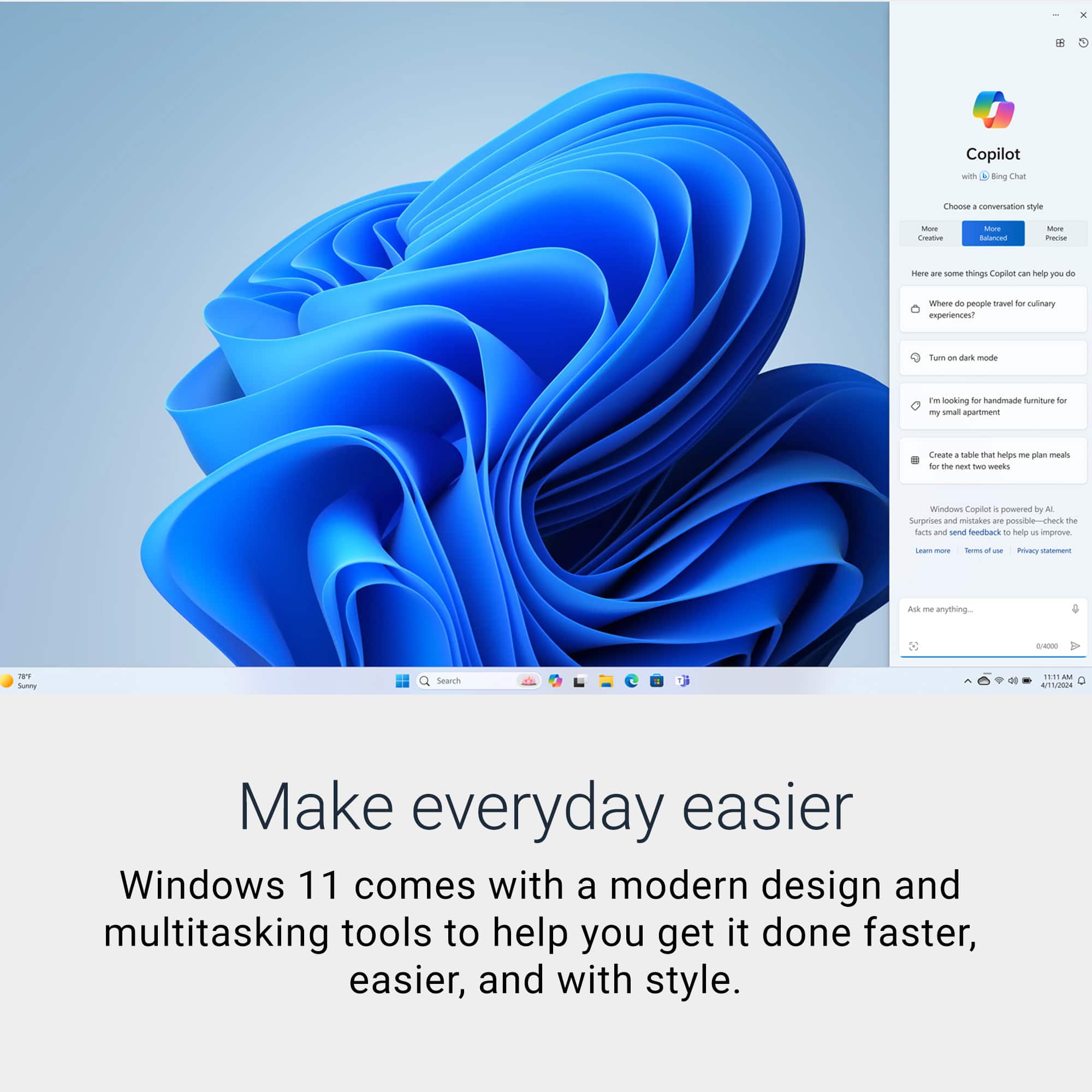
||Posted .This reviewer received promo considerations or sweepstakes entry for writing a review.Dell slimline desktop has consistently shown a terrible problem with constantly going to a blank monitor screen after several minutes of use. I have updated the drivers and all the usual stuff. With this condition, this computer is useless. I suspect the issue is due to Win11 home operating system, but none the less, this is the first and last Dell product I will ever buy.
No, I would not recommend this to a friendBad Dell Quality Control
||Posted . Owned for 1 month when reviewed.This reviewer received promo considerations or sweepstakes entry for writing a review.Not much to review as I never got to use this system. I bought this to replace older PC and I took this PC to Geek squad for data transfer. Geek squad called later that day and said they couldn't perform the data transfer as there was a mother board issue. They tried another system off the shelf and had the same issue. Had to go with another brand PC. Bad Quality Control on Dell's part
No, I would not recommend this to a friend- Pros mentioned:Noise level, SpeedCons mentioned:Connectivity

Dell ECS1250: Space Saving Performance!
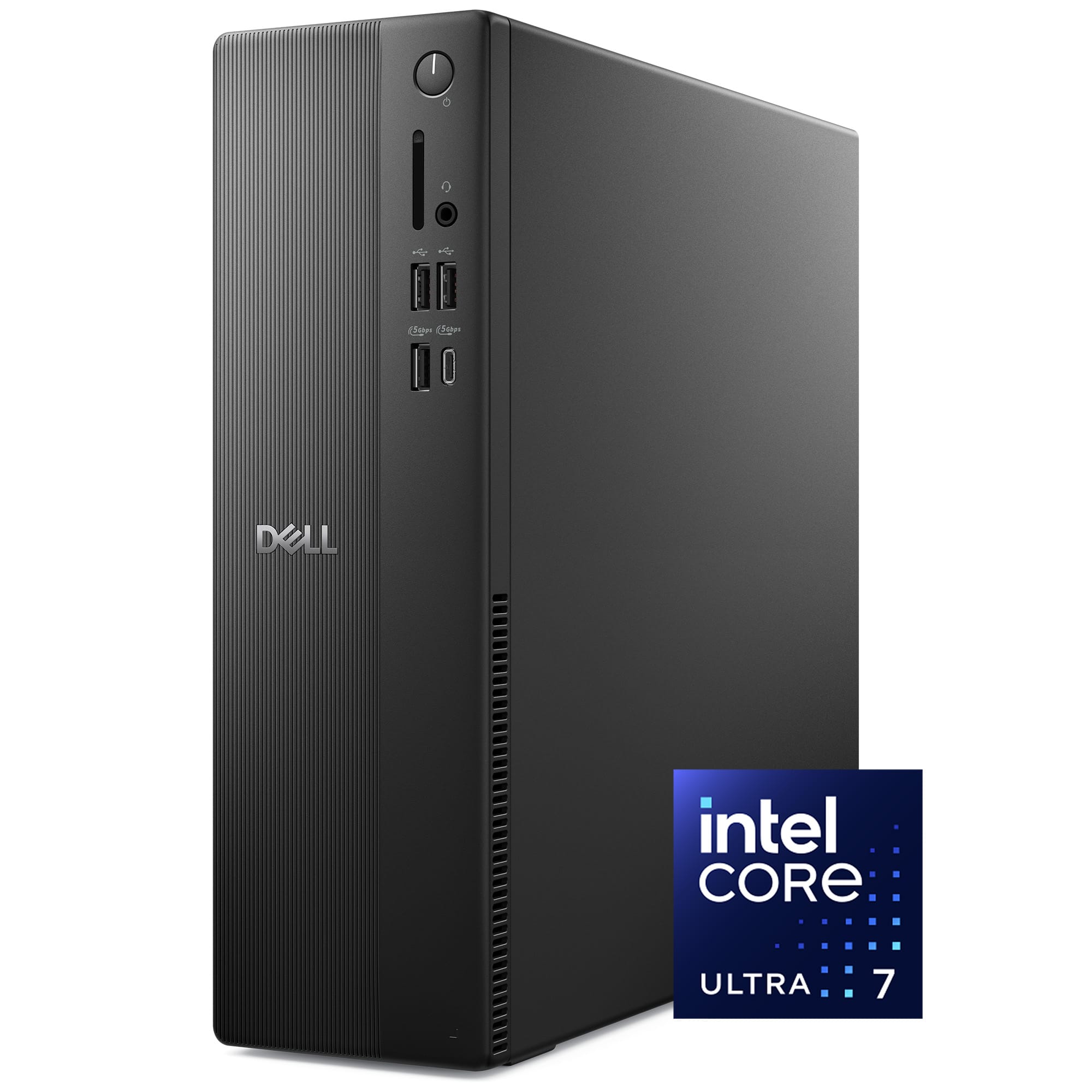
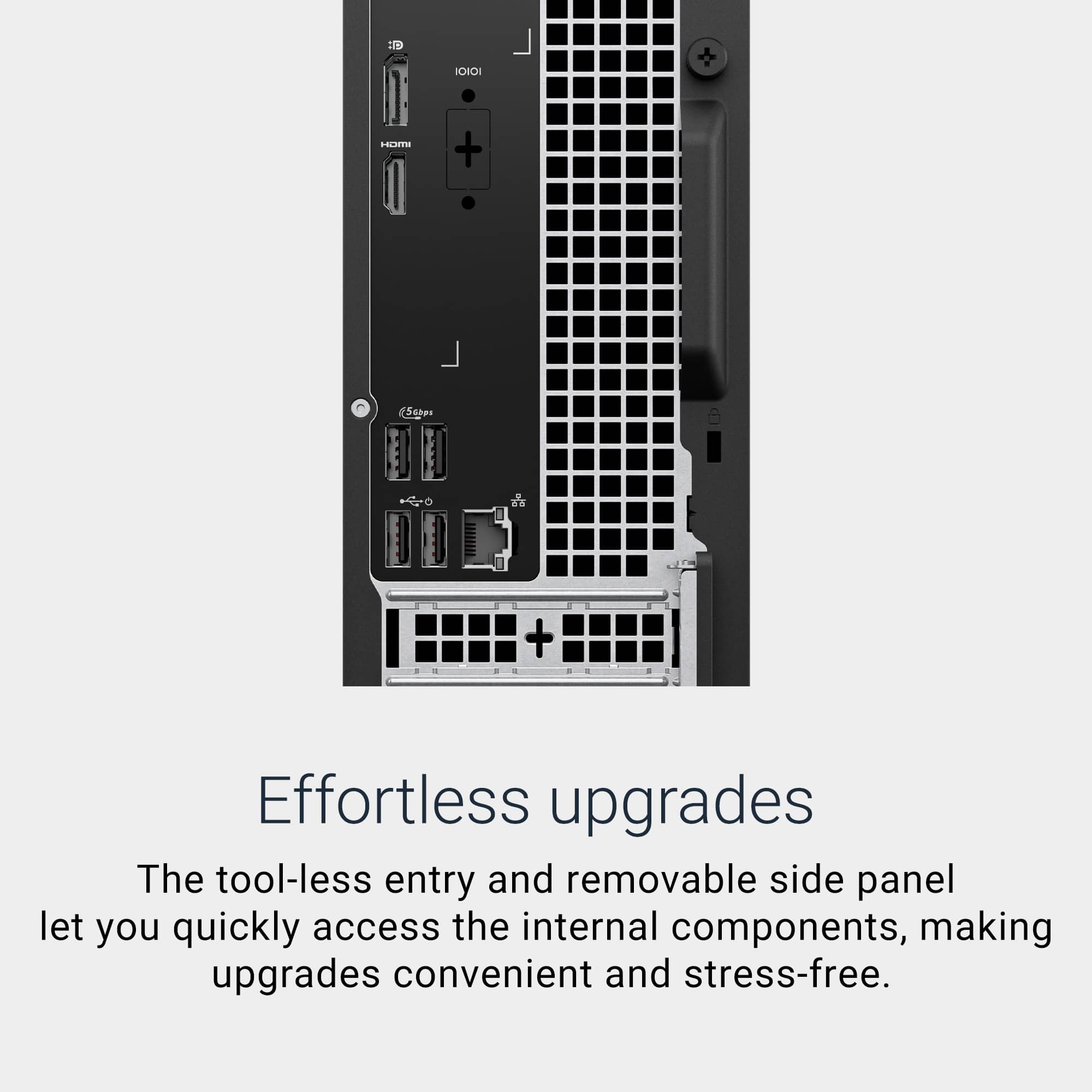
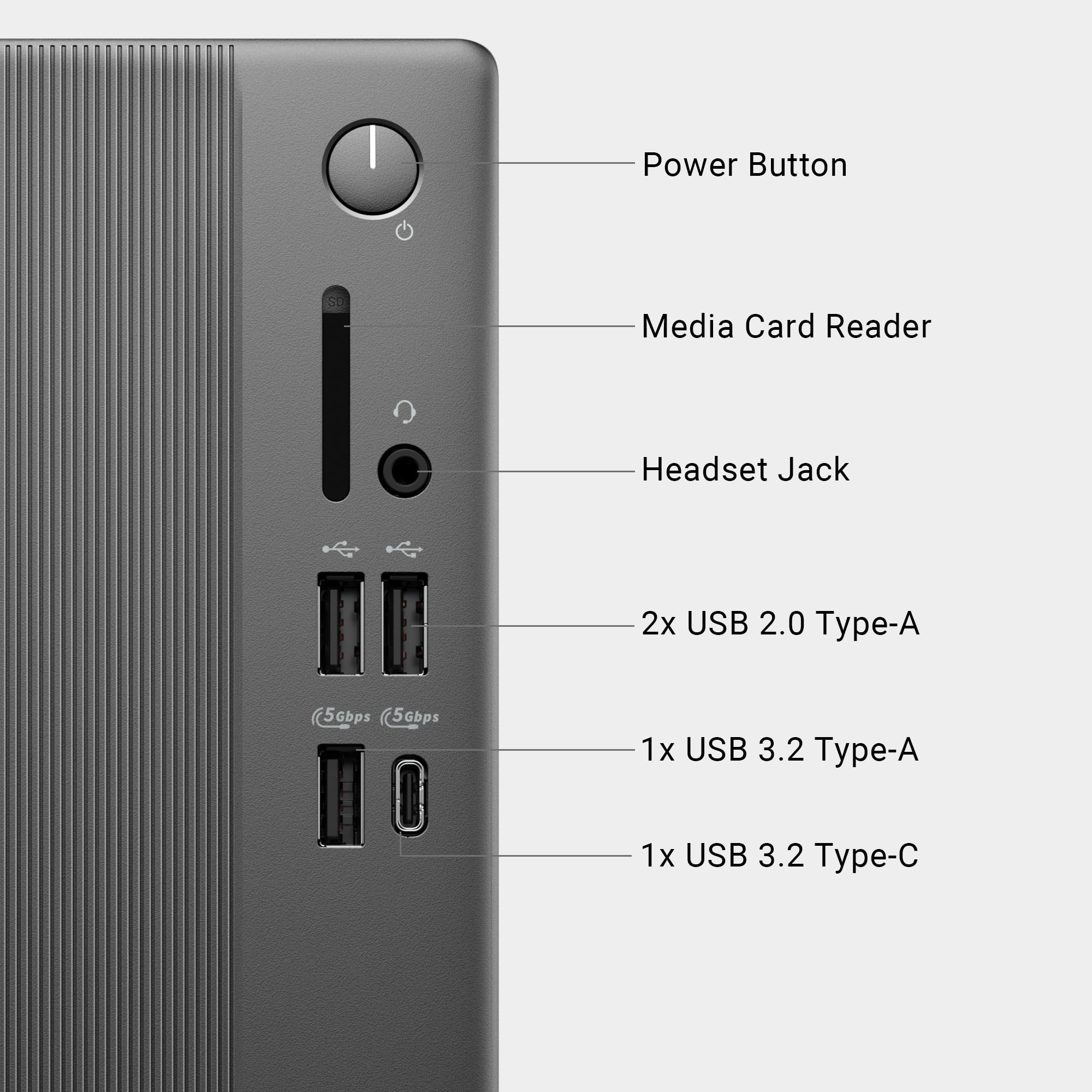
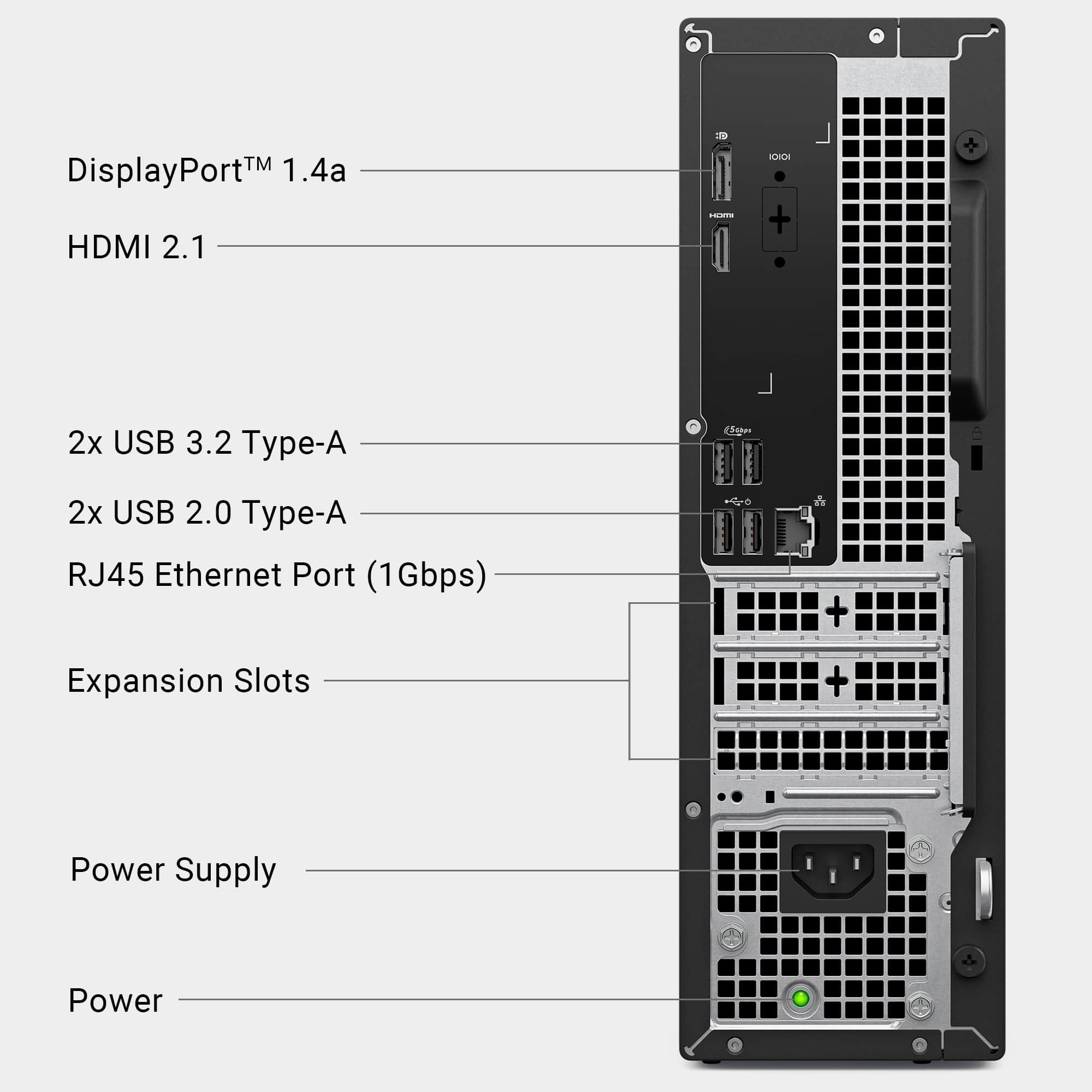
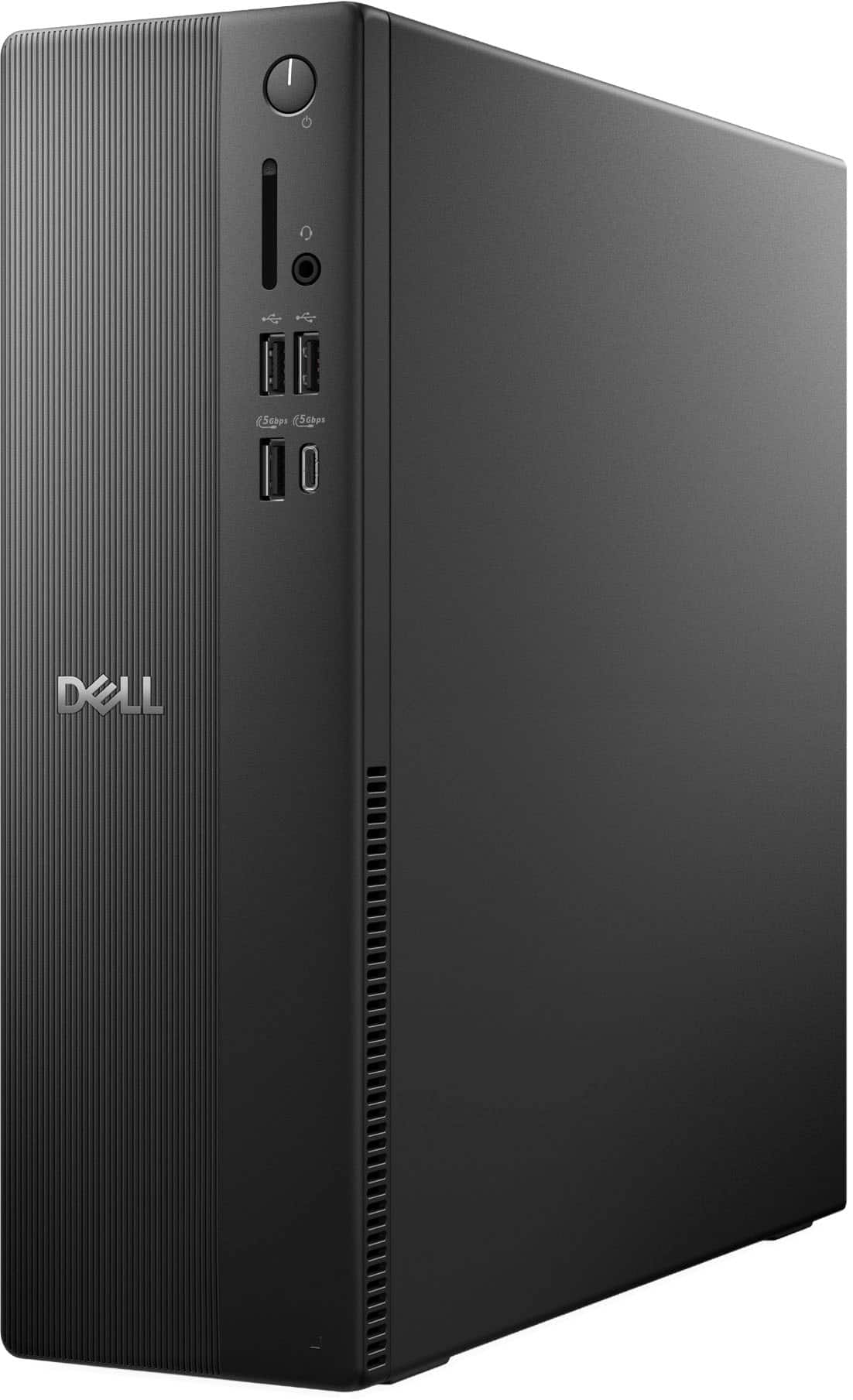
|Posted .This reviewer received promo considerations or sweepstakes entry for writing a review.While computer enthusiasts typically prefer the advantages of configuring and assembling their own custom built machine, there are instances where space constraints unfortunately require special dimensions that otherwise Micro-ATX/ITX cases cannot meet. As such small form factor and/or mini PCs can provide a solution, though performance and upgradability is often sacrificed. Thus, I was excited to test the newly upgraded Dell ECS120 SFF PC, featuring newly released Ultra 7 265 CPU! Furthermore, I wanted to see if a high end CPU can comfortably perform in a small form factor without any limitation. As one would expect, the unit design is fairly straightforward. If you haven’t previously seen or used any SFF PC in person, then the ECS1250 will certainly be quite a shock. Standing at just under a 12 inches and less than 4 inches wide, it can easily fit in the smallest of areas. Furthermore, at a mere 7 pounds it is also fairly easy to carry around, making it much more travel friendly than the majority of desktops. In addition, this will also facilitate in connecting the computer for the first time as certainly less bulk is easier to maneuver. As for the ECS1250 unit itself, there are four USB ports in the back (two are regulated to 2.0, while the other two are USB 3.2 Gen 1). Switching to the front, there are two USB 2.0 ports, and two USB 3.2 Gen 1 ports (with one being Type-C). Additionally, there is an SD card reader and a headphone/mic combo jack (there are no 3.5mm jacks on the back of unit). For display connectivity, there is one HDMI 2.1 (TDMS) port and one DisplayPort 1.4 (HBR3 supported). Lastly, the ECS1250 has a single gigabit LAN connection and also supports Wi-Fi via an internal M.2 Wi-Fi/BT card. For most people, this should cover the basics with their connectivity needs, though it is extremely unfortunate that there are no USB 10 Gbps /20 Gbps port of any kind. Before moving on to my performance tests, I first would like to mention a couple of observations with regards to the internal components found inside the computer. Internally, the layout is pretty well managed; cables are seemingly organized and tidy. As far as the major components go, the ECS1250 features a WD SN5000S 1 TB M.2 SSD in the 2230mm size. Luckily, the motherboard has space for a 2280 drive should you choose to move the standoff to the corresponding hole. Below the SSD, there is a MediaTek MT7920 Wi-Fi/BT M.2 card installed for your convenience. Next, the board has two PCIe 1x slots and one 16x slot located at the bottom of the board. Connectively, the board also has one SATA port located just above the SSD, though unfortunately no SATA power connector was given (a proprietary 6 PIN connector labeled SATA power is available on the motherboard). As expected, this is left over from previous configurations that featured a mechanical drive along with the support bracket, both of which are absent here. As for memory, the unit comes with one stick of 16 GB-5600 MHz (SK-Hynix); the board has two slots total. According to Dell’s manual, the board supports a max of 64 GB at DDR5-5600 MHz (32 GB per DIMM slot), despite the Ultra 7 265 supporting up to 256 GB. Unfortunately, I did not have a single 64 GB stick to verify if the board is indeed restricted to the aforementioned size and speed, so keep that in mind if you are planning to upgrade the memory. However, the good news is that 64 GB should be plenty for most users. Lastly, the ECS1250 desktop features a 180w Dell power supply that is 80 plus bronze certified. Overall, as expected the ECS1250 will have some restrictions with regards to upgradability, but at the very least it is certainly welcome news that you can at least increase the memory and SSD. Additionally, with the available PCI-Express slots, you should be able to add more connectivity such as USB ports or perhaps a sound card, though obviously just make sure a low profile bracket is included with whichever add-in card you require. Moving on from the internal specifications, setup should be relatively simple to complete. As typical of OEMs installed partitions, memory and OS installation size are a bit bloated; of which should be tweaked provided that you are familiar with such processes. For testing purposes, I attempted to keep such tweaks to minimum but please note that upon your first boot, the memory usage is at 50% and the SSD is about 50 GB full. After removing all the startup items, Dell related executables, and uninstalled McAfee antivirus, the memory consumption drops to around 25-30%. While still a bit high for my personal taste, there wasn’t anything too alarming performance wise with the installation (though enthusiasts will more than likely fresh install) that would press for concern. Lastly, Dell has set M2 configuration to RAID by default; should you wipe out the partition for a fresh install, you will need the Intel VMD driver or change the setting to AHCI. For my performance tests, I wanted to first focus on the Ultra 7 as certainly it is the main attraction with the ECS120. The processor features 20 cores with a TDP rating of 65 watts. I proceeded to run CPU-Z benchmark. For all of my tests, I used a combination of HW Monitor 1.58 and HW Info 8.28. I also used CrystalMark 8.06 for my SSD benchmark. Lastly, I included two other CPUs that I have in my custom built machines, though keep in mind that those are unlocked and have much higher power consumption and thresholds. My CPU-Z results are as follows: Ultra 7 265 - Single: 852.7 / Multi: 12,376.1 (20 Cores / 20 Threads) Ryzen 9900X - Single: 881.0 / Multi: 13,068.5 (12 Cores / 24 Threads) I7-14700K - Single: 916.7 / Multi: 14,989.5 (20 Cores / 28 Threads) While the results above are expected, I was actually more impressed with the Ultra 7 than I expected as not only are we restricted power wise and with hyper-threading removed, the 265 is still fairly competitive. Moving on, I ran Cinebench R23 and posted the results below: Ultra 7 265 - Single: 2,208/ Multi: 26,352 (20 Cores / 20 Threads) Ryzen 9900X - Single: 2,236 / Multi: 32,483 (12 Cores / 24 Threads) I7-14700K - Single: 2200 / Multi: 35,724 (20 Cores / 28 Threads) As you can see, the single thread for all three CPUs are essentially within the margin of error. It is quite impressive to say the least. Additionally, the Ultra 7 was impressively cool throughout all of my testing; rarely did I see anything past the 60-68C, which is perhaps the most shocking aspect given the Ultra 7 is actively air cooled. Lastly, fan acoustics also surprised me as typically fans used by OEMs are nothing more than stock fans; however, during my tests I barely heard anything! For my last test, I ran CrystalMark 8.06 on the WD SN5000S. The results are as follows: Sequential Read Q8T1: 6,350.60MB/s / Sequential Write Q8T1: 5,635.09 MB/s Sequential Read 4K Q1T1: 73.35 MB/s / Sequential Write 4K Q1T: 128.58 MB/s The WD SN5000S should be fast enough for most users, though honestly I was fairly impressed at how good the 4K readings were. Usually drives are around the 40-50 MB/s range, but here we actually got above 70 MB/s and on an extremely size limited 2230mm drive no less. Overall, nothing of concern to report here. In conclusion, the Dell ECS1250 SFF is certainly a decent performing computer that satisfies all the major performance categories one would want in a desktop computer. The ECS1250 comes with a fast and efficient processor, combined with plenty of storage and memory to get you started while providing a solution to any space restriction you have. However, it is certainly not without some slight criticisms, mostly notably the lack of any 10 Gbps / 20 Gbps USB ports; at minimum another port or two would have been a huge plus. In addition, I personally would have also liked if the two USB 2.0 ports in the front were swapped with the two USB 3.2 Gen 1 ports in the back so that you could have full front access to the fastest ports. Lastly, while upgradability is understandably limited, there is still some fairly good value here, especially given the strength of the Ultra 7, the ability to upgrade the SSD to a 2280mm size, and increase the RAM to 64 GB. For little cost, the ECS1250 is a small and convenient package that performs exceptionally well. Furthermore, thermals were quite impressive, and fan operation was nearly silent. With that said, provided you are aware of the observations raised, the ECS1250 comes recommended.
I would recommend this to a friend Not up to Dell performance
||Posted . Owned for 3 weeks when reviewed.This reviewer received promo considerations or sweepstakes entry for writing a review.The PC is very slow and is not running up to expectations. It is not as good as my Dell XPS I have had in the past. I wish I would have stayed with my old Dell XPS. Very poor. It does not function with my photo editing. I am very disappointed with this Dell Desktop and with windows 11. I would not recommend this PC.
No, I would not recommend this to a friend- Pros mentioned:Noise level, Overall performance, SpeedCons mentioned:Connectivity
Good option for personal and business needs.
|Posted .This reviewer received promo considerations or sweepstakes entry for writing a review.I received this product from Best Buy to review. This Dell desktop has been a great fit for my small business setup. I was looking for something reliable that could use separate from the computer I have for my day job to use with my personal work and business needs. This Dell handled everything smoothly without slowing down. I also really liked the compact design. It fits neatly under my desk and keeps my workspace clean and open. Setup was quick and I was up and running in about 30-40m, most of that being the windows setup screens. Out of curiosity, I loaded up a couple games from my steam library on it. It worked ok for older titles, but don’t expect it to replace a gaming PC. This one is clearly built for productivity, not performance-heavy gaming. If you’re looking for a dependable desktop for multitasking and office work, this one definitely delivers. Pros • Handles multiple office apps and browser tabs with ease • Fast performance thanks to the 1TB SSD and 16GB of memory • Small form factor is great for tight workspaces • Quiet and efficient while running Cons • No built-in Wi-Fi, I luckily had Ethernet at my desk. • Not ideal for gaming or creative work that needs a dedicated graphics card
I would recommend this to a friend BUYER BEWARE
||Posted . Owned for 1 month when reviewed.This reviewer received promo considerations or sweepstakes entry for writing a review.I DONT KNOW IF IT IS WINDOWS 11 OR WHAT THE PROBLEM REALLY IS BUT WE HAVE SEEN IT DO SOME STRANGE THINGS LIKE LOSE DATA AND ERASE ICONS AND BOOT US OUT OF OUR PROGRAM IN THE MIDDLE OF INPUT.
No, I would not recommend this to a friendhttps://www.bestbuy.com/site/dell-slim-desktop-int
||Posted . Owned for 3 weeks when reviewed.This reviewer received promo considerations or sweepstakes entry for writing a review.Difficulty in getting it to work properly and the more I use it, the more problems occur.
No, I would not recommend this to a friend- Pros mentioned:SpeedCons mentioned:Connectivity
Runs great, not super upgradeable
|Posted .This reviewer received promo considerations or sweepstakes entry for writing a review.So far, this computer has been pretty good to me. I like the 1TB SSD instead of a 256GB or 512GB; and the Core Ultra 7 265 has had no trouble with any standard office tasks such a hundred Chrome tabs and a handful of Word documents and Excel spreadsheets. I can do some pretty heavy multitasking without issue. There's a decent array of ports, so I don't have to worry too much about running out of space to plug in yet another thing. I ran a variety of 3DMark benchmarks, and the scores were pretty alright for something without a proper GPU. (Side note: in Device Manager, the graphics just shows up as Intel Graphics. Not even Intel UHD or something, just "Intel Graphics." I'm kinda disappointed with that. I would have liked at least Xe or something.) However, other than the framerates being terrible in the more graphically demanding benchmarks, the system had absolutely no issue whatsoever running any of them. It was kind of impressive - the fans didn't even sound like they were struggling. All of this being said, if you're looking for a base system to slap some upgrades into, I wouldn't really recommend this thing. First off, the PSU is 180 watts. Here's the issue: the Core Ultra 7 265 says the base TDP is 65 watts... but it can hit 185 watts with Intel Turbo Boost. That leaves, like, no room left for a GPU. On top of this, the PCIe slot for a graphics card is right up against the power supply. Even if you found a single-wide SFF card to put in there, you'd be choking off it's air supply. Additionally, while there's clearly empty slots to add, say, an additional hard drive; the mounting bracket and cables aren't present. You'd have to buy them from Dell. As for my random other thoughts on this machine. I don't really AI all that much, but if you do, the Core Ultra 7 265 is one of the better desktop chips for that since it does have an NPU, which you do need to get the best experience with Windows AI functionality. I know I've heard some people throw shade at Intel for their P-cores and E-cores being kinda weird and buggy, but I haven't noticed any such things with this system. I like how this model looks, it's the perfect kind of system to keep in an office - not very distracting, small footprint, can easily fit on the side of a desk. It's also really easy to take apart, which is a plus. Overall, I like it. I feel like the design could use a little improvement to make it just slightly more upgradeable, but I like it. I'd absolutely recommend this, if and only if you won't have any need to stuff a GPU into this thing.
I would recommend this to a friend Very slow - Buyer Beware
||Posted .This reviewer received promo considerations or sweepstakes entry for writing a review.This machine runs very slowly. Over 20 seconds to load the PIN to use the machine. It is NOT utilizing what we expect to be a quick running machine.
No, I would not recommend this to a friendproblem
||Posted . Owned for 1 week when reviewed.This reviewer received promo considerations or sweepstakes entry for writing a review.Seem I am having a lot of problem with this purchase.
No, I would not recommend this to a friendwhat does this mean
||Posted . Owned for 3 weeks when reviewed.This reviewer received promo considerations or sweepstakes entry for writing a review.I am not happy with this computer. I had a Dell and thought that I would just be able to transfer my info to the new one. For AOL mail, I clicked one button and was on the site. Now I have to give password, wait for NEXT and then wait again for NEXT to get on the site. This is ridiculous.
No, I would not recommend this to a friend- Pros mentioned:Noise levelCons mentioned:Connectivity
Too Much Now for Too Little Later
|Posted .This reviewer received promo considerations or sweepstakes entry for writing a review.Dell may be one of the most recognizable brands in computers, with a storied history going all the way back to Michael Dell building custom desktops in his dorm room in 1984. Now a global juggernaut in the retail, corporate, and commercial spaces, Dell’s reputation for quality products and service puts them on a short list of major OEMs that can support the IT needs of individual home users as well as it supports multinational corporations. This compact Dell desktop (model DECS1250) is one of hundreds, if not thousands, of products the company sells at retail. While I’ve been impressed with the features, build quality, performance, and value of quite a few Dell machines over the years, I’ve seen just as many that have few of those qualities and left me disappointed. Sadly this desktop seems to only hit on performance, making far too many compromises for all but those seeking very basic computing needs that could be better met elsewhere. - Unboxing & Setup Arriving with just the essentials to get the system up and running - the desktop, a keyboard and mouse, power cord, and basic documentation - and arriving in a plain cardboard box, the unboxing process is trivially straightforward and as no-frills as it comes. Setup is as easy as it is with any other machine - plug in the power cable, your monitor(s), and peripherals, and you’re up and running. I don’t particularly care for the cheap-feeling keyboard and mouse, but they get the job done. An important note for users of older monitors - this machine does not support VGA output. You will need to use an HDMI or DisplayPort connection to hook this up without the use of converters. Once powered up, Windows 11 installation is straightforward with only a few Dell-specific additions. Windows 11 Home performs well enough as the natural evolution to Windows 10, and users coming from the older OS should find a lot of familiarity after acclimating to the interface. - Performance I must give credit where it’s due…the Intel Core Ultra 7 265 at the heart of this barebones desktop is an extremely capable all-rounder. Oddly lacking hyperthreading, the Ultra 7 265 still packs 8 physical “performance” cores and 12 physical “efficient” cores all within a low 65-watt power envelope. Combined with 16GB of DDR5 RAM and a speedy 1TB SSD, Windows takes just seconds to boot, and this CPU handles office tasks and media creation like a champion. While the desktop lacks a dedicated graphics card and won’t win any awards for high-end production, Intel Quicksync and AVX instruction sets let this machine churn through hobbyist and amateur video editing work with aplomb, with virtually lag-free timeline scrubbing and speedy rendering in Davinci Resolve. One topic enthusiast users might take issue with is that the system as configured is using a single 16GB stick of DDR5 as opposed to 2 8GB sticks. On older DDR4 systems this would have limited the system to single-channel memory mode and greatly reduced performance, DDR5 memory is always accessed with dual channels per stick. The bigger concern for a desktop like this is simply that 16GB is adequate, not stellar in 2025 for performance computing. Windows is fairly efficient about its memory management, but I would’ve preferred seeing 32GB so Windows is less reliant on swap space all the same. As this computer uses integrated graphics (where the CPU is responsible for graphics instead of a dedicated video card), gaming and video performance was never going to be competitive against systems with dedicated graphics cards or APUs. The Core Ultra 7 265 uses an Arc Xe graphics core that supports the same DirectX12 Ultimate and OpenGL/Vulkan libraries that its flagship graphics cards do, albeit with only a small handful of cores and using system memory instead of dedicated graphics memory, so don’t expect to run any intense games and certainly not at high resolutions. At 1080p I could run some eSports-caliber titles like Rocket League and Fall Guys at 60FPS with medium details. The Core Ultra 7 265 would be a stellar performer when paired with a dedicated graphics card - indeed, it’s one of the top performing gaming CPUs of this generation of Intel CPUs, but adding one to this desktop will be challenging as I’ll discuss in Upgradeability below. - Thermals and Noise The benefit of having no dedicated graphics card, and a processor optimized for a 65-watt performance profile, means that this system runs comfortably even with only a single fan in the whole computer. Indeed, the only fan present outside the power supply unit is the CPU cooling fan, which does an adequate job keeping the entire system cool as it is a down-draft cooler that spreads air across the mainboard after passing the CPU’s heatsink. Some heat buildup does occur internally after a while, but it never approaches any concerning level. The single fan also means that noise is kept to a minimum. Even when it spins up to full speed the fan is barely audible, and the power supply fan emits only the faintest hum when the system is on. This would work exceptionally well in a quiet office environment. - Build Quality & Upgradeability Sadly, this is where I must say that Dell’s charging more for their name than the quality of their products. While the desktop performs well enough and I encountered no notable issues in my testing, I am genuinely surprised how cheap the machine feels all around. It’s a light machine even for its size, feeling hollow and a little flimsy around the chassis and side panels. Where I’m extremely disappointed with this small form factor Dell desktop is in the very limited upgradeability and use of proprietary parts and connectors to expand the system. Internal expandability is limited to three PCIe slots (one PCIe 4.0 x16 and two PCIe 4.0 x1), two DDR5 DIMM slots (one occupied by the 16GB stick), and an open SATA port. The lone NVMe slot is occupied with the system disk, so expanding storage in this system is limited to the SATA port…which requires both a proprietary Dell cable (only available direct from Dell at a high cost) to utilize the proprietary SATA power connector, and a drive cage to support a 2.5” or 3.5” is not included (and is also, as far as I can tell, only available direct from Dell at a high cost). Any storage upgrades will almost universally need to be external via USB. I’d also like to point out that besides the physical half-height restriction of a small form factor desktop, the PCIe x16 slot is only rated for add-in boards that draw 50W of power or less, and it’s positioned right next to the power supply which will limit your graphics card selection to half-height, single-slot cards, of which there are few available and at high cost. Worse yet, the power supply is a weak 180W unit with no available standard connectors, so a power supply upgrade would be required to add in anything better…and that’s if you can find a power supply in this form factor that has Dell’s connectors. Very unimpressed. - Bottom Line I come away fairly unimpressed at what Dell gives for its $899 MSRP. While the Core Ultra 7 265 is a powerful all-in-one CPU for office and home use, the system built around the pricey chip just feels cheap and the heavily proprietary nature of this Dell desktop ensures future upgrades will require either forking out inordinate amounts for common add-ins or buying a new desktop altogether. I was initially excited to use this as a home theater PC or efficient server, but as it stands I will need an entirely different system for either of these use cases. There’s just so little that can be upgraded or added to this system that I struggle to recommend it - even if you don’t need expanded capabilities now, it’s simply more likely to become e-waste than other desktops in this price range with similar specifications and much more standard parts & expansion options. Not recommended.
No, I would not recommend this to a friend save your money
||Posted .This reviewer received promo considerations or sweepstakes entry for writing a review.This was returned as it happened to be defective. They don't make DELL like they used to.
No, I would not recommend this to a friendOut of box failure
||Posted .This reviewer received promo considerations or sweepstakes entry for writing a review.Failed out of box. Power supply socket, not making good contact.
No, I would not recommend this to a friend- Pros mentioned:Noise level, Speed
Big Power in a Small Package
|Posted .This reviewer received promo considerations or sweepstakes entry for writing a review.Dude, you're getting a dell!! I wish they would bring back that slogan.... Anyways, my parent's needed a new desktop at home as theirs was ancient, had Windows 10 (now that is is about to go EOL) and was just slow and still using a spinning disk. This fit the bill for their needs! The specs on this machine are definitely powerful enough for your everyday needs, web browsing, spreadsheets, watching youtube videos... printing some documents. The CPU benchmarks are actually quite impressive for this machine, especially on a multi-core level. 16GB of RAM is plenty, but I am disappointed that upon opening the case, you can not expand the RAM past 16GB, unless you happen to buy a 32GB DIMM from Dell which would cost $300+. One DIMM is meh, but, I get it, the goal is to keep this as static of a config as possible. Same with storage, just 1 nVME spot, no real room to expand even with a small SATA SSD. Bloatware was minimum, boot times are fast, it runs cool, no loud fans. There is ONE issue though... the mouse was DOA, but it wasn't a big deal as we have many mice and use wireless mice, but still, just a little annoying that the mouse didn't work.
I would recommend this to a friend