Customer Ratings & Reviews








- Model:
- DECS1250-7224BLK-PUS
- SKU:
- 11945861
Rating by feature
- Value
Rating 4.6 out of 5 stars
- Quality
Rating 4.7 out of 5 stars
- Ease of Use
Rating 4.6 out of 5 stars
Customers are saying
Customers consistently note that the product delivers impressive overall performance and high-speed operation in a compact, slim design. Users appreciate that the device remains quiet and cool during use while offering generous storage capacity. However, some customers have expressed a desire for a more robust selection of ports, specifically noting limitations regarding USB-C and HDMI connectivity.
This summary was generated by AI based on customer reviews.
Dell CPU
||Posted . Owned for 3 weeks when reviewed.This reviewer received promo considerations or sweepstakes entry for writing a review.The new CPU works well. I am a computer novice and an old man.
I would recommend this to a friendIn store purchase
||Posted . Owned for 1 month when reviewed.This reviewer received promo considerations or sweepstakes entry for writing a review.Product and service were good. Salesperson knew a lot about what she was selling.
I would recommend this to a friendNo title
||Posted . Owned for 3 weeks when reviewed.This reviewer received promo considerations or sweepstakes entry for writing a review.It's nice computer, and easy to navigate . I love it.
I would recommend this to a friendDesktop computer review
||Posted . Owned for 1 month when reviewed.This reviewer received promo considerations or sweepstakes entry for writing a review.This is a fabulous desk top computer! So happy I bought it a Dell Slim.
I would recommend this to a friendIt's ok
||Posted . Owned for 2 weeks when reviewed.This reviewer received promo considerations or sweepstakes entry for writing a review.Takes time to set up and multiple updates once up and running. Was told it could accommodate my minds but was misinformed
No, I would not recommend this to a friendNew desktop processor
||Posted . Owned for 2 weeks when reviewed.This reviewer received promo considerations or sweepstakes entry for writing a review.Great processor. Simple to install and set up. I was back up and running in no time.
I would recommend this to a friendNew Gateway
||Posted . Owned for 1 week when reviewed.This reviewer received promo considerations or sweepstakes entry for writing a review.I am looking forward to using my new PC. I have been travelling so I haven't had time to set it up yet.
I would recommend this to a friendHappy Dell and Best Buy customer
||Posted . Owned for 1 week when reviewed.This reviewer received promo considerations or sweepstakes entry for writing a review.Very happy with this purchase. The staff at Best Buy was so helpful.
I would recommend this to a friendGood Computer
||Posted . Owned for 2 weeks when reviewed.This reviewer received promo considerations or sweepstakes entry for writing a review.Very good computer, just wish it came with Windows 11 Pro not Windows 11 Home.
I would recommend this to a friendGreat Desktop Computer
||Posted . Owned for 1 week when reviewed.This reviewer received promo considerations or sweepstakes entry for writing a review.This computer was on sale for Labor and was just what I was looking for. It’s easy to set up and use.
I would recommend this to a friendDell-5
||Posted .This reviewer received promo considerations or sweepstakes entry for writing a review.In booting up, some trouble and delay : have to switch off first and log in again.
I would recommend this to a friendComputer upgrade
||Posted . Owned for 1 week when reviewed.This reviewer received promo considerations or sweepstakes entry for writing a review.Needed a new desktop computer for Windows 11. Found one that is dependable and at a reasonable price.
I would recommend this to a friendGreat Value
||Posted . Owned for 1 month when reviewed.This reviewer received promo considerations or sweepstakes entry for writing a review.Great value and great service at Best Buy! Thanks you
I would recommend this to a friendNew Desktop after Lightning Damage
||Posted . Owned for 1 week when reviewed.This reviewer received promo considerations or sweepstakes entry for writing a review.Easy setup. Very nice salesperson. Geek Squad saved data from prior computer fir easy transfer.
I would recommend this to a friend- Pros mentioned:Noise level, SpeedCons mentioned:Connectivity

Dell ECS1250: Space Saving Performance!
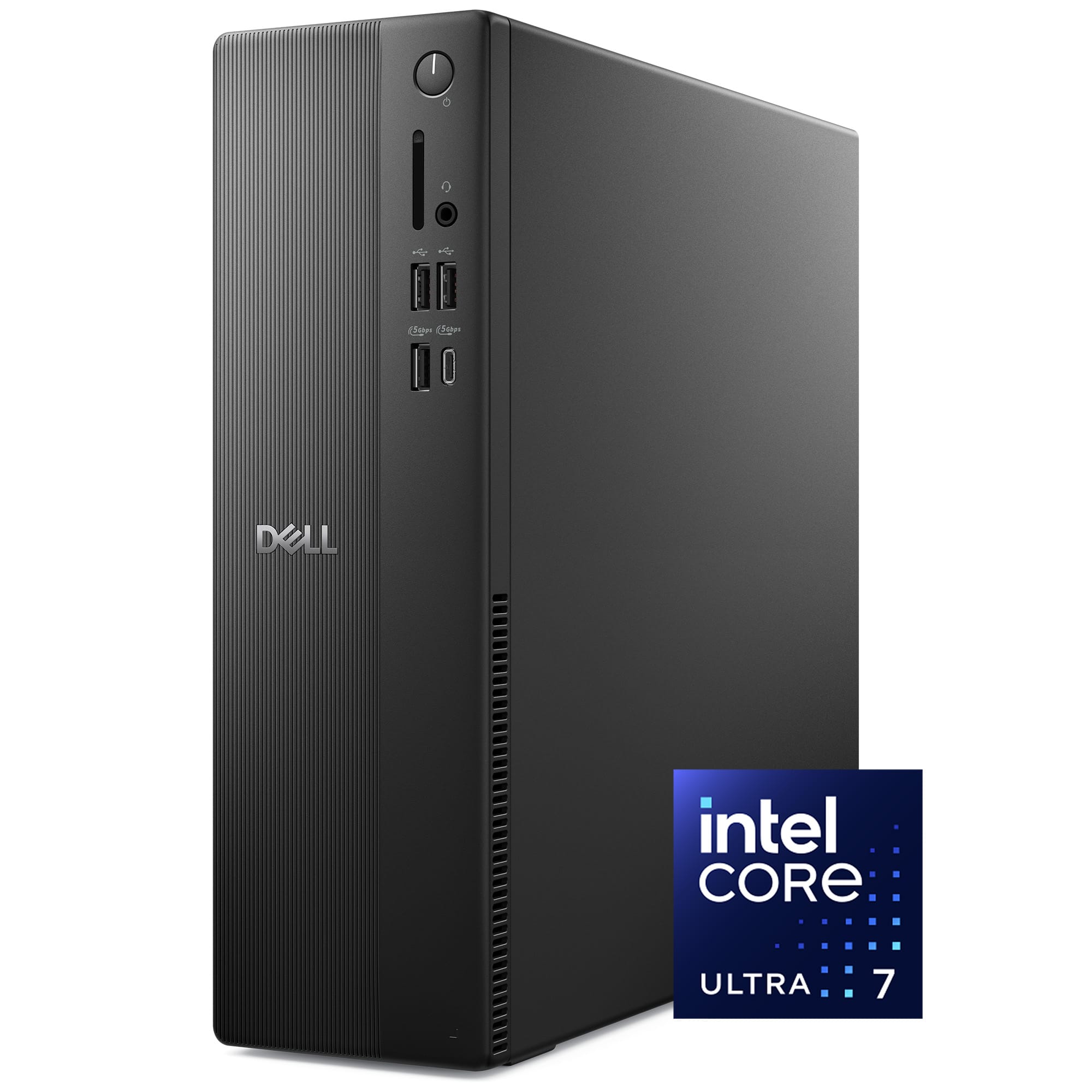
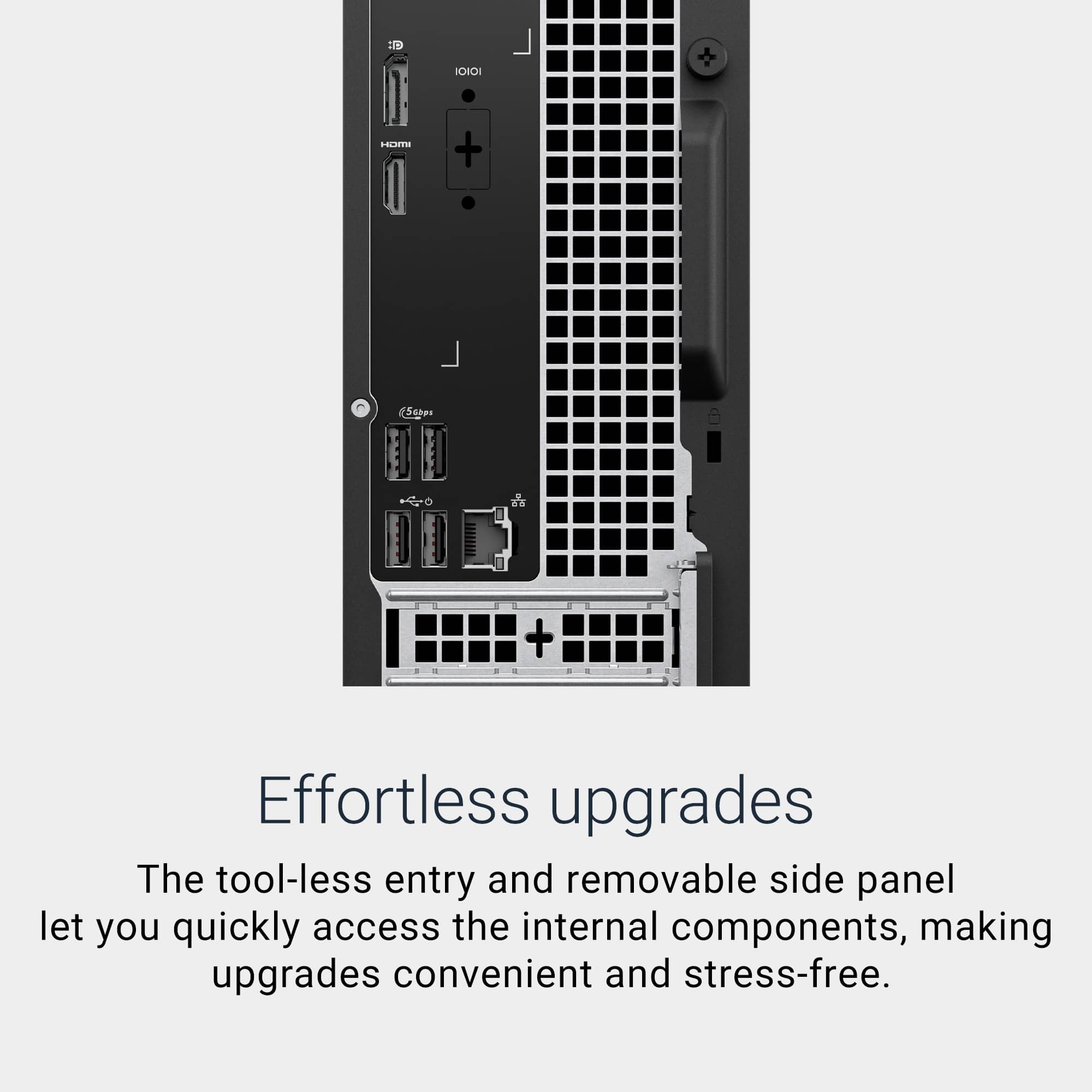
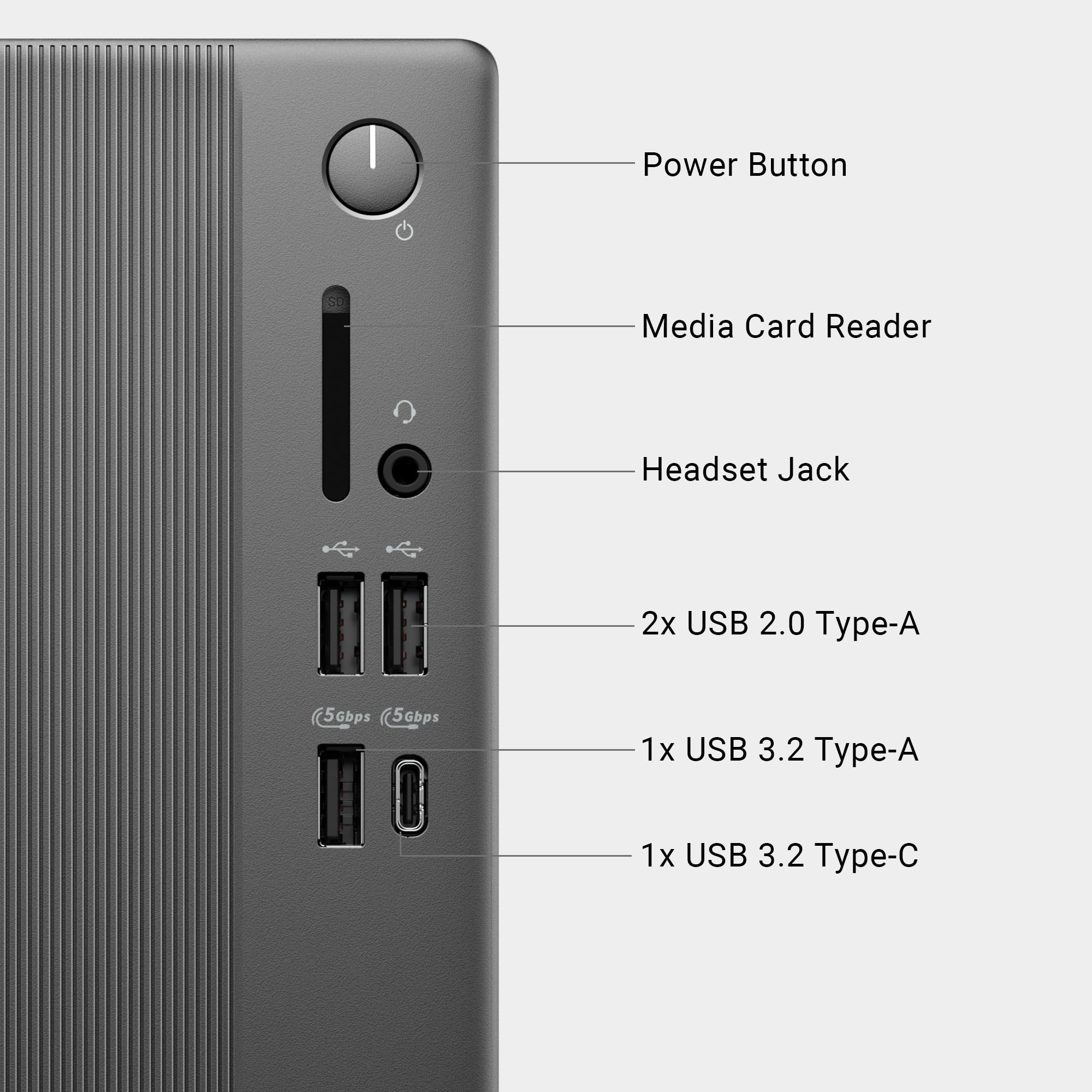
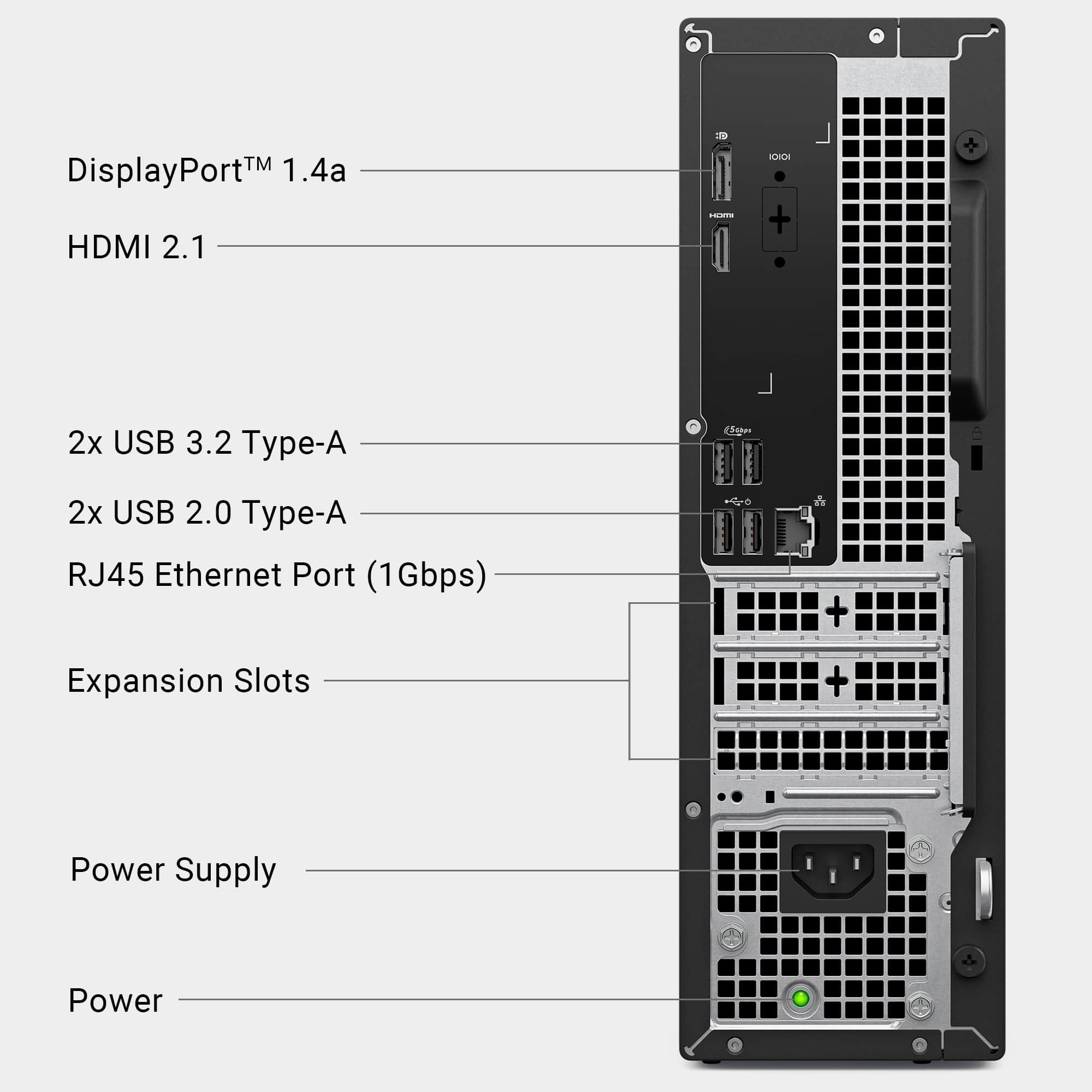
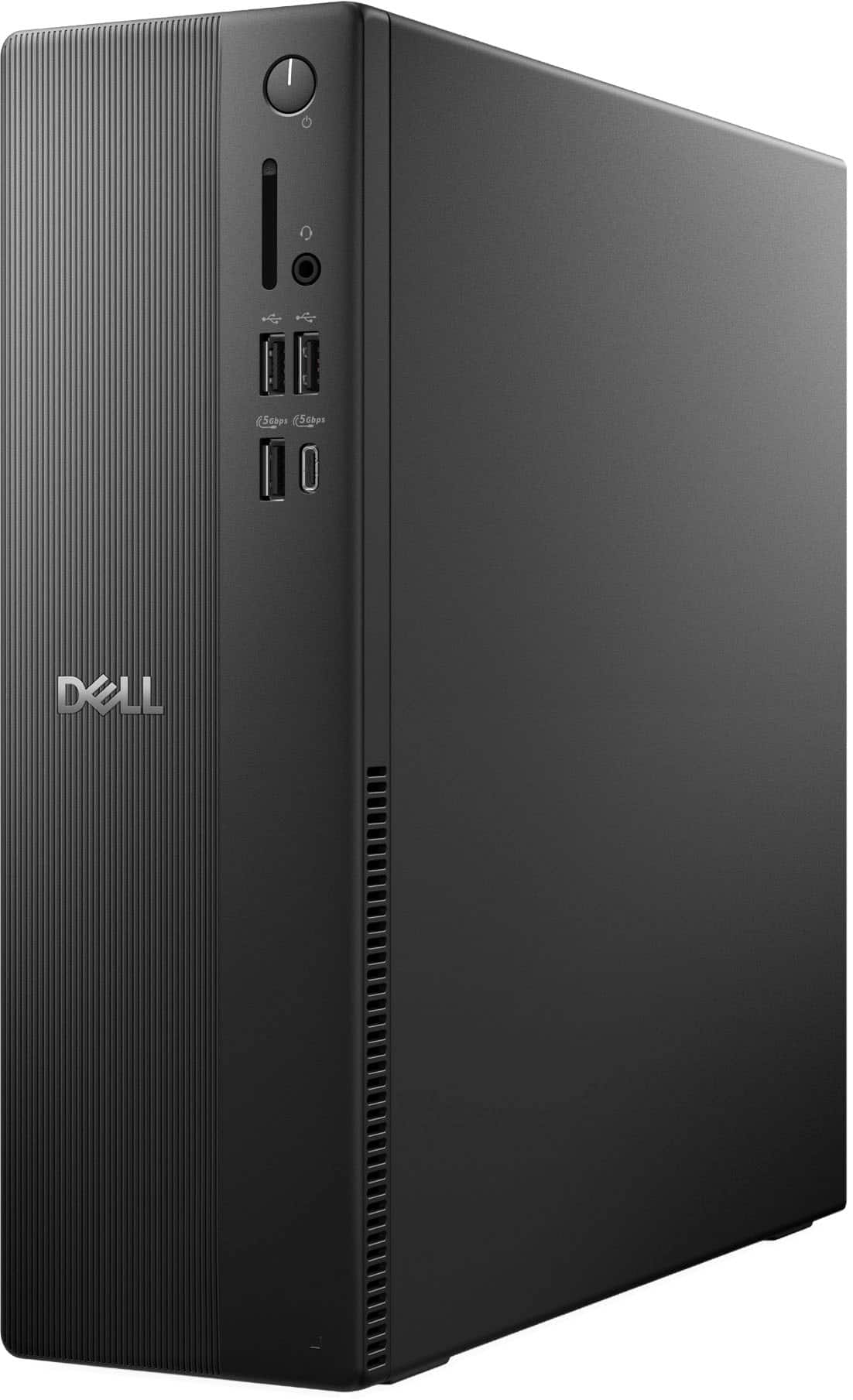
|Posted .This reviewer received promo considerations or sweepstakes entry for writing a review.While computer enthusiasts typically prefer the advantages of configuring and assembling their own custom built machine, there are instances where space constraints unfortunately require special dimensions that otherwise Micro-ATX/ITX cases cannot meet. As such small form factor and/or mini PCs can provide a solution, though performance and upgradability is often sacrificed. Thus, I was excited to test the newly upgraded Dell ECS120 SFF PC, featuring newly released Ultra 7 265 CPU! Furthermore, I wanted to see if a high end CPU can comfortably perform in a small form factor without any limitation. As one would expect, the unit design is fairly straightforward. If you haven’t previously seen or used any SFF PC in person, then the ECS1250 will certainly be quite a shock. Standing at just under a 12 inches and less than 4 inches wide, it can easily fit in the smallest of areas. Furthermore, at a mere 7 pounds it is also fairly easy to carry around, making it much more travel friendly than the majority of desktops. In addition, this will also facilitate in connecting the computer for the first time as certainly less bulk is easier to maneuver. As for the ECS1250 unit itself, there are four USB ports in the back (two are regulated to 2.0, while the other two are USB 3.2 Gen 1). Switching to the front, there are two USB 2.0 ports, and two USB 3.2 Gen 1 ports (with one being Type-C). Additionally, there is an SD card reader and a headphone/mic combo jack (there are no 3.5mm jacks on the back of unit). For display connectivity, there is one HDMI 2.1 (TDMS) port and one DisplayPort 1.4 (HBR3 supported). Lastly, the ECS1250 has a single gigabit LAN connection and also supports Wi-Fi via an internal M.2 Wi-Fi/BT card. For most people, this should cover the basics with their connectivity needs, though it is extremely unfortunate that there are no USB 10 Gbps /20 Gbps port of any kind. Before moving on to my performance tests, I first would like to mention a couple of observations with regards to the internal components found inside the computer. Internally, the layout is pretty well managed; cables are seemingly organized and tidy. As far as the major components go, the ECS1250 features a WD SN5000S 1 TB M.2 SSD in the 2230mm size. Luckily, the motherboard has space for a 2280 drive should you choose to move the standoff to the corresponding hole. Below the SSD, there is a MediaTek MT7920 Wi-Fi/BT M.2 card installed for your convenience. Next, the board has two PCIe 1x slots and one 16x slot located at the bottom of the board. Connectively, the board also has one SATA port located just above the SSD, though unfortunately no SATA power connector was given (a proprietary 6 PIN connector labeled SATA power is available on the motherboard). As expected, this is left over from previous configurations that featured a mechanical drive along with the support bracket, both of which are absent here. As for memory, the unit comes with one stick of 16 GB-5600 MHz (SK-Hynix); the board has two slots total. According to Dell’s manual, the board supports a max of 64 GB at DDR5-5600 MHz (32 GB per DIMM slot), despite the Ultra 7 265 supporting up to 256 GB. Unfortunately, I did not have a single 64 GB stick to verify if the board is indeed restricted to the aforementioned size and speed, so keep that in mind if you are planning to upgrade the memory. However, the good news is that 64 GB should be plenty for most users. Lastly, the ECS1250 desktop features a 180w Dell power supply that is 80 plus bronze certified. Overall, as expected the ECS1250 will have some restrictions with regards to upgradability, but at the very least it is certainly welcome news that you can at least increase the memory and SSD. Additionally, with the available PCI-Express slots, you should be able to add more connectivity such as USB ports or perhaps a sound card, though obviously just make sure a low profile bracket is included with whichever add-in card you require. Moving on from the internal specifications, setup should be relatively simple to complete. As typical of OEMs installed partitions, memory and OS installation size are a bit bloated; of which should be tweaked provided that you are familiar with such processes. For testing purposes, I attempted to keep such tweaks to minimum but please note that upon your first boot, the memory usage is at 50% and the SSD is about 50 GB full. After removing all the startup items, Dell related executables, and uninstalled McAfee antivirus, the memory consumption drops to around 25-30%. While still a bit high for my personal taste, there wasn’t anything too alarming performance wise with the installation (though enthusiasts will more than likely fresh install) that would press for concern. Lastly, Dell has set M2 configuration to RAID by default; should you wipe out the partition for a fresh install, you will need the Intel VMD driver or change the setting to AHCI. For my performance tests, I wanted to first focus on the Ultra 7 as certainly it is the main attraction with the ECS120. The processor features 20 cores with a TDP rating of 65 watts. I proceeded to run CPU-Z benchmark. For all of my tests, I used a combination of HW Monitor 1.58 and HW Info 8.28. I also used CrystalMark 8.06 for my SSD benchmark. Lastly, I included two other CPUs that I have in my custom built machines, though keep in mind that those are unlocked and have much higher power consumption and thresholds. My CPU-Z results are as follows: Ultra 7 265 - Single: 852.7 / Multi: 12,376.1 (20 Cores / 20 Threads) Ryzen 9900X - Single: 881.0 / Multi: 13,068.5 (12 Cores / 24 Threads) I7-14700K - Single: 916.7 / Multi: 14,989.5 (20 Cores / 28 Threads) While the results above are expected, I was actually more impressed with the Ultra 7 than I expected as not only are we restricted power wise and with hyper-threading removed, the 265 is still fairly competitive. Moving on, I ran Cinebench R23 and posted the results below: Ultra 7 265 - Single: 2,208/ Multi: 26,352 (20 Cores / 20 Threads) Ryzen 9900X - Single: 2,236 / Multi: 32,483 (12 Cores / 24 Threads) I7-14700K - Single: 2200 / Multi: 35,724 (20 Cores / 28 Threads) As you can see, the single thread for all three CPUs are essentially within the margin of error. It is quite impressive to say the least. Additionally, the Ultra 7 was impressively cool throughout all of my testing; rarely did I see anything past the 60-68C, which is perhaps the most shocking aspect given the Ultra 7 is actively air cooled. Lastly, fan acoustics also surprised me as typically fans used by OEMs are nothing more than stock fans; however, during my tests I barely heard anything! For my last test, I ran CrystalMark 8.06 on the WD SN5000S. The results are as follows: Sequential Read Q8T1: 6,350.60MB/s / Sequential Write Q8T1: 5,635.09 MB/s Sequential Read 4K Q1T1: 73.35 MB/s / Sequential Write 4K Q1T: 128.58 MB/s The WD SN5000S should be fast enough for most users, though honestly I was fairly impressed at how good the 4K readings were. Usually drives are around the 40-50 MB/s range, but here we actually got above 70 MB/s and on an extremely size limited 2230mm drive no less. Overall, nothing of concern to report here. In conclusion, the Dell ECS1250 SFF is certainly a decent performing computer that satisfies all the major performance categories one would want in a desktop computer. The ECS1250 comes with a fast and efficient processor, combined with plenty of storage and memory to get you started while providing a solution to any space restriction you have. However, it is certainly not without some slight criticisms, mostly notably the lack of any 10 Gbps / 20 Gbps USB ports; at minimum another port or two would have been a huge plus. In addition, I personally would have also liked if the two USB 2.0 ports in the front were swapped with the two USB 3.2 Gen 1 ports in the back so that you could have full front access to the fastest ports. Lastly, while upgradability is understandably limited, there is still some fairly good value here, especially given the strength of the Ultra 7, the ability to upgrade the SSD to a 2280mm size, and increase the RAM to 64 GB. For little cost, the ECS1250 is a small and convenient package that performs exceptionally well. Furthermore, thermals were quite impressive, and fan operation was nearly silent. With that said, provided you are aware of the observations raised, the ECS1250 comes recommended.
I would recommend this to a friend Dell- Desktop
||Posted . Owned for 3 weeks when reviewed.This reviewer received promo considerations or sweepstakes entry for writing a review.After 3 weeks since first purchase ,it is good , fast reliable internet connection, have no problem so far and it is not heavy to carry, still too soon to give an excellent.
I would recommend this to a friendGreat Computer
||Posted . Owned for 2 weeks when reviewed.This reviewer received promo considerations or sweepstakes entry for writing a review.Excellent computer. I needed to add more ram and it was easy to do.
I would recommend this to a friendPC Purchase
||Posted . Owned for 2 weeks when reviewed.This reviewer received promo considerations or sweepstakes entry for writing a review.awesome sales support with hardware and software knowledge needed to select our new pc
I would recommend this to a friendDell PC
||Posted . Owned for 2 weeks when reviewed.This reviewer received promo considerations or sweepstakes entry for writing a review.This Dell PC functions very well. However, it is supposed to be whisper quiet but I hear a high pitch sound from the fan. Had to get a noise machine to block it out.
I would recommend this to a friendVery, very good
||Posted . Owned for 2 weeks when reviewed.This reviewer received promo considerations or sweepstakes entry for writing a review.I use it at home. I still learning how to use meny many features.
I would recommend this to a friend