Customer Ratings & Reviews

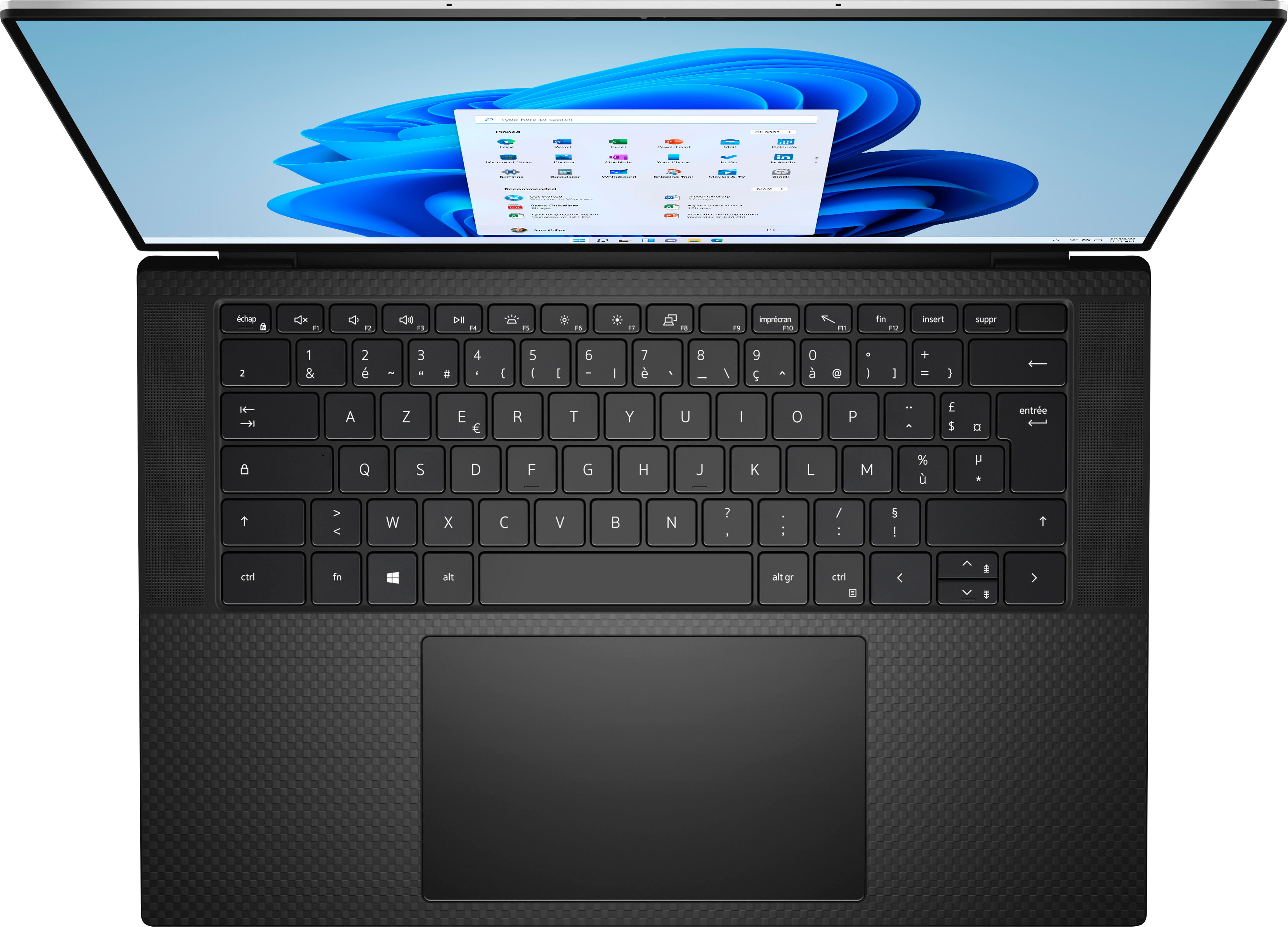



- Model:
- XPS9520-9195SLV-PUS
- SKU:
- 6504382
Rating by feature
- Battery Life
Rating 4.4 out of 5 stars
- Speed
Rating 4.8 out of 5 stars
- Display
Rating 4.8 out of 5 stars
Customers are saying
Customers are delighted by the XPS 15's stunning screen quality and impressive performance, frequently praising its ample RAM and storage capacity. However, some users noted that the battery life could be improved, and a few experienced issues with the laptop's cooling system under heavy load. The weight of the laptop was also mentioned as a potential drawback by a small number of users.
This summary was generated by AI based on customer reviews.
Dell XPS 15
||Posted . Owned for 3 months when reviewed.This reviewer received promo considerations or sweepstakes entry for writing a review.I really really like this computer, it functions very nicely and the display is unimaginable I recommend to anyone looing for a laptop with a lot of storage and functionality!
I would recommend this to a friend- Pros mentioned:Performance
Overall good laptop, but too expensive
||Posted .This reviewer received promo considerations or sweepstakes entry for writing a review.Overall really good performance but the fan can get a bit loud and sometimes the screen doesn't catch up with the typing. Personally, I would maybe recommend the cheaper one but I do really like it.
I would recommend this to a friend Not even close to the hype
||Posted .This reviewer received promo considerations or sweepstakes entry for writing a review.The laptop itself is ok performance-wise. Nothing like the fantastic performance all of the reviewers say. My biggest complaint, however, is the sharpness of the front edge. I felt like the laptop was trying to cut my wrists. The touchpad, even set to lowest sensitivity, registered touches I didn't even feel. The network card also has an issue. I had to disable IPv6 to get some parts of Visual Studio to work. Never had to do that on any other system.
No, I would not recommend this to a friendBrand response from YourDellTeam
Posted .Dear Valued Customer,
We appreciate you taking the time to leave us your review. We apologize for the issues you have encountered with your Dell XPS 15 laptop because it has sharp corners which hurt your wrists, and the network card and touchpad are not working as they should. We will share your comments about these issues with our quality team, so future improvements can be made.
Some Notebooks and Tablets with Keyboards have added gesture features to the touchpad hardware and drivers. A few of these features are two or three-finger scrolling, pinch zoom, circle zoom, rotate, and swiping. These new features may be the reason for the erratic cursor movement since most are turned on by default. You can disable or modify the way the features work in the touchpad driver properties. Here are some tips to modify these settings:
1. In the Search box, type main.cpl.
2. Touch or click main.cpl in the list of programs.
3. Touch or click the Dell Touchpad tab.
4. Touch or click on the picture of the touchpad.
5. Touch or click Gestures (depending on your computer there may not be a Gestures option).
6. Change the options as preferred.
7. Touch or click Save.
8. Touch or click the X in the upper-right corner to close the Dell Touchpad Utility.
9. Touch or click OK on the Mouse Properties window.
10. If the touchpad still does not work after following the preceding steps, refer to Dell Knowledge Base article - http://dell.to/2iaiujA.
You can read the full article here - http://dell.to/2tqmS02.
Below I have provided the resolutions to connection issues. I have also provided the full article link, which has more options if they are needed. I have also included a link to the Drivers and Downloads page for your PC so you can check for applicable updates to the WIFI drivers.
1. Download and install the latest Wireless Card driver. (https://dell.to/2th3Tpe) After updating the driver, re-establish the connection with the Wireless Access Point and check the wireless performance.
2. If the issue persists, proceed to step 3.
3. Power-cycle the local network. Shut down the Dell system, the Wireless Access Point/Router, and the Modem. Wait a minimum of 60 seconds before powering up the components in the following order:
4. Power ON the Modem and wait for it to boot fully.
5. Power ON the Wireless Access Point/Router and wait for it to boot fully.
6. Power ON the Dell system.
7. Open Network and Sharing Center
8. In the left-side navigation pane, click on Change Adapter Settings
9. Right-click on the wireless connection icon and select Properties followed by the Configure button
10. Under Wireless Options, select the Wireless N mode
11. For Windows 8 or later systems click the Advanced tab and look for 802.11n Mode on the right you will be given the option to Enable or Disable. If the mode is not visible you may need to update your drivers and firmware.
12. From the drop-down menu, choose Disable followed by Ok
13. This should restore the wireless download and upload speed. Internet speed can be tested at http://speedtest.net
Full article link: https://dell.to/2RefLVN
Drivers and Downloads Page: https://dell.to/3PjKDA0
If the issue with your computer is still not resolved after utilizing the troubleshooting options above, please contact the Dell Support Team at 1-800-624-9896 for further guidance.
Best,
Katarina@Dell
Should you need further assistance, you can contact Dell directly with the information below.
Chat or call: https://bit.ly/DellSupportTeam
Phone number to Dell 1-800-624-9896
- Pros mentioned:Processor speed
A real power house
||Posted . Owned for 4 months when reviewed.This reviewer received promo considerations or sweepstakes entry for writing a review.A really powerful laptop that can handle anything I throw at it from basic video editing to gaming. The screen is amazing and has really deep blacks thanks to oled screen.
I would recommend this to a friend - Pros mentioned:Ease of use
Laptop xps
||Posted . Owned for less than 1 week when reviewed.This reviewer received promo considerations or sweepstakes entry for writing a review.Light weight and compact. Easy to use and happy with the product. Battery last a pretty long time. Used it for 2 day without charging it going on day 3
I would recommend this to a friend - Pros mentioned:Processor speed
Dude, we got a Dell!
||Posted .This reviewer received promo considerations or sweepstakes entry for writing a review.Purchased this Dell for my son who is an aerospace engineering student. Great speed and the display is wonderful
I would recommend this to a friend Good laptop
||Posted . Owned for less than 1 week when reviewed.This reviewer received promo considerations or sweepstakes entry for writing a review.Had is about a week. Everything is solid. Bit pricey for what you get. Only complaint is the edges are a bit sharp when typing for any length of time.
I would recommend this to a friend- Pros mentioned:Processor speed
A truly awesome laptop!
||Posted . Owned for 2 weeks when reviewed.This reviewer received promo considerations or sweepstakes entry for writing a review.A truly excellent machine with a lot of versatility and speed which should be a welcomed addition to any home office or any other purposes.
I would recommend this to a friend - Pros mentioned:Processor speed
XPS review
||Posted .This reviewer received promo considerations or sweepstakes entry for writing a review.Decent storage and speed. Not sure if 1 terabyte is necessary since you can use the cloud
I would recommend this to a friendBrand response from YourDellTeam
Posted .Hey There GbubemitN,
Thank you for taking the time to leave a review of your XPS 15 touch screen laptop. We are happy to hear that you are satisfied with the amount of storage and the performance of your device. That is the type of feedback we at Dell like to hear from our customers. If you come across any questions or concerns below I have provided the toll-free number and chat link to our support team for your convenience.
Should you need further assistance; we recommend that you contact Dell directly with the information below.
Chat or call: https://bit.ly/DellSupportTeam
Phone number to Dell: 1-800-624-9896.
Regards,
Summer@Dell
Dell XPS 15 new
||Posted . Owned for 1 month when reviewed.This reviewer received promo considerations or sweepstakes entry for writing a review.So far I am loving my new computer. I was most interested in this computer because the ram and hard drive can be upgraded. I was able to upgrade the hard drive so I now have a 4 TB main drive and moved the 1 TB to the secondary drive. The Total Tech team was great at setting up the computer and adding the additional drive. The OLED screen is incredibly clear and beautiful for photos.
I would recommend this to a friend2 laptops rocking, 2 hobbling
||Posted . Owned for 1 month when reviewed.This reviewer received promo considerations or sweepstakes entry for writing a review.Overall, it is a great computer. The reason for the 3 stars is that I bought four of these over 1 week for my team members. Out of the four, one had hardware problems right out of the box and a 2nd had software issues that required Dell assistance. It could just be bad luck, but the hassle is the reason for the lower score.
I would recommend this to a friendBrand response from YourDellTeam
Posted .Hello JaethD,
We would like to thank you for taking the time to provide us with your feedback. We apologize for the hardware and software issues you have come across with your Dell XPS 9520 laptops. This is certainly not the experience that we like to hear from our customers. We appreciate your feedback and will use it to help improve our current and future products.
It sounds like you did end up getting these issues resolved, but if you do need technical support in the future, or if you come across any questions or have concerns about this product, please don’t hesitate to contact Dell Support Team at the information provided below.
Best,
Katarina@Dell
Should you need further assistance, you can contact Dell directly with the information below.
Chat or call: https://bit.ly/DellSupportTeam
Phone number to Dell: 1-800-624-9896
- Pros mentioned:Processor speed
Smiles
||Posted . Owned for 1 week when reviewed.This reviewer received promo considerations or sweepstakes entry for writing a review.Good unit super fast great in store experience with very knowledgeable customer support highly recommended
I would recommend this to a friend - Pros mentioned:Performance
Dell XPS 15 i9
||Posted . Owned for 3 months when reviewed.This reviewer received promo considerations or sweepstakes entry for writing a review.So far, this machine is awesome. Smooth as silk but does have issues with implementing coding features.
I would recommend this to a friend - Pros mentioned:Processor speed
XPS15
||Posted . Owned for 2 weeks when reviewed.This reviewer received promo considerations or sweepstakes entry for writing a review.Great laptop love that it's fast, not heavy and good for many uses. Very happy made this purchase
I would recommend this to a friend - Pros mentioned:Performance
Great purchase
||Posted . Owned for 3 weeks when reviewed.This reviewer received promo considerations or sweepstakes entry for writing a review.So far laptop is doing great , only had it up and running for a week , We are enjoying it so far , i
I would recommend this to a friend - Pros mentioned:Performance
Nice 4K laptop.
||Posted . Owned for 1 week when reviewed.This reviewer received promo considerations or sweepstakes entry for writing a review.Very nice laptop. Usually buy Dell. Good performance. Still testing it out but i love it.
I would recommend this to a friend Loyal to XPS!
||Posted . Owned for 1 week when reviewed.This reviewer received promo considerations or sweepstakes entry for writing a review.Love my new laptop! Replacing a work horse XPS desktop from 2013. XPS never disappoints!!
I would recommend this to a friend- Pros mentioned:Screen quality
Happy customer
||Posted . Owned for 1 week when reviewed.This reviewer received promo considerations or sweepstakes entry for writing a review.This computer is very sturdy and the battery life so far is excellent. The screen is amazing
I would recommend this to a friend - Pros mentioned:Performance
Happy
||Posted . Owned for 1 week when reviewed.This reviewer received promo considerations or sweepstakes entry for writing a review.Haven’t used it much yet, but it loads up and plays Crysis with no issues!
I would recommend this to a friend - Pros mentioned:Performance
Excellent product!
||Posted . Owned for 1 month when reviewed.This reviewer received promo considerations or sweepstakes entry for writing a review.Just a GREAT product and price. Simple design and excellent performance.
I would recommend this to a friend