Customer Ratings & Reviews











- Model:
- XPS9530-9565SLV-PUS
- SKU:
- 6540609
Rating by feature
- Battery Life
Rating 4.3 out of 5 stars
- Speed
Rating 4.7 out of 5 stars
- Display
Rating 4.7 out of 5 stars
Customers are saying
Customers express satisfaction with the XPS 15's performance, screen quality, ample RAM, and lightweight design. However, some users cite concerns regarding battery life, the high price point, and occasional overheating issues. Positive feedback frequently highlights the laptop's speed and sleek aesthetics. A few customers also reported Bluetooth connectivity problems.
This summary was generated by AI based on customer reviews.
Poor quality laptop
||Posted . Owned for 4 months when reviewed.This reviewer received promo considerations or sweepstakes entry for writing a review.Dell use to make quality computer, this laptop has been nothing but a disaster since bought, locking up, not booting up. Finally had to have motherboard replaced. Ended up buying a MacBook, now have expensive boat anchor, never will buy dell product again
No, I would not recommend this to a friendBrand response from YourDellTeam
Posted .Dear GaryB,
Thank you for taking the time to leave us your review. We are sorry to hear that you are experiencing slow performance issues with your Dell XPS 15 laptop. It's important for us to hear about inconsistencies in our products for consideration of future development. Below I have provided steps with the full article that can help you with slow performance issues with your laptop.
Here are the steps to help you with slow performance issues:
1. Run the automated tools in SupportAssist to ensure that the drivers are up to date and your computer is optimized.
2. Restart the computer
3. Run a hardware diagnostic test
4. Scan your computer for malware
5. Restore the computer using Windows System Restore
6. Restore the computer to factory default settings
You can read the article that can help you with slow performance issues here: https://dell.to/3yqre8r
If you continue to experience issues, please reach out to Dell Support directly by using the information provided below.
If you need further assistance, please reach out to Dell Support directly by using the information provided below.
Chat or call: https://bit.ly/DellSupportTeam
Phone number to Dell: 1-800-624-9896
Best,
Summer@Dell
- Cons mentioned:Battery life
Quality Control Issues
||Posted . Owned for 1 week when reviewed.This reviewer received promo considerations or sweepstakes entry for writing a review.Battery did not work on opening. This was an open box unit. Had to purchase separate battery, and even after installing new battery, would not work. Had to return the item as well as make at least 3 trips to BestBuy for repairs before that.
No, I would not recommend this to a friend Computer is a Junk
||Posted . Owned for 1 year when reviewed.This reviewer received promo considerations or sweepstakes entry for writing a review.My daughter has had this computer for barely a year and it decided to quit a couple weeks before college started. We bought the best protection plan which is a joke don't waste your money on this protection plan. We brought this computer in for a repair on Aug 7 then got an indication that the computer was ready Aug 16. Before we could pick it up Best buy called indicating it still wasn't working. So we had to send it back again for repairs. Now shes stuck in college with no computer bad customer service, worst protection plan and terrible computer
No, I would not recommend this to a friendnothing but trouble!
||Posted . Owned for 2 months when reviewed.This reviewer received promo considerations or sweepstakes entry for writing a review.since i first turned it on had issues with the screen flickering. i tried every driver update and diagnostic test before contacting dell. after a screen replacement and a motherboard replacement still having problems. now i have to "transfer ownership" from best buy to me so i can get Dell to consider replacing the whole laptop. NEVER expected this much trouble from a "new" laptop. Very dissapointed.
No, I would not recommend this to a friendBrand response from YourDellTeam
Posted .Hi There FlyDrgnz,
Thank you for taking the time to leave a review of your Dell XPS 15 touch screen laptop. We are sorry to hear that you have been experiencing an issue with your screen flickering. That is not the type of feedback we like to hear from our customers, or the type of product Dell intends to deliver. We have noted the details of your statement and will use them to improve current and future products. Below I have provided a troubleshooting link to help resolve your issue.
Screen Troubleshooting Link: https://rb.gy/jqqq9
If you continue to experience issues, please reach out to Dell Support directly by using the information provided below.
Chat or call: https://bit.ly/DellSupportTeam
Phone number to Dell: 1-800-624-9896
Best,
Summer@Dell
Great laptop, don't buy open box
||Posted . Owned for 1 month when reviewed.This reviewer received promo considerations or sweepstakes entry for writing a review.The laptop is excellent, and the numerous reviews and reputation speak for themselves. It is a great sleek laptop that does it all. Now the reason for the poor review is due to my experience with Best Buy open-box products. The return window is very short, then you are on your own to get it fixed because you will have issues. Less than 3 weeks outside of my return window, my $1500 laptop will not even turn on. It had a few hiccups which I attributed to the total reset they do before it is sold. Now I am stuck delaing with warranty issues. Buyer beware.
No, I would not recommend this to a friendJunk!
||Posted .This reviewer received promo considerations or sweepstakes entry for writing a review.Don't waste your money. The motherboard went out 13 days after the 1-year warranty expired. Best Buy quoted me $1,000+ to replace the motherboard. This laptop was way too expensive to crap out on me that fast.
No, I would not recommend this to a friend- Pros mentioned:Design, Performance, Screen qualityCons mentioned:Price
This laptop is ur answer for all your needs
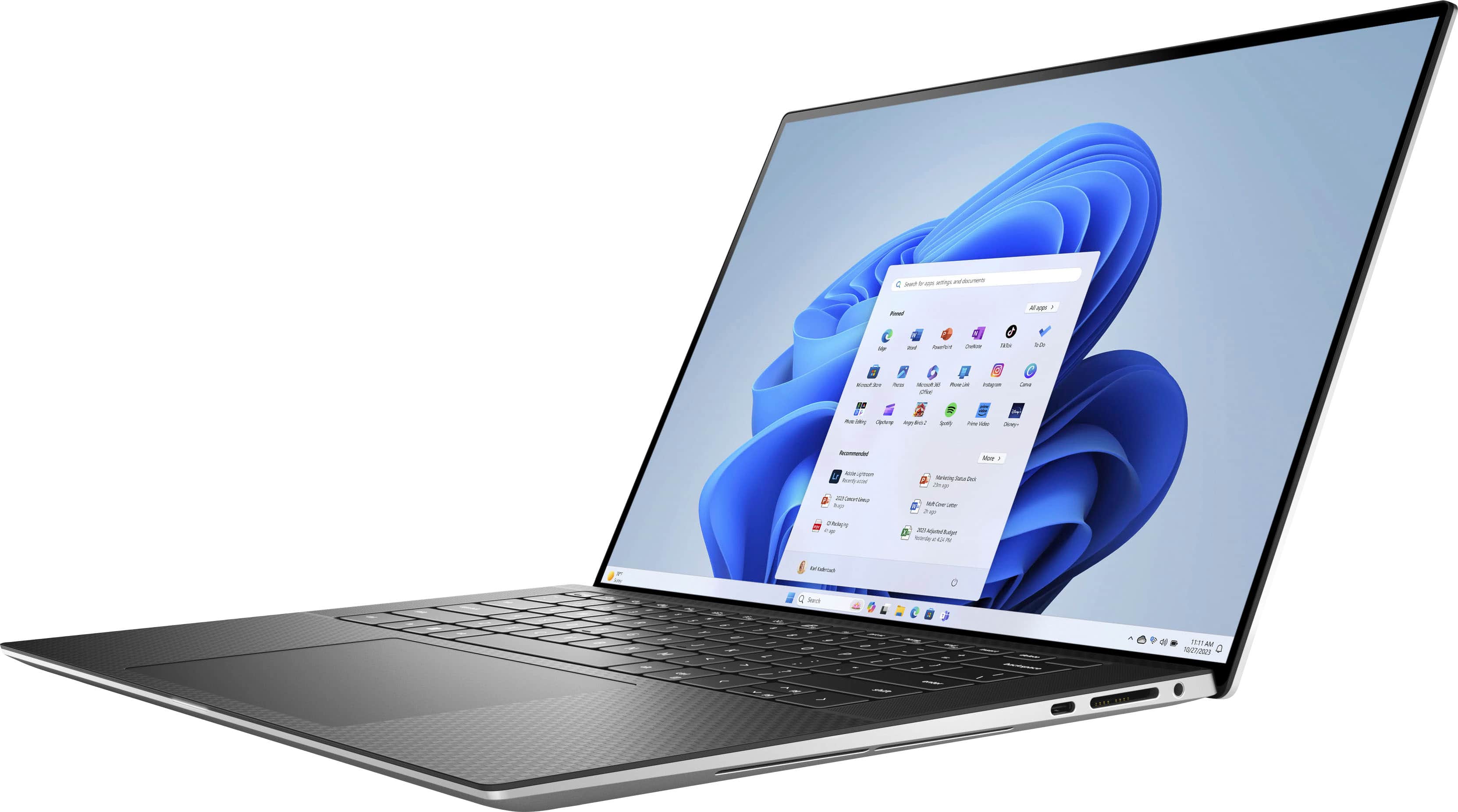
Posted .This reviewer received promo considerations or sweepstakes entry for writing a review.It is an excellent choice for those who demand top-tier visuals and performance in a portable package. It's an investment in quality and a joy to use for both work and entertainment. The laptop also boasts a sleek and premium design, with a slim profile and high-quality build materials. The keyboard is comfortable to type on, and the trackpad is responsive. The laptop's battery life is decent, providing enough juice for a day's work without needing frequent recharges. One drawback is the port selection, as it leans towards USB-C connections, which might require adapters for some peripherals. Additionally, the price point is on the higher side, but you're paying for the exceptional OLED display and overall performance.
I would recommend this to a friend Disappointed
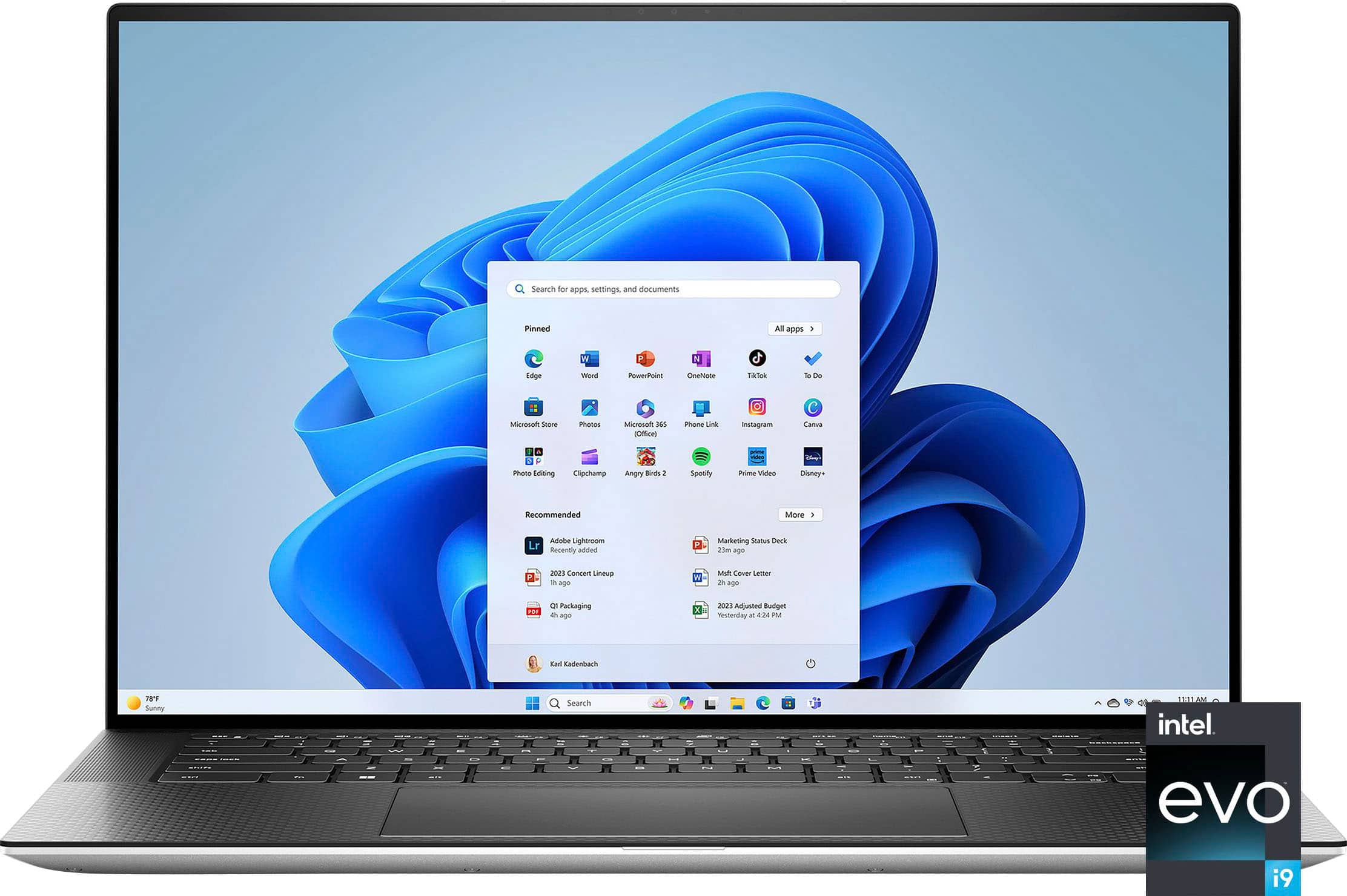
||Posted . Owned for 1 month when reviewed.This reviewer received promo considerations or sweepstakes entry for writing a review.I am really disappointed. I purchased xps 15 i9 CORE. That what it said the sticker they have in the store, and in the demo laptop. Also, that what the sticker in the box says. Once I opened it, I found out it is i9 evo NOT i9 core. The story denied returning and the customer service as well. Be careful to be deceived. That was really misleading info.
No, I would not recommend this to a friendBrand response from YourDellTeam
Posted .Hello NotHappy,
We value your feedback and want to thank you for taking the time to leave a review of your Dell XPS 15 touch screen laptop. We are sorry to hear that you did not receive the device you thought you had ordered. That is not the type of feedback we like to hear from our customers, or the type of product Dell intends to deliver. We have noted the details of your statement and will use them to improve current and future products.
If you continue to experience issues, please reach out to Dell Support directly by using the toll-free number or chat link provided below.
Chat or call: https://bit.ly/DellSupportTeam
Phone number to Dell: 1-800-624-9896
Best,
Summer@Dell
LRFM97
||Posted . Owned for 1 month when reviewed.This reviewer received promo considerations or sweepstakes entry for writing a review.Unfortunately I had not have a good experience with this laptop. I had to exchange my first one for a another new one because the display and screen was blinking only after 3 days of use. This new one has the same issue and I will have to return it again
No, I would not recommend this to a friendBrand response from YourDellTeam
Posted .Hello There LRFM97,
Thank you for taking the time to leave a review of your XPS 15 touch screen laptop. We are sorry to hear that you are experiencing an issue with your screen flickering. That is not the type of feedback we like to hear from our customers, or the type of product Dell intends to deliver. We have noted the details of your statement and will use them to improve current and future products. Below I have provided a troubleshooting link to help resolve your issue.
Screen Troubleshooting Link: https://rb.gy/ynxoq
If you continue to experience issues, please reach out to Dell Support directly by using the information provided below.
Chat or call: https://bit.ly/DellSupportTeam
Phone number to Dell: 1-800-624-9896
Best,
Summer@Dell
what a shame
||Posted . Owned for 2 weeks when reviewed.This reviewer received promo considerations or sweepstakes entry for writing a review.received a damaged product. store refused to take it. dell support said the damage does not fall under warranty. ridiculous.
No, I would not recommend this to a friendBrand response from YourDellTeam
Posted .Dear ARTO,
We value your feedback and want to thank you for taking the time to leave a review of your Dell XPS 15 3.5K OLED Touch-Screen Laptop. We sincerely apologize for the issues you have encountered with your laptop delivery. This is not the type of feedback we like to hear from our customers, or the type of product Dell intends to deliver. We have noted the details of your statement and will share it with our quality team for improvements on current and future services.
We would love another opportunity to help you but will need a little more information. Please take a moment to call or chat to speak with another Dell representative at your earliest convenience using the information provided below so that we can help you resolve the issue to your satisfaction.
Chat or call: https://bit.ly/DellSupportTeam
Phone number to Dell, 1-800-624-9896
We look forward to making this right for you!
Best,
Minhaj@Dell
Bad
||Posted . Owned for 1 month when reviewed.This reviewer received promo considerations or sweepstakes entry for writing a review.Constantly breaking, had to return to BestBuy because the original kept blue-screening.
No, I would not recommend this to a friendBrand response from YourDellTeam
Posted .Hello Christian,
We want to thank you for taking the time to leave us your review. We apologize for the issues you experienced with your XPS 15 Laptop which ultimately led you to decide to return the system. This is certainly not what we like to hear from our loyal customers. We appreciate your feedback and will share them with our quality team so we can continue to grow and do better.
If you need further assistance, please reach out to Dell Support directly by using the information provided below.
Chat or call: https://bit.ly/DellSupportTeam
Phone number to Dell: 1-800-624-9896
Best,
Jay@Dell
- Pros mentioned:Design, Performance
Best Laptop
Posted .This reviewer received promo considerations or sweepstakes entry for writing a review.The Dell XPS 15 stands as the pinnacle of design and performance, catering to professionals, creatives, and enthusiasts alike. Elevate your computing experience with the Dell XPS 15 – where elegance meets power in perfect harmony.
I would recommend this to a friend - Cons mentioned:Battery life
Not so good
Posted .This reviewer received promo considerations or sweepstakes entry for writing a review.I had this XPS 15 9500 for about 2 years now and I’m so disappointed. Use to live in Austin and went to the factory outlet store to get my first two Dell desk PC’s. They worked well, so I figured Dell would make a good laptop, not so much. Paid the big bucks for this so I could process photo’s while traveling. I’m on the BB service plan, so I have protection and all apps/ drivers, etc are up to date. Within one week of purchase, the screen died and had to be replaced. It still has problems. I’ve had several service people at dell and best buy try to fix it but, still no good. Besides color shift happening, if I turn the brightness up too high, it completely whacks out the screen. Makes it unusable in bright light situations. I don’t use the touchscreen anymore caus it just messes things up. If I pick up the thing by the bottom of the case, something shorts out and the whole computer go nuts. I have to do a hard shutdown and let it sit for 5-10 mins before it will come back. It does not function as a mobile laptop. The battery life, yeah, like other reviews have said. It never did perform to the rated spec, went continually down hill from the start, and now gives about 1.5-2 hours of use. If I’m processing photo’s, I’ll get 20-25 minutes of use from a fully charged battery! At times it just goes wackadoodle. Like when I’m working on things, take a break, and come back. It won’t wake back up. I have to do a reset, and in many cases a hard power down to get it to do anything. This is especially true when it goes to sleep and I close the lid. While traveling I noticed more problems than usual and ask the dell service guy about performance on 50hz. He assured me that dell does Not design products to run on 50/60hz. Really!? I thought we slayed that dragon back in the 1970’s It’s been running super slow lately and seems like it’s about to give up the ghost. Time to get another one And it wont be a Dell. Dell - No need to tell me to call your “service” number, I have many times. All I get is a sales pitch for a service contract that will put me on a wait line to talk to underqualified people – no thanks.
No, I would not recommend this to a friendBrand response from YourDellTeam
Posted .Hi MarkB,
We value your feedback and want to thank you for taking the time to leave a review of your Dell XPS 15 Laptop. We are sorry to hear that you are experiencing an issue with screen, your battery performance, and slow performance. That is not the type of feedback we like to hear from our customers. Feedback like yours helps us to improve current and future products. Below I have provided issues to help resolve your screen issue and additional troubleshooting links for your battery performance and improving the overall performance of your device.
Here's the steps to help resolve your issue:
1. Verify display or video issues on an external monitor.
2. Check for physical damage on the LCD screen.
3. Run hardware diagnostics on the LCD screen.
4. Verify the display or video issue in Windows Safe Mode.
5. Update the video card (GPU) driver, monitor driver, chipset driver, and BIOS.
6. Download and install Microsoft Windows Updates.
7. Change the video or display settings, and adjust the brightness.
8. Touch screen troubleshooting.
9. Run a Video Stress Test using Dell SupportAssist.
10. Perform a Windows System Restore.
11. Restore the computer to factory defaults.
You can read the full article on solving display issues here: https://dell.to/2Sx1VkZ
How to Improve the Performance of a Dell Laptop Battery: http://dell.to/2vfXWf4
You can read the article that can help you with slow performance issues here: https://dell.to/3yqre8r
If you need further assistance, we recommend using the toll-free number or chat link below to reach a member of our Dell Support Team.
Chat or call: https://bit.ly/DellSupportTeam
Phone number to Dell: 1-800-624-9896
Best,
Summer@Dell
- Cons mentioned:Battery life
Amazing laptop - GARBAGE battery!
Posted .This reviewer received promo considerations or sweepstakes entry for writing a review.I've owned this laptop for a little bit more than a year now. Before I bought it, my second option was the Mac Pro, which I avoided coz I've been a Windows guy for the past three decade and VERY familiar with all Windows features and shortcuts. So I decided to get the Dell XPS 9520 XPS 15 3.5K OLED Core i9 - 32GB GeForce RTX3050 Ti and didn't really think about it a lot, Even though I knew through my friends that the Mac's battery is much better and the battery is very important to me coz I hate keep on charging my laptop once or twice a day. Dell advertised battery life up to 18 hours which's an absolute lie. I use my laptop 3-5 hours a couple of days a week and the maximum the battery lasted was 9 hours, and it kept on getting weaker till now it barely lasts 4 hours after full charge. The laptop is amazing but the battery is an absolute garbage. If the battery isn't a priority for you I'd recommend it, if it is, DON'T buy it!
No, I would not recommend this to a friendBrand response from YourDellTeam
Posted .Hey There AymanE,
Thank you for taking the time to leave a review. We apologize for the battery performance issues you are experiencing with your Dell XPS 15 touch screen laptop. It's important for us to hear about inconsistencies in our products for consideration of future development. Below I have provided steps with the full articles that can help you improve the battery performance of your laptop.
Here are the steps to help improve the battery performance of your laptop:
1. On the notification area of the taskbar, right-click the Battery icon.
2. On the options list, click Power Options.
3. Select a power plan on the battery meter, such as Power Saver or Balanced. Windows 10 has a built-in 'Battery Saver' mode that can be activated to extend your system's battery life. The Battery Saver mode will monitor and limit background activity and other features such as push notifications. You do have the option to enable or disable this mode within settings or within advanced Battery Saver settings, you can customize the mode to best suit your needs.
a) Click on the Action Center icon in the taskbar and select the tile for Battery Saver.
b) If running Cortana, type Battery Saver into the search box and select from the results.
Within the Battery Saver settings page, you will be able to turn on and off the feature and customize the feature to best meet your needs.
c) Turn the Battery Saver On or Off.
d) Additional settings are available via the Battery use and Battery saver settings links.
e) Battery use shows further info on apps and their power usage.
f) Battery Saver Settings screen allows you to customize further the Battery Saver feature.
How to Improve the Performance of a Dell Laptop Battery: http://dell.to/2vfXWf4
If you still experience any issues after you have finished troubleshooting your laptop using the steps above, please reach out to us at: https://bit.ly/DellSupportTeam
If you continue to experience issues, please reach out to Dell Support directly by using the toll-free number or chat link provided below.
Chat or call: https://bit.ly/DellSupportTeam
Phone number to Dell: 1-800-624-9896
Best,
Summer@Dell
- Pros mentioned:Processor speed
My deal
Posted .This reviewer received promo considerations or sweepstakes entry for writing a review.Is my best deal !!! Is a nice computer faster and good estructure to at work
I would recommend this to a friend Great purchase
Posted .This reviewer received promo considerations or sweepstakes entry for writing a review.Everything I expected and a great price. Has been exceptional.
I would recommend this to a friendOnly 60 hz screen. CPU/GPU low watts
Posted .This reviewer received promo considerations or sweepstakes entry for writing a review.The screen is only 60 hz. Pathetic. Should be 120. Big difference. You can easy tell the 60 hz is so bad. Gpu and cpu severally under powered. Their watts are horribly low.
No, I would not recommend this to a friendBrand response from YourDellTeam
Posted .Hi LindaM,
Thank you for taking the time to leave a review of your Dell XPS 15 touch screen laptop. We are sorry to hear that you are not completely satisfied with your device. That is not the type of product Dell intends to deliver or the type of feedback we like to hear from our customers. We have noted the details of your statement and will use them to improve current and future products.
If you continue to experience issues or need further assistance, please reach out to Dell Support directly by using the information provided below.
Chat or call: https://bit.ly/DellSupportTeam
Phone number to Dell: 1-800-624-9896
Best,
Summer@Dell