Customer Ratings & Reviews











- Model:
- XPS9530-7701SLV-PUS
- SKU:
- 6540610
Rating by feature
- Battery Life
Rating 4.5 out of 5 stars
- Speed
Rating 4.7 out of 5 stars
- Display
Rating 4.6 out of 5 stars
Customers are saying
Customers are satisfied with the fast performance, sharp display, long battery life, and high build quality of the XPS 15. They appreciate the powerful performance, upgradability, and responsive nature of the laptop. However, some customers have concerns about the overheating issue and the low-resolution webcam.
This summary was generated by AI based on customer reviews.
- Pros mentioned:Battery life, Build quality, DisplayCons mentioned:Webcam
Powerful Beast
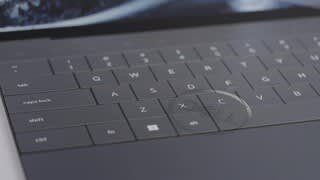
||Posted . Owned for less than 1 week when reviewed.This reviewer received promo considerations or sweepstakes entry for writing a review._____ *Pros: -Peppy performance from the latest Intel CPU, Intel chipset, and Nvidia GPU. -Fast NVME storage speeds. -High-quality IPS display with very minimal light bleed and edge-to-edge form factor. -Spacious and comfortable keyboard. -Large touchpad with great responsiveness and accuracy. -Comes with three Thunderbolt ports. -The four-speaker array sounds great. -Two M.2 2280 slots for hard drive upgrades and/or additions. -Two upgradeable RAM slots. -HDMI and USB-A dongle included. -Very good battery life with fast-charge option. _____ *Neutral: -No native HDMI or USB-A ports (have to use dongle). -At this price point, I expected at least a RTX 4060 GPU. -The display only supports up to 60Hz refresh rate. _____ *Cons: -Webcam is only 720P. -Have to pair my Bluetooth mouse daily. ** First Impressions. Build Quality and Design. ** As expected from a Dell laptop bearing the XPS moniker, my first impression of the 2023 XPS 15 was great. Even the box the laptop arrived in was good and memorable – the texture is smooth and dense-feeling, and the way the lid and internal dividers lift and fold away foreshadowed a well-built laptop with a great fit and finish. Once in-hand, the XPS 15’s looks and build materials did not disappoint. Although simple and kind of plain looking at first glance, a closer inspection revealed how premium it was – the metal lid with smooth chamfered edges that opens with just one hand, the carbon-fiber wrap around the keyboard deck that is smooth and easy to wipe clean, the perfectly-spaced keyboard keys with great travel, quick uptake, and low noise, the large glass Microsoft Precision touchpad with excellent tracking and responsiveness for easy gesture navigation, and the full-sounding audio speakers with a little bit of bass to make music playback more pleasant and immersive. The 15.6” display from Sharp is the best IPS laptop screen I’ve ever seen, and the edge-to-edge design on all four sides really maximizes your screen real estate. All of this could’ve been rendered inconsequential if the panel bled a lot but mine didn’t – it has the lowest amount of IPS glow I’ve ever seen and was almost undetectable to my naked eyes. The panel can get very bright as well, a good thing because I like to spend a lot of time on the front porch where there is abundant sunlight. With that said, it would’ve been nicer if Dell had put in a higher refresh rate panel for more comfort on the eyes when scrolling and reading on websites. My phone supports up to 120Hz refresh rate and the difference really is noticeable and a nice quality of life upgrade. On the topic of minor gripes, if I had executive control over the design of the XPS 15, I would’ve added at least one HDMI or mini-Displayport and at least one USB-A port. Dell does include a dongle with a full-size HDMI port and one USB-A port but, you know, dongle life is kind of inconvenient. I also don’t like that the webcam is only 720p for blurrier conference calls and video chats. My final gripe is with Dell’s choice of putting in the Nvidia RTX 4050 instead of the RTX 4060. At this price point, the RTX 4060 would’ve been a better fit and I think it would’ve attracted more people to the XPS 15 over the competition. I’ve owned 17 laptops during the past 20 years ranging from $600 budget laptops to $3,000 gaming ones, and the 2023 Dell XPS ranks at the top when it comes to build quality and comfort. I love the big bright screen, spacious keyboard layout, premium touchpad, good speakers, and the long battery life. ** Performance ** As expected from a laptop equip with Intel’s latest 13th-gen mobile processor and chipset, a Western Digital SN810 NVME drive, 16GB of SK Hynix DDR5-4800 memory, and the Nvidia RTX 4050 6GB GPU, the XPS 15 runs very fast and well. In other words, the performance keeps up with the premium looks of the machine. My usual productivity and work setup is having Google Chrome and Microsoft Edge open with ~30 tabs between them, music streaming in the background, and some remote-access and chat apps open in the background. I also do photo and video editing of my GoPro and drone footages, and the XPS 15 handled all of that just fine with no micro-stutters, jitters, or lagginess. Performance can be further improved if you’re willing and able to take off the bottom panel (eight T5 screws) – there are two user-accessible memory slots and two NVME drive slots. I’m currently fine with the 2x 8GB RAM setup but I’ve already added a second drive – a 2TB WD Black NVME. At this price level, a laptop should have excellent performance with great stability, and the XPS 15 definitely delivers. ** How is Windows 11 these days? ** The XPS 15 is my fourth PC that came preloaded with Windows 11, and I still prefer Windows 10 over it. I know I have to get used to Windows 11 with Windows 10 being sunset, but to make the transition easier and less jarring, I installed an app called ExplorerPatcher (author: Valinet) that restores the Windows 10 Start Menu and context menus among other things. I highly recommend it if Windows 11’s new Start Menu and navigation options irk you. I’m not exaggerating when I say that it has improved my quality of life greatly. To my pleasant surprise, the Dell XPS 15 wasn’t preloaded with lots of third-party apps, the usual suspects being Facebook/Meta Messenger, Instagram, Disney+, TikTok, Netflix, Candy Crush, etc. The only app I removed was McAfee security. There were, however, many Dell utilities preloaded, such as Dell Digital Delivery, Dell Digital Delivery Services, Dell Optimizer Service, Dell Pair, Dell SupportAssist, Dell Update, and MyDell. A few of them are important to keep, such as SupportAssist for handling warranty claims with Dell, and Dell Update for BIOS and driver updates. To sum it up, Windows 11 is okay but it still needs to improve the user UI and navigation experience in my opinion. I’m totally fine with its other aspects such as responsiveness, stability, and performance. ** Battery life and connectivity ** With its 86 Wh battery from manufacturer BYD, the XPS 15 is a stamina champ. I’m so used to 15”-16” laptops having so-so battery life, I was blown away by how long I could use the device. My BIOS settings (press F2 at bootup) for the battery charging mode is set to “Adaptive” and Thermal Management is on “Optimized.” The Windows 11 power option is set to its default “Balanced” mode, and with all my apps running in the background and the display brightness at 70%, I’m easily getting repeatable 6-7 hours of screen time. I LOVE it. Wi-Fi performance from the Intel Wi-Fi 6E AX211 adapter has been fast and stable. I’m experiencing issues, however, with Bluetooth connectivity with my Logitech MX Anywhere 3 mouse. After waking up the XPS 15 from hibernation, my mouse loses connection after a while and I have to remove the mouse from Settings and go through the pairing process again. This has been really getting on my nerves because I have to set up the mouse at least once daily. All of my other laptops work nicely with my MX Anywhere 3 mouse except for one other laptop which is the 2022 Dell XPS Plus 13. ** Is the Dell XPS 15 worth the coin? ** Mostly. On one hand, you’re getting your money’s worth from a laptop with excellent build materials and impeccable fit and finish, as well as fantastic performance from Intel’s best offering from 2023. The XPS 15 is fast, the display is bright and crisp with very minimal light bleed, and the ergonomics from the excellent keyboard and large touchpad are top of the class. On the other hand, it’s not really a good value due to some corners that Dell cut, mainly with the not-cool 720p webcam and the Nvidia RTX 4050 discrete GPU. If Dell had included a 1080P webcam and at least a RTX 4060 GPU at this price point, then I would’ve rated this 5 Stars. If you’re not a laptop gamer, which I’m not, then I would give the XPS 15 4.5 Stars. If you are a gamer, then I would say it’s only 4 Stars. With that said, I’m still very happy with my XPS 15, and it’s my favorite laptop and my go-to daily driver.
I would recommend this to a friend - Pros mentioned:Display, PerformanceCons mentioned:Webcam

This laptop nails the work / life balance
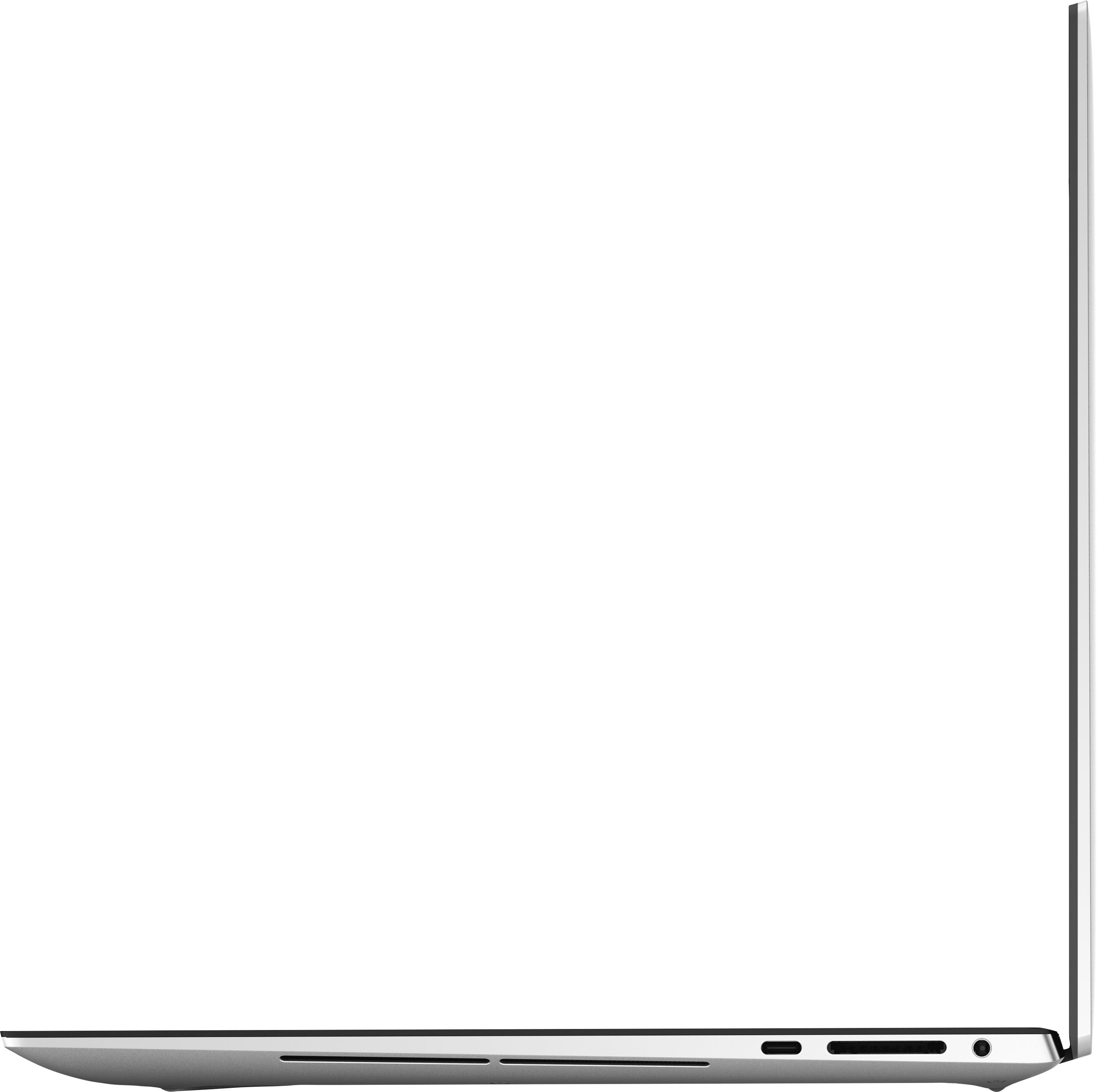
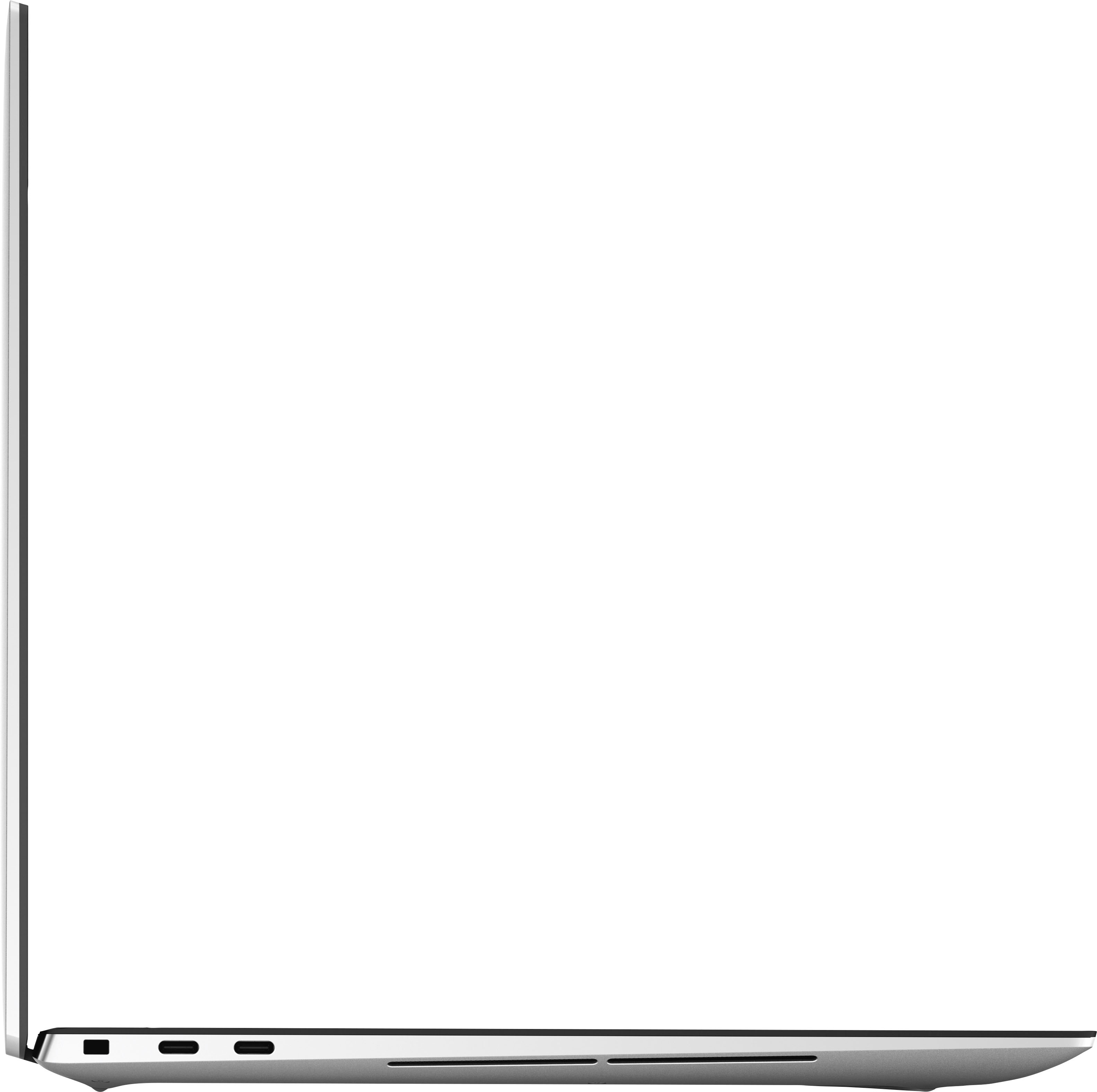
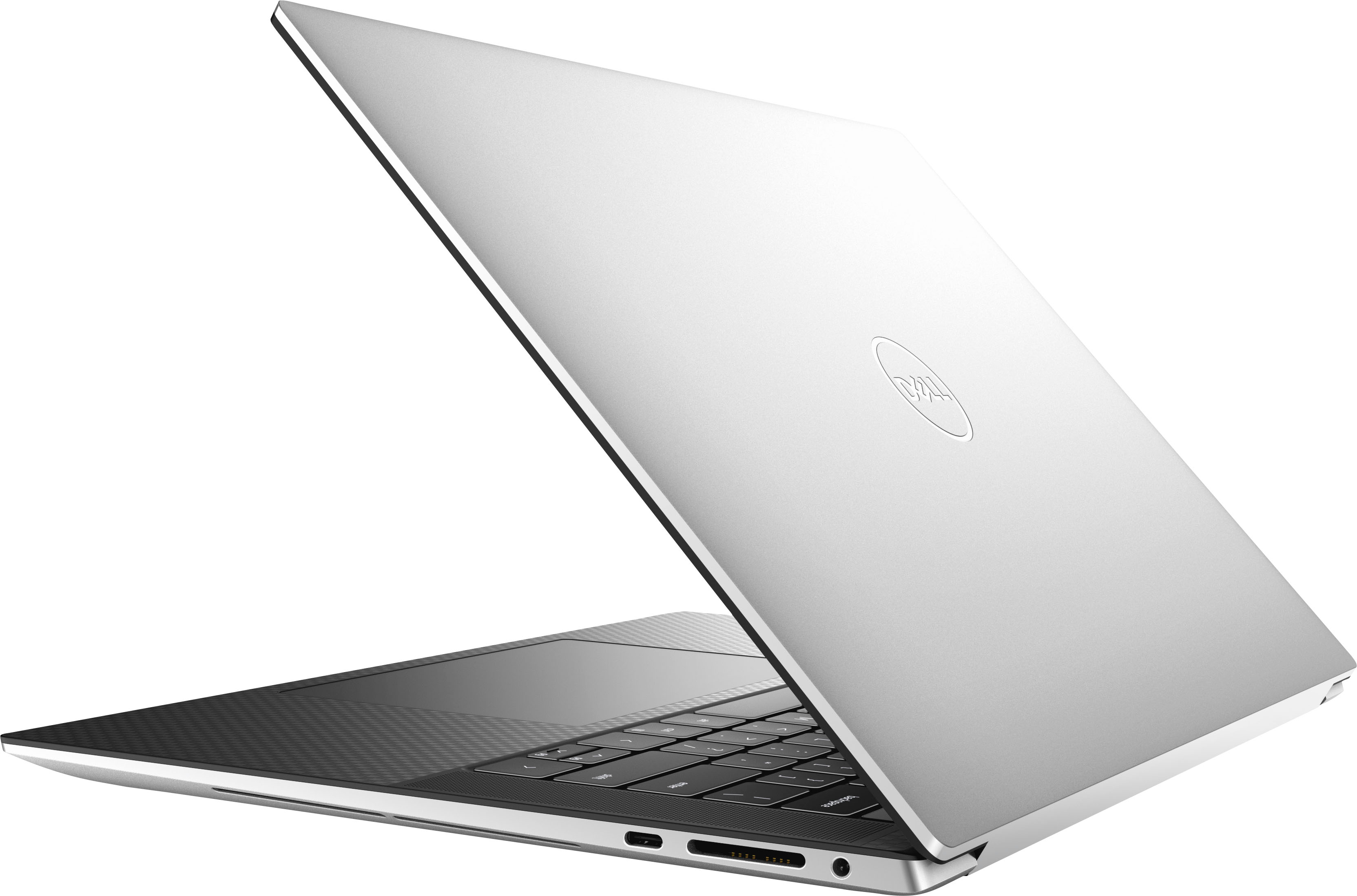
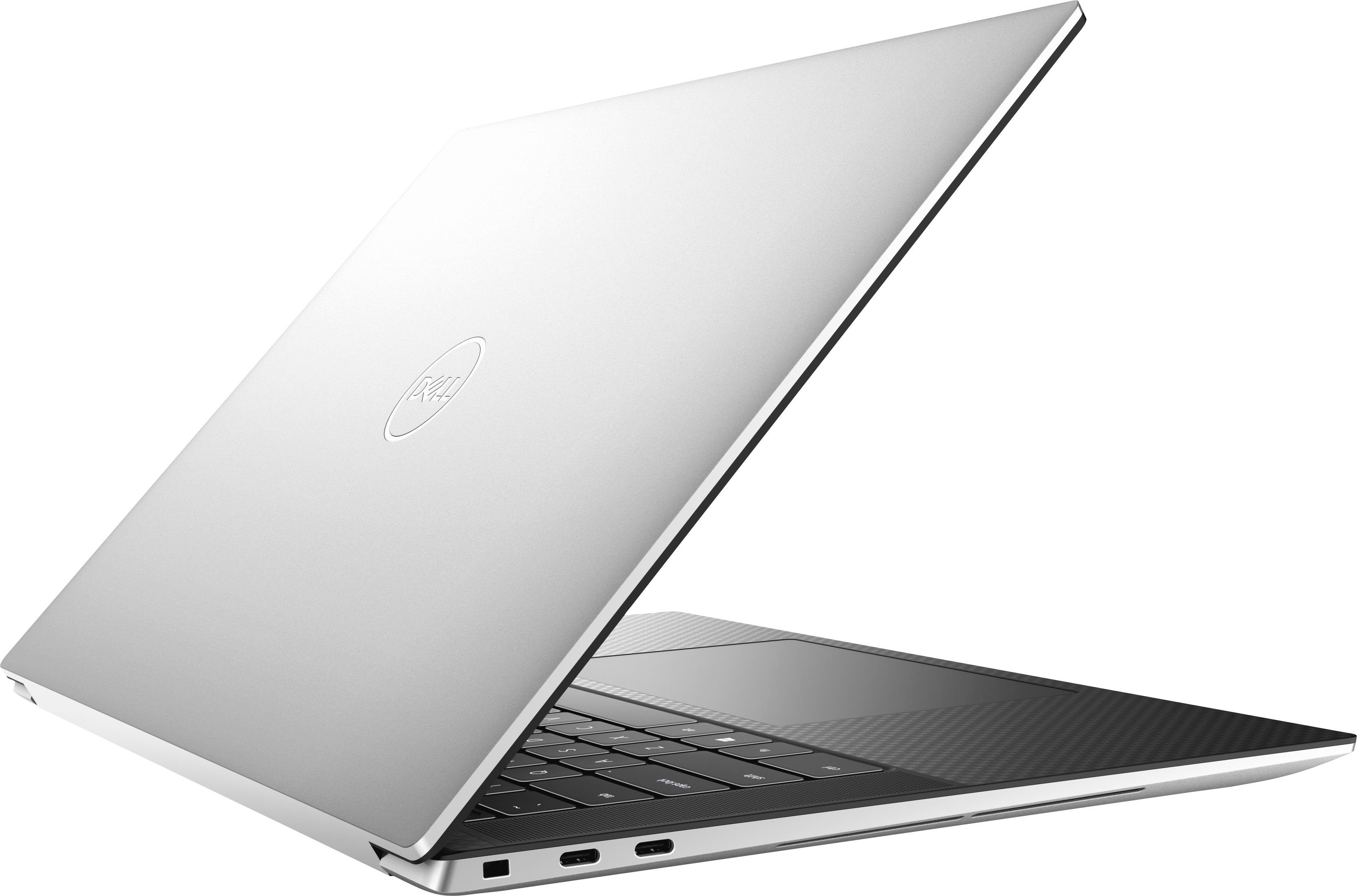
|Posted .This reviewer received promo considerations or sweepstakes entry for writing a review.Before going any further, I want to make a statement that I've never once said about a laptop. The Dell XPS 15 has great internal speakers, and hands down beats any other laptop speaker I've encountered. The Dell XPS 15 is a fantastic all around laptop build in a quality housing. Starting with the specs, this Dell comes with Windows 11 and boasts a full high definition 15.6" display, 13th gen Intel i7, GeForce RTX 4050 GPU, 16 GB RAM, and 1 TB SSD. This means that the laptop is well equipped to do it all, stream movies, power through graphics rendering, make light work of your heaviest macro file, and wrap it all up with some decent gaming performance. In the box is the laptop, power cord, USB-C to USB A / HDMI 2.0 adaptor, and paperwork. The laptop weighs 4 lbs, and feels sturdy yet lightweight on its aluminum chassis. The casing has sleek lines, scratch resistant diamond cut sidewalls, inlayed logos, one hand opening, and a carbon fiber look palm rest. The speakers run the length of the keyboard on both sides, and the precision touchpad is a generous 3.5" wide by 6" long. The perimeter contains a media card reader, headphone jack, and 3 USB-C ports (note you lose one when charging). To offset Dell has included a dongle to give you a HDMI and USB-A port. This is minor for me, as I typically work off a docking hub, but may be a point to consider if you run heavy peripherals on the go. The screen is a 15.6", 1920 x 1200 (16:10 aspect ratio) resolution, 60 Hz refresh rate LED. The display is an InfinityEdge design, this means the sides are only 1/8" wide, so the screen gets almost the full real estate of the casing. I use my sunroom as a home office, and with 500-nit brightness and anti-reflective screen, I can use this laptop, even with full sun behind me (see photo for example). Performance wise, the SSD delivers super fast start up and load times in comparison to many stock laptops. Software wise, I ran normal Office suite exercises, opened multiple browser tabs, streamed videos, took a video conference and the laptop didn't hang, didn't stutter, processed tasks quickly, and overall powered through everything I threw at it that I do in a normal day at the office. I also ran 3DMark Fire Strike Ultra benchmarking (typically used to check gaming builds) and the results were decent. This laptop will power most games without stutter, but you'll experience some heat and fan noise as you start to push the capabilities of the GeForce RTX 4050 GPU. Overall, this is my favorite all purpose laptop to date, it works well, plays well, is light weight, and has a fantastic screen and speakers. Minor nitpicks are that I'd prefer more ports built in to improve portability, I'd like a crisper internal webcam, and I wish the GPU was a bit stronger. That being said, for an off the shelf build that I can do a lot of everything with, I don't think that's worth taking off a star. I think this is a rockstar laptop to take to college, those that need one machine for both work and gaming, and for anyone who is forced to use laptop speakers (because they are that impressive).
I would recommend this to a friend - Pros mentioned:Display
Stunning display!
|Posted .This reviewer received promo considerations or sweepstakes entry for writing a review.This Dell XPS laptop comes very simply packaged in a beautiful box that can be used for storage or for other things such as paperwork and adapters. The instructions were definitely the easiest to interpret - since they use pictures of the actual laptop to show where the power button and ports are located. The laptop comes with the power cord and an adapter that plugs into one of the USB-C ports to provide a USB and an HDMI port, since the laptop is too thin to have them built in. This is slightly inconvenient to have plugged in all the time, but I worry about losing the adapter if I don't. The Dell XPS is a power-horse of a laptop with a large (1TB) drive, fast processor, lighted keyboard, and above all - a thin bezel with a stunning, high color, 1920 x 1200 resolution display. There are numerous ways to adjust the display including brightness, warmer night-time adjustments that can be set on a timer, multiple color profiles and HDR capabilities (high dynamic range) for external displays. Overall, this laptop is as solid as it gets. It's great for everyday use and superb for graphic heavy video editing, gaming, and videos.
I would recommend this to a friend - Pros mentioned:Display
You're gonna love this one
||Posted . Owned for 3 weeks when reviewed.This reviewer received promo considerations or sweepstakes entry for writing a review.I did a lot of research for this laptop. For the price, it had a lot features I was looking for. I did have to compromise on some things, but I can work around them. I wanted a laptop that can handle photo and video editing, so I needed a computer with a graphic card storage that can handle the task. The display is easy on the eyes and the processor is fast. I highly recommend this laptop for someone who is looking for a great value.
I would recommend this to a friend - Pros mentioned:Display, Fast
Recommended
||Posted . Owned for 3 weeks when reviewed.This reviewer received promo considerations or sweepstakes entry for writing a review.Super fast great sound and display. Very lightweight and tons of usb c ports
I would recommend this to a friend - Pros mentioned:Display
Computer Review
||Posted . Owned for 3 weeks when reviewed.This reviewer received promo considerations or sweepstakes entry for writing a review.I like this computer. It is easy for me to work, I like the screen and the coloring.
I would recommend this to a friend - Pros mentioned:Display
Computer
||Posted . Owned for 2 months when reviewed.This reviewer received promo considerations or sweepstakes entry for writing a review.Great computer! Speedy is sufficient. Great display & simple to use.
I would recommend this to a friend - Pros mentioned:Display
Love the laptop
||Posted . Owned for 1 week when reviewed.This reviewer received promo considerations or sweepstakes entry for writing a review.Love the laptop, display is absolutely amazing. No complaints
I would recommend this to a friend - Pros mentioned:Display
Awesome Laptop
||Posted . Owned for less than 1 week when reviewed.This reviewer received promo considerations or sweepstakes entry for writing a review.Solid product … easy to set up and configure. Display amazingly clear.
I would recommend this to a friend - Pros mentioned:Display, PerformanceCons mentioned:Ports
Love this laptop
|Posted .This reviewer received promo considerations or sweepstakes entry for writing a review.I have been hoping to get a XPS for a few years now. This laptop does not disappoint performance wise. I ran a PC Benchmark against this that I run against any machine I build or use. i like to know what the testing metrics are going into the use of the machine. My son's gaming desktop scored at an insane 98th percentile in the metrics. My gaming laptop scored in a respectable 75th percentile. How dis the XPS 15 score. 95th percentile out of the box and 93rd percentile after loading it up with some of my required applications. Just phenomenal. This got me excited to use the laptop even more than I had already been. There are a few drawbacks. Very limited on the number of ports. There are two Thunderbolt and one USB C 3.2 ports. There is a SD reader and a headphone/mic port. No HDMI, charging is through one of the USB/Thunderbolt ports which takes you down to two usable ports. One nice add is Dell includes what I would classify as a dongle or mini dock(?) that allows you to use one of the Thunderbolt or USB ports to add a HDMI port and a USB type A connection which I have a 5 port USB hub plugged into it. I almost missed this when unboxing the laptop because it blended so well into the packaging. The screen is absolutely gorgeous. The NVIDIA GeForce RTX 4050 is an excellent graphics card which can easily drive my 3440x1440 monitor. The gen 13 i7 is very impressive with it's performance. Almost makes me wonder how an i9 would have been. The system has 16 GB of system memory, 6 GB of GDDR6 video memory for the NVIDIA GeForce RTX 4050. Storage has it at a 1 TB SSD. The keyboard has really comfortable spacing between the keys and a very nice feel when typing. Key travel is almost perfect and is very consistent across the keyboard. The keyboard is also backlit, something I don't think I could go without after having it for so many years now. The track pad is pretty consistent and is quite large. I prefer using a mouse, but this track pad is quite usable. This may be the first laptop I have owned that I have not disabled the track pad immediately. While I am not an audiophile, the speakers perform quite nicely. They are loud and give a full range of sounds. They easily outperform most laptop speakers I have used in the past. I was actually amazed at how good they sounded. From what I have read up on, upgrading the laptop is pretty easy. There are two slots for hard drives, one is in use. And there are two memory slots that are both in use so you will need to replace both modules in the upgrade. To upgrade there are screws on the bottom that will remove the shell, a plastic separator tool is required to remove the shell. Everything is easily accessed from there. My final thought, this is one great laptop that only has a few minor drawbacks that can be easily corrected with a docking station or a USB-C hub. There is minimal bloatware, including the mandatory McAfee preinstall which I uninstalled. If you are on the fence, hit buy. If you want an i9, I want to now how good it is!!!
I would recommend this to a friend - Pros mentioned:Battery life, Build quality, Display
Laptop that is a work of art, precision and power!
|Posted .This reviewer received promo considerations or sweepstakes entry for writing a review.I am unable to find something substantive that I did not find excellent about this Dell Laptop computer. The appearance is beautiful. The length, width, DEPTH dimensions excellent. The solidity, rigidity, and feel of the case excellent. The way the case is hinged and opens and shuts -- excellent. The interior design excellent in all respects with numerous function keys to control most everything a user could desire. The power on with face recognition functioned flawlessly in all light and angle settings. Everything loads rapidly, and the computer is ready to work in about 30 seconds. The battery life provided me with the ability to go through my 8-12 hour workday on a single charge. The resolution of the screen provides razor sharpness, brightness, contrast that are all excellent. The engine that drives this superb 15" laptop is up to fulfilling every task extremely rapidly and efficiently. Intel's latest generation i7 is quiet, and quick, combined with very fast mass storage via a silky smooth SSD of 512 gig and 16 gig of state of the art RAM. Everything just worked perfectly. BTW: keyboard feel and large trackpad feel superb! Anything left to be desired? I would have liked more ports, to include HDMI, and USB A and B. Dell did provide an adapter so that a USB A/B and HDMI device could connect via the USB C slots, but that is a small annoyance. A small adapter is just one more piece of equipment that may be easily forgotten or misplaced. I frequently use a projector for presentations and the HDMI adapter worked well ( but must always be handy). In short, what's not to love? I cannot think of anything!
I would recommend this to a friend - Pros mentioned:Battery life, Display
Slick and powerful laptop
|Posted .This reviewer received promo considerations or sweepstakes entry for writing a review.This laptop feels premium from the way it comes boxed. There is a neat box within a sturdy outer box. The included accessories are the power block, power cord and a USB-C to USB / HDMI adapter. The adapter is handy being included because the only connections are three USB-C connections and one will be used by the power cord. Startup was fast and I was up and running in about 20 minutes, including installing all available updates. I really like the Dell Update application. It checks for windows, hardware and BIOS updates all at one time. The display looks great with the 1920 X 1200 FHD+ screen. I wish it had a higher refresh rate, but 60hz is fine for most applications. The 1TB SSD has plenty of room and I was able to play New World at the highest resolution and Call of Duty MW2 at the highest settings with descent framerates. It includes 16gb of RAM which is good at FHD+. If it ran at 4K, I would recommend 32gb. Battery life is really good as well and I was able to leave it unplugged for several hours during the evening under heavy use. The cooling is quite and charging automatically adjusts to maximize battery life. Overall it is an economic option for a good I7 processor, plenty of memory and the latest Nvidia series of graphic card. The 4050 GPU is not the most powerful laptop option but it has plenty of power to push FHD+ and has 6GB of memory.
I would recommend this to a friend - Pros mentioned:Battery life, DisplayCons mentioned:Ports
Poor Tradeoffs Between Gamer and Design Foci
|Posted .This reviewer received promo considerations or sweepstakes entry for writing a review.The Dell XPS 15 with a RTX 4050. When is a gaming laptop not a gaming laptop? When it's an XPS. This 15.6" laptop weighs in just over 4lbs with a blistering Core i7, 16 gigs of RAM, the aforementioned RTX 4050 with 6GB of it's own RAM, and a 1TB SSD. The specs scream gaming laptop but the looks. . . the same gray as many other Dell laptops you'd see round a business conference table. Is this meant to be a workhorse or a playhorse? Well, let's get some things out of the way, the display is gorgeous. 1080p, beautiful, and bright. And despite it's size and weight, pretty generous battery life. Going through a normal day of work for me, this lasted 6 hours on the battery. Yes, this is lower than the rating, but to be fair, my workloads can be pretty CPU and GPU intensive. It's best to look at this relatively speaking. My normal work laptop of similar size and weight with an RTX 3070, it barely squeezes out 4 hours. And the fourth hour usually requires me to change it to a battery optimized power mode and turn down screen brightness. On the Dell, I just ran normally until it died. So kudos to Dell for something where I can likely squeeze out a full day actually untethered to a power cable without needing to compromise or what inevitably happens, retreat to my office to either grab the power adapter or remote desktop from my desktop computer to finish out the day. The Core i7 did it's job. Seemed par for the course. I didn't notice any difference from my other i7 machines. 16GB of RAM is pretty much standard fare, gamer or not, so again preforming as expected / keeping up with the joneses. Given the short timeframe, I didn't actually do much with the SSD besides installing a couple games and EDA software then bring up my work environment over git. It seemed snappy and benchmarking showed it was plenty fast - no weird read or write speed abnormalities or places where it seemed bottlenecked. Graphics performance is where this starts to disappoint a bit (beyond the looks). Again, this is relative, but the RTX 4050 seems hampered in the Dell chassis. Looking it up, it's limited to 40W TDP. Technically, this should be able to match or outclass the 3070 in my other laptop but sadly the Dell was not up to the task. To be fair, as a work machine, it felt equivalent. The 4050 was certainly up to the task for my design software and handled rendering 3D views and moving objects around with ease. I never saw any hiccups when routing a project or moving around across different project windows. Jump into a game, and you start to notice about a 20% difference in sustained framerate. Unfortunately, this seems to be the tradeoff for the great battery life. Usability wise, the laptop was mostly good. But there were a couple strange omissions which I'll get to in a moment. Yes, my lap did get a bit warm at times but what was nice is that my wrist did not have some moments where the palm rest was almost too hot to the touch. The screen feels well balanced, no worries of the laptop tipping over away from you when seated on your lap at the edge of a chair. The speakers were decent. Good, so I'm happy listening to game audio over them or watching YouTube videos. You can still tell a decent pair of earbuds are better, but happy on the sound front. So, the strange omissions. So, for something that seemed to straddle the work/play realm, apparently, a fingerprint reader is not standard. You can build these into the power button so I'm not sure why it needs to be a separate option on the XPS 15. Second, there's an appalling lack of ports. So, it looks like you have three USB-C ports (two are thunderbolt 4 so yay) but plug in the power adapter and that's down to two. And yes, you can output 4k+ video out thunderbolt but not having at least HDMI built in or USB-A is annoying. The USB-C nirvana isn't fully here yet and while I'm pleased with it as a work laptop on the go, looking at the way I use things in the office, I'd need to multiply USB-C hubs and a docking station just to get the same functionality I have currently with one docking station and my current laptop itself. So, while there are several things this XPS 15 gets well, I'm not seeing a good fit for it. It disappoints a bit as a gaming laptop. And while it gives with one hand as a work laptop it takes away with the other. While it's tradeoffs give it a thinner profile and longer battery life, given it weighs the same as another 15.6" laptop with a bit smaller battery and more power hungry components, I don't think you really notice the slimness of the XPS 15. So where that's normally an advantage, here it seems like an unnecessary optimization that perhaps robs the XPS 15 of being something better.
No, I would not recommend this to a friendBrand response from YourDellTeam
Posted .Hello There zboot,
We value your feedback and want to thank you for taking the time to leave a review of your Dell XPS 15. We are sorry to hear that your device does not meet all your gaming performance expectations. That is not the type of feedback we like to hear from our customers, or the type of product Dell intends to deliver. We have noted the details of your statement and will escalate them to our quality team for improvements on current and future products.
We recommend that you contact Dell directly with the information below if you need further assistance.
Chat or call: https://bit.ly/DellSupportTeam
Phone number to Dell: 1-800-624-9896
Best,
Summer@Dell
- Pros mentioned:Display, Performance
Has a few quirks, but really an awesome laptop
|Posted .This reviewer received promo considerations or sweepstakes entry for writing a review.TLDR Review: Excellent laptop for those needing top-notch performance in a high-quality and long-lasting build. Has a few quirks though that buyers must be aware of. The Dell XPS laptop line is Dell’s top-of-the-line laptop line usually geared toward professionals or those that are demanding with their computers. There are a ton of professional reviews posted by review sites that you can view, so I’m going to base my review off how the laptop works for me personally. First off, I want to commend Dell on their packaging of the laptop. Opening the laptop had a feeling similar (at least in my mind) to opening a fancy briefcase full of money. Dell really made the packaging feel like you were opening something special. And, it’s all recyclable. Kudos, Dell. Other things I like: Keyboard—keys are very clicky, though a bit loud. Everything is well-placed and spaced. Many reviews criticize the arrow keys, but I’m not sure I see a problem with them. Trackpad is huge and the palm detection during typing is spot-on. Tracking is probably as good as Windows PCs get, but Apple pads are still a bit better. At least it has a very satisfying ‘click’. Upward firing speakers. These get really loud and never sound muffled as compared to most other downward-firing laptop speakers. Sound quality is top-notch for a laptop, but audiophiles will still want to use a headset. Screen—The 1080p, matte screen is super nice. Yes, it’s not as high res as other expensive laptops, and no, there’s no touchscreen. But for me, neither of those are as important as accurate colors…and this screen is among the best out there for color accuracy. If you watch a lot of movies on your laptop, maybe splurge for a higher resolution screen. Performance—The 13th Gen. Intel processor line inside the XPS 15 is awesome. Everything moves at a brisk pace and stays cool enough that I rarely, if ever, hear the fan. You can see the benchmarks on other review sites, but in everyday computing (including some Android app development) you’ll be hard pressed to find a better performing laptop. Upgradability—If you remove the bottom of the laptop, you’ll find an empty 2nd m2 slot for another hard drive, and replaceable RAM. Both are a rarity in laptops these days. The (very few) things I dislike: Wifi chip is soldered on and not replaceable. Thankfully, it’s up to date as of now. Corners of the case can be rather sharp, especially when typing and your forearms rest on the palm rest area. Some trackpad lag when using gestures like zooming in and out. May be a Windows thing, rather than a laptop thing. Dell used a full-sized SD card slot instead of microSD. Who uses full-sized memory cards nowadays? Things to know about before purchasing (aka: quirks): No USB-A ports. I understand that USB-C is the future, and 2 Thunderbolt ports are great…but c’mon, give me just one USB-A port. Thankfully, Dell includes an adapter with HDMI and USB-A, but not as convenient as built-in ports. Power button could easily be pressed instead of Delete key. GPU not very strong. Look, this isn’t a gaming computer. Yes, it’ll handle some games okay on lower settings, but don’t expect great performance on all the newest games. Period. Not only is the Nvidia RTX 4050 not a very strong GPU to begin with, but Dell has locked the GPU to only 40 watts of input power which further hinders performance. This is likely due to thermal issues. Basically, the laptop has discrete graphics, but don’t expect much out of them. They’re enough to make picture and video editing a bit faster, but definitely not a substitute for a desktop-class GPU for gaming. I ordered this laptop to potentially replace an Asus Zenbook Pro Flip 15 with 12th Gen Intel i7 processor that I’ve enjoyed, but never feel in love with. After a week, I can confirm that this Dell is indeed the faster and more powerful computer. The Asus does have an amazing OLED touchscreen though. But, I’ve never used that screen to watch high resolution content or used it as a touchscreen tablet. After realizing that I didn’t need those fancy amenities, choosing the Dell XPS 15 was simple.
I would recommend this to a friend - Pros mentioned:Display
Premium build and feel, great laptop
|Posted .This reviewer received promo considerations or sweepstakes entry for writing a review.There is a lot to like about the XPS 15. The slim form, the amazing keyboard, the responsive and large trackpad, gorgeous screen, and snappy processor (for normal everyday use) really make this a great laptop. The XPS 15 has a solid, luxury feel to it. Just holding it in the hands gives you the thought that this is a premium built laptop. The thin bezels around the screen help even more with the form factor, and the side mounted speakers sound amazing. In use, I had few issues with the XPS 15. I do a lot of typing, browsing, and utilize several memory intensive programs during the course of the day. The XPS never bogged down in normal everyday use. It stayed relatively cool, only heating up and kicking the fan on when gaming or using some memory intensive programs. Gaming performance was hit and miss. Games not requiring a lot of memory played just fine, although the fan was howling the whole time. But when I tried to play Warhammer, I got enough latency that it actually affected my gameplay. Don't buy this unit if you are looking for anything more than casual gaming. Dell doesn't market this as a gaming laptop, and you shouldn't expect it to be. Battery life is okay. I was able to get about 4 hours on battery, with what I feel was average usage. For example, I had a couple of programs open, was typing into a word processor, using an online doc service to download and upload large files, and had the screen at medium brightness. That got me around 3 hours and 45 minutes before the alert came on telling me to plug in the charger. I'm not a fan of only USB C ports, but the USB C adapter that came in the box and gave you an HDMI port and a standard USB port was a nice touch. Overall, I am very pleased with the XPS 15.
I would recommend this to a friend - Pros mentioned:Display, Performance
Dell - XPS 15 15.6" FHD+ Laptop
Posted .This reviewer received promo considerations or sweepstakes entry for writing a review.Good screen, great performance. I switched to 32gb memory, but it's pretty solid as from factory.
I would recommend this to a friend