Customer Ratings & Reviews













- Model:
- XPS9530-7701SLV-PUS
- SKU:
- 6540610
Rating by feature
- Battery Life
Rating 4.5 out of 5 stars
- Speed
Rating 4.7 out of 5 stars
- Display
Rating 4.6 out of 5 stars
Customers are saying
Customers are satisfied with the fast performance, sharp display, long battery life, and high build quality of the XPS 15. They appreciate the powerful performance, upgradability, and responsive nature of the laptop. However, some customers have concerns about the overheating issue and the low-resolution webcam.
This summary was generated by AI based on customer reviews.
- Cons mentioned:Webcam
It's Just Okay, but not great.
||Posted .This reviewer received promo considerations or sweepstakes entry for writing a review.I bought this today and I'm basically doing nothing on this Dell XPS 15 but I can still hear the fans. The only thing that I had opened was Brave for my internet browser and just opened up the settings for the laptop itself and I could hear the fans. My ears can be pretty sensitive at times, I'm going to end up returning this and I will be switching it for the 15 inch MacBook air instead. Mainly because it's fanless. Also the Keyboard Backlight doesn't get that bright. Though the laptop screen itself does get very bright. Lastly, I wish this was at least a 2k panel and I have no idea why Dell is using a crappy 720p webcam on this laptop. Makes no sense at the end of 2023. I do like the build quality though, but that's about it.
No, I would not recommend this to a friendBrand response from YourDellTeam
Posted .Hello There Her0,
Thank you for taking the time to leave us your review. We apologize for the fan noise issues that you are experiencing with your Dell XPS 15 Laptop. It's important for us to hear about discrepancies in our products for consideration of future development. Below I have provided troubleshooting instructions with the full article that can help resolve this issue.
Here are the steps to help resolve your fan noise issue:
1. Check and clean air vents.
2. Provide proper ventilation.
3. Run a hardware diagnostic test.
4. Update the BIOS and device drivers.
5. Download and install Microsoft Windows Updates.
6. Run optimize my computer using Dell Support Assist.
7. Limit startup programs.
8. Scan your computer for malware.
How to Troubleshoot Fan Issues: https://dell.to/33NYLLE
If you continue to experience issues, please reach out to Dell Support directly by using the information provided below.
If you need further assistance, we recommend using the toll-free number or chat link below at your convenience to reach a member of our Dell Support Team.
Chat or call: https://bit.ly/DellSupportTeam
Phone number to Dell: 1-800-624-9896
Best,
Summer@Dell
- Cons mentioned:Overheating
Good for remote work, iffy for other things.
||Posted . Owned for 1 week when reviewed.This reviewer received promo considerations or sweepstakes entry for writing a review.Had a recent change to a hybrid work from home schedule, and decided to purchase this for remote work. It handles basic office functions smoothly, the processor, RAM and SSD built out is more than sufficient for a basic office workflow. What is not good is the heat build up and thermal throttling; this laptop gets hot fast, and the internal fans do little to keep it from hitting temps where the thermal throttling occurs with the GPU and processor. This occurs if you’re using any graphic intense program. Would not recommend if you’re a graphic designer or even for light gaming. Also, the display monitor quality on this laptop is so so, not as good as a MacBook Pro for sure. Otherwise, a somewhat pricer laptop good for basic remote work.
No, I would not recommend this to a friendBrand response from YourDellTeam
Posted .Hey GamingMonster220,
We appreciate you taking the time to leave us your review. We are sorry to hear that you are encountering overheating issues with your Dell XPS 15 laptop. Feedback like yours helps us improve our future products and services. Below I have provided troubleshooting instructions with the full article that can help resolve this issue.
Here are the steps to help resolve your overheating issue:
1. Inspect and clean the air vents and fans.
2. Restart the computer.
3. Update the BIOS and Chipset driver.
4. Download and install Microsoft Windows updates.
5. Run a hardware diagnostic test.
6. Use Dell Power Manager to manage thermal performance.
7. Improve efficiency to reduce heat.
8. Perform a Windows System Restore.
9. Restore the computer to factory settings.
How to Troubleshoot Overheating, Shutdown, or Thermal Issue on a Dell Computer: https://dell.to/3oAEYsV
If you continue to experience issues, please reach out to Dell Support directly by using the information provided below.
Chat or call: https://bit.ly/DellSupportTeam
Phone number to Dell: 1-800-624-9896
Best,
Summer@Dell
- Pros mentioned:Build quality
Good build quality, bad cooling
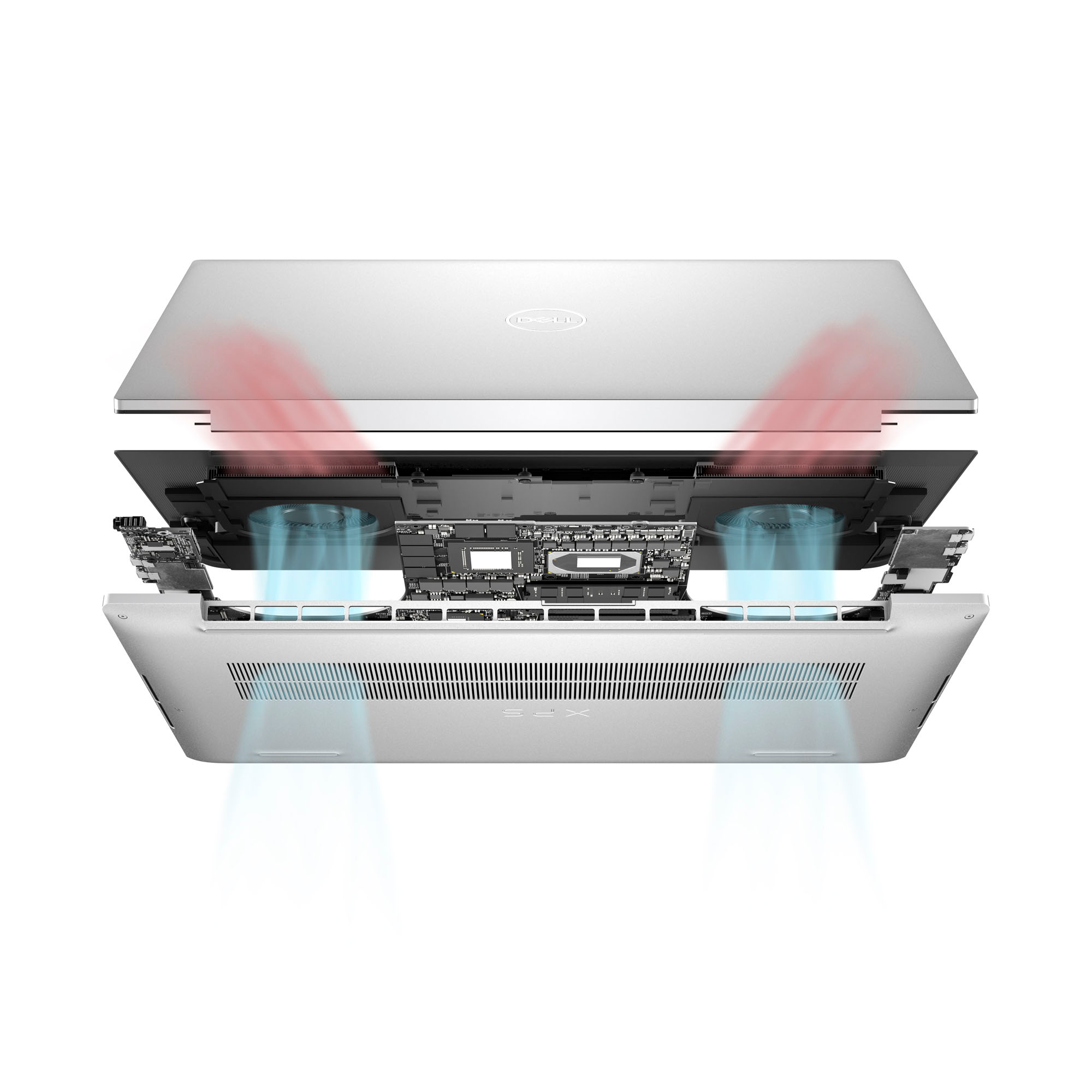
||Posted . Owned for 1 week when reviewed.This reviewer received promo considerations or sweepstakes entry for writing a review.Good build quality and is sturdy. Has good specs and the material on the inside feels nice. Sometimes it gets too hot and the fans get really loud when you are running intensive programs. You can't use it on a bed because the fans push air out of the bottom. Battery life is kind of bad. Would recomend if you can get it at a discount.
No, I would not recommend this to a friendBrand response from YourDellTeam
Posted .Hey MateoZ,
We appreciate you taking the time to leave us your review. We are sorry to hear that you are encountering overheating issues with your Dell XPS 15 laptop. Feedback like yours helps us improve our future products and services. Below I have provided troubleshooting instructions with the full article that can help resolve this issue.
Here are the steps to help resolve your overheating issue:
1. Inspect and clean the air vents and fans.
2. Restart the computer.
3. Update the BIOS and Chipset driver.
4. Download and install Microsoft Windows updates.
5. Run a hardware diagnostic test.
6. Use Dell Power Manager to manage thermal performance.
7. Improve efficiency to reduce heat.
8. Perform a Windows System Restore.
9. Restore the computer to factory settings.
How to Troubleshoot Overheating, Shutdown, or Thermal Issue on a Dell Computer: https://dell.to/3oAEYsV
If you continue to experience issues, please reach out to Dell Support directly by using the information provided below.
If you need further assistance, we recommend using the toll-free number or chat link below to reach a member of our Dell Support Team.
Chat or call: https://bit.ly/DellSupportTeam
Phone number to Dell: 1-800-624-9896
Best,
Summer@Dell
- Cons mentioned:Overheating
Reliable Standard
||Posted . Owned for 2 months when reviewed.This reviewer received promo considerations or sweepstakes entry for writing a review.Computer works well. Light weight and nice backlit keys. Lost 2 stars due to 2x extreme heat on charging with provided wire. Concerned battery life will be minimized because of this.
I would recommend this to a friendBrand response from YourDellTeam
Posted .Hey MelyndaR,
We appreciate you taking the time to leave us your review. We are sorry to hear that you are encountering overheating issues with your XPS 15 laptop. Feedback like yours helps us improve our future products and services. Below I have provided troubleshooting instructions with the full article that can help resolve this issue.
Here are the steps to help resolve your overheating issue:
1. Inspect and clean the air vents and fans.
2. Restart the computer.
3. Update the BIOS and Chipset driver.
4. Download and install Microsoft Windows updates.
5. Run a hardware diagnostic test.
6. Use Dell Power Manager to manage thermal performance.
7. Improve efficiency to reduce heat.
8. Perform a Windows System Restore.
9. Restore the computer to factory settings.
How to Troubleshoot Overheating, Shutdown, or Thermal Issue on a Dell Computer: https://dell.to/3oAEYsV
If you continue to experience issues, please reach out to Dell Support directly by using the information provided below.
Chat or call: https://bit.ly/DellSupportTeam
Phone number to Dell: 1-800-624-9896
Best,
Summer@Dell
- Pros mentioned:Build quality
Performance
||Posted . Owned for 5 months when reviewed.This reviewer received promo considerations or sweepstakes entry for writing a review.This is a high-quality product with a very good build quality. I'm a little disappointed with the performance, however.
No, I would not recommend this to a friendBrand response from YourDellTeam
Posted .Hello Chanheng,
We would like to thank you for taking the time to leave us your review. We regret to hear that you are not completely satisfied with the performance of your Dell XPS 15 9530 Laptop. This is certainly not the type of feedback we like to hear from our valued customers, or the type of product Dell intends to deliver.
We always strive to get better, and reviews like yours help us develop products our customers love. Your feedback will be shared with our quality team for consideration in future enhancements in products.
There are several ways to help improve the performance of your computer if it is running slower than you expected it to. We'd recommend the following steps to help improve your computer's overall performance and speed:
1. Restart your computer regularly.
2. Run the automated tools provided in the SupportAssist Tool.
3. Run a complete hardware diagnostic test.
4. Scan your computer for malware.
5. Restore your Dell computer using Windows System Restore.
6. Reinstall Microsoft Windows.
You can read the full steps associated with each of these recommendations here: https://dell.to/3n29QjE
If you are still experiencing any issues or have any questions or concerns, we would like to help you resolve issues you may be facing to your satisfaction. Please do not hesitate to get in touch with a Dell representative using the information provided below.
Chat or call: https://bit.ly/DellSupportTeam
Phone number to Dell: 1-800-624-9896
Best,
Minhaj@Dell
Out of box issues (wifi/battery)
||Posted .This reviewer received promo considerations or sweepstakes entry for writing a review.Still had to return laptop 3 times for warranty. Not sure if product is fixed, it always takes a few weeks to see a problem pop up.
I would recommend this to a friendIt seems fine
||Posted . Owned for 1 week when reviewed.This reviewer received promo considerations or sweepstakes entry for writing a review.So far the device seems to be working. There are some aspects of it I don't understand. I am not a fan of having Microsoft Edge forced upon me. Too many pop ups, but after you turn them off it gets better. I think for the cost - over $2,000 - it should come with a year or two of microsoft office for free.
I would recommend this to a friendBrand response from YourDellTeam
Posted .Hello FirstTimeBuyer,
Thank you for taking the time to leave a review of your Dell XPS 15 laptop. We are sorry to hear you are experiencing an issue with bloatware. That is not the type of feedback we like to hear from our customers. Below I have provided steps to uninstall unwanted programs.
Uninstalling or removing software or applications that you do not use or do not need from your PC can help speed up your PC. Applications may include background processes, system services, context menu entries and other things that can slow down your PC.
Uninstall applications you no longer need using Programs and Features (previously called Add/Remove Programs). Unnecessary applications occupy space on your hard disk drive.
1. Press the Windows logo key + R on the keyboard.
2. In the Run dialog box, type appwiz.cpl and press the Enter key.
3. In the list, select a program and click Uninstall.
You can read the full article here - http://dell.to/2tSulGV.
If you continue to experience issues, please reach out to Dell Support directly by using the information provided below.
Chat or call: https://bit.ly/DellSupportTeam
Phone number to Dell: 1-800-624-9896
Best,
Summer@Dell
nice new computer
||Posted . Owned for 1 month when reviewed.This reviewer received promo considerations or sweepstakes entry for writing a review.The Windows Operating System is confusing, but machine is very fast. The graphics are nice. Microsoft Safety features reject sites I've used for years with no difficulties.
I would recommend this to a friendBrand response from YourDellTeam
Posted .Hello Valued Customer,
Thank you for taking the time to leave a review of your Dell XPS 15 FHD+ Laptop. We are sorry to hear that you are not completely satisfied due to the experience with Windows 11 operating system. That is not the type of feedback we like to hear from our customers. We have noted the details of your statement and will share it with our quality team for improvements on current and future products.
Below I have provided a few links to help you with your new laptop:
XPS 15 9530 Setup and Specifications : https://url.dell.com/e417a4
Windows 11 Tips and Tricks: https://bit.ly/3CQXeUa
If you are still experiencing any issues or have any concerns or questions, please do not hesitate to get in touch with Dell using the information provided below so that we can help you resolve the issue to your satisfaction.
Chat or call: https://bit.ly/DellSupportTeam
Phone number to Dell: 1-800-624-9896
Best,
Minhaj@Dell
pretty good laptop, bad windows install
||Posted . Owned for 1 week when reviewed.This reviewer received promo considerations or sweepstakes entry for writing a review.if you aim to use this, do a fresh install of windows i'm not sure what Dell is doing with their imaging but just grab a fresh ISO and it'll run muuuuch better
No, I would not recommend this to a friendBrand response from YourDellTeam
Posted .Hey SaberSnoot,
Your feedback is appreciated on your Dell XPS 9530. We are sorry to hear that you were experiencing an issue with your device but are happy to hear that your issue has been resolved. That is not the type of feedback we like to hear from our customers, or the type of product Dell intends to deliver. We have noted the details of your statement and will use them to improve current and future products. If you need further assistance, we recommend using the toll-free number or chat link below to reach our support team.
If you continue to experience issues, please reach out to Dell Support directly by using the information provided below.
Chat or call: https://bit.ly/DellSupportTeam
Phone number to Dell: 1-800-624-9896
Best,
Summer@Dell
- Pros mentioned:Battery life, DisplayCons mentioned:Ports

Poor Tradeoffs Between Gamer and Design Foci
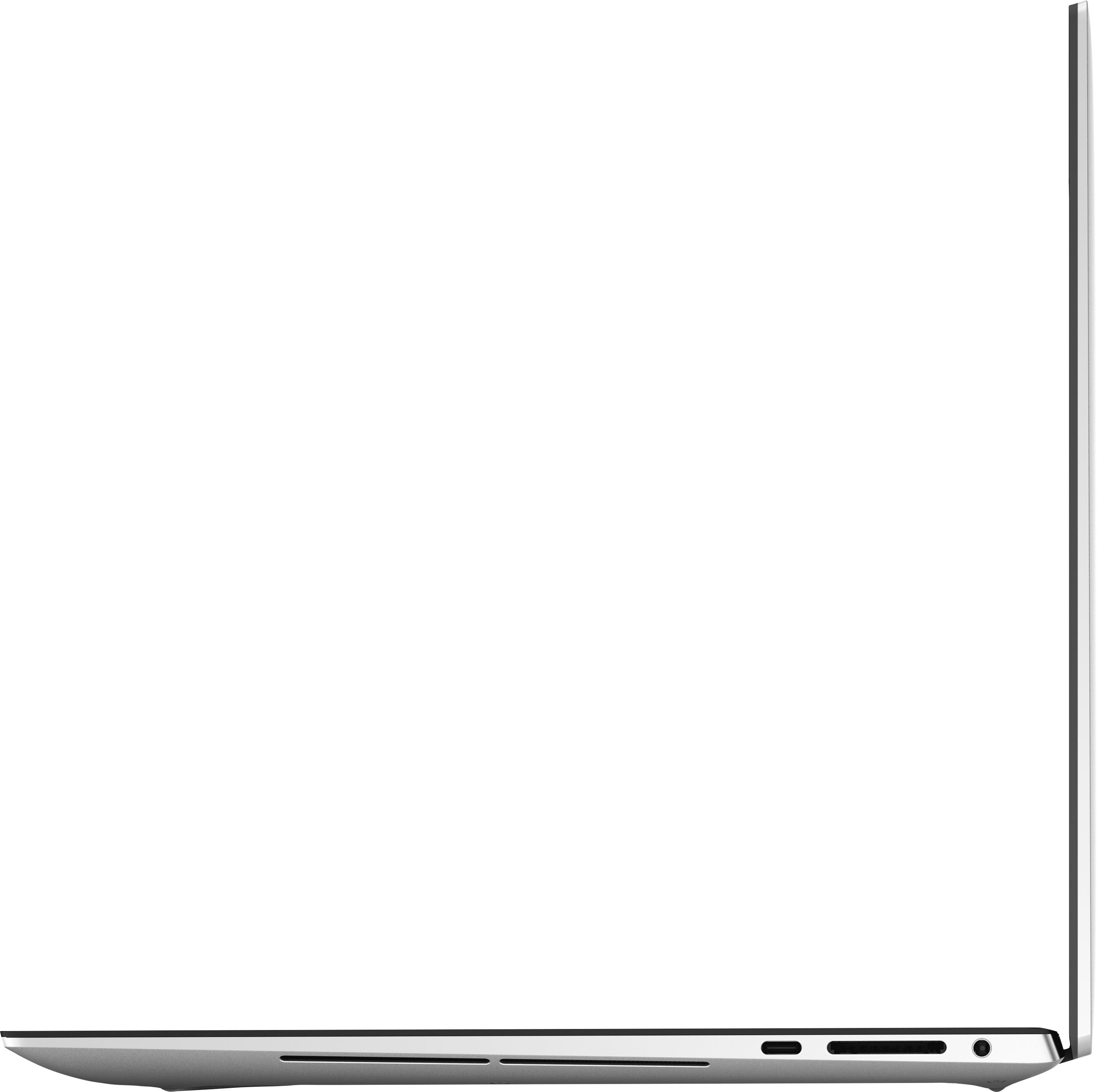
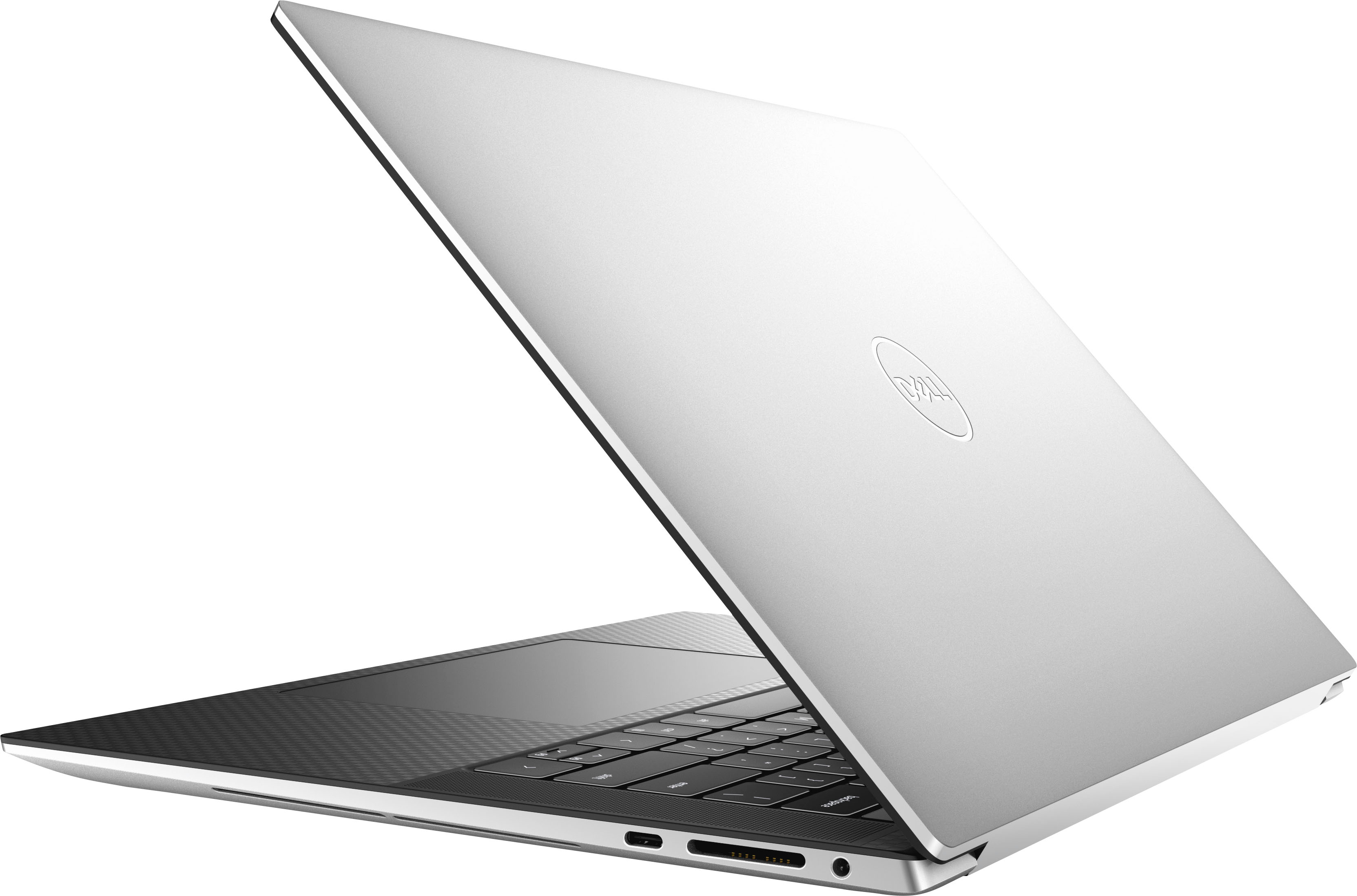
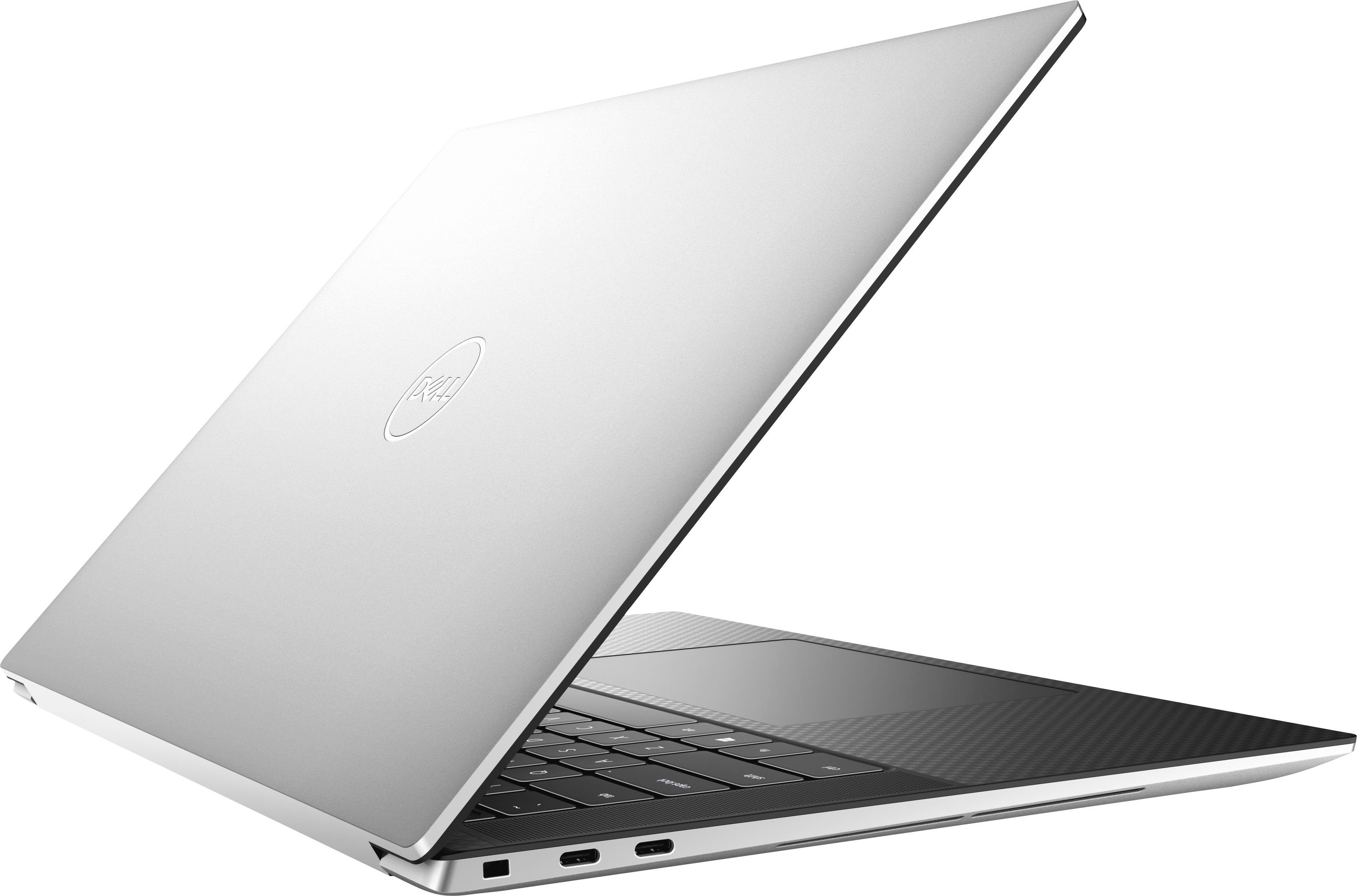
|Posted .This reviewer received promo considerations or sweepstakes entry for writing a review.The Dell XPS 15 with a RTX 4050. When is a gaming laptop not a gaming laptop? When it's an XPS. This 15.6" laptop weighs in just over 4lbs with a blistering Core i7, 16 gigs of RAM, the aforementioned RTX 4050 with 6GB of it's own RAM, and a 1TB SSD. The specs scream gaming laptop but the looks. . . the same gray as many other Dell laptops you'd see round a business conference table. Is this meant to be a workhorse or a playhorse? Well, let's get some things out of the way, the display is gorgeous. 1080p, beautiful, and bright. And despite it's size and weight, pretty generous battery life. Going through a normal day of work for me, this lasted 6 hours on the battery. Yes, this is lower than the rating, but to be fair, my workloads can be pretty CPU and GPU intensive. It's best to look at this relatively speaking. My normal work laptop of similar size and weight with an RTX 3070, it barely squeezes out 4 hours. And the fourth hour usually requires me to change it to a battery optimized power mode and turn down screen brightness. On the Dell, I just ran normally until it died. So kudos to Dell for something where I can likely squeeze out a full day actually untethered to a power cable without needing to compromise or what inevitably happens, retreat to my office to either grab the power adapter or remote desktop from my desktop computer to finish out the day. The Core i7 did it's job. Seemed par for the course. I didn't notice any difference from my other i7 machines. 16GB of RAM is pretty much standard fare, gamer or not, so again preforming as expected / keeping up with the joneses. Given the short timeframe, I didn't actually do much with the SSD besides installing a couple games and EDA software then bring up my work environment over git. It seemed snappy and benchmarking showed it was plenty fast - no weird read or write speed abnormalities or places where it seemed bottlenecked. Graphics performance is where this starts to disappoint a bit (beyond the looks). Again, this is relative, but the RTX 4050 seems hampered in the Dell chassis. Looking it up, it's limited to 40W TDP. Technically, this should be able to match or outclass the 3070 in my other laptop but sadly the Dell was not up to the task. To be fair, as a work machine, it felt equivalent. The 4050 was certainly up to the task for my design software and handled rendering 3D views and moving objects around with ease. I never saw any hiccups when routing a project or moving around across different project windows. Jump into a game, and you start to notice about a 20% difference in sustained framerate. Unfortunately, this seems to be the tradeoff for the great battery life. Usability wise, the laptop was mostly good. But there were a couple strange omissions which I'll get to in a moment. Yes, my lap did get a bit warm at times but what was nice is that my wrist did not have some moments where the palm rest was almost too hot to the touch. The screen feels well balanced, no worries of the laptop tipping over away from you when seated on your lap at the edge of a chair. The speakers were decent. Good, so I'm happy listening to game audio over them or watching YouTube videos. You can still tell a decent pair of earbuds are better, but happy on the sound front. So, the strange omissions. So, for something that seemed to straddle the work/play realm, apparently, a fingerprint reader is not standard. You can build these into the power button so I'm not sure why it needs to be a separate option on the XPS 15. Second, there's an appalling lack of ports. So, it looks like you have three USB-C ports (two are thunderbolt 4 so yay) but plug in the power adapter and that's down to two. And yes, you can output 4k+ video out thunderbolt but not having at least HDMI built in or USB-A is annoying. The USB-C nirvana isn't fully here yet and while I'm pleased with it as a work laptop on the go, looking at the way I use things in the office, I'd need to multiply USB-C hubs and a docking station just to get the same functionality I have currently with one docking station and my current laptop itself. So, while there are several things this XPS 15 gets well, I'm not seeing a good fit for it. It disappoints a bit as a gaming laptop. And while it gives with one hand as a work laptop it takes away with the other. While it's tradeoffs give it a thinner profile and longer battery life, given it weighs the same as another 15.6" laptop with a bit smaller battery and more power hungry components, I don't think you really notice the slimness of the XPS 15. So where that's normally an advantage, here it seems like an unnecessary optimization that perhaps robs the XPS 15 of being something better.
No, I would not recommend this to a friendBrand response from YourDellTeam
Posted .Hello There zboot,
We value your feedback and want to thank you for taking the time to leave a review of your Dell XPS 15. We are sorry to hear that your device does not meet all your gaming performance expectations. That is not the type of feedback we like to hear from our customers, or the type of product Dell intends to deliver. We have noted the details of your statement and will escalate them to our quality team for improvements on current and future products.
We recommend that you contact Dell directly with the information below if you need further assistance.
Chat or call: https://bit.ly/DellSupportTeam
Phone number to Dell: 1-800-624-9896
Best,
Summer@Dell