Customer Ratings & Reviews








- Model:
- XPS9510-7982SLV-PUS
- SKU:
- 6468145
Rating by feature
- Battery Life
Rating 4.3 out of 5 stars
- Speed
Rating 4.6 out of 5 stars
- Display
Rating 4.5 out of 5 stars
Customers are saying
Customers are pleased with the display, design, gaming capabilities, performance, keyboard, powerful build, speakers, and price of the XPS 15.6" FHD+ Laptop. They particularly appreciate the beautiful high-resolution display, sleek design, smooth gaming experience, responsive keyboard, and powerful performance. However, some customers have concerns about the battery life, overheating issues, limited ports, poor webcam quality, and fan noise.
This summary was generated by AI based on customer reviews.
Engineering Laptop
||Posted . Owned for 1 week when reviewed.This reviewer received promo considerations or sweepstakes entry for writing a review.Perfect laptop for college as an engineering student
I would recommend this to a friendPC
||Posted . Owned for 3 weeks when reviewed.This reviewer received promo considerations or sweepstakes entry for writing a review.only had it a couple of weeks and there have been a couple of issues with the internet. But I'm not sure if that is my wifi service or the computer yet
I would recommend this to a friendBrand response from YourDellTeam
Posted .Hi Jasseeker,
We appreciate you taking the time to leave us your review. We apologize for the WIFI connection issues you are experiencing with your XPS 9510. Below I have provided some resolutions to this issue. I have also provided the full article link, which has more options if they are needed. I have also provided a link to the Drivers and Downloads page for your PC so you can check for applicable updates to the WIFI drivers.
1. Download and install the latest Wireless Card driver. (https://dell.to/2th3Tpe) After updating the driver, re-establish the connection with the Wireless Access Point and check the wireless performance.
2. If the issue persists, proceed to step 3.
3. Power-cycle the local network. Shut down the Dell system, the Wireless Access Point/Router and the Modem. Wait a minimum of 60 seconds before powering up the components in the following order:
4. Power ON the Modem, and wait for it to boot fully.
5. Power ON the Wireless Access Point/Router, and wait for it to boot fully.
6. Power ON the Dell system.
7. Open Network and Sharing Center
8. In the left side navigation pane, click on Change Adapter Settings
9. Right click on the wireless connection icon and select Properties followed by the Configure button
10. Under Wireless Options, select the Wireless N mode
11. For Windows 8 or later systems click the Advanced tab and look for 802.11n Mode on the right you will be given the option to Enable or Disable. If the mode is not visible you may need to update your drivers and firmware.
12. From the drop-down menu, choose Disable followed by Ok
13. This should restore the wireless download and upload speed. Internet speed can be tested at http://speedtest.net.
Full article link: https://dell.to/2RefLVN
Drivers and Downloads Page: https://dell.to/324bAEk
After utilizing the troubleshooting options provided above, if the problem is not resolved, please contact our support team here at your earliest convenience: https://bit.ly/DellSupportTeam.
Should you need further assistance, you can contact Dell directly with the information below.
Chat or call: https://bit.ly/DellSupportTeam
Phone number to Dell 1-800-624-9896
Best,
Ashley@Dell
- Cons mentioned:Overheating
Too hot
||Posted . Owned for 1 year when reviewed.This reviewer received promo considerations or sweepstakes entry for writing a review.Ran too hot i had to return it. I used to like dells but all in on Lenovo now
No, I would not recommend this to a friendBrand response from YourDellTeam
Posted .Hey Trump4Life,
Thank you for taking the time to leave a review of your Dell XPS laptop. We value your feedback. We are sorry to hear that you were experiencing an issue with your device overheating and made the ultimate decision to return it. That is not the type of feedback we like to hear from our customers, or the type of product Dell intends to deliver. We have noted the details of your statement and will use them to improve current and future products. If you need further assistance I have provided the toll-free number and chat link below for your convenience.
Should you need further assistance; we recommend that you contact Dell directly with the information below.
Chat or call: https://bit.ly/DellSupportTeam
Phone number to Dell: 1-800-624-9896.
Sincerely,
Summer@Dell
Computer is crap, but customer service is top notc
||Posted .This reviewer received promo considerations or sweepstakes entry for writing a review.Computer was constantly freezing so we contacted customer service. Tech was sent out and memory was replaced. The next day the computer begins flashing red, blue, white and green colors on the screen. Tech tried to reinstall software to fix but turns out motherboard needs to be replaced. Thinking I could have gotten more for $1800 elsewhere. Only positive is the customer service. It's been outstanding.
No, I would not recommend this to a friendBrand response from YourDellTeam
Posted .Hi Onelochevy,
We would like to thank you for taking the time to provide us with your feedback. We are sorry to hear about the troubles you have experienced with your XPS 9510 laptop.
We are glad you are receiving a new motherboard that should make things better for you and ensure the quality Dell always intends to deliver.
If you come across any questions or have concerns about this product, please don’t hesitate to contact Dell Support Team at the information provided below.
Best,
Katarina@Dell
Should you need further assistance, you can contact Dell directly with the information below.
Chat or call: https://bit.ly/DellSupportTeam
Phone number to Dell 1-800-624-9896
Overpriced
||Posted . Owned for 3 weeks when reviewed.This reviewer received promo considerations or sweepstakes entry for writing a review.For $2000 this is overpriced. 16GB of ram and 500GB SSD? You can buy a much better laptop for that cost, even two macbook airs. The 3050ti is useless, it cant game on low settings even at 720p because of the chassis. This has the specs of a $1000 laptops, so if the build quality is worth $1000 to you then go for it.
No, I would not recommend this to a friendBrand response from YourDellTeam
Posted .Dear CarlosM63,
Thank you very much for your valued feedback. We are sorry to hear that you are not too happy with your XPS 9510 laptop because you feel like it is too expensive for the features it offers. We will share your comments with our quality team, so improvements can be made now and in the future.
If you need any technical support, please don’t hesitate to contact Dell Support Team at the information provided below.
Best,
Katarina@Dell
Should you need further assistance, you can contact Dell directly with the information below.
Chat or call: https://bit.ly/DellSupportTeam
Phone number to Dell 1-800-624-9896
Good
||Posted . Owned for 3 weeks when reviewed.This reviewer received promo considerations or sweepstakes entry for writing a review.Bought this for my brother. Good price. I wish the it has a touch screen and oled for this price.
I would recommend this to a friendBrand response from YourDellTeam
Posted .Dear Njahan,
We appreciate you taking the time to leave us your review. We are glad you like the Dell XPS 9520 laptop you purchased for your brother and you feel like the price was right. But we are sorry to hear you are not 100% satisfied with it because it is not equipped with a touchscreen and OLED display.
We will share your comments with our quality team so improvements can be made now and in the future.
In the future, if you come across any questions or have concerns about Dell products, please don’t hesitate to contact Dell Support Team at the information provided below.
Best,
Katarina@Dell
Should you need further assistance, you can contact Dell directly with the information below.
Chat or call: https://bit.ly/DellSupportTeam
Phone number to Dell: 1-800-624-9896
- Pros mentioned:Keyboard

Laptop that checks most of desired features boxes
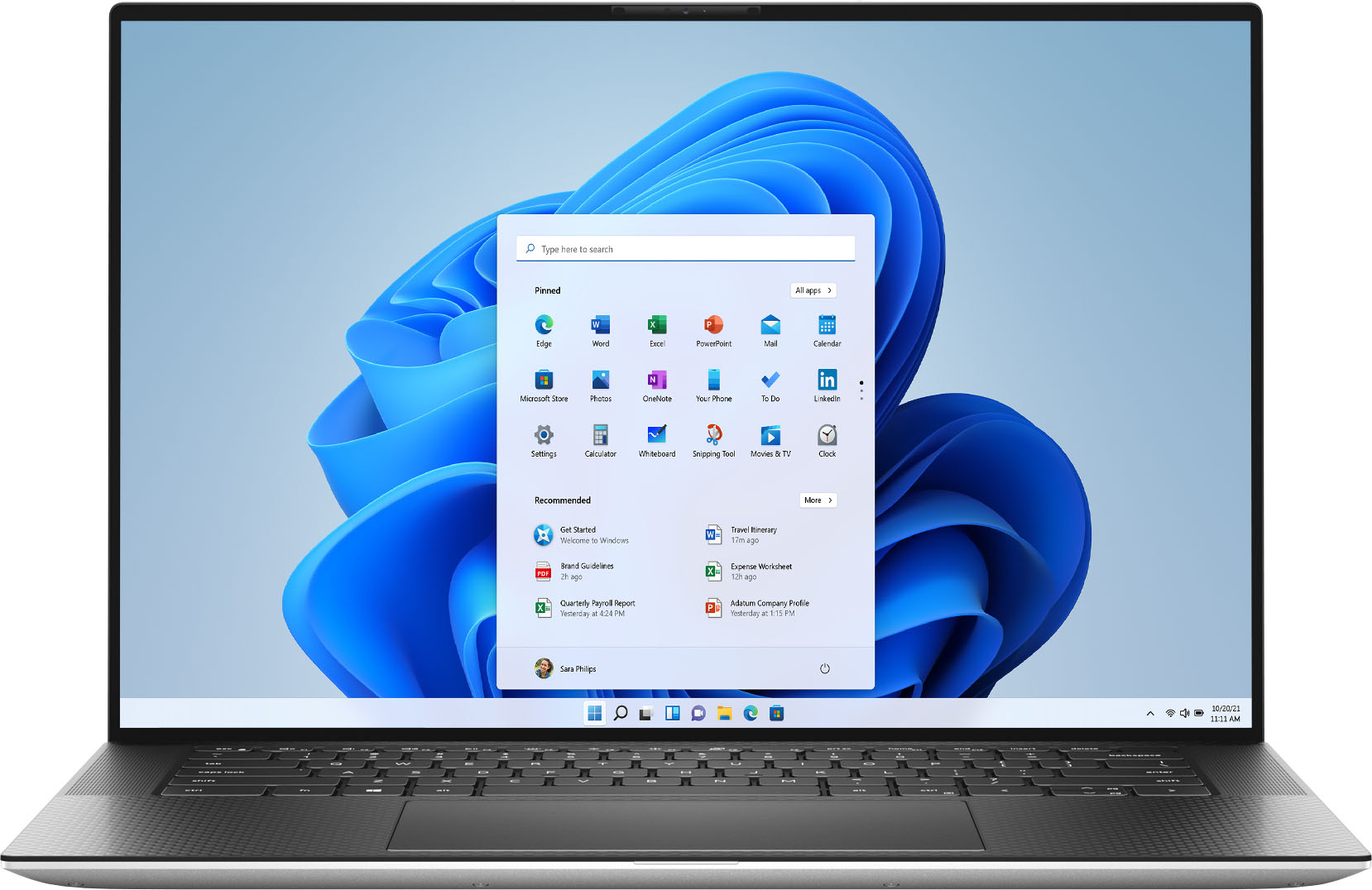
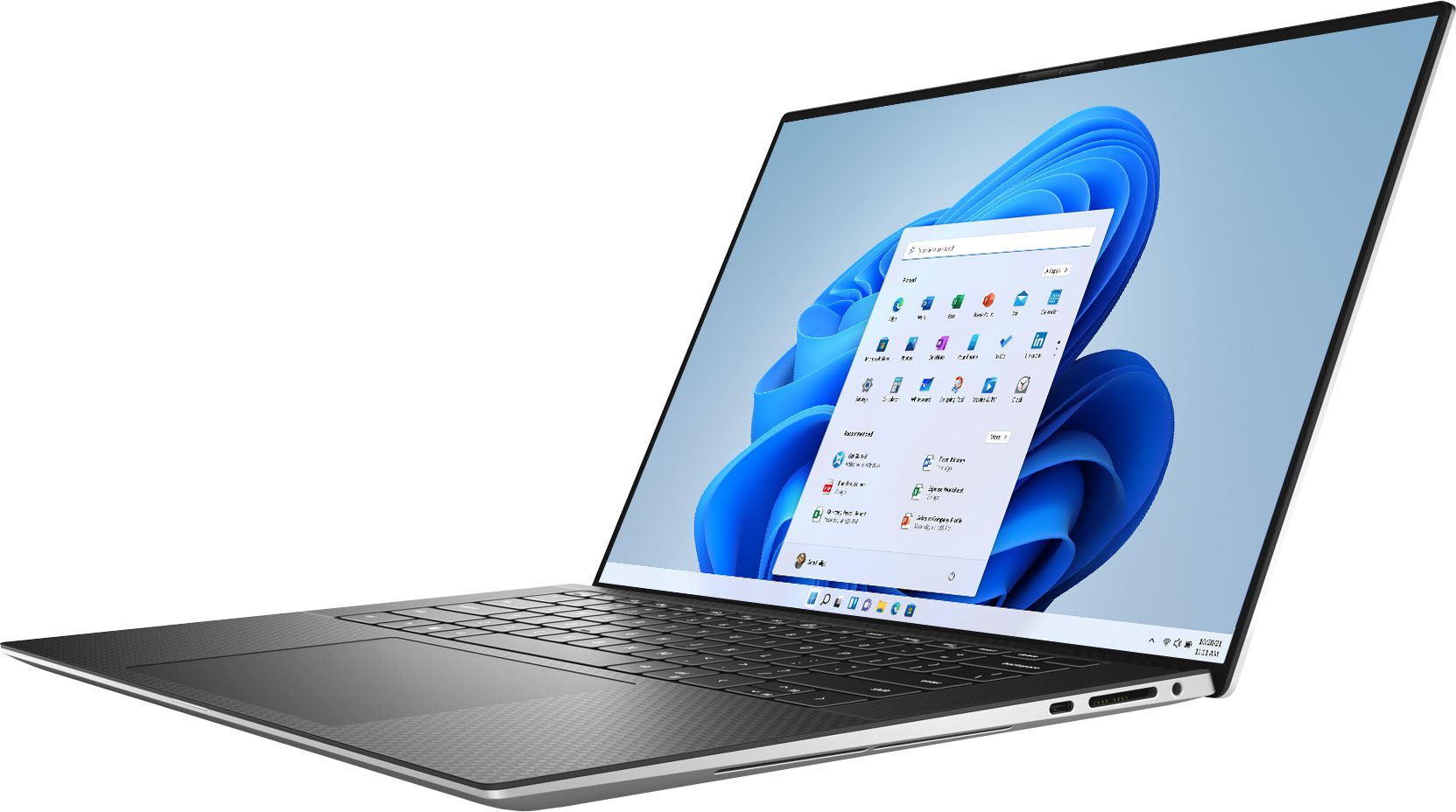
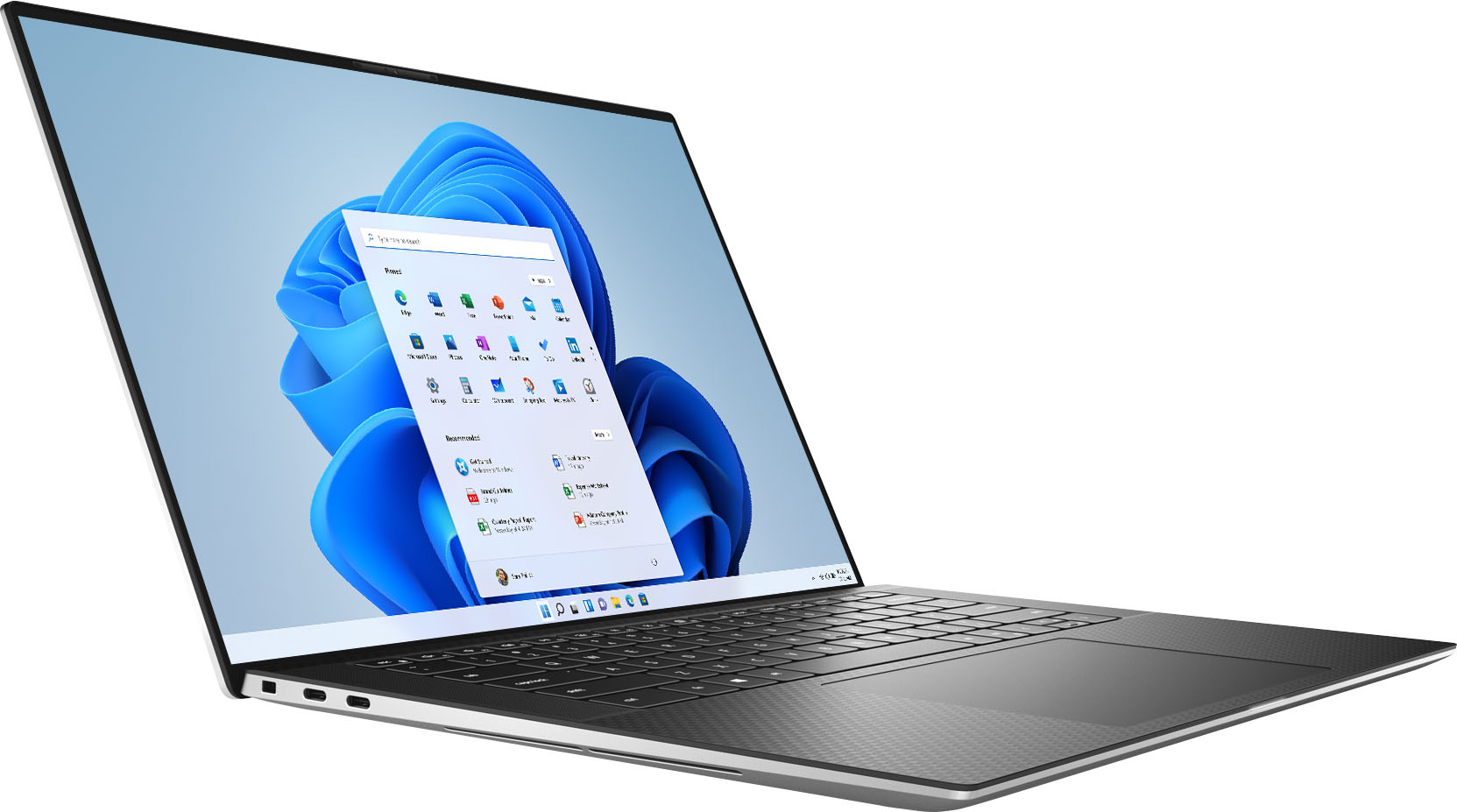
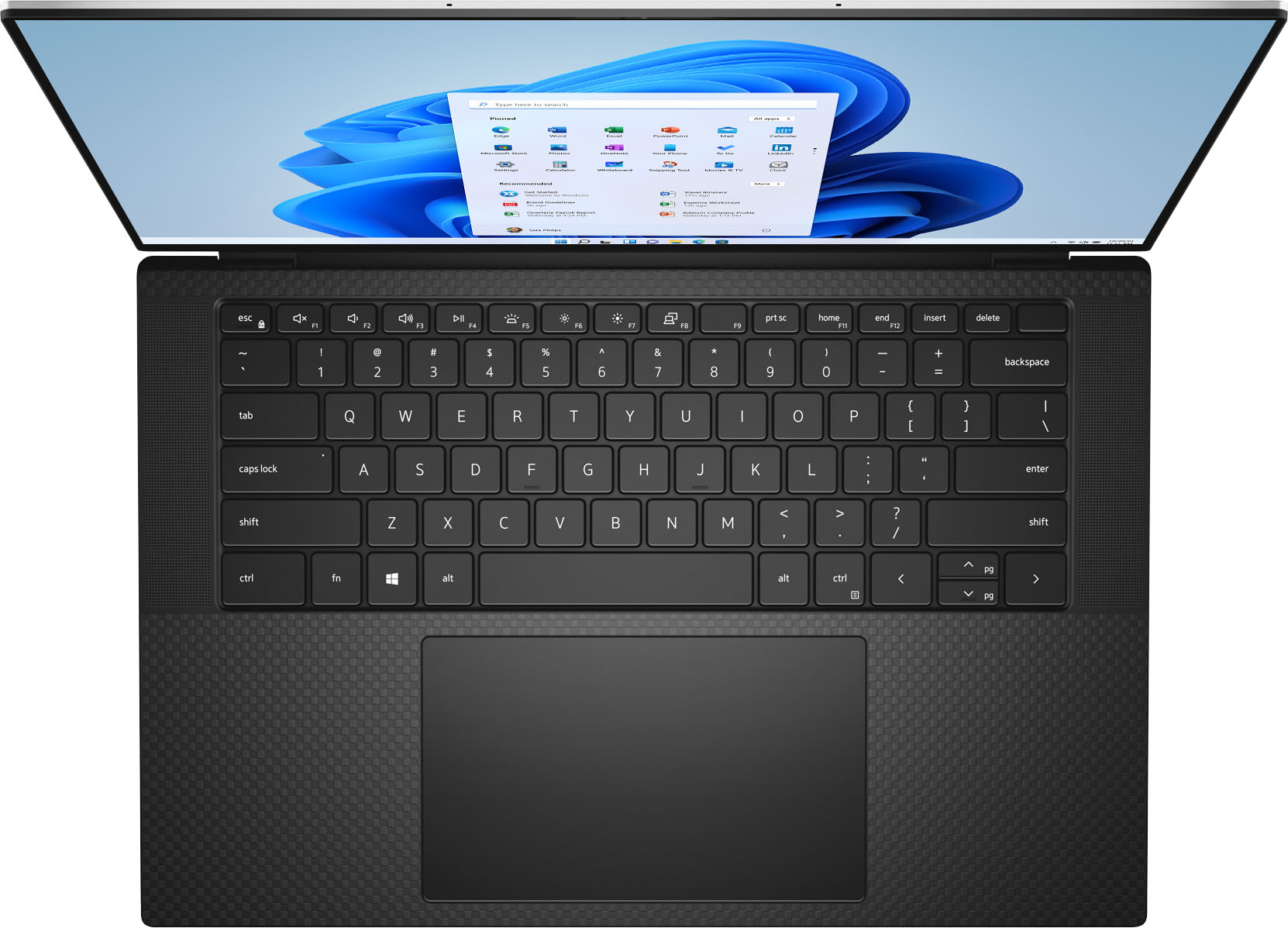
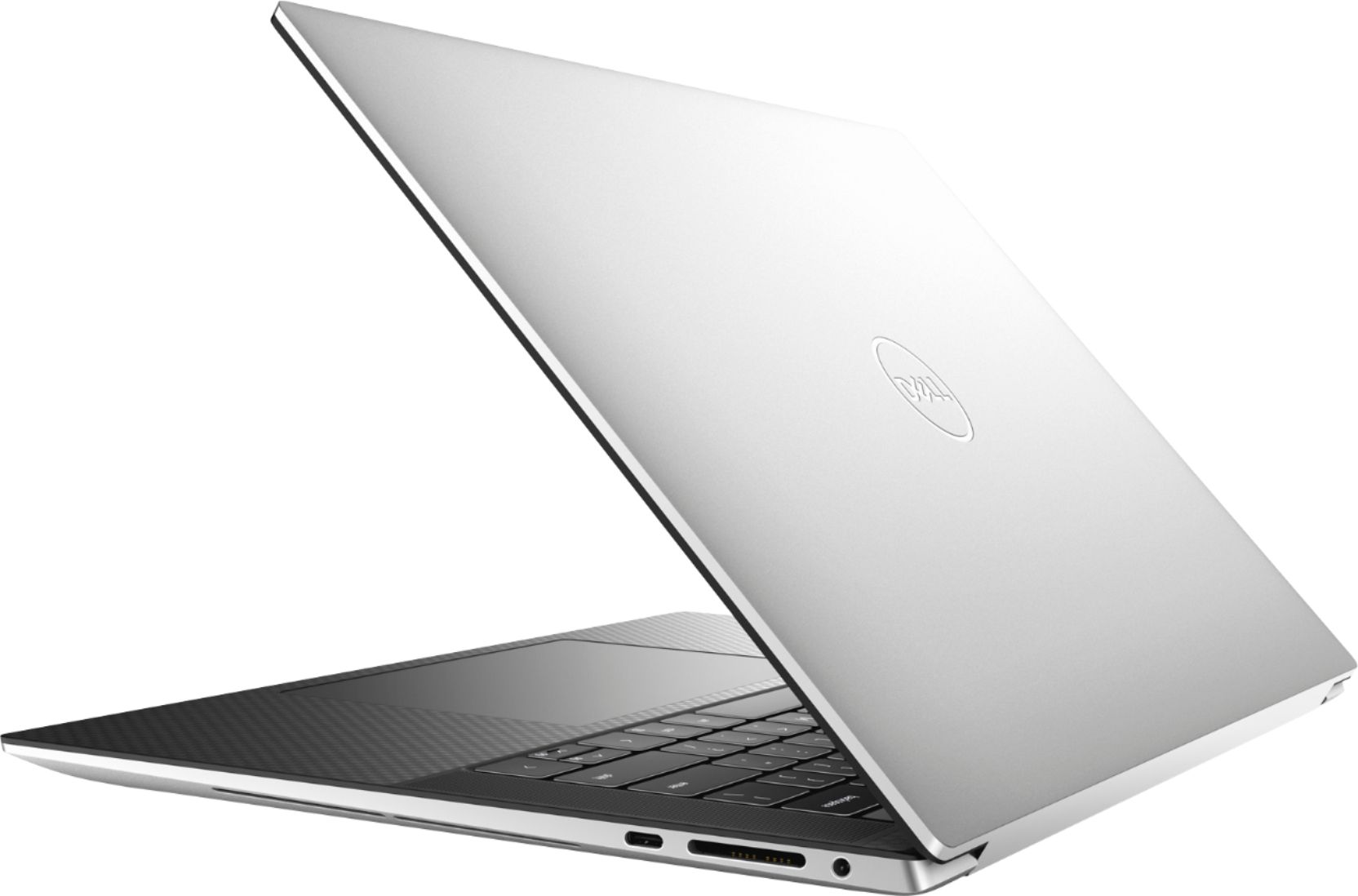
|Posted .This reviewer received promo considerations or sweepstakes entry for writing a review.This review is for the Dell XPS 15 9510 15 inch 1920 X 1200 Full HD WVA (Wide VA panel) (16:10) screen format laptop. 11th Gen Intel(R) Core(TM) i7-11800H @ 2.30GHz.It has a Hynix 512 GB NVMe M.2 SSD and 16 GB of DDR4 3200 RAM and an English keyboard, black, backlit, with a Fingerprint Reader The laptops RAM and M.2 SSDs are upgradeable. It has two 8 GB modules of RAM, so if you want to upgrade to 32 GBs, you will need to buy a 32 GB kit. I did add a 1TB NVMe 4.0 and it did run at PCIe 4.0 speed. You will need a small star bit set and plastic spuds to remove the bottom cover. See the service manual for directions. Kudos to Dell for making this available. https://dl.dell.com/topicspdf/xps-15-9510-laptop_service-manual_en-us.pdf First impression when unboxing was I thought this was supposed to be a 15 inch laptop, why is it so small. Width wise it is about the size of a 14 inch. Granted it is a 16:10 screen so you have the extra vertical screen real-estate, but you are giving up screen width and the number pad. The keys are large and feel good and are responsive. The key's letters are white and the keyboard is backlit. The default keyboard light duration with no activity is 5 seconds, but they are activated by just brushing your thumb over the mouse pad, which is very responsive. The duration can be extended in varying increments, or left always on by adjusting the duration in the BIOS. It has a well featured Setup menu, lacking only CPU and RAM settings. It supports Power Management options, Enabling or Disabling Camera, Mic, Finger Print Reader and speakers, all Thunderbolt options, Auto BIOS and OS recovery and many more useful options. It has no Legacy USB ports. It has an adapter that plugs into one of the Thunderbolt USB C ports. The battery charger plugs into the USB 3.2 Gen 2 Type-C port. This in my opinion is a real mistake. They could have sacrificed the SD reader and put a USB port there. Anyone who uses a USB wireless mouse or any device that has a legacy USB plug will have to use the adapter which is connected via a short cable or have a USB-C to USB adapter sticking out from the side of the laptop. This was a severe annoyance to me. The laptop feels solid. The screen hinge feels smooth and sturdy. The screen has a very narrow bezel and it reaches all the way down to the keyboard surface. The exterior is a brushed aluminum and the wrist pad is a matte black that seems very resistant to finger prints. It has an 11th Gen Intel(R) Core(TM) i7-11800H @ 2.30GHz that will boost to 4.6 Ghz for very short periods. The default power setting in the BIOS is Optimized. It starts to throttle at about 70 degrees, which it reaches almost immediately upon CPU demand and will max out at 4 Ghz for short bursts and at 90 degrees C it throttles back to 3.5 Ghz. It will settle in and throttle to whatever it needs to maintain about 82 degrees C which will vary between 3.2 and 3.5 Ghz and it will maintain this across all 8 cores. This is when the charger is plugged in. When it is on battery individual cores will max out at 3.5 Ghz, but it throttles to maintain about 50 degrees while on battery and that leaves the core output bouncing around between 900 Mhz and 2.8 Ghz. It will not maintain steady core output while on battery in the default power setting. There are no options in Windows 10 Power Management to select CPU output percentages. This has been removed by dell or Intel. There are four Power Management settings in the BIOS. In the default Optimized mode the fan is quiet , but not aggressive enough to cool the CPU and GPU, plus the ventilation is poor. The results I posted above were achieved by raising the back of the laptop by 1 1/4 inch. If I run the laptop on a flat surface the power output of the CPU drops about 500 to 700 Mhz because the lack of airflow induces more thermal throttling. Dell would have done well to put fold out feet at the back of this laptop. If you want to use this laptop for aggressive media work or for gaming, plugging in the battery charger and a cooling pad will be necessary to get top continuous performance. As a note, I found no change in performance while on battery from raising the back of the laptop. So CPU performance will be throttled when on battery, but it will not run any hotter while on a flat surface than if elevated or I suspect even on a cooling pad. I assume that the throttling on battery is designed to enhance battery life. On the plus side Power Management can be set to Ultra Performance in the BIOS and then it will run at about 2.8 Ghz on all cores when on battery. When plugged in, sustained long term CPU output still stays in the 3.2 Ghz range when it is in Ultra Performance mode. Ultra Performance mode increases the fan speed, but it is not really that noticeable. Anticipated battery life in Ultra Performance mode varies from 2 to 5 hrs., depending on what you are doing. Running on battery will also reduce the GPU core clock by 35% and subsequently reduce the Frame Rate by about 35%. This was observed running Furmark at the 1080P preset. On battery it produced 38 FPS and 55 FPS when the charger was plugged in. I did test it running DCS World's Flight Sim with the charger plugged in. It ran between 45 and 60 FPS at medium settings, but it ran hot. A few cores hit 100 degrees when it was flat on the table and it settled at about 85 degrees C when the back of the laptop was raised. So a cooling pad may be necessay for any intensive gaming. The display is a WVA (Wide Vertical Alignment) panel with an 85 degree viewing angle. This is a sufficient off center viewing angle for a laptop. Being a VA panel it is bright (500 nits) and great contrast. It is rated at 100% SRGB which is great for viewing internet or already created content and it will be fine for non-critical media or photo editing. Pixel Pitch on this display is borderline at around 190. You are going to see some pixilation if you do photo editing and zoom in critically. Although the motherboard is a PCIe 4.0 board, the NVMe SSD read speed was 3500 MB/s and write speed was 3200 MB/s, so they must be using a PCIe 3.0 NVMe SSD. It boots to the sign in screen reasonably quick, I have seen faster, but it shuts down really fast. It is really quick and responsive when plugged in, and more than acceptable for most uses on battery. Gamers and content creators will need to keep it plugged in for maximum performance. The sound system is decent. Pretty good simulated surround, but lacking decent bass. It has plenty of volume. It will be fine for You Tube and movies, but audiophiles will probably want auxiliary speakers or headphones. It is a decent all around laptop. It has sufficient RAM and SSD capacity for normal usage and Dell has made upgrading RAM and SSDs fairly simple. It is quite solid and carry able. The 16:10 screens extra vertical real-estate will please Office app users and photo editors will enjoy the extra height for portrait mode photos. It performs well and the backlit keyboard is sharp and will be appreciated by novice typists who have to look at the keyboard. Conversely it really lacks not having a regular USB outlet. It also suffers from poor air access to the cooling fans. I also don't think that the cooling fans are running fast enough. Dell could probably fix this with a BIOS update. . Also I am having a lot of problems with the cursor moving to another location as I type and I am not sure what is causing it. And my biggest disappointment is that it is throttling the CPU running on battery. Some of us don't need long battery life. We just want full power when we do need to unplug it when we move to another room or the easy chair for a short duration. So in summation it is a decent all around laptop for the average non power user. It has the Thunderbolt ports and the various Thunderbolt settings in the BIOS. It can be connected to external displays via HDMI,USB-C and Thunderbolt. Connect a Wireless/Bluetooth keyboard and mouse and you have a very good portable work station. It most likely will fill some folks needs, but it may be at the high end of the average users budget and it is not speced well enough for the power user ( the RTX 3050Ti is not going to be sufficient for playing modern games at high settings) and will not be sufficient for serious video editors. So it is an interesting laptop that will garner fans, but I don't think that it checks all the boxes for anyone.
No, I would not recommend this to a friend Bad QC
||Posted . Owned for 1 month when reviewed.This reviewer received promo considerations or sweepstakes entry for writing a review.Great machine with too many QC issues. Beware of faulty track pad, hinge, headphone jack not working, hissing fans, and many more :)
No, I would not recommend this to a friendBrand response from YourDellTeam
Posted .Hello Ezkim,
Thank you for taking a moment to share your feedback and review. We are sorry to hear that various aspects of your XPS have not met all of your expectations. We will forward these issues you stated onto our product team to improve ourselves for the future. We recommend you open and run the SupportAssist application. It is a set of tools that will clean junk files, install system updates and drivers, diagnose hardware and software, and optimize your system performance and network all with the press of a button. This will ensure you have the best experience your system offers to date.
Here are the recommended steps for troubleshooting your performance issue:
1. Restart your computer regularly
2. Run the automated tools provided in the SupportAssist tool
3. Run a complete hardware diagnostic test
4. Scan your computer for malware
5. Restore your Dell computer using Windows System Restore
6. Reinstall Microsoft Windows
7. Here is the link to the full article to assist with your performance issue: https://dell.to/32wo0Ss.
We recommend following the steps above to resolve this issue. If it persists, we invite you to get in contact with the Support Team at your earliest convenience at 1-800-264-9896.
Best regards,
Wendy C.
https://bit.ly/DellSupportTeam.
Phone number to Dell: 1-800-264-9896.
- Pros mentioned:Design
Premium performer
|Posted .This reviewer received promo considerations or sweepstakes entry for writing a review.This Dell 15" XPS laptop is an overall powerhouse performer that would serve just about any purpose short of heavy gaming. In terms of Windows laptops, there are few that match the XPS line from Dell, and they are a go-to Windows rival for Apple's Macbook Pro series. The XPS line has always been impressive, but this latest iteration is an improvement upon previous 15" models in this line in that it maintains the thin bezels around the screen but has returned the webcam to the upper bezel. Previous models had placed in the lower bezel, which often gave an unfortunate "up the nose" angle. Under the hood of this 15" 16:10 FHD+ laptop you'll find an Intel "Tiger Lake" Core i7-11800H with 8 cores/16 threads. This chip is rated up to 45W; but has a configurable TDP of 35W, but I'm not sure which Dell went with. I don't think it would make much difference except for perhaps very sustained multi-core workloads, but the system never subjectively felt anything other than very fast. The CPU is backed by 16GB of DDR4 RAM at 3200Mhz. (The RAM in my model consisted of two Micron single-rank 8GB CAS 22 modules in dual channel mode at 1.2V) This is good in terms of speed and capacity for the overwhelming majority of users. (If you require more than 16GB of RAM, you already know that.) In terms of graphics, the CPU provides Intel's onboard graphics, but for heavier workloads, there is an Nvidia GeForce 3500 Ti with 4GB of DDR6 VRAM. This is not a bad graphics card by any means, but I would not consider this to be a gaming laptop. This is a professional laptop first and foremost (the Nvidia driver is notably the Studio driver, not the GameReady driver), but has enough horsepower graphically for you to game with reasonable settings. I really think 4GB of VRAM is a bit on the low side already; given the architectural convergence of the PC and the new consoles, and their correspondingly higher RAM amounts this generation, I suspect 4GB will age poorly for games even at native resolution. Likewise, the 3500 will support ray-tracing, but given how computationally expensive that feature is, I suspect that it's not truly playable in most games. What the 3500 does definitely offer--and this is a major plus--is support for DLSS. DLSS was not overly impressive in version 1.0, but in games that support DLSS 2.0 this would give the 3500 Ti a great advantage going forward in frame rates with little loss of fidelity. In my testing, I benchmarked using Assassin's Creed Odyssey's built-in benchmark. Turning dynamic mode off, I found I could run at native resolution at High settings, averaging 52fps. Anything higher could have moments of smoothness, but with a ton of frame-rate variability and stuttering. I do want to mention one option for this, however. This laptop has the latest version of Thunderbolt, and given the generally excellent gaming qualities of the CPU, one could certainly utilize an external Thunderbolt GPU enclosure to use a desktop GPU. A college student who's an avid gamer, for example, could use this on the go, utilizing its mobile power, long battery life, and generally superb feeling keyboard. But with limited space in the dorm room for a separate gaming PC, could use an external Thunderbolt connected GPU. Keep in mind, however, this would be for fairly serious AAA gaming at high frame rates and resolutions. The 3500 Ti is plenty for Fortnite or Genshin Impact, and frankly 52fps in Assassin's Creed Odyssey on High is nothing to sneeze at. Storage comes in the form of a 512GB NVMe solid state drive. Device manager lists this as the PC711 by SK Hynix, which is an OEM model but the specs seem very similar to their very well regarded (for both speed and low power consumption) P31 Gold consumer model. SK Hynix's website lists rated specs of 3500MB/s read and 3200MB/s write, and that's basically exactly what I got when testing with CrystalDiskMark. The overall build quality is superb and exudes quality at every turn. The backlit keyboard, marred only by lack of numeric keypad, is a dream to type on: fast, responsive, and quiet. The bottom of the lower part is marked by a truly huge trackpad. Above, the 15" screen looms as all business: the bezels fade away into nothingness, and I have to give Dell credit for sticking with the 16:10, 1920x1200 resolution screen. So many screens have gone to 16:9 and while that's fine for content viewing, you really miss the vertical space when actually working on something. Across the top is the webcam, which works with Windows Hello for face recognition. Given my poor experience with Windows biometrics, that this worked, and worked well (and fast), was a very a pleasant surprise! No review of this laptop would be complete without mentioning the stellar battery life. This is a Windows laptop that has enormous power behind it, but Chromebook-like battery life. This isn't pulling 8-10 hours from a dual-core Celeron; this is a multi-threading octo-core CPU. If you need all-day battery life, this has it. Overall, Dell has put together quite the package here. This is premium laptop as it should be done, with very few things to complain about. There is ample power on tap with the CPU, the graphics card is robust enough to have some fun with even if not quite a true gaming laptop, and the keyboard is top-notch. Couple that with a well-built chassis, attractive screen, and truly all-day battery life, and it's difficult to find much to fault. One other small touch, which I think sets them apart from this laptop's most direct competition: this too is all USB-C, but rather than charge you $50 for dongles to use anything, there is helpfully an included dongle that is Type-C to Type A and HDMI. Again, it's a small touch, but thoughtful, and it's indicative of the care and quality put into this laptop by Dell. Highly recommended.
I would recommend this to a friend - Cons mentioned:Overheating
Keeps freezing
||Posted . Owned for 3 months when reviewed.This reviewer received promo considerations or sweepstakes entry for writing a review.This computer sucks. Bought it for my son for college, and it keeps freezing at the most inconvenient times. The Best Buy geek squad was unable to fix it.
No, I would not recommend this to a friendBrand response from YourDellTeam
Posted .Hi Writer,
Thank you very much for your valued feedback. We are sorry to hear that you have experienced troubles with your new XPS 9510 laptop because it is freezing up unexpectedly and that customer support was not able to help.
Below I have provided a list of solutions for the freezing issues, along with a link to the full article, should you need further information. We also recommend making sure your BIOS is up to date on your PC. I have given you a link to the Drivers and Downloads page for your computer so you can check for and do applicable updates.
Resolutions
1. Run a Computer Diagnostic. To determine if your computer is experiencing a hardware problem, run the Dell Pre-boot System Assessment (PSA) Diagnostics. For information on how to run Diagnostics, and to determine the issue, refer to Dell Knowledge Base Article: http://dell.to/2iaiujA
2. Check Safe Mode for Symptoms. To boot into safe mode, please follow the instructions below:
a) Start the computer.
b) Tap 'F8' on the keyboard immediately and every one second until the Dell logo screen disappears. From there you will see the Windows Advanced Options Menu on the screen. (If the Windows Advanced Options Menu does not appear, restart the system and try again.)
c) Select Safe mode with Networking and press Enter.
d) Log on as the administrator or as a user with administrative access.
e) Open applications and test the computer in safe mode. If the symptoms exist in safe mode, please continue the troubleshooting steps in this article. If the symptoms do not exist in safe mode, the issue is likely related to a driver or software and you may wish to complete step 3 to see if you can resolve the lockups or freezing.
3. Check for Malware. Malware (Virus, Spyware, etc.) can cause a Windows system to lock up or appear to hang. To check for malware on your system and to ensure that your computer is up to date on security software, visit Dell Knowledge Base Article: http://dell.to/2wWP1zI.
You can read the full article here: https://dell.to/3rTldMZ
Drivers and Downloads page: https://dell.to/3HY3PiW
After utilizing the troubleshooting options provided, if these issues with your XPS are not resolved, please feel free to contact our support team here: 1-800-624-9896.
Best,
Katarina@Dell
Should you need further assistance, you can contact Dell directly with the information below.
Chat or call: https://bit.ly/DellSupportTeam
Phone number to Dell: 1-800-624-9896
- Pros mentioned:SpeedCons mentioned:Ports
It's a beast!!
|Posted .This reviewer received promo considerations or sweepstakes entry for writing a review.Fast! Fast! Fast! It's been about 8 years or so since my last XPS, Iv'e been running a HP ENVY 2in1 for a while now that is a few years old and am ready for an upgrade. Out of the box it feels great and looks solid. Thin and light weight. Easy open screen with a nice backlit keyboard. The web cam isn't great for high end viewing. Best for work use or video conferencing and not for a web cam. This sucker is fast though. I'm not a huge PC gamer but everything I tossed at it couldn't slow it down. Not loud at all when cranked out but hot like you would imagine. The screen is beautiful and crisp. Speakers continue to improve on laptops and thin TV's but as usual I will stick with headphones for this laptop. Battery is decent at 5-6 hours of solid use, gaming or watching videos cuts that down to about 4 hours. Overall I'm really happy with this laptop. I did have some updates to knock out but nothing major. I had facial recognition on my last laptop but this one allows for fingerprints as well, I definitely prefer the fingerprint method, and the button seems to just blend away perfectly. One flaw is the minimal amount of ports but wireless and Bluetooth seem to be the future anyway. Great for on the go to handle anything you need with the power to do it with one hand tied behind its back.
I would recommend this to a friend - Pros mentioned:Display, Keyboard
nicest laptop I've used in a while
|Posted .This reviewer received promo considerations or sweepstakes entry for writing a review.Dell did not cut any corners with the XPS 15! This laptop is perfect size for what I use it for. Very portable and light weight despite the power this lap top is packing! With it's beaming 15.9" screen, there's more then enough screen to get things done! The Infinity Edge FHD+ display is colorful and crisp leaving this laptop to be, in my opinion, the best display I've ever seen for a laptop. Watching videos, movies or basic web browsing is beefed up quite a bit from the NVIDIA GForce GTX graphics and even has a 4GB GDDR6 just for video memory. Memory and storage are more than sufficient with 16GB RAM and a lovely 512GB SSD. Start up is super quick and I've has no problem multitasking with multiple screens and programs running. Overall feel of this laptop is top notch. The back-lit keys have a nice light satisfying click while you type. The touch pad is a great size and has been perfectly responsive and accurate with use. **it is not a 2 in 1 or touch screen as most laptops seem to be of recent. I personally prefer to have an "old fashioned" laptop so this is right up my alley
I would recommend this to a friend Faulty keys
||Posted . Owned for 1 month when reviewed.This reviewer received promo considerations or sweepstakes entry for writing a review.Wouldn't buy again. This product gets dusty really fast and some of the keys produce incorrect characters.
No, I would not recommend this to a friendBrand response from YourDellTeam
Posted .Hello Crrd,
We want to thank you for taking the time to leave us your review. We apologize for the issues you have had with your XPS 9510. This is certainly not what we like to hear from our valued customers. For the keyboard problem, I have provided a link to the usage and troubleshooting guide for keyboards, where you can find a video to help run a diagnostic test on your keyboard.
Keyboard Usage and Troubleshooting Guide: https://dell.to/3mv8Gyv
If you still experience this problem after you have finished troubleshooting your system, please reach out to our support team here at your earliest convenience: https://bit.ly/DellSupportTeam.
Should you need further assistance, you can contact Dell directly with the information below.
Chat or call: https://bit.ly/DellSupportTeam
Phone number to Dell 1-800-624-9896
Best,
Ashley@Dell
Do not buy...
||Posted . Owned for 1 month when reviewed.This reviewer received promo considerations or sweepstakes entry for writing a review.Computer worked 2 times, and then died. Would not load past dell logo. Would not recommend, as there are serious issues if a top of the line comp cannot work more than two times. Luckily it happened in enough time to return and not be stuck with this disaster
No, I would not recommend this to a friendBrand response from YourDellTeam
Posted .Dear Doug,
We appreciate you taking the time to leave us your review. We sincerely apologize for the boot-up issues you encountered with your XPS 9510 and ultimately decided to return it. This is certainly not what we like to hear from our valued customers. In the future, we would love the opportunity to help troubleshoot and resolve issues you may be facing.
Best Regards,
Ashley@Dell
Should you need further assistance, you can contact Dell directly with the information below.
Chat or call: https://bit.ly/DellSupportTeam
Phone number to Dell 1-800-624-9896
Problems with display after inactivity
||Posted . Owned for 6 months when reviewed.This reviewer received promo considerations or sweepstakes entry for writing a review.This is the last Dell PC I bought. This laptop tends to go into sleep mode where the monitor stays black, no matter what you do. Reboots, hard reboots, key clicking - nothing. Two 1hr+ sessions with tech support have not resolved the issue.
No, I would not recommend this to a friendBrand response from YourDellTeam
Posted .Hello Valued Customer,
We would like to thank you for taking the time to provide us with your feedback. We are sorry to hear about the problems you have experienced with your Dell XPS 9510 computer because it doesn’t reboot. We apologize that the technician was not able to help you with this issue.
I have provided a link to help resolve the booting issue. On that page, you can choose between, no power, no post, no boot, or no video. Once you choose you can find the options to help troubleshoot and resolve that issue. We would also suggest making sure all your drivers and downloads are up to date on your PC. I have also given you a link below to the Drivers and Downloads page for your computer.
Resolve Boot Up Issues: https://dell.to/3sdfce6
Drivers and Downloads page: https://dell.to/3xX0wpK
After utilizing the troubleshooting options provided, if the problem is not resolved, please contact our support team at the information provided below. We hope that the next representative you speak to is able to help you to resolve this issue.
Best,
Katarina@Dell
Should you need further assistance, you can contact Dell directly with the information below.
Chat or call: https://bit.ly/DellSupportTeam
Phone number to Dell 1-800-624-9896
Runs too hot
||Posted .This reviewer received promo considerations or sweepstakes entry for writing a review.The CPU temp reaches 100 c after 30 mins of browsing and downloading from the internet. I have not used the GPU yet and I expect it to crash and lose the performance to half in a couple of months. I am returning it today.
No, I would not recommend this to a friendBrand response from YourDellTeam
Posted .Hi Bryar,
We would like to thank you for taking the time to provide us with your feedback. We apologize for the issues you have come across with your Dell XPS 9510 laptop because it is overheating.
To help with this issue, we would recommend making sure the BIOS is up to date on your PC. I have provided a link to the Drivers and Downloads page so you can check for and do any applicable updates. Dell has also released an Intel Power Management Utility to help with the overheating that you may be experiencing on your computer. For this package to take effect, the system power plan must be set to Balanced under the Additional Power Settings. Also, the Power Mode option that is displayed when you click the battery icon, should be set to Better Performance. This package only takes effect on AC power and not on battery power. The Intel Power Management Utility can be found here - http://dell.to/3tStRgX.
Drivers and Downloads page: https://dell.to/3o1dwVt
If the overheating issue with your laptop is still not resolved after utilizing the troubleshooting options above, please contact the Dell Support Team at 1-800-624-9896 for further guidance.
Best,
Katarina@Dell
Should you need further assistance, you can contact Dell directly with the information below.
Chat or call: https://bit.ly/DellSupportTeam
Phone number to Dell 1-800-624-9896
Excellent laptop with awesome build quality
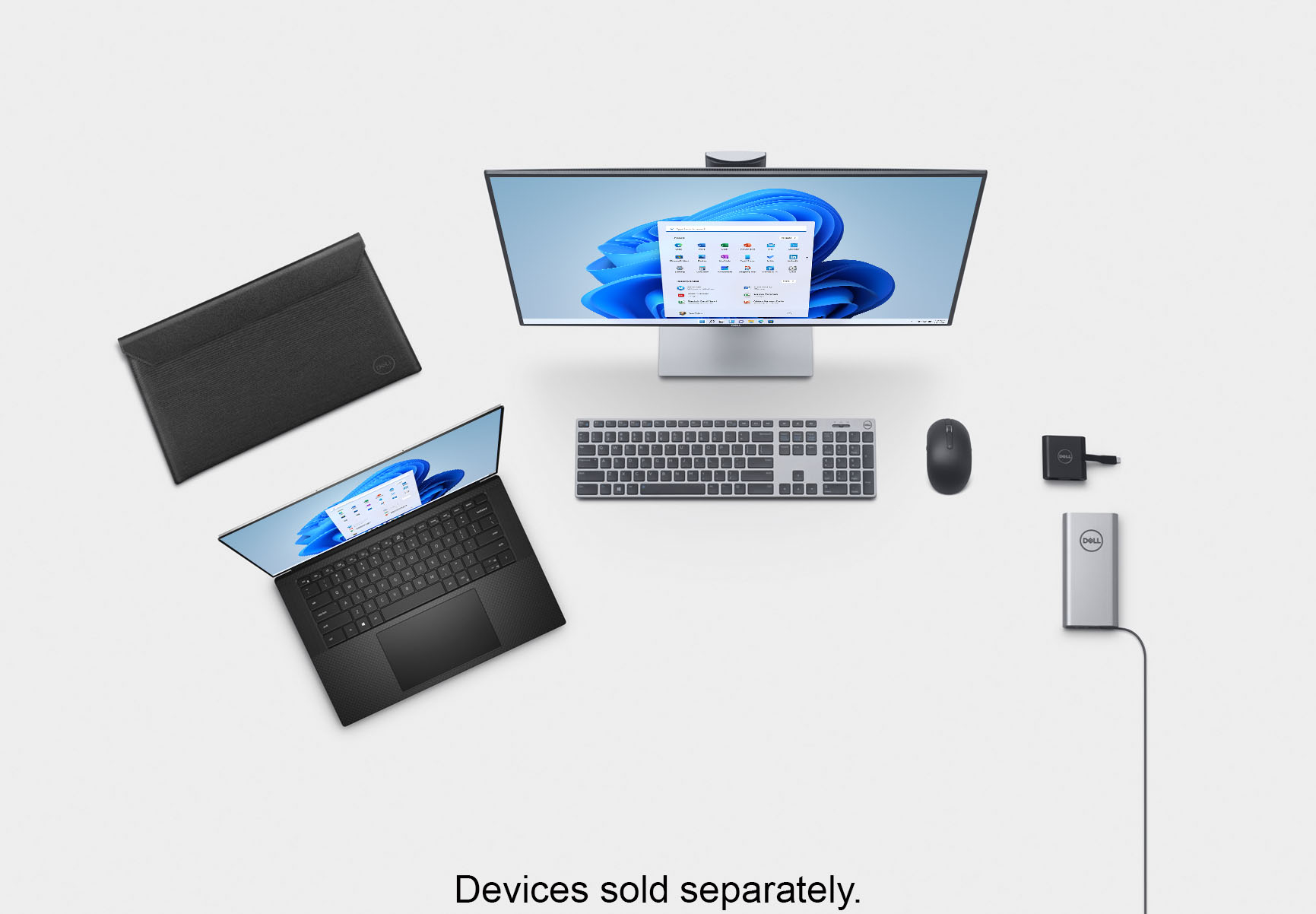
|Posted .This reviewer received promo considerations or sweepstakes entry for writing a review.The Dell XPS 15 is a really nice laptop that checks many of the boxes. The design and build quality is top notch. The screen display looks good and is nearly all screen, and the bezels are thin. It makes any other device I use with bezels feel antiquated. This particular model does not have touch screen capabilities. However, it included a matte screen which helps reduce glare. When opening and closing the laptop the hinge is sturdy and smooth, while the bottom of the laptop stays down and does not lift up which is a plus. After opening the lid your greeted with several ways of logging in. The facial recognition of Windows Hello log-in works very well. It also includes a fingerprint sensor. It has come in handy a few times when Windows Hello was not able to capture my face properly due to direct sunlight being right behind me. The included USB-C power supply is long enough to reach most plug outlets with no issues. With such a large and high quality screen I wasn’t sure how good battery life would be, but so far it’s been really good. The processor does a good job in this regards, and the laptop is fast and snappy. The keyboard keys have good key travel and have backlighting to make it easy to use in dark environments. There are speakers on each side of the keyboard, and 2 speaker vents on the underside of the left and ride sight of the laptop. The speakers sound really good and are some of the best speakers I’ve heard on a laptop. The laptop includes two Thunderbolt 4 with power delivery on the left side and one USB-C 3.2 Gen 2 port and SD Card slot on the right side. If you have a devices that support a traditional USB connection, then it’ not a problem since they included a USB-C to standard USB dongle. The dongle also includes an HDMI port for connection to supported monitors and TV’s. I like using my MacBook because I’m able to receive notifications. With the included Dell Mobile connect app I’m able to easily sync my iPhone which allows me to receive notifications while using my laptop. There are so many positives about this laptop, but there are only a few negatives that I’ve experienced. One is the trackpad noise. When I I lightly tap the trackpad or use the trackpad to scroll, it makes a hollow clicking noise each time my fingers come in contact with the trackpad. It’s not too bad but can become slightly annoying. I noticed that after using the laptop for several minutes and the unit becomes slightly warm, the clicking sound would stop. I also noticed that the fans would come on if I’m doing something that requires heavy use of the processor. The fans don’t come on too often, but keep in in that it’s not a completely silent device. Overall, I’m very satisfied with this laptop and hope to get years of great use from it.
I would recommend this to a friend- Pros mentioned:Design
Slim, fast, sleek and very amazing
|Posted .This reviewer received promo considerations or sweepstakes entry for writing a review.Wow. My desktop just made it into the closet for storage. This Dell XPS 15 provides all that I need for surfing, working and playing on a pc. First off its very thin, and light, the graphics card can play most games like GTA5 at high settings without a hitch and with great (FPS 40+). If you are into processor heavy games like football manager games this will work excellent as well so it is a great steam machine for me. (utlize a xbox controller via bluetooth). Some observations: It has a lot of vents on the bottom for the Geforce card so I recommend a laptop stand/base. It came with a drained battery (not an issue, charged it) First thing I recommend and I did was update everything, bios, microsoft, gforce etc It came with a trial antivirus which I am using as I currently dont have one. Battery is not something I can give a good review on as its new and not tested by me yet, but so far it seems to drain very slowly at least from my initial observations. It came with an attachment that can connect hdmi or usb which is nice in case you would like to do that to the laptop versus bluetooth or C etc etc.
I would recommend this to a friend - Cons mentioned:Ports
Good for basic needs
|Posted .This reviewer received promo considerations or sweepstakes entry for writing a review.Overall, I’m happy with this laptop. I just use it for general productivity though. No gaming or design work, i.e.-no graphics intensive stuff. For using the Office 365 suite and browsing the web, things work just fine. Streaming sites work as expected. Every now and then I do experience so browsing, this is compared to other laptops in the house. Not sure what the issue is. I’ve tried different browsers and different bands on the router. The size is good for a laptop that is most likely to spend it’s time on the desk. It’s a bit big to be a convenient laptop for the coffee shop, etc. Not bad, just not the best option if you plan to be highly mobile. Given this is not an ultralight laptop, the fact that there isn’t a USB-A or HDMI is disappointing. I do love the fingerprint reader in the power button, though it took me a moment to realize it was there.
I would recommend this to a friend Windows 11 pre installed
||Posted .This reviewer received promo considerations or sweepstakes entry for writing a review.It came with windows 11 and it crashed a lot. I was going to go back to Windows 10 but it wasn't worth as i bought new
I would recommend this to a friendBrand response from YourDellTeam
Posted .Hi Valued Customer,
Thank you very much for your valued feedback. We apologize for the troubles you have experienced with your Dell XPS 9510 laptop because it was crashing a lot.
To help with the crashing issues I have provided a link below to help troubleshoot and resolve these issues. We also recommend making sure all drivers and downloads are up to date on your PC. I have given you a link to the Drivers and Downloads page for your computer.
Below I have provided a list of solutions for the freezing issue, along with a link to the full article, should you need further information. We also recommend making sure all drivers and downloads are up to date on your PC. I have given you a link to the Drivers and Downloads page for your computer.
Resolutions
1. Run a Computer Diagnostic. To determine if your computer is experiencing a hardware problem, run the Dell Preboot System Assessment (PSA) Diagnostics. For information on how to run Diagnostics, and to determine the issue, refer to Dell Knowledge Base Article: http://dell.to/2iaiujA
2. Check Safe Mode for Symptoms. To boot into safe mode, please follow the instructions below:
a) Start the computer.
b) Tap 'F8' on the keyboard immediately and every one second until the Dell logo screen disappears. From there you will see the Windows Advanced Options Menu on the screen. (If the Windows Advanced Options Menu does not appear, restart the system and try again.)
c) Select Safe mode with Networking and press Enter.
d) Log on as the administrator or as a user with administrative access.
e) Open applications and test the computer in safe mode. If the symptoms exist in safe mode, please continue the troubleshooting steps in this article. If the symptoms do not exist in safe mode, the issue is likely related to a driver or software and you may wish to complete step 3 to see if you are able to resolve the lockups or freezing.
3. Check for Malware. Malware (Virus, Spyware, etc.) can definitely cause a Windows system to lock up or appear to hang. To check for malware on your system and to ensure that your computer is up to date on security software, visit Dell Knowledge Base Article: http://dell.to/2wWP1zI
Computer restarts or shuts down intermittently, locks up, stops responding or an error occurs: https://dell.to/3GX6BVf
Drivers and Downloads page: https://dell.to/36nhmTk
I have also provided links for articles that have the specs and system requirements for Windows 11 and some Windows tips and tricks.
Windows 11 Specs and System Requirements: https://bit.ly/3nyMmF3
Windows 11 Tips and Tricks: https://bit.ly/3CQXeUa
If the issue with your computer is still not resolved after utilizing the troubleshooting options above, please contact the Dell Support Team at 1-800-624-9896 for further guidance.
Best,
Katarina@Dell
Should you need further assistance, you can contact Dell directly with the information below.
Chat or call: https://bit.ly/DellSupportTeam
Phone number to Dell 1-800-624-9896