Customer Ratings & Reviews








- Model:
- XPS9510-7982SLV-PUS
- SKU:
- 6468145
Rating by feature
- Battery Life
Rating 4.3 out of 5 stars
- Speed
Rating 4.6 out of 5 stars
- Display
Rating 4.5 out of 5 stars
Customers are saying
Customers are pleased with the display, design, gaming capabilities, performance, keyboard, powerful build, speakers, and price of the XPS 15.6" FHD+ Laptop. They particularly appreciate the beautiful high-resolution display, sleek design, smooth gaming experience, responsive keyboard, and powerful performance. However, some customers have concerns about the battery life, overheating issues, limited ports, poor webcam quality, and fan noise.
This summary was generated by AI based on customer reviews.
Blue screen of death
||Posted . Owned for 2 months when reviewed.This reviewer received promo considerations or sweepstakes entry for writing a review.Constantly gets the blue screen of death and won’t load windows properly, of course it’s too late to return it.
No, I would not recommend this to a friendBrand response from YourDellTeam
Posted .Hello Cloudyay,
We appreciate you taking the time to leave us your review. We are sorry to hear about the troubles you are experiencing with your Dell XPS 9510 laptop because of blue screen errors.
Below I have provided steps to help troubleshoot and resolve this issue and the full article link which includes more details if needed.
1. At the desktop, click the Search the web and Windows box and type ""problem reports"".
2. Select View all problem reports to view a list of errors that have occurred on your computer and possible solutions for them, such as updating drivers, flashing your system BIOS, or checking for updates to the software.
3. Under the Source column, look for Windows and under Summary, look for Shut down unexpectedly.
4. Right-click the line item and select Check for a solution.
We'd also suggest checking to make sure that your software and drivers are up to date. I have provided a link to the Drivers and Downloads Page here: https://dell.to/38KH85y
You can refer to the full article here:
How to Troubleshoot Blue Screen or STOP Error Code on a Dell Computer: https://dell.to/3gwFbd8
If the issue with your computer is still not resolved after utilizing the troubleshooting options above, please contact the Dell Support Team at 1-800-624-9896 for further guidance.
Best,
Katarina@Dell
Should you need further assistance, you can contact Dell directly with the information below.
Chat or call: https://bit.ly/DellSupportTeam
Phone number to Dell 1-800-624-9896

Good choice for casual user
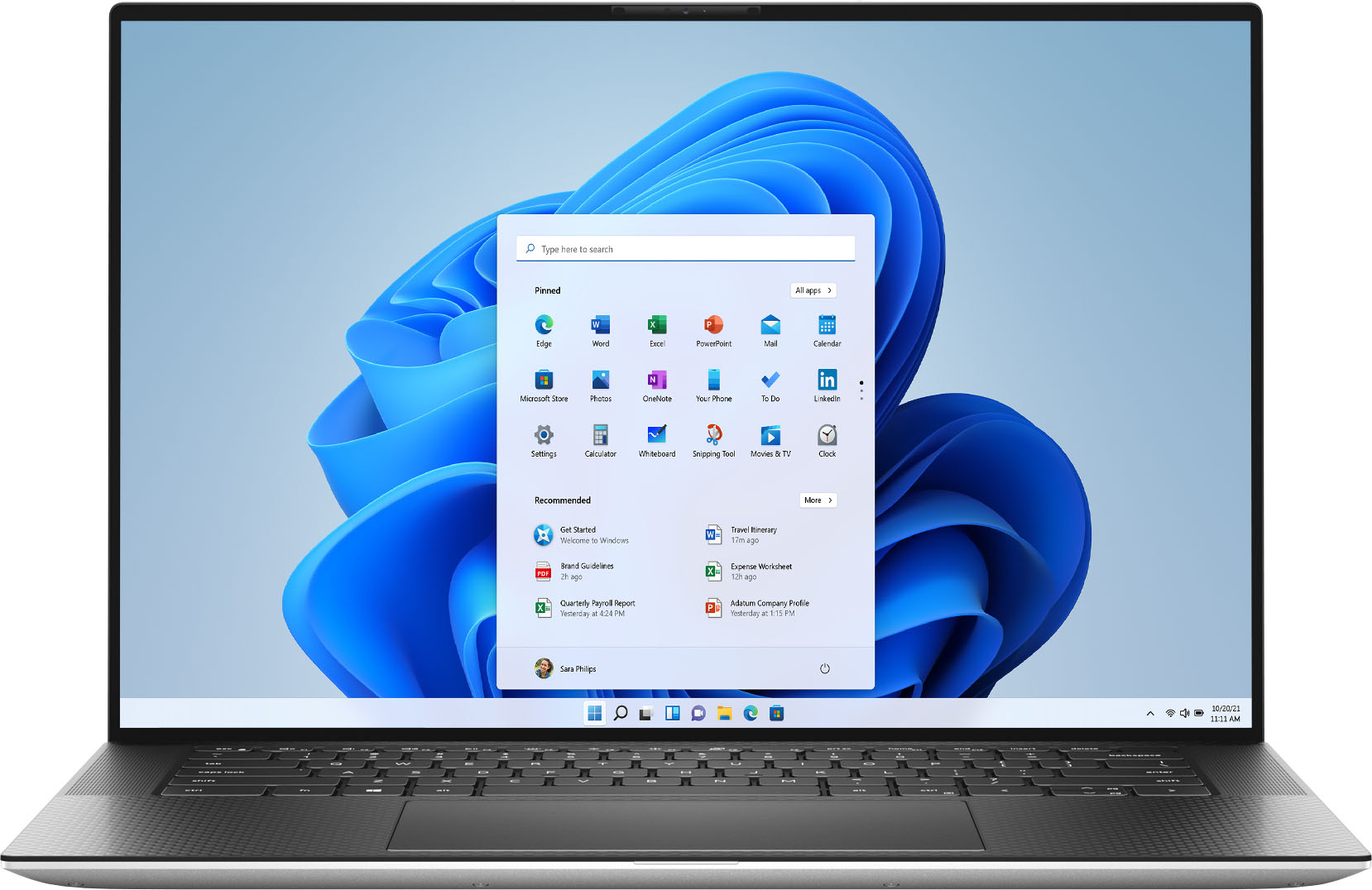
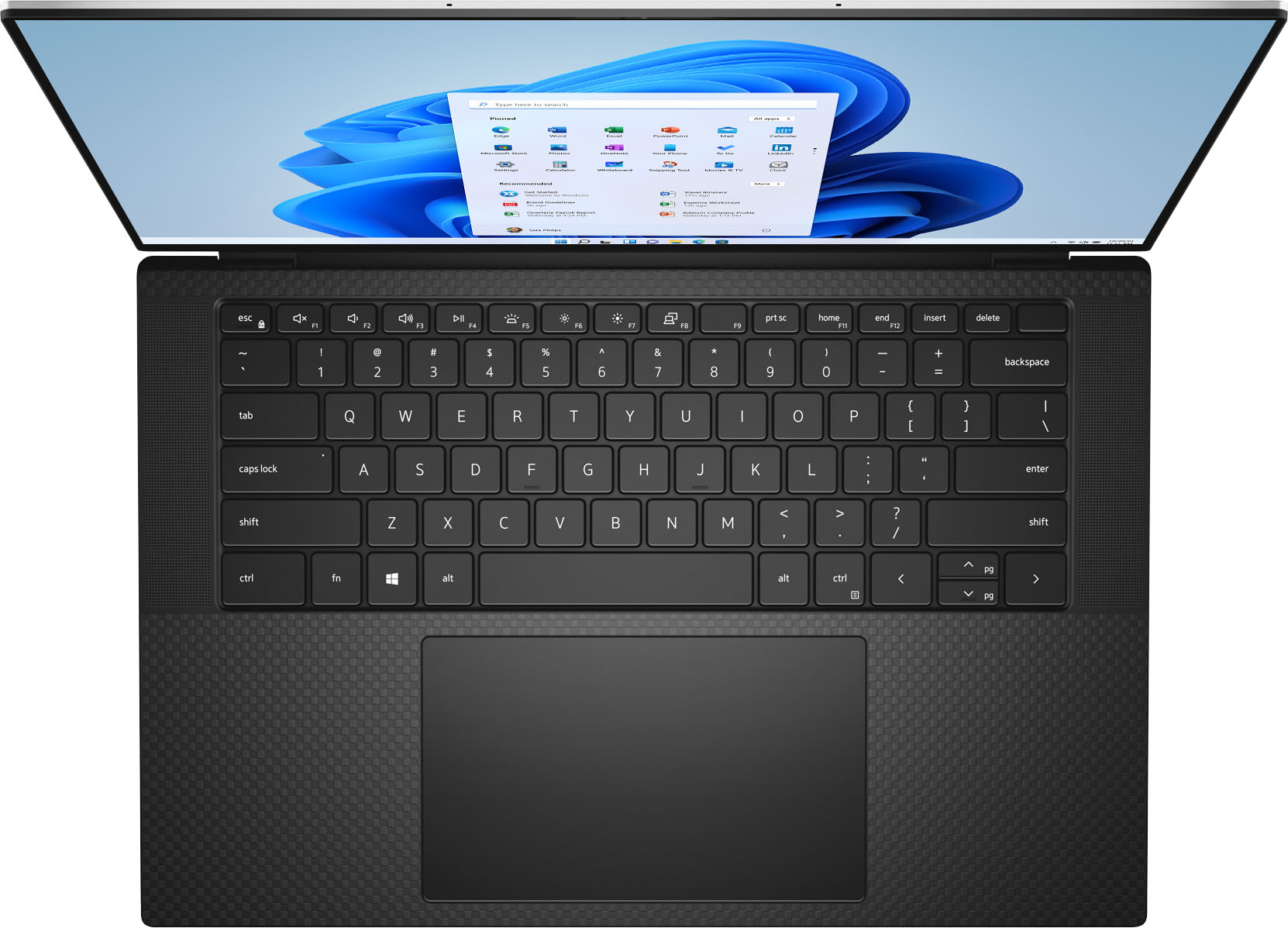
|Posted .This reviewer received promo considerations or sweepstakes entry for writing a review.Pros: Power button (above the backspace key) is unmarked and doubles as a fingerprint reader. The fingerprint reader is easy to setup and makes signing in fast, easy, and secure. Camera is at the top of the screen. Previous models had the camera at the bottom and made for some rather unflattering video calls. Quiet fan. Fan noise is much less than other Dell models that I have owned. Disk write speed is stellar, creating 1:1 previews of 150 62MP photos in Lightroom Classic took 10 minutes (7 minutes faster than 9570). The 512 GB Micron NVMe 2300 disk drive had a sequential write speed of 2.9 GBs and a random write speed of 457 MBs (peak profile with CrystalBenchMark). The screen resolution is 1920 x 1200 (FHD+). The extra vertical pixels (compared with the full HD resolution [1920 x 1080]) mean that you can watch full HD content without covering the task bar. The Intel UHD graphics chip should be capable of delivering 4K resolution to an external monitor (not tested). The additional NVidia GeForce RTX 3050 Ti GPU enhances 3D graphics performance (an advantage for gaming). Full-size SD card reader. Sequential read/write speeds approach 90 MB/s and 63 MB/s (1 MB files), respectively. Random read/write speeds of 4 KB files are considerably slower (11/3 MB/s). Cons: No touch-screen Requires docking station or external adapter for USB A and HDMI ports. A USB C-type adapter comes with the laptop and includes a single USB A port and a single HDMI port. If, like me, you still need to connect multiple USB A devices, I suggest getting a powered USB C docking device. Initial setup required login with Microsoft ID. There was no option to use a local login during setup. The user account must be changed after setup is enable local login. This is a “feature” of the version of Windows 10 Home that came with the system (build 19042). The display has a matte finish and is relatively non-reflective. This may be a “pro” under certain usage conditions, but even at full brightness, the display seems muted. The display had a distinct green hue with the default 06B3 ICC color profile and required color calibration to optimize color rendering. After calibration the display was capable of rendering 100% of the RGB color gamut, but only 76% and 82% of the NTSC and AdobeRGB gamuts, respectively. It’s limitations in the NTSC and AdobeRGB color spaces suggest that this would not be the best choice for photo editing without an external display. Overall: The CPU and graphics processing speed are quite good. The full-size SD card reader is good for photo and video transfers. The NVMe SSD is very fast, but some users may find the 512 GB size a limitation. The display had a notable green cast and required color calibration to render 100% of the RGB color gamut. The limitations in the NTSC and AdobeRGB color gamuts make it a poor choice for photo editing without an external (4K) monitor. The NVidia GPU is a nice addition for gamers. A powered USB C-type docking station is recommended to add USB A, HDMI, and display ports.
I would recommend this to a friend- Pros mentioned:Keyboard
Good Laptop, Amazing Screen, small problems.
Posted .This reviewer received promo considerations or sweepstakes entry for writing a review.Build Quality: One of the best in the industry. CNC machined aluminum, along with a sturdy hinge and thin chassis, this is the laptop to beat when it comes to build quality. One small thing however, the carbon fiber material on the inside is a finger print magnet, but its pretty easy to clean with a microfiber cloth. Screen (FHD+ Model): Also one of the best in the industry. Amazing color accuracy, really bright (500 nits), and super thin bezels around the screen. The aspect ratio is 16:10 and it honestly feels amazing going to this laptop from a MacBook air (which has considerably larger bezels). Thermals: This is one of bad things about this laptop. It does not have the greatest thermals, which is expected out of an intel chip in a small chassis, but it still is a little bit of a bummer. While the thermals are improved from last years model, the laptop still gets warm under regular use, and quite hot under stress (rendering, gaming etc.) In Dell Power Manager, you can put the laptop into cool mode, which will help, but it will also crank up the fans to the point where they are basically jet engines. I would recommend getting a cooling pad if thermals are something that matters too you. I got one for around 20 bucks on amazon. Performance: Great! While this is not a performance built laptop, the 3050 Ti is a good choice for this laptop. It runs at 45W (quite low), and even with RTX on (with DLSS enabled), you can get above 60 fps in almost any game, which is all this laptop needs considering the 60 hertz refresh rate screen. The 4gb of VRAM can be limiting if your a 3d artist (or a heavy gamer, but if your a heavy gamer go get a gaming laptop), but most 3d assets will fit in the 4gb of VRAM, unless you are rendering things in 8k. Keyboard/Trackpad: Love both of them. I heard that sometimes the XPS line comes with broken/malfunctioning trackpads, so if that happens just return it and get a new one. Didn't happen for me. Battery: 86 whr battery is quite large and I was able to get 10 hours of netflix and around 6-8 hours of youtube. You can probably squeeze out a few hours gaming. I currently have discord, spotify and 9 chrome tabs open and at 73% the laptop is saying I have a little under 6 hours left. Overall: Great Laptop! Not the best thermals, but with an amazing screen and amazing build quality it is easy to overlook that. If you have the money, I would reconmend!
I would recommend this to a friend Maybe the perfect laptop
|Posted .This reviewer received promo considerations or sweepstakes entry for writing a review.Looking for a quality laptop with great performance, I decided to give the Dell XPS 1590 a try. Let me tell you, this is a powerful machine in a great looking package. Opening the box you find a clean sturdy machine with plenty of keyboard and touch pad space. Multiple biometrics provide access however like most they are about 70% effective. The face ID requires you to look into the camera. That is the only knock I can give this machine. Using the latest I7 processor it performs complex tasks ( including CAD) with incredible speed. Having the SSD integrated in to the buss makes for even faster response. With two separate video cards (the built in and the amazing NVIDIA graphics for CAD or games refresh is instantaneous. Display quality is superior and with all the graphic options available one could easily add an additional display, which Dell makes easy with either the built in display port or the HDMI adapter included. 3 usb 3.0 ports provide accessory access If you are looking for a complete laptop solution for gaming or productivity I don't know that there is a better machine out there.
I would recommend this to a friendReview per best buy
||Posted .This reviewer received promo considerations or sweepstakes entry for writing a review.Don't know yet. Best buy asked me to write a review for points
No, I would not recommend this to a friendBrand response from YourDellTeam
Posted .Dear Valued Customer,
We would like to thank you for taking the time to provide us with your feedback. We understand that it is too early to request a review. We hope that your Dell XPS 9510 computer will perform to your satisfaction.
If you come across any questions or have concerns about this product, please don’t hesitate to contact Dell Support Team at the information provided below.
Best,
Katarina@Dell
Should you need further assistance, you can contact Dell directly with the information below.
Chat or call: https://bit.ly/DellSupportTeam
Phone number to Dell 1-800-624-9896
Dell
||Posted . Owned for 2 weeks when reviewed.This reviewer received promo considerations or sweepstakes entry for writing a review.Had to return this unit for a new 2 times. Out of box failure
No, I would not recommend this to a friendBrand response from YourDellTeam
Posted .Hello Stonex,
Thank you very much for your valued feedback. We are sorry to hear that you came across some troubles with your XPS 9510 laptop and ultimately decided to return the system. This is certainly not what we like to hear from our loyal customers. We will share your comments with our quality team so improvements can be made now and in the future. In the future, we would love the opportunity to help troubleshoot any problems you may be facing.
If you come across any questions, please don’t hesitate to contact Dell Support Team at the information provided below.
Best,
Katarina@Dell
Should you need further assistance, you can contact Dell directly with the information below.
Chat or call: https://bit.ly/DellSupportTeam
Phone number to Dell 1-800-624-9896
Freezes a lot!!!
||Posted . Owned for 4 months when reviewed.This reviewer received promo considerations or sweepstakes entry for writing a review.This laptop freezes all the time even with updates.
No, I would not recommend this to a friendBrand response from YourDellTeam
Posted .Dear Carlo,
We value your feedback and want to thank you for taking the time to leave us a review. We are sorry to hear that you are experiencing trouble with your new XPS 9510 laptop because it freezes a lot.
Below I have provided a list of solutions for the freezing issues, along with a link to the full article, should you need further information. We also recommend making sure your BIOS is up to date on your PC. I have given you a link to the Drivers and Downloads page for your computer so you can check for and do applicable updates.
Resolutions
1. Run a Computer Diagnostic. To determine if your computer is experiencing a hardware problem, run the Dell Preboot System Assessment (PSA) Diagnostics. For information on how to run Diagnostics, and to determine the issue, refer to Dell Knowledge Base Article: http://dell.to/2iaiujA
2. Check Safe Mode for Symptoms. To boot into safe mode, please follow the instructions below:
a) Start the computer.
b) Tap 'F8' on the keyboard immediately and every one second until the Dell logo screen disappears. From there you will see the Windows Advanced Options Menu on the screen. (If the Windows Advanced Options Menu does not appear, restart the system and try again.)
c) Select Safe mode with Networking and press Enter.
d) Log on as the administrator or as a user with administrative access.
e) Open applications and test the computer in safe mode. If the symptoms exist in safe mode, please continue the troubleshooting steps in this article. If the symptoms do not exist in safe mode, the issue is likely related to a driver or software and you may wish to complete step 3 to see if you are able to resolve the lockups or freezing.
3. Check for Malware. Malware (Virus, Spyware, etc.) can definitely cause a Windows system to lock up or appear to hang. To check for malware on your system and to ensure that your computer is up to date on security software, visit Dell Knowledge Base Article: http://dell.to/2wWP1zI.
You can read the full article here: https://dell.to/3rTldMZ
Drivers and Downloads page: https://dell.to/3wH6E5k
After utilizing the troubleshooting options provided, if the issue with the freezing is not resolved, please feel free to contact our support team here: 1-800-624-9896.
Best,
Katarina@Dell
Should you need further assistance, you can contact Dell directly with the information below.
Chat or call: https://bit.ly/DellSupportTeam
Phone number to Dell 1-800-624-9896
Amazing Dell Heredity
|Posted .This reviewer received promo considerations or sweepstakes entry for writing a review.As I unboxed the Dell XPS15, I knew I was about to experience an entirely new level of awesome. The packaging is truly setting a benchmark in how a product should packaged for its new owner. I don't know if I could have been any more impressed had I been opening a king's treasure chest. Yes, it comes that well-packaged. Whoever designed the packaging did so with the sole purpose of making the customer's first impression a memorable experience. Again, it is that good. My particular laptop came with a 512GB SSD, and 16GB memory, and the GeForce RTX 3050 Ti Graphics card. The operating system is Windows 10. The setup process was quite simple and easy. A few clicks here, a few questions there, and it was setup and ready to use. Dell offers several options to optimize the audio and visual experience for the user. Audio and visual is enhanced (AMAZINGLY) via Dolby Access. After getting everything set up, it was time to add a few software packages, some audio and video files, and see what it could do. I mentioned in the previous paragraph that Dolby Access is included. I have a pair of Yamaha wireless bluetooth headphones, as was excited to hear how they would sound. Dolby included several clips from the move, "1917." I was dumbfounded. There was no way I expected the type of sound quality that filled my headphones. There is truly no describing how LIFE-LIKE and intense the listening experience is. It felt as if I was really there. The sound filled my head with vivid, deep and rich sounds. And the video was no less astonishing. The GeForce graphics present an experience every bit as stunning as the audio. In fact, the experience was so realistic that it caused me to rent the movie. And just to take the test a bit farther, I tried listening through the included onboard speakers. I have owned many laptops over the years, but not a single one comes close to the output levels of this Dell! The sound is clear with no distortion at high volume, even at max. Where has this laptop been my whole life?? After spending several hours immersed in pure pleasure, I put the laptop up for the night. The next day was going to be dedicated to testing it out using some high resource-using software to test out the Dell's engine. I started off the next day by loading two videos I had recorded a few months ago. Using a high-end video editing software program, I pushed it to the limits. Adding layers of sound, visual effects, etc, I was determined to see if the Intel processor was going to live up to its hype. Only once did I get any kind of anything close to a lag to occur. I was unable to get it to do it again. To save a lot of writing, this Dell handled everything I threw at it...and could have handled more. I am finally in possession of a truly capable machine, one that has already made my work much more enjoyable From the amazing and spectacular audio/visual performance, to the ease in which it handles to most complex software, the Dell XPS15 has set a whole new standard in laptop technology and expectations. I just can't say enough about how pleased I am with this laptop. Now I hate to do this, but I have to be honest in offering a truly unbiased review. The sad part it, the negative aspects of this Dell have nothing directly to do with Dell. It's the Windows operating system. It has become so invasive that it is radically distracting, especially if you choose to make use of the included web browser. So be prepared. The only other thing I would mention is that it is not a touch screen laptop. Not that I ever make much use of the touch screen features on my other laptops, but it is something to be aware of. In closing, as I am not a high-tech gamer, I felt this laptop was perfect for my needs. It is perfect for anyone needing a high-performing computer to handle ALL their personal and business needs. I would heartily and highly recommend the Dell XPS15 to anyone wanting to purchase the perfect laptop.
I would recommend this to a friendFast, light, and powerful laptop
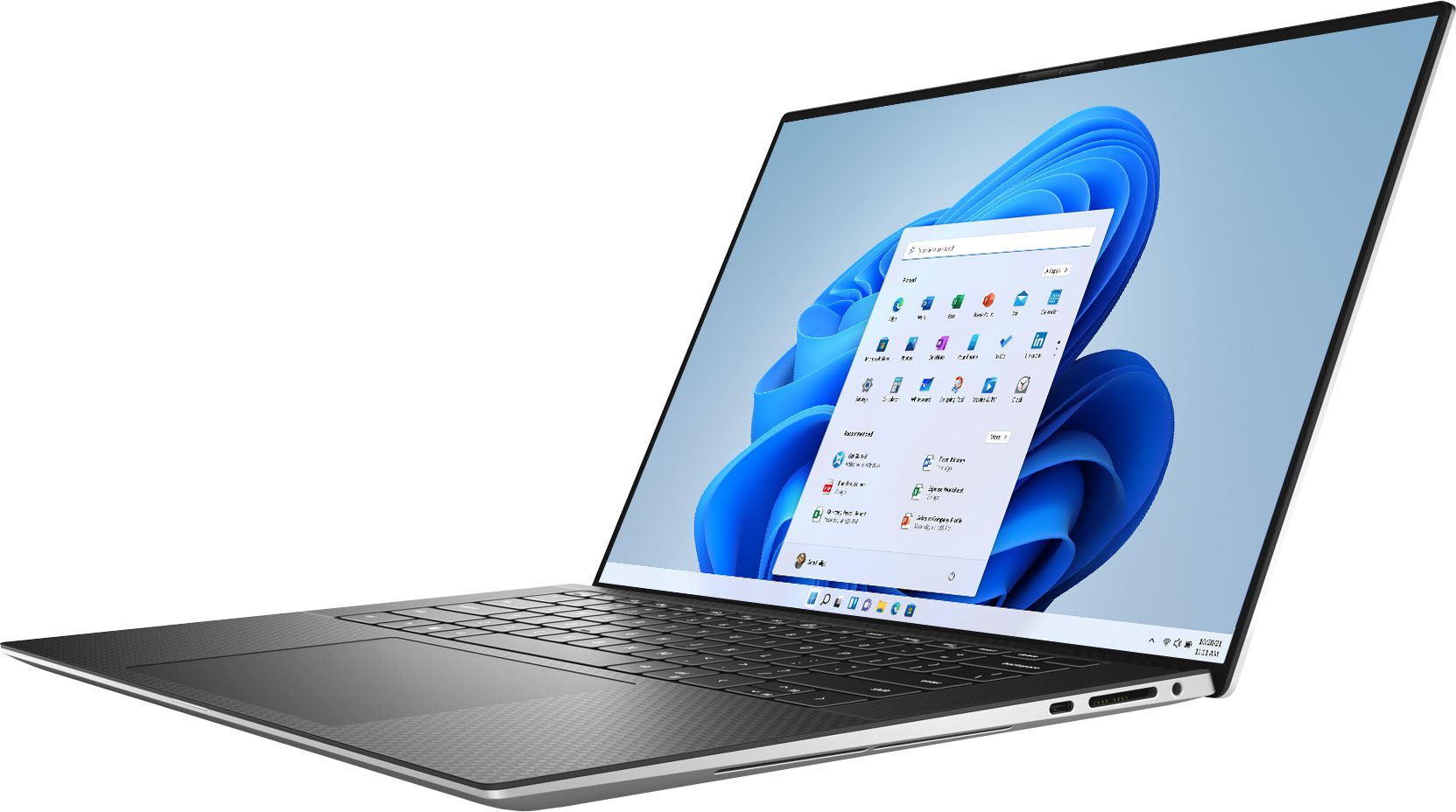
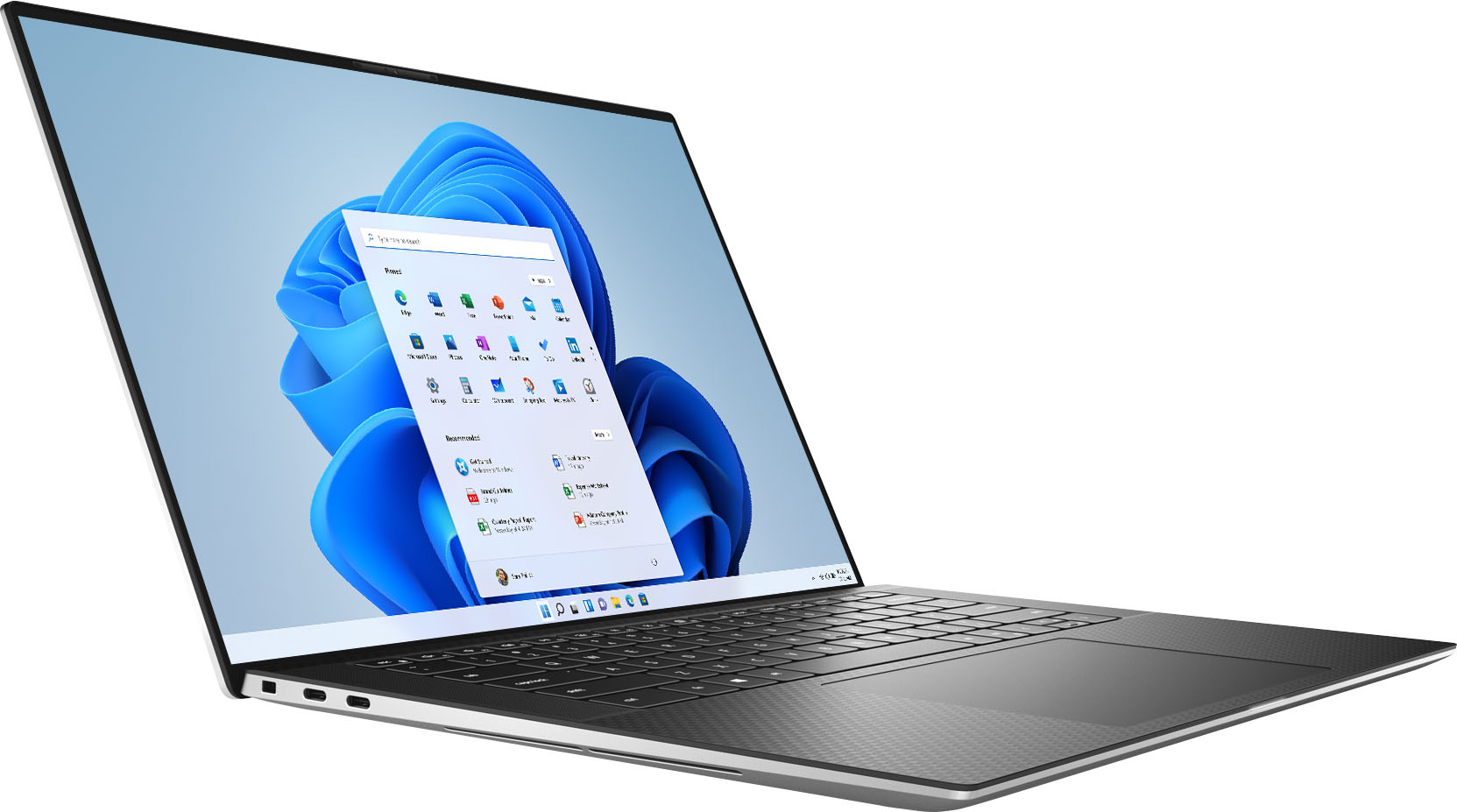
|Posted .This reviewer received promo considerations or sweepstakes entry for writing a review.The Dell XPS 15 FHD has the pedigree for creatives, gamers and knowledge workers. It has an Intel Core i7 chip, a whopping 16 GB of RAM, a beautiful nearly 16-inch screen powered by a GeForce graphics card, and a high-capacity 512 GB solid state hard drive. Thiss all comes in a thin and light aluminum case. I tested the XPS 15 with MS Office and Adobe Creative Suite apps. Illustrator worked flawlessly with large graphics files and several programs opened. The colors are bright and true, and the screen is large enough for a graphic designer to work without connecting to a larger, external monitor. The XPS-15 has two USB-C ports on the left and one on the right side of the case. It has a laptop lock slot on the left, plus headphone port and SD card slots on the right. I connected a Dell USB-C mini hub so I could use a Bluetooth mouse with a USB-3 connector. The XPS-15 comes with a USB-C power “brick,” which is slim, though larger than the competition’s. The machine boots up quickly. It has a fingerprint sensor on the power switch. The sensor worked when I first set up the laptop, now does not work well (maybe because of multiple hand washings since setup?). It is easy to log in with a digital passcode. The XPS-15 runs quietly and does not generate lots of heat. Pros: - Thin, lightweight, 16:10 screen aspect ratio with bright colors and good resolution. - Fast, plenty of RAM, large SSD hard drive. - Three USB-C ports. Cons: - No touchscreen. - Touchy fingerprint sensor (no pun intended). - No HDMI port. I would recommend this model to creatives, gamers, and business knowledge workers who need a lightweight, powerful laptop. If you want a touchscreen with a foldable and/or detachable screen, I suggest you look at other Dell models.
I would recommend this to a friendHome, Business, School, or Gaming Laptop
|Posted .This reviewer received promo considerations or sweepstakes entry for writing a review.The first impression I had when I unpackaged the Dell XPS was that the construction was very solid. I did not detect any flex at all in the case. The second thing that struck me was this wasn’t my old Windows laptop by any means; it's the first Windows laptop I have had that was charged via a USB C port and had Thunderbolt 4 ports. The Dell XPS is fast. It boots up 40 percent faster than my three year old Pentium core I7, 16 GB, 15,6 inch laptop. It also has better battery life, on simple web browsing tasks. The three year old laptop has about 4,5 hours of battery life. The newer Dell XPS has a little over 7 hours doing the same type of work. I have only had the Dell XPS up and running for 4 days now and unlike the older laptop it does not have a touch screen so some games that used the touch screen now are played with the touchpad and the shift definitely feels a little a little odd at first. Also the Dell XPS has a different mix of IO ports then the older laptop one USB C and two Thunderbolt 4 ports. The dongle provided by Dell with the Dell XPS adds to the XPS the same USB, HDMI ports that the older laptop has, in addition to Thunderbolt. But dongles or interface docks are necessary and may complicate use. The Dell XPS looks like it would make a fine home, business, school, or gaming laptop. I recommend the Dell XPS
I would recommend this to a friendPerfect in Every Way
|Posted .This reviewer received promo considerations or sweepstakes entry for writing a review.Best laptop I have owned in 20 years. Quality build, nice soft feel, excellent screen picture, fast startup and restarts, easy set-up, and an overall well engineered and rolled out product. It is not often that I have no improvements or features I would like to have but don't because for the price point, it is a very well equipped laptop. Video card is great for gaming and the sound is surprisingly good from the built in speakers. Packaging was high end and the product was delivered flawless and looking great. I look forward to many years of use without needing an upgrade. Highly recommended and exciting product!!
I would recommend this to a friend- Cons mentioned:Battery life
GreatLaptopLessBattery
Posted .This reviewer received promo considerations or sweepstakes entry for writing a review.My friend gifted me Dell XPS 15", 16gm, 512, i7 11th gen. Everything was good (design, keyboard, display, speed). However, battery timing was less than I expected. Given the price, I was expecting somewhere around 10 hours, however, I was disappointed. Now looking to exchange with Dell Latitude
I would recommend this to a friend Not worth the price
Posted .This reviewer received promo considerations or sweepstakes entry for writing a review.I bought this computer for school and for video editing. Despite the specs for this computer, it cannot handle 4k 60fps video editing, and is very slow at 4k 24fps. The trackpad often stops working and I have to reset the computer. When this laptop came out I bought it for $2000 USD. It is simply not worth the price. You can find this on ebay for about $750 now.
No, I would not recommend this to a friendNumerous issues w/ hardware and software
Posted .This reviewer received promo considerations or sweepstakes entry for writing a review.I've had this computer for about 1.5 years. Numerous issues to the point it's ridiculous. No option to review on Dell - read the blogs, Dell doesn't give you the option to leave reviews unless you're selectively "invited". Note: I use my computer to browse the internet, listen to Spotify, and move numbers around in excel. No gaming, no streaming, no downloading, no graphics/arts programs. I have antivirus software. I do all the recommended updates regularly. Here we go... (1) Upon receiving the computer I noticed it had a weird screen glitch where a square corner section would briefly flash a different color. After trying several things and nothing working, Dell support gave me a long and very meticulous list of steps to go through to completely clear the computer (essentially turning it back into a brick) then reinstalling the entire system from a USB drive to turn it back into a useable computer...this process was something a tech should do, not a customer. Why wasn't this fixed before sending to computer out?? This issue is ongoing. (2) Charging port - broke after 8 months. I am careful to protect my laptop and charger from damage. The service tech that helped me said "I see this all the time. It breaks with repeated plugging and unplugging" YOU MEAN NORMAL LAPTOP USE??? The charging port, charger cord, motherboard, AND battery all had to be replaced because the port breaking short circuited and ruined all the above listed components. Thankfully Dell replaced everything right before my 1 year warranty ran out. Repeated delays/issues with getting parts and service. (3) Blue screen of death - has happened multiple times randomly and for no apparent reason. Sometimes it restarts pretty quickly, sometimes it takes multiple attempts. (4) Aux port - broke 2 months after my 1 year warranty expired so there's nothing I can do. Total trash. Overall issues with sound including getting computer to register Bluetooth headphones and audio on zoom. (5) Curser - So. Very. Buggy. UGH! Even with constantly do the driver updates and everything else my cursor will just freeze or pause and then jump across the screen then freeze again. Had to buy a usb plug-in mouse. (5) Brightness increase/decrease control - randomly stops working both on the keyboard and in the system settings. It will get stuck on full bright and I have to restart computer to fix it. (6) Dell customer service - it's pretty bad even with warranty. It was awesome that they fixed my charging issue and replaced all the items free of charge. But it took SO LONG and multiple attempts to get someone to help me. I would get "transferred to a specialist" and wait for hours with no response. I would eventually exit and restart, re-explain my issue/s, and wait again. This is my third Dell laptop over the last 14 years. After this one I'm done with Dell.
No, I would not recommend this to a friendBrand response from YourDellTeam
Posted .Dear Amiller,
We would like to thank you for taking the time to provide us with your feedback. We apologize for all the issues you have encountered with your Dell XPS 9510 laptop. We understand how frustrated this could be. We will share your comments with our quality team, so future improvements can be made.
Please contact Dell Support Team at the information provided below at your earliest convenience. We hope that the next representative you speak with can help you to resolve all these issues with hardware and software to your satisfaction.
Best,
Katarina@Dell
Should you need further assistance, you can contact Dell directly with the information below.
Chat or call: https://bit.ly/DellSupportTeam
Phone number to Dell 1-800-624-9896
Very recommendable laptop, ordered and cant wait
Posted .This reviewer received promo considerations or sweepstakes entry for writing a review.I, by watching YouTube videos about this laptop, i can see it has no bezels, and i ordeeing it, but still waiting for it. Cant wait to unbox it when it comes, and I, love this XPS 15 9500, and cant wait to compare it with my 2011 Acer Aspire One! I love how it has fingerprint scanner and a face ID scanner, i love this laptop <3 thanks for this masterpiece :)
I would recommend this to a friend- Pros mentioned:Gaming
Depends
Posted .This reviewer received promo considerations or sweepstakes entry for writing a review.This product is alright. It has great capabilities and I would recommend it for gamers, but I would recommend a different laptop for students
No, I would not recommend this to a friendBrand response from YourDellTeam
Posted .Dear Valued Customer,
Thank you very much for your feedback. We are sorry to hear that you are not 100% satisfied with your XPS laptop and that you would not recommend it for students. We have noted the details of your statement to help improve our products now and in the future.
If you have any questions or concerns about this product, please use the information below to contact Dell at your earliest convenience.
Best,
Katarina@Dell
Should you need further assistance, you can contact Dell directly with the information below.
Chat or call: https://bit.ly/DellSupportTeam
Phone number to Dell 1-800-624-9896
Don't believe the hype
Posted .This reviewer received promo considerations or sweepstakes entry for writing a review.Generously reviewed piece of kit. Purchased because I need to run a 10,000 row spreadsheet with multiple pivot tables, this xps gives a lot of blue spinning circles. Purchased to upgrade an 3 year old HP Envy which was slowing. The XPS slows at all the same points for marginally less time. Significantly overrated, could have got a Mac for similar price: if you don't have an moral dislike of the apple ecosystem, the machines are likely way faster. The XPS works, but it is not an advance on my old HP.
I would recommend this to a friendBrand response from YourDellTeam
Posted .Dear Hhbb,
We want to thank you for your valued feedback. We sincerely apologize for the performance issues you are experiencing with your XPS 9510. I have provided steps to using the Windows Performance Troubleshooter which should help resolve the performance issue. I have also provided a link to the full article that has more options if needed.
Windows performance Troubleshooter:
1. Close all open windows.
2. Press the Windows logo key + X key on the keyboard.
3. Click Control Panel.
4. Click System and Security.
5. Under Security and Maintenance, select Troubleshoot common problems.
6. Under System and Security, click Run maintenance tasks.
7. Follow the on-screen instructions and prompts to complete the process.
8. Restart the PC.
You can read the full article here - http://dell.to/2tSulGV.
After utilizing the troubleshooting options provided above, if the problem is not resolved, please feel free to contact our support team here: 1-800-624-9896.
Best Regards,
Ashley@Dell
Should you need further assistance, you can contact Dell directly with the information below.
Chat or call: https://bit.ly/DellSupportTeam
Phone number to Dell 1-800-624-9896
Good
Posted .This reviewer received promo considerations or sweepstakes entry for writing a review.Bought this laptop to replace my old acer, I use it to run research programs such as r and ArcGIS simultaneously and it has never given me any problems
I would recommend this to a friendSo far so go!
Posted .This reviewer received promo considerations or sweepstakes entry for writing a review.So far it seems easy to use and has done everything I have wanted it to do! I’m excited for the great picture it has on the screen.
I would recommend this to a friendNot reccomended
Posted .This reviewer received promo considerations or sweepstakes entry for writing a review.Has a manufactor problem to it. keeps on turning off out of nowhere. otherwise very strong computer
No, I would not recommend this to a friend