Customer Ratings & Reviews



- Model:
- XPS9365-7086SLV-PUS
- SKU:
- 5711031
Rating by feature
- Value
Rating 4.3 out of 5 stars
- Quality
Rating 4.3 out of 5 stars
- Ease of Use
Rating 4.4 out of 5 stars
Customers are saying
Customers enjoy the XPS 2-in-1 laptop for its light weight, fast performance, and long battery life. They appreciate the high-quality screen and sleek design. However, some customers have concerns about the limited number of ports, the price, and the placement of the power button.
This summary was generated by AI based on customer reviews.
Great PC but not solid enough
||Posted .This reviewer received promo considerations or sweepstakes entry for writing a review.The computer itself is stylish and super thin. If you need a workbook with toughness and durability this is not for you
I would recommend this to a friendBrand response from YourDellTeam
Posted .Hello, we're glad to learn that you find the XPS design stylish and enjoy the size. However, we regret to learn that seem not to be satisfied with the durability of the product. We'd love to learn more about your views and offer any assistance with any questions or concerns you may have at 1 (800) 624-9897. Best - Chris

Expensive but satisfactory
||Posted .This reviewer received promo considerations or sweepstakes entry for writing a review.I returned the item after 3 weeks. Way too expensive for such a small laptop that did not have anything exceptional about it.
No, I would not recommend this to a friend- Cons mentioned:Price

Fast, Sleek, and Compact
|Posted .This reviewer received promo considerations or sweepstakes entry for writing a review.I have owned a macbook, gateway laptop, and a surface 2 tablet. I've also owned an ipad. This laptop is small enough to give you the tablet feel and fast enough to do laptop jobs. At first impression, it looks well built, the keyboard keys light up, and its not too heavy. The set up wasn't too hard, but i did not get my full 256 GB's to use. I got 238 GB and with the apps it took up roughly 34 gbs. Eventually, i only had 203 gb to use. I did not like it. I did buy a 200 gb micro sd card to help me, which i recommend to do too. The USB is a type C USB!!, so it will not work for regular 2.0 or 3.0 UBS!! You'll need a USB type C connection for it, this computer comes with it already. I transferred 90 GBs of music from my USB. it took 1-2 hrs to transfer. Later the computer starting acting up, it was on loading mode for almost an 1hr. I had to restart it again. I later transferred the music to my 200 Gb micro sd card, and once again the computer froze for 30 mins. I had to restart it again. "Please wait while we prepared to turn off your computer." Another issue is the trackpad. It isn't too responsive, i have to use the top left of the trackpad to make sure i see the arrow. It gets kind of annoying, so if you have a Bluetooth mouse even better. Overall, this is a nice laptop, and its not heavy, and looks nice. It's perfect for school. I will definitely use it for college. The battery life isn't too great. I did notice the laptop battery gets really hot if you are using a lot, for example when i was transferring files. I like the 16 GBs of ram, i could tell when transferring files with that said, i don't think this laptop/tablet isn't worth +$1,399 dollars. If it was around $1,000 for this computer then it would be a good price. I do think is nice, but for the price i rather get an apple computer, just think its too expensive. If you want something small with a tablet /laptop feel then this is a good option also if you have money to spend. I personally wouldn't purchase this computer unless it was on sale just my personal opinion, but i will leave 4 stars because it feels like it can handle multitasking and long periods of use. It feels like a well built laptop and tablet that's why i put 4 starts, but i'll take away one because of the trackpad issues and the loading freezes.
No, I would not recommend this to a friend Ok Comp
||Posted .This reviewer received promo considerations or sweepstakes entry for writing a review.Not top of the line but this will do what it is needed to do for the time being.
I would recommend this to a friendBrand response from YourDellTeam
Posted .Hello Valued Customer,
Thanks for your Dell computer review. We're happy to see that for the most part, your computer is meeting your needs. If you do have any questions about your computer you can check our Product Support Page here - http://dell.to/2hQTJWb.
Best,
Bryan
1-800-624-9896
Good one
||Posted .This reviewer received promo considerations or sweepstakes entry for writing a review.XPS is good laptops but producing lots of heat for the reason dislike it
No, I would not recommend this to a friendBrand response from YourDellTeam
Posted .Dear Sayed, Thanks for your review. We're sorry to hear that your laptop is overheating on you. We'd recommend these tips to help keep your laptop from getting too hot:
Tips for Proper Usage:
1. Dell does not recommend placing portable systems directly on your lap. Due to reductions in the thickness of modern portable systems, heat transfer can be an issue.
2. Using a portable system (Laptop) on a hard, flat, non-cloth surface will increase airflow and reduce heat from underneath and inside the system.
Using the portable system on blanket, pillow, or other type of cloth will cover up the fan cause the computer to overheat and can cause permanent damage.
3. It is recommended to use the portable system in a Room temperature of 0°C to 35°C (32°F to 95°F) with a Humidity level no greater than 90%.
4. Use compressed air to clean the vents on a regular basis.
5. Using a cooling pad can decrease heat and increase performance.
6.. If you want to know the temperature limitations for your system, go to the Dell Support Website, look up your system model then open the user guide under the manuals link.
You can read the full article here - http://dell.to/2uJ8AdG. - Bryan
- Pros mentioned:Fast
Wow! Just Wow!
|Posted .This reviewer received promo considerations or sweepstakes entry for writing a review.Where to start with this one.... I must admit I was very skeptical to try a Dell computer since I have not had good experience with them in the past, but man am I happy I took a chance on this one! This is by far and away the lightest and fastest laptop I have ever owned. From the way the keyboard feels to the beauty in the resolution of this screen, I am blown away. Set up was easy and super quick, was up and going in less than 10 mins (would have been sooner if I would have read the quick start guide telling me to plug it into the electrical outlet first!) Surfing the internet, watching videos, oh yeah and writing reports, have all been super easy and fast! Going from laptop, to tablet, to tent mode to watch a movie or tv show is quite easy and fun. The size is just right not too large, not too small. The resolution and look of the display is phenomenal, just WOW! Looking at photos on my jump drive and I am loving the look of them on the screen. The usb adapter is included to aide in connecting devices to this laptop. There are only a couple of cons for me and they are really minor.... The laptop is so thin at times it is a little hard to open and the area around the hinges is a bit sharp! They would be better if slightly rounded, it snagged my pants and hurt my leg a bit. Not enough of a con to remove a star from the rating or take away from the enjoyment of the laptop. I am overall just impressed with what Dell has done this XPS 2-1 laptop.
I would recommend this to a friend CPU
||Posted .This reviewer received promo considerations or sweepstakes entry for writing a review.They should really stress that it's a mobo CPU and not an actual i7
No, I would not recommend this to a friend- Pros mentioned:ScreenCons mentioned:Processor
Love this 2 in 1
|Posted .This reviewer received promo considerations or sweepstakes entry for writing a review.First off the build quality of this 2 in 1 is sleek and compact with quality materials. This thing is compact and ultra light weight. Feels good in the hands. The screen is beautiful and clear and i love that it has such a thin bezel. Initially I was worried about how the speakers would sound coming from such a small package, suprisingly the speakers were loud and clear. Start up is also very fast after login and it also has a finger print scanner for convenience. There is a lack of ports though, it comes with 2 USB type C ports but that is the compromise for such a compact product. It does have an Intel Core i7- 7Y75 processor which is less powerful than the U series processors. This 2 in 1 is also fanless which is great but i did notice some warmth underneath where the processor is located when held in hand but this is to be expected and not noticeable when you have it on a desk. Browsing the web and having multiple windows open this 2 in 1 is snappy and responsive. All in all this 2 in 1 is a great package and fits my needs. I would recommend it.
I would recommend this to a friend Absolute worst laptop I've ever owned.
||Posted . Owned for more than 2 years when reviewed.This reviewer received promo considerations or sweepstakes entry for writing a review.I've had this laptop for a little over 2 years, I've had to get it repaired 4 times. I've had failures with the charger, battery, motherboard and a host of other issues. I'm currently in the process of getting it repaired again. When I complained to Dell about the frequent repairs, I was told to buy the extended warranty in case the parts fail again within a year. With the amount of money I spent on this laptop, I would expect it to be much more durable than way cheaper laptops I've owned, but alas I stand corrected.
No, I would not recommend this to a friend- Pros mentioned:Performance
What it's not a Mac?
|Posted .This reviewer received promo considerations or sweepstakes entry for writing a review.So I'm a big Mac user, but the quality, feel and everything else here remind me of Apple products. From the packaging to the cord it's great. If it didn't say DELL and have windows on it I would not have guessed. Audio sounds great, thin framed screen is beautiful, missing standard USB but comes with an adapter if needed. Metal covers and rubberized face around keyboard look and feel great. Touch screen is super sensitive and feels good. Boots up quick but be sure to put to sleep or shut down when you close the screen, seems to stay on and kill the battery. Maybe a setting somewhere I missed. Did some basic gaming, Vegas and Photoshop with no issues. I like the small footprint and quality cables, they are just like Dyson and Apple cords, nice and thick. This will be great for me to use but I'm not sure it will take me away from my Mac. Oh and way better than a surface in my opinion.
I would recommend this to a friend - Pros mentioned:PerformanceCons mentioned:Price
Great 2 in 1 device
Posted .This reviewer received promo considerations or sweepstakes entry for writing a review.I had my doubts about the Core i7-Y processor installed on this device but I decided to give it shot since Best Buy has a pretty good return policy! But... I won't be needing that since I've decided to keep it. I find this Dell xps to be a great 2 in 1 package. It's very light, has a gorgeous, near bezel-less screen, and performed well beyond my expectations. I could say the same for the 2 in 1s out there like the HP Spectre x360 and Yoga 910 but there are a couple other things here that make the Dell XPS my top choice: Pros: - Fanless design, I think 2 in 1 laptops should move in this direction( when I'm using it in tablet mode I don't want hot air blowing into my hands) - Active style support, it comes with an active digitizer that supports Wacom AES pens (2048 pressure sensitivity). This one is a big deal to me. Sure, it's great that you could watch videos easier in tent mode or read pdfs easier in tablet mode but what really makes a 2 in 1 significantly more worth it is being able to write notes, draw diagrams, and paint art on it. (Pen is not included in the box by the way! :c) - Sufficiently good performance. The processor was ultimately what my decision hinged on and fortunately it passed! I did not notice any slow downs on my normal casual use like browsing the web, watching videos and writing up essays. I also did not notice any slow downs while developing my webapps which is more intensive. Looking at benchmarks online the overall performance lies somewhere between the 6th gen i5-u and 6th gen i7-u processor which is pretty darn good for a fanless laptop! - Windows Hello fingerprint sensor. Very similar to the ones you find on smart phones these days, very quick and easy to use(tap instead of slide) - Thunderbolt 3 port using 4x PCIE and not 2x like most other laptops right now. Required for optimal use of external graphics cards. The cpu will definitely bottleneck it but there is definitely room for gpu improvement till that limitation. - Pretty light, important when using it in tablet mode especially - IMO, best display out of all the 2 in 1 crew in this price range - Carbon fiber chassis provides a nice and warm place for your palm to rest on while you use the touchpad. - Great keyboard and precision touchpad - Standard USB-c charging, soon more devices will use usb-c for charging so you could potentially share adapters among devices. You can use any of the usb c ports on the device for charging(left or right side, whichever works best for you!) - Plays League Of Legends at 1080p medium at 60fps. I love this game and my device better be able to play it reasonably well. (Not really a pro but I felt that I should provide a gaming becnhmark for a relatively popular game). Cons: - Only around 8-9 hour battery life - No full size usb a ports - No full size sd card slot - Pretty expensive, Best Buy should be given an 8gb RAM model for $100 less - 256gb SSD only. Thankfully can be easily replaced. Definitely have come to love this little guy for how much features are packed in such a small form factor. If the performance is your only concern that is holding you back, I urge you to give it a shot since Best Buy has a good return policy. I would not recommend this(or the other competing 2 in 1s today around this price range) as a primary gaming device, video editing device, 3D modelling device, or for any other cpu/gpu intensive process. NOTE: I evaluated the laptop only after updating it with the latest drivers. It took care of alot of the issues that are mentioned by the other reviews prior to mine.
I would recommend this to a friend - Pros mentioned:Performance, Screen
GREAT PORTABLE LAPTOP FOR TRAVEL
Posted .This reviewer received promo considerations or sweepstakes entry for writing a review.I purchased as an open box item $594(regular price is $1399)--great price. took abut a week to get it since shipping was the only available option. shipping box and laptop package box inside were a mess was ready to return fearing I received an item that was less than open box excellent. decided to set it up and take it for a test run before making my decision to keep it. I have to say I fell in love with this laptop. it's small and bezel less so it's all screen. the speeds are great. screen is super bright I have to lower to 40% and its still bright. after latest windows update I started having issues with the track pad pausing. the curser would freeze. I ran windows update and there were no new updates. I researched online and apparently this was a common issue. I went to dell website and ran the scan on the website and it downloaded and installed about 7 driver updates in less than 10 minutes. once done my laptop was perfect. for some reason windows update will not find these drivers. so for those having issues with track pad and curser freezing or anything else for that matter I suggest going to dell website and let them run their scan. from the website I also downloaded dell mobile connect that allows you to text and make phone calls on this laptop--install dell mobile connect on laptop and iPhone or android phone. I have a MacBook Pro and iPad but wanted a windows laptop smaller than my MacBook Pro for travel and this fits the bill. same screen size as my MacBook Pro but overall size of this laptop is smaller and super portable. I highly recommend Dell XPS laptops for their size and great performance. I ran benchmarks on this laptop and the numbers were good.
I would recommend this to a friend - Pros mentioned:Light weight, Screen
An Amaingly Fast and Light Laptop
|Posted .This reviewer received promo considerations or sweepstakes entry for writing a review.One of the better Windows-based laptops I've used in my days. Shows no hiccups when computing power is needed (Adobe suites, Handbrake, etc.), plenty of RAM to accomplish most things without stuttering (many Chrome windows up, with Handbrake or another intensive program running). It can also play certain games around medium settings too; not so much a gaming laptop, but it can do it for some scrafices. The screen looks great, touch screen works if you're into that. The laptop looks great, and is very light. I believe I weighed it in at around 3 lbs. If you're looking for a Windows based device and don't want the Surface lineup, this is probably the next best thing out there.
I would recommend this to a friend Lousy notebook at any price
||Posted .This reviewer received promo considerations or sweepstakes entry for writing a review.My first foray back to Windows based PCs. This NB is so slow you want to cry. Graphics loading reminds of a 1st generation Pentium using a dial-up connection. My computing is pretty basic fb, read some newspapers, email. This thing stinks. Wish I had kept my Macbook Air.
No, I would not recommend this to a friendBrand response from YourDellTeam
Posted .rockferd - Thanks for your review. We're sorry to hear that your computer is not performing the way that you had hoped it would. If you'd like some help speeding up your computer we'd suggest these steps:
Delete temporary files and directories
1. Click Start, then in the search bar type "disk". Disk Cleanup should appear on the menu above the search box.
2. Run disk cleanup and eliminate unneeded temporary files (Search results, Internet Cache and other windows temp files you may no longer need)
3. Select files you want to delete then click OK to start the cleanup process. Uninstall applications you no longer use
1) Open the Programs and Features application in Control Panel.
2) Scan the list of applications installed for ones that you no longer use.
3) Highlight any application you no longer use and then click the uninstall button at the top of the list. Follow the prompts to uninstall.
4. Repeat for each application you want to uninstall.
5. Move large files and/or seldom used files to backup media (Photos, Music you seldom listen to, application downloads after the application has been installed etc.).
6. Empty the Recycle Bin.
You can read the full article here - http://dell.to/2tSulGV. - Bryan
- Pros mentioned:Screen
Great Build Quality good for College
Posted .This reviewer received promo considerations or sweepstakes entry for writing a review.This laptop has great build quality and a beautiful design here are some pros and cons: Pros: -Great design -Good bright screen -Fingerprint Reader -Fast boot times -Portable -Overall a fast machine Cons: -Coil Whine -Auto Brightening Screen (This can be solved through a driver download from dell's website) -Only 2 Usb-C ports (I would have liked to see at least one more type-A) -The power button is really hard to press -Battery drains while in sleep mode (Hibernation must be used if you want to leave your laptop unplugged and not drain the battery ) -Camera is in an odd position Overall this laptop is good, while you need to update the drivers when you get it to avoid some annoying problems, but that should be no problem. I think that what really shines about this laptop is the amazing build quality. And I think that this machine is great for a college student, such as myself. Although this machine is a bit on the pricey side I think that it is worth taking a look at.
I would recommend this to a friend - Pros mentioned:Battery life
Good looking 2 in 1
|Posted .This reviewer received promo considerations or sweepstakes entry for writing a review.The setup is pretty quick to get started. An annoying part of the instructions and setup is that they want you to create a Recovery Drive on a USB but this computer only has type-C which most people don't have laying around. It's great to see this technology getting implemented but it's still in the new phase so it would of been nice if at least one typical USB port was available. Some other cons I'll bring up here are that it gets warm quick in your lap with minimal use. The other thing is that it gets a little hard to open up. A magnetic keyboard holds the screen down and the edge is smooth without a predefined area to grip. The solid state drive loads quickly. Picture and finger print security worked great. It's convenient that the touch pad has a left and right mouse click top to bottom. The edge to edge screen is awesome and has great quality. I streamed Netflix which looked clear and had great sound. I also played some Blizzard games without a problem and they also looked great. I loved playing Hearthstone in tablet mode. The flexibility of the screen position was useful for mobility and to adjust for glare. It is very light and seems durable helping with mobility. Seems great for reading e-books on tablet mode also. I liked the lit up battery level indicator and the small charger with lit up plug so you can easily find it. Battery life is really good as well.
I would recommend this to a friend Beautiful Laptop (with a few minor annoyances)
|Posted .This reviewer received promo considerations or sweepstakes entry for writing a review.This is a beautiful laptop. I mean, just gorgeous. The color, style and everything about it just looks space age. It’s easily the nicest laptop I’ve ever used. The top and bottom feel like sturdy metal, while the black rubberized coating on the keys and touchpad feel extremely durable while looking nice as well. When I first unpacked it I opened it up to make sure it powered on then plugged it in to charge. My first test was the next day…only to discover the battery was completely drained. After just a minute or two of research I found out this was a common issue and the fix was already out for it, I just hadn’t updated anything on it yet. I used it plugged in for a bit while it updated and it hasn’t had a power drain issue since then. This device is fast! The SSD drive difference is kind of amazing to me—it’s faster than powering on an IPad! Powering on after being completely off to the log-in screen is an average of 15 seconds. In sleep mode it’s about 5 seconds. I found the speed to be consistent through just about everything I tried—from apps to video opening and running software is fast. I don’t do anything too “extreme” on laptops—typically work—Outlook, Word, Excel, etc, which all run very well and very fast. Occasionally I’ll watch short videos, but I’ve never been much for watching TV or movies on screens like this—the few videos I have watched on youtube that are HD look incredible. I also tested the HD movies on VUDU and Amazon and they also look fantastic and run very smooth (YMMV depending on your connection of course). There is virtually no delay opening applications. I was also very impressed at the lack of “bloatware” on this device. There’s not much on the desktop frankly—Windows 10, explorer and that’s about it. In this day and age that’s kind of amazing. Once you look at the program list there’s some Dell stuff and a few of the standard windows accessories but it’s very light on programs overall—which is nice since the SSD size is a little small. I love the micro SD slot—it actually adds some pretty hefty storage space considering the technology is fairly inexpensive these days. Just remember where you put them if you use more than one, but it’s a great way to store photos and large video files that otherwise would be taking valuable SSD space. The “infinity edge” touch screen is gorgeous and very responsive. I didn’t care for the “recommended” (and default) setting of 150% sized icons, which I assume is due to the screen being small, but I’d rather see as much information as I can and with everything set at 100% it was still crystal clear. I played a few touchscreen games and they all responded the way you’d expect any good tablet to respond. Tablet mode is just a cool innovation. It’s comfortable and responds well. I’m used to having a laptop on my lap but if I want to switch it up it’s very easy. The only awkward part for me is being afraid I’m going to damage the keyboard somehow, but that’s likely me being paranoid. The keyboard itself is durable and backlit—though due to the smaller size typing can be a little awkward particularly if you have large hands like I do. I also miss the number keys on the right hand side but I get that sacrifices have to be made for size and there’s simply no room for them. I did not like the camera placement. It’s at the bottom in order to make the screen as large as possible, but it’s awkward. The picture is fine, but you have to change the angle of your screen in order to not have it pointing at your chin or lower. The battery life seems to be about six hours in light use, though I’ve found that can vary wildly depending on what you’re doing. The “battery life remaining” gauge is clearly a snapshot and not an average since that will also vary wildly up and down depending on what you’re doing when you mouse over it. I’m also disappointed that the Bluetooth stylus isn’t included automatically. At this price point it seems like it should be. I will likely get one, as the “paint” program Dell includes with this tablet is amazing and very functional for budding artists. From what I understand the stylus pen is useful for other applications so, again, very annoying it’s not included. I could NOT get the fingerprint sign on to work and it didn't really tell me why. I tried twice and got frustrated with it. Again it could be a large hand small pad problem, but I have it on my phone and it works there. I may try again when I'm feeling adventurous, but it was frustrating enough to try and fail twice... Oh, and one final complaint—why on Earth did they make it so hard to open? You literally have to pry this sucker open every time you want to use it. Overall this is a very nice laptop, but the minor annoyances add up enough to deduct a star.
I would recommend this to a friendBest of Both Worlds
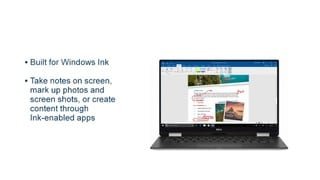
|Posted .This reviewer received promo considerations or sweepstakes entry for writing a review.Before you do anything, run the Dell SupportAssist program and click the link for Drivers and Downloads. Find your service tag under the flap on the back of the device and type it in to get the updates for your device. I agree with others that have mentioned this as these updates do seem to fix most of the major issues for people. Two of which I had experience with myself but I’ll come back to that later. Let’s get to all the good things first. The first notable thing is the quality of the device itself. The body, the feel and the look of the XPS is beautiful. It looks and feels extremely well made and durable yet at the same time it’s still very light and portable. It's small without feeling small considering the high resolution. The display itself looks amazing and the sound quality of the stereo speakers is impressive (at least to me). I didn’t expect this thing to output such good sound but it surely did to both me and my wife. I love the large 2 in 1 touchpad with the built in buttons. I found it very comfortable and intuitive and I think I like it better than any previous laptop I have used. To top it all off, having a backlit keyboard is SO convenient and makes me never want to use another similar device without it. One of the biggest things I’m a stickler for with keyboards is how they feel. When I use one I either like it or I don’t and fortunately I really do like this one. The keys feel good, are quiet and laid out nicely where I never miss a key. The next notable thing to mention is the touchscreen since that is half the device’s appeal. After playing with Windows Ink, playing a touch intensive xbox game off the windows store and using it for general tasks, my wife and I have found it to be flawless. It’s extremely responsive to the T (literally). Windows Ink allows you to draw, paint, write and take notes at any time including whatever is on your screen almost instantly. There are plenty of programs just for it in the store that extends its capabilities whether it’s creating a cell animation for fun or professional use. Windows Ink seems full of possibilities and I’m sure I will continue to find new ways to both make good functional use of it and a little fun. I saw you can get special stylus pens with buttons that utilize the Bluetooth compatibility which I bet offers a ton of potential uses. Flipping it from laptop to tablet is seamless and just allows full freedom to use in any way you currently please. I enjoy using it like a hybrid with a combination of touch screen and keyboard. When I’m in the mood and I only use it in tablet form the touch keyboard is more than capable. Plus however you fold it, it stays. Overall this XPS is fast, intuitive and an all-around great device. Now - the two things I personally had issues with that I previously mentioned was the fingerprint reader and the dynamic backlight control feature. Originally there was no option to turn off the DBC which automatically adjusted the screen brightness based on what you were doing in order to save battery. I, like many other people, find this feature bothersome. Dell was great enough to add this option in an update so now you may turn it off. For those I saw who said they still had the problem after installing it, if it only happens when using Microsoft Edge then make sure you have the browser setting for “reading view style” to default. I believe this is what I changed (I had it on light) to stop it from auto adjusting during internet use. If I’m mistaken than I apologize. As for the fingerprint reader I had some issues using it. I ran through the calibration twice too. My wife had no issues whatsoever with it so the problem was isolated to just me. Perhaps it had something to do with the size of my finger plus some user error but ever since the update it has been good since. Aside from that, here are my perceived shortcomings of the device. By far my biggest gripe is this thing isn’t easy to open. Opening any device should never be a struggle and at times you really have to put a lot of effort into opening it. All it needed was a slight, unnoticeable crevice/indent on the edge below the touchpad to get that small bit of leverage. It didn’t have to be much. It’s an odd thing to have a problem with on an expensive device like this although you could consider it very minor in importance. I much rather have this be an issue over something that affects performance. Secondly, the camera is located below the screen which is a new experience to me. I played with it once and found it a bit awkward and troublesome to get a good angle to take my profile picture. I’m sure with some practice I could make it work eventually but I just went with an image instead in the end. Putting the camera on the bottom like this was a compromise for size efficiency and to get the biggest screen possible. Something always has to give in instances like this and I believe it was a smart move but nonetheless, an accepted (and doable) flaw. Thirdly, I still can’t gauge how good the battery life is. I think I can get 6-7 hours of regular use, non-video, which is pretty decent although it seems lower than the description states. After I did the updates it seemed to definitely improve though. But like someone else mentioned it seems to drain when it’s closed and in standby mode. Also the “time remaining” doesn’t seem that accurate as the time drops a lot more rapidly regardless what it says which someone also mentioned. I could have missed an update and will go back and make sure I have everything so if anything changes I will update this part of the review after further use. Lastly, the fingerprint reader is very difficult to see in low light conditions. A slight superficial colored border or a change in the shade of black would have sufficed to find it quicker without squinting. I can't give half stars and it would be unfair to lower this to a four as I'd give it a 4.5. It's a definite 5 if none of this stuff matters to you for sure.
I would recommend this to a friendVery slow
||Posted .This reviewer received promo considerations or sweepstakes entry for writing a review.I had to return this laptop for being slow. Bought the Lenovo yoga instead.
No, I would not recommend this to a friend- Pros mentioned:Battery life
Great 2 in 1
Posted .This reviewer received promo considerations or sweepstakes entry for writing a review.I have had the Dell XPS 13" 2 in 1 for about one week now and I can honestly say I am pleasantly surprised. I was concerned that this 2 in 1 did not have the i7 7500u processor but instead came with the i7 i7-7Y75 (which is basically known as a core M, made for their lower power mobile requirements). It is also outfitted with 16gb of ram and a 256gb ssd and has been able to handle eveything that I've needed so far. In fact it seems more responsive than my Microsoft Surface Pro 4 with an Intel Core i5 processor (6th generation). Granted my Surface Pro 4 only has 4 gb of ram and 128gb ssd so that could be the reason. Web surfing, document creation and watching videos all seem snappy with no lag. Boot up takes about 15 seconds and shutdown is equally fast. Battery life is good but no where near the 15 hours this is rated for. I get about 8:30 hours of mixed surfing, watching videos on Youtube or Netflix. Still very good. Build quallity is excellent, the FHD screen is beautiful and the trackpad is very responsive and easy to use. I love the fact that this machine is silent...no fan noise as none is installed (one of the advantages of having this processor). I did notice one thing in the previous reviews comments. I too, have shut the lid down on my Dell (before going to bed) and waking up the next morning to find a dead laptop. It apparently didn't enter sleep mode like it should have. I've only had this happen once, but I find I just shutdown at the end of the evening. When I shut the lid during intermittent use during the day I haven't had that issue again. I certainly would recommend this to anyone who wants great build quality, in a small, lightweight form factor with quiet operation and pretty good battery life.
I would recommend this to a friend