Customer Ratings & Reviews

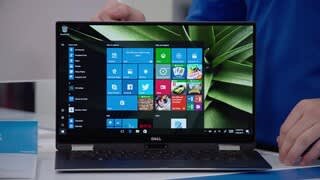


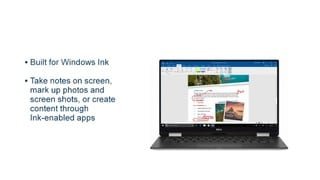
- Model:
- XPS9365-7086SLV-PUS
- SKU:
- 5711031
Rating by feature
- Value
Rating 4.3 out of 5 stars
- Quality
Rating 4.3 out of 5 stars
- Ease of Use
Rating 4.4 out of 5 stars
Customers are saying
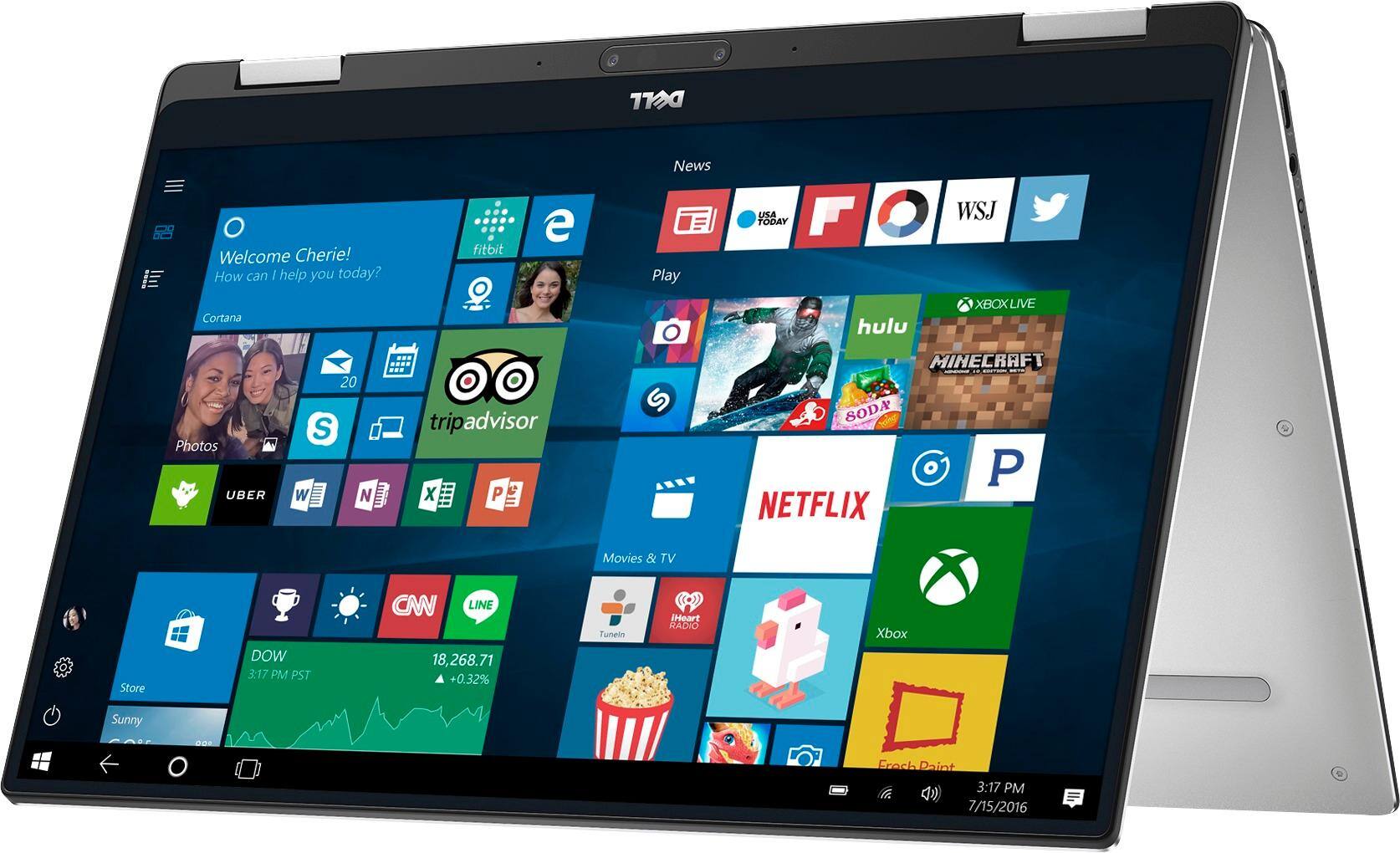
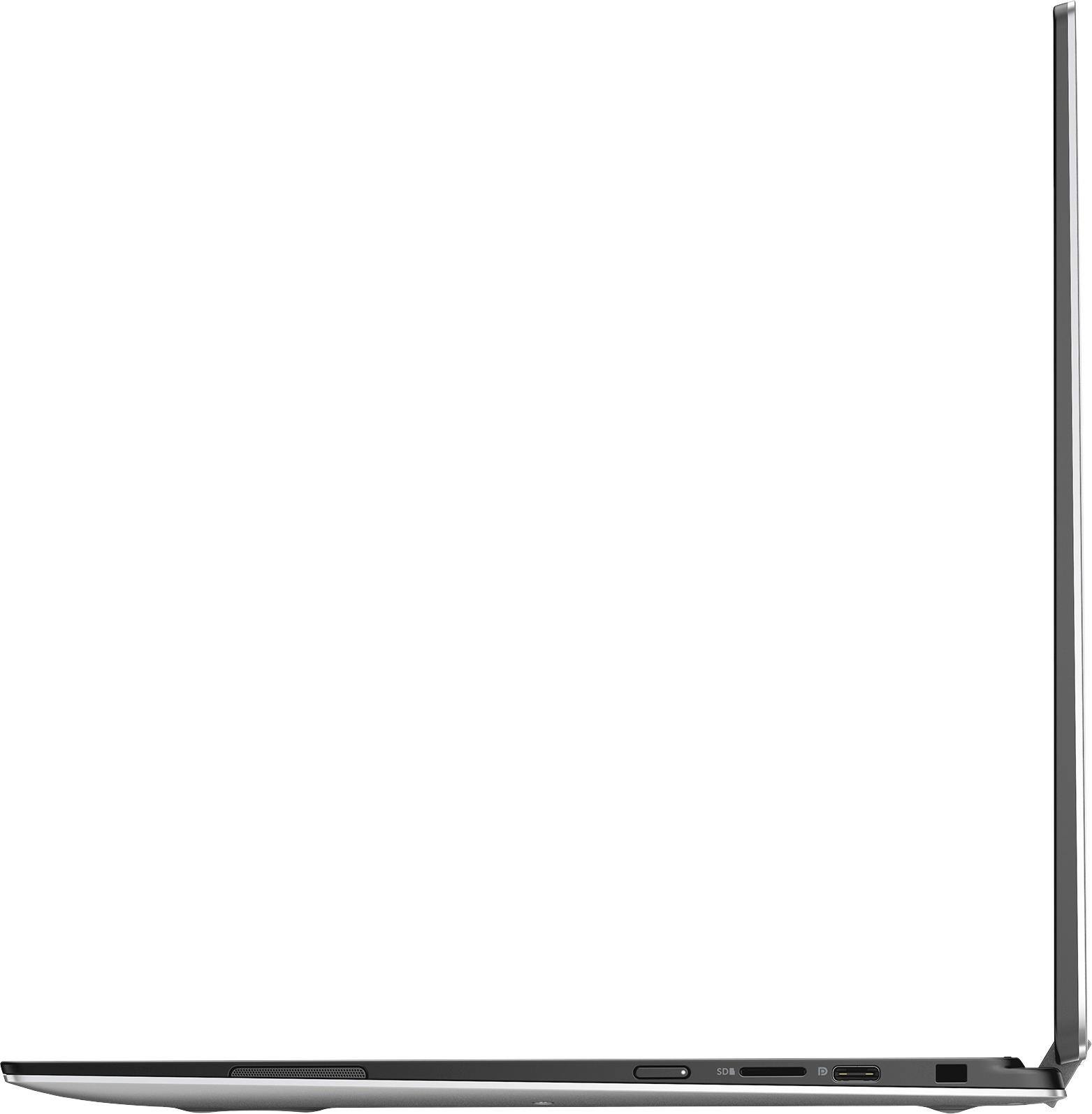
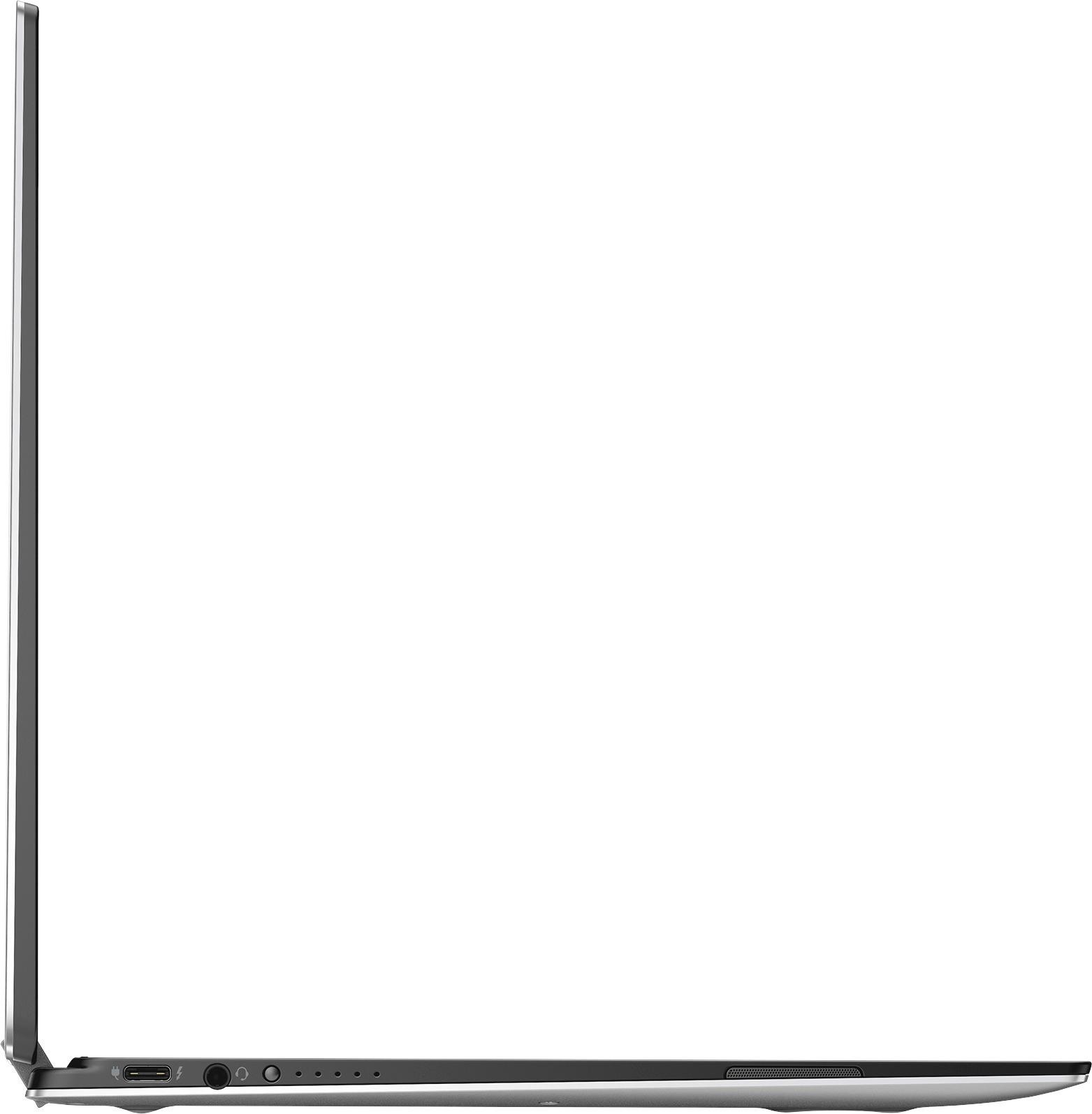
Customers enjoy the XPS 2-in-1 laptop for its light weight, fast performance, and long battery life. They appreciate the high-quality screen and sleek design. However, some customers have concerns about the limited number of ports, the price, and the placement of the power button.
This summary was generated by AI based on customer reviews.

Quick change versatile
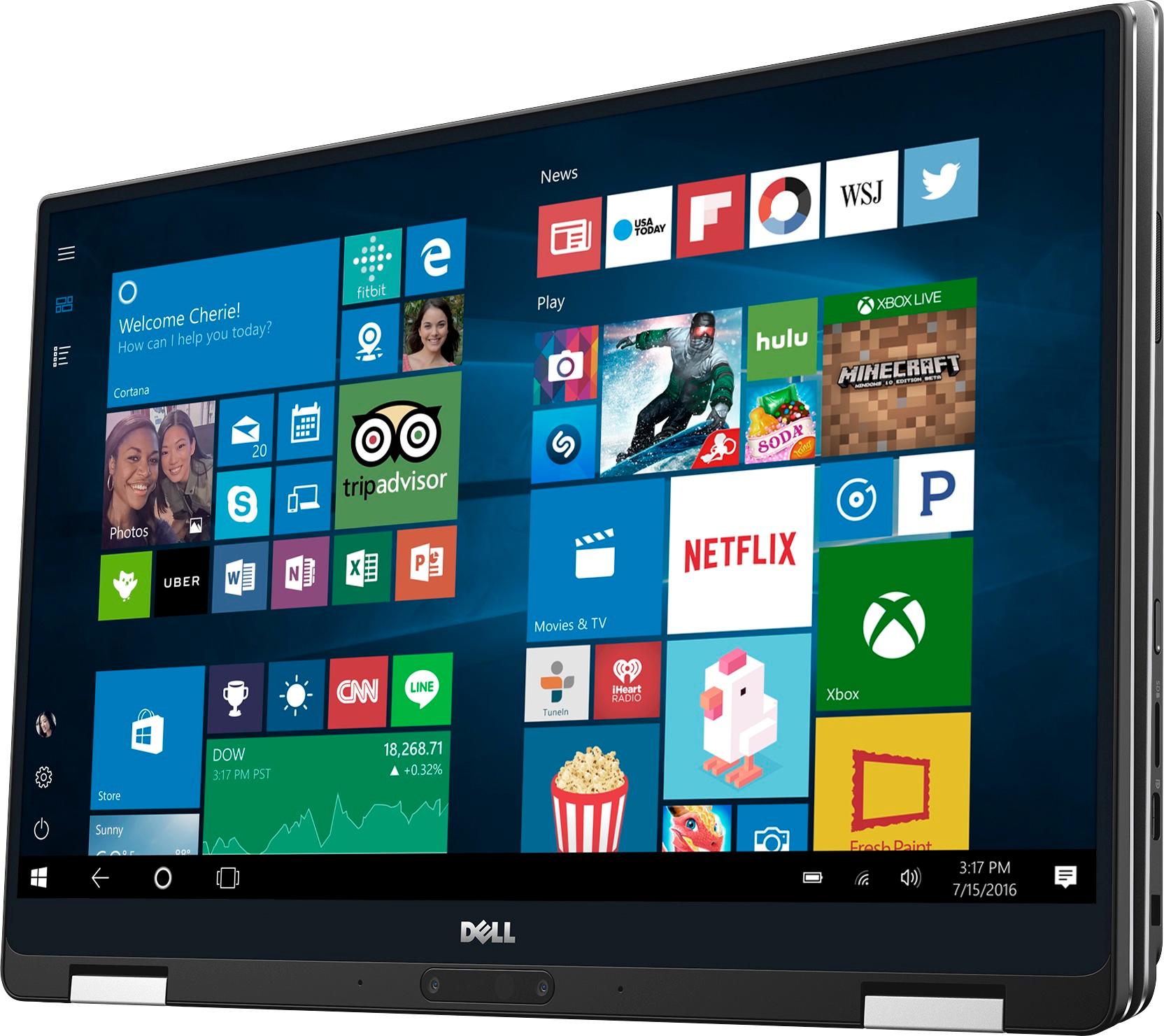
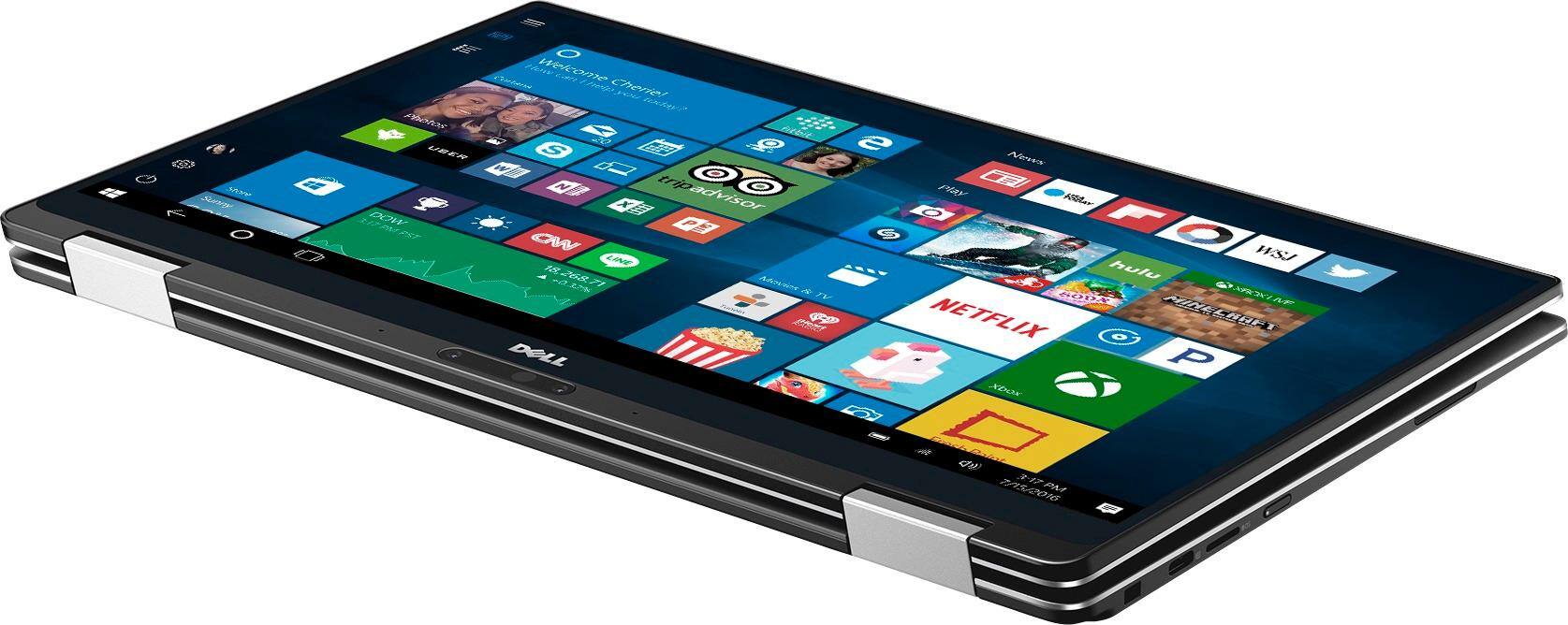
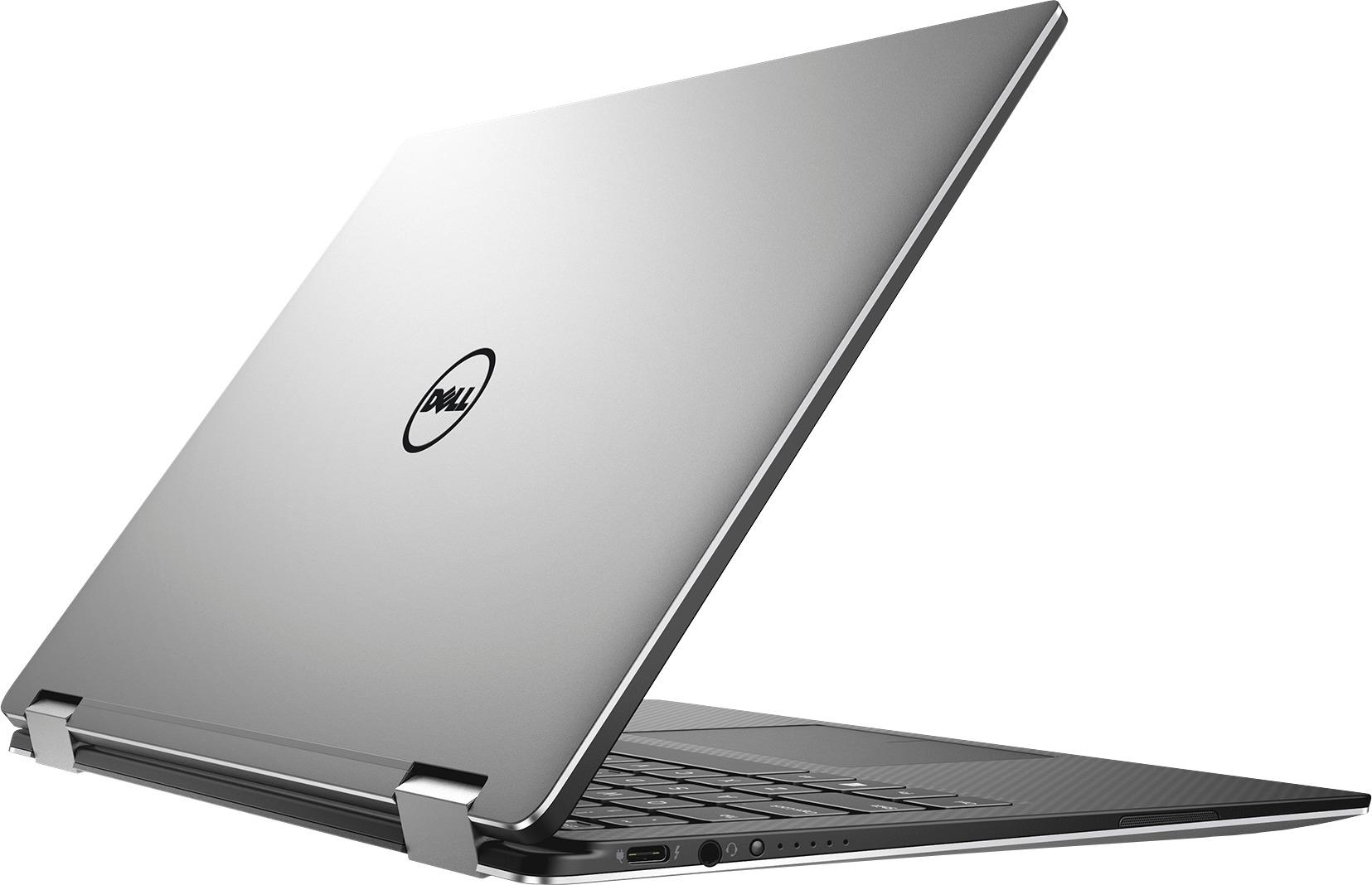
|Posted .This reviewer received promo considerations or sweepstakes entry for writing a review.I've been using this laptop for about a week; I wanted to really get comfortable with it before posting a review. The fit and finish are fantastic. It looks great and feels solid. It does take a little force to pry it open when the lid is shut, but the convenience is worth it; no latch to worry about. It is really thin and light. I think it's as thin but lighter than my Surface Book when I have the keyboard detached. It is actually viable as a tablet when you bend the lid to the back. That's where the light weight really gives it an advantage over other laptops of this type. It's great to have this flexibility during actual use. It does great at meetings or in front of the TV. I would like to try the pen at some point. I tried using the active pen when I had a Dell Venue 8, but that really didn't behave very well. The active stylus I have with my Surface Book is awesome, so I have high hopes for my new Dell. It would have been nice if that pen were included. Performance-wise, the video is gorgeous. The video adapter doesn't have enough power for adventure games at high quality, but I can run Skyrim and Assassin's Creed at low quality. It runs Office apps solidly and can handle huge documents and spreadsheets with ease. It isn't as powerful as my Surface Book, but it's also half the price. There was an issue where it didn't go to sleep properly, so it drained the battery when it wasn't in use. I hear that there was a patch for that, so I went to the Dell site and updated all of the drivers and firmware. Now there's a sporadic squeal popping from the speakers. Seems to happen when I spike the usage, like opening web pages that have auto-running sound or video, when I switch apps, or when I minimize big spreadsheets, but I really can't duplicate the problem. Haven't called Dell yet to troubleshoot. I'll comment on this review when I learn more.
I would recommend this to a friend- Cons mentioned:Heating
Touchpad and overheating bring down great specs
Posted .This reviewer received promo considerations or sweepstakes entry for writing a review.I bought this dell xps after weeks of research. It was an upgrade from my dell studio xps from over 8 years ago. I was deciding between this and the mac book pro. I figured that the specs and touchscreen for the same price of the port-lacking-brand-over- substance mac book made this the best choice. I am still not too sure if I made the right decision. It runs fast, the touch screen is flawless, and it weighs close to nothing. It is a beautiful noiseless machine that at first glance really looks impressive. However, there are many annoying issues that make me wonder if the mac book would have been better. First, the most annoying thing is the touchpad. There are countless times that I will be using the touchpad and instead of scrolling up or down it zooms in, clicks something, or just jumps to a random part of the page. At first, I thought it was no big deal and that I could just ignore it but it happens so often no matter how mindful I try to be. Second, because there are no fans it gets really hot when plugged in for charging. I bought a cooling pad to offset this but it does feel wrong that this thing will be scolding after just 30 minutes without the extra cost of a pad. The battery charge indicator is also buggy when not charging. It will jump from saying 8 hours of power to 3 hours of power all within an hour. Not to mention the percent is never at full 100% when not charged (this is a brand new purchase!!!) It does however last despite what the time or percent say. Finally, within a month of having this, the speakers stopped working. Somehow someway the drivers disappeared and I had to spend two hours researching online on how to get them back. Luckily I found the fix. This is probably a windows problem and not a dell problem but it still got me mad. Aside from the heating, I never had any real issues with my old studio XPS from all those years ago so this experience has been surprising. It's been two months now and I will keep the machine but it is shame it isn't better. If you are deciding between this and mac maybe you will have better luck with the mac. I would not suggest this unless you get it for less that 1G. (if you have a fix for the touchpad please let me know).
No, I would not recommend this to a friendBrand response from YourDellTeam
Posted .Dear Rich, Thanks for your recent Dell 2-in-1 purchase. We're sorry to hear that it's not performing exactly the way you had hoped it would. Please consider reading the following Dell Community article related to the auto-zoom issues that you are having - http://dell.to/2wQedoY. If you'd like some tips about your device overheating please visit - http://dell.to/2uJ8AdG. Lastly, if you'd like tips for getting the most out of your battery charge, please view the following Dell Support article - http://dell.to/2vfXWf4. We hope these tips will help your device perform the way you had hoped for.

Great little laptop
|Posted .This reviewer received promo considerations or sweepstakes entry for writing a review.This laptop is pretty awesome. With 16GB and 256 SSD you can't ask for better. The I7 processor is fantastic. I enjoy using it and consider it my dream laptop. The 2 in 1 feature is nice, although I mostly use it as a laptop. The one issue I had is that after shut down the touchscreen would not work. In order to get it working again I had to do a restart, vs. shutdown. The battery life is not great, but, it's a fast little computer, start up is super quick, and charging doesn't take long. The camera is a good quality, creates a nice image. All in all I like this laptop, it's super light and easy to use. If you are comparing laptops put this one in the running, it's a great little device with tons of features and a small footprint.
I would recommend this to a friend- Pros mentioned:Battery life
Compact Premium 2 in 1
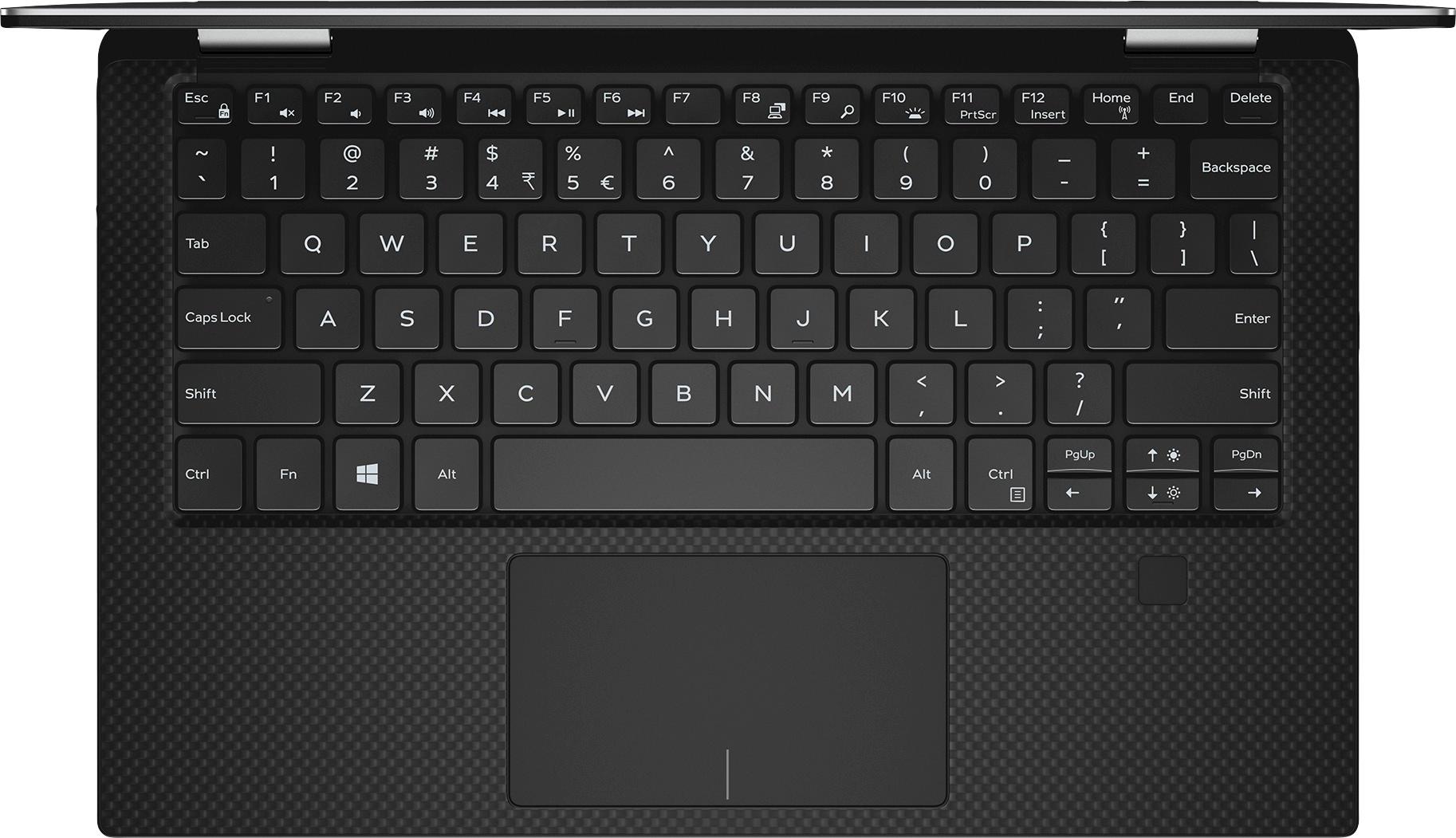
|Posted .This reviewer received promo considerations or sweepstakes entry for writing a review.Pros: Premium case design Screen with small bezels is beautiful, bright and a nice resolution at 1080p Keyboard has nice travel and is comfortable to use Fingerprint reader is great for quick access, and future updates will enable face recognition USB type C - this might not apply to everyone, but I can use the same charger for my phone and this laptop Initial setup was simple Battery life seems decent (able to get through an 8 hour day with what I would consider medium-use: periodic email, web browsing and audio streaming) Cons: My first problem is using this as a tablet. It is too heavy and awkward to use as a tablet, and Windows 10 tablet mode doesn’t seem fully thought out. The power button is difficult to press, it is on the side and almost flush with the body. The biggest issue I have is with the design of the case. When closed, there is no lip to lift to open it. There is a slight wedge on the edge of the lid, but it doesn’t provide enough friction to separate the lid from the bottom. Also, the top is heavy enough that it requires 2 hands to open, and even then isn’t very easy. I would recommend seeing this in person before purchasing. This is something I notice every time I go to use the device, and is really annoying. If the major design flaw in opening the laptop and the quirks of using this as a tablet are issues, I would consider other options, or just get the XPS 13 laptop.
No, I would not recommend this to a friend Great build but frustrating
Posted .This reviewer received promo considerations or sweepstakes entry for writing a review.The laptop looks awesome, the keyboard is great, and it's very portable. However there are a lot of issues that are glaring for me: 1. The screen keeps auto adjusting the brightness despite disabling the adaptive display. It's extremely bothersome. I've searched for solutions online but there doesn't seem to be any. 2. Battery life is terrible. It does not go into sleep mode at times. When I shut off my laptop, a few hours later, the power is gone. Very disappointing! 3. Turning on the laptop takes forever. 4. It is difficult to open the laptop, perhaps due to the slim build.
No, I would not recommend this to a friendCrooked, creaky and unintuitive
Posted .This reviewer received promo considerations or sweepstakes entry for writing a review.I purchased this laptop for school and deeply regret my decision. The hardware works adequately and the design is decent, but the touchpad isn't very nice to use and the screen gathers dust really easily. Collapsing the laptop to use as a tablet also doesn't feel very intuitive, especially because the touch controls aren't that great either. The biggest frustration I have with this laptop is that it is crooked and makes creaking sounds; the bottom left of the laptop doesn't touch the surface of my desk, which is incredibly frustrating and annoying when I'm trying to write a paper or do research. I shouldn't have to improvise desk percussion every time I touch my palm to the keyboard or press the touchpad. The only solution I've heard from other people with this problem is twisting the entire frame of the laptop while its shell is closed. I've tried this multiple times out of desperation, and the problem just persists. I'm scared of twisting or bending my laptop any further for fear of hardware damage. This is unacceptable, and I don't feel like it is necessary for me to deal with this on top of the enormous stress of school. The hinges of the screen also make this high-pitched creaking noise whenever I move the screen. I've tried to get it fixed by getting the hinges screwed more tightly by a computer store employee, but the problem is back. The touch controls aren't very intuitive and scrolling through pdf documents is a sluggish process. Deeply frustrated. I am going to try a macbook next time, which has far higher reliability ratings.
No, I would not recommend this to a friendBrand response from YourDellTeam
Posted .Collegestudent - We're sorry to hear about the struggles you've been having with your new Dell touch-screen laptop. We do have a few tips for calibrating your touch-screen and your touchpad that will hopefully help you. Here are some tips for your touchpad: Some Notebooks and Tablets with Keyboards have added gesture features to the touchpad hardware and drivers. A few of these features are two or three finger scrolling, pinch zoom, circle zoom, rotate and swiping. These new features may be the reason for the erratic cursor movement since most are turned on by default. You can disable or modify the way the features work in the touchpad driver properties. Here are some tips to modify these settings:
1. In the Search box, type main.cpl.
2. Touch or click main.cpl in the list of programs.
3. Touch or click the Dell Touchpad tab.
4. Touch or click on the picture of the touchpad.
5. Touch or click Gestures (depending on your computer there may not be a Gestures option).
6. Change the options as preferred.
7. Touch or click Save.
8. Touch or click the X in the upper-right corner to close the Dell Touchpad Utility.
9. Touch or click OK on the Mouse Properties window.
10. If the touchpad still does not work after following the preceding steps, refer to Dell Knowledge Base article - http://dell.to/2iaiujA.
The full article can be viewed here - http://dell.to/2tqmS02.
We also have some tips for your touch-screen calibration: If you are having issues with your Touchscreen, this may include being unable to access items to the edge of the screen for example your screen may require re-calibration.
Below are the steps required to calibrate your Touchscreen.
1. Restart the Computer and the Monitor
2. Recalibrate the touch-screen. Steps to calibrate touch-screen:
3. Go to Control Panel and select Tablet PC Settings.
4. Under Display tab, select Calibrate....
5. Choose Pen or Touch input.
6. Perform the point calibration that appears on the screen to correct the linearity problems.
7. Save the calibrated data.
You can read the full article here - http://dell.to/2uLztub.
We hope these tips help your computer operate closer to the way you intended it to. - Bryan
Good design let down by terrible build quality
Posted .This reviewer received promo considerations or sweepstakes entry for writing a review.I owned THREE of these laptops, all had major issues. I did a months worth of research watching videos and reading reviews about this laptop making sure it was the right one, because I needed a laptop for college that was small, light, and powerful. I ultimately chose this due to my previous good experience with Dell, and hearing bad things about HP's quality. At first, it is an amazing laptop and I would give it a 5 stars just for its beautiful design if that's all that mattered. It's faster and more powerful than I thought it would be, but the Intel HD 615 instead of Intel HD 620 graphics were kind of a letdown, but I could manage without it. The computer has blazing fast operation with its core i7(m7) and 16GB of ram and NVMe SSD. However after a few days of use, I noticed a few things about it. First, the advertised really long battery life was more or less 6-8 hours, just using Microsoft Edge and a few other light tasks. I rarely got 8 hours during the short time I owned it. The first one I owned was plagued with overheating issues to the point where I felt like I would burn myself if I held my hand on the bottom for too long. I returned it after a week. The second one had TERRIBLE build quality, I don't know who inspected it but it was bad. The hinges were terribly uneven, the bottom bezel of the screen was popping out of its casing, it was creaky when I typed, it sounded like the case was loose or something. Also, audio failed after a few days. Back to the store for another one. This one was fine at first, I thought I finally got a break, and I was happy with it. It was probably the best laptop I ever owned when it worked. However, after only a week of use, it started failing badly. One time it would not wake from sleep so I had to force shut it down, and after that it just failed. After starting Windows it would get a blue screen of death after about 2-10 minutes of use, each time a different error code. Sometimes it would have really bad graphical glitches during the blue screens, with weird white streaks flashing around.I reinstalled Windows to make sure it wasn't a weird error, but alas it still happened, Instead of blue screens the computer would outright freeze, and the screen would glitch again. Note, before I sent them back I did several things like reinstalling Windows, checking all driver updates, using the SupportAssist hardware checkup, and nothing worked on any of them. My final statement is that I really wanted to like this laptop, but after three bad apples I didn't want to take the chance anymore and got an HP Spectre x360. Dell I don't know what you're doing, but please get better quality control. I don't want to dislike your brand but this left a bad taste in my mouth. I thought for $1400 this laptop would be good quality, but it was not.
No, I would not recommend this to a friendBeautiful Design, WiFi Repeatedly Disconnects
Posted .This reviewer received promo considerations or sweepstakes entry for writing a review.Beautiful design in a compact size that I couldn't wait to get working in. I didn't mind the price tag given the specs and overall look and feel I was after, but my wifi connectivity issues led to a prompt return and small nuances led to purchase of a different product. Pros: - Slim profile, compact enough to easily fit in backpack with sleeve - Backlit keyboard helpful in dim lighting for home, presentations, classrooms, etc. - Lightweight - No fans = no noise - Sleek look Cons: - Wifi disconnected from home network every 1-2 minutes without me hitting the shortcut keys to turn off. Further research showed other buyers with same problem. Reason for return. - Auto adjusting brightness leads to inconsistencies while scrolling down a single page (Will brighten as I scroll through whitespace, darken as I scroll past dark images on the same page. Highly noticeable in dim lighting.) - No catch or grip to help when opening. Near seamless design is great, but leads to a delicate opening process each time. - One of the first reviews mentioned this, but there are differences between Intel Core i7-7500U and this i7-7Y75, which the i7 core advertised for xps can be easily misunderstood. These 3 nuances led to purchase of a different product after return. Will still 'recommend to a friend' in fairness as my issue is atypical and this product will fit most needs and wants for buyers.
I would recommend this to a friend- Cons mentioned:Customer service
Poor build quality
Posted .This reviewer received promo considerations or sweepstakes entry for writing a review.I was satisfied with my XPS 13 (9365) I purchased in December of 2017 until the hinges became extremely loose after several weeks. Upon removing the bottom cover, I immediately noticed that only one screw attached each LCD panel hinge to the case, i.e., four of the hinge screws were missing. On top of that, most of the heads of the screws affixing other components, e.g., the battery, were stripped. A minimal level of quality control should have caught this, which makes me wonder about the overall quality of the assembly. Finally, dealing with Dell depot (their repair service) has been a nightmare.
No, I would not recommend this to a friendBrand response from YourDellTeam
Posted .cg2018,
Thanks for your review and we're sorry to hear that you're unhappy with the build quality of your new Dell XPS. We will share this feedback with our team. If you have additional questions related to your computer you can always check our Product Support Page here - http://dell.to/2hQTJWb.
We hope that your computer will begin operating the way you intended it to soon.
Best,
Bryan
1-800-624-9896
- Cons mentioned:Processor
Not a good processor
Posted .This reviewer received promo considerations or sweepstakes entry for writing a review.I don't have this but it has a really bad processor. Anytime you see a Y in an Intel processor name than its not a good one. Look up it up compared to a regular 7th gen i7. Lower core/boost speed. I'd avoid this.
No, I would not recommend this to a friend I really wanted to like it.
Posted .This reviewer received promo considerations or sweepstakes entry for writing a review.I really wanted to like this computer. It is small without feeling small, lightweight and very comfortable to type on. But it doesn't run as fast as it should and has trouble waking up from sleep. I tried 2 different ones and had the same sleep issues with both. I also had trouble with it not responding when it was in tablet mode. And why doesn't anyone mention how hard it is to actually open the computer? There is nothing between the top and bottom to grab onto. You have to really work at with both hands. At this price point, It was too much for me to overlook the issues.
No, I would not recommend this to a friendHigh priced and low value
Posted .This reviewer received promo considerations or sweepstakes entry for writing a review.This laptop comes with latest hardware and softwares. But it does not start when you turn the lid up, everytime you have to press power button and it will take atleast 50 seconds to turn up. The cheaper laptops comes under $200 have this feature, not sure why Dell did not add that. I regret my decision to buying such a highly priced laptop.
No, I would not recommend this to a friendBrand response from YourDellTeam
Posted .Hello MKSX4,
Thanks for your review. We're sorry that you're not completely happy with how your laptop is performing. If you'd like your laptop to startup when you open it, consider storing it in sleep mode instead of choosing to shut it down after you finish your session. If you do this, be sure to check for updates that would usually be installed when you shut down your computer. We hope this tip helps your computer operate the way you'd like it to.
Best,
Bryan
1-800-624-9896
It looks great, but it is still plagued. Don't buy
Posted .This reviewer received promo considerations or sweepstakes entry for writing a review.Even up until the time of this writing, there is a defective mother board in these units which create/produce a "coil whine." It's especially worse while charging, and can both be heard in a medium noise level office environment, and can easily be heard in quite rooms. If you are watching a movie, any moments of the film which have silent periods, the static-like noise from this system is very apparent. Dell has confirmed that they are working on a mother board revision, which has not yet passed the testing period, so it's clearly not been rolled out into any of these devices on the market. It will likely be a few months before it's fixed. You are better off waiting for the fix. I predict the earliest would be in April. If you are on the fence with this device, there are revised boards in the non-2-in-1 version ( XPS 9560 ) , as long as you have a device that was made after February.
No, I would not recommend this to a friendRegret buying this computer
Posted .This reviewer received promo considerations or sweepstakes entry for writing a review.I bought this computer in May of 2018. Shortly after purchasing, I noticed that the screen would glitch occasionally. Meaning, it will quickly turn black, then have lines going through it. This all happens in 1 second time. It is now October 2018, and the glitching has only progressively gotten worse (occurring ~5x a day). I am a graduate student and do not have 2 - 4 weeks to forfeit my computer to get it fixed; however, I unfortunately see this in my near future... In September 2018, the charger stopped working. There was no damage done to the charger externally - it was internally damaged. I was then sent the WRONG replacement charger, and now in October I am still waiting for the 2nd replacement charger. Two major flaws with this computer in a 5 month span has me seriously regretting not spending the extra money to buy an Apple laptop product. I had a MacBook in the past and miss the quality and reliability of Apple products. I would not recommend this laptop to anyone looking for a new device.
No, I would not recommend this to a friendBrand response from YourDellTeam
Posted .Hello Lizzy,
We're sorry that your computer is not working the way you had hoped it would. You can download this LG Tool and see if it helps with your screen flickering: https://www.dell.com/support/home/us/en/19/drivers/driversdetails?driverId=R6TNF.
We're sorry to hear that you received the wrong charger and we hope that the correct one is delivered soon.
Best,
Bryan
1-800-624-9896
- Cons mentioned:Customer service
DO NOT BUY THIS LAPTOP
Posted .This reviewer received promo considerations or sweepstakes entry for writing a review.BUY THE MICROSOFT SURFACE LAPTOP – DON’T BUY THIS DELL My 6 month old Dell XPS 13 2 in 1 is bricked. Hours upon hours on the phone with Dell, a priority mail shipment to their service center ( came back still broken btw) and a 2 ½ hour onsite Technical Visit. Technician called Dell and said it needed to be replaced. They are refusing. Dell has the worst customer service. Just Google it and see how many filed complaints exist against them. Astonishing. I was forced to buy another laptop because I needed one for a work trip. Everything happens for a reason. After 25 years of buying laptops I will tell you the Microsoft Surface Laptop blows the Dell XPS 13 away. Its incredible. Love it... I got the Cobalt Blue. Sadly now I have a bricked XPS that Dell can’t fix and will not replace.
No, I would not recommend this to a friend Just Not Worth the Money!
Posted .This reviewer received promo considerations or sweepstakes entry for writing a review.Full Disclosure: I didn't buy my XPS13 from BB as they were out of the unit at the time I purchased it. I bought the XPS13 unit with the Intel I7 quad processor, 16GB of Ram and a 512GB SSD. At the end of the day; it was the first Dell I ever bought and will be the last. First of all the best case; there are touchpad issues where the cursor jumps around the screen and you can "click" on an icon while just hovering nearby. The camera is in a terrible position and the 4k screen will force you to buy new versions of software that it doesn't properly support. Now onto the real issues I had. Just a year after purchase, only a few months since the warranty expired, the unit wouldn't boot up. I tried all the troubleshooting but with no success. I finally had to bring it to a shop and it turned out that my motherboard had failed. two weeks and $500 later I had my $1000 notebook back. After another 6 months (and after dell-initiated updates) the computer slowed down to a crawl. It was running so slow that even sound became distorted. Once again I went through troubleshooting and all that with no success. So, back to the computer shop. This time my SS Drive had failed and that was another $200 to have it repaired. Once I got it back it seemed to be quick again and run well until another Dell auto update. Once again I was operating a super slow notebook that reminded me of pre-286 days. I decided to do a total SS Drive wipe and reinstallation of Windows 10. I got the whole thing done and while the notebook did speed up it never returned to what it was when I bought it. I now only use it to surf the web and send email (I originally bought it to work on music and photography). I can't believe what I spent for this and then proceeded to sink another $700 dollars into it just trying to get it back to original condition. I may have been stupid in buying a Dell and then not "cutting my losses" when I could, but I'll never make the mistake of buying a Dell product again!
No, I would not recommend this to a friendFantastic Unit
Posted .This reviewer received promo considerations or sweepstakes entry for writing a review.Excellent! Update the BIOS for any of the heating issue.
I would recommend this to a friendLaptop
Posted .This reviewer received promo considerations or sweepstakes entry for writing a review.Excellent laptop great overall use and appearance!
I would recommend this to a friendNot Comparable to MacBook Pro
Posted .This reviewer received promo considerations or sweepstakes entry for writing a review.I purchased this computer precisely two weeks ago, believing the reviews--that it was giving the MacBook Pro a run for its money. I figured I was getting more bang for my buck by purchasing the Dell XPS 9365. It has an initial aesthetic appeal, for sure. Nice feel. Nice look. Unfortunately, that's about where it ends. I switched from a 2011 MacBook Pro to this, and my old computer is better by far. The biggest problem has to do with WiFi connectivity. Almost every time I encounter a new network, or wake my computer up from sleep, I have to restart it, or there is no internet connection at all. For example, when I am at home with my high-speed internet, two Rokus, four iPhones, and my old MacBook Pro will have no problem connecting. But my brand new, $1500 Dell XPS? NOTHING. I spent several hours on the phone with Dell technical support, which recommended that I update drivers (shouldn't this be automatic anyway?). I did that, and I am still having this problem. Perhaps, after some more time on the phone with tech support, this problem will be solved, but I doubt it. In addition to this, an unacceptable number of standard programs freeze or crash constantly. I'm talking about basics--MS Word, PowerPoint, iTunes. Another ridiculous thing about this computer is that the battery drains when the computer is closed. It can be holding a 90% charge, but if I close it, when I wake up, if it's not plugged it, it is totally dead. Compare this with the Mac, which is ready to go as soon as you open it (literally). Finally, one small thing. The placement of the page up and page down keys is very poorly thought out. They are scrunched in with the arrow keys on the bottom right--a set of six, which are the smallest keys on the keyboard--and it is very easy to accidentally hit them instead of the arrow buttons. Stay with the Mac. Apparently, Dell has not yet mastered the laptop.
No, I would not recommend this to a friendNot up to par
Posted .This reviewer received promo considerations or sweepstakes entry for writing a review.The size is nice for travel, however the keypad will only light on start up, the touch pad is sometimes unresponsive, the touchscreen I dont have a lot of experience with but found it useless with Excel as I had to turn it off with so many errors, even just regular typing it often misses the first and second letter typed. I have Norton 360 and it says the performance is fine as far as it can check for conflicts. I'm using windows 10 and the updates are continuous and dont seem friendly to this laptop/
No, I would not recommend this to a friendBrand response from YourDellTeam
Posted .Hello unhappycamper,
Thanks for your review. We'd recommend that you re-calibrate your touchscreen if you are experiencing issues with it:
Below are the steps required to calibrate your Touchscreen.
1. Restart the Computer and the Monitor
2. Recalibrate the touch-screen. Steps to calibrate touch-screen:
3. Go to Control Panel and select Tablet PC Settings.
4. Under Display tab, select Calibrate.
5. Choose Pen or Touch input.
6. Perform the point calibration that appears on the screen to correct the linearity problems.
7. Save the calibrated data.
You can read the full article here - http://dell.to/2uLztub.
If you'd like help with the touchpad here are some steps you can follow: Some Notebooks and Tablets with Keyboards have added gesture features to the touchpad hardware and drivers. A few of these features are two or three finger scrolling, pinch zoom, circle zoom, rotate and swiping. These new features may be the reason for the erratic cursor movement since most are turned on by default. You can disable or modify the way the features work in the touchpad driver properties. Here are some tips to modify these settings:
1. In the Search box, type main.cpl.
2. Touch or click main.cpl in the list of programs.
3. Touch or click the Dell Touchpad tab.
4. Touch or click on the picture of the touchpad.
5. Touch or click Gestures (depending on your computer there may not be a Gestures option).
6. Change the options as preferred.
7. Touch or click Save.
8. Touch or click the X in the upper-right corner to close the Dell Touchpad Utility.
9. Touch or click OK on the Mouse Properties window.
10. If the touchpad still does not work after following the preceding steps, refer to Dell Knowledge Base article - http://dell.to/2iaiujA.
You can read the full article here - http://dell.to/2tqmS02.
We hope that these tips help your computer perform the way that you'd like it to.
Best,
Bryan
1-800-624-9896