Customer Ratings & Reviews

- Model:
- XPS8920-7107SLV-PUS
- SKU:
- 5939109
Rating by feature
- Value
Rating 4.0 out of 5 stars
- Quality
Rating 4.0 out of 5 stars
- Ease of Use
Rating 4.2 out of 5 stars
Customers are saying
Customers highly value the XPS Desktop's performance, ease of use, and ample RAM and storage. Many appreciate the numerous USB ports and quiet operation, finding it a powerful machine with excellent graphics capabilities. The desktop is also praised for its reasonable price and sufficient memory.
This summary was generated by AI based on customer reviews.
Awesome buy
||Posted .This reviewer received promo considerations or sweepstakes entry for writing a review.Its the best for anyone who likes to have a computer
I would recommend this to a friendGood computer
||Posted .This reviewer received promo considerations or sweepstakes entry for writing a review.No problems so far. Go D computer.................
I would recommend this to a friendFast computer
||Posted .This reviewer received promo considerations or sweepstakes entry for writing a review.I wanted a faster computer, and this one delivered.
I would recommend this to a friendGreat new features
||Posted .This reviewer received promo considerations or sweepstakes entry for writing a review.I love all the new features that windows 10 offers
I would recommend this to a friendGreat computer
||Posted .This reviewer received promo considerations or sweepstakes entry for writing a review....................EXCELLENT........................
I would recommend this to a friendGreat desktop computer
||Posted .This reviewer received promo considerations or sweepstakes entry for writing a review.I am very happy with this computer. I recommend it.
I would recommend this to a friendStay Away
||Posted .This reviewer received promo considerations or sweepstakes entry for writing a review.I’ve had this machine for about a month now and have had nothing but problems from the beginning. It crashes randomly and most recently after a Dell suggested update, it fails to reboot and come online. It’s in a continuous loop. The unit is covered under a useless Geeksquad plan where they told me it could take up to 2 weeks to fix. What is the purpose if buying a plan if you have to wait that long? Defective machine + horrible in store warranty support means I will likely never buy a computer from Best Buy again!
No, I would not recommend this to a friendBrand response from YourDellTeam
Posted .Hello UnhappyUser,
We appreciate your review and we are sorry to hear about the issues with your computer crashing that you have been facing. We'd recommend that you try the following tips to help diagnose your crashes:
1. At the desktop, click the Search the web and Windows box and type "problem reports".
2. Select View all problem reports to view a list of errors that have occurred on your computer and possible solutions for them, such as updating drivers, flashing your system BIOS, or checking for updates to the software.
3. Under the Source column, look for Windows and under Summary, look for Shut down unexpectedly.
4. Right-click the line item and select Check for a solution.
You can read the full article here - http://dell.to/2u98Cct.
We'd also encourage you to reach out to Dell's Technical Support Team with additional concerns that you may have. Our Technical Support Team can be reached here - http://dell.to/2sH7Qlm.
We hope that your issue does not continue the effect your computer's performance in the future.
Best,
Bryan
1-800-624-9896
- Pros mentioned:Speed

If you MUST use Windows, you MUST have this PC
|Posted .This reviewer received promo considerations or sweepstakes entry for writing a review.I received this PC because my employer is stuck in the dark ages and does not yet support Mac’s. So I needed a WinPC for my home office. This machine had the specs, but does it really have the punch? After some testing I came to the realization that if you must have Windows, then you also must have this PC or one very similar. From initial setup, it will take at least 15 minutes before you are able to actually be logged in and use the machine at all. It will take a little longer if you don’t already have a Outlook/Hotmail account as MicroSoft makes it nearly impossible to use a Win10 machine without it. Initial browsing of supplied software from MS and/or Dell shows much of the typical crapware/bloatware in addition to an attempted hijacking from McAfee AV. Dell also loads on their mostly useless “support” software, that does little more than eat up clock cycles. Dell also bundles the Cyber suite for creating and ripping DVD’s. I found the software to be buggy with horrible video quality on playback. So if these features are important to you, you’ll either be buying additional software or buying a Mac. Want Office apps? Hey, they’re preinstalled also. Go ahead and use them for one week and then be locked out. You’ll then be strong-armed into a subscription service from MS. So why are the base apps not included with Windows? Apple gives those to you along with other necessary software for managing music, videos, photos, etc. Yeah, LibreOffice here I come! Of course Windoze is never stable or secure out of the box. So when prompted I let the Win10 updates roll. Here’s another 25-45 minutes of your life wasted. It was very good to see that this machine includes all of the now standard connectivity options: Ethernet; 802.11ac WiFi; Bluetooth 4.0; USB 2.0 and 3.1; HDMI; DisplayPort and even a USB-C connection. Another plus for me was that is has a DVD drive. Not nearly as necessary as years past, but it’s still nice to have to read those old archives or occasionally watch a movie. It’s a slim drive similar to those used in laptops and has a flimsy feel…so use caution when loading discs as it feels like it could snap off easily. Another drawback with the “preinstalled” apps are the games. They are from less than reputable companies that actually are downloading in the background after initial setup. This makes the Win10 update process take far longer than it needs to as they are consuming the download bandwidth. Next, I wanted to connect to my Bluetooth speaker. Trying to pair took SIX attempts before Windows would finally recognize the unit. This process occurred the first time with another WinPC, a Mac, iPhone, iPad, Nokia Windows Phone and any other device I tried. Not sure if the issues were hardware, driver or Windows but there is an issue that needs to be resolved. I also attempted to use my go-to utility, Handbrake, to rip a video DVD. I’ve had lots of success in doing this on other WinPC and Macs. But here there were issues. Handbrake took 3 hours to make it through 50% of the second pass and then freeze. After several attempts I gave up and resorted to my Mac. One other annoying issue was the sleep/wake function. When the PC enters sleep mode, you can usually wake it by pressing a key on the keyboard or mouse. Attempts at doing this resulted in the NumLock light flashing but the PC stayed in sleep mode. Holding it down or multiple presses provide the same result. The only way to wake the PC is to hit the power button on the front. This is definitely an issue that Dell needs to resolve. Onto the power of the machine itself. With it’s quad-core i7 it certainly has the horsepower necessary for complex tasks and power users. The blending of the Intel Optane SSD/HDD hybrid provides fast boot and program load times. But once again, the achilles heel is Windows. On copying, multiple small file writes will crawl at around 1MB/sec. Larger files do better but Windows is desperately in need of a serious file system upgrade. Cinemark shows the machine performing at the top of its class. The Intel HD 630, while not exactly high-end, performs very well and will handle 4K video with ease. HD writes will come in around 100 MB/sec which is lackluster, but reads are in the 500MB/sec range. Very good for a hybrid configuration. Overall, this PC is a really strong contender. It has all of the necessary features and components to handle whatever you might throw at it. The primary issues have to do with Windows and can probably be overcome with future updates and additional software purchases. But if you must use Windows, then you must have this PC.
I would recommend this to a friendBrand response from YourDellTeam
Posted .Dear Arjay67, Thanks so much for your thorough review of your new XPS Desktop unit. We're so glad to see that you found the DVD drive as a nice feature for your desktop. We know that there are other units on the market that do not offer this so it is good feedback for us to know that you will be making use of your DVD drive. We are excited to hear that you experienced the true power behind the Quad-Core i7 processor. The quick boot up and the faster program load times are major enhancements to this XPS unit with Intel(R) Optane(TM) memory and we are glad to see they are making a difference to you. As you continue to use your new XPS Desktop, Intel(R) Optane(TM) memory will automatically learn your computing behaviors to accelerate frequent tasks, giving you high-speed responsiveness across the entire HDD drive. - Bryan
Ready to take son to college, computer does not wk
||Posted .This reviewer received promo considerations or sweepstakes entry for writing a review.Purchased last month for son to take to college, he just opened it as we are taking him this weekend, and it does not work. OS fix program says nothing wrong but we get the dreaded blue screen and Microsoft Stop code, who would thought paying $1k for this. Taking back to Best Buy hopefully for an exchange of something else.
No, I would not recommend this to a friend- Pros mentioned:Performance, Ram, Usb ports
High performance, solid PC
|Posted .This reviewer received promo considerations or sweepstakes entry for writing a review.I got this PC to replace my i3 based Dell PC (which served me well for a few years). It definitely outperforms the i3 (especially with games), but I continued to observe noticeable lags when switching between applications. With 16GB of RAM, this was surprising! However, I then remembered that I upgraded the i3 PC to have an SSD drive. I think I got used to how smooth all I/O was after that point that this one appears to suffer from writes to disk (relative to an SSD anyway). It's a completely solid performer, but I'd recommend upgrading to an SSD drive and a discrete video card if you play intensive games.
I would recommend this to a friend Decent. Not as good as expected.
||Posted .This reviewer received promo considerations or sweepstakes entry for writing a review.Had some issues in the beginning. Had to reset hard drive and reinstall windows 10. After that its ok.
I would recommend this to a friendBrand response from YourDellTeam
Posted .Hi Johnnie,
We're glad to hear that your new computer is up and running again the way that you had hoped it would be. If there are additional things that you have questions about you can refer to our Product Support Page here - http://dell.to/2wv0Bz2.
We wish you continued success with your new computer.
Best,
Bryan
1-800-624-9896
- Pros mentioned:Speed, Usb ports
Great PC for home users
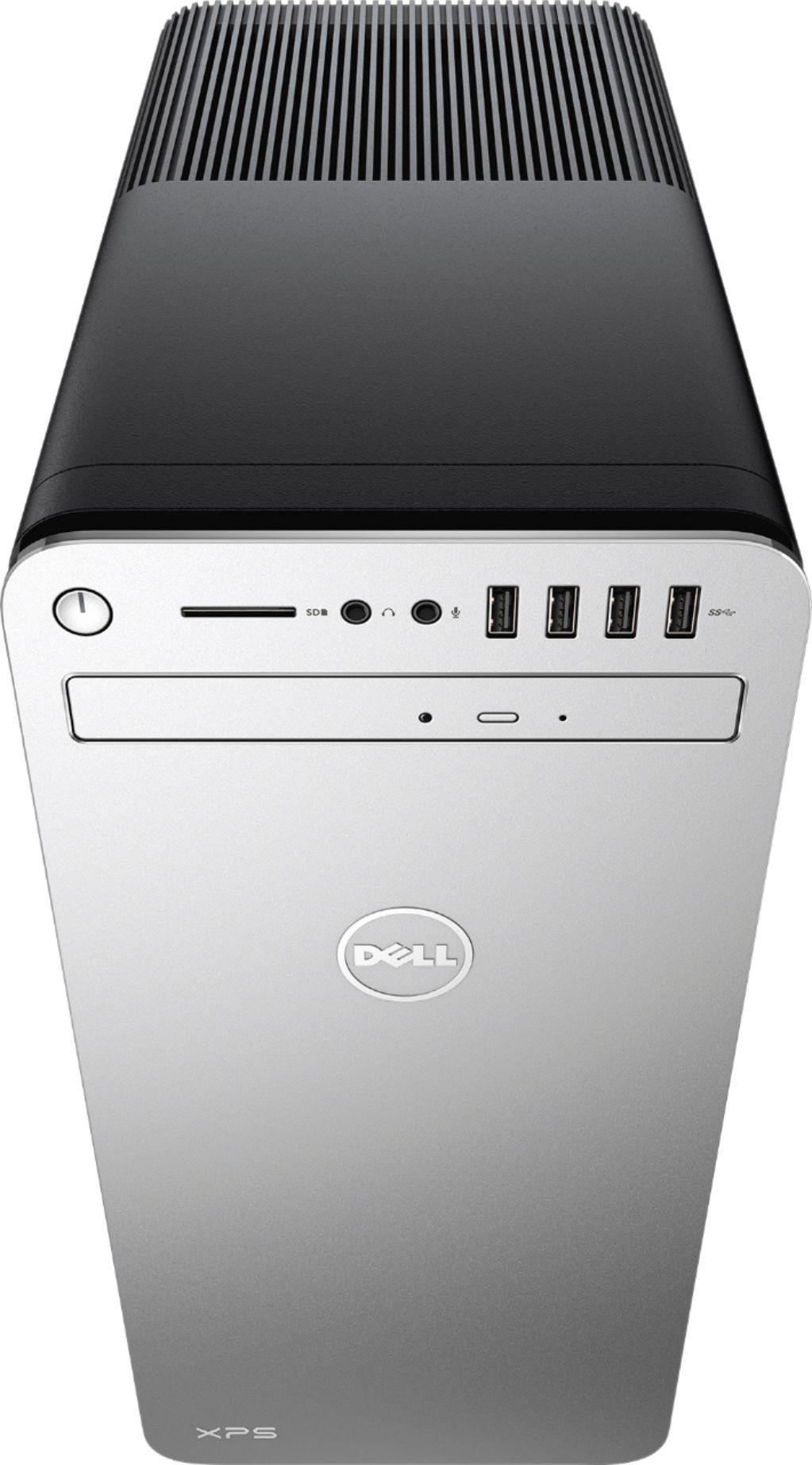
|Posted .This reviewer received promo considerations or sweepstakes entry for writing a review.This is a great PC for home users - browsing the web, using email, etc. The computer is fast - not as fast as an SSD but the new Intel Optane memory does a pretty decent job of mimicking an SSD's speed. The only real drawback is the lack of a dedicated graphics card, but this is easily rectified by an additional purchase. However, this is really only needed for gaming. It also has a huge number of USB ports, including 4 on the front, making it easy to plug in peripheral devices. The accessories were great too. While the keyboard is pretty basic, I found the mouse to be fantastic. I use a clear glass desk and I typically have had to buy specific mice that work with it - this is the first time that the mouse included with a desktop worked. It also has a button on the front to change pointer speed without having to go into settings. Not a gaming mouse, but better than most if you're using this mainly for web browsing and email. The desktop also looks sleek with a black exterior on the sides and back, and silver on the front. It is fairly big, but it does house a lot of power. Note: I could only find an HDMI output for the monitor. However, my monitor supports HDMI, so this was not an issue. It also worked very well with my HDMI switch (allowing the use of multiple computers with the same monitor). All in all, this is a great PC that really only needs an dedicated graphics card if you plan to do some light gaming.
I would recommend this to a friend - Pros mentioned:Speed
Great desktop - if you want a desktop
|Posted .This reviewer received promo considerations or sweepstakes entry for writing a review.I've been using this as a home media hub, file server, and a central system for my musical instrument software. In a word, it's fantastic. The i7 processor is fast, the graphics are excellent, and the number of built-in connectors is just what I needed. It's a solid machine that runs quietly in the corner of the room. Of course, today most people do fine with a powerful laptop. But, if consistent performance is more important to you than portability, this system is an excellent choice.
I would recommend this to a friend It was great at first, but 30 days later...
||Posted .This reviewer received promo considerations or sweepstakes entry for writing a review.I really liked it at first, but not any more. After owning it a month, it became difficult to turn the computer on without unplugging the power cord, waiting 10 seconds and then re-connecting the cord. Now, I have to drag it into the store and leave it for who knows how long to get the issue resolved.
No, I would not recommend this to a friendBrand response from YourDellTeam
Posted .Hi Redhed, Thanks for your review. We're sorry to hear about the issues that you're having with your computer. We hope that Geek Squad is able to help you resolve what's wrong. If you'd like to reach out to Dell's Technical Support Team you can contact them here - http://dell.to/2sH7Qlm. We wish you the best once your computer has been fixed. - Bryan
- Pros mentioned:Performance, Usb ports
Rock solid choice for home use
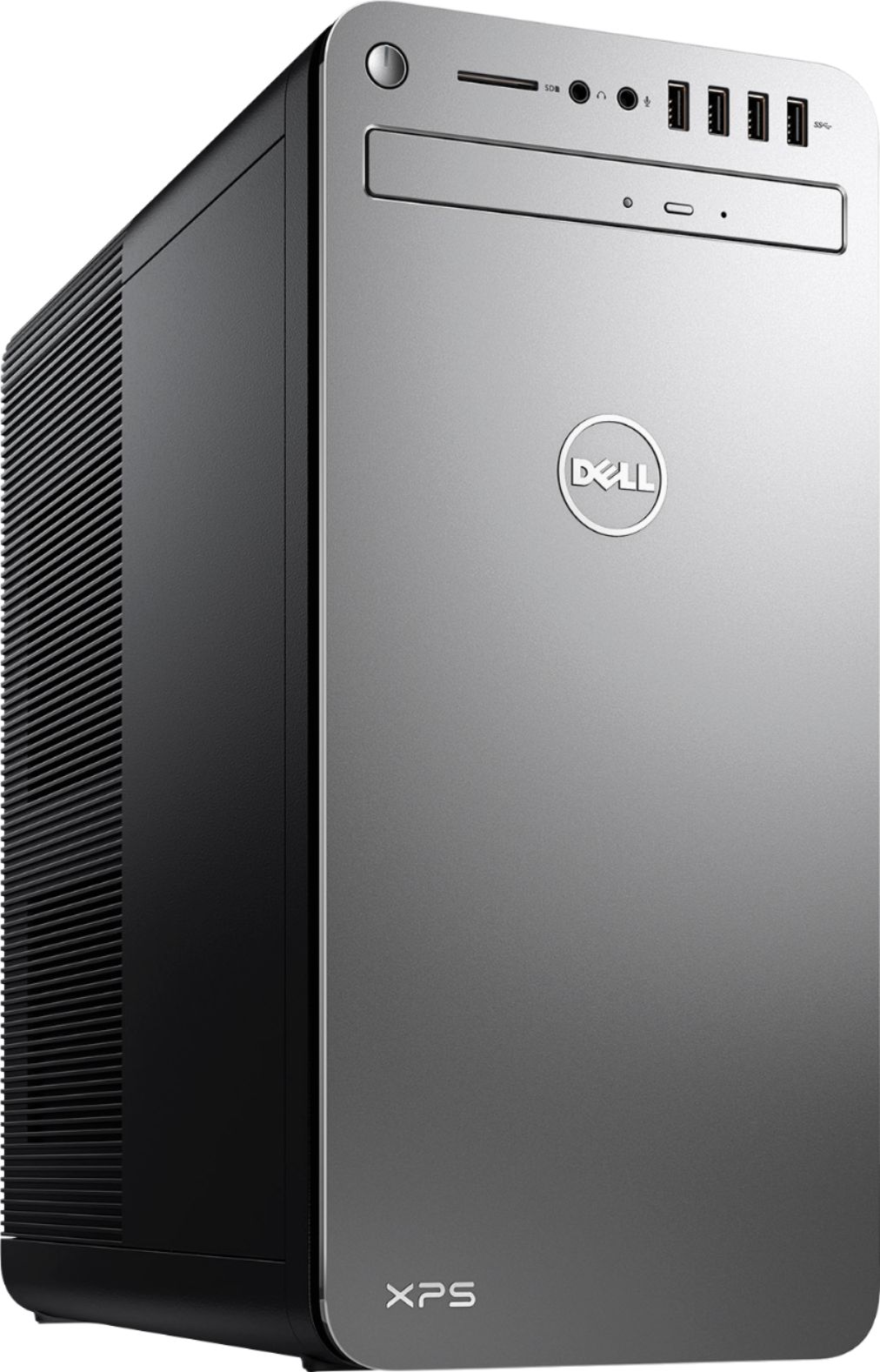
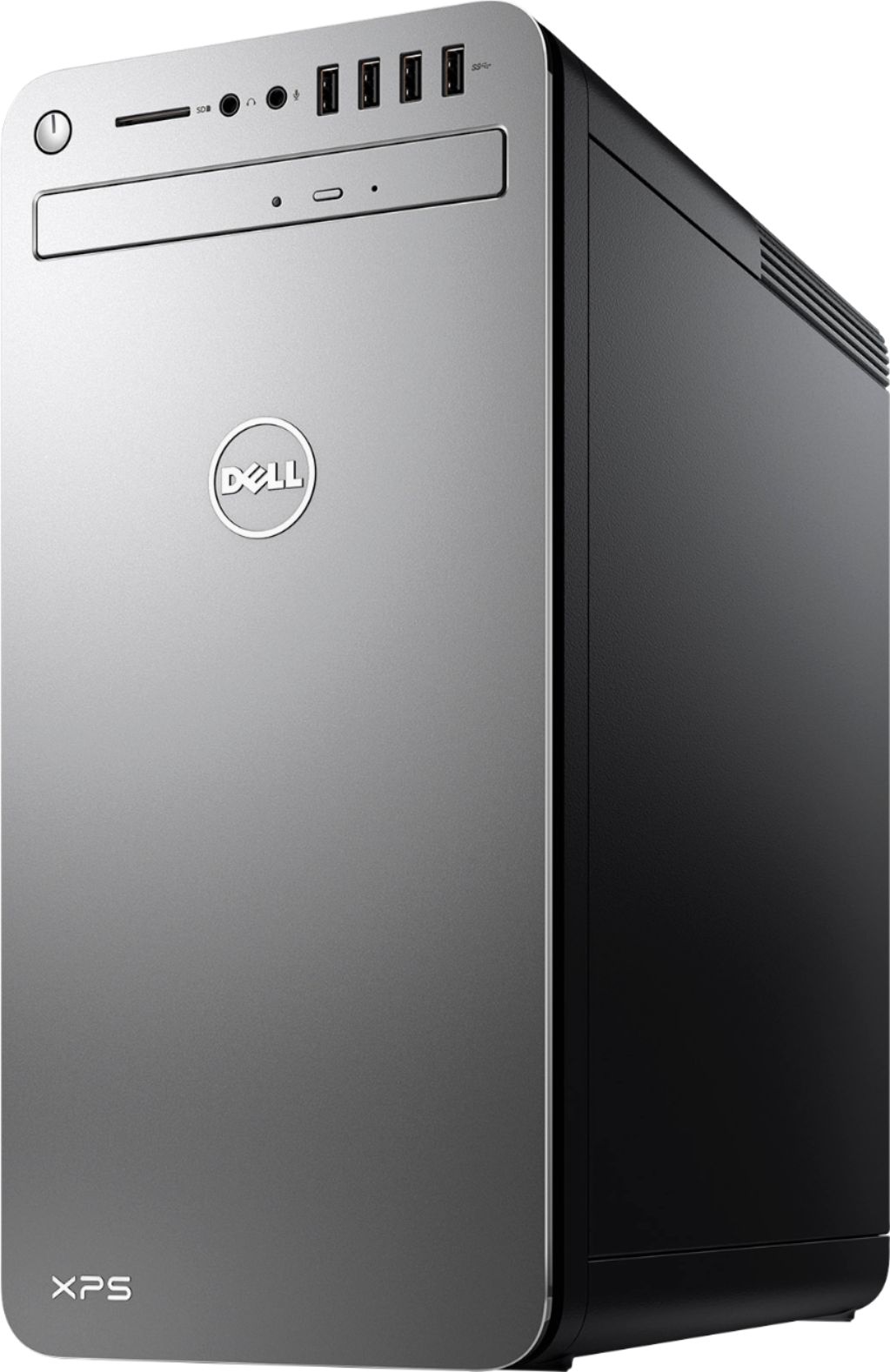
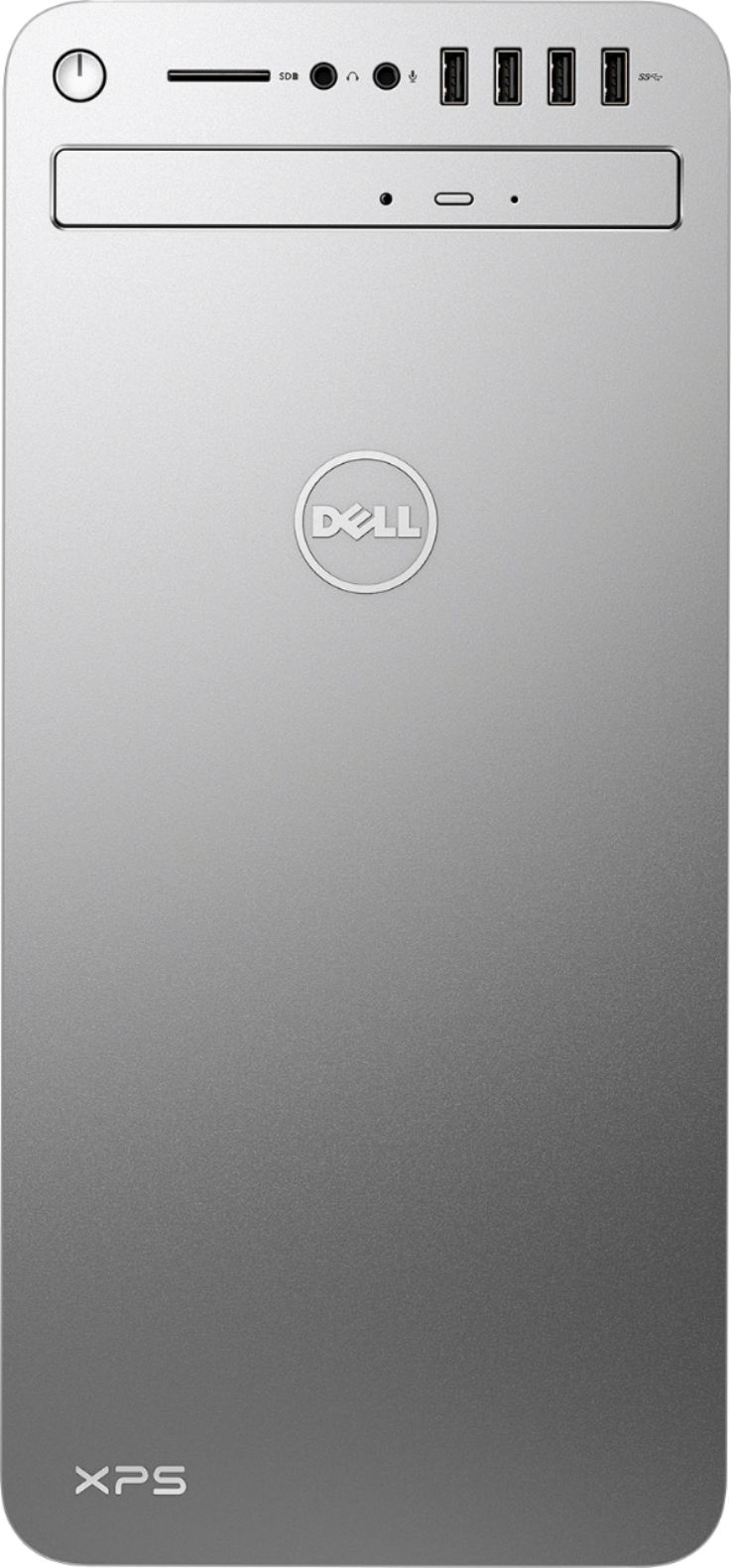
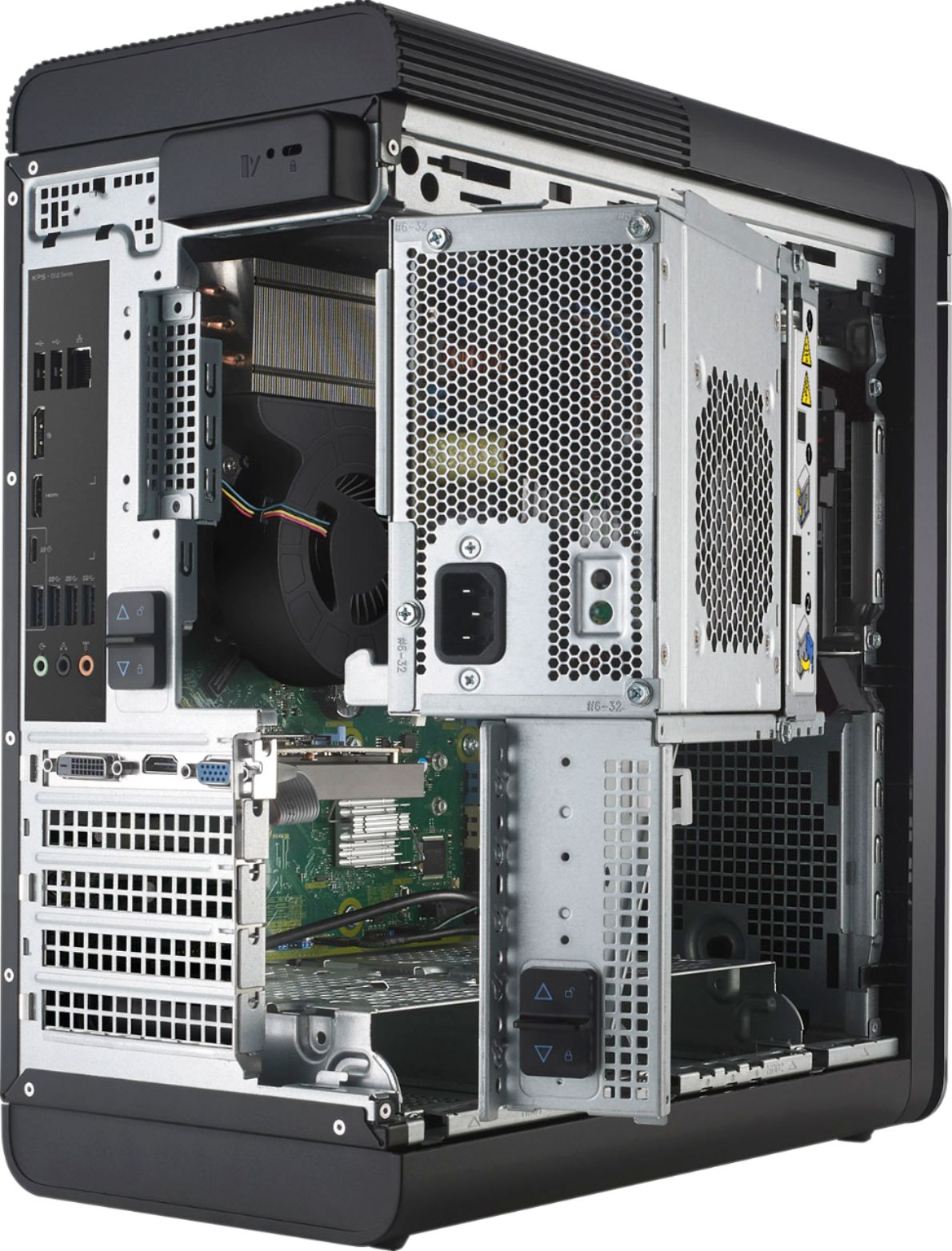
|Posted .This reviewer received promo considerations or sweepstakes entry for writing a review.This is my first experience with Dell, so I wasn’t quite sure what to expect. I must admit, I’m not disappointed. Aesthetically, it’s somewhat modern looking, yet not gaudy like some of the gamer PC’s. Definitely an improvement over the ubiquitous black boxes of the past. On the performance front, it can easily hold it’s own against your typical desktop. It doesn’t have the video chops to be a gamer, but is plenty fast for even your not-so-typical consumer uses. Renders videos in about half the time as my old PC. Adobe Lightroom, which used to take it’s time loading on my old PC, starts up right away & doesn’t have much trouble keeping up with thumbnail previews. Hardware features are mostly good too. The case has a neat mechanism to open the side & swing the power supply out of the way should you want to add cards/memory/drives, etc…. 8 USB 3.0 slots (4 front/4 rear) should cover most of your USB needs. Has 1 USB type C slot, which is a nice add, but I wish it would have been placed on the front. Also has 2 USB 2.0 slots on the rear, which could be used for the included wired keyboard/mouse. Yes, it comes with a wired mouse/keyboard, which is questionable for a PC in this price range… oh well. Round it out with a laptop-style (thin tray that just pops out - not motorized) DVD writer, SD card reader, and both wired and wireless (AC, so it’s no slouch, if your router supports it) networking. Bloatware is kept to a relative minimum. Has your ever present Office trial, McAfee AV, some DVD/video software, and a few Dell support applications. So far, the Dell apps mostly stay out of your way & have only popped up with the occasional available update. Overall, I’m quite pleased with my new Dell, and would gladly recommend it to friends.
I would recommend this to a friend Okay
||Posted .This reviewer received promo considerations or sweepstakes entry for writing a review.The product is okay. The product is okay. The product is okay
I would recommend this to a friendBrand response from YourDellTeam
Posted .Thanks for your positive feedback Roddy. We're so glad to hear that your new XPS desktop is working so well for you. If you have any questions feel free to check out our Product Support Page here - http://dell.to/2wv0Bz2. Thanks again and enjoy! - Bryan
Sluggish
||Posted .This reviewer received promo considerations or sweepstakes entry for writing a review.It was fine for about a year, but now it's a sluggish piece of overpriced metal and plastic. It shuts down in the middle of tasks. It's mainly used for writing code, not loaded down with unnecessary junk, so I'm baffled.
No, I would not recommend this to a friendBSOD AND OPTANE MEMORY FAILURE
||Posted .This reviewer received promo considerations or sweepstakes entry for writing a review.We have mainly Dell Computers in our home office. We bought this computer as most of our prior dells were 5-10 years old. After downloading windows updates it began experiencing BSOD crashes daily. A technician came out and put in a new motherboard and the BSODS continued. The Dell tech service had me send it in and they replaced the hard drive. The computer returned from dell tech repair and the optane memory module was no longer activated. I attempted to activate the module myself via the Dell Support Assist, but that program no longer works after their fresh install.
No, I would not recommend this to a friendBrand response from YourDellTeam
Posted .TZENC03,
Thanks for your review and we're sorry to hear about the Blue Screen Errors that you are experiencing. If you'd like to diagnose what is causing the blue screen you can follow these steps:
1. At the desktop, click the Search the web and Windows box and type "problem reports".
2. Select View all problem reports to view a list of errors that have occurred on your computer and possible solutions for them, such as updating drivers, flashing your system BIOS, or checking for updates to the software.
3. Under the Source column, look for Windows and under Summary, look for Shut down unexpectedly.
4. Right-click the line item and select Check for a solution.
We'd also suggest checking to make sure that your software and drivers are up to date on Dell's Product Page -
You can read the full article here - http://dell.to/2u98Cct.
We hope that your computer will perform the way that you anticipated soon.
Best,
Bryan
1-800-624-9896
Crashing issues
||Posted .This reviewer received promo considerations or sweepstakes entry for writing a review.Crashed in first week, got it replaced. Crashed again in 6 months because it wouldn’t boot windows. More of a hassle than it’s worth.
No, I would not recommend this to a friendBrand response from YourDellTeam
Posted .Hello David,
We are so sorry to hear about the issues with your computer crashing that you are facing. We'd recommend a few tips to help with resolving this issue in the future:
1. At the desktop, click the Search the web and Windows box and type "problem reports".
2. Select View all problem reports to view a list of errors that have occurred on your computer and possible solutions for them, such as updating drivers, flashing your system BIOS, or checking for updates to the software.
3. Under the Source column, look for Windows and under Summary, look for Shut down unexpectedly.
4. Right-click the line item and select Check for a solution.
You can read the full article here - http://dell.to/2u98Cct.
We hope this helps with your future crashes.
Best,
Bryan
1-800-624-9896
- Pros mentioned:Speed
Quite a PC. Almost Perfect
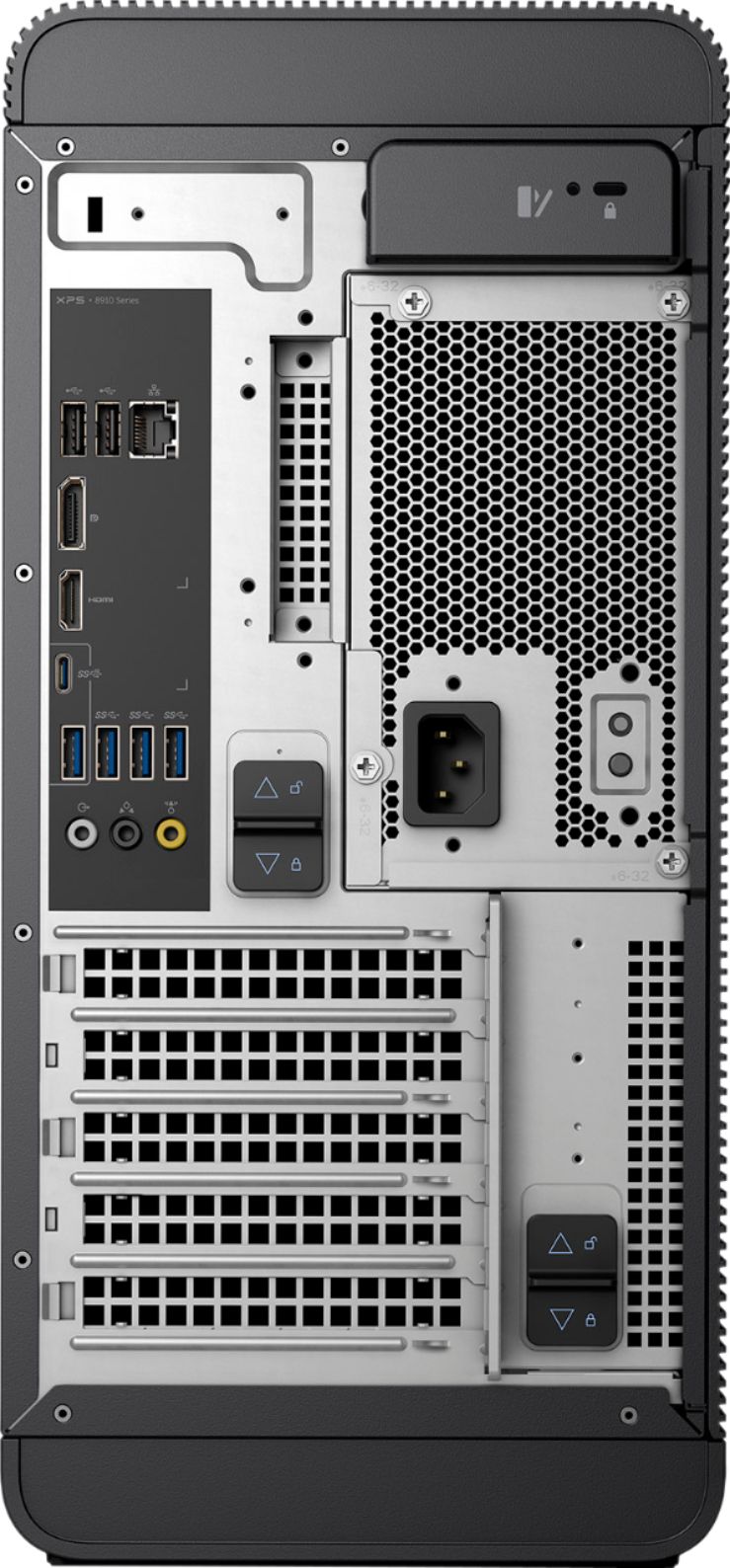
|Posted .This reviewer received promo considerations or sweepstakes entry for writing a review.After my last two higher-end PCs arrived with wireless mouse and keyboard (HP) I was shocked to unwrap this baby and find a cheesy USB keyboard and mouse. There was a nice Logitech set on sale here so for 25$ I evened it up. The machine recognized them at boot up with no problems. Speaking of boot-up--this XPS went through the Windows 10 first boot routine flawlessly and quickly. I have an HP machine with 16GB of ram also--but since it runs an AMD A10 it's no match for this Dell with an Intel I7 7700 processor and the new Intel Optane memory. I used to blame some of the sluggishness of my other machines on my 10Mbps DSL, but now I know that wasn't the reason. I have installed and run various power hogs like Excel and music editing apps and nothing seems to slow this one down. This is by far the fastest machine I have owned. The cabinet is not large (not as deep from front-to-back) and is very quiet, with a huge yet soundless fan on the top of the cabinet. There are USB ports on the front at the top and more at the back. The audio jacks on the back are for various sound equipment (front L-R, real L-R and rear center) and headphone and mic jacks in front. Of course it has a LAN cable connector and built-in wireless and Bluetooth. The ONLY video out on this is HDMI--so you may have to go buy a monitor or adapter if your current screen is DVI or older. I personally like Beats audio better than the RealTek basic package here, but the audio sounded great through my 2.1 Logitech set I have connected to it. Video from my Dish Sling player and the DVD drive was perfect when viewed on a new HP 25" LED IPS HDMI monitor (also on sale at the same time at BB.) It came with MacAfee LiveSafe which seems to run without slowing it down. I have no idea how long the free period lasts. The lack of a nice wireless mouse and keyboard at this price cost it the full 5 stars, but this surely is a nice, quiet, powerful and fast machine.
I would recommend this to a friendBrand response from YourDellTeam
Posted .@CoolBoomer, We greatly appreciate your overly positive review of your new XPS Desktop. We are excited to hear that your set-up process was easy for you and that you already can see the impact of the new i7 Processor and Intel(R) Optane(TM) memory. As you use your new XPS Desktop Intel(R) Optane(TM) memory will adjust to your tasks making everything you do fast, smooth and easy for an optimal computing experience.
We're glad to see that all of the ports that you need are available on this new tower and we are sure that you will continue to find additional useful enhancements to this XPS Desktop. Thanks so much again and best of luck as you continue to use this new tower!