Customer Ratings & Reviews

- Model:
- XPS8920-7107SLV-PUS
- SKU:
- 5939109
Rating by feature
- Value
Rating 4.0 out of 5 stars
- Quality
Rating 4.0 out of 5 stars
- Ease of Use
Rating 4.2 out of 5 stars
Customers are saying
Customers highly value the XPS Desktop's performance, ease of use, and ample RAM and storage. Many appreciate the numerous USB ports and quiet operation, finding it a powerful machine with excellent graphics capabilities. The desktop is also praised for its reasonable price and sufficient memory.
This summary was generated by AI based on customer reviews.
Slow
||Posted .This reviewer received promo considerations or sweepstakes entry for writing a review.Computer is not worth the price. It is very slow. Would not recommend
No, I would not recommend this to a friend
Powerful, Sleek and FAST...
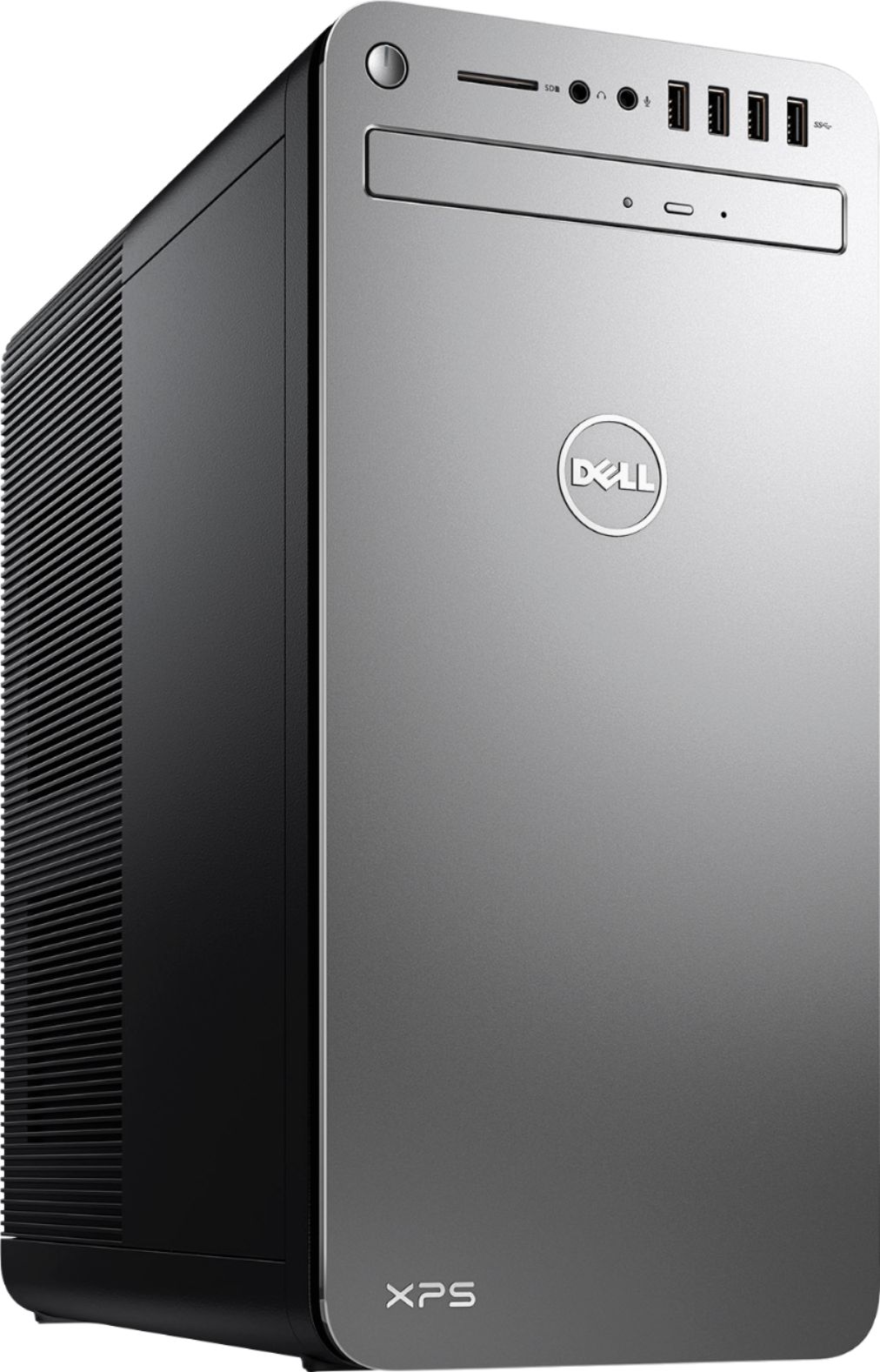
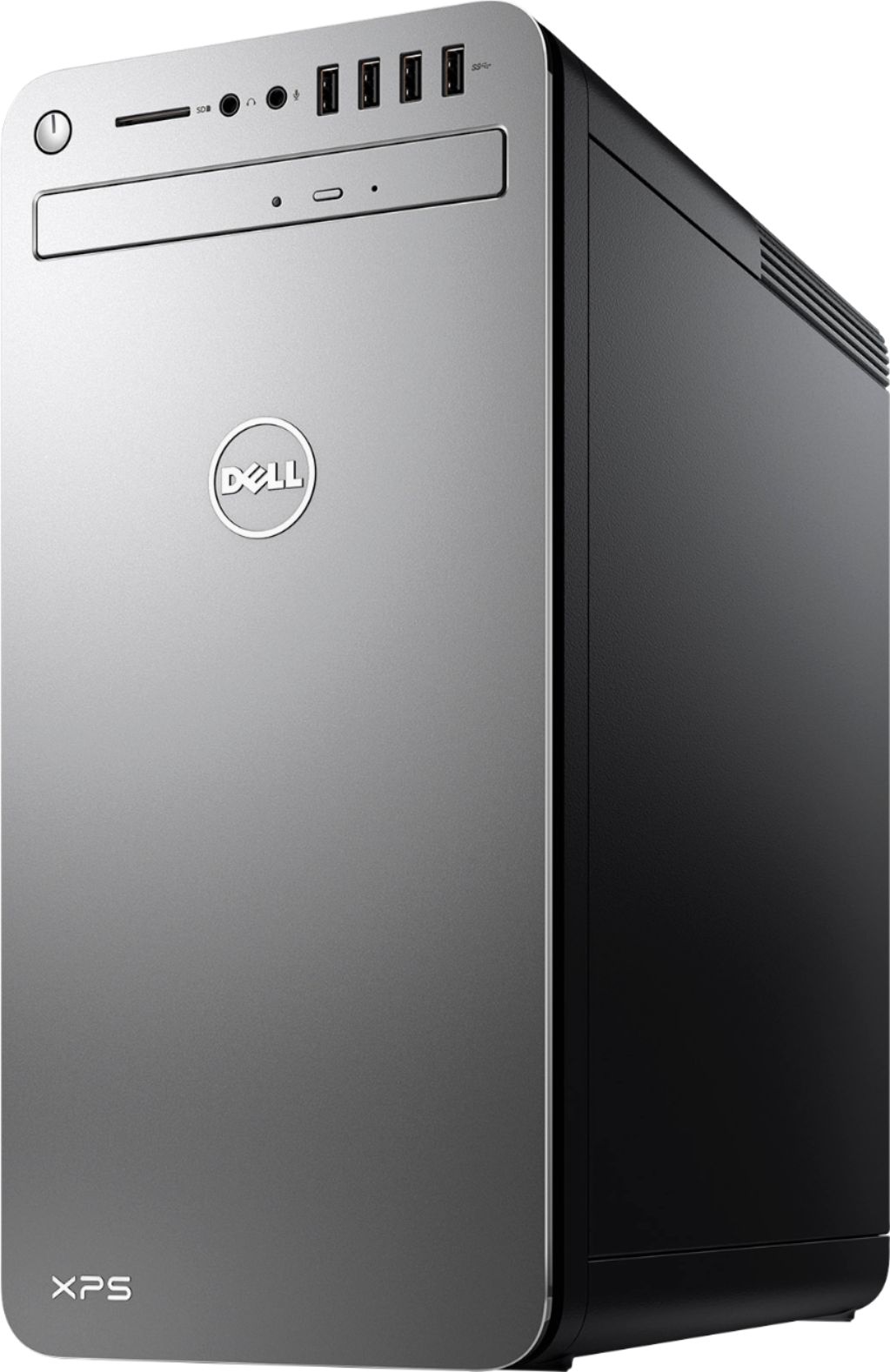
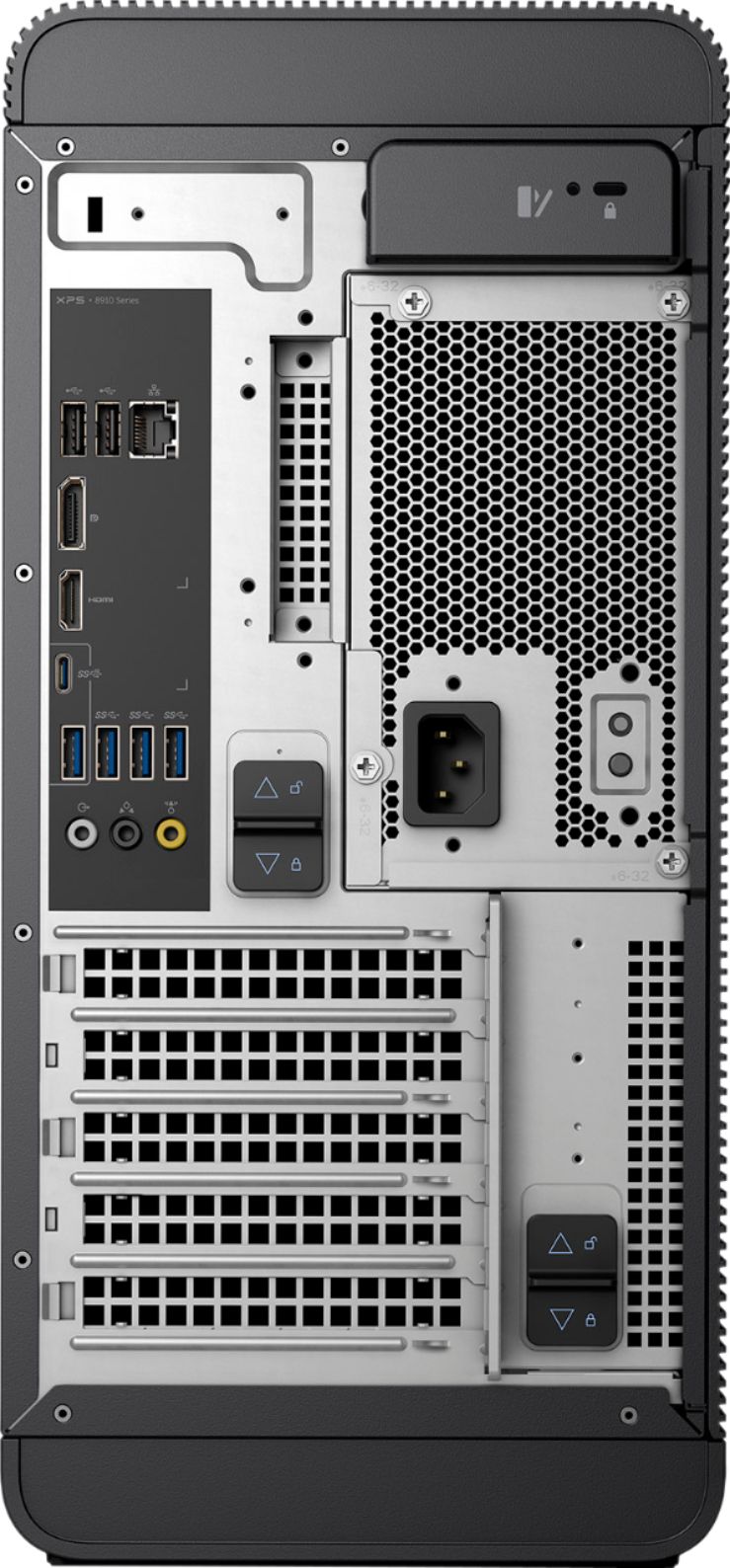
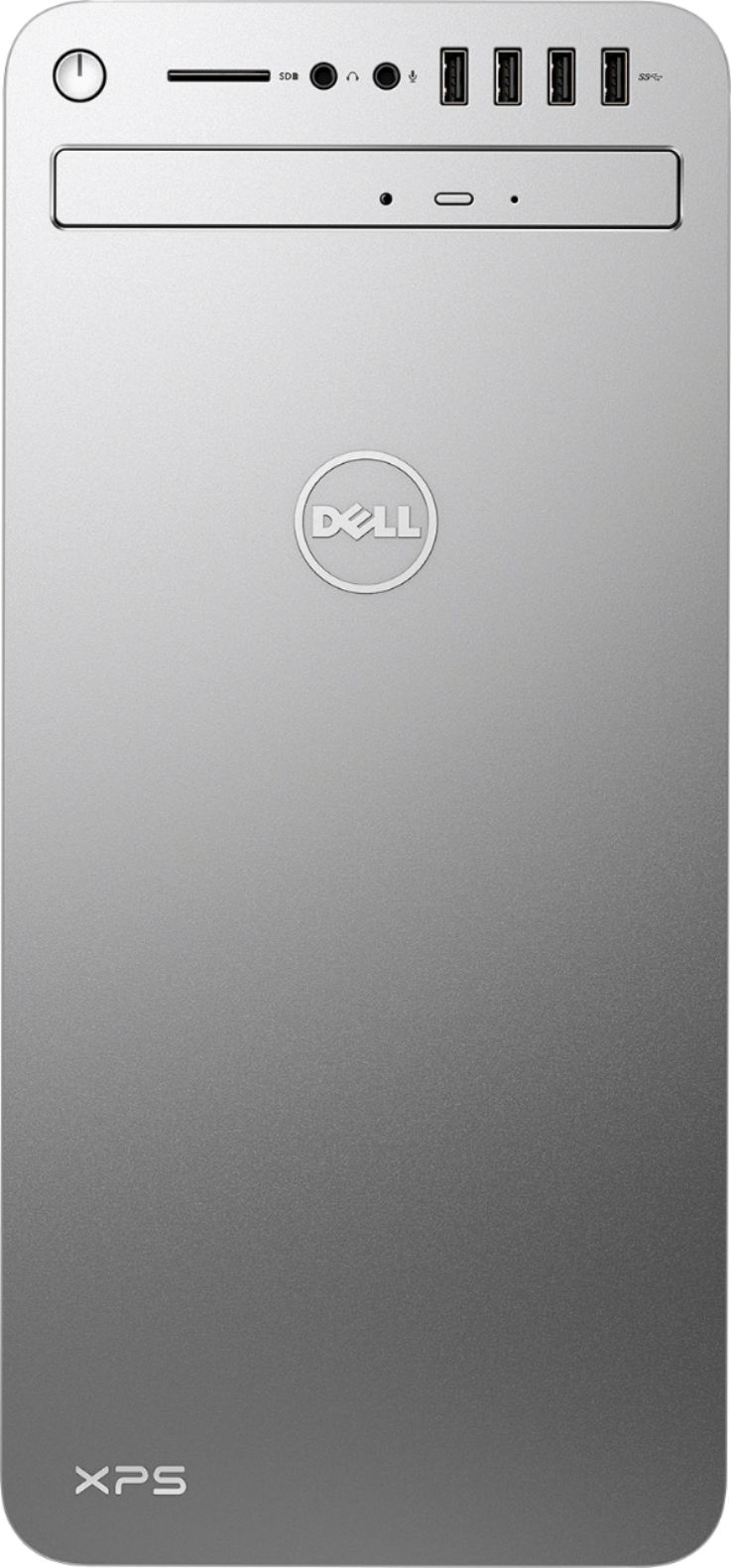
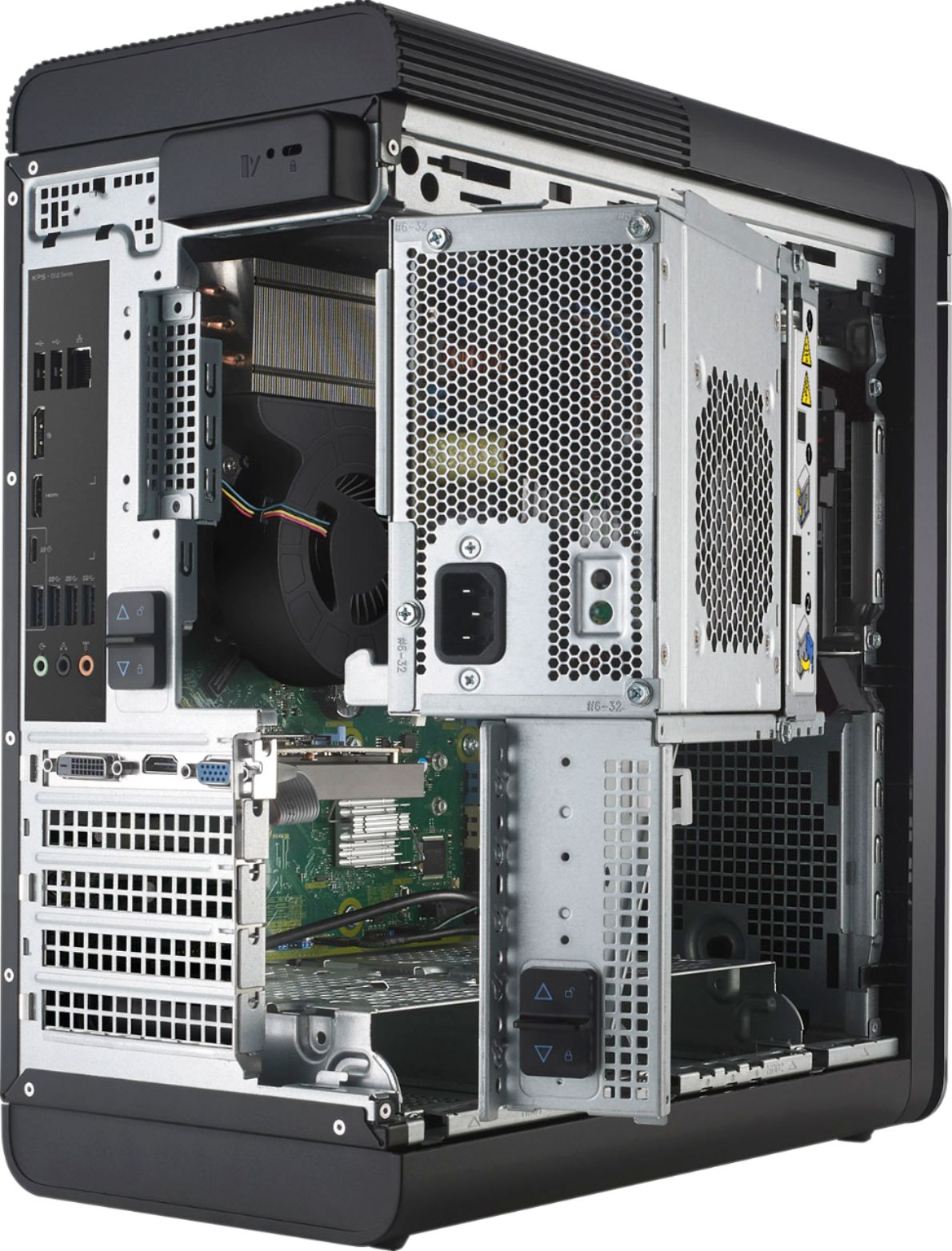
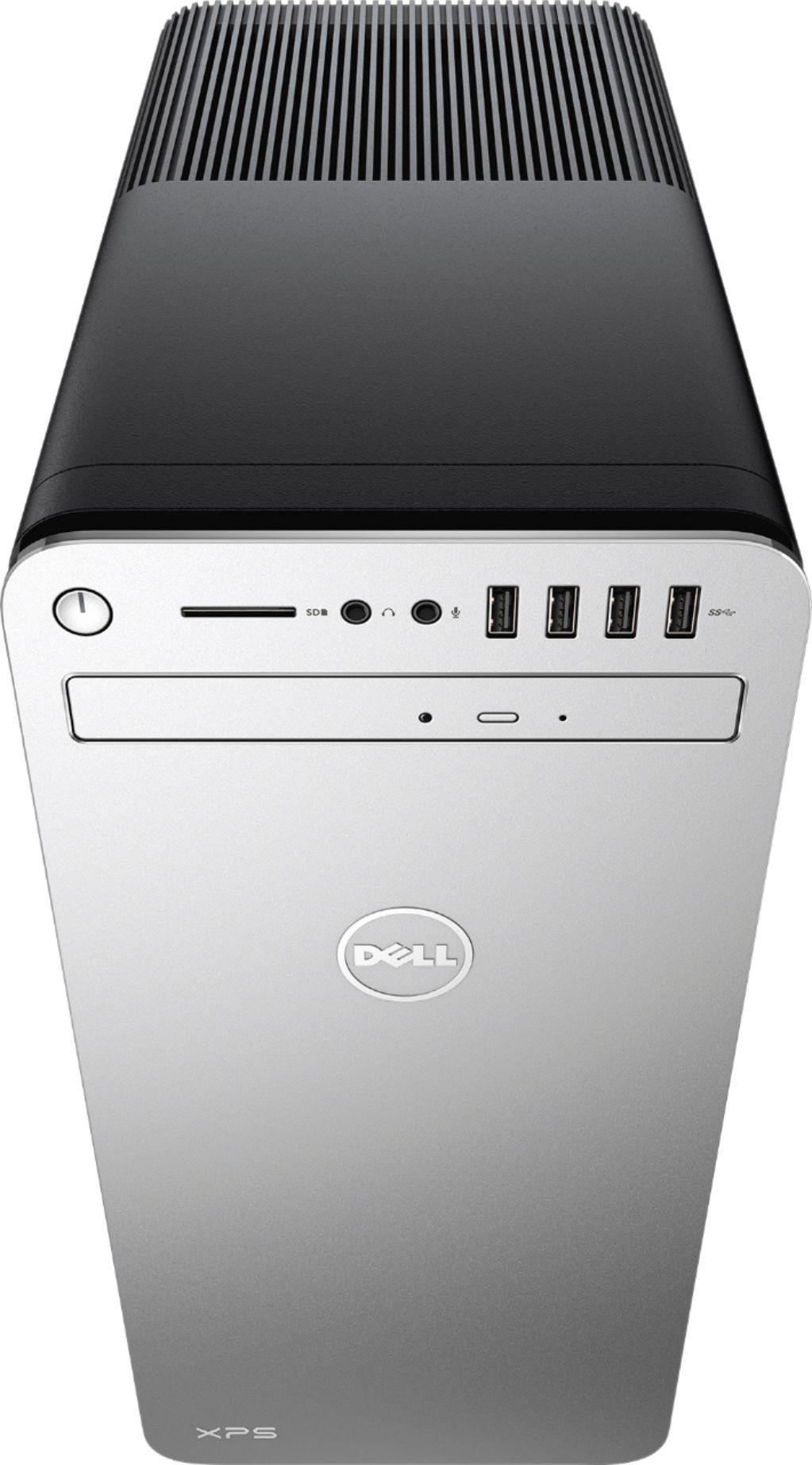
|Posted .This reviewer received promo considerations or sweepstakes entry for writing a review.I have been using my XPS 8920 for almost a month now and I am impressed with it's power and performance. I am not a gamer so I have not really tested it in that environment but I am a programmer and have multiple cpu and memory intensive applications running on it all the time. It has not disappointed me so far. The startup is fast, it takes hardly 3-4 second to come out of sleep and ready to go (my old one use to take quite long). It has a simple but expandable design. There are plenty of ports for all your needs and they are located appropriately. An SD card reader, 4 USB 3.0 port and headphone and mic slots are conviniently located in the front. In the back, you have HDMI, Display, two USB 2.0 ports, three USB 3.0 ports, a USB 3.1 port and a USB 3.1 Type-C connection. The tower is easy to open and upgrade (I haven't upgraded anything yet though). After flipping two lock switches, you can simply pull a lever in the back to make the side panel pop right off. It borrows from Alienware Aurora's rotating internal chamber, which essentially lets you upgrade virtually every major component without any tools. There are also several hot-swappable storage bays, and opening the power-supply door gives you easy access to the motherboard's RAM slots. As with the Aurora, the XPS Tower is one of the few "tool-free" upgradable PCs that truly live up to the name. It comes with a keyboard and mouse which are wired and pretty standard. Both work fine but I prefer wireless devices and have replaced them with my personal keyboard and mouse. The only problem that I had with this machine is that it used to crash with blue screen of death intermittently :( Thankfully, it was only a problem with the wifi driver and after upgrading the drivers, I have not had the issue any more. I have given it 4 stars because of this otherwise I would have given a 5 out of 5.
I would recommend this to a friendDied after 2 days of use
||Posted .This reviewer received promo considerations or sweepstakes entry for writing a review.This computer lasted a whole 2 days! It was going well but wanted to install updates and it couldn't complete them after a few hours and also wouldn't display anything on the monitor. After a hard restart, it was done! What a piece of junk.
No, I would not recommend this to a friendBrand response from YourDellTeam
Posted .Jimiaxplyr - Thanks for your review. We're sorry to hear that you're having trouble starting up your computer again. We'd suggest the following steps to help get your computer working again:
1. If the computer is displaying the Dell logo and does not move past that point, it has probably failed POST.
2. If the power indicator lights up and it is amber or orange, this is usually an indicator that it has failed POST.
3. If you see text on a black screen, the computer is currently performing the POST. If the computer stays in that condition and does not move past it, it has probably failed POST.
4. If the video screen displayed anything at all during the startup process but is now black, this probably indicates that the computer failed POST.
5. If the computer is beeping or if Caps/Num/Scroll Locks are flashing, note if there is a particular pattern in which it beeps or flashes.
6. If the computer is not beeping and caps/num/scroll locks are not flashing, unplug all connections and remove all media communication devices (e.g. external monitors); reconnect one at a time and check if the computer functions.
7. For a notebook, press and hold the Fn key and then press the power button. This starts the pre-boot testing and will launch ePSA. In case you have a Desktop at the Dell logo screen tap the F12 key to enter One Time Boot Menu and use the arrow keys to highlight Diagnostics and press enter. You can read the full article here - http://dell.to/2uj1Sby.
We hope these tips help your computer to start up again for you. - Bryan
Returned this Tower
||Posted .This reviewer received promo considerations or sweepstakes entry for writing a review.Something was wrong from the beginning with this Tower. It was unreliable to boot up from day one so I returned it after 2 days. Maybe I bought a dud but I would not recommend.
No, I would not recommend this to a friendI should have listened to my inner voice
||Posted . Owned for 1.5 years when reviewed.This reviewer received promo considerations or sweepstakes entry for writing a review.I returned this to the store after it failed to start. I purchased another DELL product, but I should have bought any other PC than something made by DELL.
No, I would not recommend this to a friendGreat desktop for personal use
|Posted .This reviewer received promo considerations or sweepstakes entry for writing a review.I was excited to try the XPS 8920! It was well packed in the box to prevent damage. Initial setup is fast and simple. Just plug in the mouse, keyboard, and monitor and hit the power button and follow the prompts. It comes with Windows 10 and I've not spent a lot of time with that OS, but can still access the control panel and other older windows 7 type settings when just searching for it. It also comes with a year of antivirus and one month of office 360. The intel i7 770 processor is very fast as well as the 16 GB of ram. Most desktop users won't have issues getting things done. It has great multitasking power. It was very quick with anything I threw at it. I even downloaded from my nas, my profile saved from my previous desktop this was smooth and quick as well. The integrated graphics are decent. Some gaming might be able to be played. If more graphic intensive games are going to be played, then an upgrade should be considered. One thing that has amazed me about this pc, is that it's so quiet! Super quiet! I was thrilled with all the USB Ports and so many were USB 3.1! Plenty of room for peripherals! Wifi AC worked very well. I didn't have any issues with connectivity at all. For the monitor, you can use either HDMI or displayport. It also comes with only a CD/DVD drive. For the money a bluray drive should have been added. Overall, I am very pleased with this new desktop and it's capable of handling most things you can throw at it and handle them quietly!
I would recommend this to a friendGreat Computer, Great Price With Free Bonus!
Posted .This reviewer received promo considerations or sweepstakes entry for writing a review.I love my new Dell 8920-7107. It's quite speedy with the Intel Optane Memory. It's been working flawlessly since I set it up a week ago. One advantage I had is that I've working with Windows 10 since the day it was released, this made set-up a breeze. I'm running with two browsers, Microsoft Edge and my primary, Google Chrome. I don't game, so I didn't need a dedicated graphics card. There are plenty of open slots for those who do, however. Memory is expandable to 64 GB. Best Buy's price was decent at $879USD. But bundled with Dell's S2718HN 27" IPS monitor for FREE, this computer became a deal too sweet to pass up. BTW, the screen is beautiful and bright. (The monitor retails for about $300USD, and is worth it that price!) Hey, if it's free, it's for me. Also Webroot antivirus-ware thrown in, as well (trial). The computer is very quiet, though I'm not pushing it just for the sake of finding out otherwise. A great buying experience on the whole. Nobody's going to price match on this deal! And since it is Christmas time BBY's normally stingy 15-day return policy does not apply. Returns can be made until January 14, 2018.
I would recommend this to a friendSeems to be very fast
|Posted .This reviewer received promo considerations or sweepstakes entry for writing a review.Let me just say first I haven’t been on Windows since Win XP Home/Pro. When on Win XP Home, my tower slowed down to a crawl. Friend told me he does a clean install every six months. Helped me once to do it. I don’t ever want to do this again on any Windows system except for maybe the new Windows 10 S. This mid range tower has a built in feature that’s suppose to speed boot time. I will say I have worked at many places with desktop PC’s running Windows that have provided many years of trouble free service. They have very little software installed. Some aren’t even turned off at night. Lots of horsepower here. Many USB ports including the latest 3.1 Type C. I don’t have adapters to use Type C and probably don’t need one as I live my life in the cloud (no large file transfers). Nice to have a cd/dvd player installed. Have a few old cd/dvds lying around. Wireless AC here if U need it to cast content to a Chromecast. Bluetooth is a good option for my BT speakers. More RAM than I need and plenty of local storage although I might want to install a SSD IF I need to speed up boot time, after using this machine, for a while. The corded keyboard is lousy. Mouse OK but a USB wireless model from Logitech is better. Believe I can install Linux on this machine. Good option to have some day. I know the world likes laptops but I still like a full size keyboard, mouse, webcam, speakers and monitor to be productive. Also have two Chromebooks for portability and use in living room. If UR like me, this system makes sense and I recommend it for some folks.
I would recommend this to a friendBrand response from YourDellTeam
Posted .Dear ILUVFREEWIFI, Thanks for your honest review about your new XPS Desktop. We also hope that you'll never have to run a clean install on your new device as you had to before on your Win XP Home unit. We can assure you that with the Intel i7 Processor that you'll experience more than enough speed that you need to complete your tasks. As time goes on and files are added, that don't live in the cloud, we know that the Intel(R) Optane(TM) memory will more than meet your needs. As you use your new XPS Desktop, Intel(R) Optane(TM) memory will automatically learn and accelerate your frequent tasks across the entire 1TB HDD, giving you a highly responsive system, with plenty of storage space! We're glad to see that you'll be able to find uses for the CD/DVD drive that's installed in this unit since some other desktops do not offer this. We wish you continued success with this new tower! - Bryan
Didn't last a week
||Posted .This reviewer received promo considerations or sweepstakes entry for writing a review.Not impressed. We had to return it within a week. Not what we expected from Dell.
No, I would not recommend this to a friendWindows software is corrupted
||Posted .This reviewer received promo considerations or sweepstakes entry for writing a review.From the day I got this computer it started acting funny.
No, I would not recommend this to a friendBrand response from YourDellTeam
Posted .Nooshin,
It's unfortunate to hear that your new computer is not running the way that you had hoped it would. You can check out our Product Support page for your computer here: http://dell.to/2wv0Bz2.
We hope these articles help your new computer perform the way you had hoped it would.
Best,
Bryan
1-800-624-9896
Locked up
||Posted .This reviewer received promo considerations or sweepstakes entry for writing a review.Locked up during setup. Could not recover. Returned and purchased another brand.
No, I would not recommend this to a friendBrand response from YourDellTeam
Posted .JaniceB, We're sorry to hear that you experienced a lock-up on your new computer during setup. We'd recommend trying the following steps in the future if you experience a lock-up with another Dell laptop:
1. Run a Computer Diagnostic. To determine if your computer is experiencing a hardware problem, run the Dell Preboot System Assessment (PSA) Diagnostics. For information on how to run Diagnostics, and to determine the issue, refer to Dell Knowledge Base Article: http://dell.to/2iaiujA.
2. Check Safe Mode for Symptoms. To boot into safe mode, please follow the instructions below: 1) Start the computer. 2) Tap 'F8' on the keyboard immediately and every one second until the Dell logo screen disappears. From there you will see the Windows Advanced Options Menu on the screen. (If the Windows Advanced Options Menu does not appear, restart the system and try again.) 3) Select Safe mode with Networking and press Enter. 4) Log on as the administrator or as a user with administrative access. 5) Open applications and test the computer in safe mode. If the symptoms exist in safe mode, please continue the troubleshooting steps in this article. If the symptoms do not exist in safe mode, the issue is likely related to a driver or software and you may wish to complete steps 6 and 7 to see if you are able to resolve the lock ups or freezing.
3. Check for Malware. Malware (Virus, Spyware, etc.) can definitely cause a Windows system to lock up or appear to hang. To check for malware on your system and to ensure that your computer is up to date on security software, visit Dell Knowledge Base Article: http://dell.to/2wWP1zI.
We hope these tips help your computer respond the way that it is supposed to in the future.
SUPER FAST AND EASY SET UP~5-STARS~*****
|Posted .This reviewer received promo considerations or sweepstakes entry for writing a review.After using my old computer for many years I finally had a chance to upgrade and this unit has it all beat hands down. It has a special "Intel Optane Memory" that is an Intel Optane 16GB Internal Flash Accelerator. This speeds up things A LOT! The 1-TB hard drive is more than enough for most users. The only drawback I could find was the CD/DVD drive is a laptop style unit so I could not install my old Bly-Ray burner into the unit, But It does have 4 UBS 3.0 slots on the rear as well as 2 regular additional USB slots plus 4 more regular USB slots on the front as well as an SD Card reader and Mic & Headphone jack on the front. It also has another Mic, Headphone & Audio input on the rear. The case is super easy to access with a push up slot that opens it up like a book for easy access to all the insides. The other thing I miss slightly was a serial and parallel port on the mother board. So if you need either you will need an external USB version which is easy to do. The software was all set with Windows 10 and it was super easy to set up. The Hard Drive is running at a speedy 7200 RPM for MUCH quicker access to data and files as well as super fast booting. Overall I would recommend this to any home or business user looking to update their old paper weight computer. This will definitely work well and has features that will keep you at the front of the pack for some time. That is why I give this 5-Stars.
I would recommend this to a friend- Pros mentioned:Speed
Perfomance and Price
Posted .This reviewer received promo considerations or sweepstakes entry for writing a review.I purchased this computer 2 weeks ago. Ready to go out of the box. For less than $900 with a free Dell - S2718HN 27" IPS LED FHD Monitor. Great deal.
I would recommend this to a friend Nothing but problems
Posted .This reviewer received promo considerations or sweepstakes entry for writing a review.Bought this computer less than 6 months ago and since that time i have had nothing but problems with it. It would not start or load properly. Had to restart multiple times. Have had a half a dozen calls with Dell tech help, first couple of techs got the machine working somewhat better. Problems persisted and finally the machine would not load or start up. Error message that computer did not close cleanly. After several hours on the phone with Dell with the tech trying to diagnose and recover the system to no avail solution is now to send the unit to the Dell repair center in Houston!! Extremely disappointed with this machine! I have owned about eight dell machines previously. Guess i was bound to catch a total bomb!
No, I would not recommend this to a friend- Pros mentioned:Performance
Excellent performance
Posted .This reviewer received promo considerations or sweepstakes entry for writing a review.It is a great desktop at very nice price. All higher end elements are inside, fast and reliable performance so far.
I would recommend this to a friend Dell XPS Computer
Posted .This reviewer received promo considerations or sweepstakes entry for writing a review.I haven't had a Dell computer in over 20 years, but I thought I would give this computer a try. I read the specs on the XPS and thought it would be great for my home office. From the first start up it didn't work properly. I finally was able to get it working but after doing updates and on restart, it wouldn't start up correctly. I waited for it to start up for 30 minutes and I had to push the on button to get it working. This was not just one time, I dealt with it for 2 1/2 days having the same problem. Coming from a Lenovo all in one that I had for 5 years, I thought I was doing something wrong. Finally on Sunday enough was enough and returned it for an HP Omen, which took me 15 minutes to hook up and start the updates. Like I said it has been years since I owned a Dell which as a laptop and that was a bad experience as well. So never again will I purchase a Dell. It is always possible I purchased a dud computer, but Best Buy didn't hesitate to exchange it. The specs are really good on the Dell (same as the HP Omen) so I don't know what the problem was but out of the new box it was messed up. At least now I can appreciate the Omen a whole lot more. So if you are looking at the Dell XPS I would purchase with caution! I hope your purchase is better than mine.
No, I would not recommend this to a friend- Pros mentioned:Speed
Frustrating
Posted .This reviewer received promo considerations or sweepstakes entry for writing a review.The XPS computers run fast, main problem with 2 XPS 8910s last year and now the 2 XPS 8920s I tried this year, was the power/sleep/lock screen options do not work accurately the majority of the time. The towers would rarely go to sleep with the time set. I'm in health care and these need to work at my clinic for security/HIPAA regulations/law. Dell tried to correct with all 4 of these towers but was unable to get them to work. The last try I was told this is how the XPS was suppose to work, support did not know what to do, so I was told my case was resolved. I also had to go into the BIOS options/F2 on all 4 towers to enable the USB ports so the mouse/keyboard cold wake the computers when they finally did go to sleep. I unfortunately had to return all the towers I've tried, will try a different company. Dell has always worked pretty good over the last 20 years, my other models I own have done well, disappointed with the XPS models because of this small flaw they were unable to help me with. If the power/sleep/lock screen options are not important or needed, then the computers seem pretty nice.
No, I would not recommend this to a friend Contacted Dell over 4 times
Posted .This reviewer received promo considerations or sweepstakes entry for writing a review.1st month Blue screen called dell, al few months passed by since with 4 more calls to Dell up to date now I have to live with it making noises like if I have some type of hamster cage in it also I have to keep restarting it if something isnt working right example my mouse, no volume, or blue tooth doesnt work
No, I would not recommend this to a friendBrand response from YourDellTeam
Posted .Xps8910 - Thanks for expressing your concerns in your review. We're sorry to hear that the noises that your new tower are making are not what they should be. We'd suggest that you read the terms of Dell's One Year Limited Warranty and see if your product qualifies so that you can have a unit that is working properly - http://dell.to/2tNsVOs. - Bryan
Crappy Dell Desktop!!! :(
Posted .This reviewer received promo considerations or sweepstakes entry for writing a review.I bought this computer in August 2017. I had problems with the unit immediately after getting it home. I should have returned it the next day, but I tried to fix it with the help of the online "Geek Squad" and Dell telephone tech support. Dell was absolutely no help at all, but I was able to repair the problem with the help of the Geek Squad - for the moment. The computer worked fine for a couple of weeks, but when I returned from my vacation it started having issues again. I tried to return the unit to Best Buy for a refund or exchange and was informed by a member of the Geek Squad that my 15 day return period had expired and I would have to allow them to repair the unit at least 4 times before I could get it replaced with the Best Buy electronics service plan that I paid extra for when I bought the computer. It is now May 29, 2018 and I just got my computer back home again after attempt #3 to get it working properly again. They had to completely reinstall Windows 10, which means I spent all night last night getting my computer set up all over again! >:( Hopefully it will work properly from now until I need to upgrade again, if not I will have to return it again for another repair. I am seriously hoping that Best Buy lives up to the promise of their electronic protection plan that I purchased. BTW -Yesterday I asked them if I could get a trade-in allowance on this computer towards the purchase of another new unit. I took it to the service desk to have them tell me how much I could get for it. They told me that it was worthless! The trade-in value of a computer that cost me over $1000.00 less than a year ago is now $0.00? Unbelievable!!! >:( I am seriously tired of spending hours upon hours of troubleshooting this computer. A note to Best Buy - we are customers, not geeks!
No, I would not recommend this to a friendBrand response from YourDellTeam
Posted .Hello Valued Customer,
We're sorry to hear about the difficulties that you've been having with your Dell computer. If there are specific troubleshooting questions that you have you can check our Product Support Page for your computer here - http://dell.to/2wv0Bz2.
We hope that now that Geek Squad has worked on your computer that it will work the way that you'd like it to.
Best,
Bryan
1-800-624-9896
- Pros mentioned:Performance, Speed
XPS Not waht it used to be
Posted .This reviewer received promo considerations or sweepstakes entry for writing a review.I Purchased two at the same time, and the performance was ok from the start. I have a 8 year old XPS with an i5 that blows the doors of these two computers. Main issue is the disk access is painfully slow. Created Windows 10 media and did a clean install...Still slow. Replaced one with a Lenovo with the same Specs, and it's like night and day.
No, I would not recommend this to a friend