Customer Ratings & Reviews
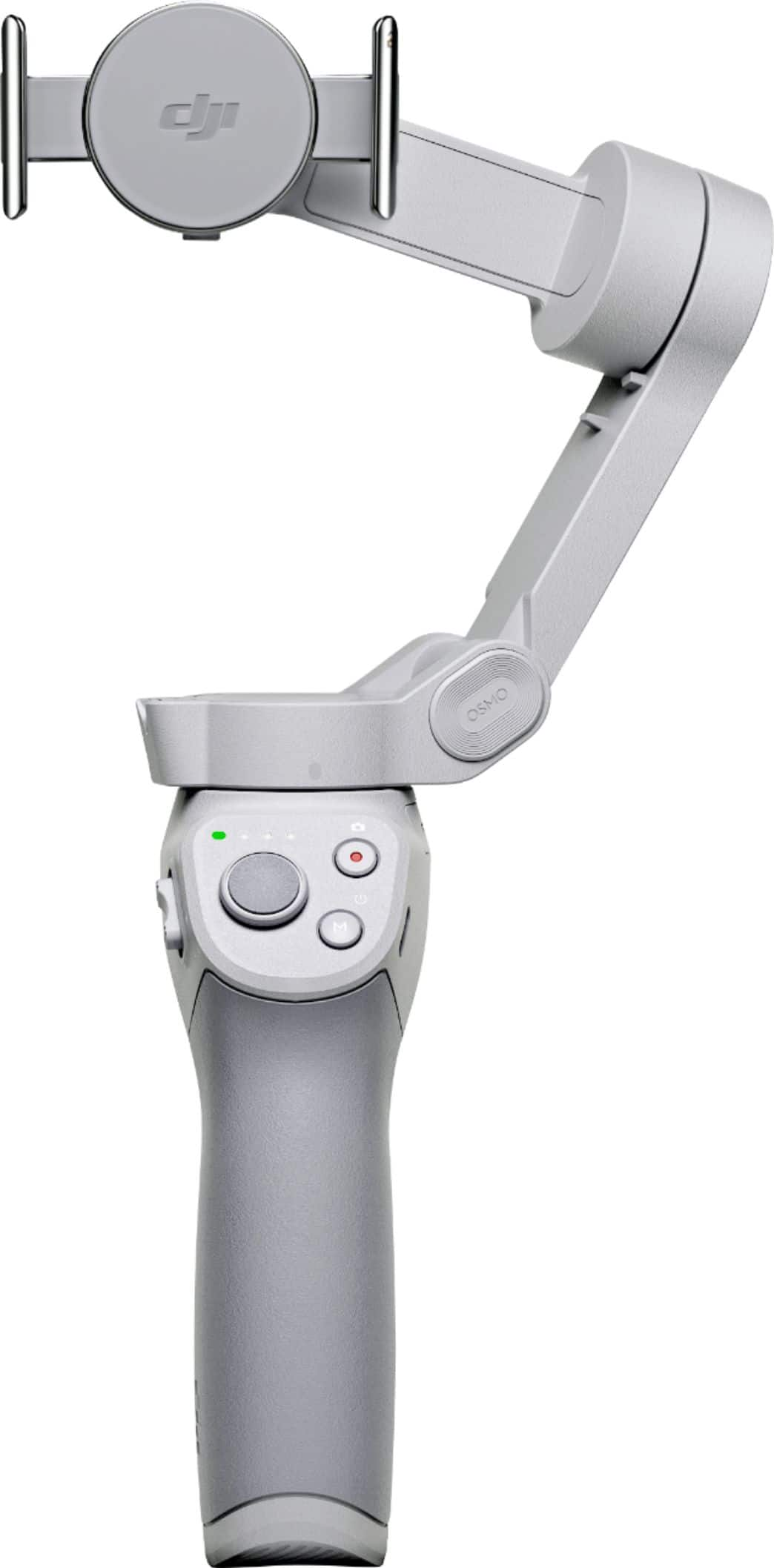
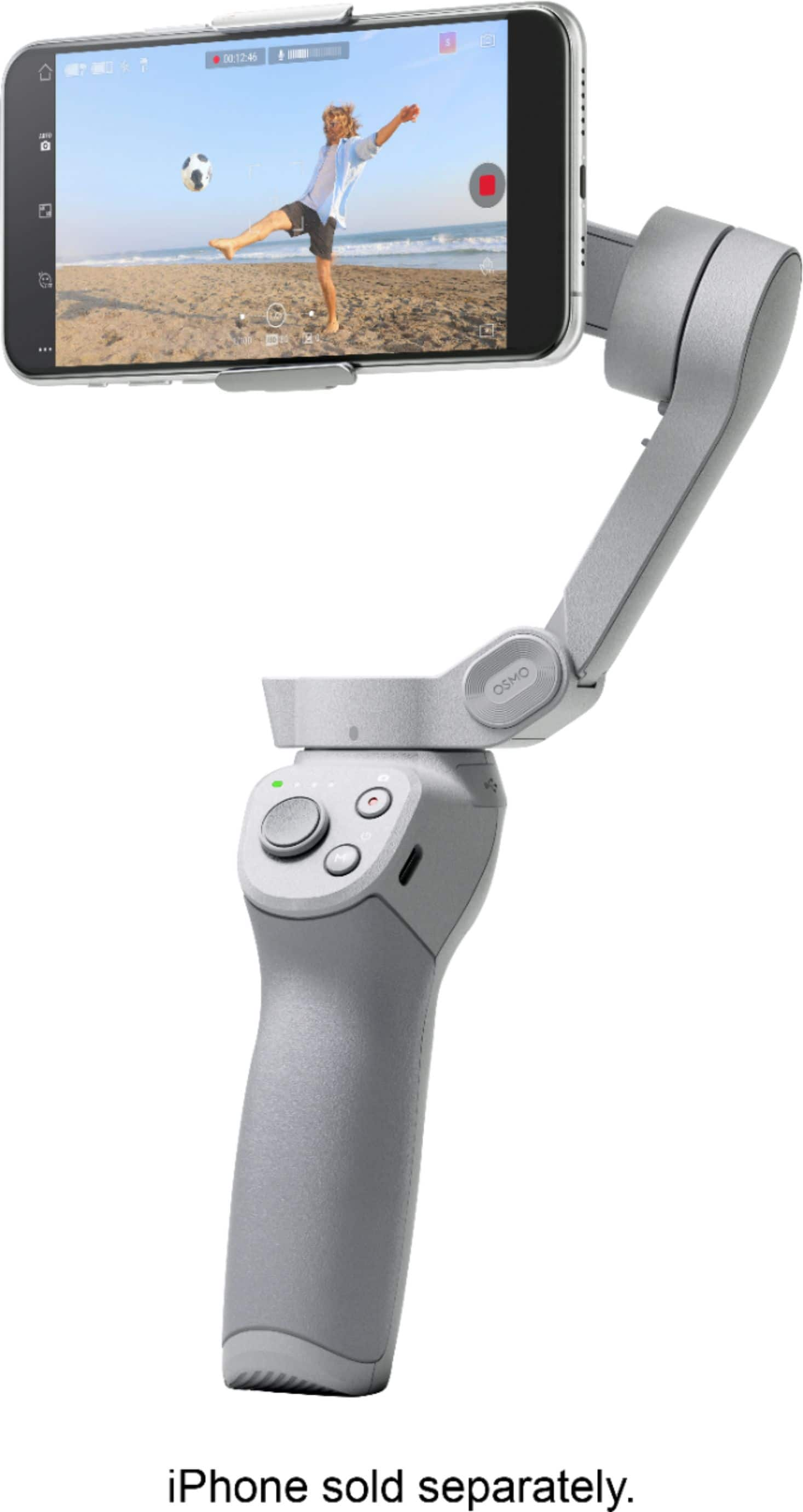
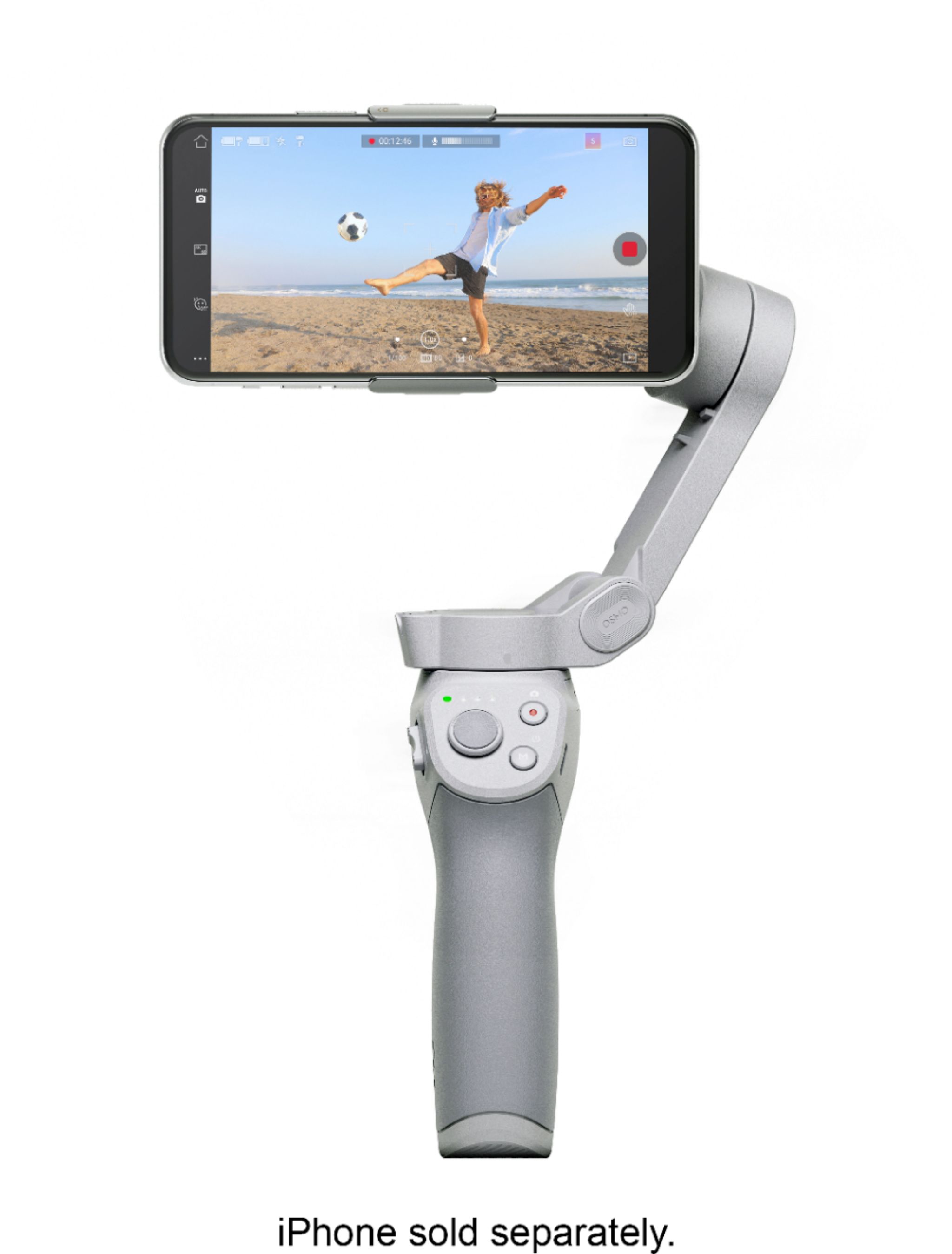
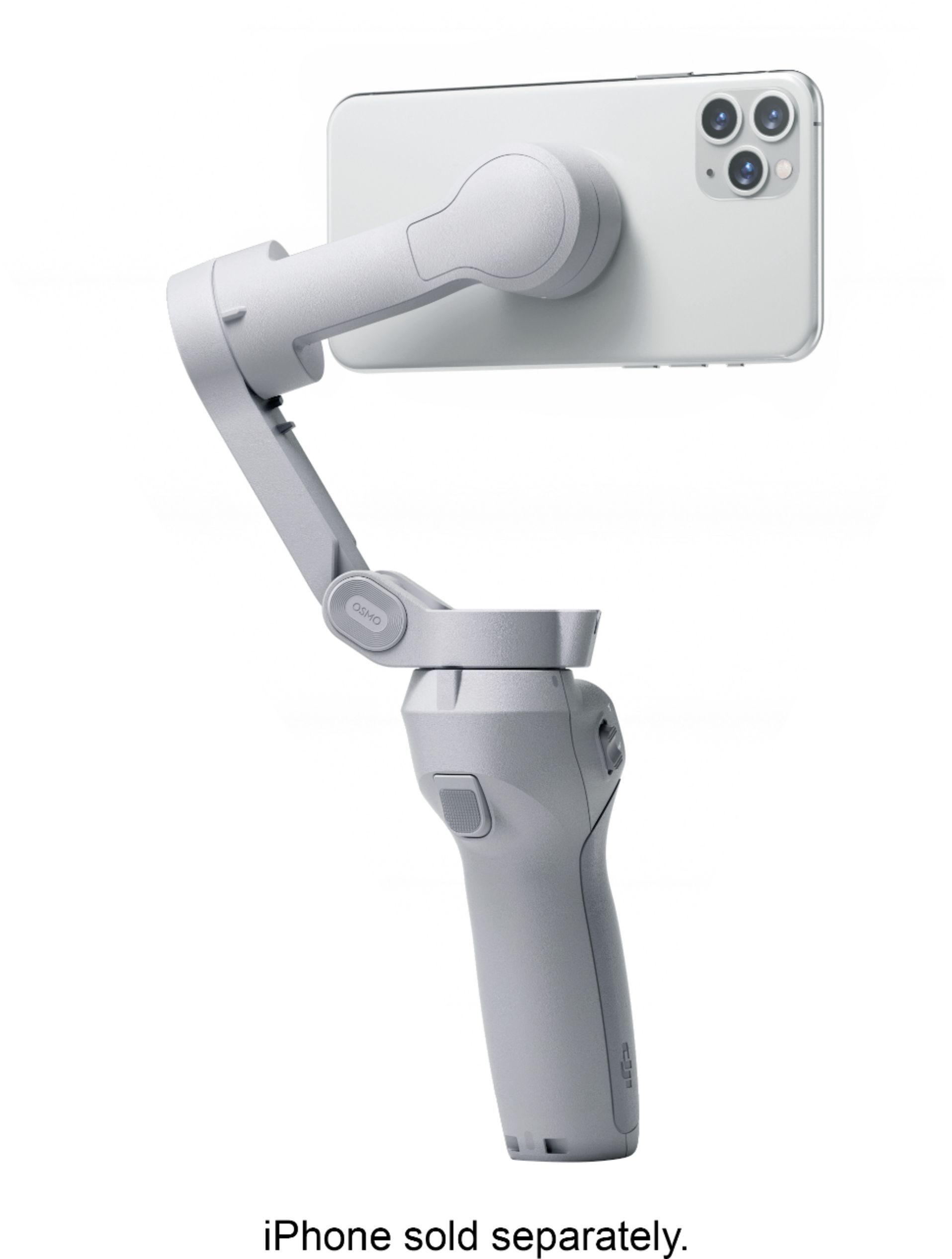


- Model:
- CP.OS.00000108.01
- SKU:
- 6420407
Rating by feature
- Value
Rating 4.5 out of 5 stars
- Quality
Rating 4.7 out of 5 stars
- Ease of Use
Rating 4.4 out of 5 stars
Customers are saying
Customers are delighted by the OM 4's ease of use, excellent video quality, and impressive stability. Many also praise its compact size and the abundance of features, while some users found the phone clamp needed improvement. Positive feedback frequently highlighted the software and tracking capabilities. The price point also received considerable acclaim.
This summary was generated by AI based on customer reviews.
Good gymbal
||Posted . Owned for 3 weeks when reviewed.This reviewer received promo considerations or sweepstakes entry for writing a review.Good accesorios friendly use. Recomendé this producto.
I would recommend this to a friend- Pros mentioned:Ease of use

Awesome little gadget for vlogging & travel videos
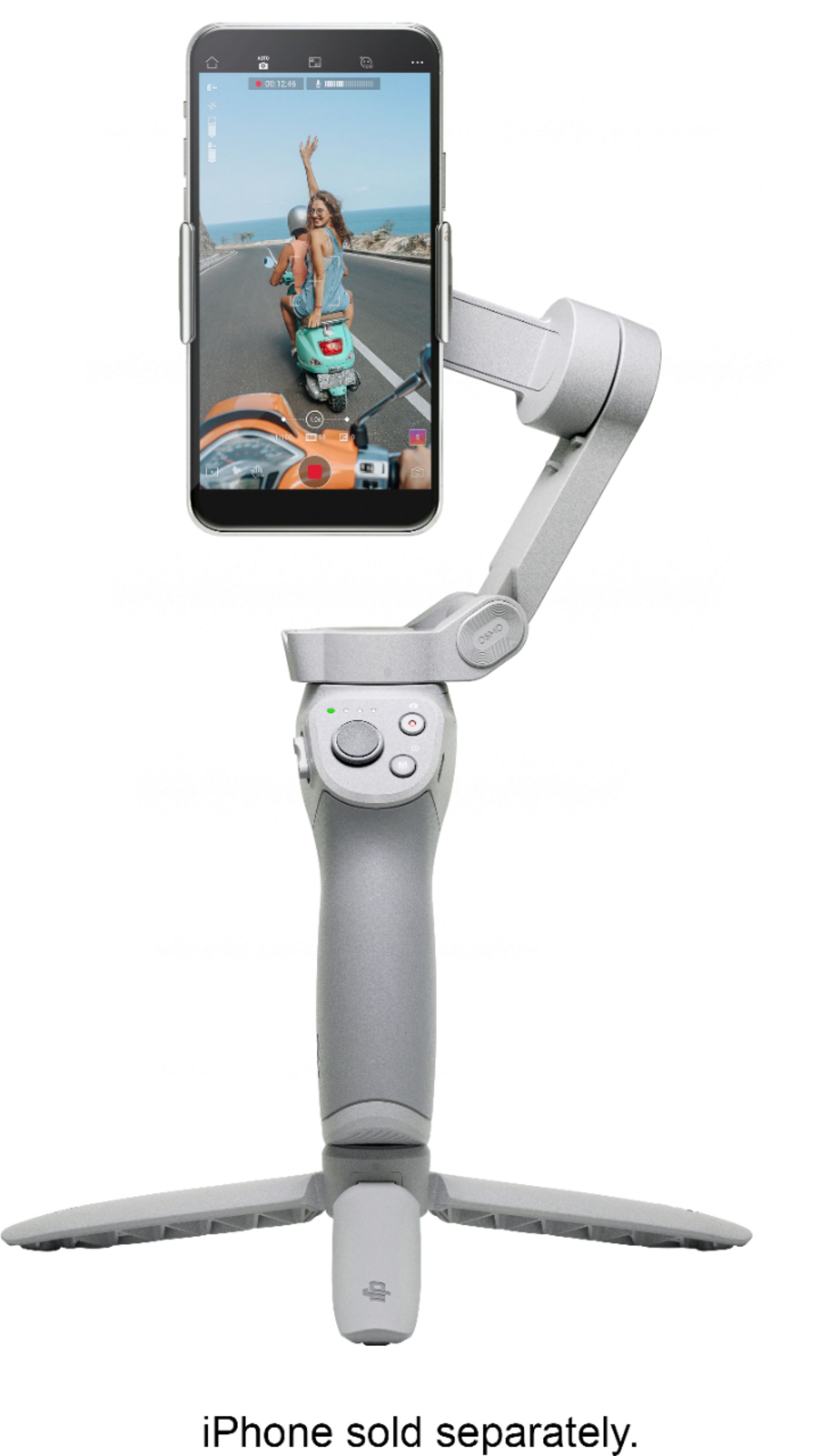
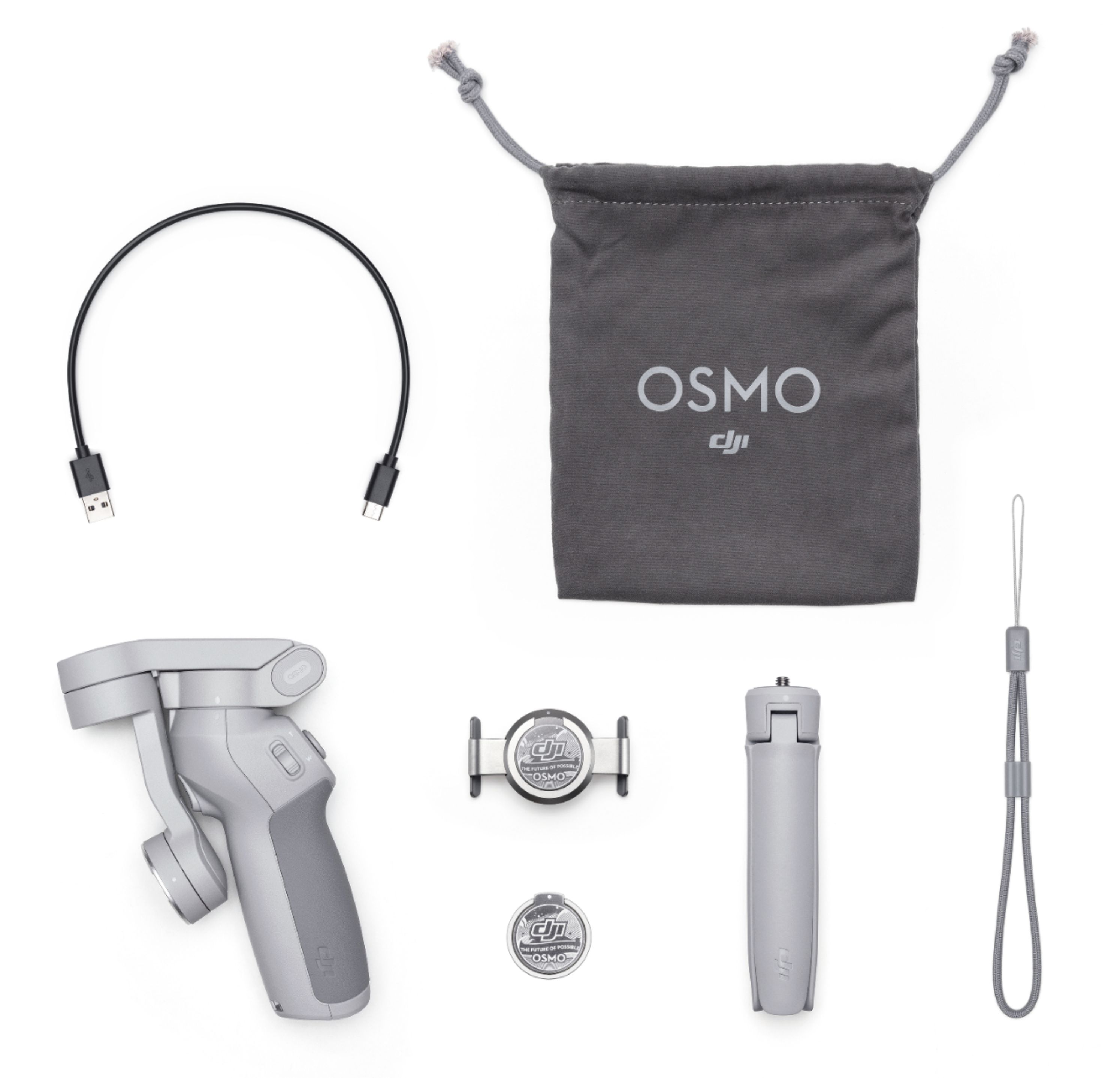
|Posted .This reviewer received promo considerations or sweepstakes entry for writing a review.I got the chance to play With the new DJI OM4, I had the previous iteration of OM2. The OM4 has greatly improved, smaller, easier to use and DJI has gotten smart with their products but also including their DJI MIMO app to help anyone make good looking videos. Out of the box What's included: - DJI OM4 - Magnetic Ring Holder - Magnetic Phone Clamp - Grip Tripod - Power Cable - Storage Pouch - Wrist Strap Something I thought was really useful was the ability to put our phone on and off the DJI OM4 with the magnetic clamp or ring holder. This made it so easy to use, while I took my OM4 on a camping trip I was able to use the magentic clamp to secure my phone to a magnetic phone holder for GPS function. This is also the difference between the OM4 and OM3, The previous version of the OM3 did not have the magnetic clamp or ring holder. Another neat thing was the Tripod, it came in handy so many times. Especially with the Active track which, I'll get into more of later. DJI's Mimo app has really made it easy for anyone and I mean anyone to make good looking video montages. Too bad I can't upload any videos of my trip but I'm pretty happy with the results. DJI has many templates that you can use and they continue to add more as well as being able to share what you've created with other DJI users. This also help with getting ideas from the other creative users. This is easily one of the best features I enjoyed with the OM4. Another awesome feature I found on the OM4 is the ActiveTrack. ActiveTrack allows you to be a one man/women video crew. Using your smartphone, you can set it to follow a subject in an almost 360 degree range. DJI has really improved their ActiveTrack software from the previous apps they've released. It was easy to set the subject (person) I wanted to track and with the front trigger button you can turn on and off ActiveTrack for quick subject changes. In conclusion, I'd highly recommend the DJI OM4 for Vloggers or anyone that enjoys documenting video of their trips and other adventures!
I would recommend this to a friend - Pros mentioned:Battery lifeCons mentioned:Clamp
A nice upgrade to the best gimbal!
|Posted .This reviewer received promo considerations or sweepstakes entry for writing a review.Verdict. I was using the Osmo 2 before getting this, so I am very familiar with this product. The Osmo 4 delivers a nice upgrade to what was already the best handheld gimbal on the market. This gimbal is a portable, convenient, and powerful accessory to bring on every trip. Setup. Installation is pretty straight forward: download the Mimo app, use the magnetic clip or the stick-on magnet on your phone, put your phone on the OSMO, turn it on, use the app to connect to the gimbal, and then start filming! The trickiest aspect is placing the stick-on magnet in the right place on your phone, but the box includes a handy template, so this part is made easy too. App. The DJI Mimo app was easy to install, and seamlessly connected with the Osmo. Incidentally, I find the app welcome screen too cluttered for my taste. When I fire-up the app, I just need to see the controls for the gimbal. The app controls are fairly intuitive but there is a learning curve to be able to quickly find and effectively use all the different features. I played with the included video editor and it’s ok for quick montages, but there are very powerful editing apps out there now that are better suited to use the fantastic videos you will get from this gimbal. Features are PLENTIFUL… I am particularly impressed with all the capabilities of this gimbal. Features. There are too many features to fully cover here, but I would like to highlight a few: (1) Gesture control works really well and takes the gimbal with tripod to another level; (2) CloneMe Pano is a really fun feature. I’ve never used a feature like this. The kids love it! (3) ActiveTrack works even better than it used too; (4) dynamic zoom is very easy to use and provides a nice touch to add new dimensions to your videos. Lastly, the feature I use the most is the automatic panoramic feature, which provides exceptional pictures. Design. I previously had an OSMO 2 which was not foldable and came with a large Styrofoam case. In the end we didn’t use it much because it was too inconvenient to carry around. On the other hand, the foldable design of the OSMO 4 is fantastic, the magnetic connection makes it easy to quickly connect, the included tripod is a gamechanger, and the pouch is a really nice touch to keep every safe together. Design for this gimbal deserves high praises and constitute a nice upgrade to older versions. Functionality. Buttons are few on the actual gimbal, but the use of press, double press, and long press allow for rapid single-handed controls. However, it is difficult to remember all the button sequences initially, and then if you don’t use the gimbal for a while, you will have to relearn that functionality. The primary functionality of physical buttons is adequate: zoom, on/off, picture/video, and active track. Things I love: - Foldable design means that we can easily bring this with us everywhere - Magnetic connection makes using the gimbal fast and convenient - Tons of features - Great physical button implementation - Good app with intuitive controls - Flawless performance… it works really really well - Thank you for including a soft pouch - The included tripod attachment is an amazing addition - Battery life is 10 to 15 hours, which is sufficient for a full day of normal use. Things I don’t love: - The stick-on magnetic adapter is a great idea, and we plan to use it while traveling, however, please note that your phone will not be able to charge wirelessly because the stick-on magnet is too thick. Accordingly, we don’t plan to use the permanent stick-on magnet at home. I have the stick-on magnet on one phone case that I will use for traveling, and while at home, I am now using a different phone case - The magnetic clamp does not firmly hold my phone with the slightly thicker phone case that I am currently using. If you have a thick case on your phone, the clip may fit awkwardly on your phone. In this case, using the stick-on magnet may work better Conclusion. The best gimbal just got even better. The OSMO 4 is capable, convenient, and innovative. Given the wealth of features included, the price of this device is a great value. If you use your phone a lot for video and quality pictures, I highly recommend the OSMO 4.
I would recommend this to a friend - Pros mentioned:Battery life
Pretty cool accessory for shooting videos
|Posted .This reviewer received promo considerations or sweepstakes entry for writing a review.I’ve never had a one of these however it’s always been on my “to buy” list. While I don’t shoot a whole lot of videos, when I do it always seems that having one of these would be super advantageous. This grip attaches to your phone either by a clamp or a stick-on metal ring/magnet you put on the back of your phone. For reference, I have an iPhone XS Max in an Otterbox Pursuit case. The metal ring attachment is going to be the easiest way to attach to the grip. The clamp just barely fits on my phone/case. The clamp is rubberized so it shouldn’t scratch your phone without a case. When using my Otterbox Symmetry case, the clamp fits on perfectly. Both the mounts snap into the grip with a pleasing click so you know it’s on there quite sturdily. You’ll also want to download the companion app for this grip as it syncs up perfectly with the grip. Once everything is synced and setup, using the grip is fairly simple/straightforward. The buttons are pretty self-explanatory as well as the ports on the grip. The included tripod screws into the base of the grip and is pretty useful, I think. Using just the grip, it might take awhile to get used to how the grip works as well as how you can best use it when filming. Using the trigger button, zoom slide and the on-screen controls takes a bit getting used to. Over time I’ll figure everything out but I’m still learning how best to use this. The unit is fairly lightweight and packs for travel quite easily. The grip charges via USB-C so charging is fairly quick. Can’t comment on battery life however the manufacturer states 15hr runtime with only a couple hours for full charge. The grip is Bluetooth LE so power consumption is fairly low. Overall, I love this thing. I’m no filmmaker however using this grip kinda makes me feel like one. It’s easy to operate and pretty intuitive. The biggest thing for me at this point is just getting accustomed to how it works and how to easily/quickly change settings while recording. This will come over time so no issue here. Pretty cool device and am really looking forward to learning how to use this like a pro.
I would recommend this to a friend Maybe I got a bad one?
||Posted .This reviewer received promo considerations or sweepstakes entry for writing a review.Could never get it to work properly, it showed me a message saying the battery was cold… when it is 90 degrees outside… went to bestbuy but they could only help me if within 2 weeks of purchase… now I’m dealing with dji… hopefully the issue gets fixed, I’ve only had it for a month…
No, I would not recommend this to a friendThe new magnetic clamp is convenient!
|Posted .This reviewer received promo considerations or sweepstakes entry for writing a review.## What's the difference between the OM 4 and Osmo 3? - Magnetic quick release clamp: Attaching and detaching your phone from the gimbal is a lot more easier on the OM 4 thanks to the magnetic clamp. You simply place the clamp on your phone and if you're going out for a day of shooting, you can just leave it on your phone (it's a little bulky, so you probably don't want to leave it on your phone day-to-day). The clamp works with most phone sizes and can be put on over top of your phone case. - Magnetic ring holder: A more permanent attachment is a magnetic "sticker" you would place on the back of your phone. DJI recommends attaching the sticker to the back of your phone and not on a case. - Stronger motor: The OM 4 can support heavier phones as it has a stronger motor compared to the Osmo 3. ## Performance The DJI OM 4 does a great job of smoothing out movement and "jitters" in your video recordings. I took the OM 4 on a road trip and was surprised by the smooth video I was able to capture out the passenger-side window of the car, even on a bumpy road. The physical buttons definitely make taking photos and recording videos convenient, but you need to make sure the clamp is not pressing again one of your phone's physical volume buttons. Otherwise, the physical buttons on the OM 4 may not work. The OM 4 also does an excellent job of removing the up and down motion of walking while recording, but it does not completely eliminate it. The built-in optical stabilization of the iPhone X does not seem to interfere with the OM 4. The ActiveTrack feature also does a decent job of following people and dogs, but seems to be less effective when targeting inanimate objects. ## Features - Portable: The OM 4 folds up nicely for travel, taking up minimal space in your bag. The OM 4 does not come with a hard case, but a soft pouch is included instead. - ActiveTrack 3.0: This OM 4 can follow a person or pet automatically, using either the back or front-facing camera. You can use it to record yourself demonstrating something or to follow your dog playing ball in the yard. - Gesture Control: With this feature, you can make a palm or "V" gesture with your hand to activate the ActiveTrack 3.0 feature. - Dynamic Zoom: This is a cool effect that you've probably seen on TV. The subject stays stationary while the background seems to zoom in or zoom out. You can accomplish this effect by following the steps in the DJI Mimo app. - Story Mode: This includes some pre-canned Instagram story-worthy templates for your videos. - Tripod mount: A small tripod mount is included and can be screwed to the bottom of the OM 4 to capture selfies or group shots with yourself included. ## Battery Life On my road trip, I used the gimbal for over an hour and the LED lights still indicated that I had near-full battery. DJI states the OM 4 can get up to 15 hours of battery life and takes about 2.5 hours to recharge with a 5V 2A wall charger (not included). However, the DJI Mimo app seems to be processor-intensive as I find my phone's battery draining quickly (and heating up) while using it. ## Summary The versatility of the magnetic phone clamp is the main standout feature of the OM 4, but if you're happy with the clamp on the Osmo 3, then there probably isn't a pressing reason to upgrade. However, newcomers to DJI's gimbals will appreciate the ease of attachment on the OM 4.
I would recommend this to a friendThis Thing is Sweet
|Posted .This reviewer received promo considerations or sweepstakes entry for writing a review.The physical: the color of this is very light gray. It is compact enough when in use, and folds easily and compact as well. There are 2 pieces -- the gimbal itself and the little tripod. All are simple and easy to use. It comes with a clamp and a magnetic ring so that you have 2 choices for how to secure your phone to the gimbal. I must add that it comes with a nice gray bag to put it all in. Everything you need to do with the gimbal is in perfect placement. The grip feels good and you have the various buttons at your disposal for basic settings (i.e., landscape/portrait, front/back camera, active track, shutter, on/off, etc.). By the way there is not a button for everything. There are certain buttons (or whatever you want to call them) and you either push them a certain number of times or hold them down and that particular button will have about 3 or so settings. Software/App: get the app on your phone. It syncs very easily. The gimbal must be on and your phone's bluetooth must be on. When you use the app, there are many things and info at your disposal including actual usage with more settings, such as story. Note: when using the app, it doesn't let you pull up the bottom android buttons (back, home). You have to hit the "home" icon in the app, in your camera screen (i think it is on the top left), which will then bring you back to the home page of the app; then you can use your bottom buttons to get out of the app on your android phone. I mention this because I kept searching for how to get out of it. This is my first one of these, so........... Actual use: so this thing is pretty amazing. In fact it is cool af. You can use it with or without the tripod. Its basic use is fairly simple. You can snap pics (selfies or regular). You can video and vlog and keep this thing on you. I love watching it motorize. And you can re-center it. I love the Active Track, because you can make it follow you or whatever is your subject. It is not meant to move super fast. I tested it on me and did some back and forth walking and I love watching it move with me. I walked a bit faster (not fast, but faster than slow). Then I bent down and it followed me. I bent down quicker (at my normal speed) and it lost me. I still love it though. I will add this, I am using an Samsung Galaxy s20+ and the placement of the side buttons (power, volume) go past the center of the phone. So when I use the clamp, it is not exactly center. I really don't want to use the magnetic ring on my phone. But I will figure it out. Everything on the gimbal still works, but I do get message telling me that my phone is not centered blah blah blah ( I show the message in my attached pic). Nonetheless, I love this thing. I definitely recommend it. I am impressed. As I said this is my first one of these so maybe my being impressed is inflated compared to someone else, but it really is a great product. Peace.
I would recommend this to a friend- Pros mentioned:Battery life
Make Photography Fun Again
|Posted .This reviewer received promo considerations or sweepstakes entry for writing a review.There are a ton of 3rd party accessories aimed at taking photography on smartphones beyond the built in software and cameras. The DJI OM 4 gimbal is more than just a fancy selfie stick, thanks in part to the accompanying DJI MIMO app and the capabilities of the gimbal itself. I used this for many different types of photography and videography. I'll never claim to be a professional, but the DJI OM 4 sure made shooting and watching them a lot of fun. From a design aesthetic, the gimbal itself is made a heavy duty plastic and metal. The OM 4 comes with: - Gimbal - Tripod - Ring clip - Grip clip - Travel bag - USB-C to USB-A charging cable I didn't use the Ring clip option because it's made to be adhered to the back of the device itself - and this would effectively break wireless charging on my iPhone XS. So I opted for the Grip clip and it worked fairly well. DJI recommends taking your phone out of a case, and honestly, if you have a bulky case on it, you're going to have to. I have a slim case on mine, so I was able to use the Grip clip without taking my case off. The gimbal itself supports a wide array of controls. You have a trigger button that toggles through various modes, like front-or-back camera, and sport mode. On the side, there's also a slide toggle for zoom control. Note of caution, if you're an iPhone user, the OM 4 WILL NOT control zoom. This was one of the major reasons I didn't give it a 5-star. That seems like such a basic feature to miss that I was surprised DJI missed it while throwing a truckload of other features into the mix. You also have the "M" button that serves as power, sleep, and toggle from portrait to landscape. Finally, there's the record button which you press to record videos or take pictures. If you're in picture mode and you hold down the record button, you'll activate burst mode. The battery life is pretty good, I've had it last for several days with on-and-off usage before I recharged it. You can use the built in iOS camera with the gimbal if you want, you don't have to use the DJI MIMO app. However, if you don't use the MIMO app, you lose the ability to calibrate the phone and gimbal, do image effect adjustments for lighting or skin tone, or play with one of the OM 4's cool new features, Clone Me. Clone Me is a special portrait-shot panorama setting that will stitch together 3 photos shot in the same setting. I uploaded an example of how I made my wife think I was extra productive using Clone Me. If you're looking for something more than a traditional selfie stick, that also provides the versatility to create your own picture or video content on the go, then you should check this thing out. It's become a staple for family events to make fun and silly pictures and videos.
I would recommend this to a friend Like having your own personal photographer
|Posted .This reviewer received promo considerations or sweepstakes entry for writing a review.Having had some experience with camera gimbals, I was anticipating what DJI was going to bring to the table with this update since phones have gotten larger in size in the past year. Unfortunately, the previous model did not work well with the larger updated phones available so we haven’t been able to use the gimbal properly and it was a bit of a hassle. Fortunately, DJI upped their game not only with the hardware but with what the new DJI OM 4 software was capable of. I have used some off-brand gimbals as well and, as far as I’m concerned, DJI always has set the bar for everyday gimbal users and has always been well worth the extra coin to throw down. The first thing I noticed is that it fit my new large phone perfect, which has the largest screen of any new phone on the market (besides the phablets), using the included magnetic phone clamp and magnetic ring holder (see pictures) as an included option if you don’t want to use the clamp. As a side note, I love the fact that they included both of these options. My only issue is that I have a folding phone case which obviously would interfere with the magnetic mount so I would need to pull my phone out of the case in order to use it which can be somewhat of a hassle. Regular, non-folding, phone cases should work just fine using the magnetic clamp or ring. The magnets are very strong so you shouldn’t have any issue with the phone coming off the gimble unless the clamp or sticky side of the ring fail. I would like to also note that the gimbal does fold for storage and they even included a pouch to keep it in. Once it’s stored in the pouch, it’s not much larger than my phone with exception of the bulky part however it probably would be pretty uncomfortable in a standard pant pocket so you would need to figure out how to transport it around if you were on a trip, such as in a purse or backpack. After I charged the DJI OM 4 gimbal and downloaded the smart phone app, I was excited and ready to give this thing a whirl. Now to the nitty gritty… what this gimbal and the DJI software is actually capable of. Once your phone is mounted to the gimbal, it has no problem handling the weight of any phone on the market and balances it perfectly. The gimbal’s movements are super smooth and fluid as you would expect with the newer technology. I also love the fact they included the removable mount so you can place it on a semi-level surface and take pictures or video. One of the great things about the new software is the subject tracking so you could set the camera down, lock in on a target subject using their smart phone app software and just let the gimble and phone camera go to work to create a video without even touching anything; it’s like having your own personal videographer. I posted some pictures of the panoramic pictures I took of our living room that the gimbal took up to nine separate photos and pieced them together to make one. The gimbal has all the features you would need including the action button, remote control to manually move the camera, a trigger button you can customize, a zoom toggle as well as a mode button so you’re not constantly having to touch your phone screen. There are so many features built into the software including story mode, automatic panoramic features to take pictures or video of an entire area using the stand, etc. that you could spend hours on if you are an obsessive camera junkie. It’s also great for casting or video conferencing since it automatically follows any subject around while it records/films. Being an amateur, I was able to create pretty incredible 8k video short stories which may not be worthy of stardom however seeing some of the videos online that more professional photographers have made using the same set up was pretty impressive to say the least. Overall, I’m not sure there’s anything on the market that could hold a candle to the new DJI OM 4 and think it’s well worth the extra money if you’re in the market for a portable smart phone camera gimbal that will blow your mind and impress your friends at the same time.
I would recommend this to a friend- Pros mentioned:Stability
Steep learning curve can be a turn off
|Posted .This reviewer received promo considerations or sweepstakes entry for writing a review.While DJI is borrowing tech and features from their drones, this handheld gimble comes at the price of a steep learning curve. Pros: • Rock steady shots but requires “careful” walking • Comes with a bag and tripod • Easy to use mounting options Cons: • Steep learning curve • Don’t expect miracles on stabilization • Hard to use menus on the phone while still connected to the gimble Having never used a gimble before, this OM 4 took a good while to understand how to use and the different modes. There are plenty of youtube vids but it would be great if DJI had a more detailed tutorial. Once I got the hang of it and memorizing what double clicking vs triple clicking a button does, the gimble does a good job for a fairly affordable gimble for your phone. It does come with 2 different mount options for your phone. A permanent metal ring plate or a squeeze mount. I opted for the squeeze mount since I use my Qi charger and those don’t work with a metal plate. If you’re familiar with DJI drones, some of the active tracking would be easy to pick up on. I can see me using this as a selfie gimble with the provided tripod feet. The active track can lock onto you while you walk around and keeps you centered in the frame. The tripod also allows for some neat automated time lapse that would be cool to bring with on vacation. One of the ultimate tests I conducted was chasing my 2 year around. The active track would lose my toddler and I even ended up with videos of the gimble arm in the shot. While it didn’t perform the best with my energetic toddler, I can see it great for vacations or moderately paced subjects. Overall, I’m happy with the gimble and what it does. Just be patient when it comes to learning what the buttons and modes do.
I would recommend this to a friend - Pros mentioned:Ease of use
Get the DJI
Posted .This reviewer received promo considerations or sweepstakes entry for writing a review.I have taken this gimbal everywhere, the software for the iPhone is so easy to use and it’s so stable
I would recommend this to a friend - Pros mentioned:Video quality
Amazing product
||Posted . Owned for 3 weeks when reviewed.This reviewer received promo considerations or sweepstakes entry for writing a review.Having had some experience with camera gimbals, I was anticipating what DJI was going to bring to the table with this update since phones have gotten larger in size in the past year. Unfortunately, the previous model did not work well with the larger updated phones available so we haven’t been able to use the gimbal properly and it was a bit of a hassle. Fortunately, DJI upped their game not only with the hardware but with what the new DJI OM 4 software was capable of. I have used some off-brand gimbals as well and, as far as I’m concerned, DJI always has set the bar for everyday gimbal users and has always been well worth the extra coin to throw down. The first thing I noticed is that it fit my new large phone perfect, which has the largest screen of any new phone on the market (besides the phablets), using the included magnetic phone clamp and magnetic ring holder (see pictures) as an included option if you don’t want to use the clamp. As a side note, I love the fact that they included both of these options. My only issue is that I have a folding phone case which obviously would interfere with the magnetic mount so I would need to pull my phone out of the case in order to use it which can be somewhat of a hassle. Regular, non-folding, phone cases should work just fine using the magnetic clamp or ring. The magnets are very strong so you shouldn’t have any issue with the phone coming off the gimble unless the clamp or sticky side of the ring fail. I would like to also note that the gimbal does fold for storage and they even included a pouch to keep it in. Once it’s stored in the pouch, it’s not much larger than my phone with exception of the bulky part however it probably would be pretty uncomfortable in a standard pant pocket so you would need to figure out how to transport it around if you were on a trip, such as in a purse or backpack. After I charged the DJI OM 4 gimbal and downloaded the smart phone app, I was excited and ready to give this thing a whirl. Now to the nitty gritty… what this gimbal and the DJI software is actually capable of. Once your phone is mounted to the gimbal, it has no problem handling the weight of any phone on the market and balances it perfectly. The gimbal’s movements are super smooth and fluid as you would expect with the newer technology. I also love the fact they included the removable mount so you can place it on a semi-level surface and take pictures or video. One of the great things about the new software is the subject tracking so you could set the camera down, lock in on a target subject using their smart phone app software and just let the gimble and phone camera go to work to create a video without even touching anything; it’s like having your own personal videographer. I posted some pictures of the panoramic pictures I took of our living room that the gimbal took up to nine separate photos and pieced them together to make one. The gimbal has all the features you would need including the action button, remote control to manually move the camera, a trigger button you can customize, a zoom toggle as well as a mode button so you’re not constantly having to touch your phone screen. There are so many features built into the software including story mode, automatic panoramic features to take pictures or video of an entire area using the stand, etc. that you could spend hours on if you are an obsessive camera junkie. It’s also great for casting or video conferencing since it automatically follows any subject around while it records/films. Being an amateur, I was able to create pretty incredible 8k video short stories which may not be worthy of stardom however seeing some of the videos online that more professional photographers have made using the same set up was pretty impressive to say the least. Overall, I’m not sure there’s anything on the market that could hold a candle to the new DJI OM 4 and think it’s well worth the extra money if you’re in the market for a portable smart phone camera gimbal that will blow your mind and impress your friends at the same time.
I would recommend this to a friend - Pros mentioned:Ease of use, Stability
Works on iPhone 12 Pro Max
||Posted .This reviewer received promo considerations or sweepstakes entry for writing a review.My review is based on upgrading from OSMO 2 to this one. I use an iPhone 12 Pro Max. The built is light and very compact, which makes carrying around much more efficient and a little less obvious. The magnetic clamp is made for curved phones but fits the iPhone 12 Pro Max just fine. I’m using it around my thin case as well. It’s very stabilized and no jitters. The Mimo app works just fine without any issues. The tracking is a huge improvement. It’s obviously not perfect but no other gimbal can track perfectly either. I’m still impressed with how fast it is.
I would recommend this to a friend - Pros mentioned:Features, Stability, Video quality
Exceeded Expectations
||Posted . Owned for 1 year when reviewed.This reviewer received promo considerations or sweepstakes entry for writing a review.I own a couple DJI drones so I had high expectations for this product. I have to say, this product exceeded my already high expectations. My wife and I take part in many outdoor activities where we are on the move. The DJI Osmo allows us to capture video of our adventures so much better than hand holding our phone. We’ve made some great regular and hyper lapse videos. The stability and features in this device are amazing.
I would recommend this to a friend - Pros mentioned:Ease of use
Finally A Gimbal That Makes Sense
||Posted . Owned for 2 weeks when reviewed.This reviewer received promo considerations or sweepstakes entry for writing a review.Magnetically attaching your phone to a gimbal is so obviously a great idea its borderline stupid that this is the first company to actually put the idea into practice. I previously had a Zhiyun Crane M2 which is a great gimbal, but I almost never used it because of the preparation needed to get anything balanced properly. By the time a phone or a camera would be set up, either the subject had moved or I'd lost interest in whatever I was going to film. With this OM4, I can whip it out, turn it on, slap my iPhone 12 Pro Max onto it, and I'm filming in under 30 seconds. My phone is definitely on the heavier end for the gimbal but with a bumper case (a very light case that only goes around the edges and leaves the back exposed) and the magnetic sticker that comes with the OM4 permanently attached to the back, it works perfectly. Its a good idea to calibrate it fairly often as I notice that sometimes the phone will be about 1 degree off to start, but a few clicks through the Mimo app and 30 seconds to calibrate and you're good to go. Speaking of the Mimo app, its a pleasant surprise overall. I assumed that it would be a real chore to use but its suprisingly intuitive, always connects to my phone immediately, and has just the right balance of settings and simplicity. Its especially helpful to dig into the settings and change things so that the M button on the OM4 will change your shooting modes, making the whole operation a breeze. Overall I'm really surprised how much I love this thing. It's light, way easier to use than most other gimbals, and has a pretty fantastic companion app. I use it mostly to take videos for my exterior cleaning business, which has really upped my social media game for a pretty minimal investment.
I would recommend this to a friend - Pros mentioned:Ease of use, Stability, Video quality
DJI OM4
||Posted . Owned for 1 month when reviewed.This reviewer received promo considerations or sweepstakes entry for writing a review.Overall great quality product. Silky smooth stabilization. Fairly easy to use once you figure it out and adjust the settings to your liking. Only gripe would be having to level my phone too often; while the magnetic clip is extremely convenient, it’ll sometimes shift slightly making the horizon line askew. However, I was using it with a phone case so the fit wasn’t perfect. You may have less trouble if using it without a case on your phone, I’m just precious when it comes to protecting my electronics.
I would recommend this to a friend - Pros mentioned:Battery life, Ease of use
Go outside!
||Posted . Owned for more than 2 years when reviewed.This reviewer received promo considerations or sweepstakes entry for writing a review.Great for vacations hikes, even out on a date. Long lasting battery and folds up quickly
I would recommend this to a friend - Pros mentioned:Ease of use
The bomb
||Posted . Owned for more than 2 years when reviewed.This reviewer received promo considerations or sweepstakes entry for writing a review.Awesome easy to control very useful the follow tracking is amazing
I would recommend this to a friend - Pros mentioned:Ease of use, Video quality
I loved it.
||Posted . Owned for more than 2 years when reviewed.This reviewer received promo considerations or sweepstakes entry for writing a review.Really easy to set up and use it. Perfect condition and really good quality.
I would recommend this to a friend - Pros mentioned:Ease of use
In and out
||Posted . Owned for more than 2 years when reviewed.This reviewer received promo considerations or sweepstakes entry for writing a review.Nice for a first time user. Satisfaction led to purchasing another as a gift. I was in and out in 5 minutes as I was directed and promptly assisted to product. Associate unlocked and walked me to register after asking if I needed anything else. I prefer this kind convenience as some may find it a little intrusive.
I would recommend this to a friend