Customer Ratings & Reviews



- Model:
- CORK1Z800F043
- |
- SKU:
- 6183731
Customer reviews
Rating 3.9 out of 5 stars with 815 reviews
(815 customer reviews)Rating by feature
- Ease of Use3.7
Rating 3.7 out of 5 stars
Customers are saying
Customers praise the Easy VHS to DVD 3 Plus for its ease of use and its ability to transfer VHS tapes to DVD and AV files. Many are pleased with the conversion quality. However, some customers have expressed concerns regarding the software, compatibility with Windows, and unclear instructions. A few customers have also reported installation problems.
This summary was generated by AI based on customer reviews.
- Pros mentioned:Ease of use
Rated 4 out of 5 stars
Good Software/hardware
||Posted .This reviewer received promo considerations or sweepstakes entry for writing a review.I got this software on sale and I really didn't know what to expect. I Studio 11 from Pinnacle but with the advent of Win10 the driver for the connection linking the VHS player and the PC was dropped. Studio has many more options and features but it will do what I want. The only thing is that it would be nice to be able to record in mpeg4 to put more data on the disc. I do recommend this software, even with the limitations. It has a simple connection and a simple software interface so it isn't very complicated.
I would recommend this to a friend - Pros mentioned:Ease of use
Rated 4 out of 5 stars
The Best Option Out There For Modernizing VHS
||Posted . Owned for 3 weeks when reviewed.This reviewer received promo considerations or sweepstakes entry for writing a review.This product is great, and I think it’s the best option available for bringing VHS tapes back to life. The software is easy to use, very inuitive. The product is easy to use, just plug it into the correct cables and it connects to the computer. The only reason I give it 4 stars instead of 5, is because of a small glitch I encounter every time I record the tape. When there is a period of static between footages, the product captures a short time of black and white footage before switching back to color. This is quite annoying. Otherwise, great product and would recommend to others.
I would recommend this to a friend - Pros mentioned:Ease of use
Rated 4 out of 5 stars
Good value for the money
||Posted . Owned for 1 month when reviewed.This reviewer received promo considerations or sweepstakes entry for writing a review.The device comes in a small package that directly connects between the computer and vcr/dvd player. No extra cables are needed. The included software makes it easy to get the recording from vcr/dvd player setup and you're able to edit the recordings afterwards. The recording length is limited in the included software and I have some video tapes that were over 3 hours so I bought a different program to handle the recording, but the device will work with other software. You will get as good a quality recording as the tape and your vcr is capable of.
I would recommend this to a friend - Pros mentioned:Conversion quality, Ease of use
Rated 4 out of 5 stars
Roxie Easy VHS
||Posted . Owned for 1 month when reviewed.This reviewer received promo considerations or sweepstakes entry for writing a review.Bought this to convert VHS to digital. It doesn’t have many features, but it has done a reasonable job of converting them. Easy to use and have been running it on Windows 10.
I would recommend this to a friend - Pros mentioned:Conversion quality, Ease of use
Rated 5 out of 5 stars
Great converter !! works like a champ !!
||Posted . Owned for 2 weeks when reviewed.This reviewer received promo considerations or sweepstakes entry for writing a review.I have an older VHS-DVD converted that has multiple limitations and issues. The thingy produces very good good quality Mpeg4, the SW is easy to use, there is a slight slack to capture/convert video at the very beginning, like 3-4 sec, you need to keep that in mind. compared to the other converter I have been using, I hated this device, it forces me to reconvert everything 1 more time (can't live with results from the other converter). I know this is the last time that happen. I use other video editing SW, so can't comment on this part of the features. Overall, I am more than satisfied with this product !!
I would recommend this to a friend - Pros mentioned:Conversion quality, Ease of use
Rated 4 out of 5 stars
Does a good job for what i need it to do.
||Posted . Owned for 8 months when reviewed.This reviewer received promo considerations or sweepstakes entry for writing a review.is this the best VHS to DVD? i do not know as this is the only one i can find in the stores that works for what i want it to do. not to hard to use and converts better then most free programs that i have used.
I would recommend this to a friend - Pros mentioned:Conversion quality, Ease of use
Rated 5 out of 5 stars
Easy to use transfer software
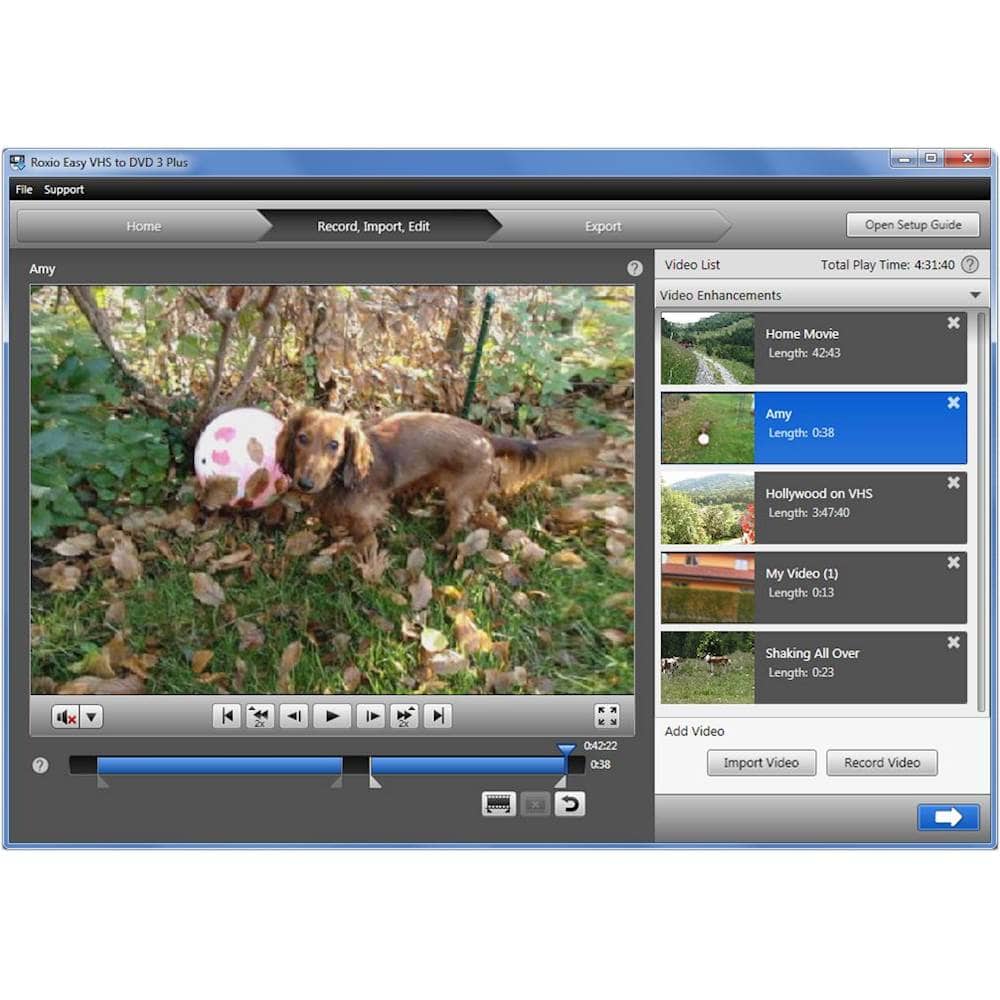
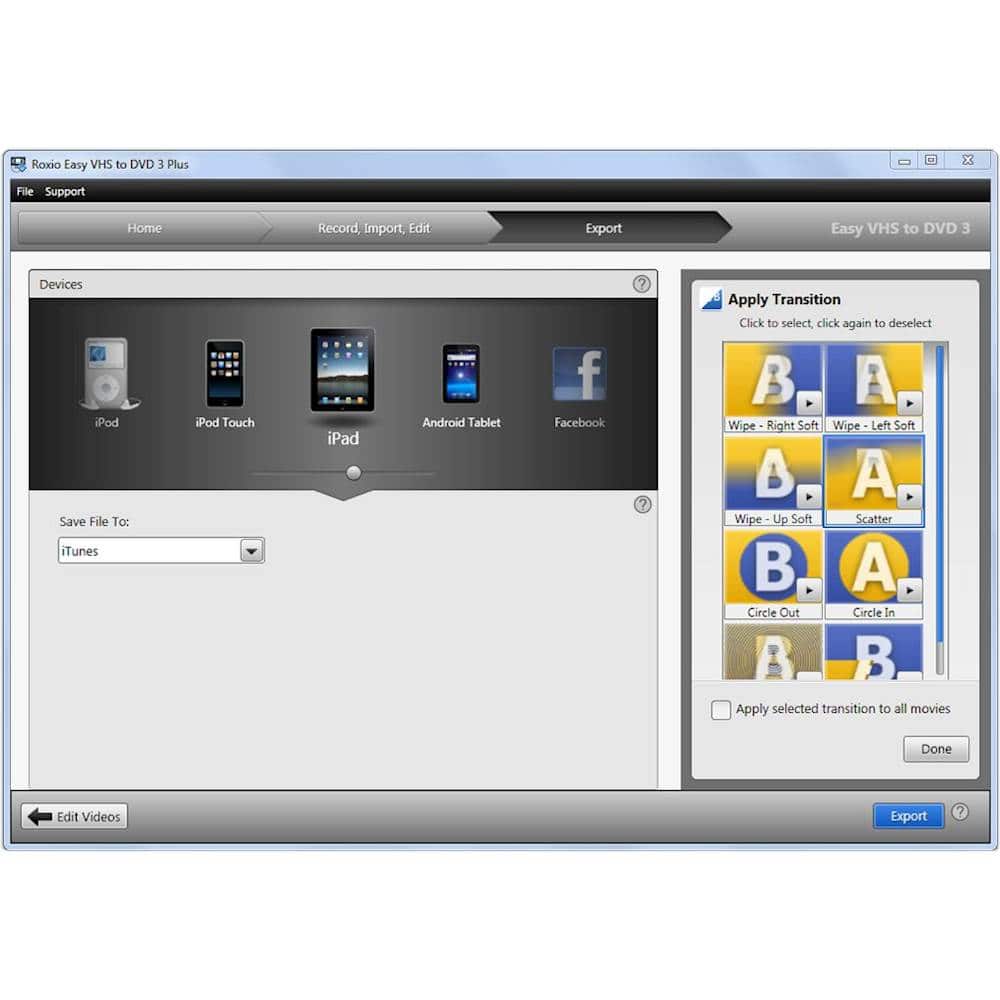
||Posted .This reviewer received promo considerations or sweepstakes entry for writing a review.The Easy VHS to DVD 3 Plus product truly is easy to use. Plug and play via the USB and VCR adapter component and once the software is installed, you select a few basic settings and start recording. Quality of the recording is solid and like that you can edit and store the video files on a digital storage device vs having to burn to DVD.
I would recommend this to a friend - Cons mentioned:Software
Rated 3 out of 5 stars
Meh
||Posted . Owned for 2 weeks when reviewed.This reviewer received promo considerations or sweepstakes entry for writing a review.Glitchy at best. I have a ton of videos, but only want smaller parts of them, so didn't want to pay to have them all moved to digital. I installed this my windows 10, not my windows 11. I did this because all the earlier reviews stated it worked best on an older computer. Plus, it records in real time- if it is a 2 hour video, it will take 2 hours. Sometimes works, sometimes doesn't. NO instructions on how to use it, beyond how to plug it in. gives lots of error messages. Works best with very short videos. Ended up having to make a series of short videos, then transferring the files to a DVD manually. That doesn't save the title or the transitions, but at least i got the videos to move. I paid the full price. Might be worth it if it is on sale, and you have a ton of patience. This seemed to be the better option than many of the others I looked at.
No, I would not recommend this to a friend Rated 3 out of 5 stars
Mostly works
||Posted . Owned for 1 month when reviewed.This reviewer received promo considerations or sweepstakes entry for writing a review.I bought this product and used it to make dozens of clips of various sizes. I paid $39.95 when the software was on sale. It's about as easy to use as it can be, although I wish there was a way to edit multiple clips together instead of just being able to work within a single clip. I had a problem in which the first and last 2 seconds of every clip has noticeable degradation in video quality. If someone has a fix for this problem, I would love to know it. Installing this product also created a frustrating issue with my DVD drive that prevented me from using it for anything at all -- not just stuff within this software. After a bit of Googling, I found a Microsoft page that acknowledged the problem and walked me through exactly how to fix it. The page is here: https://support.microsoft.com/en-us/help/314060/your-cd-or-dvd-drive-is-not-recognized-by-windows-or-other-programs The page reads: "This issue may have occurred after one of the following situations... You install or uninstall CD or DVD recording programs." "Method 4" is what fixed it for me.
I would recommend this to a friend- Pros mentioned:Ease of use
Rated 5 out of 5 stars
Love, love!
||Posted .This reviewer received promo considerations or sweepstakes entry for writing a review.I recommend this product 100%. I would say I am a 'moderately tech savvy' person and I had absolutely zero problems installing the software (my computer runs on Windows 10 Home) and it worked like a charm. I bought this product it a couple months ago (in October) to convert all of my family's old VHS home movies as a holiday project for the entire family. It worked great, I converted over 30 VHS tapes with ease, then later copied the files onto flash drives and also uploaded videos to a private family YouTube channel. It was a huge hit, and required only this product and time
I would recommend this to a friend - Cons mentioned:Software
Rated 3 out of 5 stars
Be advised when purchasing this.
||Posted . Owned for less than 1 week when reviewed.This reviewer received promo considerations or sweepstakes entry for writing a review.After reading the other reviews, I tried the product for myself. I'm attempting to run it on Windows 11 and there are some serious issues. It does sync the vcr to the computer with ease, and I have no trouble watching the feed. The problem comes when copying the feed. I can make 1-2 recordings before the software shuts down. I can't trim the video, or use any of the correcttion features without freezing the program. When I try running the update checker, it states I'm not connected to the internet. When I go to their website and manually download the updates, when installing I get another error message. Overall it does what it says, but be prepared to jump over many hurdles just to make one video.
No, I would not recommend this to a friend - Pros mentioned:Conversion quality, Ease of use
Rated 5 out of 5 stars
Basic essential
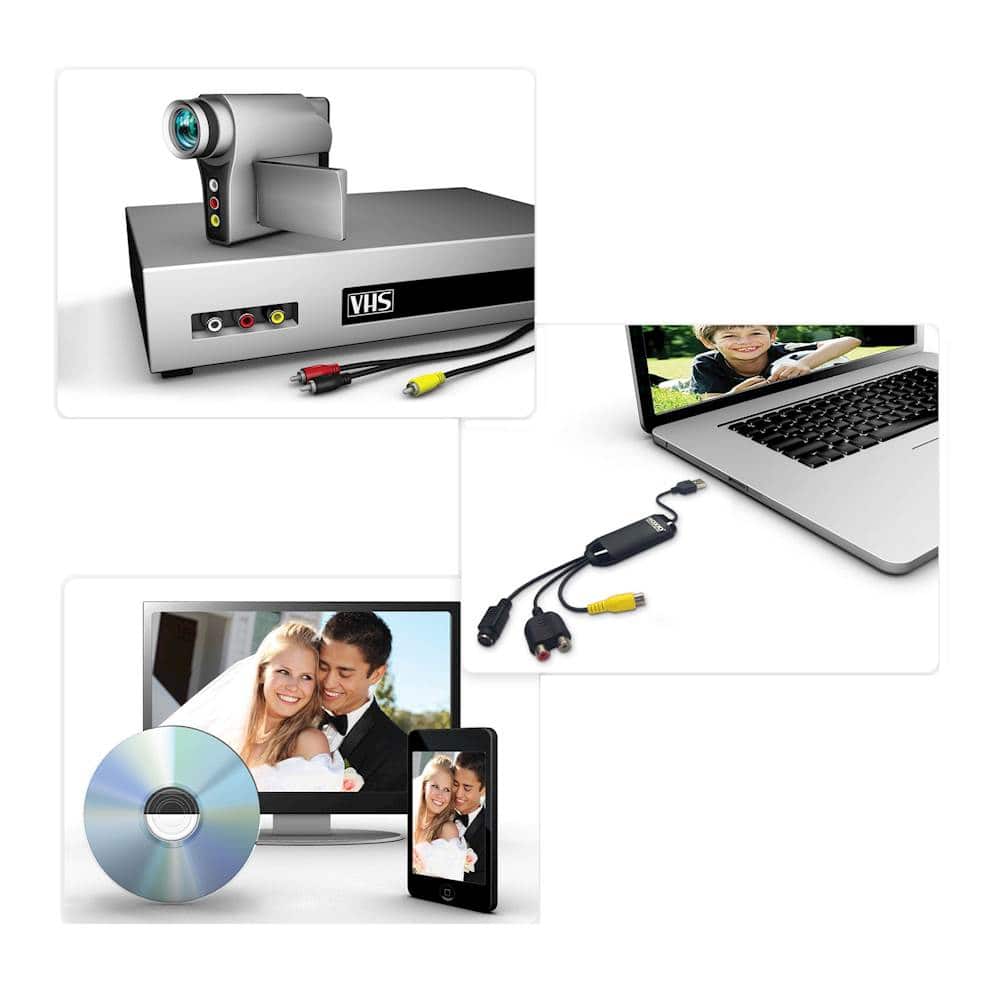
||Posted .This reviewer received promo considerations or sweepstakes entry for writing a review.Exasctly what it says it is. You get a usb dongle that has yellow/red/white AV connections and a S-Video hook up. Was very easy to plug in and get started. The software is bare minimum but does capture from the dongle. I use it to capture VHS footage from an old camcorder and the there was no quality loss that I can tell.
I would recommend this to a friend - Pros mentioned:Conversion quality, Ease of use
Rated 5 out of 5 stars
So easy and functional
||Posted . Owned for 6 months when reviewed.This reviewer received promo considerations or sweepstakes entry for writing a review.Very easy to use - and I have already uploaded hours of video tape that would have been lost. It is user friendly - I work from a desk top - Levano computer - and was able to upload easily. Very straightforward software. Editing is a simple as it comes - no real perks.... trimming mostly. Helps to consolidate memories on VHS to fill a disc with chapters. Can download to several different devices - good product.
I would recommend this to a friend - Cons mentioned:Compatibility, Software
Rated 5 out of 5 stars
Great software and adapter for transferring old vi
||Posted . Owned for 3 weeks when reviewed.This reviewer received promo considerations or sweepstakes entry for writing a review.Lots of trouble getting video into computer. Online help was amazing! Immediate response to my problem including weekend and at midnight. They made all their software available to me to help with troubleshooting. Eventually used 2 other computers and the software worked perfectly. Just not on my Lenovo Flex 5. Can't say enough about the customer service. Roxio and Corel went out of their way to help resolve the problem.
I would recommend this to a friend Rated 4 out of 5 stars
Pretty impressed
||Posted . Owned for 1 month when reviewed.This reviewer received promo considerations or sweepstakes entry for writing a review.I am quite impressed at how well this worked considering the low cost. I transferred several old VHS tapes to digital.
I would recommend this to a friend- Pros mentioned:Ease of use
Rated 4 out of 5 stars
VHS to DVD
||Posted . Owned for 1 month when reviewed.This reviewer received promo considerations or sweepstakes entry for writing a review.I couldnt use it for a while because all the cords were female and couldnt connect. I had to buy the correct ones. It works pretty good. Uses up a lot of space on my computer when copying movies. My computer is maxed out. I put the movies on an external hard drive. Still must have some stored in the program. Its getting the job done. Time consuming but dont have to stay by it. And it is saving me hundreds of dollars.
I would recommend this to a friend - Pros mentioned:Ease of use
Rated 5 out of 5 stars
Thanks!
||Posted .This reviewer received promo considerations or sweepstakes entry for writing a review.Absolute panic when my vcr(s) gave up and left me with decades of irreplaceable family videos which I could not watch. I know they can be professionally transcribed, but it would be very expensive. I'm not technologically astute, but I found the VHS to DVD very easy and it even eliminated some of the background noise on the old films. So grateful I found this!
I would recommend this to a friend - Pros mentioned:Ease of use
Rated 5 out of 5 stars
Works and Easy to Use
||Posted .This reviewer received promo considerations or sweepstakes entry for writing a review.My wife had video on VHS that she wanted on DVD. I told her I would have in in few hours. I went to Best Buy and bought the package in the store. I loaded the software that came with it on my desktop PC, plugged in the USB doggle device in the box and then hooked up my OLD VHA player to the inputs of the USB doggle device. I choose to copy the VHS directly to the DVD player/writer and let it run. When I came back it was done and it worked fine in the DVD player on our TV set. Simple and easy to use!
I would recommend this to a friend - Pros mentioned:Ease of use
Rated 5 out of 5 stars
easy to use conversion process
||Posted .This reviewer received promo considerations or sweepstakes entry for writing a review.This was easy to use and my project of conversion went much more smoothly than I expected. One very "minor" ding is that they should have told you on the box that you need several extra cables (audio and visual) that aren't provided. I have cables of various sorts around the house, but would have been a bit annoyed if I had started setting up and had to go out and get the cables. Still, it took me maybe 15 minutes to figure out how it worked and hook it up, instructions were very clear and pictures helpful.
I would recommend this to a friend - Pros mentioned:Conversion quality, Ease of use
Rated 5 out of 5 stars
Does what I need!
||Posted . Owned for less than 1 week when reviewed.This reviewer received promo considerations or sweepstakes entry for writing a review.Great item. Pretty easy to use and records well. Pretty easy setup and the program has an auto detect so you don't have to sit for hours until the tape stops. It will stop recording if the tape ends of if the tape is blank for longer than 20 seconds.
I would recommend this to a friend