Customer Ratings & Reviews

- Model:
- EB-STATE6L-01
- SKU:
- 6500667
Rating by feature
- Value
Rating 4.6 out of 5 stars
- Quality
Rating 4.8 out of 5 stars
- Ease of Use
Rating 4.7 out of 5 stars
Customers are saying
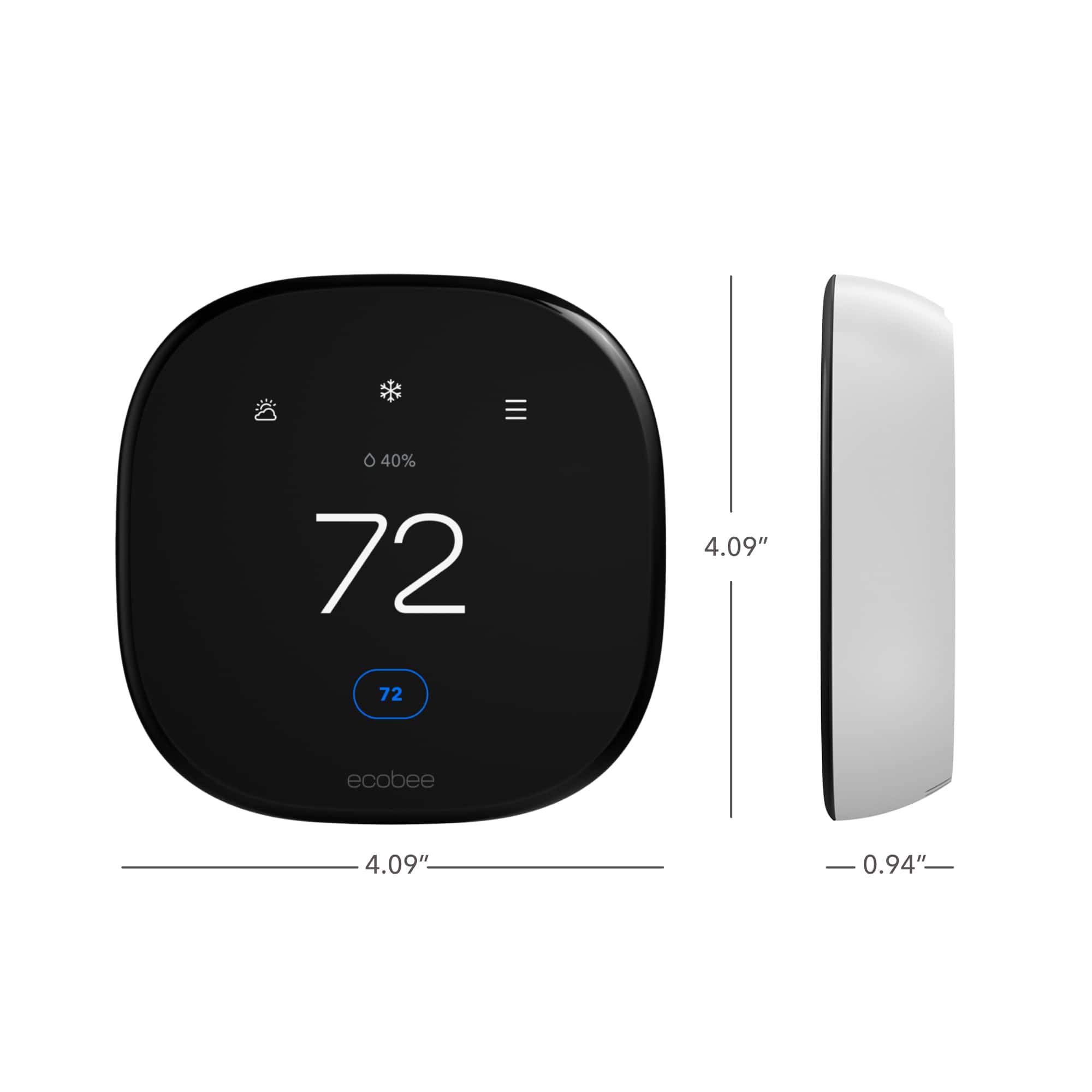
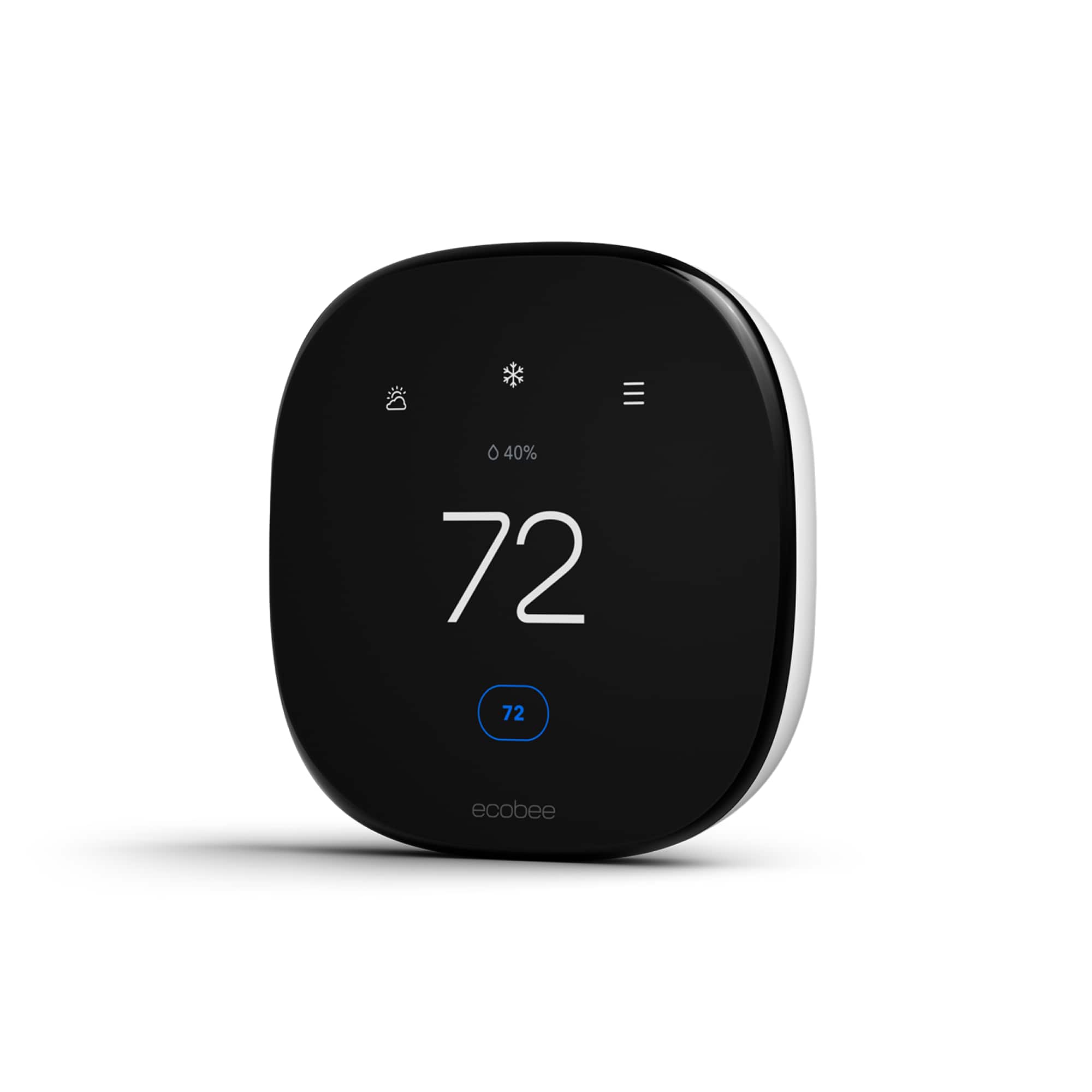
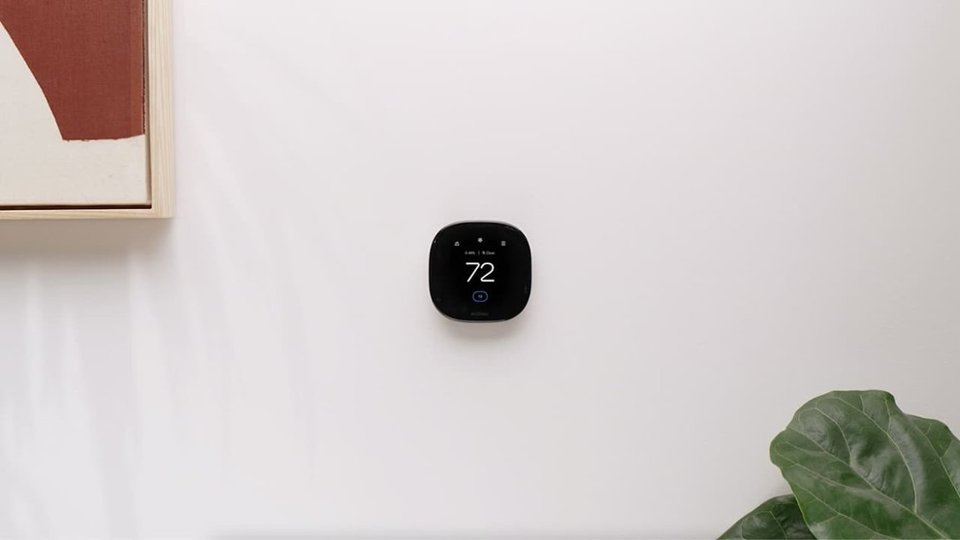
Customers regard the Enhanced Smart Programmable Touch-Screen Wi-Fi Thermostat with Alexa, Apple HomeKit, and Google Assistant highly for its ease of use, overall performance, and straightforward installation. Many appreciate the remote control capabilities, reliable connectivity, and appealing design. While the thermostat is mostly well-received, some users have experienced compatibility issues and found the settings not entirely intuitive.
This summary was generated by AI based on customer reviews.
did not cool the house
||Posted . Owned for 1 week when reviewed.This reviewer received promo considerations or sweepstakes entry for writing a review.bought this to replace my regular analog thermostat and it was a beyond awful experience. I followed the instructions step-by-step during the installation and after the thermostat seemed to be set up it would not blow cold air. I thought I must have installed it incorrectly and spent two hours on the phone with support (Who was very nice and surprisingly knowledgeable) but to no avail. After two hours of troubleshooting and no results support told me I was probably best off contacting an electrician in my area and wished me the best. After getting off the phone with support I reinstalled the old thermostat in the same manner I installed the ecobee and cold air began blowing immediately. Honestly this seems like a good company but my experience with them was unfortunately very negative.
No, I would not recommend this to a friendBrand response from ecobee
Posted .Hey there, we're sorry you had that experience and we appreciate the feedback.

- Pros mentioned:Ease of useCons mentioned:Compatibility

Excellent smart home upgrade
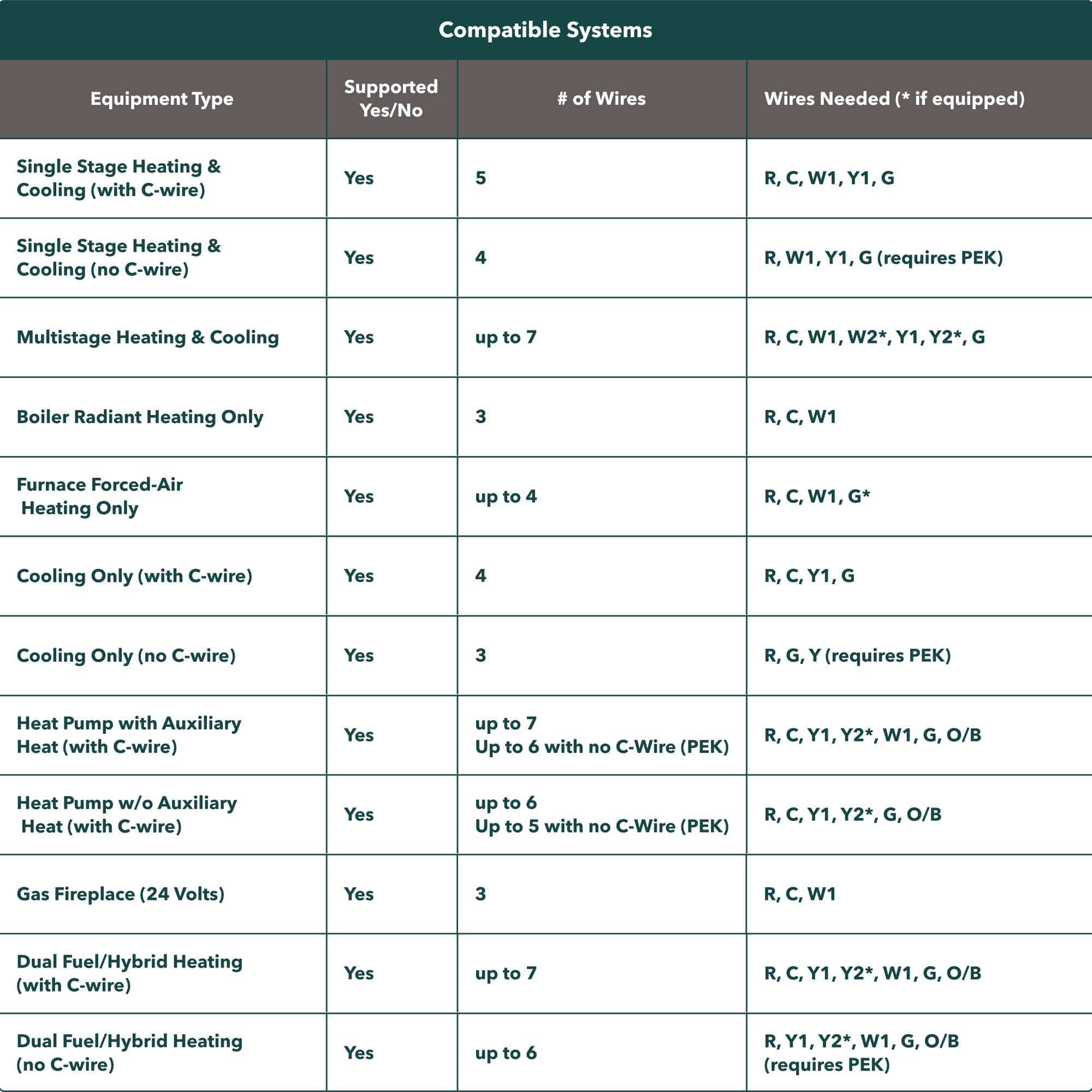
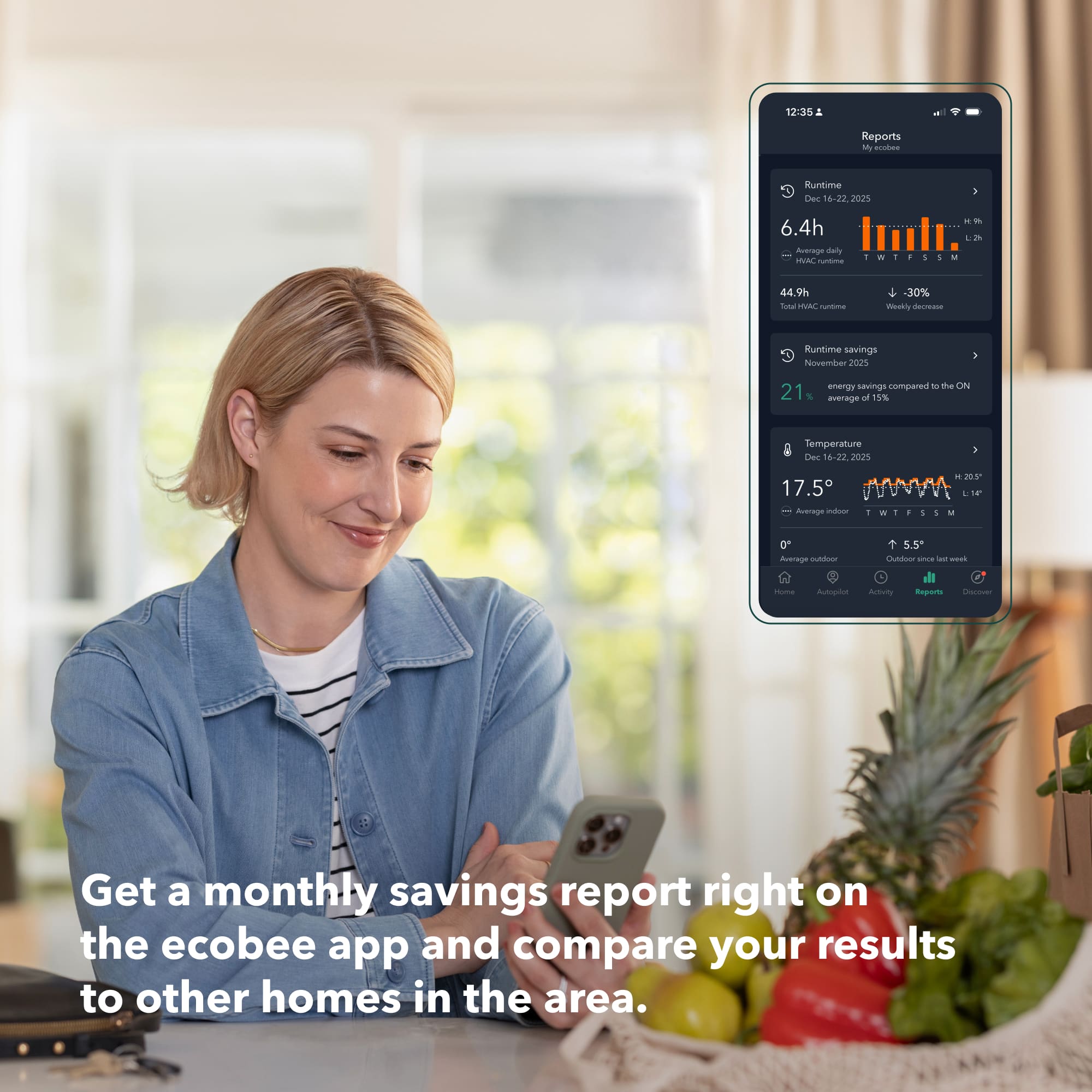
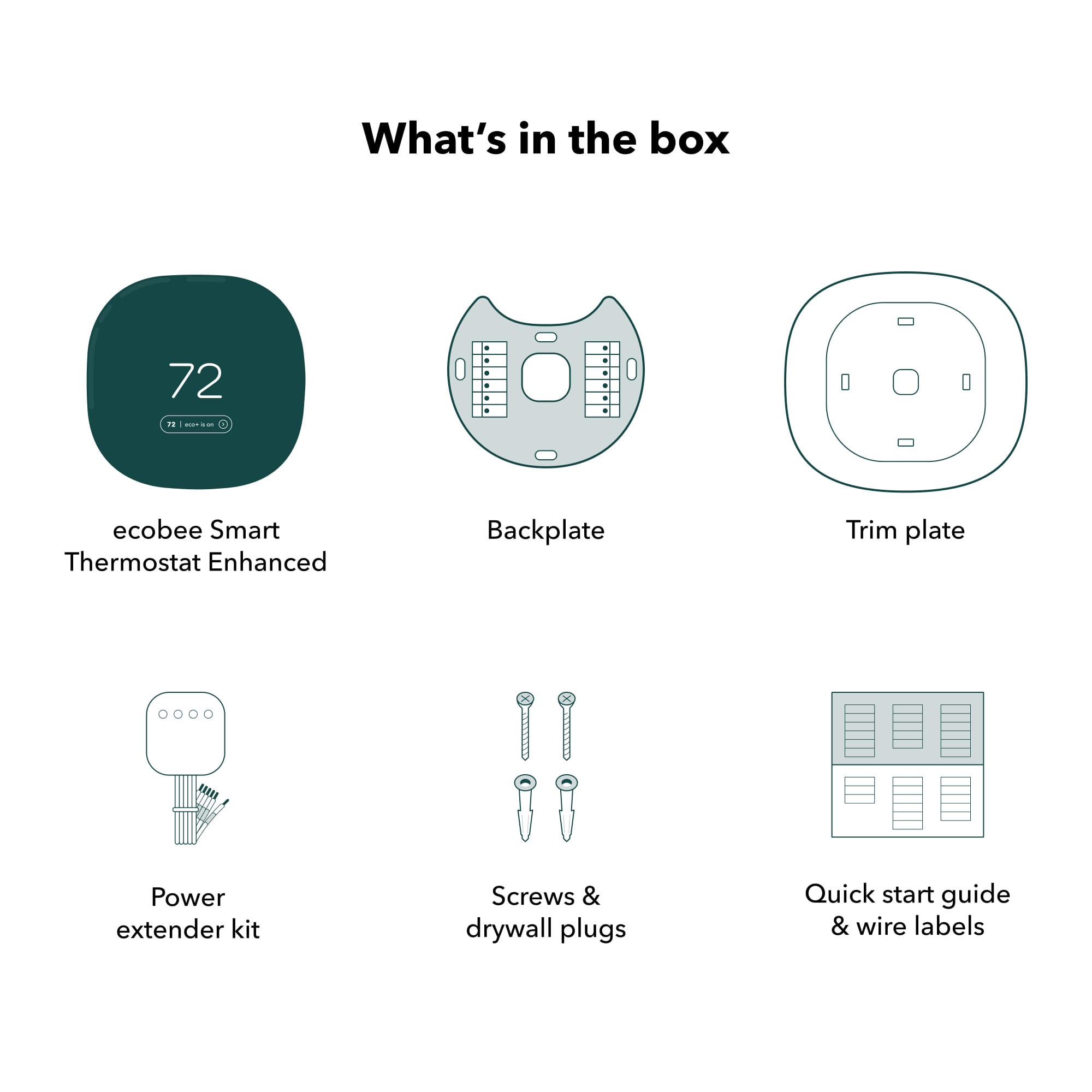
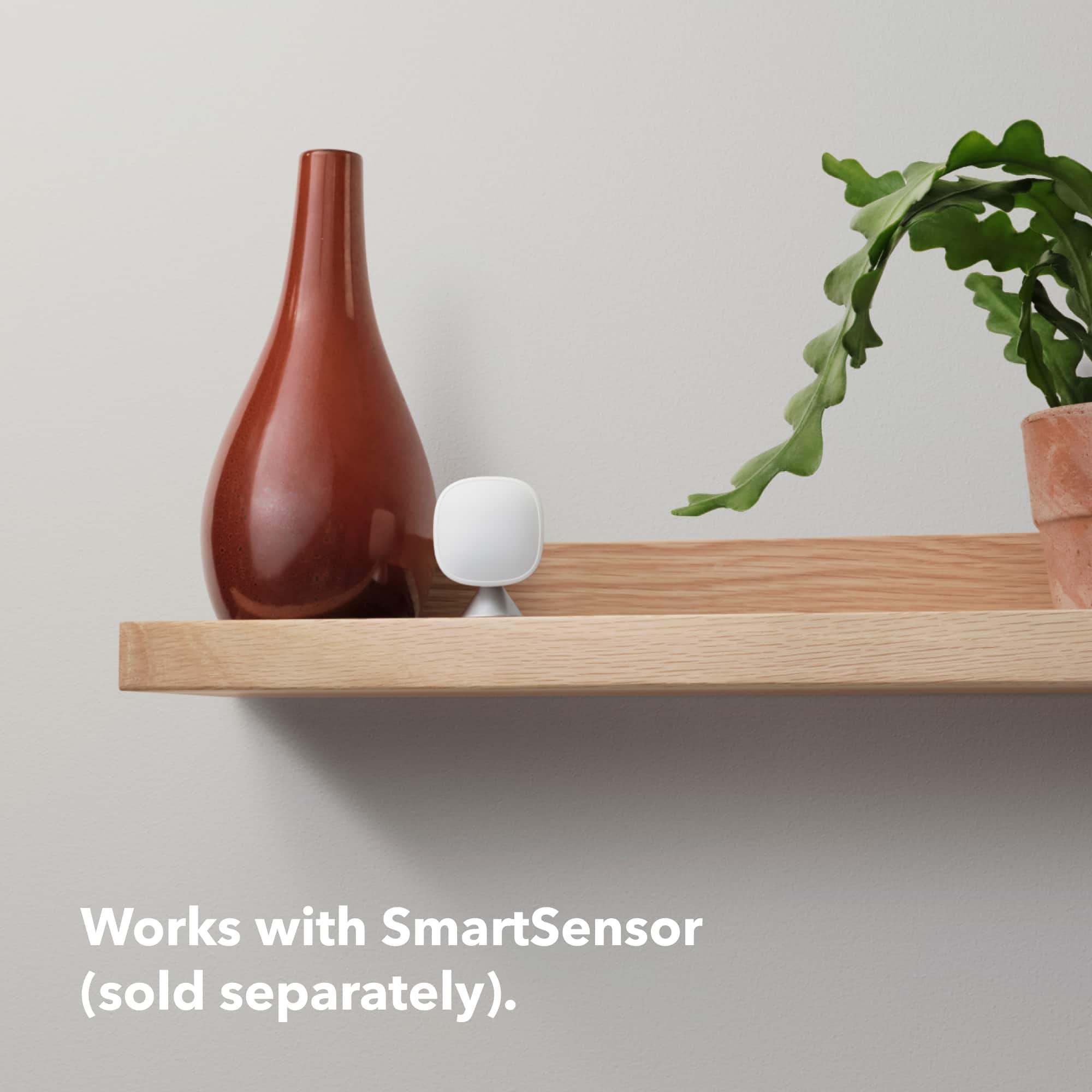
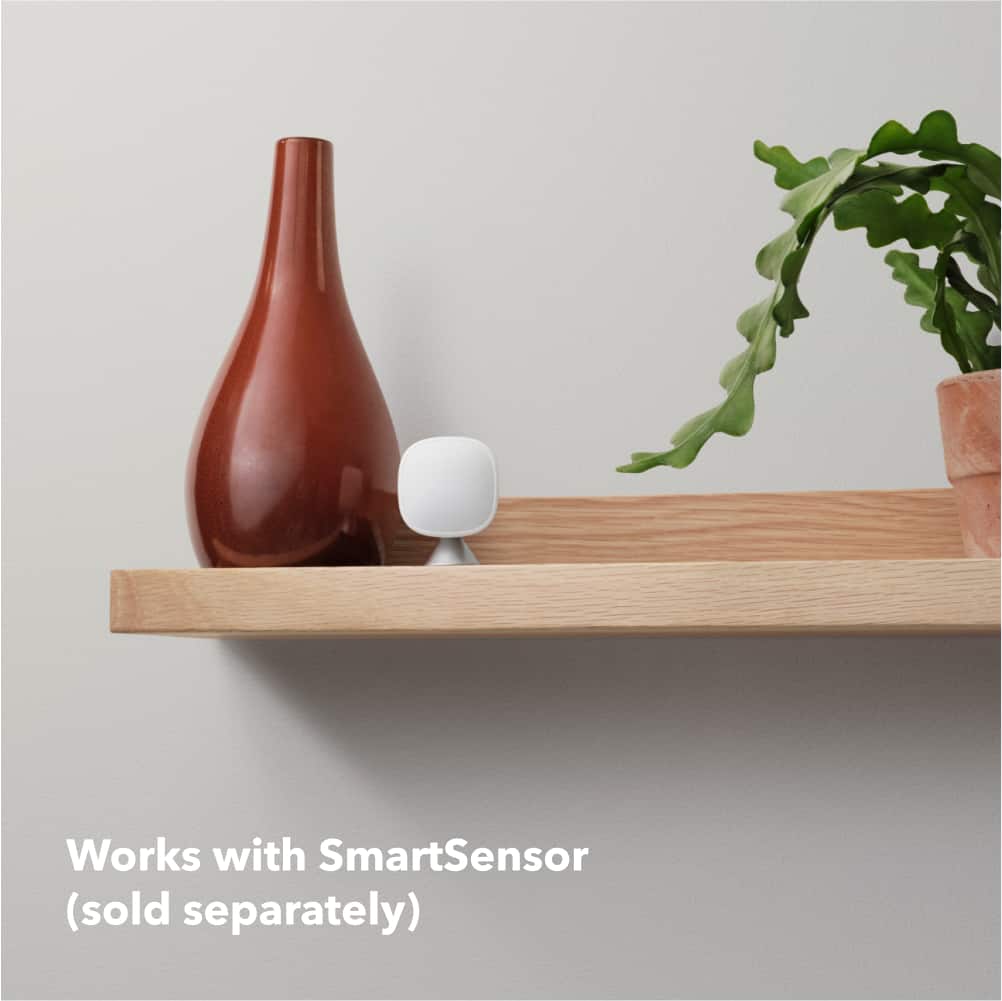
|Posted .This reviewer received promo considerations or sweepstakes entry for writing a review.While I can't say a smart thermostat is a modern home necessity, they are a wonderful way to dip a toe in the "smart home" waters. I don't think Ecobee is as widely known in the market. And that really is unfortunate, because I think the Ecobee thermostats are really the ones to beat. I replaced an older Ecobee3 (still completely functional and dependable) with the latest "Ecobee Smart Thermostat Enhanced", and so far, the new one feels just like a refined and updated version of the old one. And I'm not damning the Smart Thermostat Enhanced with faint praise when I say that - the Ecobee3 was great, and I'm very pleased that the new model appears to be just as dependable. (In the interest of transparency, I was provided with the new Smart Thermostat Enhanced in exchange for posting a review with my honest thoughts about it. And, as I mentioned, I'm a satisfied user of an Ecobee3 - purchased myself - for over three years.) Since my perspective on the Smart Thermostat Enhanced is more as an upgrader than a new owner, I'll mention some of the factors that influenced me to originally purchase an Ecobee. All of these remain true, though competitors have caught up in some areas (for instance, supporting remote temperature sensors). First, powering an Ecobee was more straightforward than some other smart thermostats. Like others, it is designed to be powered directly, rather than running exclusively on batteries. The preferred way to do this is to use a "C" wire from your furnace that completes the 24 VAC circuit and allows electrical current to flow continuously in order to power the thermostat. However, not all existing thermostat installations will have a "C" wire (since so many traditional thermostats had no need for it). In that case, the next best thing is to use a "power extender" that helps supply the continuous power over other wires in the installation. Ecobee thermostats include a power extender in the box, whereas some other brands require an additional purchase (which some people might not realize until they're in the knee-deep in the installation of the new thermostat). In lieu of including the power extender, other brands rely on some "tricks" to get power without a "C" wire, and those tricks may not be as reliable. Second, Ecobee supports remote sensors. This was really the feature that convinced me to initially take the plunge, because our home had areas that were always too hot or too cold relative to the hallway where the thermostat was installed. The remote sensors provide readings from multiple locations so that an Ecobee can maintain a more consistent comfort level throughout your home. The Ecobee remote sensors also include motion/presence detection, so that it can sense when a room is occupied, and accordingly give more or less weight to the temperature reading from that sensor. One slight downside of the Smart Thermostat Enhanced is that it does not include any remote sensors in the box, but you can purchase them separately in packs of two. They are definitely a worthwhile investment if you also have hot- and cold-spots. Lastly, Ecobee is compatible with Apple's HomeKit automation. Not all of its competitors are, so this may be important to you too. I also found that the open source Home Assistant software would work with my Ecobee, via the HomeKit support. I was fortunate to have a "C" wire already run when I did my initial Ecobee installation. It was not connected in my furnace control panel, but I was able to figure that out. Once wired, the first-time set-up was straightforward; the remote sensors really did help improve the overall comfort of our home (particularly in winter); and my wife and I have both found it to be a nice convenience to control the temperature remotely. We've also appreciated the monthly reports that Ecobee sends me, which summarize our energy usage and offer a simple (and anonymous) comparison to other Ecobee owners. I have only had the upgraded Ecobee installed for a week, but everything seems to work the same (which is a good thing). The most noticeable difference is that the screen is a little larger, and the interface has been tweaked. I find some of the features easier to find, like a display with the statuses of all the connected remote sensors. My wife and I both find the new interface for changing the temperature set-points to be a little easier to use. I found a few aspects of the upgrade slightly more of a hassle than I had expected in switching between Ecobee models. I could not find a way to simply migrate all our settings over to the new thermostat. In particular, it would have been very nice if there was a way to migrate the remote sensor pairings when replacing an existing Ecobee. They physical installation was also more difficult because the new Smart Thermostat Enhanced uses almost, but not quite the same, locations for its mounting screws. This makes it difficult to do a clean installation on drywall without patching (or using the included trim plate, which has other screw locations but makes for a bulkier appearance because it's also intended to cover up unpainted wall exposed after removing an old thermostat). It would have shown nice attention to detail if Ecobee preserved their mounting hole locations across generations, or had extra hole patterns in their basic mounting plate to make it easier to avoid old holes. I also encountered two minor software issues with the new Smart Thermostat Enhanced. During initial set-up of the new device, it spontaneously restarted while I was selecting our time zone - after restarting, it didn't pick up where it left off. (I was able to find the time zone setting and change it later, and I didn't notice anything else that seemed to be left unconfigured by the set-up process.) And shortly after that, while trying to pair the new thermostat with HomeKit, it froze and I had to restart it by unplugging it the mounting plate on the wall. I never experienced software issues with the older Ecobee3, and the new one hasn't had any problems in day-to-day operation. Hopefully they're a couple of minor issues that the Ecobee team will get fixed in future firmware. My minor complaints about the upgrade from an older Ecobee model notwithstanding, the Ecobee Smart Thermostat Enhanced is an excellent product. It is a nice refresh to the Ecobee3 line, and promises to deliver the same convenience and ease-of-use. I'd highly recommend it to anyone interested in a smart thermostat, whether for convenience, more consistent comfort control, or to save some money on energy costs with intelligent automation.
I would recommend this to a friend Disappointed with results
||Posted . Owned for 3 weeks when reviewed.This reviewer received promo considerations or sweepstakes entry for writing a review.Not the easiest setup. It wants to control too much. Probably great for small apartments or condos. I wouldnt recommend it for a house in Florida. The temperature difference was significant from one side of the house to the other.
No, I would not recommend this to a friendSo much better
||Posted . Owned for 1 month when reviewed.This reviewer received promo considerations or sweepstakes entry for writing a review.So much better than the other manual thermostat. Setup was a little vague, so I contacted Ecobee customer support and they walked me through the process
I would recommend this to a friend- Pros mentioned:Ease of use
ecobee is helping me keep my cool (air that is!)
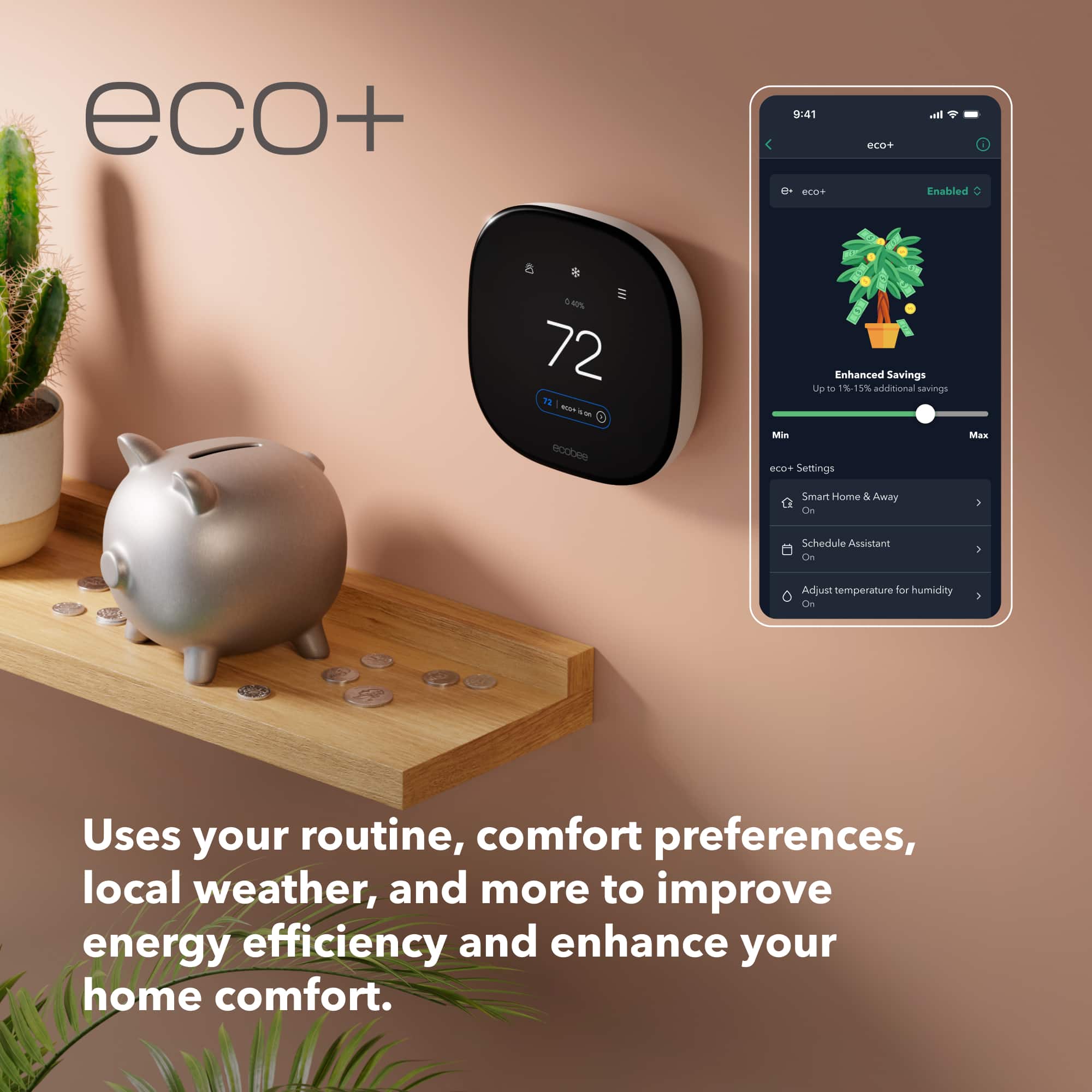
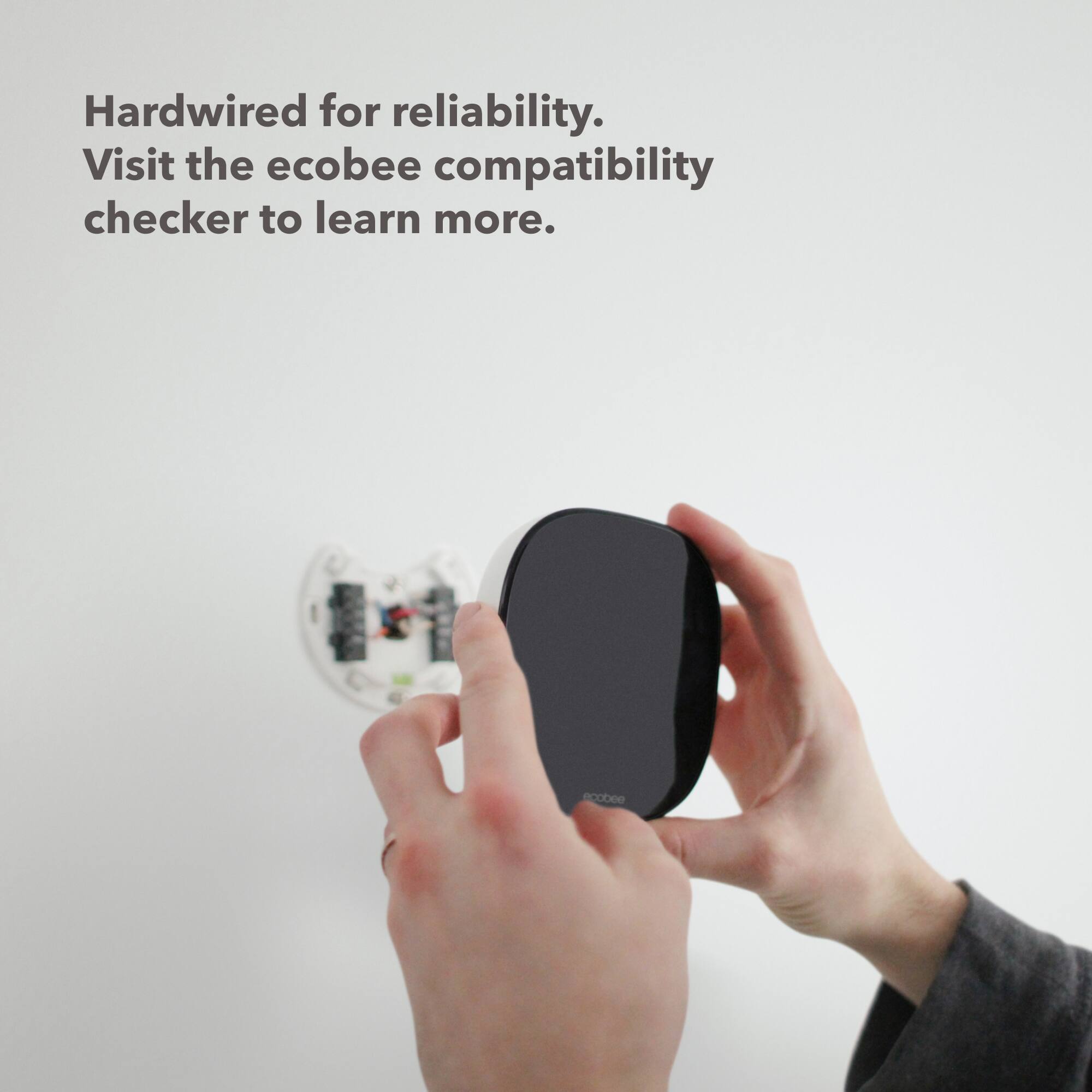
|Posted .This reviewer received promo considerations or sweepstakes entry for writing a review.The ecobee Enhanced Smart Programmable Touch-Screen Wi-Fi Thermostat is a sleek, energy efficient (energy star certified) and easy to use/setup thermostat. I have never installed a thermostat before and this was easy for me. I downloaded the app for guidance along the way. With a quick scan of the QR code underneath, it knew exactly which model I was installing. In about 30 minutes, I replaced an existing thermostat that happened to have the same wires. The built-in level ensured that I mounted it straight. The included wall plate was perfect to cover what showed from the previous thermostat. It looks fantastic on the wall. Everything needed was provided. Good going ecobee! I flipped the circuit back on and the ecobee came to life in living color and greeted me with a little “hi.” It then guided me through the basic setup. There is a lot of programming that can be done - how much you want to do is up to you. I setup the eco+ mode right away. If I allow my power company to alter my temp by just a few degrees during a power crunch, I can save energy and get rebates on my bill. I set up different temp guidelines for when I’m home and away. The thermostat knows this from the sensor(s). Because this unit does not come with a separate smart sensor, only in the thermostat itself, I unfortunately ended up turning this feature off. The thermostat is upstairs and we spend most of our time downstairs so it can’t know when we’re here or away. To get it to sense our comings and goings accurately and also fix our hot and cold spots, I would need to purchase at least 1 pack of smart sensors that can sense the presence of humans and monitor the temperature. I’m just not prepared to do that yet. I believe the ecobee Premium comes with a separate smart sensor, this Enhanced model does not. For us, the thermostat wasn’t keeping it comfortable and I figure that was because it thought we were away all the time and moved the temp up. So I decided to set the temp at 71° and run the fan at least 5 min/hr just to keep air circulating. This movement of air really makes a huge difference. It keeps it much cooler. I also set up a schedule for daytime and nighttime/sleep time with temperature changes to keep us comfy. There are so many selections for programming, I’m still working through them! Everything is made so much easier because it is user friendly and using it is so intuitive. With the fun to use touch screen and the app, access is simple. In addition, I set this up to work with Alexa (it works with various smart home systems), but doesn’t have any built in, which is fine with me. “Alexa, change the temperature to 70” is all it takes to make a quick change. Tell Alexa what you want the ecobee to do and it will be done! I am really quite happy with this. I’m thrilled I decided to get it as an upgrade to my older LCD thermostat! Without hesitation, I would highly recommend the ecobee Enhanced Smart Programmable Touch-Screen Wi-Fi Thermostat.
I would recommend this to a friend Ecobee smart thermostat
||Posted . Owned for 2 weeks when reviewed.This reviewer received promo considerations or sweepstakes entry for writing a review.It is to difficult that set up the schedule and set the temperature. You try to get in contact with the company for help and they take fir ever to respond.
No, I would not recommend this to a friendBrand response from ecobee
Posted .That's not the experience we want you to have. Please reach out to us at ecobee.com/get-help and check out this handy article all about setting up your Comfort Settings and Schedule. https://support.ecobee.com/s/articles/What-are-Activities-and-Comfort-Settings
- Pros mentioned:ConnectivityCons mentioned:Compatibility
Smart and sleek, but a little trying on the setup
|Posted .This reviewer received promo considerations or sweepstakes entry for writing a review.Ecobee advanced thermostat Overview: The Ecobee advanced thermostat is a sleek little unit that is smart, though exactly all of what it does still seems slightly mysterious to me. The regular smart thermostat features are obvious—but not all that different from a standard programmable thermostat. The wifi just allows this one to be programmed and adjusted from an app, not just from the base, and to be changeable from your mobile device at virtually anytime. It also has a raft of “smart” eco settings that are supposed to lower your energy bill—this is the more mysterious part of the device. Overall, there were some hiccups getting things going, but it seems to function correctly. Whether it’s entirely worth its high price tag probably depends on whether you want to employ all of its functionality. I’ll explain that, as much as I understand it, below. Detailed accounting: First off: installation of the Ecobee is not too difficult, especially if you’ve ever swapped out a thermostat before. Our setup is a little special, because we happen to have a) two zones in the house, controlled by two separate thermostats; and b) a heat pump and a/c. The two zone feature does not matter too much—it just means that if we were really invested in the Ecobee’s promising features, we’d probably need two. Instead, we have a different smart thermostat that we had previously installed, which has fewer features but also talks to wifi and is controllable with an app. The heat pump deal is slightly trickier to setup and wire properly, but the app mostly guides you through this alright. Our other smart thermostat asked fewer questions about the settings on the heat pump, and had a booklet to consult, but Ecobee lets you know what the defaults are and that mostly seems right. I did find it annoying that there is so little documentation in the box. The install process demands that you download the app and go through the process with it. However, this actually is a little tricky because if you’ve taken pictures with your phone while mapping the wires (which in fact the app encourages you to do) it’s a bit of a pain to navigate in and out of the app to make sure you’re doing everything right. We got everything connected correctly, but we must have set something wrong the first two times we initialized the dang thing because it wouldn’t save the settings I added and it also started pumping hot air out of the vents instead of cool, even though the unit said it was on “cool.” This is very annoying at 11 at night when it’s still 80 degrees outside. The first 45 minutes of using this thing nearly led to one of the adults in the home ripping the thing off the wall and tossing it out of the window, insisting it should get a 1 star review because app-based instructions are terrible. Ultimately, selecting a different starting option (I believe setting the HVAC unit as “off” initially, and then to cool once the thermostat had initialized) seemed to finally work and cool air started churning out. Once setup, the unit seems to have accepted the modifications made to the auto settings. The device can be programmed for “sleep,” “away,” and “home.” These can have certain hours attached to them, and set temps for cooling and heating, so that no matter the season, the Ecobee should operate with little difficulty. This is a little strange for us, because unless we are “away” on a trip, even the “away” setting would need to remain close to the normal “home” setting because we have dogs and I don’t want them to roast during the summer even if we’re not home. Also, one of us works from home and the other is often home during the summer, so again, we’re perhaps not maximally equipped to take advantage of these settings. However, if we went away for a week and took the pups, it would be nice to be able to set the thermostat to, say, 88 or 90 in the summer and save a bit, but then be able to turn the units on again when we were an hour or two from home, starting the cooling process before we arrived to the hot house. This is something we can currently do, however, as well with our cheaper smart thermostat that is in zone 1. It does allow you to save an entire schedule for the week. So if you work during the week and everyone is out of the house during the day, you can set schedules for every day and/or a weekend schedule. There is a huge amount of individualization that you can add in, and if you’re a busy family who will always be home Tuesdays by 5, but who will have ballgames or band practices keeping everyone out until 7 on Wednesday, you can fine tune your home and away setup however will work best, and change it whenever you want. There are also “eco+” settings for the unit. These are supposed to maximize your energy savings. There are some options you can select or deselect for these settings, and again, the unit is supposed to figure out how to keep your HVAC running optimally while saving energy and money. I have no real clue if this works, or how much and what data the app and the thermostat are collecting, but in theory, this is a *good* idea, and being able to opt into or out of these settings is helpful. I also like that the unit can pull the current outside temperature and weather as well as humidity in its display. Of course, this is predicated on the idea that the house is closed up. Right now, it all seems a little silly to me because my “sleep” settings need to be turned off if I’m going to open the windows and enjoy the few nights that are tolerable in spring (or fall) in my part of the US. One other thing: heat pumps are tricky with these kinds of setups too, especially in really cold conditions. I was advised by our HVAC servicer that unlike a traditional furnace, with a heat pump you don’t want to set the daytime temperature up and the nighttime down during very cold snaps. It is hard for the heat pump to make up the difference, so I’m not going to program a lot of variability into my system in the dead of winter, as it’s actually less efficient. Finally, I’ll add that this unit is supposed to be compatible with other home assistants—so if you’re running the Google, Samsung, or Apple systems I think you can integrate it. Check the details. Also, it’s designed for use with Ecobee sensors that you can add to other rooms in your house. The Ecobee then checks for whether rooms are occupied and is supposed to maximize your benefits. This is pretty cool, if slightly disturbing (Hal 9000 anyone?), and an interesting feature for the future. So, despite initially wanting to smash this thing into a million pieces, I think it will be a good addition to my home and should make things a *little* more efficient. I don’t think it will change as much for us as it might for some households with a different setup or more complex schedule. For you, this may be an even smarter choice.
I would recommend this to a friend Na buy something else
||Posted . Owned for 1 month when reviewed.This reviewer received promo considerations or sweepstakes entry for writing a review.I absolutely would not recommend this thermostat I'm an HVAC technician and I bout two of these for my house they display inaccurate temps and humidity while other times it won't even respond to my input the thermostat will also allow the temperature to go one or two degrees the set point which is not supposed to happen
No, I would not recommend this to a friendBrand response from ecobee
Posted .Thank you for sharing your experience, and I'm sorry to hear that it did not meet your expectations. We understand how frustrating it can be when a product doesn't perform as expected, especially given your expertise as an HVAC technician.
Our team would like to investigate this further to understand what might be causing the discrepancies in temperature and humidity readings, as well as the responsiveness issues you mentioned.
If you're willing, our support team is here to work with you to resolve these problems or offer any assistance needed. We value your input and would appreciate the opportunity to make things right.
Ecobee think again.
||Posted . Owned for 3 weeks when reviewed.This reviewer received promo considerations or sweepstakes entry for writing a review.Ecobee Enhanced is over engineered and even tho said compatible with our system, its problematic. Its going back. Also forget Ecobee help line, After an hour and a half on wait, we aborted call and re installed old thermostat to keep from freezing our a$s#& off, waiting for help.
No, I would not recommend this to a friendBrand response from ecobee
Posted .That's not the experience we want you to have with ecobee Smart Thermostat Enhanced. Please reach out to our Customer Support team directly for troubleshooting assistance at ecobee.com/get-help.
- Pros mentioned:Connectivity, Ease of use
Smart Home, Smart Temp!
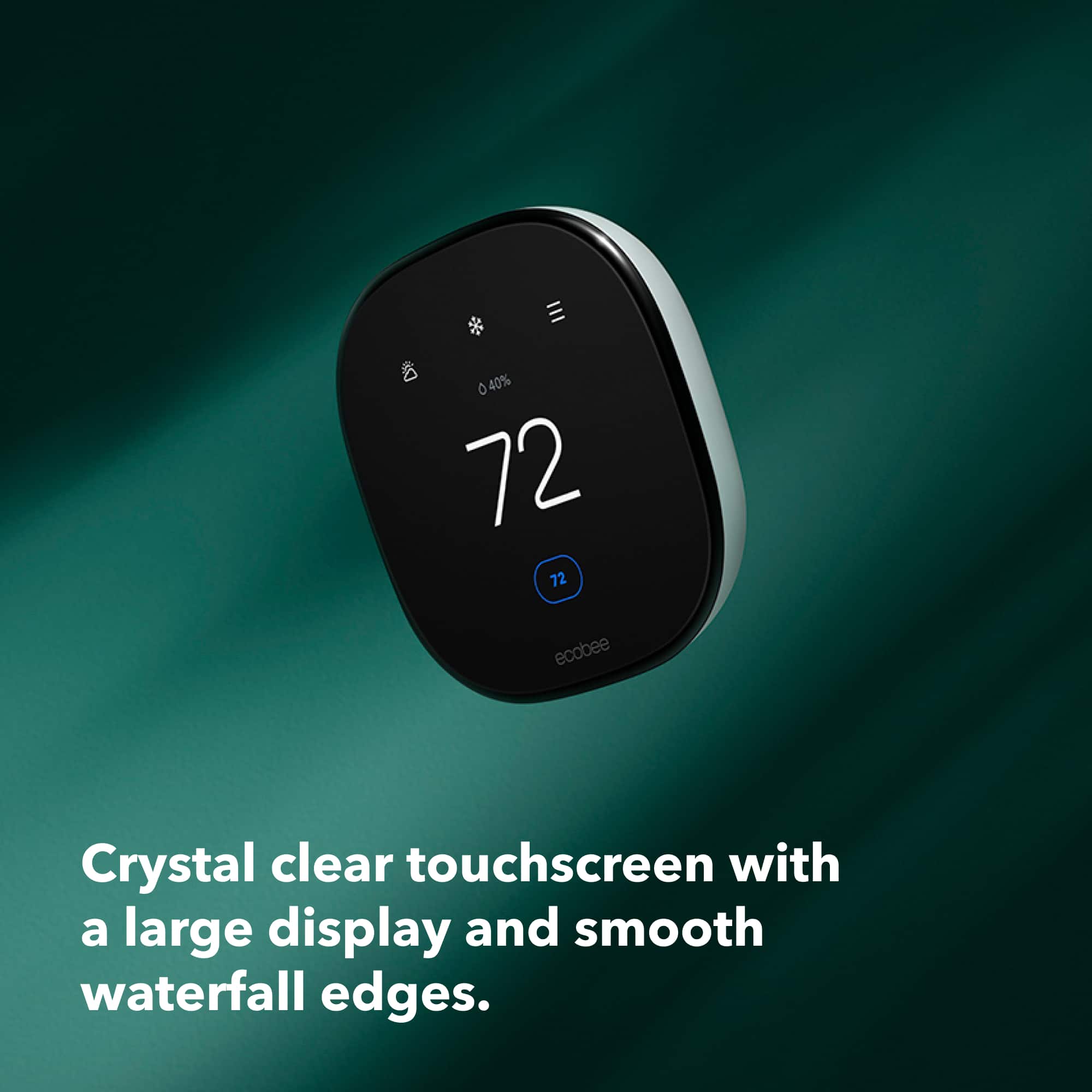
|Posted .This reviewer received promo considerations or sweepstakes entry for writing a review.The ecobee Smart Thermostat Enhanced - Black offers all the expected options of traditional thermostats with the added convenience and technology of a Smart Home. WiFi connectivity ensures you have instant information about your home, your home's temperature, and HVAC settings at your finger tips whether at home or away. Adding smart learning technology, the ecobee helps you regulate your home's temperature while helping you manage your energy responsibly to help ease the hit to your wallet. I found the ecobee Smart Thermostat to be a great upgrade for our home. Having used other "smart" thermostats in the past, this one was easy to set up, easy to use, and started learning our routines out of the box. We like our home cooler than most in both the summer and winter, however, too many hands on the thermostat can add to inconsistent temps and higher energy costs. Ecobee helps keep us comfortable without adding to the ding on my wallet at the end of the month. PROS - ecobee's name, brand recognition, and innovation - Easy installation - Easy use via physical display or via the app - WiFi connectivity provides access at home or away - Intuitive and learning - Presets or create your own program settings - Design is sleek and complements most rooms without adding bulk to the wall CONS - None at this time.
I would recommend this to a friend Too complicated to install
||Posted . Owned for 4 months when reviewed.This reviewer received promo considerations or sweepstakes entry for writing a review.Too complicated if you have a older house. Not easy to install l. Had to take it back. Recommend for someone with technical know how
I would recommend this to a friend- Pros mentioned:Installation, Remote control
Ecobee Smart Thermostat is the Future
|Posted .This reviewer received promo considerations or sweepstakes entry for writing a review.What a Smart Gem of a Thermostat. Enhansed is an understatement considering what I upgraded from which was an old Honeywell still kicking after 30 years. I love the smooth design that was very easy to install by HVAC Company after having to replace new HVAC system. I can touch the screen and set the temperature by the on screen temperture outside. I can also enhanse my ecobee Smart Thermostat by adding a Smart Sensor to control room temperature. I downloaded the Ecobee App and created an account that linked to My Samsung Smartphone SmartThings to control at my fingertips instead of having to guess what number the temerature dial is set by saving on my heating and cooling bill in making automatic adjustments while at home and away. Great that the ecobee Smart Thermostat automaticlly lowers temperature we you are sleeping and precools and preheats before you arrive. I could feel the difference immediatelly in having the optimal temperature for my living space as opposed to being too cool or too warm. Welcome to the new planet of ecobee Smart Thermostat Enhanced. I know I am going to enjoy myself.
I would recommend this to a friend Not at all satisfied
||Posted . Owned for 9 months when reviewed.This reviewer received promo considerations or sweepstakes entry for writing a review.Hasn't accurately measured humidity since we bought it last year, and getting worse. Plan on taking it out and replacing with previous old-fashioned thermostat.
No, I would not recommend this to a friendBrand response from ecobee
Posted .That's not the experience we want you to have. Please send us a direct message with your ecobee serial number, email address, and a detailed description of any troubleshooting steps you have tried. We're always happy to help!
No longer returnable
||Posted . Owned for 3 weeks when reviewed.This reviewer received promo considerations or sweepstakes entry for writing a review.What happened to a 30 day return policy? I purchased 9/26/23 and they gave me until 10/11/23 to return it
No, I would not recommend this to a friendBrand response from ecobee
Posted .All ecobee smart thermostats come with a 30 day return policy. Please reach out to your original point of purchase to confirm.
Prefer google nest
||Posted . Owned for 3 weeks when reviewed.This reviewer received promo considerations or sweepstakes entry for writing a review.Not sturdy. Tell off and broke the screen in 2 hours after installation. Customer service was kind to take off back and I switched back to Google nest.
No, I would not recommend this to a friendDont buy best buy
||Posted . Owned for less than 1 week when reviewed.This reviewer received promo considerations or sweepstakes entry for writing a review.If you dont have c wire they wont install it. Wasted a whole lot of my tome!!!
No, I would not recommend this to a friendBrand response from ecobee
Posted .Thanks for reaching out. We always encourage prospective customers to use our handy online compatibility tool before purchasing to ensure your home's HVAC model will work with our smart thermostats. To confirm compatibility you can refer to ecobee.com/compatibility.
- Pros mentioned:Overall performance
Good smart thermostat, bad app.
|Posted .This reviewer received promo considerations or sweepstakes entry for writing a review.The ecobee Smart Thermostat Enhanced is an overall good smart thermostat for your home that works well and is easy to integrate with multiple different smart home systems. It is a great looking device that is easy to install as long as you ensure to check the compatibility tool that ecobee has on their site and ensure this device is compatible with your HVAC system. I really appreciate the overall design with the rounded corners and slim profile, this looks really good in any room that you need to install it in, at least in my opinion. The amount of information presented on the display is minimal yet effective at getting the settings you need most often when having to use the touch display. Unfortunately, when you have to dig into more complex settings, the application is not the greatest and at least for me was the cause of several headaches that took too much time in my opinion to fix. I had some issues getting it to connect to the application in the first place and once I was able to do that I then had issues with it sometimes not showing up in the application at all. Hopefully these issues can be ironed out in future updates and it will be a great help to an otherwise great device. I do really appreciate the fact that ecobee allows integrations with so many different smart home systems; from Apple, Google, Alexa, SmartThings, and even IFTTT integration. This is great as you can adopt this thermostat to whatever smart home system you prefer and can operate it without having to use ecobee's application. I did a cursory search and it even appears that their is an integration available for Home Assistant allowing you to integrate this device into your own self managed smart home system. The one downside with a lot of these smart home devices also applies to the ecobee thermostat and that is the uncertainty of long-term support from companies when it comes to smart home devices, it has happened many times where a company has either gone out of business or has stopped supporting a particular device and then the consumer is left either with a device that will no longer receive updates or, in most instances, they are left with a device that no longer functions at all since the company pulls all support for the device. I am not sure on ecobee's history in regards to this so I cannot speak for certain on how they will handle these devices when they get older and whether or not you will be able to still use this device if they decide to stop supporting it or if they will stop providing new updates but still allow the older devices to still function. It is something to keep in mind when buying any of these smart devices and it is something I hope these companies look at improving so that there is less e-waste from perfectly usable devices that are essentially bricked by the manufacturers.
I would recommend this to a friend - Pros mentioned:Ease of use, Overall performance
Smart thermostat that's smart
|Posted .This reviewer received promo considerations or sweepstakes entry for writing a review.I've had numerous smart thermostats over the years and this one replaced a more limited one from another maker. My biggest compliment is that after I set it up, I rarely need to interact with it. It works as it should and follows the comfort setting that I set up. I had grown tired of my previous thermostat not working as it should. My biggest irritation being that it didn't always detect that I'd come home and switch out of away mode and I had to manually turn it on. Sometimes I even turned it on remotely on my way home. It became almost no better than a simple wi-fi thermostat with remote access. It wasn't doing anything smart. This ecobee enhanced switches immediately when I get home and walk by it. Setup was as easy. Flip the breakers to the AC unit and pull your old thermostat off. Note which wires are connected and then connect them to the ecobee. I flipped the breakers back and it said "Hi" and I went through the setup on the thermostat and the app. After looking through the app at all the available options and choosing what I wanted, I went back to it a few times the next days as I became familiar with it. Now I rarely go to it or the thermostat and it just does its thing. It's nice to have a "smart" thermostat that's smart again. I would recommend it to anyone.
I would recommend this to a friend - Pros mentioned:Ease of use, Overall performance
Eco indeed!!
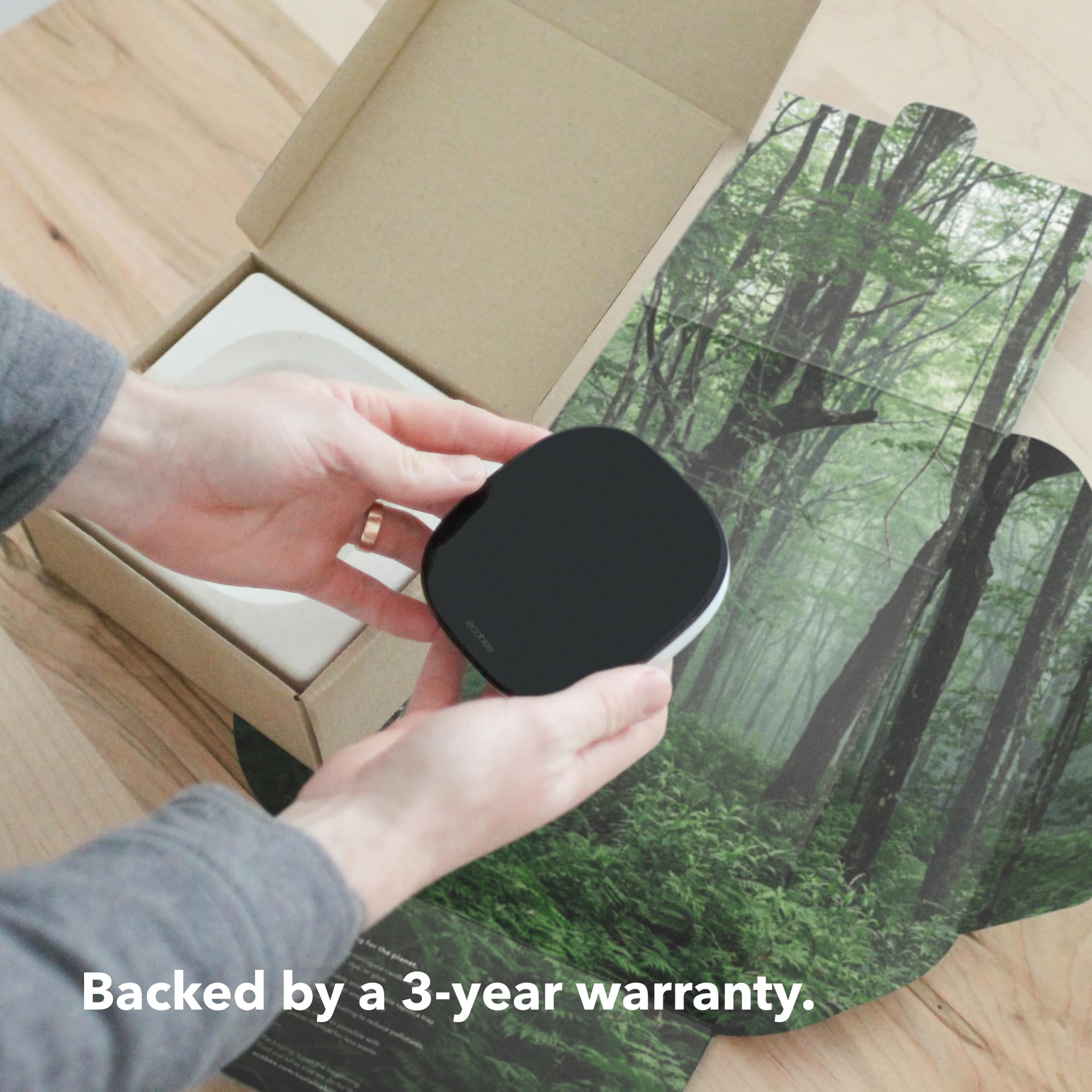
|Posted .This reviewer received promo considerations or sweepstakes entry for writing a review.Even the packaging is peaceful. Seriously, someone put thought into this product all the way out to how the box unfolds. Beyond that is an easy to install, intuitive product with an intuitive app to match. Installation is simple as matching wires, so be sure you take a picture of how your former thermostat is hooked up. From there, watch the video for installation of the ecobee. I did have to touch up a screw hole and some paint since the ecobee is a different footprint. Download the app, walk through the setup/Wi-Fi connection, etc. and you’re done. All the usual settings and schedules are available here and some welcome additions like voice assistant (no matter which one you use) and machine learning to determine the best settings for when you are home and away. There is an additional sensor available as well that allows you to place it in a second room (we all have a hot zone somewhere) so the thermostat knows that spot is cooling or heating as well. Ecobee also works with my utility company’s automatic “turn down the AC because everyone in town is pulling so much power right now” feature. They can hop in and adjust the temp settings during those times to help ease the burden. This unit is more attractive and easier to use than my previous smart thermostat. I recommend.
I would recommend this to a friend - Pros mentioned:Connectivity
Attractive Smart Thermostat
Posted .This reviewer received promo considerations or sweepstakes entry for writing a review.The Ecobee Smart Thermostat was a great upgrade and addition to my HomeKit ecosystem. Installation was very easy. Getting WiFi connected took a couple tries but one connected the rest was very quick and easy. Adding the Ecobee Thermostat to HomeKit was seamless. The design is sleek and attractive and the interface is super simple and intuitive. I’m very happy with it so far.
I would recommend this to a friend