Customer Ratings & Reviews


- Model:
- M110211
- SKU:
- 6433418
Rating by feature
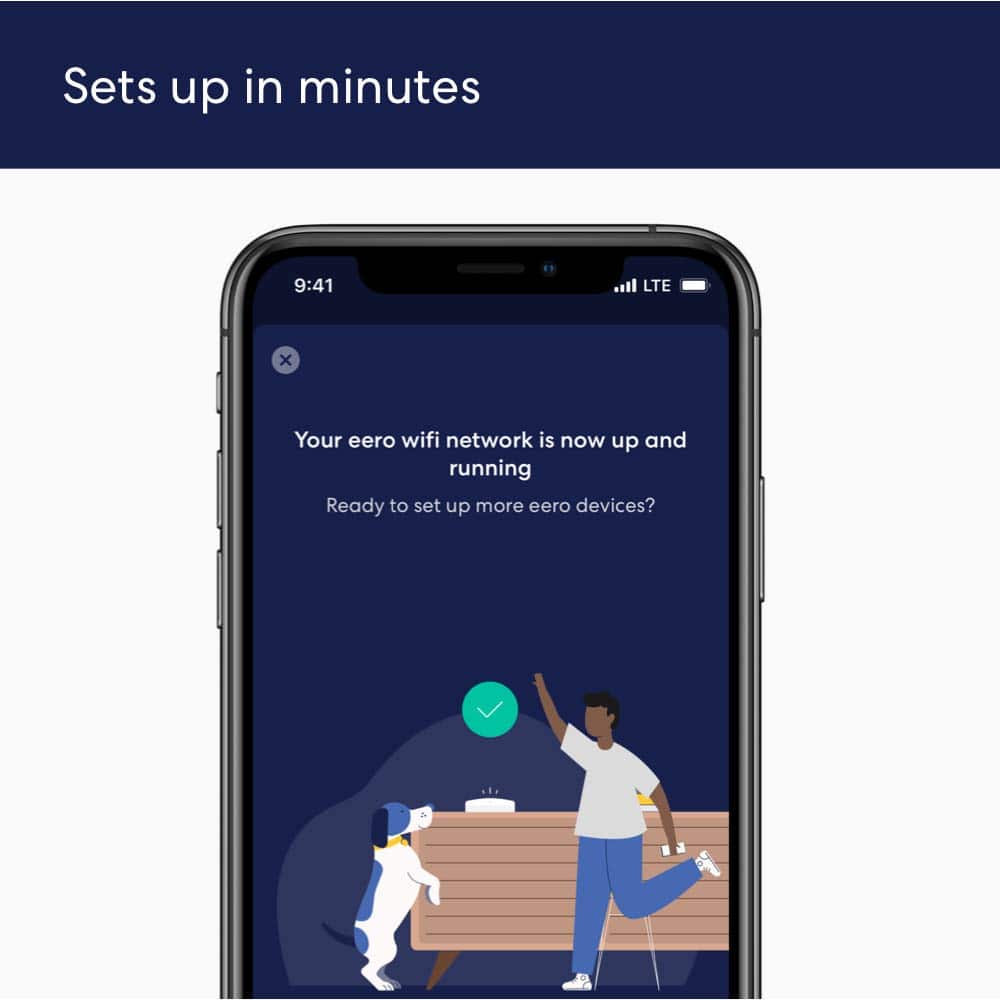
- Setup
Rating 4.7 out of 5 stars
- Range
Rating 4.7 out of 5 stars
- Signal Strength
Rating 4.6 out of 5 stars
Customers are saying
Customers are delighted by the increased Wi-Fi range and ease of use of the 6 AX1800 Dual-Band Mesh Wi-Fi 6 System. Many customers also appreciate the consistent internet speed and good coverage throughout their homes, along with the strong signal strength. However, some customers have reported issues with buffering and compatibility with certain devices.
This summary was generated by AI based on customer reviews.
George Pilgrim
||Posted . Owned for 2 weeks when reviewed.This reviewer received promo considerations or sweepstakes entry for writing a review.Eero 6 Box contained 2 Pods that did not project a signal the full range of coverage as noted on the box. Coverage was listed at 3,000 Sq. Ft. My home on one level is 2890 Sq. Ft. In order to provide coverage from the Modem to the TV it was necessary to buy the next up model that contained 3 Pods. Price difference was well over $100.
No, I would not recommend this to a friendBrand response from Amazon Devices Customer Support
Posted .Hello and thank you for reaching out. I am sorry to hear about the issues you are having with your eero 6 2-pack system. Here are some tips on placement that will help the coverage issues you are facing. DO’s: As you’re experimenting with placement, here are some tips to follow: Place eeros where they can talk to each other. While it might be tempting to place your eero in an existing dead zone or area with poor WiFi connectivity, it’s much more effective to place eeros halfway between your gateway eero and your existing dead zones. You can think of placing them like a WiFi relay – each eero is a link in the chain bringing WiFi to your dead spot. Place eeros on a hard, flat surface. Your eeros should be placed on a surface that is both stable and flat, such as tables, countertops, and nightstands. Aim high. eeros radiate their signal more upwards than downwards, but mostly along the plane they’re placed on. It’s best to place your eeros at a height halfway between the floor and the ceiling, not on the ground. Keep your space open. eeros communicate best when they’re not closed in. Keep them out in the open – try not to place your eero(s) inside a media console or cabinet. The thinner the barrier, the better. The fewer the walls (and the less substantial their inner material) between your eeros, the better your performance will be. Older houses with dense materials like plaster, lath, or chicken wire in the walls are particularly hard for WiFi waves. Placing your eeros near doors may help since wood is less dense and easier for WiFi waves to penetrate. Whenever possible, aim for direct line of sight between eeros. DON’Ts: Here are some things to avoid: Heavy metal. Stream as much Motörhead as you can stand, as long as you don’t put your eero(s) near your refrigerator or other heavy metal objects. These objects can interfere with wireless radios. If you’re placing an eero in the kitchen, we suggest placing it on a counter or shelf that’s as far from your major appliances as possible. Interference. eeros work best when they’re 20-30 feet away from objects that cause interference. Avoid placing your eero on top of, or near, these objects: Microwave oven, cordless phones (for your landline, not your cell phone) that use the 2.4GHz or 5GHz range, WiMAX, other 802.11 networks, power lines, power stations, or railroad tracks, radio leakage from Direct Satellite Service (DSS), older coaxial cable from certain types of satellite dishes. If you have an older satellite dish, contact the device manufacturer to get newer cables, fluorescent lights, bad electrical connections, radar, smothering your eeros. Keep your eeros out in the open and never put anything on top of them. When possible, also avoid having your eeros enclosed in a small space. Soft surfaces. Your eeros work best on a stable surface, so avoid putting them on chairs, cushions, and any other surface that doesn't allow for space beneath them to breathe. I surely hope this helps with your setup but if it doesn't, please reach out to eero customer support. They are available Monday–Sunday 6:00 am – 8:00 pm PT. You can reach them at 877-659-2347. Hope this helps and have a great day!

Garbage!
||Posted . Owned for 1 month when reviewed.This reviewer received promo considerations or sweepstakes entry for writing a review.This product is an absolute garbage. Would lose connectivity every 30 minutes. Please save yourself some time and money. I ended up returning it the next day. And yes, I did perform all the firmware upgrades.
No, I would not recommend this to a friendGood but can be better
||Posted . Owned for 3 weeks when reviewed.This reviewer received promo considerations or sweepstakes entry for writing a review.Its good but my walls are too heavy that doest work
No, I would not recommend this to a friendMy eero
||Posted . Owned for 3 weeks when reviewed.This reviewer received promo considerations or sweepstakes entry for writing a review.I LOVE THE FACT THAT THERES THREE UNITS.WHERE THEY ARE PLACED IN MULTIPLE AREAS AND LEVELS OF THE HOUSE AND WORK AWESOME.
I would recommend this to a friendNo improvement
||Posted . Owned for 3 weeks when reviewed.This reviewer received promo considerations or sweepstakes entry for writing a review.After a lot of hype from the techs at Best Buy and a lengthy 2 to 3 hour installation, we have not noticed any improvement on our devices. So disappointing.
No, I would not recommend this to a friendMeh
||Posted . Owned for 1 month when reviewed.This reviewer received promo considerations or sweepstakes entry for writing a review.Bought this to extend the Wi-Fi throughout the house there has been some drop in Wi-Fi however, and the speeds do not seem to be as good as with the included gateway wifi.
No, I would not recommend this to a friendHey Guillermo
||Posted . Owned for 2 weeks when reviewed.This reviewer received promo considerations or sweepstakes entry for writing a review.A shout out to Guillermo. Fantastic support, knowledgeable and very helpful. Keep up the good work. I will be back…
I would recommend this to a friendNever had such bad service ...
||Posted . Owned for 3 weeks when reviewed.This reviewer received promo considerations or sweepstakes entry for writing a review.So far i an very disappointed with what i purchased as i cant get it to work as sold to me it should. Also i have tried to engage the geek squad and are unable to get an appointment.... despite calling multiple times and being on hold fo hours to make an appointment ... overall likely for me the lazt purchrs and engagement with best buy!!! ...... and for the record i had bought a one yr service arrangement with my last computer maintenance!!
No, I would not recommend this to a friendIt wouldn’t connect to the internet
||Posted . Owned for 2 months when reviewed.This reviewer received promo considerations or sweepstakes entry for writing a review.If it worked I might have kept it. The geek squad rep worked on it for well over an hour and couldn’t figure it out. Product returned
No, I would not recommend this to a friendWifi System
||Posted . Owned for 1 year when reviewed.This reviewer received promo considerations or sweepstakes entry for writing a review.I was recommended to utilize this product to strengthen my internet connection and it has been successful.
I would recommend this to a friendEerie internet extender
||Posted . Owned for 1 month when reviewed.This reviewer received promo considerations or sweepstakes entry for writing a review.Works great allowing internet access to my entire home and streaming to a TV that previously had no signal
I would recommend this to a friendPoor Quality
||Posted . Owned for 1 month when reviewed.This reviewer received promo considerations or sweepstakes entry for writing a review.Mesh Wi-FI System, loses Wi-Fi Connect, Spot connection. Low Range Signal between Wi-Fi device & house hold devices connected to Wi-Fi system
No, I would not recommend this to a friendAwesome mesh
||Posted . Owned for less than 1 week when reviewed.This reviewer received promo considerations or sweepstakes entry for writing a review.OmG is a big improvement on my network wifi around the house I have 100% all around the house wow
I would recommend this to a friendNo difference in WiFi
||Posted . Owned for 1 year when reviewed.This reviewer received promo considerations or sweepstakes entry for writing a review.Second modem doesn't help at all. Put it upstairs and wifi strength/quality unchanged. Comcast doesn't like it.
No, I would not recommend this to a friendA must!
||Posted . Owned for 2 weeks when reviewed.This reviewer received promo considerations or sweepstakes entry for writing a review.If you have dead zones in your house. Where your wifi sucks! This is the extender for you!
I would recommend this to a friendProblems from Day 1
||Posted . Owned for 1 year when reviewed.This reviewer received promo considerations or sweepstakes entry for writing a review.Had this for a year and decided to chuck it. Problems since day 1. Should have returned it. Stuck it out because I thought it might have been my service issues but it’s the device. Would drop off and I had to restart the modem and the device to get reconnected. Been happening every day for last few days so I got a TP-Link Wi-Fi router to replace them. Unlike the Eero, that has been easy to set-up and speed is great!
No, I would not recommend this to a friendProblem with wiFi connection to iPhones.
||Posted . Owned for 3 weeks when reviewed.This reviewer received promo considerations or sweepstakes entry for writing a review.This WiFi system would not connect to iPhones. I had Geek Squad out. It worked for 2 days & would no connect iPhones again. I returned item & replaced.
No, I would not recommend this to a friendNONE
||Posted . Owned for 3 weeks when reviewed.This reviewer received promo considerations or sweepstakes entry for writing a review.Very difficult to set up and get all my devices to work with it. I had to sit on the phone for over an hour to get some help from someone from your team.
No, I would not recommend this to a friendTerrible Speeds
||Posted . Owned for 2 months when reviewed.This reviewer received promo considerations or sweepstakes entry for writing a review.If you are looking for coverage of your 5,000 sq foot home, this may be the way to go. For fast speeds, look for a singular router
No, I would not recommend this to a friendBrand response from Amazon Devices Customer Support
Posted .Hi Blake, thank you for providing feedback regarding your experience with the eero 6 system. I am sorry to hear about the speed issues you’re having. The eero 6 3-pack supports speeds up to 500 Mbps. Here are some tips that may help: 1. Place eeros where they can talk to each other. 2. Place eeros on a hard, flat surface. 3. Keep your eeros out in the open. 4. Whenever possible, aim for direct line of sight between eeros. The fewer the walls between your eeros, the better. If this information doesn’t resolve your issue, call eero customer service at (877)659-2347. They’re available Monday-Sunday 6am-8pm PT. I hope this helps. Have a great day!
HomeKit compatibility issues
||Posted . Owned for 1 month when reviewed.This reviewer received promo considerations or sweepstakes entry for writing a review.Would not connect to HomeKit mode! Which is why I bought it
No, I would not recommend this to a friendBrand response from Amazon Devices Customer Support
Posted .Hi GEMa! Thank you for your feedback and I am so sorry that setup has been failing for Homekit mode. Here are some instructions for a resolution on setup. Open the eero app. Tap Discover at the bottom of the screen. Tap Apple HomeKit. Tap Set up HomeKit at the bottom of the screen. Read through the text on the page then tap Setup HomeKit. You will get a pop up letting you know "eero" Would Like to Access Your Home Data. If you would like to proceed tap Allow. Afterwards you can also customize your security settings by: Tapping the More button. Selecting Home Settings. Choosing the home where you put your router. Scrolling down and tapping Wi-Fi Network & Routers. Tapping an accessory to change the level of connection security