Customer Ratings & Reviews


- Model:
- R010111
- SKU:
- 6495771
Rating by feature
- Setup
Rating 4.8 out of 5 stars
- Range
Rating 4.7 out of 5 stars
- Signal Strength
Rating 4.7 out of 5 stars
to a friend
Customers are saying
Customers recognize the 6+ Dual-band Mesh Wi-Fi 6 Router (1-pack) for its ease of use, overall performance, and impressive speed. Many users appreciate the Wi-Fi coverage, easy setup, and reliable range and signal strength. Some customers have noted issues with compatibility and consider the price to be a bit high. However, users report minimal issues with buffering, lag, and dead spots.
This summary was generated by AI based on customer reviews.
Set it up in big concrete house
||Posted . Owned for 1 month when reviewed.This reviewer received promo considerations or sweepstakes entry for writing a review.6,500+ square feet was totally prepared to buy more, but ended up being covered with just the three 10/10
I would recommend this to a friendeero review
||Posted . Owned for 1 month when reviewed.This reviewer received promo considerations or sweepstakes entry for writing a review.can't get it to set up with modem...could be operator error, but troubleshooting help is confusing too.
No, I would not recommend this to a friendBrand response from Amazon Devices Customer Support
Posted .Hello RossP
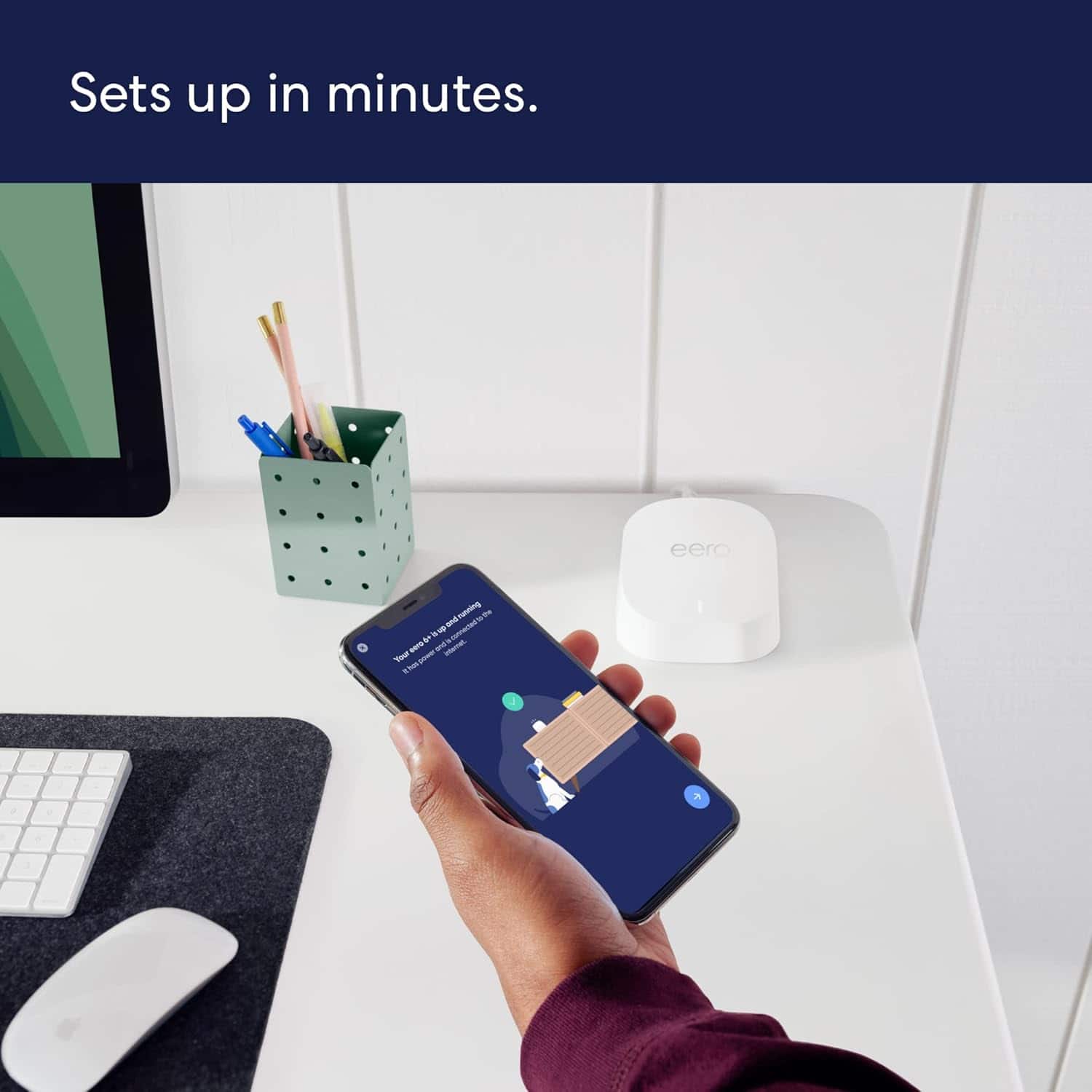
Setting up a new router should be straightforward, and I appreciate you sharing your honest experience. The eero 6+ is designed to set up in minutes through the eero app, but connecting it to your modem can sometimes hit snags depending on your internet service provider and modem type. Here is a clear, simplified step-by-step guide to get your eero 6+ connected to your modem:
Step-by-Step Setup Guide
Download the eero app on your iOS or Android device and create an eero account (or log in if you already have one).
Unplug your modem from power and wait 60 seconds. If you have a separate router, disconnect and set it aside — the eero 6+ replaces your router.
Connect the eero to your modem using the included Ethernet cable. Plug one end into your modem and the other into either of the two Ethernet ports on the back of the eero 6+.
Plug your modem back in and wait 1–2 minutes for it to fully boot up (all lights should be stable).
Plug in your eero 6+ using the included power adapter and wait for the LED light to pulse white — this means it's ready to be set up.
Open the eero app and tap the "+" icon to add a device. The app will use Bluetooth to find your eero, so make sure Bluetooth is enabled on your phone and you are standing near the eero.
Follow the on-screen prompts — the app will walk you through naming your network and setting a password.
Common Issues and Fixes
"No eero devices found" — Make sure Bluetooth is turned on and not connected to other devices (like a smartwatch). Try closing and reopening the eero app, or restarting your phone.
"We found an issue — check if your eero and modem are connected properly" — This usually means the modem hasn't fully restarted. Unplug the modem again for a full 2 minutes, then plug it back in and wait for all lights to stabilize before retrying setup.
ISP modem/router combo (gateway) conflict — If your ISP provided a modem/router combo unit (common with Xfinity, AT&T, Spectrum), you may need to put it into bridge mode to avoid a double NAT conflict. Contact your ISP and ask them to enable bridge mode on your gateway, which will let the eero handle all routing duties.
eero LED stays red or won't turn white — Try a different Ethernet cable, or plug into the other Ethernet port on the eero. If the LED still won't pulse white, perform a factory reset by pressing and holding the reset button on the bottom of the eero for 15 seconds until the LED flashes.
Setup via serial number — If Bluetooth discovery fails, the eero app offers an option to set up using the serial number printed on the bottom of the device. This can bypass Bluetooth pairing issues.
I hope this information helps. Thank you for your feedback — it helps us improve the setup experience for all customers. Have a great day.
Perfect Router for Multiple Storeys homes.
||Posted . Owned for 1 month when reviewed.This reviewer received promo considerations or sweepstakes entry for writing a review.Installation was a challenge at first, then later I managed to figure it out, and it was not as difficult as I thought. Very nice router and it fits all our needs.
I would recommend this to a friendWorks like a charm
||Posted . Owned for 1 week when reviewed.This reviewer received promo considerations or sweepstakes entry for writing a review.Very easy set up took no time at all and the internet was everywhere
I would recommend this to a friendEero functions well. Easy to install.
||Posted . Owned for 1 month when reviewed.This reviewer received promo considerations or sweepstakes entry for writing a review.Switched from Netgear Orbi to Eero due to numerous problems caused by Orbi firmware updates, some making Orbi satellite devices unusable. No such problem with Eero products to date.
I would recommend this to a friendEero 6+
||Posted . Owned for 8 months when reviewed.This reviewer received promo considerations or sweepstakes entry for writing a review.Helped with my internet connection in my apartment, especially whenever you have roommates
I would recommend this to a friendAmazing Sauce
||Posted . Owned for 1 month when reviewed.This reviewer received promo considerations or sweepstakes entry for writing a review.Great product! Was quite hesitant at first but solved my connectivity issues at church. Have 2 in one building and the 3rd one is across a parking lot - quite big I gotta say - and now I can do a lot of stuff in there! Greatttttttt!
I would recommend this to a friendRouter
||Posted . Owned for 3 weeks when reviewed.This reviewer received promo considerations or sweepstakes entry for writing a review.Easy to set up. Would recommend if you have numerous devices
I would recommend this to a friendeero-6 mesh wifi.
||Posted . Owned for 3 weeks when reviewed.This reviewer received promo considerations or sweepstakes entry for writing a review.Definitely increased the wifi range. Not bulky and fits with my decor.
I would recommend this to a friendNot as good as I expected.
||Posted . Owned for 1 month when reviewed.This reviewer received promo considerations or sweepstakes entry for writing a review.Honestly, I guess I expected more. I bought these in hopes of getting my full internet speed throughout my house. What I noticed is that the 3rd ode is about half of my total. Now I must admit that I saw reviews that said the same thing. When I talked to Eero, they said that is normal unless you hardwire them together. For me, running Ethernet through my house is not an option. Eero did say that the Pro 6E erosion would solve my problem but they’re twice as expensive. I guess I’m kind of surprised about all the high ratings on these. They’re really not much better than my old Netgear stand alone router that also has 4 Ethernet ports in one box. These new ones on,y have 2 per unit. I may end up taking these back and maybe waiting to get something else or hope the Pro 6 E drops in price before I have to return them.
No, I would not recommend this to a friendBest internet purchse
||Posted . Owned for 3 weeks when reviewed.This reviewer received promo considerations or sweepstakes entry for writing a review.This product allows us to have wifi throughout the house now.
I would recommend this to a friendThumbs up
||Posted . Owned for 1 month when reviewed.This reviewer received promo considerations or sweepstakes entry for writing a review.So far so good. Internet seems to be working much better all around the house
I would recommend this to a friend
Absolutely love
|Posted . Owned for 1 month when reviewed.This reviewer received promo considerations or sweepstakes entry for writing a review.[Employee of bestbuy] Coverage is awesome. I shut off the light on top of the one in my room.it covers my whole home, the detached garage, and the pool. I thought o would need more but the 3 did great!!!!
I would recommend this to a friendBooster
||Posted . Owned for 3 weeks when reviewed.This reviewer received promo considerations or sweepstakes entry for writing a review.We like it very easy to install, just not to fast.
I would recommend this to a friendWifi router
||Posted . Owned for 2 weeks when reviewed.This reviewer received promo considerations or sweepstakes entry for writing a review.This product is really good. Its very easy to set it up.
I would recommend this to a friendMaking a big difference
||Posted . Owned for 2 weeks when reviewed.This reviewer received promo considerations or sweepstakes entry for writing a review.Doing the job, just need to improve my Cox service now…
I would recommend this to a friendEero mesh
||Posted . Owned for 2 months when reviewed.This reviewer received promo considerations or sweepstakes entry for writing a review.Completely fixed my network issues. Previously had a Google mesh system that was not reliable at all. We installed the eero mesh and haven’t had any connectivity issues since,
I would recommend this to a friendGEEKS Solve The Problem
||Posted . Owned for 1 month when reviewed.This reviewer received promo considerations or sweepstakes entry for writing a review.Sixto & Cesar worked on this, and they were super A+++. We were having problems getting a reliable WIFI signal to our printer and the Eero system was the solution. They did all the setup and explained what they were doing and what to expect in performance.
I would recommend this to a friendMixed blessings...
||Posted . Owned for 8 months when reviewed.This reviewer received promo considerations or sweepstakes entry for writing a review.The ones that work, work great. One of the three didn't work when it came out of the box. For some reason, Best Buy doesn't support this item and dealing with Amazon has been a hassle. I'd recommend the item, but not buying it from Best Buy.
I would recommend this to a friendWiFi at its best
||Posted . Owned for 3 weeks when reviewed.This reviewer received promo considerations or sweepstakes entry for writing a review.Expands WiFi Throughout and Outside of home. Great for connecting all your devices.
I would recommend this to a friend