Customer Ratings & Reviews

- Model:
- R010111
- SKU:
- 6495771
Rating by feature
- Setup
Rating 4.8 out of 5 stars
- Range
Rating 4.7 out of 5 stars
- Signal Strength
Rating 4.7 out of 5 stars
Customers are saying
Customers recognize the 6+ Dual-band Mesh Wi-Fi 6 Router (1-pack) for its ease of use, overall performance, and impressive speed. Many users appreciate the Wi-Fi coverage, easy setup, and reliable range and signal strength. Some customers have noted issues with compatibility and consider the price to be a bit high. However, users report minimal issues with buffering, lag, and dead spots.
This summary was generated by AI based on customer reviews.
Good mesh system
||Posted . Owned for 1 month when reviewed.This reviewer received promo considerations or sweepstakes entry for writing a review.The eero mesh system is great. It puts out a strong a s reliable signal. It's moderately easy to set up. Just follow the directions exactly. There is a paid security option that I have not tried yet. But so far the system works great. The app allows you to control everything. Price is a bit high, but worth it.
I would recommend this to a friendLove the ease of setup and install of this item.
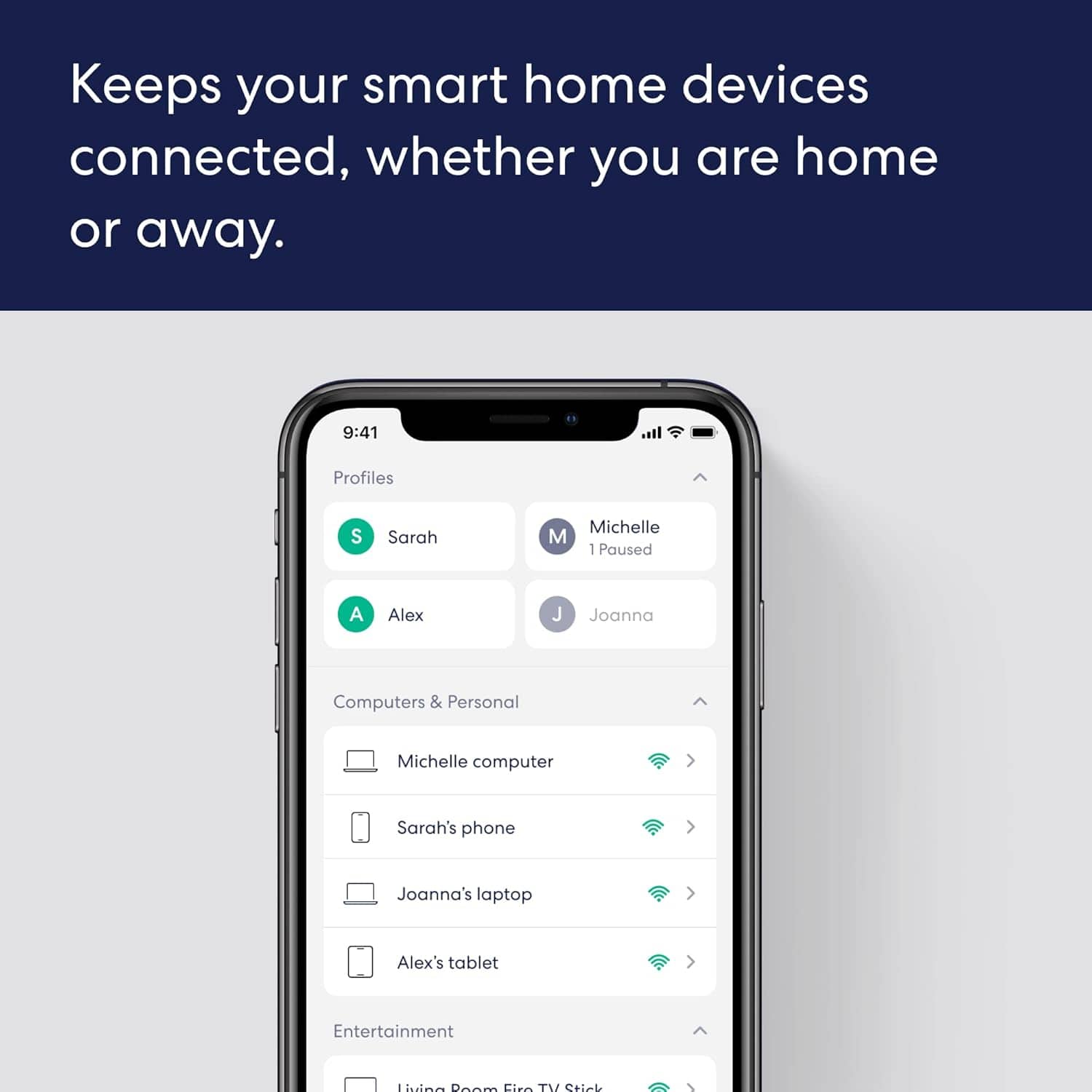
Posted .This reviewer received promo considerations or sweepstakes entry for writing a review.Way simple to install and setup. The app is good for the most part. Range is excellent. The only drawback is the lack of extra ethernet connections. Using switch hubs to remedy this.
I would recommend this to a friend- Pros mentioned:Overall performance
Great product
||Posted . Owned for 2 months when reviewed.This reviewer received promo considerations or sweepstakes entry for writing a review.Thos increased my homeminternets efficency and remived all dead zones. Increasbly easy to setup and connect devices. Dashboard is easy to navigate and understand.
I would recommend this to a friend Game changer - no more internet complaints
||Posted .This reviewer received promo considerations or sweepstakes entry for writing a review.Easy to setup. Our house has wall data cables connected to the main router, which means we could plug in the additional routers directly to the main router. This gives us consistently reliable WiFi at high upload and download speeds at all times and spaces within the house and outside of it. And the routers have additional Ethernet cables so my office and Apple TV is hardwired which helps with fast pings. If you work from home appreciate no interruptions, welcome to the good life.
I would recommend this to a friendEero 6 plus Dual band WiFi
||Posted . Owned for 1.5 years when reviewed.This reviewer received promo considerations or sweepstakes entry for writing a review.The eero 6+ is a simple and reliable Wi-Fi system that gives fast speeds and strong coverage throughout your home. It can handle lots of devices at once and keeps your connection steady for streaming, gaming, or working online. Overall, it’s a great choice if you want easy setup and smooth, dependable internet every day.
I would recommend this to a friend- Pros mentioned:Overall performance
the distancce
||Posted . Owned for 3 weeks when reviewed.This reviewer received promo considerations or sweepstakes entry for writing a review.The eero is working great. I'm in the perfect spot to lose all signal on any device. in the house with cell phone data and out. This unit keeps me going inside and to the street where the service picks up again. so, I can stream my music uninterrupted by the buffering pause. So, two thumbs up and 5 out of 5 rating for me
I would recommend this to a friend - Now Good
||Posted . Owned for 6 months when reviewed.This reviewer received promo considerations or sweepstakes entry for writing a review.Several of my older devices (mainly security cameras) had problems connecting and reconnecting. Then they stopped even trying and only would connect directly to slow and securityDSL modem wi-fi. Then during the day would try Eero again at which times I would have no internet ar all. Being non-tech savvy,i finally researched and found a “Legacy”switch in the app to assist older devices to connect to Eero’ fast speed. So very happy now ! Havent lost Eero WiFi since I finally got them connected and all is faster as they are staying connected now. Longer Range seems be much better even through the trees.
I would recommend this to a friendBrand response from Amazon Devices Customer Support
Posted .Hi Scartx. Thank you for providing feedback about your experience with the eero 6+ system. I'm glad that you were able to get your devices on the network. Should you run into another 2.4 GHz only device, you can use the eero app to temporarily hide the 5 GHz band while you get your 2.4 GHz devices connected. Open the eero app and tap “Settings” at the bottom of the home screen. Tap “troubleshooting” towards the bottom of the settings screen. Tap ”My device won’t connect.” Tap “Temporarily pause 5 GHz. This will pause the 5 GHz band for 15 minutes while you get your 2.4 GHz devices setup. If this doesn’t resolve the issue, please reach out directly to eero customer support at (877) 659-2347. I hope this helps. Have a great day!

Awesome mesh system
||Posted .This reviewer received promo considerations or sweepstakes entry for writing a review.Coverage is excellent, speeds are consistently fast, and everything from streaming to working from home runs smoothly. I have multiple devices connected at all times, and the system handles it effortlessly.
I would recommend this to a friendI’ll never go back to a standard router!
||Posted .This reviewer received promo considerations or sweepstakes entry for writing a review.I moved into an old house (built circa 1950s) and got a new Netgear Nighthawk. Had to get used to having internet only on one side of the house (part of the time) and using spotty 5G from my phone to make up for the rest. Enrolled in grad school online and everyone in my cohort knew I lived way out in the middle of nowhere because my internet would go off like clockwork during class. Sharing my screen during a presentation was stressful so I’d usually stay at the office til 9pm so I’d have reliable service. I always blamed Spectrum and had them come out repeatedly to find the problem. I even had AT&T come out and switched to DSL for a few weeks. I finally had a conversation with my brother who understands this kinda thing better than I do and he explained what a mesh setup is. So I reviewed lots of them for several months, researched and read and researched some more. After I decided it sounded like the answer to my internet problems, I had to decide the brand to get. Netgear and Linksys are brands I’m familiar with. But eero had such great reviews and some of them sounded like I could’ve written it —old house, living in the country, nothing works. I bought this one evening, picked it up, set it up in less than 15 minutes and I’ve had the best internet service ever. I have not had one single issue with connecting, dropping, security, nothing. I’ve been using it for over three months and it has changed everything. I can even watch Prime and Netflix etc on my Samsung Smart TV in the other side of the house whereas before it was a waste of technology because the TV didn’t connect. Now it does!! Both my Smart TVs do. I can use two Smart TVs, a iMac, MacBook, and my iPhone or iPad all at the same time and never once drop or lag. I check my speed and it’s the fastest it’s ever been. I’m finally getting what I’m paying for. I love this mesh system and will never use a standard WiFi router again!! Highly recommend!! Go get one!!
I would recommend this to a friendBest Buy quality A-Z
Posted .This reviewer received promo considerations or sweepstakes entry for writing a review.I purchased a security camera pkg. from Best Buy and it was awesome,but my WiFi wasn't able to jump thru the walls and after setting these up (15-mins) the wifi cameras clicked in and I have a nice 'true'wifi security system with clarity, easy app for recording, viewing, set up. I had the geek squad here also to advise, answer, and check so that if any issues arise, it's documented and warranties are respected. Great units
I would recommend this to a friend- Pros mentioned:Overall performance
No worries wireless.
||Posted . Owned for 1 month when reviewed.This reviewer received promo considerations or sweepstakes entry for writing a review.It meets or exceeds all the demands of all of our devices. There is no lag in display on our smart tv's. All of our tablets and computers have super speed on the internet. Our cell phones have much improved performance when we set them to wi-fi calling. Before the eero, we had to stand in a certain area of the house to insure the call would not be dropped.
I would recommend this to a friend Great mesh system router.
||Posted . Owned for 2 weeks when reviewed.This reviewer received promo considerations or sweepstakes entry for writing a review.My wife and I love these routers. They allow us to plug in both our PCs and our printer to the nodes delivering faster speeds and a more reliable connection while not running cables all over the house. We switched from the google rputers when I started messing with RaspberryPi projects due to this having better network options.
I would recommend this to a friendEero… Very satisfied customers
Posted .This reviewer received promo considerations or sweepstakes entry for writing a review.The eero WiFi work great and use the full potential signal strength of the fiber we have in our household. Increased our mbs from 80-120s to 400-565! Very satisfied. Thank you.
I would recommend this to a friendEero 6+ mesh review
||Posted . Owned for 1 month when reviewed.This reviewer received promo considerations or sweepstakes entry for writing a review.This mesh system was very easy to install and set up. I had no issues matching it to my existing modem and all three hubs communicated with one another flawlessly. The systems provides coverage to the entire house and it has increased our download speeds dramatically. We don't experience any buffering when we stream TV shows or movies. I can't say enough good things about eero 6+!
I would recommend this to a friendFast, good coverage but read instructions
||Posted . Owned for 1 month when reviewed.This reviewer received promo considerations or sweepstakes entry for writing a review.Easy setup but you need to read directions. Call center was of no help. Good fast coverage cuz it's like mesh. Fast with 802.11ax. and 2.4 & 5.0. I bought mine a month ago. Price just dropped significantly - darn! Monitoring only thru cell phone app and information, while adequate, is less than my old Motorola cable modem/router.
I would recommend this to a friend- Pros mentioned:Overall performance
Worth it.
||Posted .This reviewer received promo considerations or sweepstakes entry for writing a review.These work well, easy to set up. Had installed about a month now with no issues. Made wireless cameras/security system run much better.
I would recommend this to a friend Seems good so far
||Posted . Owned for 3 weeks when reviewed.This reviewer received promo considerations or sweepstakes entry for writing a review.Bought this to replace a 8-year-old Google Home mesh system, on the advice of the BB in-store rep. He said the Eero was more “future proof”. I took his word on it because I’d done very little research, he seemed knowledgeable, and I have no idea about any of them. I didn’t know my Google system was bad but I was trying to troubleshoot different causes for the horrendous streaming lag and pixelation that I was getting on my 8-year-old Samsung TV through my Spectrum 400GB broadband. It was cheaper than a new TV, so figured I’d start there. I’ve been using it for two weeks now, and it seems to be an improvement. My TV is clear and responds more quickly, so that’s satisfying! The set up was easy, and the modules are aesthetically pleasing. The app doesn’t seem as user-friendly as Google Home. It’s cluttered and confusing, and I’ve had a bit more trouble navigating it. Google Home was very intuitive and simple. Also, my devices don’t seem to grab the closest mesh point. For example, my TV grabs the unit in the basement, rather than the one in the office, which is a couple rooms away on the same floor. Overall, it’ll probably be fine. I definitely haven’t noticed a regression in performance, so I’ve got no real complaint. If it lasts me longer than my old one, because it’s “future-proof”, then it’ll be worth it to me.
I would recommend this to a friendBrand response from Amazon Devices Customer Support
Posted .Hi Phoney. Thank you for your feedback on the eero 6+ system, and we're glad to hear that setup was a breeze and that you're enjoying the sleek design of the units. It's also great to know that you haven't experienced any regression in performance, that's a solid foundation to build on.
We appreciate your candid thoughts on the eero app. We understand that transitioning from another platform like Google Home can come with a learning curve, and your feedback about the app's navigation is something the eero team takes seriously as they continue to refine the user experience. A couple of tips that may help you get more comfortable with the app: the Home tab gives you a quick overview of your network status and connected devices, while the Activity section lets you monitor usage at a glance. The Discover tab also offers helpful guides and feature recommendations tailored to your network. Over time, as the app becomes more familiar, we believe you'll find it to be a powerful tool for managing your home network.
Regarding your devices not connecting to the nearest mesh point, eero's TrueMesh software allows devices to seamlessly transition between eeros as you move between rooms in a process called "roaming." The ideal eero is typically the closest one to your device.
However, some devices may have a stronger wireless connection to an eero farther away. This happens because different devices have different thresholds for when to roam between eeros. If your device is performing as usual, there's no need to worry. If you notice decreased performance, the closest eero may be experiencing congestion or interference. Try these steps, 1. Ensure Client Steering is enabled. To do this, open the eero app, go to the Settings tab, select Network settings, select Client Steering, toggle the Client steering option on. 2. If your eero is surrounded by other electronics, put some distance between them. 3. If the eero is enclosed, move it to a more open area. 4. Move your eeros closer to each other. If this doesn’t resolve your issue, call eero customer service at (877) 659-2347. They’re available Monday-Sunday 6am-8pm PT. I hope this helps. Have a great day!
- Pros mentioned:Overall performance
Easy installation
||Posted .This reviewer received promo considerations or sweepstakes entry for writing a review.Works well! Easy setup and allowed WiFi to be accessed throughout the whole house. Prior to installing had weak signal at the opposite of the house due to router being not centrally located
I would recommend this to a friend - Pros mentioned:Overall performance
Nice router
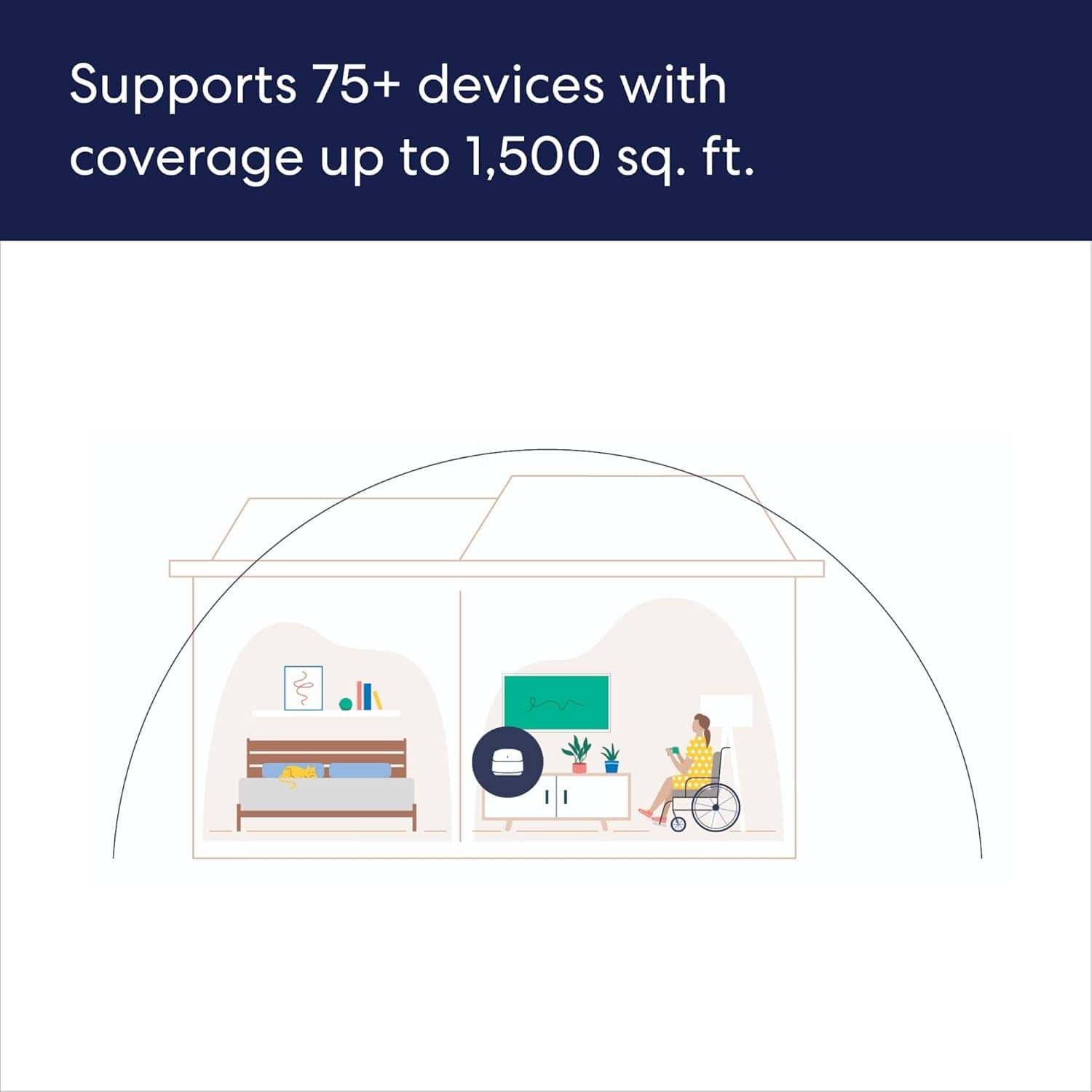
||Posted .This reviewer received promo considerations or sweepstakes entry for writing a review.This is my first time buying this type of router. Set up was very easy and so far it has been working very well. My house is a little over 2000 sq feet and I have only had to link two of them.
I would recommend this to a friend Simple Tech Upgrade
||Posted .This reviewer received promo considerations or sweepstakes entry for writing a review.Having dealt with intermittent wifi service in my home for several years, I decided to try a mesh system to hopefully solve my issues. Not being a member of a geek squad or a techie, I was somewhat intimidated at the thought of "crashing" my existing wifi with the hopes that the process would go well and be successful, so I delayed the changeover for a couple of weeks. Finally I took the plunge and went through the process using the online instruction link for the provider, all the while nervous that I was going to have a dead system when I finished. What a pleasant surprise that the system came online and functioned as it was supposed to. And now I have no dead zones in my wifi coverage!
I would recommend this to a friend