Customer Ratings & Reviews





- Model:
- R010311
- |
- SKU:
- 6495773
Customer reviews
Rating 4.7 out of 5 stars with 3202 reviews
(3,202 customer reviews)Rating by feature
- Setup4.8
Rating 4.8 out of 5 stars
- Range4.7
Rating 4.7 out of 5 stars
- Signal Strength4.7
Rating 4.7 out of 5 stars
to a friend
Customers are saying
Customers recognize the 6+ Dual-band Mesh Wi-Fi 6 Router (1-pack) for its ease of use, overall performance, and impressive speed. Many users appreciate the Wi-Fi coverage, easy setup, and reliable range and signal strength. Some customers have noted issues with compatibility and consider the price to be a bit high. However, users report minimal issues with buffering, lag, and dead spots.
This summary was generated by AI based on customer reviews.
Rated 5 out of 5 stars
EERO router
Posted .This reviewer received promo considerations or sweepstakes entry for writing a review.Set up was easy it has been working fine since it got hooked up.
This review is from eero - 6+ Dual-band Mesh Wi-Fi 6 Router (1-pack) - White
I would recommend this to a friendRated 4 out of 5 stars
EERO
Posted .This reviewer received promo considerations or sweepstakes entry for writing a review.The only thing I’ve been on the fence about is EERO being owned by Amazon. But it does work well. Got those wondering now a days ALWAYS RUN CAT6 cable is faster speed over CAT 5.
I would recommend this to a friendRated 5 out of 5 stars
Greatest buy I’ve ever made
Posted .This reviewer received promo considerations or sweepstakes entry for writing a review.Absolutely the best product I’ve ever purchased I couldn’t be more happier. It’s fabulous
I would recommend this to a friendRated 5 out of 5 stars
Extender
Posted .This reviewer received promo considerations or sweepstakes entry for writing a review.Perfect fit for our Wi-Fi needs. Even better that they are discrete.
I would recommend this to a friendRated 5 out of 5 stars
GREAT RELOCATION & PROGRAM OF ENTERTAINMENT SYSTEM
Posted .This reviewer received promo considerations or sweepstakes entry for writing a review.There were 2 lovely young men who did an outstanding job of transporting, installing, and setting up/fine-tuning my entertainment center. Both gentlemen were congenial, easy-going, and able to work within a larger context with a couple of other teams providing different services simultaneously. I am grateful and apologize for the lateness of my review but was out of state for awhile.
I would recommend this to a friendRated 4 out of 5 stars
DUEL BAND MESH
Posted .This reviewer received promo considerations or sweepstakes entry for writing a review.seems wo work well. Have wifi all around the house as well as outside. this is why I bought it.
I would recommend this to a friendRated 5 out of 5 stars
Great!
Posted .This reviewer received promo considerations or sweepstakes entry for writing a review.The Eero is very user-friendly. Easy setup! App capability is excellent!
This review is from eero - 6+ Dual-band Mesh Wi-Fi 6 Router (1-pack) - White
I would recommend this to a friendRated 5 out of 5 stars
Great Transaction
Posted .This reviewer received promo considerations or sweepstakes entry for writing a review.Great Product! It was an easy checkout at bestbuy!
I would recommend this to a friendRated 5 out of 5 stars
eero Mesh System
Posted .This reviewer received promo considerations or sweepstakes entry for writing a review.The eero Dual-Band Mesh system works quite well. The coverage and connectivity are excellent
I would recommend this to a friendRated 5 out of 5 stars
Upgrade Home WiFi
Posted .This reviewer received promo considerations or sweepstakes entry for writing a review.Used Linksys for years...Began to have problems.... Changed to EERO...WOW,
I would recommend this to a friendRated 5 out of 5 stars
Would buy again
Posted .This reviewer received promo considerations or sweepstakes entry for writing a review.This product works great and is simple to install!
This review is from eero - 6+ Dual-band Mesh Wi-Fi 6 System (2-pack) - White
I would recommend this to a friendRated 5 out of 5 stars
eero 6+
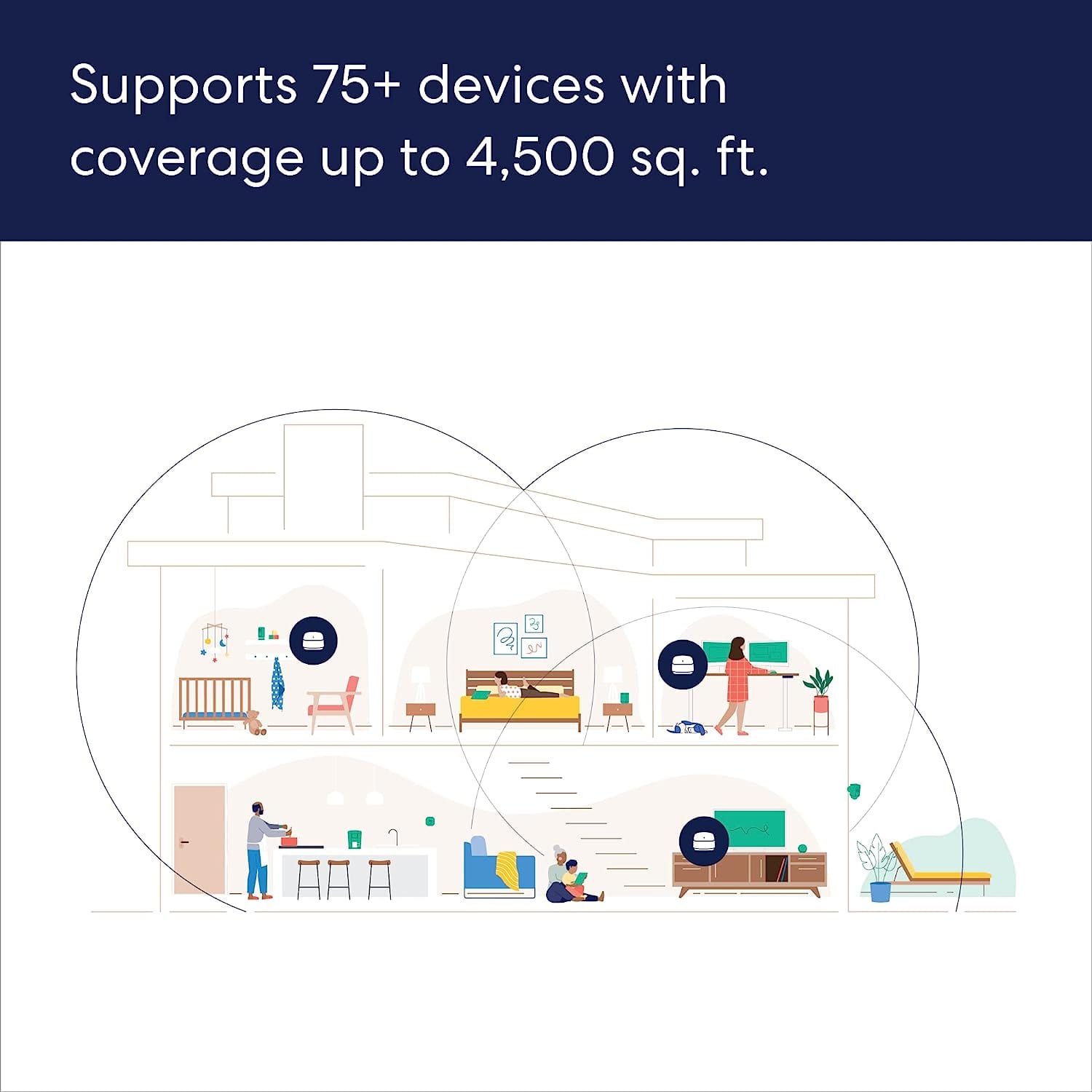
Posted .This reviewer received promo considerations or sweepstakes entry for writing a review.Eero 6+ works really well in my 3000 sq ft home, It filled the dead spots.
I would recommend this to a friendRated 5 out of 5 stars
Thumbs uo
Posted .This reviewer received promo considerations or sweepstakes entry for writing a review.Works great Haven't noticed the buffering challenges like before
I would recommend this to a friendRated 5 out of 5 stars
Great system!
Posted .This reviewer received promo considerations or sweepstakes entry for writing a review.The technician set it up in place of our previous system. No problems, works great!
I would recommend this to a friendRated 5 out of 5 stars
Eero 6 plus
Posted .This reviewer received promo considerations or sweepstakes entry for writing a review.No problems with the Eero - 6 plus. Happy with this product.
I would recommend this to a friendRated 5 out of 5 stars
Does the job
Posted .This reviewer received promo considerations or sweepstakes entry for writing a review.Works well in spreading internet everywhere it needs to go
I would recommend this to a friendRated 5 out of 5 stars
Dual Band Mesh Wi if system
Posted .This reviewer received promo considerations or sweepstakes entry for writing a review.Working well as advertised. Please with the performance of the items.
I would recommend this to a friendRated 5 out of 5 stars
Must have
Posted .This reviewer received promo considerations or sweepstakes entry for writing a review.Works great! Totally increased my Wi-Fi speed. Highly recommend
I would recommend this to a friendRated 5 out of 5 stars
Best Buy router
Posted .This reviewer received promo considerations or sweepstakes entry for writing a review.Have been very pleased with these two routers that we bought
This review is from eero - 6+ Dual-band Mesh Wi-Fi 6 System (2-pack) - White
I would recommend this to a friendRated 5 out of 5 stars
Problem solved
Posted .This reviewer received promo considerations or sweepstakes entry for writing a review.These solved my problem! The WiFi signal throughout my house is strong and steady.
I would recommend this to a friend