Customer Ratings & Reviews


- Model:
- PA10311
- SKU:
- 12350151
Rating by feature
- Setup
Rating 4.8 out of 5 stars
- Range
Rating 4.6 out of 5 stars
- Signal Strength
Rating 4.6 out of 5 stars
Customers are saying
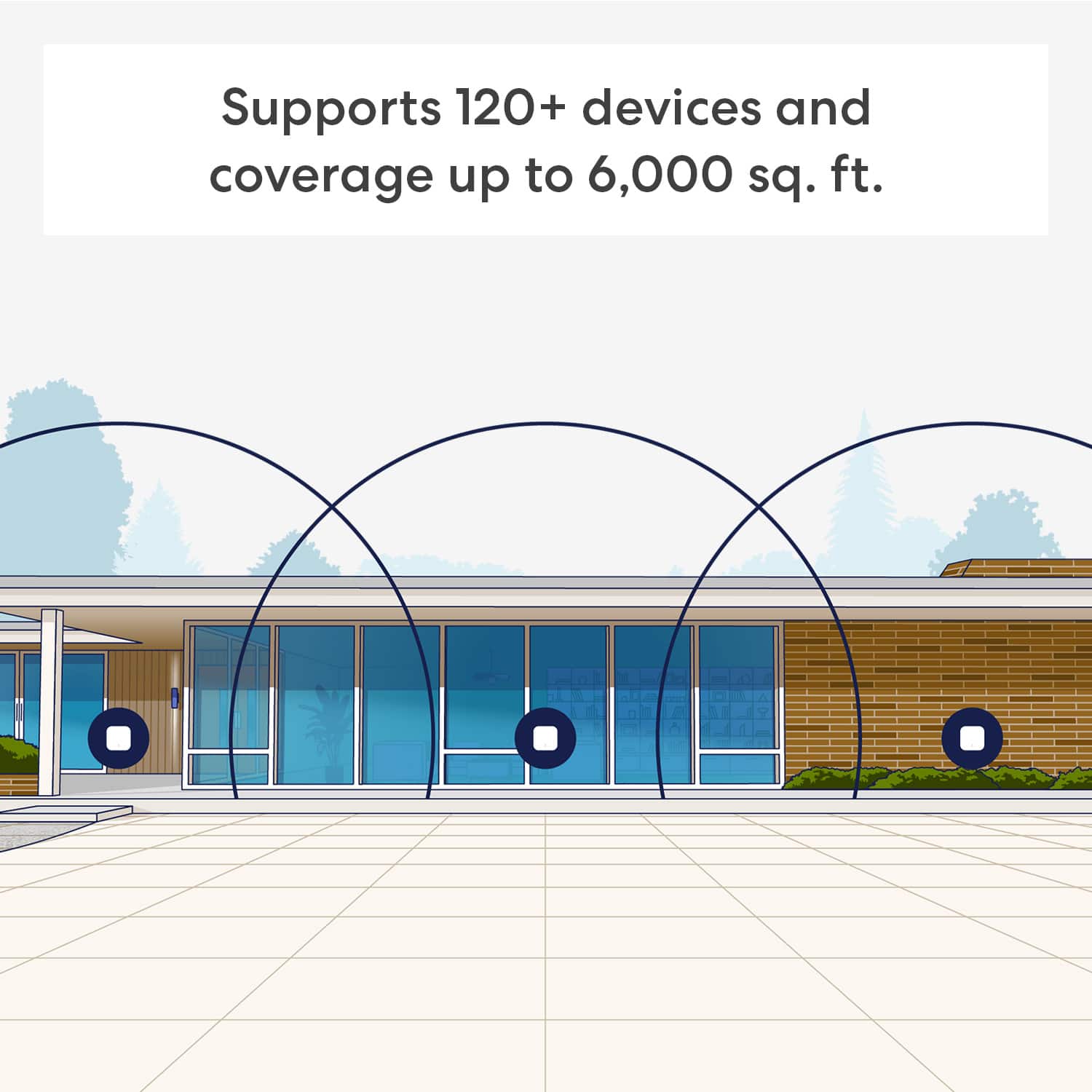
Customers commend the 7 Dual-band Mesh Wi-Fi 7 System (2-pack) for its extremely easy setup and reliable connectivity, resolving previous connection problems. Users also appreciate the system's great coverage, signal strength, and range throughout their homes. Furthermore, the compact size of the system is a plus for many users.
This summary was generated by AI based on customer reviews.
WiFi extender
||Posted . Owned for 1 month when reviewed.This reviewer received promo considerations or sweepstakes entry for writing a review.Good equipment perfect and easy to install I recommend to anyone
I would recommend this to a friendAwesome!
||Posted .This reviewer received promo considerations or sweepstakes entry for writing a review.Awesome mesh! I love eero! Eero 7 take my internet to the next level!!
I would recommend this to a friendeero mesh system
||Posted . Owned for 1 month when reviewed.This reviewer received promo considerations or sweepstakes entry for writing a review.love flexibility of placing in different areas of the house
I would recommend this to a friendNew with Eero
||Posted . Owned for 1 month when reviewed.This reviewer received promo considerations or sweepstakes entry for writing a review.Easy to install, works great. Had to pay to download the app.
I would recommend this to a friendBrand response from Amazon Devices Customer Support
Posted .Hi NoraS. The eero app is available for free download in the Apple App Store, Google Play, and Amazon Appstore. There are no required monthly fees or additional costs to use eero. I hope this helps. Have a great day!

Would buy
||Posted .This reviewer received promo considerations or sweepstakes entry for writing a review.Excellent love it and work as it should. I now have 6
I would recommend this to a friendit’s ok
||Posted . Owned for 1 month when reviewed.This reviewer received promo considerations or sweepstakes entry for writing a review.Good, a littlest bit complicated to set up, but it’s ok!
I would recommend this to a friendLess Than What I Expected
||Posted . Owned for 3 weeks when reviewed.This reviewer received promo considerations or sweepstakes entry for writing a review.The two satellites do not have very much coverage. I have one by our front window in living room and one by the rear window in the kitchen. Same floor. I still can't get coverage in the front or back yards, which is why I bought the model with three routers.
No, I would not recommend this to a friendEERO 7 Dual-band Mesh Wi-Fi System
||Posted .This reviewer received promo considerations or sweepstakes entry for writing a review.Working really well. Would recommend the product to others.
I would recommend this to a friendI recommend
||Posted . Owned for less than 1 week when reviewed.This reviewer received promo considerations or sweepstakes entry for writing a review.Works great and was easy to set up using the app. I’d buy again
I would recommend this to a friendBest product
||Posted . Owned for 3 weeks when reviewed.This reviewer received promo considerations or sweepstakes entry for writing a review.Best ever purchase i will recommend it to everyone
I would recommend this to a friendextender
||Posted .This reviewer received promo considerations or sweepstakes entry for writing a review.works great in older home. instructions to install could be better but there is customer support on the phone
I would recommend this to a friendRouter wifi7
||Posted . Owned for 1 month when reviewed.This reviewer received promo considerations or sweepstakes entry for writing a review.Great product but not want i needed for home network
I would recommend this to a friendEero 7
||Posted . Owned for 1 week when reviewed.This reviewer received promo considerations or sweepstakes entry for writing a review.Routers work great and the app to set them up was very easy to use
I would recommend this to a friendEero
||Posted . Owned for 3 weeks when reviewed.This reviewer received promo considerations or sweepstakes entry for writing a review.Works great all have or should need to say nothing else to say
I would recommend this to a friendRouter
||Posted . Owned for 1 month when reviewed.This reviewer received promo considerations or sweepstakes entry for writing a review.Router works as described, highly fast for WiFi 7.
I would recommend this to a friendThe best
||Posted .This reviewer received promo considerations or sweepstakes entry for writing a review.What can I say? You can’t go wrong with eero. Have them running in both of our houses.
I would recommend this to a friendThese extenders are awful!
||Posted . Owned for 1 month when reviewed.This reviewer received promo considerations or sweepstakes entry for writing a review.Our internet is worse now than with our old goggle ones. And to add the Xfinity repair guy recommended these and their terrible!
No, I would not recommend this to a friendBrand response from Amazon Devices Customer Support
Posted .Hello ShoeLover!
Thank you for your feedback on the eero 7. I'm sorry to hear that your internet experience has been worse since switching. That's understandably frustrating, and your experience matters to us.
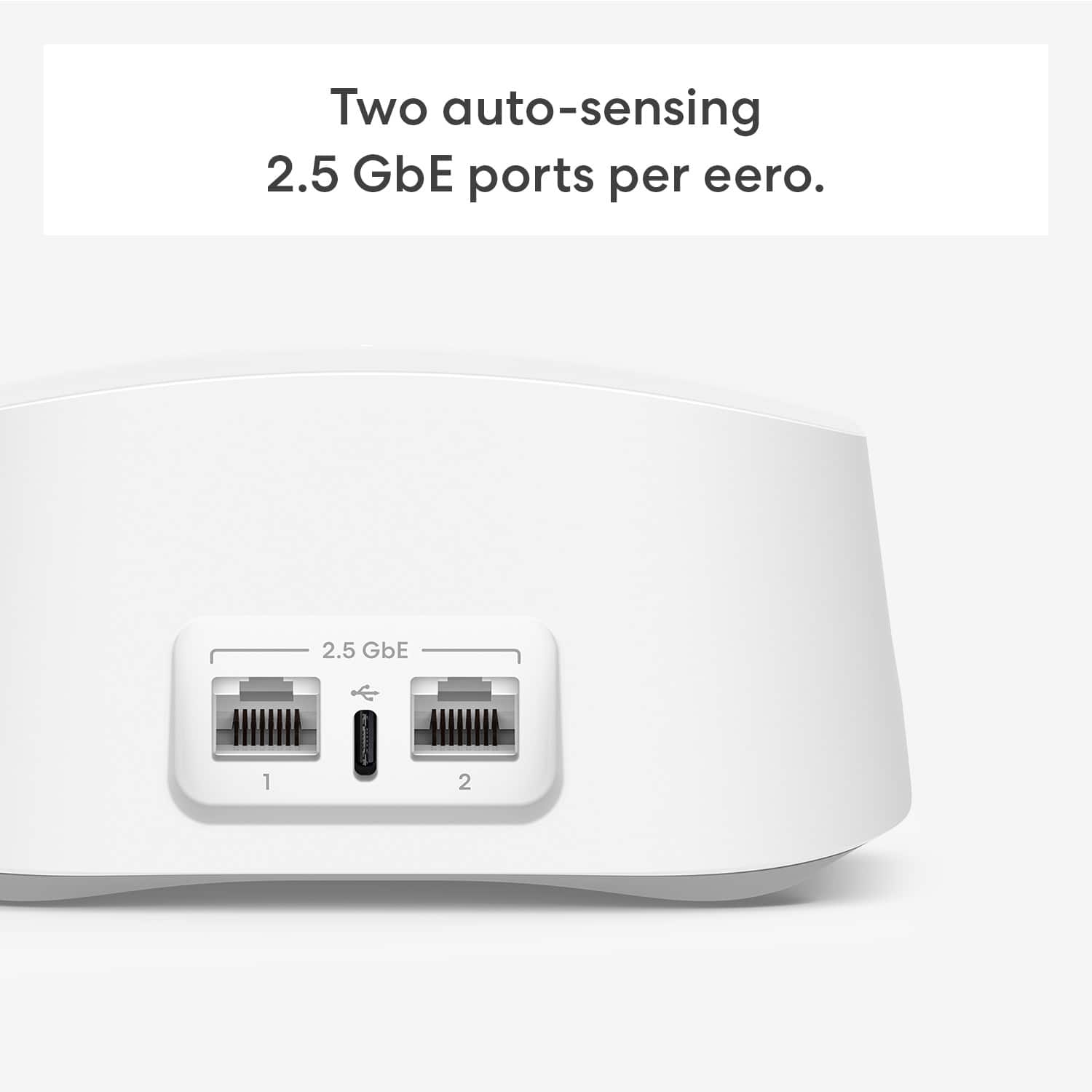
The eero 7 is a powerful dual-band Wi-Fi 7 mesh router with 2x 2.5 Gbps ethernet ports, designed to deliver fast, reliable whole-home coverage. The fact that your performance has declined compared to your previous setup suggests there may be a configuration or placement issue that can be resolved. Here are some steps that can help optimize your eero 7 network:
Placement and Setup
Place the eero gateway unit in an open, central location — avoid closets, cabinets, or behind furniture, as these block signal.
Ensure the eero is connected directly to your Xfinity modem (or gateway) via ethernet cable. If your Xfinity device is a modem/router combo, you may want to put it into bridge mode to avoid a double NAT situation, which is a common cause of slow speeds and connectivity issues.
If you have additional eero units, space them evenly throughout your home — ideally no more than one room apart from each other.
Troubleshooting Slow Speeds
Run a speed test within the eero app (Settings > Network Settings > Speed Test) to check the speed coming into your eero from your ISP. If that speed is strong but your device speeds are slow, the issue is likely with Wi-Fi coverage or interference.
Restart your eero network through the eero app (Settings > Network Settings > Restart Network).
Check for firmware updates — the eero app will notify you of available updates, and keeping firmware current is essential for optimal performance.
Reduce interference by keeping the eero away from microwaves, baby monitors, and other electronics that operate on similar frequencies.
Additional Optimization
eero's TrueMesh technology dynamically routes traffic through the fastest path, but it works best when nodes are properly spaced and have clear line-of-sight paths between them.
If your home is larger than 1,500 square feet, you may benefit from adding an additional eero extender to eliminate dead zones.
I hope this information helps. Thank you for your feedback, it helps us continue improving the experience for all customers. Have a great day!
Had hoped for better coverage
||Posted . Owned for 3 weeks when reviewed.This reviewer received promo considerations or sweepstakes entry for writing a review.The Eero application and options are great, however I purchased an eero 7 2-pack to provide wifi coverage across 2 levels of my home. The upload/download speed for the eero 7 further from the router (less than 25 feet) is less than 1/2 of the speed of the eero 7 closest to the router. I expected less degradation.
No, I would not recommend this to a friendBrand response from Amazon Devices Customer Support
Posted .Hi Dci1. Thank you for providing feedback regarding your experience with the eero 7 system. I'm sorry to hear about the speed issues that you're having. Here are some tips that may remedy your issue: 1. Place eeros where they can talk to each other. eeros should be no more than 50 feet away from another eero. 2. Place eeros on a hard, flat surface. 3. Keep your eeros out in the open. 4. Place your eeros high. Ideally at a height halfway between the floor and the ceiling. 5. Whenever possible, aim for direct line of sight between eeros. The fewer the walls between your eeros, the better. If this information doesn’t resolve your issue, call eero customer service at (877)659-2347. They’re available Monday-Sunday 6am-8pm PT. I hope this helps. Have a great day!
Not so good wifi extender
||Posted . Owned for 3 weeks when reviewed.This reviewer received promo considerations or sweepstakes entry for writing a review.Not so good wifi extender, my house is 2890 soft one single floor and the wifi is not good, I have a 1 GB internet connection, and this is not good
No, I would not recommend this to a friendBrand response from Amazon Devices Customer Support
Posted .Hi Leandroc. Thank you for providing feedback about your experience with the eero 7 system. I’m sorry to hear about the connectivity issues you’re experiencing. Strategically placing your eeros is the single most important step you can take to ensure your system provides fast, reliable WiFi to every room in your home. Here are some tips to follow: 1. Place eeros where they can talk to each other. 2. Place eeros on a hard, flat surface. 3. Keep your eeros out in the open. 4. Whenever possible, aim for direct line of sight between eeros. The fewer the walls between your eeros, the better. If this information doesn’t resolve your issue, call eero customer service at (877) 659-2347. They’re available Monday-Sunday 6am-8pm PT. I hope this helps. Have a great day!
Cannot Recommend
||Posted .This reviewer received promo considerations or sweepstakes entry for writing a review.These units do not have Ethernet lights, nor a printed MAC address - both are beneficial for easier troubleshooting (which was needed). Auto-Upgrade to new SW failed multiple times, causing hours of extra work. App tools fail more often than they works. I do not recommend this product.
No, I would not recommend this to a friendBrand response from Amazon Devices Customer Support
Posted .Dear JeffersonR,
Thank you for sharing your detailed feedback about the eero 7 mesh system, and we sincerely apologize for the frustrating experience you've had. The issues you've encountered are significant, and we understand how disappointing this has been.
You've raised several valid concerns that impact both setup and troubleshooting:
Hardware design limitations:
The absence of Ethernet status lights and printed MAC addresses on the units does make troubleshooting more challenging, especially for technically proficient users like yourself
Software and app reliability issues:
Multiple failed automatic software upgrades causing hours of additional work is unacceptable
App tools that fail more often than they work significantly undermines the user experience
These are serious technical issues that go beyond typical setup challenges. Given the severity of the problems you've experienced—particularly the repeated software upgrade failures and unreliable app functionality—we strongly recommend escalating this to eero's advanced technical support team at 1-877-659-2347. They have specialized diagnostic tools and can:
Investigate why the auto-upgrade process failed multiple times on your system
Review logs to identify app tool failures
Determine if there are hardware or firmware issues with your specific units
Potentially arrange replacement units if defects are identified
We genuinely appreciate you taking the time to document these specific technical issues. Feedback from experienced users like yourself is invaluable for identifying areas where both hardware design and software reliability need improvement.