Customer Ratings & Reviews
- Model:
- B011111
- |
- SKU:
- 6508365
Customer reviews
Rating 4.7 out of 5 stars with 4384 reviews
(4,384 customer reviews)Rating by feature
- Setup4.7
Rating 4.7 out of 5 stars
- Range4.7
Rating 4.7 out of 5 stars
- Signal Strength4.7
Rating 4.7 out of 5 stars
Customers are saying
Customers are pleased with the ease of use, coverage, and setup of the Pro Mesh Wi-Fi 5 System. Many appreciate the improved range, performance, and signal strength, resulting in a better overall experience. However, some customers find the price to be expensive, and a few have noted that the units can get warm. While some buffering issues were reported previously, the system largely resolves these problems for most users.
This summary was generated by AI based on customer reviews.
- Pros mentioned:Speed
Rated 5 out of 5 stars
Worth it
Posted .This reviewer received promo considerations or sweepstakes entry for writing a review.5 bedroom home, approx 5,000 sq feet and constant issues with wifi coverage. We needed to cover the back yard and pool area since there is equipment that is wifi controlled. This system solved all our problems with blazing speeds now! A bit pricey, but worth it.
This review is from eero - Pro Mesh Wi-Fi 5 System (3 eeros), 2nd Generation - White
I would recommend this to a friend - Pros mentioned:Setup
Rated 5 out of 5 stars
Amazing!!
Posted .This reviewer received promo considerations or sweepstakes entry for writing a review.We had moved our router, upgraded our router, upgraded our speed, bought other devices etc. The eero set up quickly, the interface is highly-intuitive and within minutes our maddening wi-fi issues were over. I only wish I had heard of the eero sooner!!
This review is from eero - Pro Mesh Wi-Fi 5 System (3 eeros), 2nd Generation - White
I would recommend this to a friend - Pros mentioned:SpeedCons mentioned:Price
Rated 5 out of 5 stars
The best Wi-fi System in the world PERIOD
Posted .This reviewer received promo considerations or sweepstakes entry for writing a review.I am writing this review only based on my experience I have tried many different routers like Linksys Velop Netgear Orbi Google Wifi and Amplifi HD non if them worked properly until I bought this system now its been 1 month since and all wifi problem are solved I have 150MB speed and never drops below 145 yes it is bit expensive but this system will solve the problem no more plugging and unplugging the router no more buffering no more dead spots this thing simply just works if you are shopping for wifi look no further get this system you will be glad you did.
This review is from eero - Pro Mesh Wi-Fi 5 System (3 eeros), 2nd Generation - White
I would recommend this to a friend - Pros mentioned:Speed
Rated 5 out of 5 stars
Great wifi
Posted .This reviewer received promo considerations or sweepstakes entry for writing a review.Great and fast wifi. Very strong connection throughout the entire house.
This review is from eero - Pro Mesh WiFi System (2 eeros), 2nd Generation - White
I would recommend this to a friend - Pros mentioned:Speed
Rated 4 out of 5 stars
Works Well But With A Caveat...
Posted .This reviewer received promo considerations or sweepstakes entry for writing a review.I purchased the Eero Pro Mesh WiFi System for our home. Our home is on the larger side and I was assured that this would be a good solution to replace our Nighthawk WiFi Extenders. The Eero system that I purchased was pretty expensive... over $500.00 dollars with tax so I was really hoping that the performance justified the price. When we got it home, it didn't take too long to set it up. I give kudos for the set up process as it is easy and fool proof. We located the main hub and the beacons in places in the house that would give the best coverage upstairs and downstairs. Initially the performance was good, but then we started to notice that the speed that we should have been getting was not what was being reported on speed tests. Also, one of the beacons downstairs was not able to provide sufficient WiFi signal to a room where we have a TV while we are on the treadmill. That made that TV pretty much useless. The other room that was important was where one of my sons plays video games in, and where I use my laptop primarily. The service was spotty and this was only about twenty feet from the primary hub. Please know, we did receive signal in that room, it was just not very strong. The beacon that was upstairs had to be relocated so one of my other sons could receive a strong signal for his computer and video games as well. After doing all that, we hoped that it would be sufficient for our needs. After about a week, I started noticing that I was losing WiFi signal on my phone, and my son was having the WiFi signal dropped in the middle of games that he was playing. This was happening downstairs. I went back to Best Buy and spoke to a store representative and he suggested that I needed to buy another beacon and have it in that room where we were losing signal. This cost me an additional $150.00 dollars, and what we wound up doing was once the beacon was connected, we connected it to both the TV and Xbox with ethernet cables so we could achieve the maximum speed. We now receive close to 200 mbps via that method. Speed tests on the laptop initial start high, but then they drop during the test to under 100 mbps. I do not understand why, but it is now better than it had been during the initial set up. I'm not sure if any other brand would work better, and I cannot say that I am dissatisfied. If anything, I wish that I would not have had to spend nearly $700.00 dollars for the system. Other brands have the same technology, and they are less expensive.
This review is from eero - Pro Mesh Wi-Fi 5 System (3 eeros), 2nd Generation - White
I would recommend this to a friend - Pros mentioned:Range
Rated 5 out of 5 stars
Rock Solid WiFi Throughout my Home
Posted .This reviewer received promo considerations or sweepstakes entry for writing a review.I rely on my WiFi. I do computer work remotely (and like to move around the house with my laptop), and my cell coverage is extremely poor, so I use wifi for calling/texting. So I need my wifi to be reliable and to have coverage all over my house. With eero I have that. I just love it.
This review is from eero - Pro Mesh Wi-Fi 5 System (3 eeros), 2nd Generation - White
I would recommend this to a friend - Pros mentioned:Range, Setup
Rated 5 out of 5 stars
The answer to all my network issues
Posted .This reviewer received promo considerations or sweepstakes entry for writing a review.Super easy and fast setup. For the first time I don't need range extenders and I am operating at my full range my internet provider provides. I have 13 devices hooked up at once and still getting great connection. This is the answer to all network issues. Best investment thus far. Sleek design no bright flashing lights. And easy to hide. Took less than 10 minutes to setup.
This review is from eero - Pro Mesh Wi-Fi 5 System (3 eeros), 2nd Generation - White
I would recommend this to a friend - Pros mentioned:Ease of use, Speed
Rated 5 out of 5 stars
Eero Pro Mesh Network Better than Promised
Posted .This reviewer received promo considerations or sweepstakes entry for writing a review.We were having terrible connectivity problems and the WiFi extenders didn't help much. Ordered the Eero Pro Mesh Network, Best Buy delivered within 2 days. Maybe overkill (we have three vs two units for 3200 sq ft) but solved all our problems. Speed is great. No dead zones. Speed is great. Set up was so very easy. Took 10 minutes. Highly recommend it!!!
This review is from eero - Pro Mesh Wi-Fi 5 System (3 eeros), 2nd Generation - White
I would recommend this to a friend - Pros mentioned:Speed
Rated 4 out of 5 stars
Way better than Google WiFi
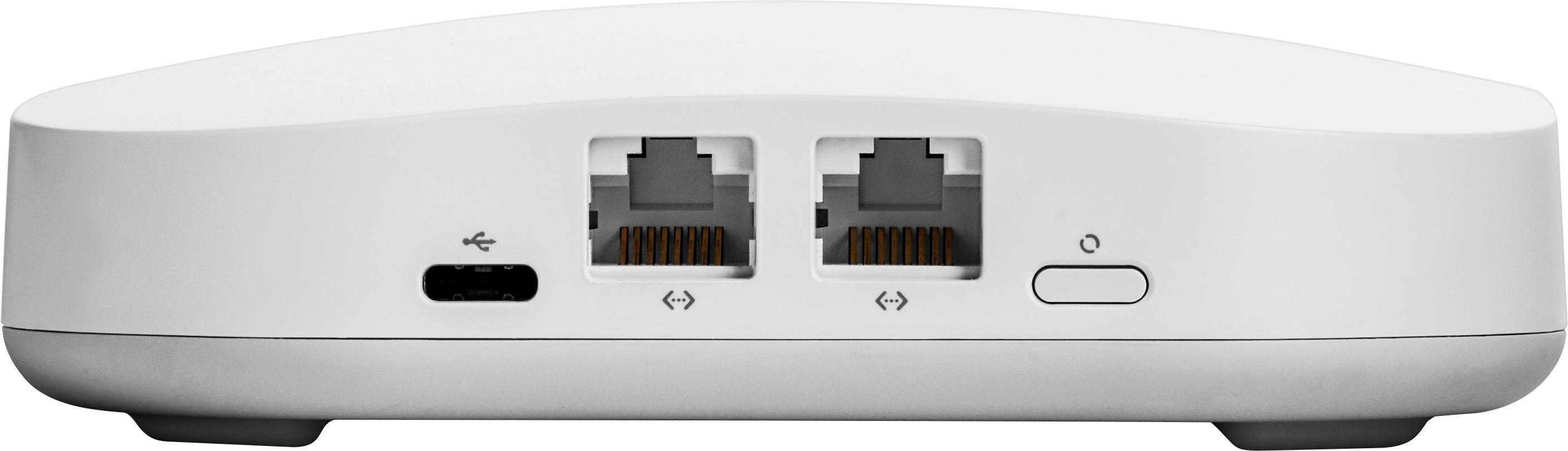
Posted .This reviewer received promo considerations or sweepstakes entry for writing a review.I previously had Google WiFi in my home and was very happy with the coverage. No drop-offs and great coverage throughout the entire home, including the back-yard (about 2,500 sq ft). I recently upgraded my internet speed from 200 mbps to 400 mbps and that is where the difference between Google WiFi and the 2nd generation EERO really kicks in. With Google WiFi, I got about 65-75 mbps on average with my wireless devices. The wired speed was way faster (consistently over 250 mbps). I switched to EERO and now my wireless speed on average is between 175 and 250 mbps. The third band makes a huge difference and I highly recommend this product for anyone with internet that is greater than 200 mbps. If your internet is slower than that, you are good with Google WiFi or similar products that are much cheaper than EERO. My only complaint is that there are limited number of ethernet ports on each EERO. If you want to hardwire specific devices (eg. I wired my XBOX and getting speeds in excess of 300 mbps), you are limited in the number of devices you can connect. However, the EERO comfortably manages the 20+ devices I have connected. Overall, great product if you are willing to look past the price-point. if the pricing is an issue, Google WiFi is a great, yet slower, alternative.
This review is from eero - Pro Mesh Wi-Fi 5 System (3 eeros), 2nd Generation - White
I would recommend this to a friend - Pros mentioned:Ease of use
Rated 5 out of 5 stars
Finally!
Posted .This reviewer received promo considerations or sweepstakes entry for writing a review.Eero, where have you been all my life?! We just installed the Eero system a couple of weeks ago and it has absolutely fixed all of our wifi problems. We have a 5000 sqft, 3 level house, Xfinity wifi comes in through our basement - we have the pro level 100mbps download speed. We've never been able to consistently stream even Netflix on the main level of our home, opposite side of the house where the network comes in the basement. Then we have 2 teenage girls who are constantly streaming. Our wifi was a disaster. Even the Airport Extreme we bought was useless. I did a little research on mesh wifi systems, and went to my local Best Buy with the intention of buying Orbi. The manager there talked me into Eero and said he used it in his own home and loved it. So Eero it was! We bought a new modem so we could stop renting from Xfinity, installed that, then installed Eero. Eero was super easy to install. First, you have to download the app and then it walks you through the entire process. It even tells you if you have selected a good spot for your satellite. We tried to put one Eero in our family room amongst all of our other TV components, but it didn't like that location, so we moved it on the other side of the TV and that worked perfectly. We can now stream throughout our home with zero problems - it's amazing! The guest network access is cool too. You can even limit wifi access for kids devices. Pretty cool.
This review is from eero - Pro Mesh Wi-Fi 5 System (3 eeros), 2nd Generation - White
I would recommend this to a friend - Pros mentioned:Ease of use
Rated 5 out of 5 stars
The Best
Posted .This reviewer received promo considerations or sweepstakes entry for writing a review.I purchased the eero pro because of the reviews about this second generation mesh router. I have had several WiFi dead spots in my home and I was not able to get satisfactory results from router extenders in my 1700 sq. foot home. I also had difficulty with loss of speed in several rooms that were the farthest away from my Apple AirPort Extreme Base Station. The eero pro was easy to set up and I now have WiFi speeds that are as fast as my home's wired ethernet ports (ports are not in every room). I also signed up for eero plus added security. Just be ready to empty your bank account, it's not cheap.
This review is from eero - Pro Mesh Wi-Fi 5 System (3 eeros), 2nd Generation - White
I would recommend this to a friend - Pros mentioned:Speed
Rated 3 out of 5 stars
Exaggeration of Specs
Posted .This reviewer received promo considerations or sweepstakes entry for writing a review.Very easy to set up and the app is great to monitor the network. Eero claims "Both 1st and 2nd generation eeros' max rated transmit speeds are about 240Mbps at 2.4 GHz and about 600Mbps at 5 GHz." My cable connection is 460-480 Mbps. At the Eero connected to the modem, speed test on a 5 GHz connection right next to the Eero is 271 Mbps. I set up another wireless router (disconnected the Eeros) and got 460 Mbps under the exact same conditions. I mention this because in the Eero website they blame the loss on the device, not their product. So I guess we can blame Eero for this one. I made three trips to Best Buy after doing a lot of research and each time, they pushed me away from the router section to the mesh section because of the size of my house. On the third trip, I finally gave in. Their big push was not just whole-home coverage, but passing devices off to the closest Eero hassle-free. I stated that I didn't mind switching my phone or iPad from a router to an extender (I have a Netgear 300 series wall plugin extender)...takes a few seconds. All of them (probably dealt with 6 salespeople throughout the 3 trips) said it would be seamless. That is NOT the case. I tested right at the main modem-connected unit and went to the furthest Eeros. My iPhone switched to 2.4 Ghz and stuck with the base unit (it sticks 100% of the time) even though the signal per the Eros app was one bar. I had to turn the phone completely off (turning wifi on and off does not work) to connect to the unit in the room. This doesn't always work, by the way. Eeros response in the forums is to blame, of course, the device itself as (to paraphrase) "the device has not caught up kept up with our technology". My new Samsung TV stuck to the mid-house Eeros after a reboot of the Eero right next to the TV. It will not connect to the closest Eero even after turning the TV off overnight. I will probably have to unplug it in order to establish a connection with the closest Eero. I guess Samsung has not caught up to 2-year old Eero technology either. Here are the test results from each Eero using a consistent 460 Mbps cable connection: Primary Eero (modem-wired) at 5GHz 271 Mbps down / 10.3 Mbps up / 12 ms ping This should be closer to the 460 Mbps, or at least 400 Mbps. From the middle house Eero at 5 GHz 176 Mbps down / 14.1 up / 15 ms ping. I would be impressed with the speed holding this level, but remember the number at the primary Eero should have been closer to 400 Mbps, so this should be closer to 300 Mbps Furthest Eero (35 feet line of site from Mid home Eero) at 5 Ghz 178 Mbps down /13.5 up / 16 ms ping This one I am impressed with as it is furthest from the upstairs base unit Eero and actually bested the mid home Eero. Used multiple devices to test throughput and chose the best numbers. Also did it at different times over different days to eliminate any other possible variances. If you just want plug-and-play and don't really care about the product meeting the specs they sold it on, go for it. I just wish the speed at the primary Eero met the promised "up to 650 Mbps" and the mesh network was much better at passing from one Eero to the next. Really tired of dealing with trying to force devices to connect to the closest unit. After all, the big selling point of spending this much over a regular router & extender was no-hassle passage of connection from unit to unit. Big fail on that one.
This review is from eero - Pro Mesh Wi-Fi 5 System (3 eeros), 2nd Generation - White
No, I would not recommend this to a friend - Pros mentioned:Ease of use
Rated 5 out of 5 stars
Couldn’t Be Happier
Posted .This reviewer received promo considerations or sweepstakes entry for writing a review.We’ve been having internet issues for years. I’ve tried everything... expanders, new routers, etc. we have a large house with two floors, stucco walls. I also have a recording studio 50’/60’ from the house. Going from the house to the studio or even just one floor to the next or room to room we’d have to switch networks. Plus the coverage was terrible. Over the holidays with all the new hi tech gifts and games, it became apparent that we’d been frustrated too long and asked our neighbor what he uses. He turned me onto the Eeros system. I have to say it was the easiest setup of any device of all time. I’m not kidding... it was actually fun. We went with the 3 hub setup. It has given us amazing wi-fi coverage. I was getting the best internet out in the studio ever. I decided to add an Eeros Beacon to see if it would speed up even more. The Beavon was having a bit of trouble connecting (due to the distance from the house). I called tech support and they had me plug it in inside the house and they registered it on their end. It worked! Spend the extra cash for this system. Best purchase ever.
This review is from eero - Pro Mesh Wi-Fi 5 System (3 eeros), 2nd Generation - White
I would recommend this to a friend Rated 4 out of 5 stars
64000 square feet with 8 eeros
Posted .This reviewer received promo considerations or sweepstakes entry for writing a review.I'm covering about 64,000 square feet with 8 eeros, providing WiFi indoors and outdoors for laptops, cellphones, desktops, and streaming video cameras. It's not perfect, and sometimes I cannot fathom why a device is connecting to an eero that is 100 feet farther away than a much closer one, and there's no way to display a map of the mesh that might give a clue as to why things are connected the way they are, but it is super simple to install a new eero, and they just seem to work. Much better than most of the other home automation technology. I am getting at least twice or 3 times the 40ft maximum distance shown in the specs on a few of my outdoor runs.
This review is from eero - AC Tri-band Mesh Wi-Fi 5 Router - White
I would recommend this to a friendRated 5 out of 5 stars
Eeros Pro Mesh is by far the best Wifi mesh system
Posted .This reviewer received promo considerations or sweepstakes entry for writing a review.I suffered through at least one year of the Lynksis Velop system with periodic dropped signals, inability to reconnect, slow speeds, extensive time on the phone with support, etc. It was a disaster and I finally sold 6 towers ebay for a huge loss. I then went to Best Buy and bought the Netgear Orbi which had great reviews. I have a 6800 sq foot home so I expected some areas to have a poor signal. I couldnt even get a signal in my basement with a Orbi unit there! I returned that since it was worse than my Velop. I decided finally, and after much frustration to go with the Eeros system. I considered the Google as well, but went with Eeros. Ive had it for at least 4 months and can say its absolutely perfect. I have 3 units and 2 beacons just to cover ever sq foot of the house. It works flawlessly. I cannot thank Eeros enough for having such a great mesh wifi system. I currently use it with Spectrum Cable and love it.
This review is from eero - Pro Mesh Wi-Fi 5 System (3 eeros), 2nd Generation - White
I would recommend this to a friendRated 5 out of 5 stars
Awesome Wifi, performance and stability
Posted .This reviewer received promo considerations or sweepstakes entry for writing a review.I never write reviews. After struggling with a Linksys Velop mesh wireless product for hours, I decided to return it for the Eero 2nd gen Pro. Sonos and 23 devices are working flawlessly. The application is slick, I had a few questions on configuration and support was excellent. I have 1 Eero Pro connected via ethernet and 1 Eero meshed, getting 210MB per second on a 200MB Comcast connection. Buy this product, you will not go wrong.
This review is from eero - Pro Mesh Wi-Fi 5 System (3 eeros), 2nd Generation - White
I would recommend this to a friend- Pros mentioned:Speed
Rated 5 out of 5 stars
Great upgrade to an already amazing product!
Posted .This reviewer received promo considerations or sweepstakes entry for writing a review.I used to have the original eeros when they first came out last year, and upgraded to this second generation product when I saw it in stores. Even when compared to the previous generation, my WiFi is now 30% faster and multiple members of my household can now stream Netflix in 4K while I play multiplayer games. The eero Beacon is also a nice touch, super compact, and I LOVE the nightlight. I cannot recommend this product enough - bought more as gifts for my family!
This review is from eero - Pro Mesh Wi-Fi 5 System (3 eeros), 2nd Generation - White
I would recommend this to a friend - Pros mentioned:CoverageCons mentioned:Heat
Rated 5 out of 5 stars
eero pro rocks
Posted .This reviewer received promo considerations or sweepstakes entry for writing a review.eero pro is super easy to set up and provides excellent WiFi coverage. The app is decent, but lacks adequate statistical information on usage, but I still gave it a 5 rating. The system could use more ethernet ports and runs surprisingly warm even when idle.
This review is from eero - Pro Mesh Wi-Fi 5 System (3 eeros), 2nd Generation - White
I would recommend this to a friend - Pros mentioned:Setup
Rated 5 out of 5 stars
High quality and simple
Posted .This reviewer received promo considerations or sweepstakes entry for writing a review.I tried out the Netgear Orbi, and while it had reasonable setup, the over-all software experience was a bit dis-jointed compared to Eero. The Eero setup only required my smartphone and its app took care of all configuration, unlike the Orbi which required a desktop browser to change anything beyond initial setup. The build quality of the devices is solid and there is no mistake of the care that went into the build compared to the Netgear Orbi. I just replaced a 9 year old Apple AirPort Extreme, and the Eero feels like something Apple would build if it were staying in the WiFi router business. I am very pleased with my purchase.
This review is from eero - Pro Mesh WiFi System (2 eeros), 2nd Generation - White
I would recommend this to a friend Rated 5 out of 5 stars
Great speed and coverage
Posted .This reviewer received promo considerations or sweepstakes entry for writing a review.Fast and provide great coverage for entire 5,000 sq ft house.
This review is from eero - Pro Mesh Wi-Fi 5 System (3 eeros), 2nd Generation - White
I would recommend this to a friend