Customer Ratings & Reviews


- Model:
- V010111
- SKU:
- 6556927
Rating by feature
- Setup
Rating 4.8 out of 5 stars
- Range
Rating 4.6 out of 5 stars
- Signal Strength
Rating 4.7 out of 5 stars
Customers are saying
Customers highly value the product's excellent speed, stable connectivity, and strong overall performance. They frequently praise its improved coverage, extended range, and better signal strength, which eliminates lag and buffering. A minor point of feedback from some customers is regarding its physical size.
This summary was generated by AI based on customer reviews.
- Pros mentioned:Coverage, Speed

eero Max 7 - The Future of Fast Wi-Fi
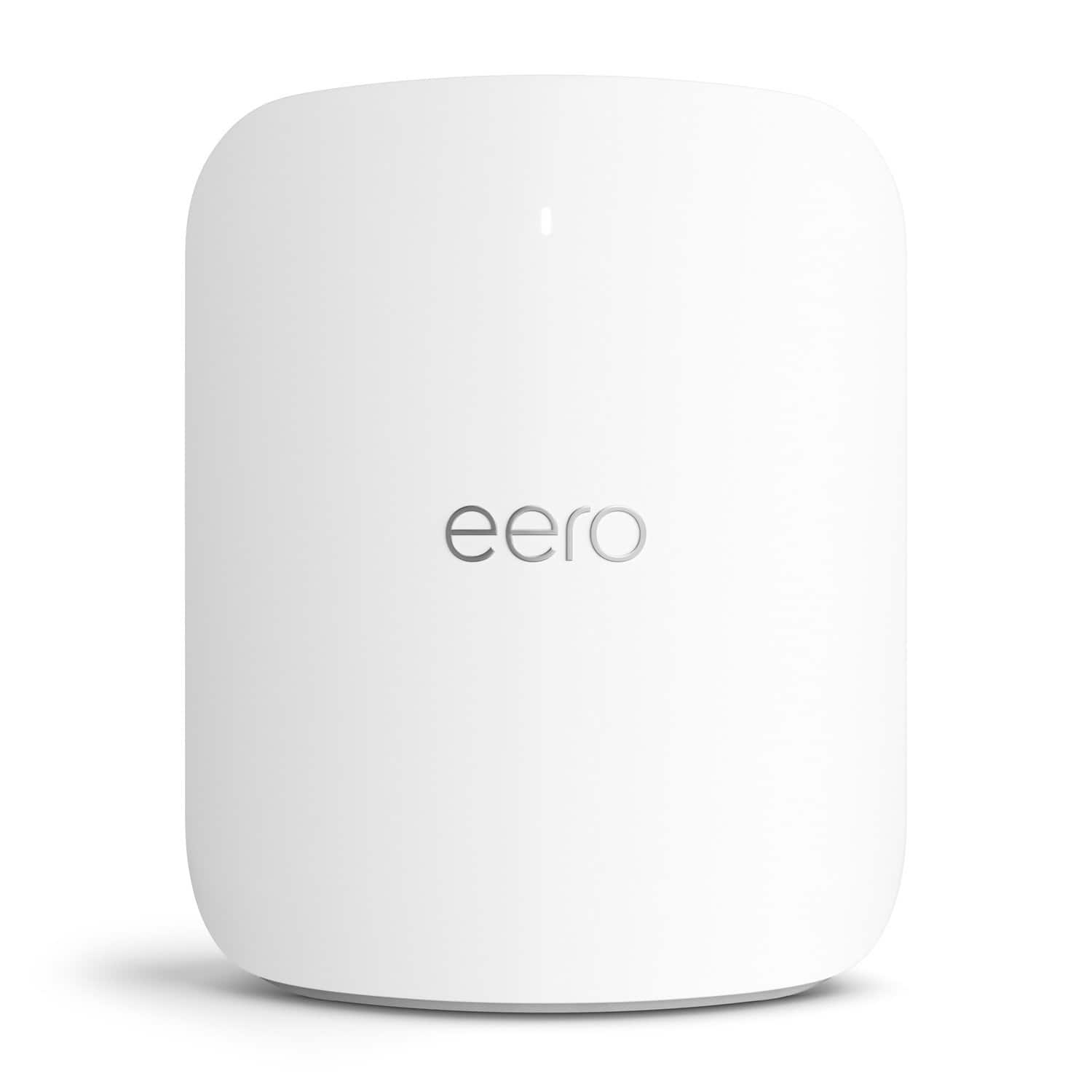
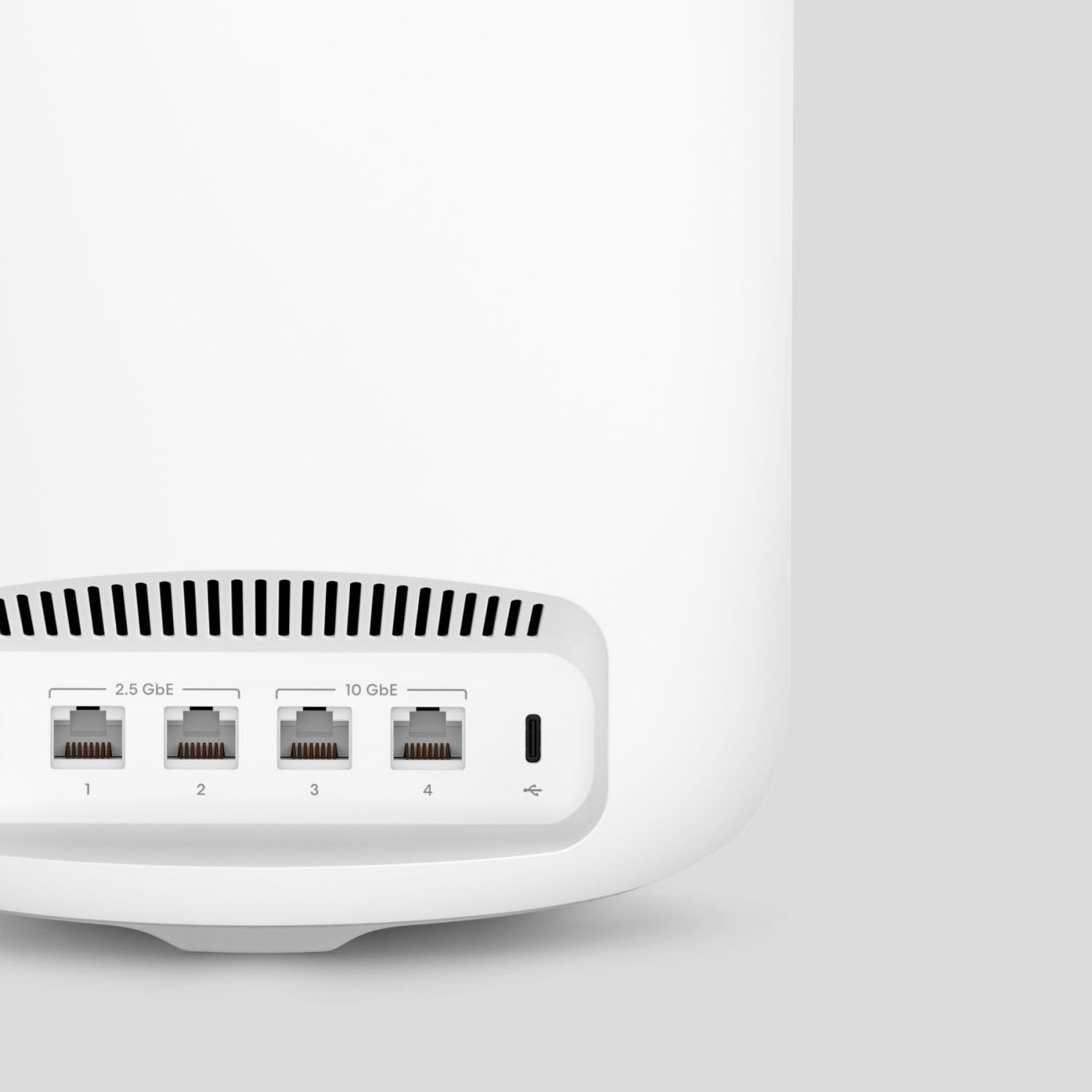
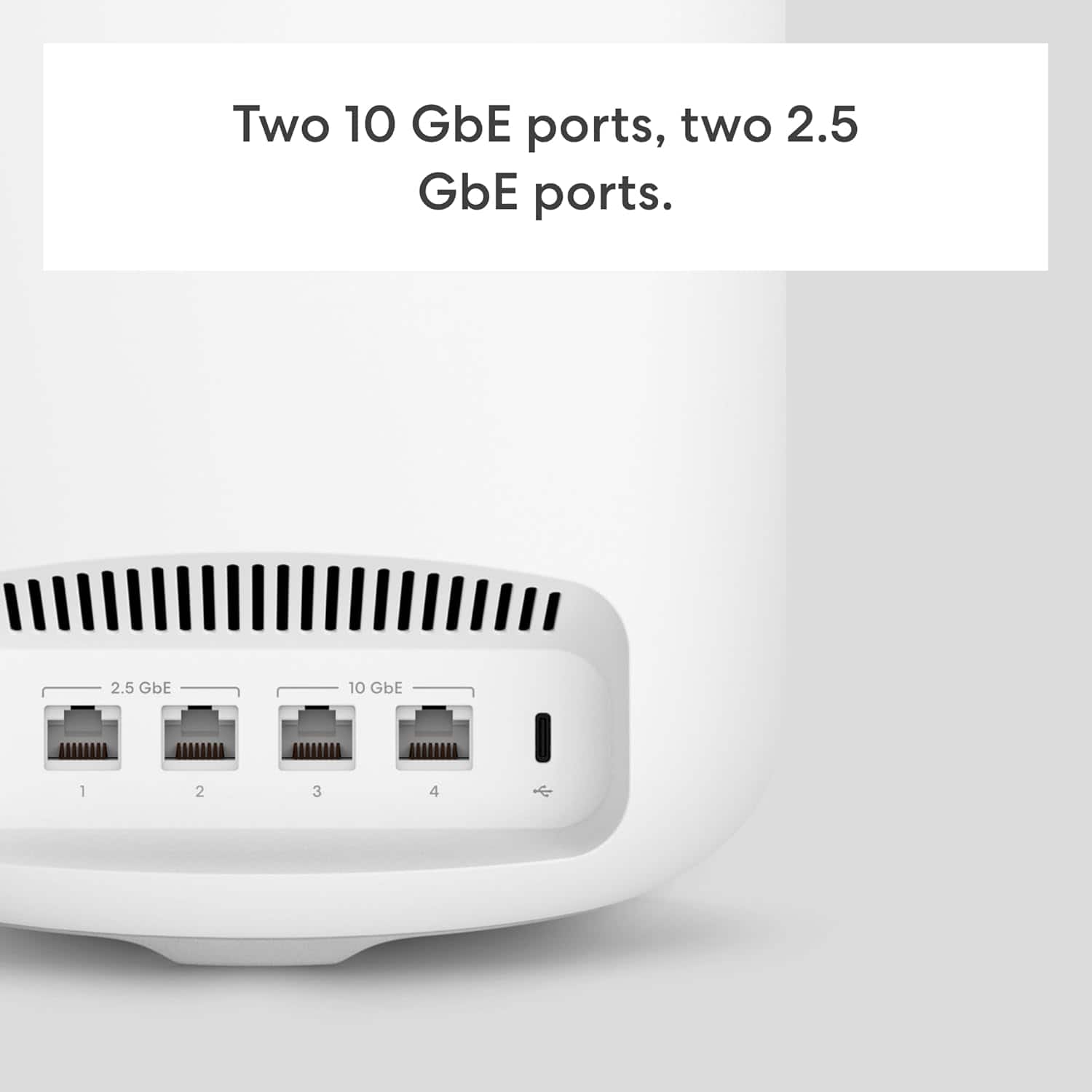
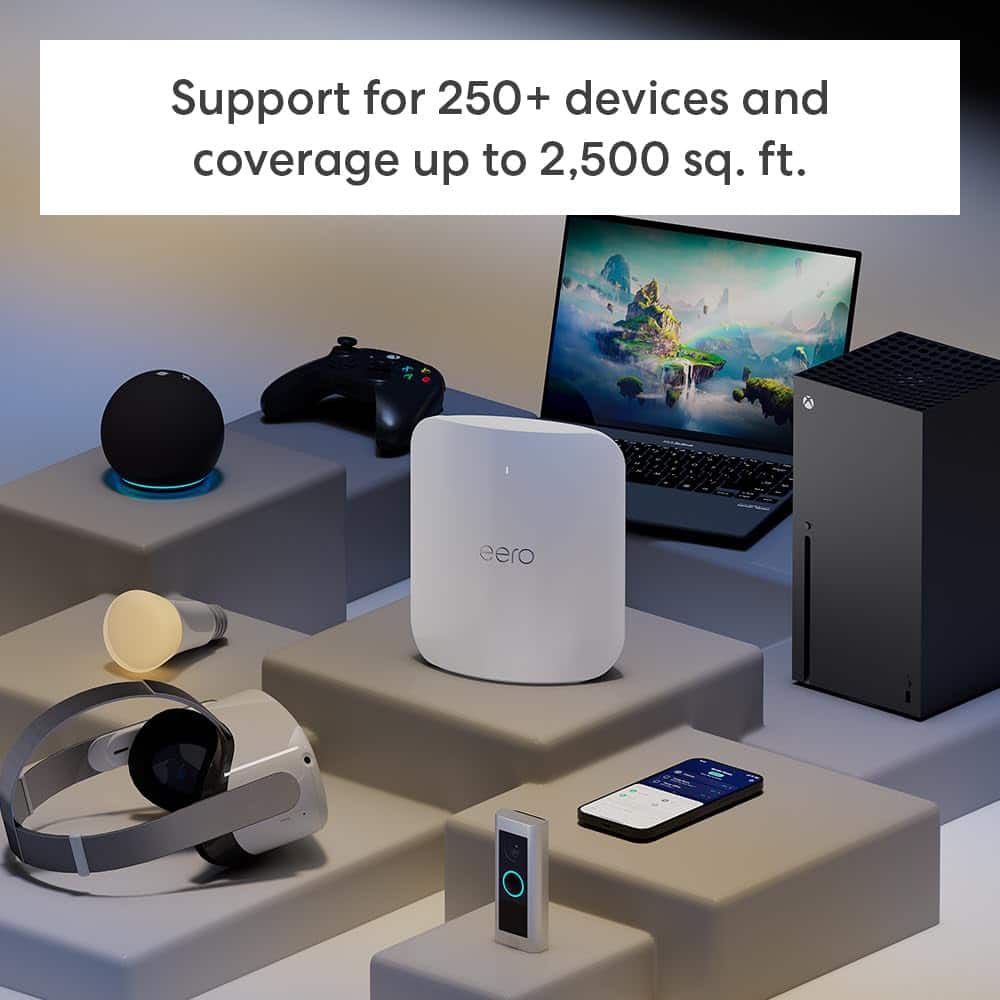
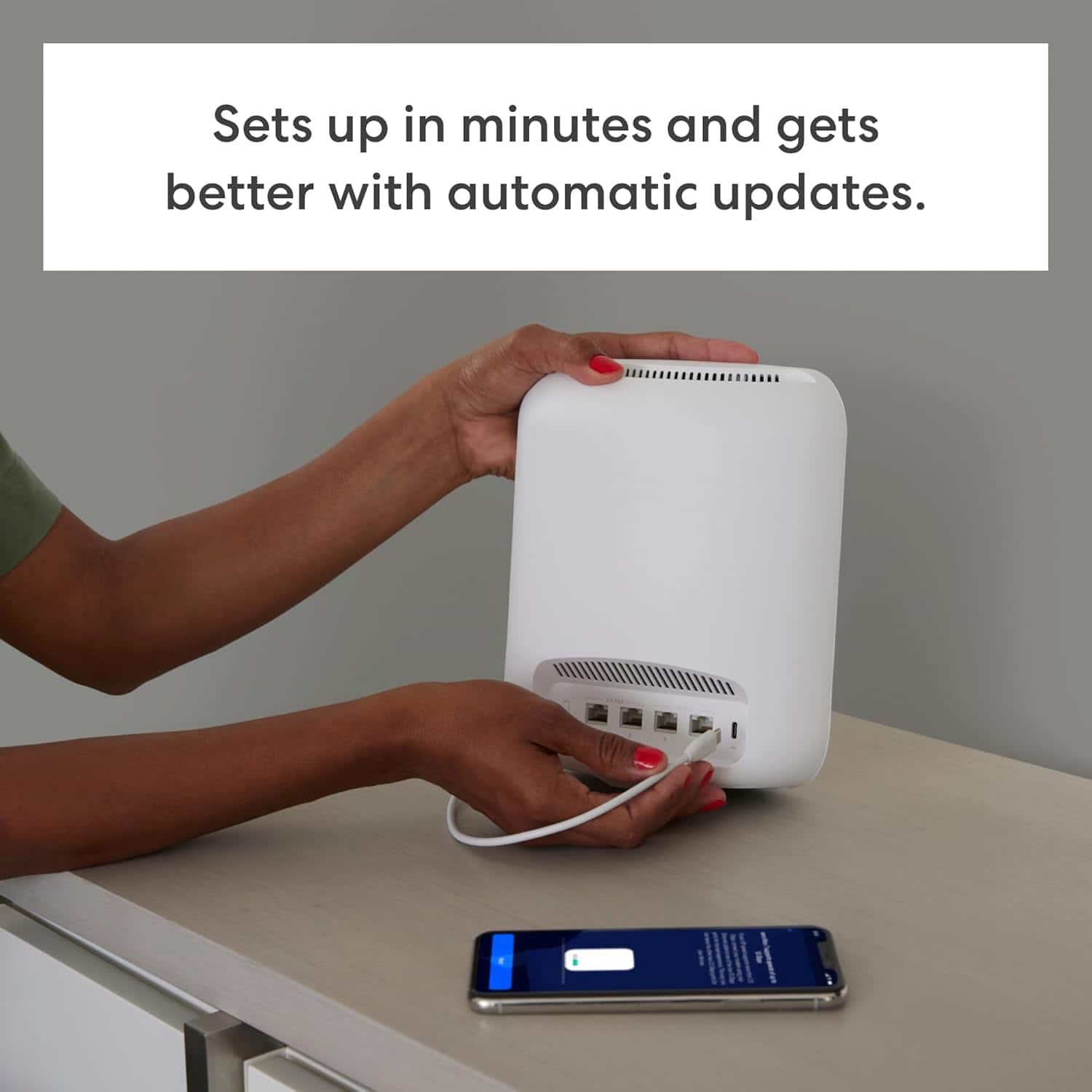
|Posted .This reviewer received promo considerations or sweepstakes entry for writing a review.The eero Max 7 Tri-Band Mesh Wi-Fi 7 Router is the newly released Wi-Fi 7 router to hit the market. It’s cutting-edge to the point that a majority of hardware today does not yet support the new standard. However, in a world that’s always looking to stay a step ahead in technology, the eero Max 7 is leading that charge! With all the included technology users will be pleasantly surprised at how easy these devices are to set up, mesh and begin using. Without a doubt, it was one of the easiest setups of any device added recently and was completed from opening the box to online in less than 10 minutes. I was replacing a wifi setup from a competitor and was expecting crossover issues, but this was not the case. All that’s needed is to download the eero app, connect the router(s) and walk through the installation process in the app. A single router covers 2,500 sq. ft. and additional routers can be added to cover up to 7,500 sq. ft. spaces. In my case it’s a two-router mesh setup and easily supports our 3,800 sq. ft. home with 32 devices currently supported. Setting up the multi-router system is a breeze and all done through the eero app. The eero app is also a great addition to the Max 7 system, with many features to manage your internet connection, users, routers, etc. It’s required for setting up and managing the system. The free version provides a plethora of settings and control features and eero also offers a subscription model with additional security, backup and parental controls to name a few. Overall Impressions – the eero Max 7 is a breeze to set up and once up and running it’s sort of a “set it and forget it” device. Firmware and software updates can be set to auto-update and the app will manage to network and report any issues. So these routers are FAST, they are built for speed, but for my needs what really shines is the coverage. I have multiple Wi-Fi cameras outside, a home office with multiple computers and peripherals and our personal devices (which add up quickly between laptops, tablets, watches, phones, etc.). The eero Max 7’s mesh coverage has not wavered since set up was completed. My previous system would often drop the outside cameras due to lack of consistent coverage. And yes these routers are fast as expected, speed tests have averaged 435 Mbps download and 13 Mbps upload speeds. Although as mentioned previously, a majority of devices don’t yet support the Wi-Fi 7 platform, I’m happy to know that this router will support our needs for many years to come! Pros: - Ease of set up and use with eero app - eero app is more than adequate and additional features are available through subscription - Fast, fast, fast and rock-solid mesh coverage - eero Max 7 is esthetically pleasing and fits into our home and office décor - Routers easily cover our 3,800 sqft home with mesh support between 2 routers - Four ethernet ports – 2 x 10 Gbe and 2 x 2.5 Gbe - Support for 100+ devices Cons: - Can only be set up on mobile device with eero app – not a concern for me personally - May be user error, but many devices on the network are listed as “Unnamed” in the app. The eero Max 7 Tri-band Mesh Router is the future of Wi-Fi and it’s here now! I would recommend them to anyone looking to update their home or small office wi-fi setup. They are fast, signal strength is rock solid, and they look great too!
I would recommend this to a friend - Pros mentioned:Connectivity
Great Coverage and Speed but Costly Subscription
|Posted .This reviewer received promo considerations or sweepstakes entry for writing a review.Overall the eero Max 7 mesh routers deliver great wireless coverage and fast throughput. Each node has two 10gb and two 2.5gb ports for Lan, backhaul and local ethernet connections. There is no usb connector for attaching a usb device but it does support Zigbee and smart home devices. The one negative with the eero Max 7 is the high subscription cost ($10 monthly or $100 yearly) to get parental control and access to more of the router’s performance data such as security statistics, blocked threats and scans against your network. There are other components included with the subscription but most of them aren’t necessary if you already own a total protection virus software. Setup and Performance: Setting up the eero routers were very simple and straightforward. After downloading the app on my iphone I decided to install the base station first to see how much of my house it actually covered. Using the same SSID and password allowed most of the devices to rehome without issue but some I had to power off and power back on to get them to connect. I was delighted to see that the new eero router actually provided better coverage than my older router. Next I put the remote eero in my office where I had a backhaul ethernet cable to the base station. I connected the two using the ethernet 10gb port and then added the second eero router in the app. Everything showed up correctly and the remote unit obtained the wireless credentials automatically. I have no way to verify this but the app shows that the backhaul connection between the two routers is connected at a 10gb rate. In my office I have an eight port switch which I connected to the remote eero router via the 2.5 gb ethernet port and all my devices worked as if they were directly attached to the base station with little to no delay or loss of throughput. I did several speed test to verify that connecting via the switch through the remote eero to the base station eero saw very little to no difference to connecting directly to the isp router. I have 1gb to the house and I was able to get speeds over 900 gb on my pc connected to the remote router which is connected via the backhaul cable to the base station so wired connectivity at 1gb rate is no issue. The wireless connectivity proved to be better than my existing wifi 6e router as well. Sitting within line of site I consistently would get low to mid 300 gbs on my existing router. With the eero Max 7 I would get in the mid 400 gbs which is a nice improvement. I did this testing using my iphone 15 Pro and a high powered laptop with both of them connecting using wifi 6e protocols. When testing with my older laptops using 802.11ac (wifi 5) the numbers dropped into the mid 200 gbs to 300 gbs depending on the distance from the routers. Overall I have seen an improvement in coverage as well as an improvement in speed from a wi-fi standpoint over my prior wi-fi 6e mesh router configuration. I do not have any wi-fi 7 devices yet but its nice to know that this router will work with them when I do upgrade the devices. Also because each router has multiple high speed ethernet connections on the back I have found that they are great for wired connection such as a connecting a NAS or a switch. App and Subscription: This is where I think the eero Max 7 loses a star. While the app is simple to use it limits the information that the administrator has to control and understand his network. To get more control and information beyond the basics you have to subscribe to a $10 monthly or $100 yearly plan. This means to have parental control or information on websites accessed by your children you have to pay a premium. The subscription does offer VPN and additional protection such as safe search, adblocking and anti-malware protection but if you already own a full protection antivirus software you don’t need any of this. Lastly the subscription does give you insight into the network traffic and activities of the routers which sadly should be included for free with every router.
I would recommend this to a friend - Pros mentioned:Coverage
Powerful and Fast!
|Posted .This reviewer received promo considerations or sweepstakes entry for writing a review.For years I’ve been trying to find a router that can be the perfect match for my internet provider. I’ve tried countless different routers, including the provided router from my internet provider and I continue to have inconsistent connection issues. I’m not quite familiar with eero but because of the Amazon brand reputation I thought I should give it a try. The delivery was id required to minimize miss delivery, and theft from porch pirates. It worked fine for me since I was home for the delivery. It was well packaged with thick cardboard and no damage to the contents inside. Taking the routers out the box I can feel the weight and quality. It t has a simple shape with a glossy finish that compliments my tv stand. I do think a black finish would probably be better since everything else is black but it looks good. Setting up the eero Max 7 was extremely easy for me. I allocated my Saturday to get it done but I had it all set up in just a few minutes. The eero app walked me through it all and it was a great experience. I did spend extra time to label the connected devices so I can see the activity and troubleshooting if I need to later. Most was labeled by eero so it didn’t take long to edit or add the rest of my devices description. So far I’m happy with the performance of the eero Max 7. I’m not noticing any connection issues between my devices and router. With my old router I often use to get issues with streaming and sometimes my smart home devices. The eero Max 7 seems to be handling the issue. In the app I was able to pause or terminate any device using my network. The app is easy and quick allowing me to make changes I see fit to protect my network. I love the speed test feature that lets me know what my internet speed is recommended for. I have my entire home covered and no dead zones. This is perfect for me in the future too because it is true mesh, wap3, WiFi 7, supports over 200 devices and much more. I can’t wait to have my family and friends over for the holidays to see how well it handles that many people using their devices. I know I’ll find more to love about the eero max 7 router. I truly recommend this to anyone looking for an upgrade to their router.
I would recommend this to a friend - Pros mentioned:Connectivity, Overall performance
Excellent Performance,App Features are Paywalled
||Posted . Owned for 3 weeks when reviewed.This reviewer received promo considerations or sweepstakes entry for writing a review.**⭐⭐⭐⭐☆ 4/5 – Excellent Performance, but App Features Shouldn’t Be Paywalled** I recently purchased the **eero Max 7 Tri-band Mesh Wi-Fi 7 Router (1-pack) in White**, and overall, I’m extremely impressed with its performance. The speed, stability, and coverage are easily among the best I’ve experienced. It delivers incredibly fast Wi-Fi throughout my home, handles multiple devices with zero lag, and sets up in just minutes. If you want strong, reliable Wi-Fi, this router absolutely delivers. That said, I do have one complaint: **the app’s advanced features are locked behind a paid subscription.** If you want content controls, activity monitoring, or any parental-type features, you must subscribe to **eero+**, which costs **$99.99 a year**. They give you two months free, but for a router in this price range, I feel like some essential controls should be included without an additional subscription. It would be great if eero offered at least a **basic free version** of monitoring or content management, especially considering this isn’t the cheapest router on the market. **Bottom line:** The hardware is fantastic and the Wi-Fi performance is top-tier, but the paywall on important app features holds it back from being perfect. If you’re looking for unmatched speed and coverage and don’t mind the subscription model, the eero Max 7 is an excellent choice.
I would recommend this to a friendBrand response from Amazon Devices Customer Support
Posted .Hi Dustin. Thank you for providing feedback about your experience with the eero Max 7 router. While I’m glad that you’ve been satisfied with the router’s performance, I also understand your frustration with the optional eero Plus subscription. eero Plus is a collection of premium networking features designed to enhance security and functionality of your eero network. In addition to offering several exclusive features that further upgrade your eero experience, eero Plus also includes access to services from our partners, such as password storage protection and VPN support. Much like eero, eero Plus will evolve and expand its feature set and capabilities over time. Your feedback is valuable for both potential customers and our product team. Have a great day!

- Pros mentioned:Overall performance, Speed
Best Router Ever
||Posted .This reviewer received promo considerations or sweepstakes entry for writing a review.The EERO mesh system is by far the best on the market. I had the EERO PRO 2nd gen which I purchased seven years ago and it still worked really good, but I upgraded to fiber and I wanted a router that could give me those speeds plus more. When I added the new EERO 7 MAX I called the customer service and they told me all I had to do was add the new EERO 7 MAX nodes and then connect one of the new nodes to my modem after adding the new nodes to my existing network, it would then become the new gateway node. That was how I was able to replace my router without having to change my network, I get about 1.2gbps upload and download from the main router (Gateway node), and I get about 800mbps upload and download from the extending nodes.
I would recommend this to a friend - Pros mentioned:Coverage, Speed
Most Stable Mesh System
||Posted . Owned for 2 weeks when reviewed.This reviewer received promo considerations or sweepstakes entry for writing a review.I’ve tried every other brand of mesh system, and by far, eero Max is the most stable. We have a 2,500 sq ft single story house with over 100 smart devices, cameras, tvs, laptops, phones and tablets. While no system is perfect this system has been stable and reliable. I would prefer more options to ‘tweak’ but I’m thankful for the stability. I have gig internet with Spectrum and I consistently get speeds over 900 on an iPhone and MacBook. In order to have the best coverage, 4 units were used throughout the house - moving then to different areas to balance the number of units per node. I like to keep 25-30 devices attached to each mode for best results.
I would recommend this to a friend - Pros mentioned:Coverage, Speed
Powerful mesh routers
||Posted .This reviewer received promo considerations or sweepstakes entry for writing a review.Really robust for medium to large homes. Meant for gigabit speeds+, this really gives you great coverage and the speeds are consistent at a reasonable distance. If you add other mesh nodes, (at minimum any of the 6e models) you should have no dead zones and speeds are extremely consistent at every corner of your house. Every house is different so you’ll have to figure out the best coverage for yourself. Having one of these is great for a decent single family home. If you have 3+ floors recommend getting one of these, and the cheaper 6E nodes and put on centralized on each floor. If you got the money to spend get all WiFi 7 nodes and go all out.
I would recommend this to a friend - Pros mentioned:Speed
Adequate but has limitations
||Posted . Owned for 1 month when reviewed.This reviewer received promo considerations or sweepstakes entry for writing a review.The eero Max 7 is generally adequate, and will likely work well for people who desire a plug and play setup and prefer to "set and forget". Advanced users will be left wanting, and it has too many limitations for my taste. For starters, there is no way to manage via browser, it's app only - the app itself is not well organized and is cumbersome. What's worse is you cannot see things like the current Wi-Fi channels unless you pay for/take advantage of their premium service (and still can not set channels - more on that below). I will say the premium add on did seem to block a good bit in the way of ads online, which is always welcome. Speeds close to the router or satellites were generally good, but dropped considerably at 15' to 20', so range is definitely limited (in fairness, I live in a 90+ year old home with plaster walls which is more of a challenge for coverage). I had planned to test out the Wi-Fi 7 MLO feature, but wound up returning the eero setup before turning it on. A few downsides: you cannot manually set Wi-Fi channels, the system does what it thinks is best. Which in practice is not always the desired choice - particularly in crowded environments where you may not want to use automatic channel selection. Also, the eero frequently would not use 5Ghz for dual band devices, often defaulting to only 2.4Ghz which offers subpar speeds comparatively - for example, this was true for all 3 of my Ring cameras, 2 of which were within 12' of the router, with the 3rd camera frequently failing to record events at all. All in all, for users who are looking for a simple solution that generally works well (and who don't care about advanced options) the eero Max 7 will suffice.
I would recommend this to a friend - Pros mentioned:Range
Eero max 7 wireless router
||Posted . Owned for 1 year when reviewed.This reviewer received promo considerations or sweepstakes entry for writing a review.Solid wireless router paired with new fiber internet. Extremely fast wireless speeds and good range as well. Have it set up as the main router with a repeater for the upstairs. Easy to work with app to set everything up and easy to pair with new routers.
I would recommend this to a friend - Pros mentioned:Coverage, Speed
Truly amazing and a home network game changer!
||Posted . Owned for less than 1 week when reviewed.This reviewer received promo considerations or sweepstakes entry for writing a review.After lots of skepticism, and reading through numerous reviews on multiple websites I took the plunge and I have to say I'm impressed. From the ease of the process and app, along with the coverage and speeds I'm impressed. Last time I tried an Orbi (3 node) in the 6E series it had large impacts to some smart home products and Orbi was pricy. And my Asus ROG Gaming Router (WIFI 6 1 node) was starting to act up after 4+ years. So I grabbed these EERO 7 MAX (3 node) to future proof and update the degrading hardware. As others say if you want all the fancy features to tweak settings this is not the way. However, I'm getting to the point with technology I want easier even though I work in the IT field. This is truly like an Apple setup, very easy and straight forward and things that just work! No issues, no hiccups and great coverage. Just having issues with one spot near a cinderblock garage with my phone at times but the cameras there still work great. I would highly recommend and you don't need to change anything and can quickly know the items on your network. I would immediately recommend to anyone especially if you can grab the bundle on sale!
I would recommend this to a friend - Pros mentioned:Coverage, Overall performance, Speed
Great Product!
||Posted .This reviewer received promo considerations or sweepstakes entry for writing a review.Absolutely amazingly fast speeds! Solid design and works very well. Coverage is phenomenal and ease of use with the app is wonderful. The 10 GB ports are great for super high speed. I have had all the Eero’s and this one by far tops them all.
I would recommend this to a friend eero Max 7 - Tower of Power - Styling - Impressive
|Posted .This reviewer received promo considerations or sweepstakes entry for writing a review.eero Max 7 has introduced Wi-Fi 7 in my home office, now to have a look into the near future of wireless networking. What I see is quite exciting and a far far away time from when we used phone cup modems (300 Baud - 30 bytes/s) and sneaker nets at home and in the office. Spoiler Alert - the eero Max 7 is a tremendous leap forward. First impression, the eero Max 7 is stylish and looks fantastic. I know, because my wife told me so and she appreciates that I swapped our entertainment center’s older black router with huge antennas for the eero. It does look amazing amid our techie entertainment system and blends smoothly with our décor. Box opening, the routers were bit larger than I thought from online pictures, apparently full of highly cool tech stuff. Setup. Most incredibly straight forward router installation that I have ever worked on, have performed hundreds of corporate, mid-small business and home router installations over the years. And of course, the ongoing maintenance of systems. Hands down, the eero installation with the app is the smoothest plug and play system I have ever had the opportunity to install. And that speaks volumes when compared to most router installations. The setup is simplified and believe any level of user would find they can easily install in their home network quickly and with little effort. It is really that easy. What is Wi-Fi 7? To put it into perspective, Wi-Fi 6 was a step-up increase in speed over Wi-Fi 5, Wi-Fi 7 on the other hand is all about heart pumping adrenaline-driven fast connections. In industry speak you have “802.11be EHT," for ‘Extremely High Throughput.’ That is what Wi-Fi 7 is, the fastest breakthrough in wi-fi technology since wi-fi was introduced in 1997. It is remarkable how fast and safely we can now transfer data through the air. We have several computers that have Wi-Fi 6e and we have excellent response rates with the new eero Max 7. One is a new Alienware laptop with Killer Wi-Fi 6e AX16190i 16-Mhz Wi-Fi adapter, running a steady solid 2.4 Gbps. My wife’s Dell laptop is also pulling a solid 2.4 Gbps throughout our home. Keep in mind when computers and devices are updated to Wi-Fi 7, they will be running at 4.3 Gbps!!! We’ll be waiting in line for the upgrades. How ever you cut it, 4.3 wireless is smoking fast. Run several sub-nets on our home network and switched over my entertainment center sub-net by simply unplugging the existing router and plugging in the eero. With DHCP running on the main eero all my equipment switched over automatically. The only issue I had was a TV and Dish Joey in one room which required a reboot to hook up with the configuration. Too easy. Notes: - With eero’s wired speed up to 9.4 Gbps the wired network will be quick. An understatement. - One eero provides 2500 sqft of coverage - Two eero’s provide 5000 sqft - Three will be 7500 sqft - Supports Bridge Mode - Ethernet Standard 10/100/1000/2500/10000 - Frequency Band 2.4 GHz, 5.0 GHz, 6.0 GHz - Wired Backhaul - “Also known as Ethernet backhaul or backbone, this capability can be enabled to directly wire a secondary (mesh) router or satellite to the main router via Ethernet cable. This connection allows for faster and more stable data upload.” Wired Highly Effective - * First tested the two Router Nodes wirelessly from one side of home to the other – speed was incredible - eero Max 7 App is exceptionally well deigned and intuitive Other Notes: - Cables are short - ethernet cable 3” - power cable 5” - Lack of Web Interface - Closed System - Must use app - No Firewall (that I am aware of) but with subscription there is offer of security? The first router that I’ve worked on that placed paywall in front of security. I am a power user with an extensive state-of-the-art network and sub-nets running in an environment that sports five routers and five switches to manage/process our data requirements. Our new two node eero Max 7 quickly found a way into our network displacing a three-router mesh system. Besides the sheer power and cutting-edge technology of the Max 7 was how easily I was able to join the router to our network. The Max 7 has some serious smarts and programming built into the gorgeous case. When joining the eero Max 7 to our complex Entertainment and Internet of Things (IoT) sub-net, which is the net my wife uses, the system just snapped into place. Anyone considering taking the dive into Wi-Fi 7, along with future proofing your system and running at the cutting edge of speed I would recommend having a long look at the eero Max 7.
I would recommend this to a friendIt does what it’s supposed to
||Posted .This reviewer received promo considerations or sweepstakes entry for writing a review.Easy to set up and get it started however still trying to learn how to maximize its potential. Square footage wise it should catch throughout my entire house but it is still spotty on some areas.
I would recommend this to a friendBrand response from Amazon Devices Customer Support
Posted .Hi RachelC. Thank you for providing feedback about the eero Max 7. I'm glad to hear that the setup process went smoothly for you. Each eero Max 7 router provides coverage up to 2,500 sq. ft. Depending on the layout of your home and the materials used in its construction, more eeros could be needed. Make sure to place your eero on a hard, flat surface, and keep it out in the open. If you have questions about optimal placement for your specific home layout or need assistance with network configuration, eero Support is available at (877) 659-2347 7 days a week 6:00 am – 8:00 pm PT. I hope this helps. Have a great day!
- Pros mentioned:Range, Speed
LOVE it, so happy I switched from Orbi 960
||Posted . Owned for 1 month when reviewed.This reviewer received promo considerations or sweepstakes entry for writing a review.I've waited for a few months before I write this review as I want to make sure I was completely satisfied, and Eero Max 7 didn't disappoint! I'm so grateful for it and so happy that I made the jump from my previous Orbi 960 Series which was a $1500 (3-pack) and bought an extra satellite. My Orbi was constantly disconnecting from one satellite to another and I had to constantly restart the device which made my life miserable. I was hesitant to change as Eero wasn't a cheap replacement, but boy I was glad that I finally changed it. I've been using it for couple of months now and there's been LITERALLY ZERO disconnection from them. Not only that the range and the speed are working exactly how it described. I'm so happy I switched to Eero and would totally recommend this product to anyone. If you are looking for a solid stable connection, massive range, and high speed internet environment for your home, this is a must buy.
I would recommend this to a friend - Pros mentioned:Connectivity
eero Max 7 Tri-band review
||Posted . Owned for 1 month when reviewed.This reviewer received promo considerations or sweepstakes entry for writing a review.We struggled for months with getting anywhere near the 1Gb throughput on our devices that we subscribe to with Spectrum's highest-speed router. We tried their range extender but it didn't make any difference. We installed the eero and immediately saw our bandwidth at the edge of our coverage area go up to over 650Mb and even up to 1Gb at times. Plus, we didn't have to re-connect every one of our 30+ devices to a different router - the eero took care of connecting them. Although the 3-pack is somewhat expensive, the purchase was well worth it for the trouble-free service we're getting from those devices
I would recommend this to a friend Good speed but too locked down at this price
|Posted .This reviewer received promo considerations or sweepstakes entry for writing a review.Out the box I was impressed with the design and look of this router. I was very hopeful and impressed with the performance in the same room or even a room or two away but as I moved to the opposite side of my upstairs the performance drops significantly from averaging 600 Mbps on my phone down to 250 Mbps at best. From a wired perspective the 10 Gbps ports really do allow for full speed of your ISP with me consistnely getting the advertised 1 Gbs up and down with my AT&T Fiber connection. Within the house when wired I was able to consistenly hit 950 Mbps download and wireless with my gaming desktop 680 to 700 Mbps. I also put the additional node downstairs in my living room and had it hardwired via one of the 10 Gbps ports back to the one setup as a router and consistenly get 600 Mbps from my phone in the same room but where this Node rally fell short for me was when I went outside on my back porch. I have a TV outside on my porch and before wiht my old Linksys WiFI 6 router with multiple nodes I could easily stream to my 4K Fire Stick with 130 Mbps but with these I only get 25 to 30 Mbps and have incurred more buffering issues since putting this setup in place. For this price point my biggest complain or gripe is the fact that many of the "Premium" features are blocked behind a pay wall. At this price point I was not expecting to have to pay even more for premium features. It also has NO WEB INTERFACE. This setup isn't aimed at more computer savvy people being that it is locked into only a phone app to do all the configuration. I also haven't been able to get the Router to take my custom IP settings so I could easily have my other devices and static ip devices on the same subnet. Pros: - 10 Gb's ports and wired and in room speeds are great - Smaller and stylish loking without any protruding external antennas - Use of other newer generation Amazon Echo Dots to extend your network coverage and mesh Cons: - Premium features locked behind a pay wall - No web interface to configure and make edits to the network - No USB interface to allow for external hard drives to be plugged - Speed through external walls diminishes extensively unless you have a node right next to a window or the external wall - Only 4 wired ports on the back of the router - Overpriced still even as one of the first in this generation of WiFi 7 routers Overall it has good speed but power user features still locked down or behind a paywall is a bit of a slap in the face for a router at this price.
No, I would not recommend this to a friend- Pros mentioned:Connectivity
Best System on the Market
||Posted . Owned for 2 months when reviewed.This reviewer received promo considerations or sweepstakes entry for writing a review.I’ve tried every version and manufacturer of mesh routers and I must say that eero has far exceeded my expectations! With over 100 devices connected to WiFi, eero was the only system that would maintain a reliable connection. While I understand that no mesh network is perfect, this is by far the closest I’ve found. Overall, I’m very pleased. Single story house with 2500 sq ft. 4 eero Max 7 routers. Over 100 devices evenly distributed over the 4 routers. Routers are connected wirelessly. Internet service 500mb and get full speed with wireless devices.
I would recommend this to a friend - Pros mentioned:Speed
Solid Router Minus Coverage Range
||Posted . Owned for 1 month when reviewed.This reviewer received promo considerations or sweepstakes entry for writing a review.I loved the WiFi and Ethernet speeds on this router. The Eero app interface is easy to use and looks great. Setup is very easy. Signal strength is good. My only gripe is that the coverage range isn’t as great as I had expected. I did a lot of research on this router before getting it, and the range fell short on what I read. Definitely not enough for a 3000 sq ft home. You’ll want to get another Eero for extending the network if you want full satisfaction. All-in-all, for the price I wouldn’t recommend it. Once the price drops a bit, then it will be a thumbs-up.
No, I would not recommend this to a friend - Pros mentioned:Connectivity, Coverage, Speed
Best eeros to date!
||Posted . Owned for 1 week when reviewed.This reviewer received promo considerations or sweepstakes entry for writing a review.I upgraded from a setup with three Eero Pro 6e routers to two Max 7s, and they have been great. It has better overall coverage and speeds, and I love having additional network ports on the back. I'm getting almost one gig over Wi-Fi when close to the routers.
I would recommend this to a friend - Pros mentioned:Range, Speed
Lightning Fast
||Posted . Owned for 2 weeks when reviewed.This reviewer received promo considerations or sweepstakes entry for writing a review.Purchased these to replace Eero 6 Pro. Set up was easy as can be with the app. Great range and superfast. Getting wifi download speeds in excess of 1gig.
I would recommend this to a friend