Save up to 50% on 3-Day Sale deals.Ends 12/14.Shop now

Skip to content
Gift Ideas
Main Content

Customer Ratings & Reviews
Your price for this item is $1,579.00
The comparable value price is $1,699.99

Customer reviews

Rating 4.6 out of 5 stars with 286 reviews

Rating Filter

Rating by feature

  • Setup

    Rating 4.8 out of 5 stars

  • Range

    Rating 4.6 out of 5 stars

  • Signal Strength

    Rating 4.7 out of 5 stars

88%
would recommend
to a friend
The vast majority of our reviews come from verified purchases. Reviews from customers may include My Best Buy members, employees, and Tech Insider Network members (as tagged). Select reviewers may receive discounted products, promotional considerations or entries into drawings for honest, helpful reviews.
Page 14 Showing 261-280 of 286 reviews
  • Rated 1 out of 5 stars

    Router

    |
    |
    Posted . Owned for 1 week when reviewed.
    This reviewer received promo considerations or sweepstakes entry for writing a review.

    Over priced not worth the money on a 4000 ft home you need 3

    No, I would not recommend this to a friend
    • Brand response from Amazon Devices Customer Support
      Posted .

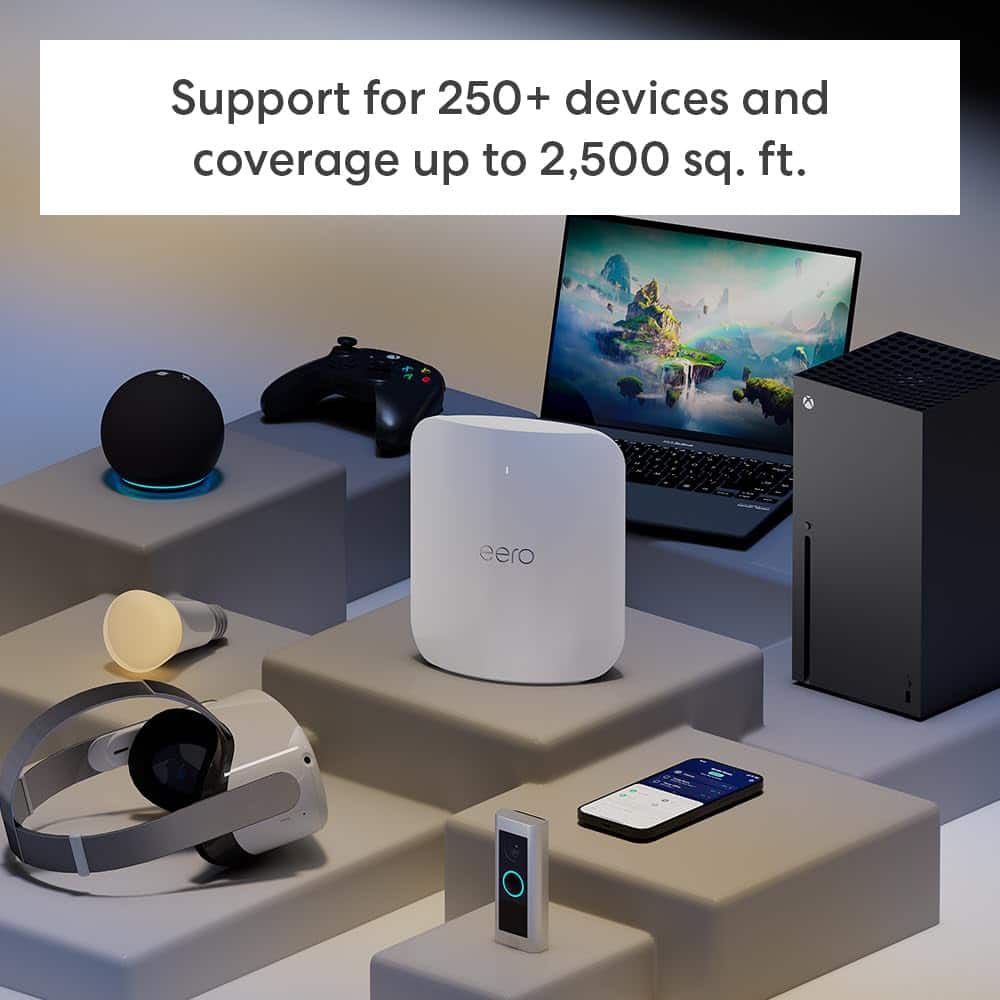
      Hi RobertA, thank you for providing feedback regarding your experience with the eero Max 7. I am sorry to hear about your dissatisfaction with the eero Max 7. Each eero Max 7 router provides coverage up to 2,500 sq. ft. in a 4,000 sq. ft. home, you would need at least two eeros. Depending on the layout of your home and the materials used in its construction, more eeros could be needed. We appreciate your feedback. Have a wonderful day! AmazonDevices

  • Rated 1 out of 5 stars

    Drops signal Constantly

    |
    |
    Posted . Owned for 1 week when reviewed.
    This reviewer received promo considerations or sweepstakes entry for writing a review.

    I upgraded to these because I love my other eero mesh system. Never had them drop unless the internet went down. These drop at least 2-3 times an hour and sometimes wont come back up for 30-40 mintues. Thought with the price these would be flawless, I thought wrong...

    No, I would not recommend this to a friend
    • Brand response from Amazon Devices Customer Support
      Posted .

      Hello, Cliff! I'm sorry to hear about the issues you're having with the Eero Max 7. I understand how frustrating a dropped signal can be. I recommend power cycling your eeros by unplugging the power cable from the back of your eero, waiting 30 seconds, and plugging it back in. This step can sometimes fix connectivity issues. The eero's LED will turn solid white, then flash white while booting up. It takes about a minute to start up and begin broadcasting. You'll know when the cycle completes because the eero's LED will go solid white again. Restarting your modem can sometimes fix connectivity issues and improve performance. Unplug the power cable from your modem, wait 30 seconds, then plug it back in. Depending on the model of your modem, it can take a few minutes to restart. If you've got another router or a modem/router combo device double NATed to your eeros, this could be the cause of poor connectivity and performance. If you have a modem/router combo device, you can try putting it in bridge mode, which disables the wireless function on that device. If these steps don't help, or if you need additional assistance with these steps, call eero customer service at 877-659-2347. They're available Monday–Sunday 6:00 am – 8:00 pm PT. I hope this helps, have a great day! AmazonDevices

  • Tech Insider Network Member

    Rated 5 out of 5 stars

    Best Mesh System Ever

    |
    Tech Insider Network Member
    Posted .
    This reviewer received promo considerations or sweepstakes entry for writing a review.

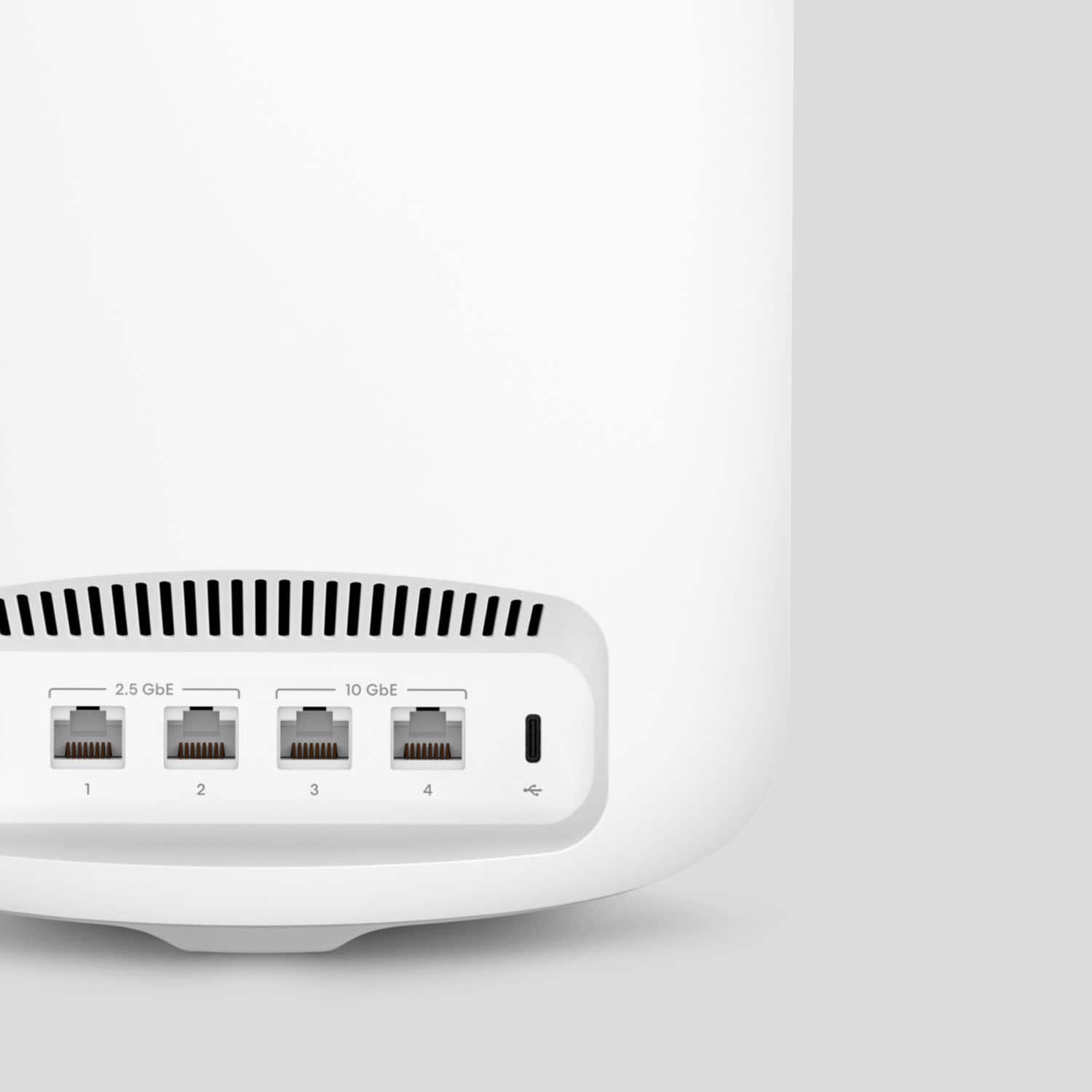
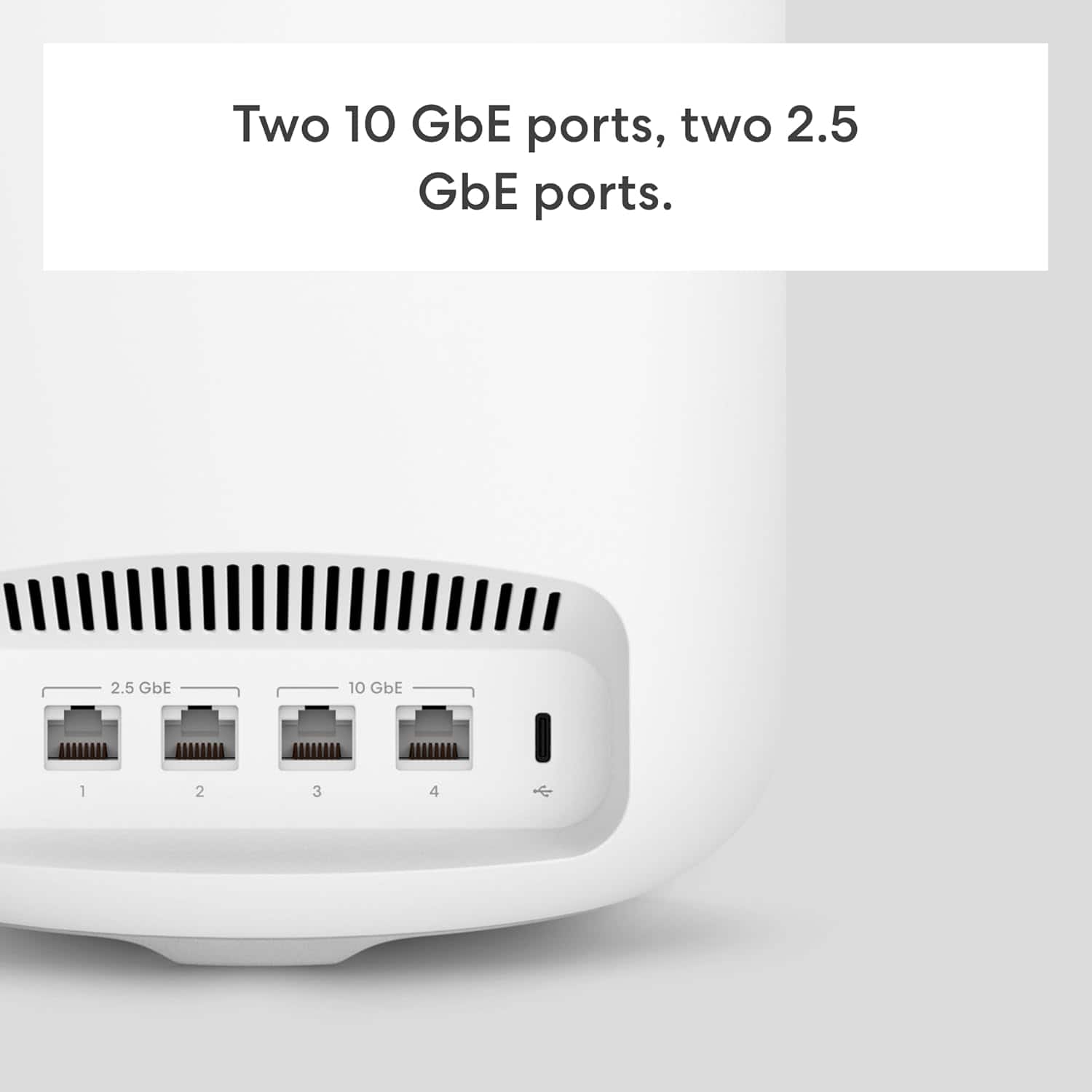
    Important things first: WiFi 7. So this is a future proof as most current devices will only connect at WiFi 6 speeds which is still plenty fast for most needs. Also 4 ethernet ports on each router-2.5 and 10 Gbe for super speed connection. Ultra High Performance for any task or gaming preference. Up to 5000 sq feet on The 320 MHz channel. Set Up was surprisingly easy and super fast. This is the first of several mesh systems That I have used where setup was almost automatic. It took very little effort. I kid you Not, was up and running in less than 2 minutes with no headaches. I set up with my Current custom ssid and password credentials and everything connected and auto Configured to the router. The only changes I needed to make were more of a preference. I noticed some of my devices connected at 2.4 Ghz and I prefer 5.0 Ghz. I was looking More for speed rather that distance. Speed test’s proved its worth. I tested from the corner of my basement which is Approximately 300 feet away from the router and found I connected at my full ISP speed +50 download and my full expected upload speed. After approx. 1 week of use I have found a consistent connection for all devices ( 10 devices ) I have an app TV so it was very important for a consistent connection as I do not have a cable provider. You will find that these mesh units are somewhat heavy which I like, makes them feel like quality units that are well built. The packaging also provides a quality experience. The included ethernet cable is of a nice quality also. The app works great and allows you to block users or intruders. For more advanced features such as security or VPN you will need to have a monthly or yearly Subscription and can be set up though the app. This has been the best user experience for me using a mesh system. Easy setup, Consistent connection, adding satellites, works with Amazon Alexa and very stylish.

    I would recommend this to a friend
  • Rated 4 out of 5 stars

    Fast-, but do you need wifi 6 let alone wifi 7?

    Posted .
    This reviewer received promo considerations or sweepstakes entry for writing a review.

    I am an original Eero user, this is my 4th eero router, (OG, Eero 6 and 6E). I purchased mine direct from Eero and have had it in operation now for 5 days. The speed did somewhat improve, but it's important to remember to see those great speeds you need either to be using ethernet or a WiFi 6 (I'd say 7 but few devices have that offering). My speeds did increase some, I mainly made the switch due to the fact I am working from home and have 150 devices now running on WiFi. The transfer from my 6E to Max7 was easy, took 5 minutes for it to move all my settings over. The big benefit to the Max 7 is the 4 ethernet ports as opposed to 2 in the past. I did upgrade the power cord (some conjecture that a boost to 65w will increase range) not sure if that made a difference though. I was able to eliminate a 2nd device as a wifi extender, so now in 3000'ft home/2 floors I am running one main router. I do have most of my smart home setup on a 2nd network thus keeping my main network just for my computers and streaming devices. I know many in the Eero world will say your best option is to set up wired backhaul, but to me that defeats much of the purpose of devices like Eero and also is not possible for many in homes that don't have ethernet run to each room. If the price drops I might consider a 2nd Max 7, if the backhaul really does work as they say. But at this point one is fine. With so few devices currently even on Wifi 6 (apple TV, iPhone 15, fire TV cube etc) not sure I'd get much out of upgrading my other Eeros and the 6E can still work fine as an extender if needed.

    I would recommend this to a friend
  • Rated 1 out of 5 stars

    Charging for basic router services is bad for biz

    |
    |
    Posted . Owned for 3 weeks when reviewed.
    This reviewer received promo considerations or sweepstakes entry for writing a review.

    If you charge for basic router services like statistics, DDNS, etc. on a subscription, you have lost my business, Amazon.

    No, I would not recommend this to a friend
  • Tech Insider Network Member

    Rated 5 out of 5 stars

    Great Upgrade

    |
    Tech Insider Network Member
    Posted .
    This reviewer received promo considerations or sweepstakes entry for writing a review.

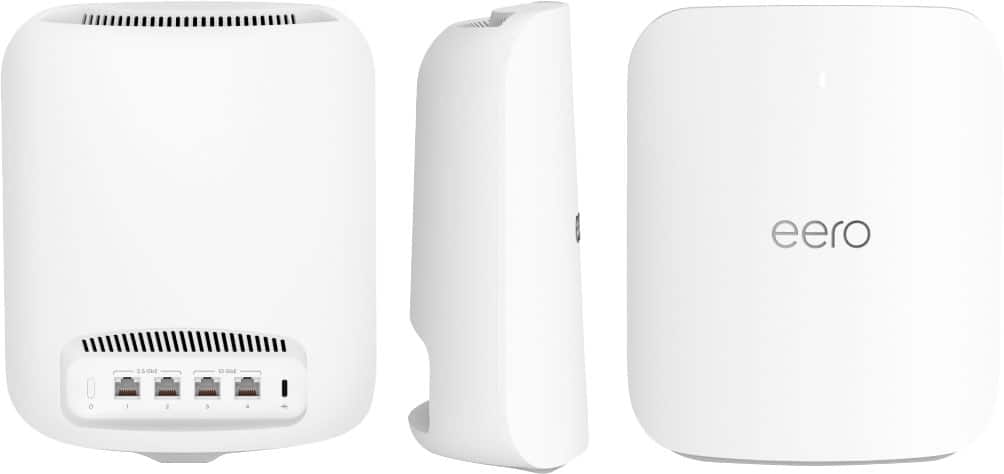
    Coming off a TP Link Mesh 6, unboxing the Eero 7 Max was a little eye opening. The size difference had me thinking, geez where am I gonna put this massive thing. The TP Link that I had was a 3 router system and disk shaped that was approximately 8" in diameter and about 2" high which made it easy to put in discreet places. This Eero is much much bigger but does so much more so well worth the trade off in my opinion. I wanted to be able to tuck it somewhere but the manual says to not to place the unit anywhere that it would be obstructed for the best wifi connections. The setup process is super easy. You can go to their website where there is a step by step video which, especially for a person like me, made it an easy process. The first thing you have to do is download their app because you cannot setup this unit through a regular computer, then create an account. Because this is an Amazon product, I was able to sign up using my existing amazon account. The app is very simplistic with not a bunch of options so it was easy to navigate. I can see how some techy people might want to be able to do more with this, but for me, simple is better. I used my old wireless name and password so I didn't have to change everything in the house and it worked seamlessly. The back of the unit has 4 ethernet ports, 2 that can go up to 4.3 gbps speed and 2 that can go to 9.4 gbps. I don't have speed that fast on my home internet so I can't verify if the unit is capable of that. But what I can say is that doing a speed test, I was able to get faster download and upload speeds than my TP Link. My TP Link only had 1 ethernet port and that kinda sucked because my son, who is a gamer preferred a wired port so he took that. Now, I can hard wire my surveillance system and television and other things to the router and not worry about wifi signal. And, more importantly for me is the range. I have a single story home under 1500 sq ft but my lot size is around 7200 sq ft. I not only like using my laptop other wireless devices in the front and backyard, I have wireless surveillance cameras that I really want to have a good connection. And so far, this unit is amazing. I've been able to stream, video conference and just basic internet use with no hiccups and no lags throughout the whole property. I even went across the street in front of the neighbors house and was still getting wifi, although definitely not very fast. It is a pricey unit but I really think that with most homes, everything now is connected to wifi, and most people would be surprised when they realize how many things are connected to their router. This Eero will not only get you faster speeds but make all connected devices for stable.

    I would recommend this to a friend
  • Tech Insider Network Member

    Rated 5 out of 5 stars

    No one beats eero better than eero!

    |
    Tech Insider Network Member
    Posted .
    This reviewer received promo considerations or sweepstakes entry for writing a review.

    When eero came out with the eero 6 mesh, I jumped on board, and it improved my Wi-Fi experience. Time passed, and the eero Pro 6 was introduced. Though still pleased with my 6, the Pro 6 Tri-band promised to take Wi-Fi coverage to the next level, and it delivered. It was also backward compatible with the erro satellite units already installed. Not only did it cover my house, garage, and deck with a strong signal, it included coverage in my yard. Now, eero has rolled out the Max 7 Tri-band. Max 7 is the Pro 6 on steroids! New or improved features include: *Supports up to 10Gbps internet. *Optimizes Wi-Fi speeds up to 4.3 Gbps wireless, 9.4 Gbps wired, and 5+ Gbps wired to leaf. *Console provides two 2.5 GbE and two 10 GbE ports, as well as a USB-C power port. *Compatible with “eero-built-in” on certain Alexa devices, plus Zigbee and more. *Highly rated strong encryption and security protocols to protect the user. * One console can support over 200 devices. This package comes with two consoles. *Though not new, per se, backward compatibility is still included. This is quite a money saver for the user! As a result, I have satellites throughout my house and garage. Major $$ savings. Setup is easy whether you are an eero first-timer or already a user. I did have a problem with activating the console connected to my modem. After trial and error and a call to eero support, it turned out there was a problem with the power cord. Another eero cord was substituted, and in seconds eero 7 was in play. After that, my satellites automatically connected. I am not a techie, and I don’t need to understand all the minute tech details. However, I have enough smarts to know if a product is performing as it should and how to troubleshoot when it’s not. Specific to eero, I have experienced each generation and can say eero mesh has gotten faster and stronger with each new series. You shouldn’t be disappointed with eero mesh at any level, but the Max 7 is top shelf! As a suggestion, if you really want to fly properly, make sure your modem is not outdated and/or incapable of Gigabit performance. That’d be like putting racing tires on junker auto. The eero Max 7 Tri-band is amazing! I definitely recommend it to anyone who wants to “turbo” their Wi-Fi experience.

    I would recommend this to a friend
  • Tech Insider Network Member

    Rated 5 out of 5 stars

    All the latest features in a high-end router

    |
    Tech Insider Network Member
    Posted .
    This reviewer received promo considerations or sweepstakes entry for writing a review.

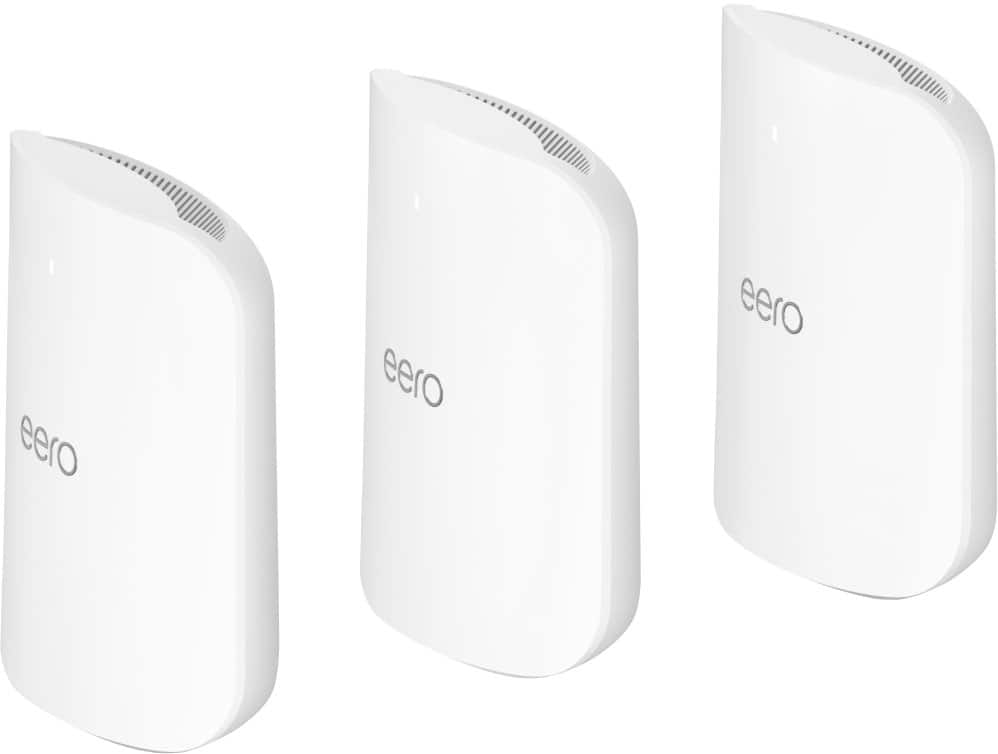
    These are very high-quality units, and you can tell when unpacking the box. They are heavy and much larger than most mesh units of the similar type. The box even includes a handle that makes removing from the box easier. Setup is very easy and there is not a web interface. You just need to download the EERO app and follow the step-by-step setup instructions. I was unable to get connected through the Bluetooth pairing and scanned the barcode on the bottom and it connected with no issues. The app is very easy to use and rather simple. I wish it gave the option to separate out the 2.4, 5 and 6 WIFI bands since some older devices can only connect on the 2.4 band. Combining all the bands is what WIFI 7 is what the protocol utilizes to maximize bandwidth by passing data through all three bands on one device to provide optimal performance. It took a few tries, but I got all my legacy devices such as video doorbell, garage door opener and outside light switch connected on the 2.4 band. The app allows you label each connected device and shows what band they are connected. Performance speeds have been great, and the second bridged device connected with ease. A good and bad is the fact to use all features you need to subscribe for $10 a month or $99 per year. I feel this is not a bad deal since you get parental controls, (3) license for Malwarebytes, a 1Password management subscription and VPN through Guardian. The router also has imbedded security that works to block malicious content. The units are a shiny white and have a pleasant, curved shape that looks good anywhere in your home. The high-end features support the premium price and I recommend to anyone looking to future proof their network from a trusted company.

    I would recommend this to a friend
  • Tech Insider Network Member

    Rated 5 out of 5 stars

    Wow!

    |
    Tech Insider Network Member
    Posted .
    This reviewer received promo considerations or sweepstakes entry for writing a review.

    I've never heard of this company before in my life, and I've read nothing but good reviews about their products. So I definitely was eager to see what all the hoopla was about, and see if I get the same results as everyone else have. I have suffered a lot when streaming, or surfing the Internet when I'm upstairs, mainly because my router is in the basement in the corner of the house. So I occasionally see my Internet signal dwindle, as I believed it was because of the provider itself. My biggest problems I have is my camera doorbell and my floodlight camera. They are always going off-line because of apparently a weak signal is what I believe at the time., and I thought it was because of the modem I had. So the first thing I wanted to do was hook everything up and then test it out. If you've never had a Eero system, or have never downloaded the app, don't worry about a thing, because it literally took me all of 5 1/2 minutes if even that long to hook everything up, and was online and ready to go. I purchased my modem about five years ago, so it's not one of the up-to-date ones. I did a speed download test at 237.27 download mbps and 11.89 mbps upload! I was amazed to say the lease that these were wireless numbers! I can't imagine what the wired numbers would be! Now back to my floodlight camera and doorbell outside. I wanted to wait an extra day just to make sure, but ever since I hooked up my new router, every time I click on the app, I never have to wait long periods of time before the footage shows, and I also haven't had a problem with reception at all! The crazy part is, the new router is on the floor in the corner, and the old router was closer to the door on the table! If someone has a large house, likes to watch movies and Play video games online, this is definitely a must have and worth every bit of the price and then some!

    I would recommend this to a friend
  • Tech Insider Network Member

    Rated 4 out of 5 stars

    Great product, on the pricey side

    |
    Tech Insider Network Member
    Posted .
    This reviewer received promo considerations or sweepstakes entry for writing a review.

    I recently upgraded to gig speeds in my house and it was perfect timing to test this mesh router out. I hav to say that I was always curious about eero products and was really curious. I tried this out to replace my Pro mesh system I got with my service. The box is very simple and perfectly packaged. No instructions at all but that's fine, everything is handled by the app. Upon installing it, I saw that the router has 4 ethernet ports. 2 10gb ports and 2 2.5gb ports. This meant that I no longer needed a switch in my usage! It's looking up already! Upon setting it up, the app was super easy to navigate and set up the router. Next I needed to replace my existing network with this one. So what I normally do is to turn off the old router and turn on the new one with the old wifi SSID and password and then the devices auto reconnects. In my instance, the first install was not as expected. Nothing connected but I found out hours later, after resetting everything back to factory specs, the issue was that when I initially input the old SSID, my device auto filled the name but added a space after the SSID name. This had me going bonkers. I almost gave up. But once I did figure that part out, I was only needed to reconnect one device rather than 20+. My network printer eventually auto connected overnight. Since that night, everything has been pretty solid connection wise. There was one incident where the wifi went out, but I think it was my ISP at night. The speeds are way better than my "Pro" setup. It's funny how some caps out and others like this breaks that barrier. Like other ISPs my speeds are what I paid for an "up to" speed, which I understand and fine with. But with this router, it like took the governor off of a car and now is a race car. With the one unit that covers about 2,500 feet this has more than enough range and can connect 100 devices without issue. The app has some issues identifying certain things, but you can eventually find out what they are when you connect and disconnect them. The unit itself is large and looks like something my ISP would provide, but it is solidly built. Hey with more than 1 ethernet port, it's so much easier and less hassel with and no longer need a switch. If you wanted to add more for your mesh to cover even more dead spots, the other units are the same as the one you get. This router will know automatically what to do and all you need to do is figure where you want the next point and another if you really need it. Because it's eero, you can connect echo dots to be an additional point if eero can see if there are dead zones. This is huge! Props for Amazon to including this feature, it's really neat! With all the said devices connected, I have a bunch of different devices that uses different frequencies. None of them had issues remaining connected in my week of usage so far. Would I recommend this? Well if you have deep pockets, and in this instance, you do what you pay for. A solid unit. The ability to use echo dots is pretty much a game changer for me and how I use my mesh to connect to my devices in my home network. It is a wifi 7 router, but nothing really uses that as of yet, only a select few devices do and a lot of them do not fully utilize it well in my opinion. So if you can wait a bit for the price to go down, then I am here for it. But if you have a few hundred bux burning a hole in your pocket! But it is well worth it. Nothing negative other than the price.

  • Tech Insider Network Member

    Rated 5 out of 5 stars

    Fast and almost perfect

    |
    Tech Insider Network Member
    Posted .
    This reviewer received promo considerations or sweepstakes entry for writing a review.

    The best part of the Eero line is backward compatibility. If you are already invested in Eero, you can simply add. Just know that the slowest link on the network that you cross is the fastest the transfer rate can be. If you have a small hose between two fire hoses, you are only getting what that small hose can handle. But Eero will route you through the fastest route available, according to the documentation. How fast is the Max 7? I have a Gig fiber dropped to my house. The fastest test I can get from my router is a little over 900 mbps. With the Max 7 I am seeing 850-900 down and 800+ upload speeds throughout my house. The house is 3000 sqft, but I am getting coverage almost everywhere in the house over 600 down and 500 up. Oddly, I have two desktops that support Wi-Fi 6 at a minimum that can not get the throughput I can thru the rest of the house. One is in a notorious dead spot for Wi-Fi. But the other connects to my old mesh network at high speeds. I am contemplating getting a Eero 6 repeater/router and setting it up between the two to get better speeds for them. The one PC is only behind one wall from the main router. I am still playing with the desktops to see if deleting the network and reconnecting will help or not. I can take a tablet or Chromebook to that area and get over 500 both directions. Thinking it could also be a driver issue, drivers are current but that doesn't mean the driver is compatible.. I am thinking of putting a Eero 6 repeater near the two of the desktops, they should connect at a faster speed even if it is only up to 500 mbps. Worst case I can run a ethernet cable and hardwire to the child node. If I can get those PCs working I can start moving all my iot gear over to the new network. Overall, I am really liking the Eero deployment. The app is very easy to navigate and setup was too easy. I thought I did something wrong. The hardware is solid and looks great. It does not stand out like some of my old gear from another manufacturer. You can also change the brightness of the status light so it doesn't stand out as much. One thing I do not like, they are wanting a subscription for various bolt on functions like VPN. I also noticed that Google VPN cuts my speed in half in most places. Just a few other gotchas I have encountered.

    I would recommend this to a friend
  • Tech Insider Network Member

    Rated 5 out of 5 stars

    Easy upgrade from eero 6 to 7

    |
    Tech Insider Network Member
    Posted .
    This reviewer received promo considerations or sweepstakes entry for writing a review.

    My house has connectivity issues with a standard router which is why I had to use a mesh network system and chose the eero Pro 6e as my gateway as well as an additional node for a two story 1400 sq ft home. The best part about the Eero 7 is that it is backwards compatible which is ideal for my current home router system. The master bathroom is the main issue due to the amount of material the signal has to go through, therefore this is the first area I tested after replacing the gateway node with the Eero 7 and leaving the additional eero pro 6e node in place. I reset my system and tested my signal in the master bathroom and noticed I was no longer getting a weak signal. For my specific set up it was nice to be able to upgrade the gateway and slowly upgrade the other node if I needed to versus having to swap out the entire mesh network again. I also like the fact that the eero 7 has an upright design and it has more than two ethernet ports since I was using an unmanaged ethernet switch to plug in various mart home hubs into the router. Now when the new wifi standard comes out on electronic devices, my home network will be somewhat future proofed….for the time being.

  • Rated 5 out of 5 stars

    MESH magic

    Posted .
    This reviewer received promo considerations or sweepstakes entry for writing a review.

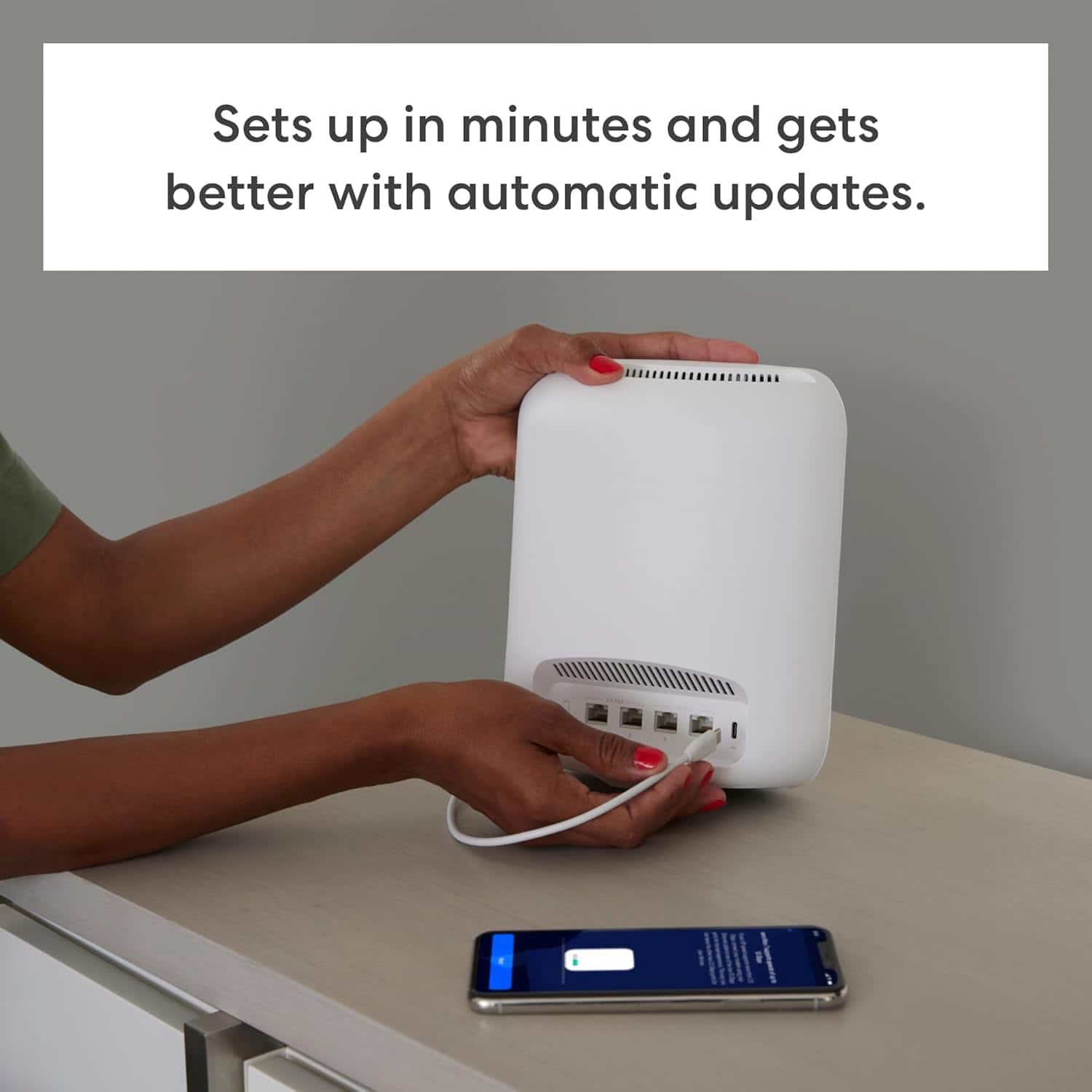
    Excellent system and easy to set up. Auto updates which is a nice feature. Two should cover a 2400 sq. Ft. Home. Fast speeds with the Cox fiber.

    I would recommend this to a friend
  • Rated 5 out of 5 stars

    Top of the line.

    Posted .
    This reviewer received promo considerations or sweepstakes entry for writing a review.

    This is a great product. I could set it up in just a few minutes, exactly as advertised. In the past, I returned a WiFi 7 router from the competition, which was a terrible product. What a difference! The speeds are incredible. I was satisfied with the Google WiFi 6E routers, but I look forward to buying WiFi 7 laptops. Overall, an excellent product. A very pleased customer.

    I would recommend this to a friend
  • Rated 5 out of 5 stars

    Eero Max 7 Buy It You Will Love It

    Posted .
    This reviewer received promo considerations or sweepstakes entry for writing a review.

    The eero max 7 is expensive but worth having. I have 1 gb internet and I am getting 1.2 gb on speedtest wired and getting on wifi 1.2 gb with galaxy s23 phone Dell XPS computer. The eero 6e pro couldn't get ove 890 mb on speedtest. The eero max with 2.5 gb ethernet in and out is awesome. It should be faster on wifi with the new devices coming. Build quality is awesome with excellent eero and Best Buy tech support. Buy it you will love it. Guaranteed

    I would recommend this to a friend
  • Rated 1 out of 5 stars

    Was really disappointed.

    Posted .
    This reviewer received promo considerations or sweepstakes entry for writing a review.

    I really wanted this to work. I had it setup and loved how easy it was to setup, but thats where it ended. First issue: This is the only router I have ever tried that refused to connect my iot devices after I gave it same name and password. Out of 50 or so only 6-7 connected and another 3-4 popped up an hour later. Few popped up after I power cycled them but this was huge pain. I was still debating if I just want to return it and not go through the hassle of unplugging all bulbs and resetting up smart plugs second issue happened. I am really amazed that this actually is common with eero routers and they have FAQs on it lol. l am amazed they haven't worked on this, there has to be something that doesn't make the transition easy. I connected my backup router and all my iot devices came back online and worked. If you have a lot of them this might not be for you. I am not sure what that issue is with these and why eero has this in FAQs. no one is going power cycle every iot devices. Its a lot of work for some. Second issue: While I was trouble shooting the iot devices. my desktop would keep disconnecting. I tried connecting again but no internet. then I did speedtest app on my phone it got full speeds lmao. Then I tried to browse on my phone no internet. So basically the router just won't let me connect all of sudden on any device, this was the last straw for me. Packed it up and returned it. I probably would have returned it due to issue 1. The second issue just made me not want to deal with it at all and just accelerated it. For devices this expensive they shouldn't have these kind of software issues. i can do speed test but router won't connect to anything online? That was the weirdest experience i ever had.

    No, I would not recommend this to a friend
  • Rated 5 out of 5 stars

    Eero 7

    Posted .
    This reviewer received promo considerations or sweepstakes entry for writing a review.

    Really a good buy love the eero routers whole lot better signal now

    I would recommend this to a friend
  • Rated 5 out of 5 stars

    Fast

    Posted .
    This reviewer received promo considerations or sweepstakes entry for writing a review.

    The best router I have used. Very fast and easy to set up on eero's app. If you are using an eero gateway, need to remove the old device and connect to the new one.

    I would recommend this to a friend
  • Rated 5 out of 5 stars

    Great product

    Posted .
    This reviewer received promo considerations or sweepstakes entry for writing a review.

    Great purchase. My Internet speed is better than I thought It would be very fast.

    I would recommend this to a friend
  • Rated 5 out of 5 stars

    Ram

    Posted .
    This reviewer received promo considerations or sweepstakes entry for writing a review.

    Greatly improved receptions fair price awesome crew that did the installation

    I would recommend this to a friend