Customer Ratings & Reviews
- Model:
- V010311
- |
- SKU:
- 6556946
Customer reviews
Rating 4.6 out of 5 stars with 282 reviews
(282 customer reviews)Rating by feature
- Setup4.8
Rating 4.8 out of 5 stars
- Range4.6
Rating 4.6 out of 5 stars
- Signal Strength4.7
Rating 4.7 out of 5 stars
Customers are saying
Customers have good things to say about the Max 7 Tri-band Mesh Wi-Fi 7 System, especially regarding its speed and ease of use. Many customers report excellent coverage and improved range, making it suitable for large homes. The system's strong connectivity and signal strength are also frequently praised, with users noting its reliable performance. Overall, customers seem very satisfied with the product's capabilities.
This summary was generated by AI based on customer reviews.
Rated 5 out of 5 stars
Excellent Product
|Posted . Owned for 2 weeks when reviewed.This reviewer received promo considerations or sweepstakes entry for writing a review.Truly excellent product. Perfect mesh system for multi-gig connections.
This review is from eero - Max 7 Tri-band Mesh Wi-Fi 7 Router (1-pack) - White
I would recommend this to a friendRated 4 out of 5 stars
Very consistant
|Posted . Owned for 2 months when reviewed.This reviewer received promo considerations or sweepstakes entry for writing a review.Purchased to future proof my Wifi configuration, safe to say it has done that and more.
This review is from eero - Max 7 Tri-band Mesh Wi-Fi 7 System (2-pack) - White
I would recommend this to a friendRated 5 out of 5 stars
This what u want
||Posted . Owned for 3 weeks when reviewed.This reviewer received promo considerations or sweepstakes entry for writing a review.Just what I needed & more, streaming & gaming no buffering
I would recommend this to a friendRated 5 out of 5 stars
Great router
||Posted . Owned for 1 month when reviewed.This reviewer received promo considerations or sweepstakes entry for writing a review.Good but not enough for greater than 1000 square foot home
This review is from eero - Max 7 Tri-band Mesh Wi-Fi 7 Router (1-pack) - White
I would recommend this to a friendRated 5 out of 5 stars
Woow
||Posted . Owned for 4 months when reviewed.This reviewer received promo considerations or sweepstakes entry for writing a review.Excellent quality. I love it. Ready for the next generation
I would recommend this to a friendRated 5 out of 5 stars
Good
||Posted . Owned for 1 month when reviewed.This reviewer received promo considerations or sweepstakes entry for writing a review.Seems to working good. Internet service isn’t the best.
I would recommend this to a friendRated 5 out of 5 stars
great router
||Posted . Owned for 2 weeks when reviewed.This reviewer received promo considerations or sweepstakes entry for writing a review.I had to return it because of the lack of USB for a ssd
This review is from eero - Max 7 Tri-band Mesh Wi-Fi 7 Router (1-pack) - White
I would recommend this to a friendRated 5 out of 5 stars
Expensive but worth the price
||Posted . Owned for 1 month when reviewed.This reviewer received promo considerations or sweepstakes entry for writing a review.Very fast and stable connection since upgrading from the eero pro 6e.
I would recommend this to a friendRated 1 out of 5 stars
IPhone issues and limited configurations
||Posted . Owned for 4 months when reviewed.This reviewer received promo considerations or sweepstakes entry for writing a review.Drops iPhone constanty. After some digging I found that it has been an issue for years, but no company acknowledgment or fix. When you call support they want you to give them access to your network and your device mac addresses. The other thing is that you can only access the router via a mobile app (no browser support) and the options are limited. If you upgrade to a paid subscription I'm sure you can get more options. But I wouldn't recommend it. I've never had to call Asus or Netgear because they sell you a device that you can configure and change whatever you want. Eero on the other hand, shoves ads in your face and limits what you can do unless you subscribe. It's a shame because it's so expensive and no way to return it after 15 days.
This review is from eero - Max 7 Tri-band Mesh Wi-Fi 7 Router (1-pack) - White
No, I would not recommend this to a friendBrand response from Amazon Devices Customer Support
Posted .Hi Richard. Thanks for providing feedback about your experience with the eero Max 7 router. Device drops can be very frustrating. One troubleshooting step that I’d recommend trying is to turn off WPA3. To do this you’ll need to do the following: 1. Open the eero app. 2. Select the Settings tab. 3. Select Network settings. 4. Scroll down to the Wireless section then select WPA3. 4. Toggle the feature off. If the issue persists, call eero customer service and inform them of your troubleshooting steps. They can be reached at (877)659-2347. They’re available Monday-Sunday 6am-8pm PT. I hope this helps. Have a great day!
- Pros mentioned:Connectivity, Coverage, SetupCons mentioned:Size
Rated 5 out of 5 stars
Eero Max 7 : Easy. Fast, Great Range
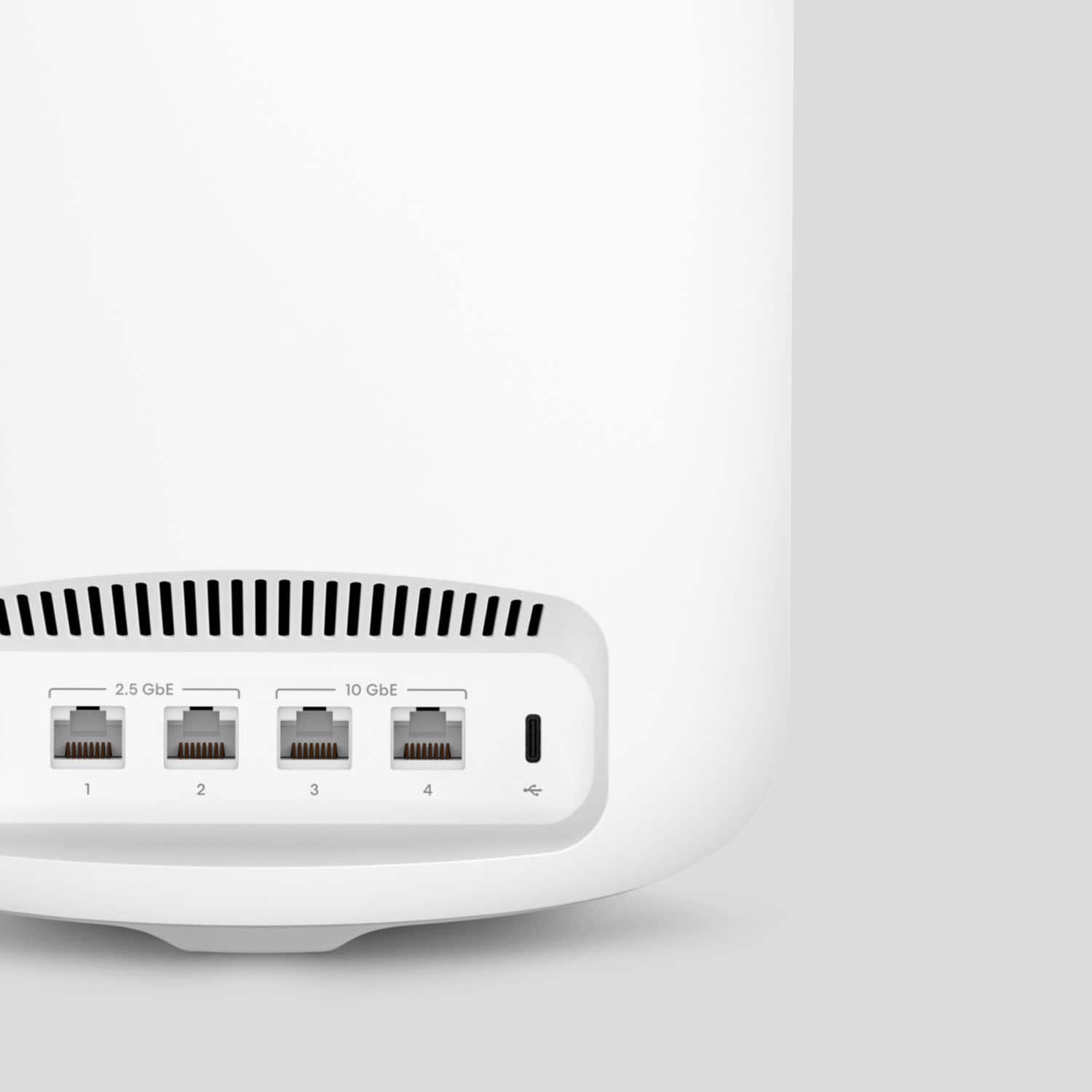
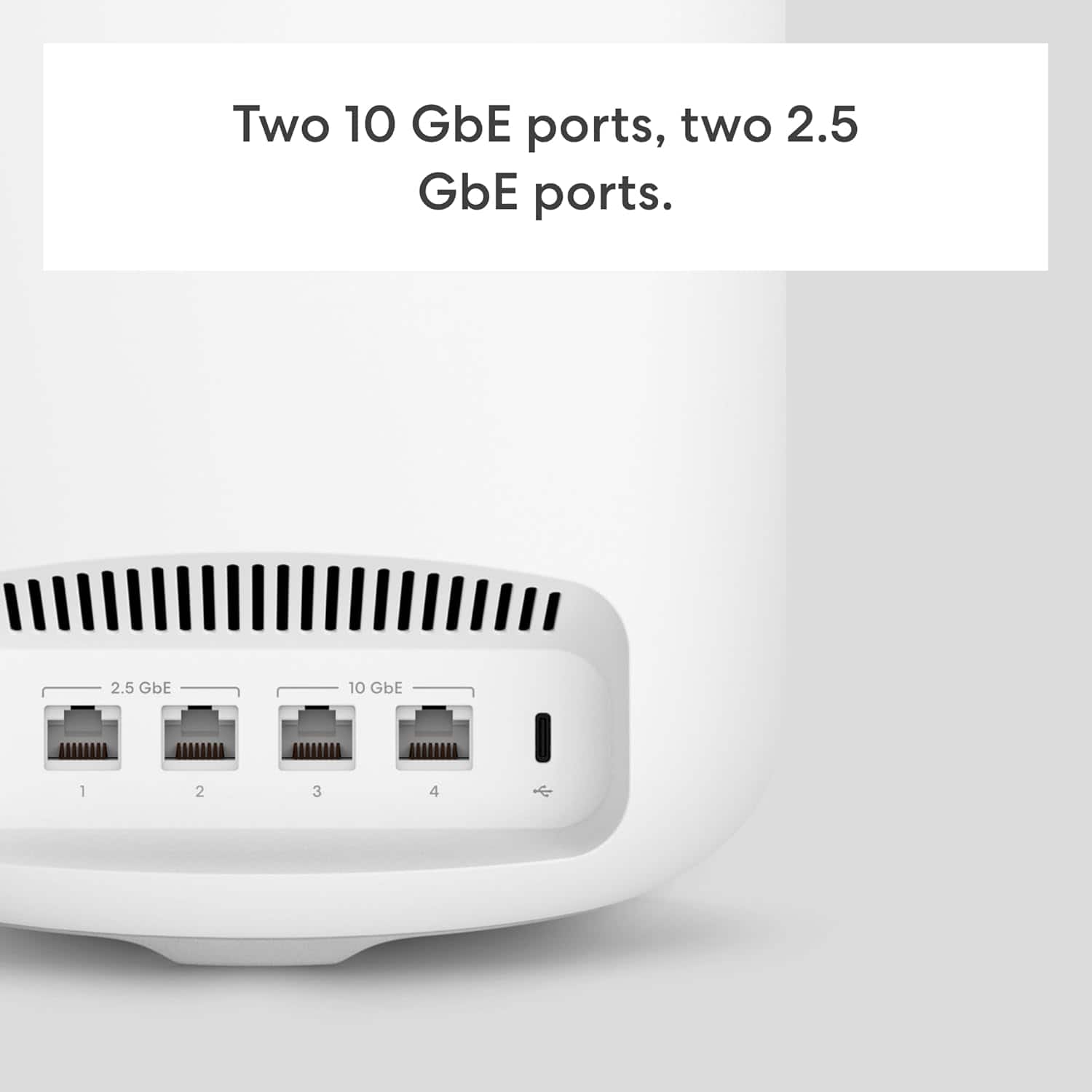
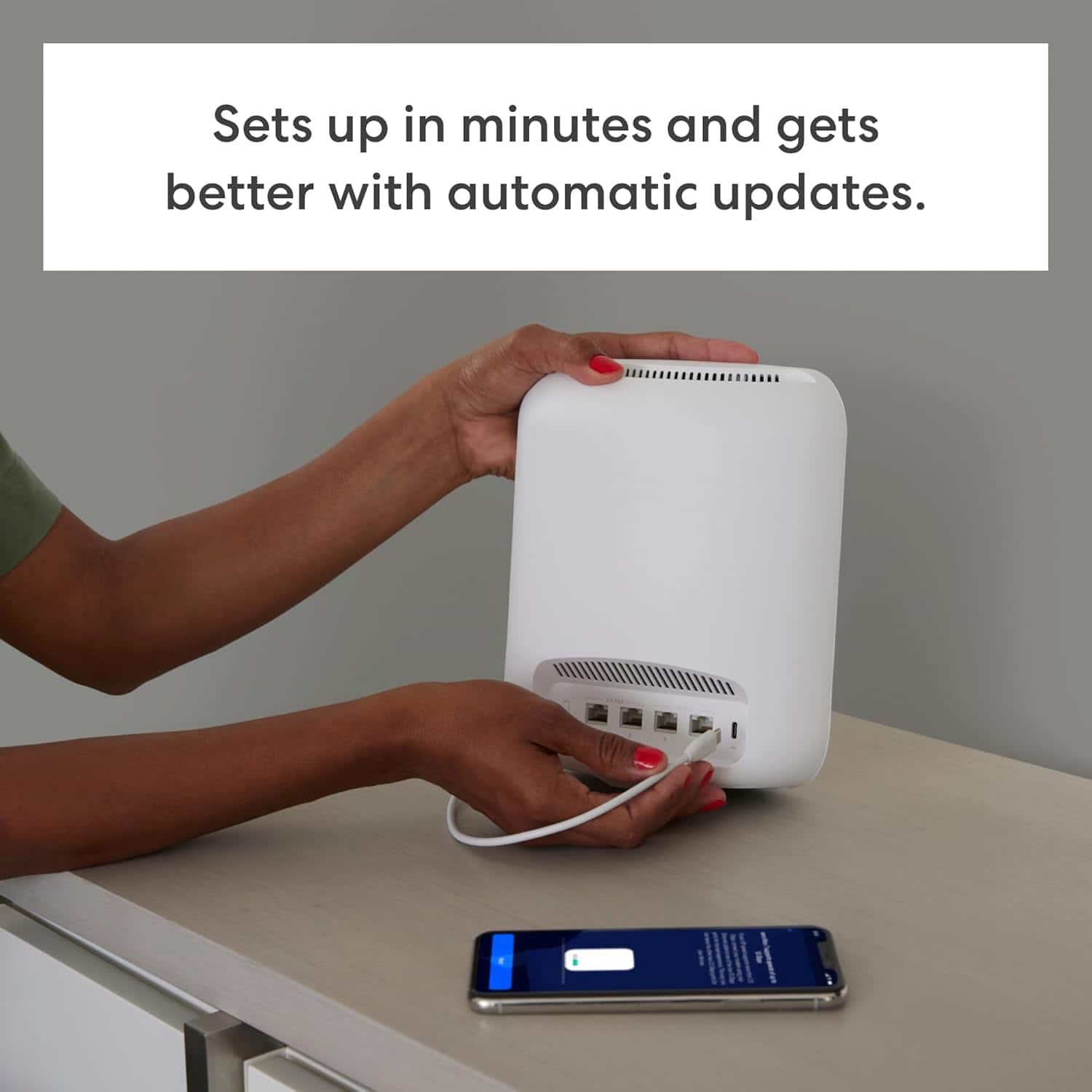
|Posted .This reviewer received promo considerations or sweepstakes entry for writing a review.I’m impressed, if you have an existing Eero network (like I did), upgrading to the Eero Max 7 routers couldn't be easier (in short, even though I quickly replaced all router nodes, everything stayed connected that was connected). To do the upgrade, I just opened the Eero app, hit the plus icon on the upper right, selected add or replace router, chose to replace (because they advise that combining networks may result in slower performance), and followed on-screen instructions. As someone who has had to re-do all the WIFI connections after getting a new router in the past, I was greatly relieved with how easy this was. If you're new to Eero, know that if you stay with Eero in the future, upgrades should be easy. The theoretical speeds advertised were impressive, with about 4.3 Gbps on WIFI and close to 9.4 Gbps on ethernet (there are two of those ports, and two 2.5 Gbps ports). Those ethernet speeds are more useful for connecting to a high-speed modem. Our home ethernet is still wired for 1 Gbps. I'd need to replace the cables and switches throughout the house to get the faster home ethernet speed, and I'm not sure I want to invest too much more for wired ethernet devices. As far as the fastest WIFI 7 speeds go, I checked and my three main devices (a 2023 15" MacBook Air, a 2023 Samsung Galaxy S23 Ultra, and a 2023 HP Envy Move AIO PC), and none of the devices supported WIFI 7. As a result, I could only test for WIFI 6 speeds (and WIFI 6 and most older WIFI standards are supported, so it's very compatible with existing devices), and they were comparable to a little better than the older Eero pro 6 network. It appears WIFI 7 is still new, and as new devices come out, I know I'll be ready for them. Each Eero Max 7 router covers "up to 2,500 square feet", I will say as much as two of these router nodes seems to be enough to cover all of our house, plus gets a signal all the way to the edge of our property line (might be slower at the farthest distance, but the signal was usable). One thing I love about the Eero routers/app is the automatic updates they do. I usually don't have to think about it; it notifies me when the update happens, and by default, they occur in the middle of the night. I'm very happy with the Eero Max 7 and love the Eero brand in general (I've recommended Eero to family, who also purchased Eero routers). The Eero Max 7 is much larger than our earlier Eero routers, but that's likely because it's the most powerful. Given the lack of current year WIFI 7 devices I currently have, I would say (1) if you're upgrading, there may not be a rush, (2) But if you're replacing or installing new routers, I would start with a system like the Eero Max 7 so you're ready for newer devices that support it which may be out or coming soon.
This review is from eero - Max 7 Tri-band Mesh Wi-Fi 7 Router (1-pack) - White
I would recommend this to a friend Rated 2 out of 5 stars
Fair
||Posted . Owned for 1 week when reviewed.This reviewer received promo considerations or sweepstakes entry for writing a review.Eero 7 is not worth the money spent. Went from xfinity to Sonic. My cfinity was much more powerfull than the Eero. Now i had to add 2 6 + units just to cover our home! I hate Junk! Dont buy Eero for Sonic. Must be something better i hope.
This review is from eero - Max 7 Tri-band Mesh Wi-Fi 7 Router (1-pack) - White
No, I would not recommend this to a friendBrand response from Amazon Devices Customer Support
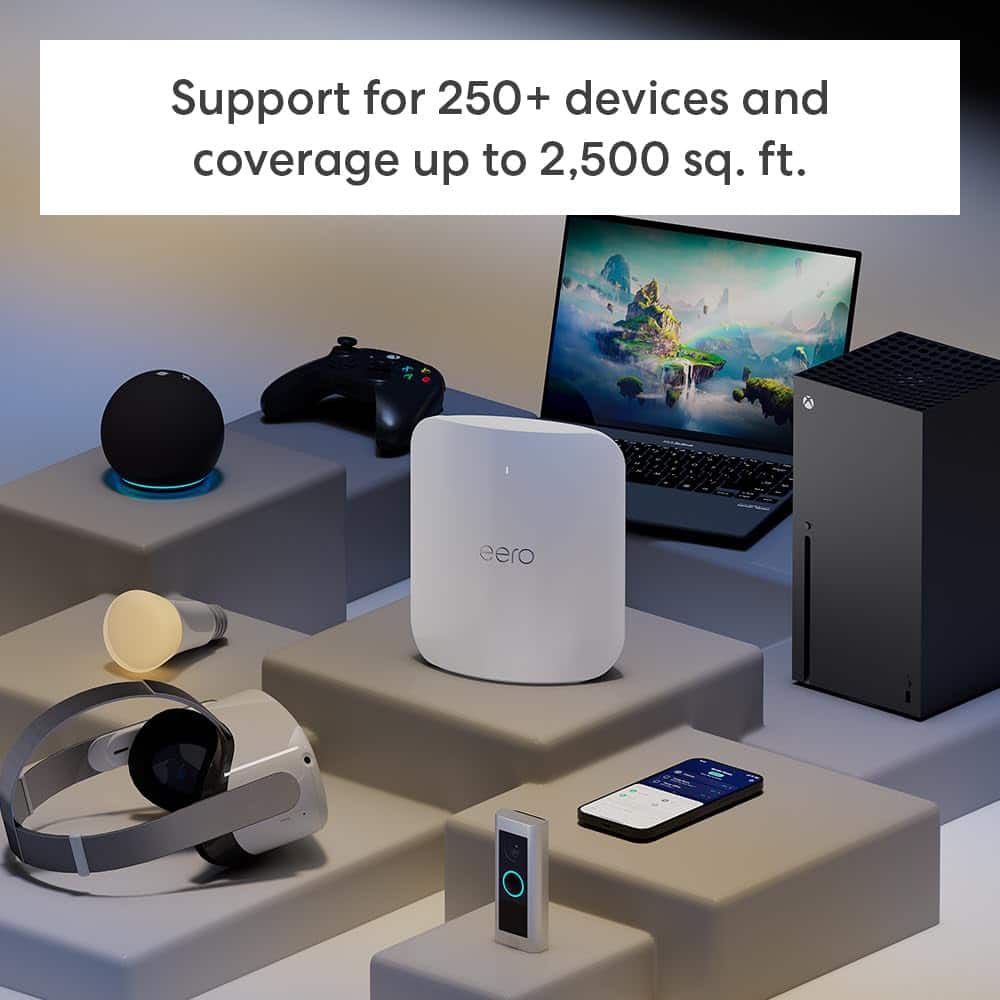
Posted .Hi Brentwoodkb. Thank you for providing feedback regarding your experience with the eero Max 7 router. I am sorry to hear about your dissatisfaction with the eero Max 7. Each eero Max 7 router provides coverage up to 2,500 sq. ft. Depending on the layout of your home and the materials used in its construction, more eeros could be needed. We appreciate your feedback. Have a wonderful day!
Rated 1 out of 5 stars
Not about the product more about bestbuy
||Posted . Owned for less than 1 week when reviewed.This reviewer received promo considerations or sweepstakes entry for writing a review.Be careful when ordering on Sunday in the DFW area. Some managers will tell their people to put all things on hold that get ordered on a Sunday. I ordered at different times and all on hold until the next day. I ordered at 1 and nope close at 6. I confirmed this with a manager at the El Dorado location. Also if you go in person and the item is on the shelf they will not go grab it and the refund takes 7 days to process. I will never shop at a bestbuy store ever again. Amazon is better. The managers also dont care. I buy alot here but Amazon is just better. They dont charge unless the item is on its way. What a concept. Bestbuy will go out of business in the next couple of years. It’s how they run their terrible stores and also people found better and way better other options.
This review is from eero - Max 7 Tri-band Mesh Wi-Fi 7 Router (1-pack) - White
No, I would not recommend this to a friendRated 1 out of 5 stars
Features paywalled
||Posted . Owned for 1 month when reviewed.This reviewer received promo considerations or sweepstakes entry for writing a review.Poor signal, over heated, features on the router are paywalled that are free on virtually all other routers.
This review is from eero - Max 7 Tri-band Mesh Wi-Fi 7 Router (1-pack) - White
No, I would not recommend this to a friendRated 1 out of 5 stars
App Requirement, Censors Internet based on opinio
||Posted . Owned for 3 weeks when reviewed.This reviewer received promo considerations or sweepstakes entry for writing a review.Not for me. I don’t really care for the protection service because its slow and laughable and I really don’t like having to use apps as prerequisite and requirement to be able to access my device. I don’t think my router company should need by Geo location or any other information from me honestly for me to use my web browser and type it at IP address and be told I can’t get into my own router is ridiculous. If you buy this because you don’t like complicated tech and that’s understandable, judging by any metrics how much autonomy do you lose by trusting in tech these days?
This review is from eero - Max 7 Tri-band Mesh Wi-Fi 7 Router (1-pack) - White
No, I would not recommend this to a friendBrand response from Amazon Devices Customer Support
Posted .Hi Jonathan, thank you for your feedback about the Eero Max 7 router. We're sorry to hear that you're not happy with the app requirement and protection service. The app is meant to make the router and all of its metrics easy to use and understand, but we understand if you don't like it. The protection service is optional and can be turned off. If you have any additional feedback, we are always here to listen. We want to ensure our customers are happy, and feedback like this allows us to learn ways in which we can make our products better.
Rated 1 out of 5 stars
Eero has the worst update
|Posted . Owned for 1 month when reviewed.This reviewer received promo considerations or sweepstakes entry for writing a review.Had 6E 3 pack and upgraded to this and still same issue, dont update your router or itll constantly disconnect. Eero do better
This review is from eero - Max 7 Tri-band Mesh Wi-Fi 7 System (2-pack) - White
No, I would not recommend this to a friendBrand response from Amazon Devices Customer Support
Posted .Hello Genesis! I am sorry to hear about the issues you are having with your eero Max 7 2-pack. I know this can be frustrating. I have a few steps for you to try to see if it will help. 1. Power cycle your eeros: Try power cycling your eeros by unplugging the power cable from the back of your eero, waiting 30 seconds, and plugging it back in. This step can sometimes fix connectivity issues. 2. Restart your modem: Restarting your modem can sometimes fix connectivity issues and improve performance. Unplug the power cable from your modem, wait 30 seconds, then plug it back in. Depending on the model of your modem, it can take a few minutes to restart. 3. Put your modem/router combo device in bridge mode: If you’re plugging your gateway eero into a modem/router combo device, put this device in bridge mode. 4. Delete the troublesome eero from your app: Sometimes deleting the troublesome eero from your app and re-adding it will fix connectivity issues. If none of these steps work for you, rest assured, eero is here to help. Call eero support at (877) 659-2347. eero is available 6am–8pm PT, 7 days a week. I hope this helps and hope you have a great day!
Rated 2 out of 5 stars
Internet booster
||Posted . Owned for 4 months when reviewed.This reviewer received promo considerations or sweepstakes entry for writing a review.Didn’t work well. Was very slow and hard to figure out very expensive
No, I would not recommend this to a friendBrand response from Amazon Devices Customer Support
Posted .Hello AlanP! I am sorry to hear about the troubles you are facing with your new eero max 7 3-pack. If you haven't already, please follow these steps to ensure a smooth setup and experience. Here’s how to get started getting your eero network online: STEP 1: Download the eero app for iOS or Android: Download the free eero app – you can find it on the Apple App Store or Google Play. eero supports both iOS and Android (check here for details on the versions we support).
You will not be able to set up your system on a web browser. STEP 2: Create an eero account or Log In with your Amazon Account. To begin setting up your new eero network, you will need to get Logged In. You can either Log In using your Amazon Account information, or you can make an eero account. You will need to enter your phone number and email address. By default, we’ll send a verification code to your phone number Enter this code on the verification screen of the app to create your account. STEP 3: Set up your eero Gateway. Your Gateway is the primary eero, needed to establish your network. The eero app will guide you through setting up your gateway eero in three easy steps: First, unplug your old modem and router from power. If you have other wireless equipment connected to your modem, please unplug it as well. Connect your Gateway eero device to your modem using the Ethernet cable that came in the box. You can use either of the Ethernet ports on the back of your eero. Plug your Gateway eero device in to an available power outlet, then reconnect your modem to power. Your eero device’s status light will start flashing white. For placement tips, including DO's and DON'Ts, visit here. Please note: you need a modem to connect to your eero router. If your modem is built into your current router (also known as a modem-router), then you will need to connect your eero to your existing router. The first eero device should be connected to either your existing cable, fiber, DSL modem, or modem-router. STEP 4: Create your eero network. Now that you’ve got your modem and gateway eero plugged in, it’s time to create your eero network. After tapping Next, the eero app will begin to look for your new eero. You will notice that your gateway eero's LED will begin to flash and then turn solid once found. Once your eero has been detected, you will be prompted to select a location for your eero (this is how you will identify each eero on your network). If prompted, you may need to enter your eero’s serial number, which is located on a sticker attached to the bottom of your eero. Just look for a barcode with the letters SN on it – it’s small, but it’s there. Once you've selected a location for your eero, you will enter your network name (SSID) and network password. This is how devices will join your network. If you’re replacing an existing router, an easy option for choosing a network name (SSID) and password is to simply reuse your current SSID and password. This way, you won’t have to reconnect devices that were previously on the network. Keep in mind that running two networks with the same SSID can be problematic. If you have a modem/router combo device, we encourage you to enable bridge mode on the modem/router so that your devices do not accidentally join the wrong network. If for any reason bridge mode is not available, you can also setup your network in double NAT. Tap Next and your eero network will complete setup!
STEP 5: Add eeros to your network. Once you’ve set up your gateway eero, your new network has been created and you can begin adding additional eeros to extend your network. You can add any eero device to your existing network. When adding eeros to your network, please keep in mind the following placement tips: Place your eero device centrally. If you have a dead spot, try to place your new eero device between the dead spot and another eero device to ensure a strong connection. Make sure it is Out in the open: eeros communicate best when they’re not closed in – try not to place your eero(s) inside a media console or cabinet, behind or underneath any large furniture. Place it Away from large electronics: Avoid placing your eero device in front, on top, or under any electronics or appliances as metal objects can block wifi signals. eeros can be added wirelessly or by Ethernet backhaul. Step 6: Connect devices to your eero network. One final (and important) step is to remember to connect all of your devices to your new eero network. To do this, simply find your eero network on your device, enter the network password that you’ve created, and get connected. If you’re using the same network name (SSID) and password as your previous router, your devices should automatically reconnect. However, you may need to toggle WiFi on these devices or power cycle for them to recognize the new eero network. If you experience any trouble connecting specific devices to your new eero network, try disconnecting and reconnecting WiFi on the device. If that doesn’t work, try rebooting the device and then reconnecting to the network once it powers back on. If you've already tried these steps, please contact eero customer support at (877) 659-2347 for support. I hope this helps and hope you have a great day!
Rated 1 out of 5 stars
Router
||Posted . Owned for 1 week when reviewed.This reviewer received promo considerations or sweepstakes entry for writing a review.Over priced not worth the money on a 4000 ft home you need 3
This review is from eero - Max 7 Tri-band Mesh Wi-Fi 7 Router (1-pack) - White
No, I would not recommend this to a friendBrand response from Amazon Devices Customer Support
Posted .Hi RobertA, thank you for providing feedback regarding your experience with the eero Max 7. I am sorry to hear about your dissatisfaction with the eero Max 7. Each eero Max 7 router provides coverage up to 2,500 sq. ft. in a 4,000 sq. ft. home, you would need at least two eeros. Depending on the layout of your home and the materials used in its construction, more eeros could be needed. We appreciate your feedback. Have a wonderful day!
Rated 1 out of 5 stars
Drops signal Constantly
||Posted . Owned for 1 week when reviewed.This reviewer received promo considerations or sweepstakes entry for writing a review.I upgraded to these because I love my other eero mesh system. Never had them drop unless the internet went down. These drop at least 2-3 times an hour and sometimes wont come back up for 30-40 mintues. Thought with the price these would be flawless, I thought wrong...
This review is from eero - Max 7 Tri-band Mesh Wi-Fi 7 System (2-pack) - White
No, I would not recommend this to a friendBrand response from Amazon Devices Customer Support
Posted .Hello, Cliff! I'm sorry to hear about the issues you're having with the Eero Max 7. I understand how frustrating a dropped signal can be. I recommend power cycling your eeros by unplugging the power cable from the back of your eero, waiting 30 seconds, and plugging it back in. This step can sometimes fix connectivity issues. The eero's LED will turn solid white, then flash white while booting up. It takes about a minute to start up and begin broadcasting. You'll know when the cycle completes because the eero's LED will go solid white again. Restarting your modem can sometimes fix connectivity issues and improve performance. Unplug the power cable from your modem, wait 30 seconds, then plug it back in. Depending on the model of your modem, it can take a few minutes to restart. If you've got another router or a modem/router combo device double NATed to your eeros, this could be the cause of poor connectivity and performance. If you have a modem/router combo device, you can try putting it in bridge mode, which disables the wireless function on that device. If these steps don't help, or if you need additional assistance with these steps, call eero customer service at 877-659-2347. They're available Monday–Sunday 6:00 am – 8:00 pm PT. I hope this helps, have a great day!
- Pros mentioned:Connectivity, Overall performance, Setup
Rated 5 out of 5 stars
Best Mesh System Ever
|Posted .This reviewer received promo considerations or sweepstakes entry for writing a review.Important things first: WiFi 7. So this is a future proof as most current devices will only connect at WiFi 6 speeds which is still plenty fast for most needs. Also 4 ethernet ports on each router-2.5 and 10 Gbe for super speed connection. Ultra High Performance for any task or gaming preference. Up to 5000 sq feet on The 320 MHz channel. Set Up was surprisingly easy and super fast. This is the first of several mesh systems That I have used where setup was almost automatic. It took very little effort. I kid you Not, was up and running in less than 2 minutes with no headaches. I set up with my Current custom ssid and password credentials and everything connected and auto Configured to the router. The only changes I needed to make were more of a preference. I noticed some of my devices connected at 2.4 Ghz and I prefer 5.0 Ghz. I was looking More for speed rather that distance. Speed test’s proved its worth. I tested from the corner of my basement which is Approximately 300 feet away from the router and found I connected at my full ISP speed +50 download and my full expected upload speed. After approx. 1 week of use I have found a consistent connection for all devices ( 10 devices ) I have an app TV so it was very important for a consistent connection as I do not have a cable provider. You will find that these mesh units are somewhat heavy which I like, makes them feel like quality units that are well built. The packaging also provides a quality experience. The included ethernet cable is of a nice quality also. The app works great and allows you to block users or intruders. For more advanced features such as security or VPN you will need to have a monthly or yearly Subscription and can be set up though the app. This has been the best user experience for me using a mesh system. Easy setup, Consistent connection, adding satellites, works with Amazon Alexa and very stylish.
This review is from eero - Max 7 Tri-band Mesh Wi-Fi 7 Router (1-pack) - White
I would recommend this to a friend - Pros mentioned:Connectivity, Speed
Rated 4 out of 5 stars
Fast-, but do you need wifi 6 let alone wifi 7?
Posted .This reviewer received promo considerations or sweepstakes entry for writing a review.I am an original Eero user, this is my 4th eero router, (OG, Eero 6 and 6E). I purchased mine direct from Eero and have had it in operation now for 5 days. The speed did somewhat improve, but it's important to remember to see those great speeds you need either to be using ethernet or a WiFi 6 (I'd say 7 but few devices have that offering). My speeds did increase some, I mainly made the switch due to the fact I am working from home and have 150 devices now running on WiFi. The transfer from my 6E to Max7 was easy, took 5 minutes for it to move all my settings over. The big benefit to the Max 7 is the 4 ethernet ports as opposed to 2 in the past. I did upgrade the power cord (some conjecture that a boost to 65w will increase range) not sure if that made a difference though. I was able to eliminate a 2nd device as a wifi extender, so now in 3000'ft home/2 floors I am running one main router. I do have most of my smart home setup on a 2nd network thus keeping my main network just for my computers and streaming devices. I know many in the Eero world will say your best option is to set up wired backhaul, but to me that defeats much of the purpose of devices like Eero and also is not possible for many in homes that don't have ethernet run to each room. If the price drops I might consider a 2nd Max 7, if the backhaul really does work as they say. But at this point one is fine. With so few devices currently even on Wifi 6 (apple TV, iPhone 15, fire TV cube etc) not sure I'd get much out of upgrading my other Eeros and the 6E can still work fine as an extender if needed.
This review is from eero - Max 7 Tri-band Mesh Wi-Fi 7 Router (1-pack) - White
I would recommend this to a friend