Customer Ratings & Reviews
- Model:
- ME10111
- |
- SKU:
- 10104529
Customer reviews
Rating 4.7 out of 5 stars with 185 reviews
(185 customer reviews)Rating by feature
- Setup4.9
Rating 4.9 out of 5 stars
- Range4.7
Rating 4.7 out of 5 stars
- Signal Strength4.7
Rating 4.7 out of 5 stars
Customers are saying
Customers are positive about the Pro 7 Tri-band Mesh Wi-Fi 7 Router (1-pack)'s overall performance, with users expressing their satisfaction. Many customers have noted faster speeds and improved coverage after using the product. Additionally, the router's connectivity, particularly its ability to smoothly handle multiple devices, has been well-received.
This summary was generated by AI based on customer reviews.
- Pros mentioned:Setup
Rated 4 out of 5 stars
Mostly good, but still not great
||Posted . Owned for 3 weeks when reviewed.This reviewer received promo considerations or sweepstakes entry for writing a review.Not the fastest system and their updates frequently cause more problems than they solve. Still it is the easiest to setup and the best for device handoffs.
This review is from eero - Pro 7 Tri-band Mesh Wi-Fi 7 System (3-pack) - White
I would recommend this to a friend - Pros mentioned:Speed
Rated 5 out of 5 stars
eero
||Posted . Owned for 1 month when reviewed.This reviewer received promo considerations or sweepstakes entry for writing a review.we upgraded to these & glad we did they give great speed
This review is from eero - Pro 7 Tri-band Mesh Wi-Fi 7 System (3-pack) - White
I would recommend this to a friend - Pros mentioned:Overall performance
Rated 5 out of 5 stars
Glad we made this purchase…
||Posted . Owned for 1 week when reviewed.This reviewer received promo considerations or sweepstakes entry for writing a review.Made a huge difference in our home. Change out older models of Orbi.
This review is from eero - Pro 7 Tri-band Mesh Wi-Fi 7 System (3-pack) - White
I would recommend this to a friend Rated 5 out of 5 stars
Internet speed
||Posted . Owned for 1 month when reviewed.This reviewer received promo considerations or sweepstakes entry for writing a review.best wifi reception ever! Geek Squad did a fabulous job, Dustin was excellent and explained everything!
This review is from eero - Pro 7 Tri-band Mesh Wi-Fi 7 System (3-pack) - White
I would recommend this to a friendRated 5 out of 5 stars
Easy install
||Posted . Owned for 3 weeks when reviewed.This reviewer received promo considerations or sweepstakes entry for writing a review.This was an upgrade from our previous router in the same brand. Install was simple and quick.
This review is from eero - Pro 7 Tri-band Mesh Wi-Fi 7 System (3-pack) - White
I would recommend this to a friendRated 5 out of 5 stars
Brand new eero
||Posted . Owned for 3 weeks when reviewed.This reviewer received promo considerations or sweepstakes entry for writing a review.It gives you added security and less risk of your kids getting onto scary websites if you don’t want them to.
This review is from eero - Pro 7 Tri-band Mesh Wi-Fi 7 Router (1-pack) - White
I would recommend this to a friendRated 4 out of 5 stars
Great coverage, no dedicated 2.4 GHz
||Posted . Owned for 1 month when reviewed.This reviewer received promo considerations or sweepstakes entry for writing a review.Great coverage. Does not allow for a dedicated 2.4 GHz channel
This review is from eero - Pro 7 Tri-band Mesh Wi-Fi 7 System (3-pack) - White
I would recommend this to a friend- Pros mentioned:Overall performance
Rated 4 out of 5 stars
Review
||Posted . Owned for 3 weeks when reviewed.This reviewer received promo considerations or sweepstakes entry for writing a review.Works.works also works does wifi looks good sits up
This review is from eero - Pro 7 Tri-band Mesh Wi-Fi 7 Router (1-pack) - White
I would recommend this to a friend Rated 5 out of 5 stars
Best mesh wifi , easy to setup
||Posted . Owned for 2 weeks when reviewed.This reviewer received promo considerations or sweepstakes entry for writing a review.I've struggled with Wi-Fi dead zones and frustratingly slow speeds for far too long. After hearing rave reviews, I finally decided to upgrade. and I couldn't be happier with my decision!
This review is from eero - Pro 7 Tri-band Mesh Wi-Fi 7 Router (1-pack) - White
I would recommend this to a friendRated 5 out of 5 stars
Solved Problem...Much Better than Service Provider
||Posted .This reviewer received promo considerations or sweepstakes entry for writing a review.After 3 visits from the internet provider contacted Geek Squad who recommended this product. It immediately solved the problem.
This review is from eero - Pro 7 Tri-band Mesh Wi-Fi 7 System (3-pack) - White
I would recommend this to a friend- Pros mentioned:Overall performance
Rated 4 out of 5 stars
Never miss a beat
||Posted . Owned for 2 weeks when reviewed.This reviewer received promo considerations or sweepstakes entry for writing a review.This is a huge upgrade from my previous wireless router.
This review is from eero - Pro 7 Tri-band Mesh Wi-Fi 7 System (3-pack) - White
I would recommend this to a friend Rated 5 out of 5 stars
Eddie L
||Posted . Owned for 1 month when reviewed.This reviewer received promo considerations or sweepstakes entry for writing a review.These things are great. Transfer signal much farther and faster!
This review is from eero - Pro 7 Tri-band Mesh Wi-Fi 7 System (3-pack) - White
I would recommend this to a friendRated 5 out of 5 stars
Very good speed and great coverage
||Posted . Owned for 2 weeks when reviewed.This reviewer received promo considerations or sweepstakes entry for writing a review.Gets 2+ gbps and works well with eero wifi 6 . Particularly I love the feature supports mesh with LAN wired and wireless.
This review is from eero - Pro 7 Tri-band Mesh Wi-Fi 7 System (3-pack) - White
I would recommend this to a friend- Pros mentioned:Speed
Rated 2 out of 5 stars
Replacing eero pro 6
||Posted . Owned for less than 1 week when reviewed.This reviewer received promo considerations or sweepstakes entry for writing a review.Bought to replace my two year old eero pro 6. I loved my eero, but have been feeling like they have been slowing down. After i installed the pro 7 the speeds were much improved, but that was only if i was close to the router. I wouldn’t have an issue with it but my slow spots were slower and range was worse than my pro 6. Will be returning.
This review is from eero - Pro 7 Tri-band Mesh Wi-Fi 7 Router (1-pack) - White
No, I would not recommend this to a friendBrand response from Amazon Devices Customer Support
Posted .Hi JamesU. Thanks for providing feedback regarding your experience with the eero Pro 7 router. I’m sorry to hear that the device isn’t meeting your expectations. After setup eero will optimize to learn the best data paths, identify points of interference, and select the best wifi channels for your network. .This process can take up to a week. If you’re still noticing performance issues after that time, call eero customer service at (877)659-2347. They’re available Monday-Sunday 6am-8pm PT. I hope this helps. Have a great day!
Rated 2 out of 5 stars
Not impressed
||Posted .This reviewer received promo considerations or sweepstakes entry for writing a review.I was forced to buy 2 of these because my spectrum router wasn’t strong enough to cover the whole house. They’re super easy to set up but their range wasn’t as far as I was expecting. I wasn’t impressed with their ability to get the signal through walls either.
This review is from eero - Pro 7 Tri-band Mesh Wi-Fi 7 Router (1-pack) - White
No, I would not recommend this to a friendBrand response from Amazon Devices Customer Support
Posted .Hello User322890! Thank you for sharing your feedback on the eero Pro 7. I'm sorry to hear that the range and wall penetration didn't meet your expectations after purchasing two units to extend coverage throughout your home.
While the eero Pro 7 is designed to provide robust mesh coverage, Wi-Fi performance can be affected by several factors including home construction materials, unit placement, and interference from other devices. Here are some troubleshooting steps that may help optimize your system's performance: 1. Place eeros where they can talk to each other. 2. Place eeros on a hard, flat surface. 3. Keep your eeros out in the open. 4. Whenever possible, aim for direct line of sight between eeros. The fewer the walls between your eeros, the better. 5. Try placing your eero near doors; this may help since wood is less dense and easier for WiFi waves to penetrate. 6. Avoid placing your eero in a location near heavy metal or any other point of interference, such as a microwave. If these steps don't improve your coverage and signal penetration, call eero customer service so they can suggest optimal placement strategies or discuss whether additional units might be beneficial for your particular environment. They can be reached at (877) 659-2347, Monday-Sunday 6am-8pm PT. I hope this helps. Have a great day!
Rated 3 out of 5 stars
EERO?
||Posted . Owned for 1 week when reviewed.This reviewer received promo considerations or sweepstakes entry for writing a review.I was told this product was the best, and works for houses larger than mine. However calls are still dropped, and in some areas, wifi is marginal at best.
This review is from eero - Pro 7 Tri-band Mesh Wi-Fi 7 System (3-pack) - White
No, I would not recommend this to a friendBrand response from Amazon Devices Customer Support
Posted .Hello! Thank you for providing feedback regarding your experience with the eero Pro 7 system. I am sorry to hear about the connectivity issues you’ve been having. Here are some tips that may remedy your issue: 1. Place eeros where they can talk to each other. 2. Place eeros on a hard, flat surface. 3. Keep your eeros out in the open. 4. Whenever possible, aim for direct line of sight between eeros. The fewer the walls between your eeros, the better. If your eero signal is showing as strong on your devices, you’ll want to go into your device setting and turn Wi-Fi Calling off and then on again. If this information doesn’t resolve your issue, call eero customer service at (877) 659-2347. They’re available Monday-Sunday 6am-8pm PT. I hope this helps. Have a great day!
Rated 1 out of 5 stars
Remove the eero brand from your stores.
||Posted . Owned for 1 month when reviewed.This reviewer received promo considerations or sweepstakes entry for writing a review.I've had two eero routers and both had extremely poor signal strength. Both dropped WiFi more often than they remained connected. The computer was only 12' away. I was too late to return the Pro 7 model. I have since bought another brand for a lower price at another store and it works fine. I will throw the eero out. I would feel guilty if I sold it. Best Buy should take the eero brand out of their stores.
This review is from eero - Pro 7 Tri-band Mesh Wi-Fi 7 Router (1-pack) - White
No, I would not recommend this to a friendBrand response from Amazon Devices Customer Support
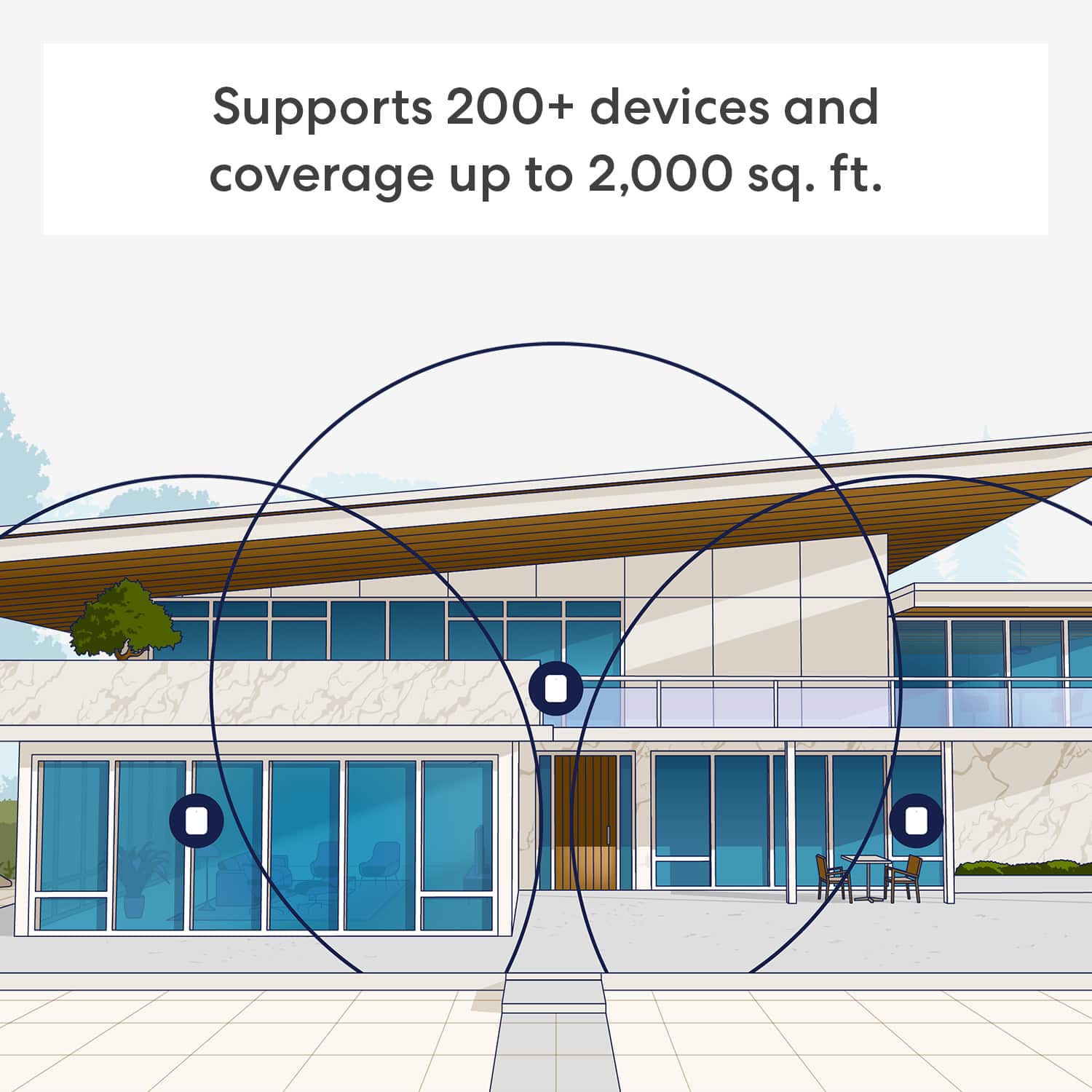
Posted .Hi RobertS. Thank you for providing feedback regarding your experience with the eero Pro 7. I'm sorry to hear about your dissatisfaction. Each eero Pro 7 router provides coverage up to 2,000 sq. ft. Depending on the layout of your home and the materials used in its construction, more eeros could be needed. Strategically placing your eeros is the single most important step you can take to ensure your system provides fast, reliable WiFi to every room in your home. Here are some tips to follow: 1. Place eeros on a hard, flat surface. 2. Keep your eeros out in the open. If this information doesn’t resolve your issue, call eero customer service at (877) 659-2347. They’re available Monday-Sunday 6am-8pm PT. I hope this helps. Have a great day!
Rated 2 out of 5 stars
Do not buy it for a speed upgrade.
||Posted . Owned for 2 weeks when reviewed.This reviewer received promo considerations or sweepstakes entry for writing a review.Honestly, I thought buying a Wi-Fi 7 eero System would give me 1 gig over wifi with a wifi 7 device. I am receiving the same speeds as my eero Wi-Fi 6E over wi-fi. I have 2 gigs download and 1 gig upload at the router. I have to be with in 3 feet from the main eero before receiving speeds as advertised. Speeds I get elsewhere is 200-400 Mbs.
This review is from eero - Pro 7 Tri-band Mesh Wi-Fi 7 System (3-pack) - White
No, I would not recommend this to a friendBrand response from Amazon Devices Customer Support
Posted .Hi Smeik. Thanks for reaching out about your experience with the eero Pro 7 system. I'm sorry to hear that the download speeds haven't met your expectations. I'd recommend adjusting the placement of your eeros to see if that will improve the speeds you get in other areas of the home. Here are some tips to follow: 1. Place eeros where they can talk to each other. 2. Place eeros on a hard, flat surface. 3. Keep your eeros out in the open. 4. Whenever possible, aim for direct line of sight between eeros. The fewer the walls between your eeros, the better. If this information doesn’t resolve your issue, call eero customer service at (877)659-2347. They’re available Monday-Sunday 6am-8pm PT. I hope this helps. Have a great day!
Rated 1 out of 5 stars
really disappointing. I regret the purchase.
||Posted . Owned for 1 month when reviewed.This reviewer received promo considerations or sweepstakes entry for writing a review.Continues to disconnect from the internet needing to be unplugged to reset. It’s very frustrating. I definitely expected more as they came highly recommended. I don’t know why the performance is terrible. I wish I could return them as you know they were really expensive.
This review is from eero - Pro 7 Tri-band Mesh Wi-Fi 7 System (3-pack) - White
No, I would not recommend this to a friendBrand response from Amazon Devices Customer Support
Posted .Hi BethB. Thank you for providing feedback about your experience with the eero Pro 7 system. I’m sorry to hear that you’ve repeatedly had to reset your system. Swapping your gateway eero (the one connected to your modem) with another eero on your network can help determine if the issue is network wide. To perform the gateway eero swap, please follow these steps: Determine which eero in your network you would like to swap with the current gateway. Unplug the modem from power. Remove power from the secondary eero that is not connected to the modem. Unplug the current gateway eero from power. Plug the modem into power and wait for it to come online. Connect the replacement gateway to the Modem via ethernet cable. Connect the replacement gateway to power. Connect the original gateway eero to power in the replacement gateway’s previous location. Allow both eeros to boot up and come online. It may take up to 10 minutes for your eero network to come back online as your network assigns the new gateway. If your network goes down again, note which eero(s) went offline and reach out to customer service so that they can further troubleshoot. They can be reached at (877) 659-2347. I hope this helps. Have a great day!
Rated 1 out of 5 stars
bad product
||Posted . Owned for 1 month when reviewed.This reviewer received promo considerations or sweepstakes entry for writing a review.did not work turned off and on apparently pinging back and forth to itself returned this product
This review is from eero - Pro 7 Tri-band Mesh Wi-Fi 7 System (3-pack) - White
No, I would not recommend this to a friendBrand response from Amazon Devices Customer Support
Posted .Hi StevenD. Thank you for providing feedback regarding your experience with the eero Pro 7 system. I'm sorry to hear that your system didn't perform as expected. Swapping your gateway eero (the one connected to your modem) with another eero on your network can help determine if the issue is network wide or if it is isolated to a single eero. To perform the gateway eero swap, please follow these steps: Determine which eero in your network you would like to swap with the current gateway. Unplug the modem from power. Remove power from the secondary eero that is not connected to the modem. Unplug the current gateway eero from power. Plug the modem into power and wait for it to come online. Connect the replacement gateway to the Modem via ethernet cable. Connect the replacement gateway to power. Connect the original gateway eero to power in the replacement gateway’s previous location. Allow both eeros to boot up and come online. It may take up to 10 minutes for your eero network to come back online as your network assigns the new gateway. If your network goes down again, note which eero(s) went offline and reach out to customer service so that they can further troubleshoot. They can be reached at (877) 659-2347. I hope this helps. Have a great day!