Customer Ratings & Reviews

- Model:
- ME10111
- |
- SKU:
- 11135197
Customer reviews
Rating 4.7 out of 5 stars with 314 reviews
(314 customer reviews)Rating by feature
- Setup4.9
Rating 4.9 out of 5 stars
- Range4.7
Rating 4.7 out of 5 stars
- Signal Strength4.7
Rating 4.7 out of 5 stars
Customers are saying
Customers value the overall performance and reliability of this product, as many users report that it functions seamlessly once installed. They frequently highlight significant improvements in speed, signal strength, and coverage throughout their homes. Additionally, the device provides essential ethernet connectivity, though some users noted that a higher number of ports would be a beneficial addition.
This summary was generated by AI based on customer reviews.
- Pros mentioned:Coverage, Overall performance, Signal strength
Rated 5 out of 5 stars
Euro mash
||Posted . Owned for 2 weeks when reviewed.This reviewer received promo considerations or sweepstakes entry for writing a review.Easy set up. Works great. Covers the whole house. Can be plugged anywhere in the house.
This review is from eero - Pro 7 Tri-band Mesh Wi-Fi 7 System (3-pack) - White
I would recommend this to a friend - Pros mentioned:Connectivity, Signal strength, Speed
Rated 5 out of 5 stars
Good option for concrete houses
||Posted . Owned for 3 weeks when reviewed.This reviewer received promo considerations or sweepstakes entry for writing a review.The eero Pro 7 white has been excellent choice for seamless wireless connectivity, especially in my case with a 2 story reinforced concrete house. Its setup is incredibly easy via the app, and it delivers a strong, consistent signal throughout your home, eliminating dead zones even in large spaces. Speeds are fast and stable, perfect for streaming, gaming, and connecting multiple devices without lagso far.
This review is from eero - Pro 7 Tri-band Mesh Wi-Fi 7 System (3-pack) - White
I would recommend this to a friend - Pros mentioned:Coverage, Overall performance, Speed
Rated 5 out of 5 stars
Fast, reliable Wi-Fi that covers every corner
||Posted . Owned for 5 months when reviewed.This reviewer received promo considerations or sweepstakes entry for writing a review.The eero Pro 7 Wi-Fi 7 router is an absolute game-changer for my home network. Setup was straightforward using the app, and I immediately noticed faster speeds and better coverage throughout the house, even in dead zones. The tri-band mesh technology keeps multiple devices connected smoothly without lag, which is perfect for streaming, gaming, and working from home. The sleek white design fits nicely with my home décor too. If you want a powerful, future-proof router that’s easy to manage, the eero Pro 7 is definitely worth it!
This review is from eero - Pro 7 Tri-band Mesh Wi-Fi 7 Router (1-pack) - White
I would recommend this to a friend - Pros mentioned:Connectivity, Overall performance
Rated 5 out of 5 stars
It’s Great
||Posted . Owned for 2 weeks when reviewed.This reviewer received promo considerations or sweepstakes entry for writing a review.I’m an Orbi user and debated on sticking with Orbi or trying this. Orbi was great and I didn’t have any issues, however, I’m glad I made the change to this. This has worked flawlessly with much faster WiFi speeds and zero drops or buffering that we sometimes experienced with Orbi. Setting it up was as easy as setting up an Apple product. I highly recommend this.
This review is from eero - Pro 7 Tri-band Mesh Wi-Fi 7 System (3-pack) - White
I would recommend this to a friend - Pros mentioned:Speed
Rated 5 out of 5 stars
Great little router
||Posted .This reviewer received promo considerations or sweepstakes entry for writing a review.I am very impressed with this router. I added it to an existing eero 7 max as a mesh. I had to install it wireless since i don't have internet in that room. I wanted something to extend my range to some wireless timers that I have outside for my Christmas display. It worked great. I was impressed that when i connected my laptop to it with an ethernet cable, I am getting over 900 megabits per second even though it is not hard wired to the eero Max 7, I think it is almost as good as the Max 7 and definitely cheaper. BTW setup was very easy. It set itself up, you just have to tell it what room you want to assign it.
I would recommend this to a friend - Cons mentioned:Port quantity
Rated 4 out of 5 stars
Nice reliable mesh router, great performance!
||Posted . Owned for 8 months when reviewed.This reviewer received promo considerations or sweepstakes entry for writing a review.The positives: - eero 7 Pro looks great - Up to date WIFI standard (Wifi 7) - Easy to setup - Can manage remotely with different sites with one account - Wifi Mesh that works and seamless - Set and forget for the non technical person The negatives: - Price, bit expensive but frequent sales justified the price. - For advance users this will be a disappointment and wish these were available: a. only 1 guest network, nice to have more segments especially you have IOT devices. b. the SSID is merged into one. Nice to separate wifi 2.4, 5, 6ghz channels and the availability to choose channel widths c. Only 2 ethernet ports and need to add a switch. d. Can only access the router with the app. Nice to access on a computer for better screen size and visibility e. the logs are limited and to have full access, need to subscribe to eero + service. Overall, the eero Pro 7 is good router for the non technical person who wants to set and forget. But if you need to tweak your network settings, the eero is limited.
This review is from eero - Pro 7 Tri-band Mesh Wi-Fi 7 System (3-pack) - White
I would recommend this to a friend - Pros mentioned:Overall performance
Rated 5 out of 5 stars
So far, so good!!!
||Posted . Owned for 2 weeks when reviewed.This reviewer received promo considerations or sweepstakes entry for writing a review.We’ve been struggling with routers and extenders for years now. Router after router, extender after extender, they would last 6, 8, 10 months and then start to drop out and die. They were always overheating. And we live in the country where there’s no signal clutter! We went in to our local Best Buy and talked with the salesman about our ongoing issues. He knew what he was talking anbout, and he recommended this product. We’ve been up and running for a month and so far, not even a hiccup! Wow. Major improvement. If it lasts more than a year, we will call this setup “gold”!!!
This review is from eero - Pro 7 Tri-band Mesh Wi-Fi 7 System (3-pack) - White
I would recommend this to a friend - Pros mentioned:Connectivity, Coverage
Rated 5 out of 5 stars
Best WiFi system out there
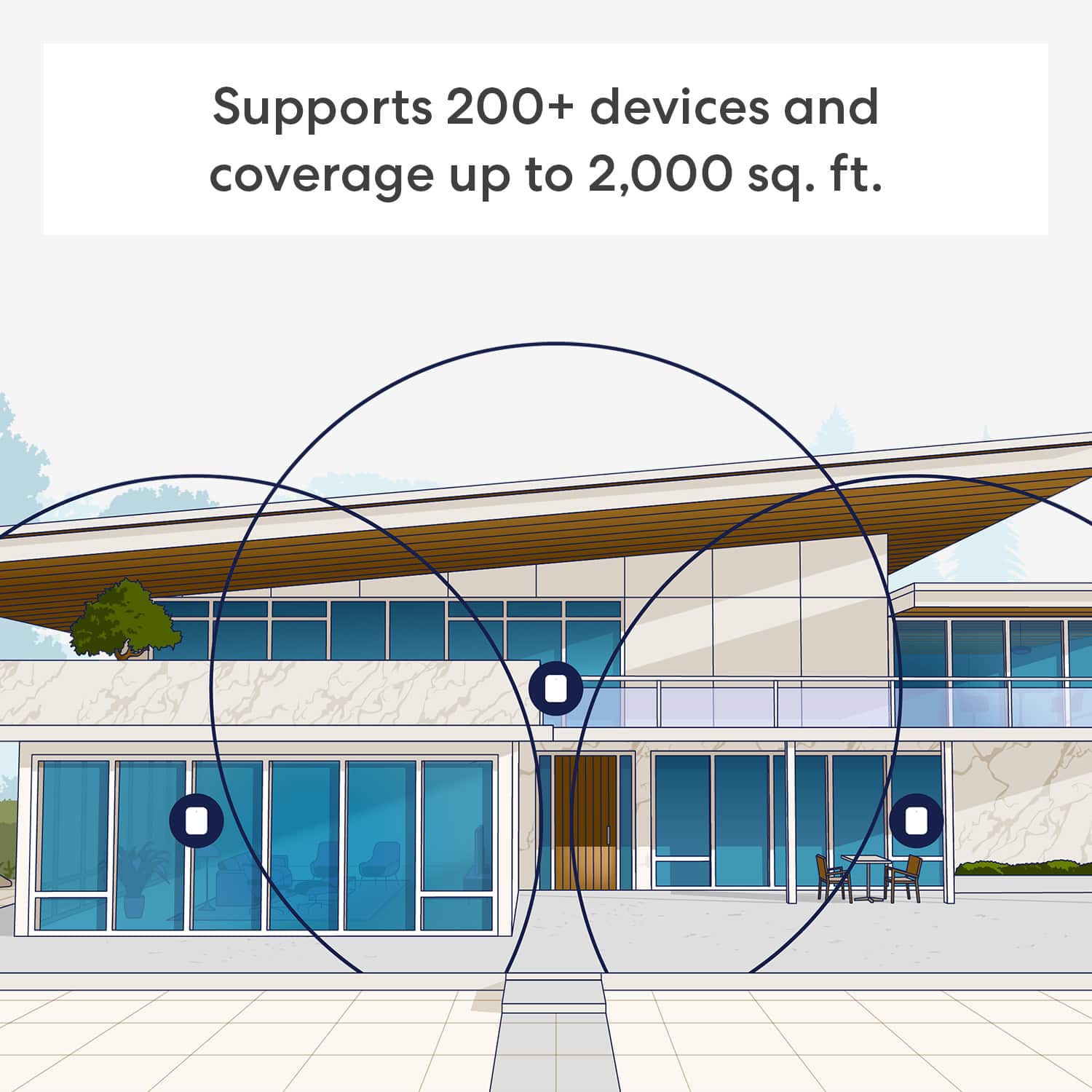
||Posted . Owned for 3 weeks when reviewed.This reviewer received promo considerations or sweepstakes entry for writing a review.Works like a charm and covers areas completely. No dead spots and super simple setup. A setup with 3 covers 3000 sqft reliably and WiFi 7 removes the need to run wires. The only con is that it is expensive.
This review is from eero - Pro 7 Tri-band Mesh Wi-Fi 7 System (3-pack) - White
I would recommend this to a friend - Pros mentioned:Overall performance, Speed
Rated 5 out of 5 stars
eero - Pro7
||Posted . Owned for 5 months when reviewed.This reviewer received promo considerations or sweepstakes entry for writing a review.This is our second eero WiFi system and very pleased with the quality and speed this dependable system delivers.
This review is from eero - Pro 7 Tri-band Mesh Wi-Fi 7 System (3-pack) - White
I would recommend this to a friend - Pros mentioned:Coverage, Overall performance
Rated 5 out of 5 stars
This is the best band Mesh WiFi I have ever had
||Posted . Owned for 3 weeks when reviewed.This reviewer received promo considerations or sweepstakes entry for writing a review.It is the best in the market. Very easy to set up. Great coverage throughout my 2-story house. I wish I had bought it earlier. Life is so good with it.
This review is from eero - Pro 7 Tri-band Mesh Wi-Fi 7 System (3-pack) - White
I would recommend this to a friend - Pros mentioned:Overall performance, Signal strength
Rated 5 out of 5 stars
Works great
||Posted . Owned for 1 month when reviewed.This reviewer received promo considerations or sweepstakes entry for writing a review.Works great. Great signal. Covers my whole house easy to install
This review is from eero - Pro 7 Tri-band Mesh Wi-Fi 7 System (3-pack) - White
I would recommend this to a friend - Pros mentioned:Coverage, Speed
Rated 5 out of 5 stars
Super easy, works very well, good speeds
||Posted . Owned for 2 weeks when reviewed.This reviewer received promo considerations or sweepstakes entry for writing a review.App is super easy to use, easy to set up and manage the eero devices. I came from netgear products and this user interface is better. Good speeds, good coverage, very happy with product. Would highly recommend.
This review is from eero - Pro 7 Tri-band Mesh Wi-Fi 7 System (3-pack) - White
I would recommend this to a friend - Pros mentioned:Signal strength
Rated 5 out of 5 stars
Awesome
||Posted . Owned for 7 months when reviewed.This reviewer received promo considerations or sweepstakes entry for writing a review.Links very far I have it connected to 3 buildings in my home and has really good signal
This review is from eero - Pro 7 Tri-band Mesh Wi-Fi 7 Router (1-pack) - White
I would recommend this to a friend - Pros mentioned:Connectivity, Overall performance
Rated 5 out of 5 stars
Excellent Router
||Posted . Owned for 3 weeks when reviewed.This reviewer received promo considerations or sweepstakes entry for writing a review.The router was very easy to install and worked extremely well from the moment that I turned it on. It easily meshed with my first Eero Pro Tri-Band router to cover my entire house, both inside and out.
I would recommend this to a friend - Pros mentioned:Connectivity
Rated 5 out of 5 stars
Amazing system
||Posted . Owned for 1 month when reviewed.This reviewer received promo considerations or sweepstakes entry for writing a review.Amazing mesh system, I highly recommend. Great for larger homes, and connections where very easy! Trust me you will never need more than this option!!! Anything above this is overkill and the provider (Xfinity, Spectrum, Cox, At&T, etc) probably won't have or your not paying for higher connection speeds. Wifi 7 is included so your future proof along with being able to connect multiple devices to one node. It switches seamlessly, so you wont have any dead zones on proper placement throught your house. My only con is having to pay for the extra features but you dont need them especially if you have them already (VPN, computer Security, etc). THIS IS NOT A PAID REVIEW, we the consumer never get honest reviews now of days.
This review is from eero - Pro 7 Tri-band Mesh Wi-Fi 7 System (3-pack) - White
I would recommend this to a friend - Pros mentioned:Connectivity, Overall performance
Rated 5 out of 5 stars
Worth the Upgrade from Orbi
||Posted . Owned for 1 month when reviewed.This reviewer received promo considerations or sweepstakes entry for writing a review.After two months of use, the Eero Pro 7 system has been a game-changer. The setup was incredibly easy, and the system has been rock-solid with no glitches. Our 4,000 sq ft home is now fully covered with a strong, consistent signal. Having worked in IT for 20 years, I've used many systems, including the Netgear Orbi for over eight years. The performance and ease of use of the Eero Pro 7 are a definite upgrade. This is a product I highly recommend
This review is from eero - Pro 7 Tri-band Mesh Wi-Fi 7 System (3-pack) - White
I would recommend this to a friend - Pros mentioned:Coverage, Speed
Rated 5 out of 5 stars
Eero pro 7
||Posted . Owned for 3 weeks when reviewed.This reviewer received promo considerations or sweepstakes entry for writing a review.Upgrading to the Eero Pro 7 was the best decision for my home network. The setup was quick and painless, and the coverage is fantastic—every room in my house now gets strong, reliable Wi-Fi. Speeds are super fast, even when multiple devices are streaming, gaming, or working at the same time. I also love how the app makes it easy to check my network status and manage devices. If you’re looking for a fast, future-proof mesh system, the Eero Pro 7 is absolutely worth it.
This review is from eero - Pro 7 Tri-band Mesh Wi-Fi 7 System (3-pack) - White
I would recommend this to a friend - Pros mentioned:Coverage, Speed
Rated 5 out of 5 stars
Eero Max Mesh 7
||Posted . Owned for 3 months when reviewed.This reviewer received promo considerations or sweepstakes entry for writing a review.I’ve been using the Eero Max Mesh 7 and I absolutely love it. Setup was incredibly simple, the app is super intuitive, and the coverage is solid throughout my whole home. Speeds are fast and consistent, and everything just works without needing constant adjustments. For the price, it’s one of the best Wi-Fi 7 mesh systems out there. Highly recommend!
This review is from eero - Pro 7 Tri-band Mesh Wi-Fi 7 System (3-pack) - White
I would recommend this to a friend - Pros mentioned:Connectivity, Signal strength
Rated 5 out of 5 stars
Eero -Pro 7 Tri-band Mesh 7 Router works great!
||Posted . Owned for 2 months when reviewed.This reviewer received promo considerations or sweepstakes entry for writing a review.This one router has worked great at my house since day one. No more dropped WiFi from router to my television! The rental from our service provider was terrible after a supposed upgrade. So, I decided to buy my own. Be advised you may need a software update to your computer for printer functionality.
This review is from eero - Pro 7 Tri-band Mesh Wi-Fi 7 Router (1-pack) - White
I would recommend this to a friend - Pros mentioned:Connectivity, Coverage
Rated 5 out of 5 stars
Excellent WiFi with Convenient Ethernet Ports
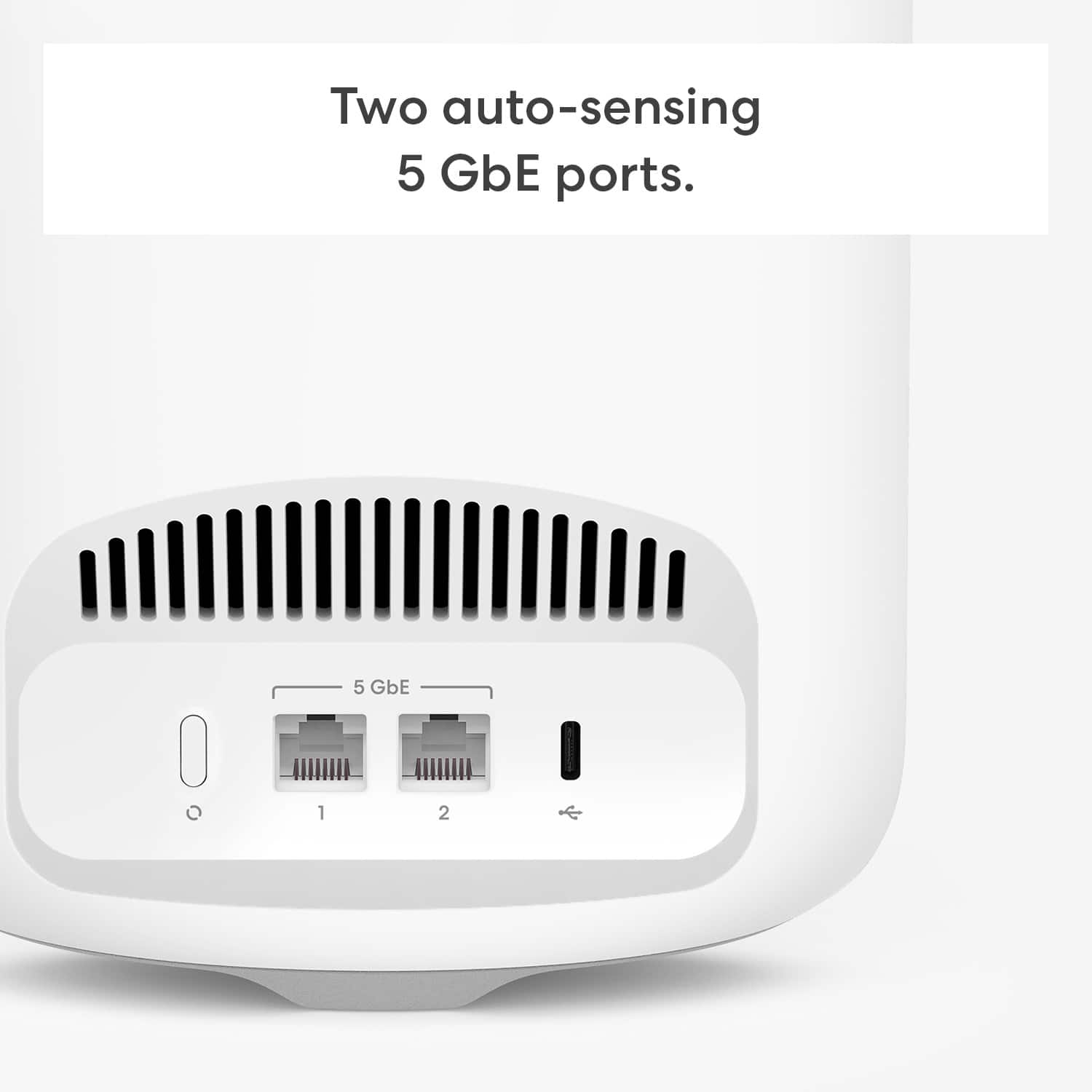
||Posted . Owned for 3 weeks when reviewed.This reviewer received promo considerations or sweepstakes entry for writing a review.I bought this set to expand our WIFI range and ensure we had Ethernet ports at specific locations for our most data hungry devices (computers, gaming consoles, etc.). So far it has done exactly that. We get nice even WiFi throughout the apartment and Ethernet connectivity where we need it. There are several other setups possible with these devices, so I can see us using them perfectly well as our needs evolve.
This review is from eero - Pro 7 Tri-band Mesh Wi-Fi 7 System (3-pack) - White
I would recommend this to a friend