Customer Ratings & Reviews


- Model:
- ME10311
- SKU:
- 6612697
Rating by feature
- Setup
Rating 4.9 out of 5 stars
- Range
Rating 4.7 out of 5 stars
- Signal Strength
Rating 4.7 out of 5 stars
to a friend
Customers are saying
Customers have good things to say about the Pro 7 Tri-band Mesh Wi-Fi 7 Router, especially regarding its overall performance and easy setup. Users are also pleased with the router's coverage and speed, noting improvements in signal strength and range. Furthermore, customers appreciate the reliable connectivity options and ease of use.
This summary was generated by AI based on customer reviews.
Eero 7
||Posted .This reviewer received promo considerations or sweepstakes entry for writing a review.Excellent product! Totally recommend. Just what i was looking for. Speeds are way better and easy setup.
I would recommend this to a friendWorks well and easy app
||Posted . Owned for 3 weeks when reviewed.This reviewer received promo considerations or sweepstakes entry for writing a review.Good coverage and an easy to use app that guides you through the installation and allows excellent control of the configuration of the router.
I would recommend this to a friendRouter tri band
||Posted . Owned for 1 month when reviewed.This reviewer received promo considerations or sweepstakes entry for writing a review.The eero app makes setup a breeze—you’ll have your network up and running in minutes, and management is simple for everyday users. It’s truly a “set-and-forget” Wi-Fi experience for most households.
I would recommend this to a friendExcellent product
||Posted . Owned for 3 weeks when reviewed.This reviewer received promo considerations or sweepstakes entry for writing a review.Easy set up and works flawlessly with other Eero routers to provide seamless transmissions throughout my home.
I would recommend this to a friend
Best home wifi system
|Posted .This reviewer received promo considerations or sweepstakes entry for writing a review.[Employee of bestbuy] You want better coverage abd consistent internet speed? Eeros def the best way to go no question.
I would recommend this to a friendGreat mesh wifi
||Posted . Owned for 3 weeks when reviewed.This reviewer received promo considerations or sweepstakes entry for writing a review.Easy to set up and cover my whole house. Best wifi system I've ever owned.
I would recommend this to a friendAmazing purchase
|Posted . Owned for 1 week when reviewed.This reviewer received promo considerations or sweepstakes entry for writing a review.[Employee of bestbuy] The eero have brought my download soeed from 4 hours to 40 minutes
I would recommend this to a friendGreat product
||Posted .This reviewer received promo considerations or sweepstakes entry for writing a review.Love my new Eero Pro. It works great since I had problems with my Eero 6.
I would recommend this to a friendBuy this without concerns
||Posted . Owned for 2 weeks when reviewed.This reviewer received promo considerations or sweepstakes entry for writing a review.This is my 3rd eero network and it is awesome. The hardware is bulletproof (and foolproof), the software is great and the support is excellent.
I would recommend this to a friendHome network
||Posted . Owned for 2 months when reviewed.This reviewer received promo considerations or sweepstakes entry for writing a review.Super easy to set up! No dead spots on each floor!
I would recommend this to a friendEasy setup and works great
||Posted . Owned for 1 week when reviewed.This reviewer received promo considerations or sweepstakes entry for writing a review.Easy setup and works great, but very pricey. Maybe less expensive version works just fine.
I would recommend this to a friendGreat Router
||Posted . Owned for 4 months when reviewed.This reviewer received promo considerations or sweepstakes entry for writing a review.Great routers, but multi link operation performs worse than WiFi6
I would recommend this to a friendEero pro 7
||Posted .This reviewer received promo considerations or sweepstakes entry for writing a review.One of the best you can get at the moment. Worth every penny!
I would recommend this to a friendMesh system
||Posted . Owned for 2 months when reviewed.This reviewer received promo considerations or sweepstakes entry for writing a review.Recently purchased this and seems to work great ! Saved money on our monthly Spectrum bill!
I would recommend this to a friendPerfect solution
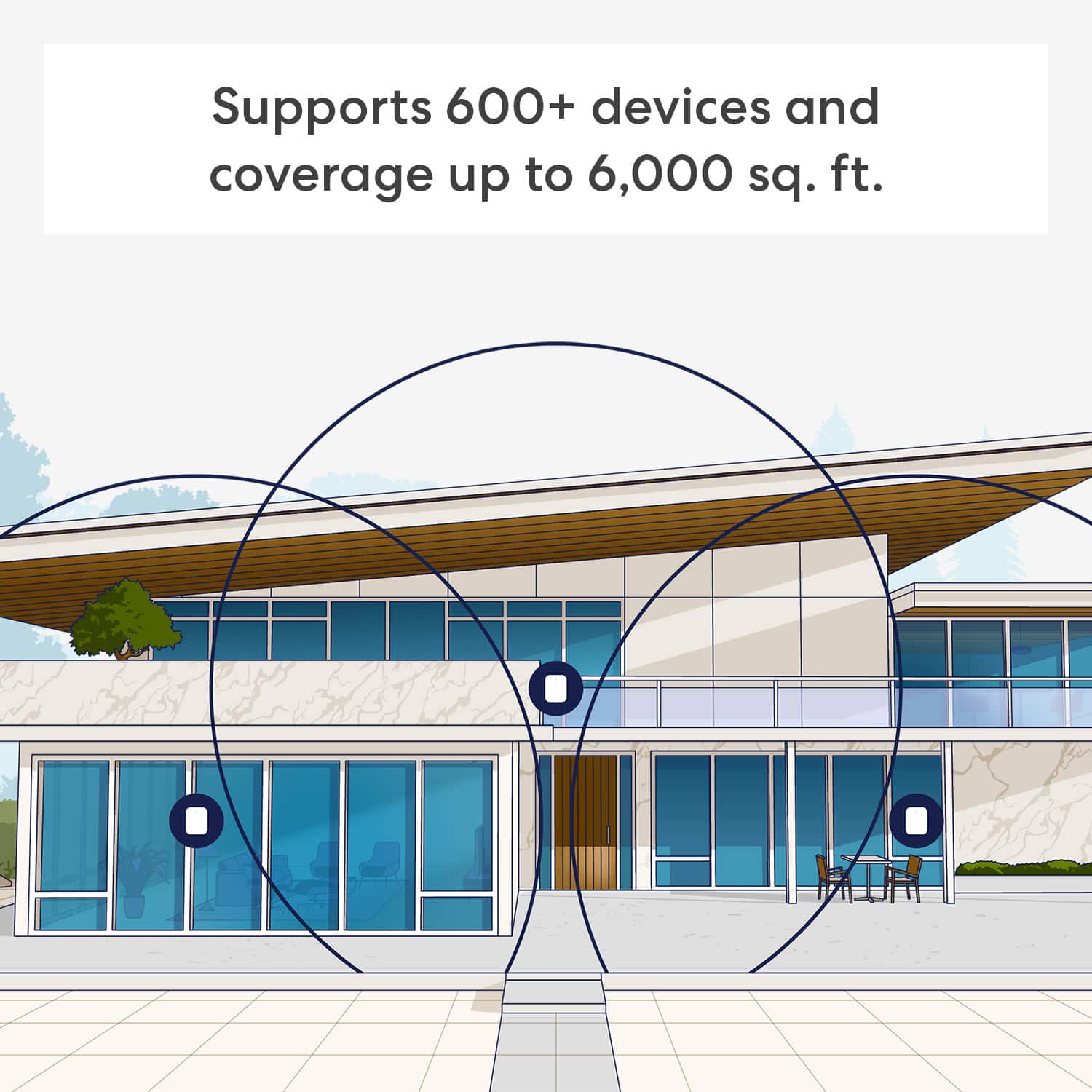
||Posted . Owned for 1 month when reviewed.This reviewer received promo considerations or sweepstakes entry for writing a review.We were paying for a gig speed internet, but not receiving anywhere near in many areas of our house. This was perfect. Arguably overkill for a 3000 sqft house. No regrets on the purchase.
I would recommend this to a friendEasy setup
||Posted . Owned for 1 week when reviewed.This reviewer received promo considerations or sweepstakes entry for writing a review.So far no issues. Love it…was easy to set up and coverage is great. Covers entire house plus my outbuilding garage.
I would recommend this to a friendGood company
||Posted . Owned for 1 month when reviewed.This reviewer received promo considerations or sweepstakes entry for writing a review.Been a reliable product so far, worth the money, a very good investment.
I would recommend this to a friendPretty good
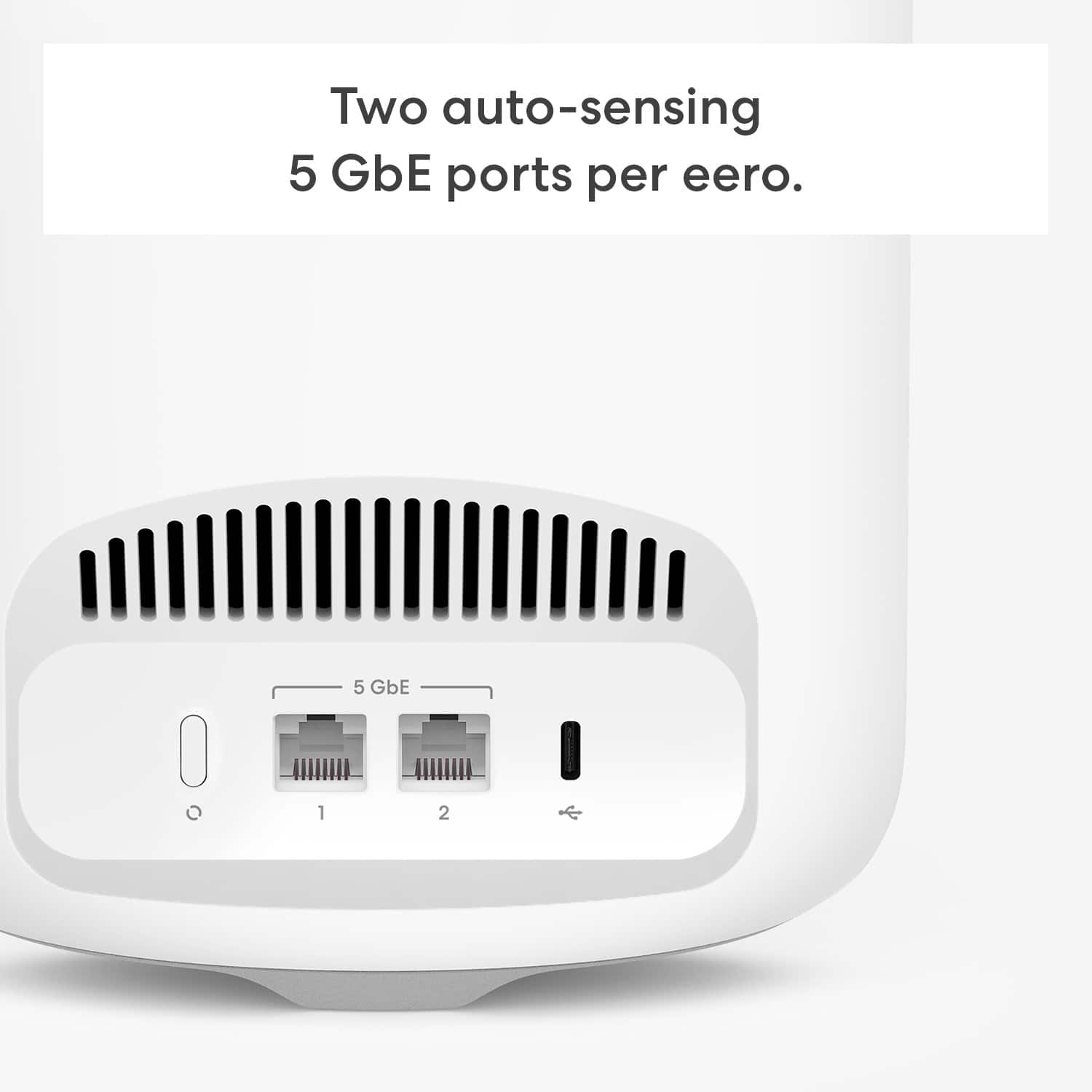
||Posted .This reviewer received promo considerations or sweepstakes entry for writing a review.Very reliable wifi speeds although it could use some more ethernet ports.
I would recommend this to a friendBrand response from Amazon Devices Customer Support
Posted .Hi Lucky. Thanks for providing feedback about your experience with the eero Pro 7 system. If you'd like to add additional Ethernet ports, you will need an Ethernet switch. Most unmanaged Ethernet switches work with eero, so feel free to use any to your liking. With that said, ensure you select a switch that fits the requirements of your internet service speeds. I hope this information helps. Have a great day!

Product Review
||Posted . Owned for 1 month when reviewed.This reviewer received promo considerations or sweepstakes entry for writing a review.Product performs as told by the sales and tech people. I’m very happy
I would recommend this to a friendAmazing Mesh Router
||Posted . Owned for 3 weeks when reviewed.This reviewer received promo considerations or sweepstakes entry for writing a review.Great fast internet wifi router. 3 bands to access wifi internet plus also the chance for a guest wifi network.
I would recommend this to a friend