Customer Ratings & Reviews
- Model:
- ME10311
- SKU:
- 6612697
Rating by feature
- Setup
Rating 4.9 out of 5 stars
- Range
Rating 4.7 out of 5 stars
- Signal Strength
Rating 4.7 out of 5 stars
to a friend
Customers are saying
Customers have good things to say about the Pro 7 Tri-band Mesh Wi-Fi 7 Router, especially regarding its overall performance and easy setup. Users are also pleased with the router's coverage and speed, noting improvements in signal strength and range. Furthermore, customers appreciate the reliable connectivity options and ease of use.
This summary was generated by AI based on customer reviews.
Eero pro 7
||Posted . Owned for 1 month when reviewed.This reviewer received promo considerations or sweepstakes entry for writing a review.Switched from tp-link due to need to improve network speed. Has same speed as my tp-link and was double the cost.
No, I would not recommend this to a friendBrand response from Amazon Devices Customer Support
Posted .Hello AnnaN! Thank you for sharing your experience with the eero Pro 7. I'm sorry to hear that the switch from your TP-Link hasn't delivered the speed improvement you were hoping for, especially at a higher price point.
Here are some troubleshooting steps that may help you get the most out of your eero Pro 7 and potentially see the speed boost you were expecting:
1. Placement & Setup
Make sure your eero Pro 7 is placed in a central, open location — avoid closets, cabinets, or areas near thick walls and large appliances that can interfere with the signal.
If you have multiple eero units, ensure they are spaced appropriately (not too far apart) to maintain a strong mesh connection between them.
2. Check Your Internet Connection at the Source
Connect a device directly to your modem via ethernet cable and run a speed test. This will confirm whether the speed limitation is coming from your ISP (Xfinity) or the router itself.
If the wired speed matches your plan, the issue may be with wireless interference or device placement.
3. Update Firmware
Open the eero app and check that your eero Pro 7 is running the latest firmware. Updates can include performance improvements and bug fixes.
4. Restart Your Network
In the eero app, try restarting your network. Unplug your modem, wait 30 seconds, plug it back in, and allow everything to reconnect fully before testing speeds again.
5. Check Your Internet Plan
Confirm with Xfinity that your current plan supports the speeds you're expecting. Sometimes a modem upgrade is needed to take full advantage of faster router hardware.
6. Wi-Fi Band Selection
The eero Pro 7 supports Wi-Fi 7, but your devices must also support Wi-Fi 7 (or at minimum Wi-Fi 6/6E) to take full advantage of the improved speeds. Older devices may connect at the same speeds regardless of the router.
If these steps don't resolve the issue and you're still not seeing improved performance, Amazon Customer Support is available 24/7 and can assist further. You can reach them at 1-888-280-4331.
I hope this helps get your network performing at the level you expected. Thank you for your feedback!
eero - Pro 7 Tri-band Mesh Wi-Fi 7 Router
||Posted . Owned for 2 weeks when reviewed.This reviewer received promo considerations or sweepstakes entry for writing a review.I was very disappointed with BestBuy and DataVision. I bought it on sale, but the unit was delivered with a used unit. I went to BestBuy to get a replacement unit, but BestBuy did not honor it. They told me I had to pay the regular price for the replacement. I want to give a 0 if there is choice.
No, I would not recommend this to a friendVery disrespectful employee (kids)
||Posted . Owned for 2 weeks when reviewed.This reviewer received promo considerations or sweepstakes entry for writing a review.I’m reviewing the Best Buy customer service. I sent formal review email to Best Buy organization but no response. Bad customer service. The employee kids feel they’re doing doing me a favor with their comments being insulting and disrespectful
I would recommend this to a friendBrand response from Amazon Devices Customer Support
Posted .Hi KeithW,
Thank you for taking the time to share your feedback. We're sorry to hear about your negative experience with Best Buy customer service. We understand how frustrating it can be when interactions with store employees feel disrespectful or unhelpful, and we appreciate you bringing this to our attention.
While we're Amazon Customer Care and handle product-related support for Amazon devices like the eero Pro 7, customer service experiences at Best Buy retail locations are managed by Best Buy directly. We encourage you to follow up on your formal complaint if you haven't received a response—Best Buy's corporate customer service team should address concerns about employee conduct.
If you have any questions about your eero Pro 7 router itself—setup, performance, or technical support—we're here to help. You can reach our support team at 1-888-280-4331 or through the eero app.
We appreciate you choosing an Amazon product, and we hope your experience with the eero Pro 7 system itself meets your expectations.
really disappointing. I regret the purchase.
||Posted . Owned for 1 month when reviewed.This reviewer received promo considerations or sweepstakes entry for writing a review.Continues to disconnect from the internet needing to be unplugged to reset. It’s very frustrating. I definitely expected more as they came highly recommended. I don’t know why the performance is terrible. I wish I could return them as you know they were really expensive.
No, I would not recommend this to a friendBrand response from Amazon Devices Customer Support
Posted .Hi BethB. Thank you for providing feedback about your experience with the eero Pro 7 system. I’m sorry to hear that you’ve repeatedly had to reset your system. Swapping your gateway eero (the one connected to your modem) with another eero on your network can help determine if the issue is network wide. To perform the gateway eero swap, please follow these steps: Determine which eero in your network you would like to swap with the current gateway. Unplug the modem from power. Remove power from the secondary eero that is not connected to the modem. Unplug the current gateway eero from power. Plug the modem into power and wait for it to come online. Connect the replacement gateway to the Modem via ethernet cable. Connect the replacement gateway to power. Connect the original gateway eero to power in the replacement gateway’s previous location. Allow both eeros to boot up and come online. It may take up to 10 minutes for your eero network to come back online as your network assigns the new gateway. If your network goes down again, note which eero(s) went offline and reach out to customer service so that they can further troubleshoot. They can be reached at (877) 659-2347. I hope this helps. Have a great day!
Eero 7Pro Performance Isssuea or Defective???
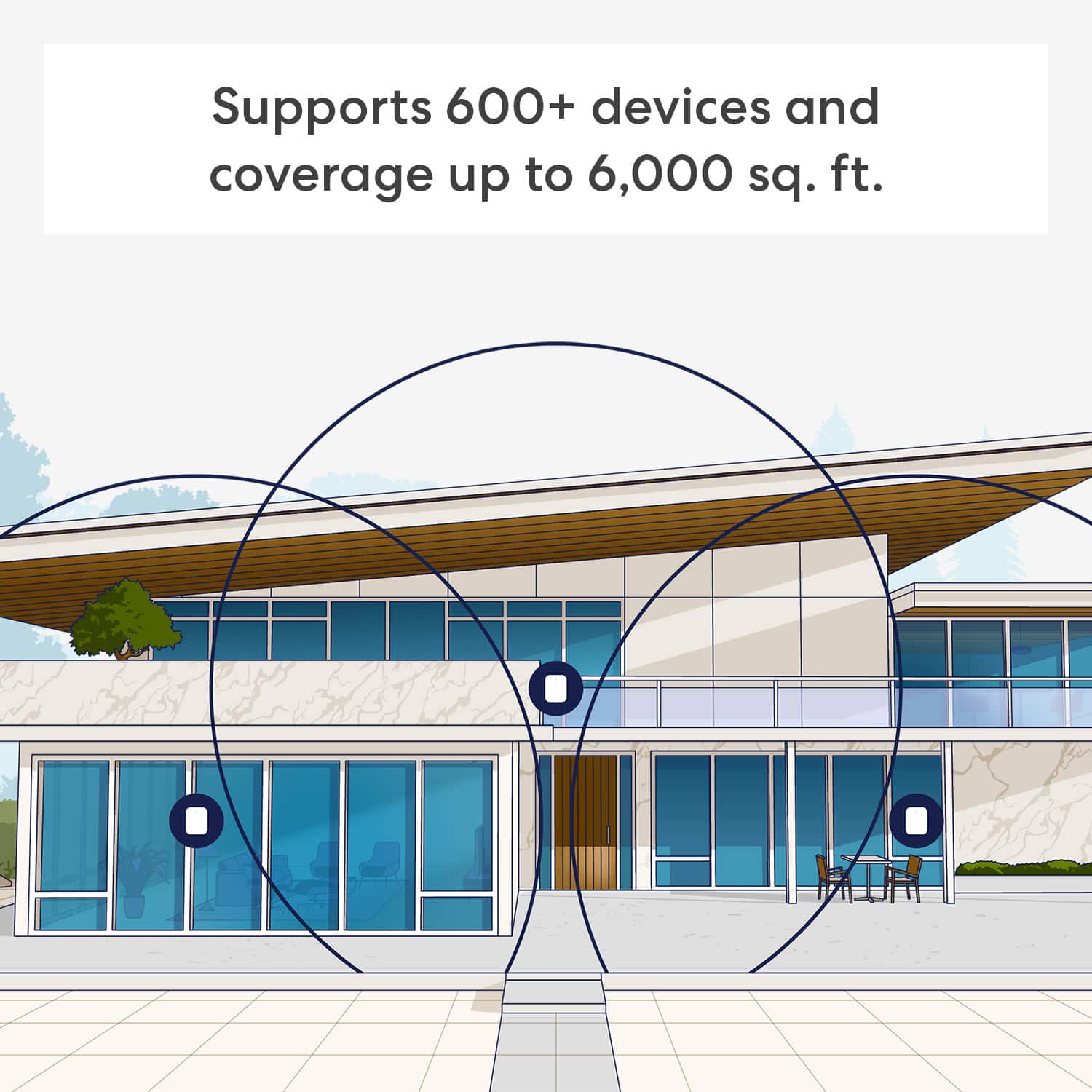
||Posted . Owned for 1 week when reviewed.This reviewer received promo considerations or sweepstakes entry for writing a review.The Eero 7Pro is supposed to be one of the best wireless routers available for a residential use. I’m not getting good performance in 3,000 SF house even though it’s supposed to cover 6,000 SF. Eero support has been good with troubleshooting. Next step is returning the devices and trying another box since the ones I have might be defective.
No, I would not recommend this to a friendBrand response from Amazon Devices Customer Support
Posted .Hello EricB,
Thank you for sharing your experience with the eero Pro 7 Tri-band Mesh Wi-Fi 7 System. I'm sorry to hear that you're not getting the performance you expected in your 3,000 sq ft house, especially when the system is rated to cover up to 6,000 sq ft.
It's frustrating when a premium mesh system doesn't deliver the coverage and performance it's designed for, particularly in a home well within its stated range. The issues you're experiencing could be due to several factors—including home construction materials, interference, unit placement, or potentially defective hardware—and it sounds like you and eero support have been working through the troubleshooting process.
I'm glad to hear that eero support has been helpful with troubleshooting. Since you've already worked with them and the performance issues persist, your next step of returning the devices and trying a replacement set is a solid plan. Sometimes a defective unit in the mesh network can significantly impact overall system performance, and a fresh set may resolve the issues entirely.
If the replacement units don't improve performance, you might also consider:
Reviewing unit placement to ensure optimal positioning with minimal obstructions
Checking for sources of interference like thick walls, metal structures, or other wireless devices
Verifying your internet service speed matches what you're paying for from your ISP
Your feedback about the performance gap between expectations and reality is valuable, and I hope the replacement units deliver the robust coverage and speed you're looking for.
bad product
||Posted . Owned for 1 month when reviewed.This reviewer received promo considerations or sweepstakes entry for writing a review.did not work turned off and on apparently pinging back and forth to itself returned this product
No, I would not recommend this to a friendBrand response from Amazon Devices Customer Support
Posted .Hi StevenD. Thank you for providing feedback regarding your experience with the eero Pro 7 system. I'm sorry to hear that your system didn't perform as expected. Swapping your gateway eero (the one connected to your modem) with another eero on your network can help determine if the issue is network wide or if it is isolated to a single eero. To perform the gateway eero swap, please follow these steps: Determine which eero in your network you would like to swap with the current gateway. Unplug the modem from power. Remove power from the secondary eero that is not connected to the modem. Unplug the current gateway eero from power. Plug the modem into power and wait for it to come online. Connect the replacement gateway to the Modem via ethernet cable. Connect the replacement gateway to power. Connect the original gateway eero to power in the replacement gateway’s previous location. Allow both eeros to boot up and come online. It may take up to 10 minutes for your eero network to come back online as your network assigns the new gateway. If your network goes down again, note which eero(s) went offline and reach out to customer service so that they can further troubleshoot. They can be reached at (877) 659-2347. I hope this helps. Have a great day!
Amazon beware
||Posted . Owned for 3 weeks when reviewed.This reviewer received promo considerations or sweepstakes entry for writing a review.Did not know Amazon owns this company and you can only set it up with an Amazon account. I don’t want them controlling my every internet move. Pitbull Space Cowboy can take this and put it up his space hole in Venice.
No, I would not recommend this to a friendSlowly
||Posted . Owned for 3 weeks when reviewed.This reviewer received promo considerations or sweepstakes entry for writing a review.I will return it, it makes no difference. ........
No, I would not recommend this to a friendBrand response from Amazon Devices Customer Support
Posted .Hello. Thank you for reaching out about your experience with the eero Pro 7 system. I’m sorry to hear about your dissatisfaction. Strategically placing your eeros is the single most important step you can take to ensure your system provides fast, reliable WiFi to every room in your home. Here are some tips to follow: 1. Place eeros where they can talk to each other. 2. Place eeros on a hard, flat surface. 3. Keep your eeros out in the open. 4. Whenever possible, aim for direct line of sight between eeros. The fewer the walls between your eeros, the better. If this information doesn’t resolve your issue, call eero customer service at (877) 659-2347. They’re available Monday-Sunday 6am-8pm PT. I hope this helps. Have a great day!
Eero Pro 7 router
Posted .This reviewer received promo considerations or sweepstakes entry for writing a review.The Eero Pro 7 router has been a game-changer for my home network. Since switching to it, my previously laggy video calls and streaming issues have completely disappeared, delivering smooth and reliable performance. The setup was straightforward, and the coverage is impressive, ensuring strong Wi-Fi throughout my space. Overall, it’s been a dependable and high-performing upgrade that I’d highly recommend to anyone facing similar connectivity problems.
I would recommend this to a friendWifi Erro pro 7
Posted .This reviewer received promo considerations or sweepstakes entry for writing a review.My wifi is way better now and covrage is great through out both levels of my home. It was easy to set up and the app is very user friendly. Would definitely recommend.
I would recommend this to a friendGood WiFi 7 router
Posted .This reviewer received promo considerations or sweepstakes entry for writing a review.I upgraded from an Eero pro 6e to the Eero Pro 7 and practically doubled my WiFi speeds.
I would recommend this to a friendeero Pro is the way to go!
Posted .This reviewer received promo considerations or sweepstakes entry for writing a review.Eero Pro is a household name when it comes to router/wi-fi connectivity. With the 3 pack system your coverage is pretty good.
I would recommend this to a friendGood signal for large house
Posted .This reviewer received promo considerations or sweepstakes entry for writing a review.Appear to be receiving consistent signal throughout house
I would recommend this to a friendReliable!!
Posted .This reviewer received promo considerations or sweepstakes entry for writing a review.Great devise. Never fails couldn't be happier with the product.
I would recommend this to a friendgood mesh system
Posted .This reviewer received promo considerations or sweepstakes entry for writing a review.performance is good so far, I believe better than orbi model that failed.
I would recommend this to a friend