Customer Ratings & Reviews


- Model:
- 10GAS9901
- SKU:
- 6398000
Rating by feature
- Value
Rating 4.4 out of 5 stars
- Quality
Rating 4.8 out of 5 stars
- Ease of Use
Rating 4.5 out of 5 stars
Customers are saying
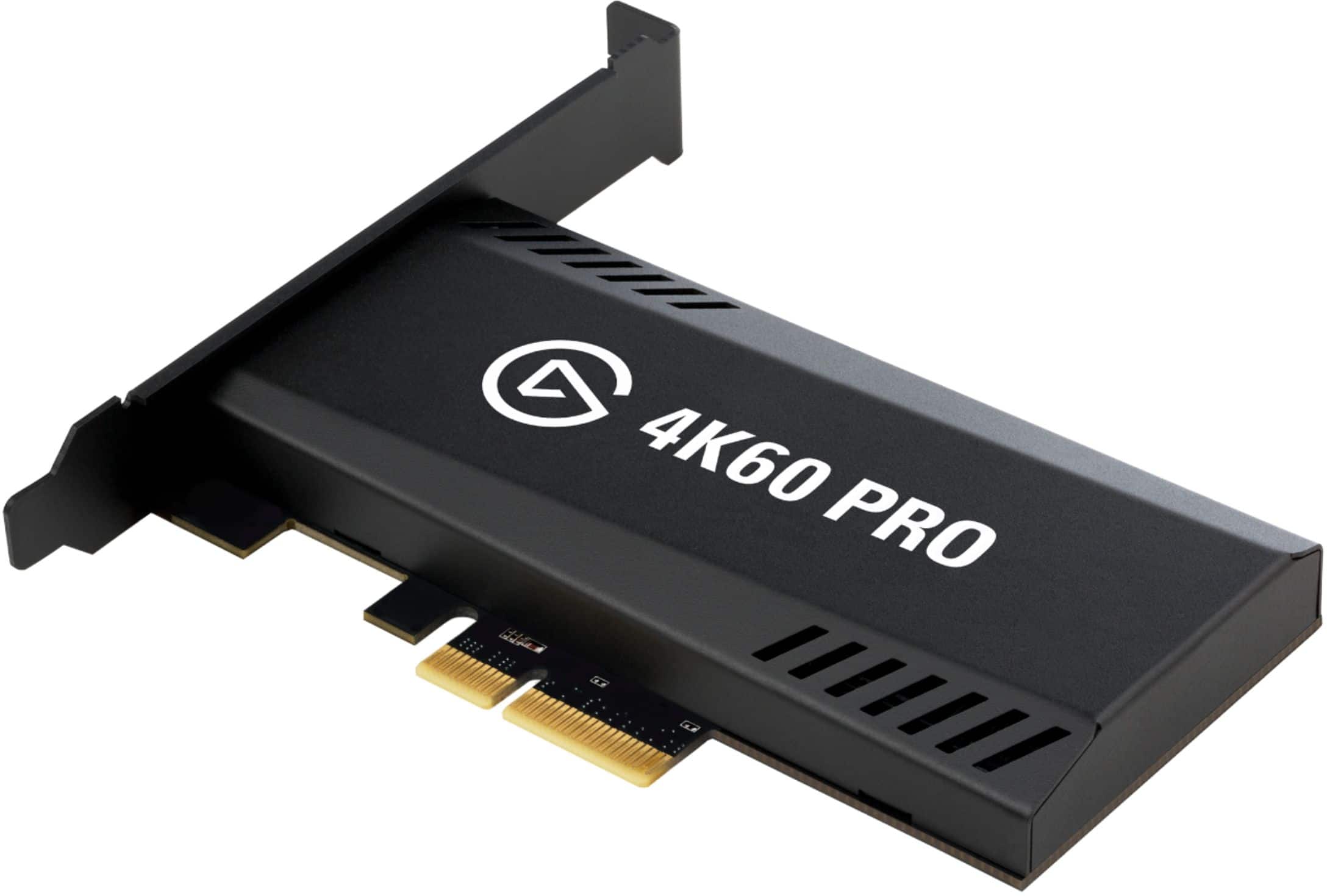
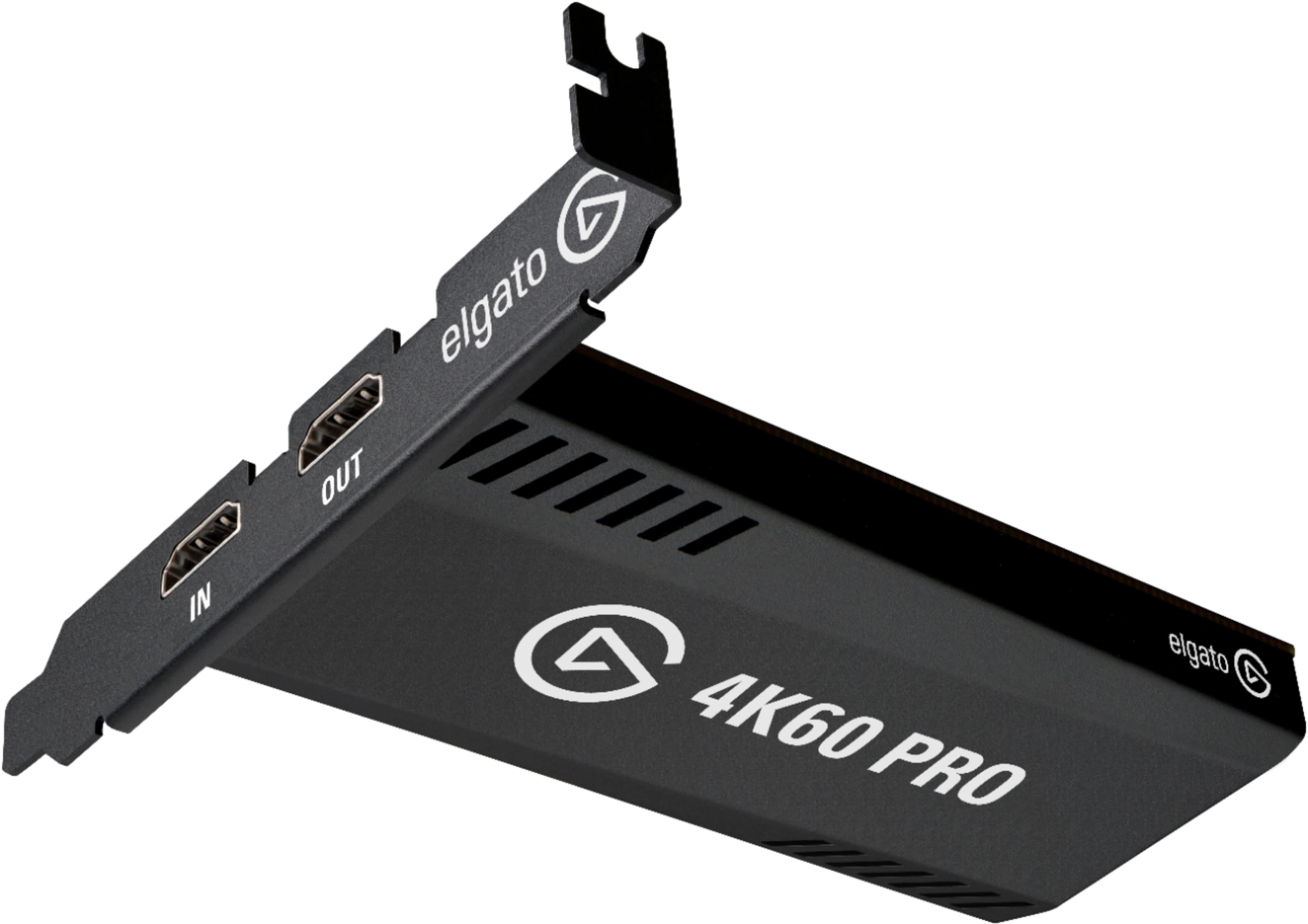
Customers are satisfied with the Game Capture 4K60 Pro MK.2, particularly its ease of use and video quality. Many find the resolution detailed and appreciate its compatibility with devices like the Xbox Series X. However, some customers have noted minor lag, and suggest improvements to the software's user-friendliness, especially considering the product's price.
This summary was generated by AI based on customer reviews.
- Cons mentioned:Lag
Works like a charm. Installation Process:
||Posted . Owned for less than 1 week when reviewed.This reviewer received promo considerations or sweepstakes entry for writing a review.Does everything the website says! No latency, 4K options, everything! All you gotta do is plug it in an open PCIE slot that’s at least x4 - mine is in a x16 - download the Application AND download the drivers. Both are on separate paths on Elgato’s websites. Make sure you download the correct driver for the correct MK. This one is the MK.2. If you’re still receiving a “No capture devices found” message then restart your computer and during the restart, press F2 or Delete to open BIOS settings. Look for the Link Speed for the PCIE slot your card is plugged in and set the mode from AUTO/3RD GEN to 2ND GEN. Afterwards it should say “No Signal” until you plug in or turn on your console/device. Once all that is done it should be smooth sailing. Oh and btw, the HDMI cable that’s included is a 5-footer.
I would recommend this to a friend - Pros mentioned:Compatibility
Amazing Card
||Posted . Owned for less than 1 week when reviewed.This reviewer received promo considerations or sweepstakes entry for writing a review.The capture card works as intended. The only thing to worry about is whether you have an original 4K60 Pro or a MK.2 version. The latter can only use the 4K Capture Utility software and the former can still use Game Capture HD from Elgato.
I would recommend this to a friend - Pros mentioned:Resolution
Great capture card.
||Posted . Owned for 1 week when reviewed.This reviewer received promo considerations or sweepstakes entry for writing a review.Excellent capture card. Work seem Owsley in the background. No skips. Get 60 frames per second with no problems in high definition 4K. Always in stock at Best Buy. Nice to know if you have any trouble you can always get it a replacement card. Recommend total tech membership. No questions asked. Got to love it.
I would recommend this to a friend Worth every penny
||Posted .This reviewer received promo considerations or sweepstakes entry for writing a review.Recently went through the Elgato HD60s and then the Razer Ripsaw when I upgraded my monitor to try and get 1440 pass through. The Razer Ripsaw does not allow 1440 pass through for xbox and this product does. Extremely easy to install. Took longer to unscrew my case then to put it in. No extra software was needed for OBS to pick it up instantly. Came with additional HDMI chord and looks very nice overall. Maybe add some aura sync RGB and this would be a 6 start product. Worth the money to avoid headaches and wasting just as much money on the other products to make them do what this product does.
I would recommend this to a friend- Cons mentioned:Lag
Great
||Posted . Owned for 1 week when reviewed.This reviewer received promo considerations or sweepstakes entry for writing a review.Hands down best for performance and best for graphics better then the ones they say are better then this capture card would recommend it for my auntie nieces and nephews no lags 0 flickers good graphics smooth game play
I would recommend this to a friend - Pros mentioned:Ease of use
No Latency
||Posted . Owned for 1 week when reviewed.This reviewer received promo considerations or sweepstakes entry for writing a review.Easy to install. Felt a bit unstable at first but was fine once I got it screwed into the back.
I would recommend this to a friend Great capture card worth buying!!
||Posted . Owned for 1.5 years when reviewed.This reviewer received promo considerations or sweepstakes entry for writing a review.Great capture card! Price is high than most of the others I saw online, but it was totally worth buying!!! I use it when I stream on twitch using my pc but want to play games on PS5 or Switch. Best part is the it’s pretty much plug and play. You just download the program to watch what it’s capturing but it’s super easy to set up.
I would recommend this to a friendElgato can’t miss!
||Posted . Owned for less than 1 week when reviewed.This reviewer received promo considerations or sweepstakes entry for writing a review.I have yet to use this capture card (still awaiting delivery of my PC that has now been delayed twice), but I’m sure it’s gonna be awesome. I’ve already owned both the Elgato HD60S as well as the HD60S+, & now the upgrade! Can’t Wait!
I would recommend this to a friend- Pros mentioned:Ease of use
10/10
||Posted . Owned for 5 months when reviewed.This reviewer received promo considerations or sweepstakes entry for writing a review.super easy to install. good packaging, and works perfectly.
I would recommend this to a friend - Pros mentioned:Video quality
Great capture card
||Posted . Owned for 2 weeks when reviewed.This reviewer received promo considerations or sweepstakes entry for writing a review.Workd great with my 144 monitors and the quality is perfect
I would recommend this to a friend Another perfect add for my build from Elgato and B
||Posted . Owned for 3 weeks when reviewed.This reviewer received promo considerations or sweepstakes entry for writing a review.I havent used this card yet, but lots of experience with elgato products, my last card was pretty slick, excited to see what this ine can do! Best buy has the deals, I got this on a price drop! Keep an eye out! Check out my live streams soon, pc and ps5 play coming!
I would recommend this to a friendLove it
||Posted . Owned for 3 weeks when reviewed.This reviewer received promo considerations or sweepstakes entry for writing a review.Once you understand how to set this up this works fantastic. I have this for a dual pc set up and not gonna lie getting that working was harder than putting this in a pc
I would recommend this to a friendBest ever!
||Posted . Owned for 2 months when reviewed.This reviewer received promo considerations or sweepstakes entry for writing a review.Dont go buying the cheap stuff. This elgato 4k 60 pro is amazing.
I would recommend this to a friendWorth every Penny
||Posted . Owned for 1 week when reviewed.This reviewer received promo considerations or sweepstakes entry for writing a review.Couldn’t wait to hook this up and I got to tell you I’m a happy customer
I would recommend this to a friend- Cons mentioned:Software
It doesn't work with windows 7
||Posted . Owned for 2 weeks when reviewed.This reviewer received promo considerations or sweepstakes entry for writing a review.I've spent a lot of time for nothing because I didn't know that this toy doesn't have a driver software for windows 7
No, I would not recommend this to a friend Avoid Elgato at all cost! Washed out Grey Colors!
||Posted .This reviewer received promo considerations or sweepstakes entry for writing a review.Horrible! how can people think this even looks good? The Razer Ripsaw HD looks 5x better than this. The colors on the Elgato capture card look extremely washed out and not vivid at all very dull and grey looking also the quality of the Stream doesn't looks anywhere near as good as with the Ripsaw HD. Returning this and keeping the Ripsaw HD
No, I would not recommend this to a friendBrand response from Corsair Art
Posted .Hi EpicSurvivor,
Sorry to hear that you're getting washed out colors, you should be getting a great quality stream. We'd like to help! Please reach out to our support team so we can work with you directly with your specific setup: support.elgato.com
-Brian
- Pros mentioned:Video qualityCons mentioned:Lag
Excellent capture card!
||Posted . Owned for 10 months when reviewed.This reviewer received promo considerations or sweepstakes entry for writing a review.Excellent capture card! This card works great, capturing 4K video from my streaming camera, gaming laptop, Xbox Series X, and a PlayStation 5! (only one connected at a time.) It has passthrough so your PC can capture the video, and from there the signal can go to a TV or monitor so you can see the video with almost zero lag. Or if you do not mind being behind a small bit, you can see the video directly on your PC with the $K viewing software that Elgato provides. I have used this with Discord, OBS, and Streamlabs all to great effect. Providing video and audio stream that are clearly identifiable when setting up those other software products. I have had no problems with it, something that I cannot say for the CamLink4K. The 4K60 Pro Capture card is the superior product by far.
I would recommend this to a friend - Pros mentioned:Ease of use, Video qualityCons mentioned:Software
Good, not Great card.
||Posted . Owned for less than 1 week when reviewed.This reviewer received promo considerations or sweepstakes entry for writing a review.The card isn't too bad, just a little difficult to manage. I bought it with the intent to record, and the software provided doesn't stand up to the task. The card itself isn't hard to install(though if you're upgrading from the HD60Pro you'll have to find a different slot), and overall fine. The software is not very good for recording. I haven't used it for streaming, so I can't attest to that, but recording it has a lot of issues. It has a difficult time getting the PS4 Pro to register it as a 4k display, and the card is NOT compatible with the old Game Capture HD software. The 4k Capture Utility software is the only Elgato brand SW you can use. That's issue 1. The videos I recorded were EXTREMELY glitchy, with many visual tears and a lot of jumping/juttering. I have the recording set to maximum quality, and only recording at 1080p60. However, this isn't the hardwares fault, since when I recorded the same game, same console, same cables, using StreamLabs OBS, it recorded just fine. The file size was much larger, but the quality was perfect. Exactly what I was looking for. Bottom line, if you're using this for streaming(according to most reviews) it's fine, but if you're wanting to record with this, maybe use different software.
I would recommend this to a friend - Pros mentioned:Ease of use, Video quality
Elgato 4K60 Pro: A Stellar Device for High-Quality
||Posted . Owned for 1 week when reviewed.This reviewer received promo considerations or sweepstakes entry for writing a review.Review: As a passionate gamer and an occasional streamer, I recently got my hands on the Elgato 4K60 Pro, and let me tell you, it's a top-tier capture card that excels in delivering high-quality, professional-grade streaming and recording. **The Good:** 1. **Exceptional Video Quality**: The ability to capture 4K resolution at 60 frames per second is nothing short of impressive. The clarity and smoothness of the footage are unparalleled, making it perfect for high-end gaming and content creation. 2. **Easy Setup**: Setting it up was a breeze. Elgato's software is user-friendly, and the integration with popular streaming platforms is seamless. 3. **Low Latency**: The real-time pass-through is a game-changer. It allows you to play high-fidelity games without any noticeable lag, ensuring an immersive gaming experience. 4. **Robust Build Quality**: The card feels sturdy and well-built. It's clear that Elgato didn't cut corners on the build, ensuring longevity and durability. **The Not-So-Good:** As much as I admire the Elgato 4K60 Pro, I encountered a significant hiccup in my usage scenario. Unfortunately, it requires a dual-PC setup for optimal performance, and I currently operate with a single PC. This limitation became a deal-breaker for me. The card is designed to offload the encoding work from your gaming PC to another, ensuring smoother performance during live streaming. Since I don't have a second PC, I couldn't utilize this feature to its fullest potential. **Conclusion:** The Elgato 4K60 Pro is, without a doubt, an outstanding piece of technology for streamers and content creators who require the highest video quality. Its performance, ease of use, and build quality are top-notch. However, for single PC users like myself, it might not be the most practical investment. If you have a dual-PC setup and are looking to elevate your content creation game, this capture card is undoubtedly one of the best in the market. But for those who don't, you might want to consider other options more suited to a single-PC environment.
I would recommend this to a friend - Pros mentioned:Ease of use, Video qualityCons mentioned:Lag
Works Perfectly No Issues
||Posted . Owned for 1 week when reviewed.This reviewer received promo considerations or sweepstakes entry for writing a review.I have an Elgato Game Capture HD, Game Capture HD60, and now the 4K60 Pro. The 4k60 Pro records flawlessly. Haven't experienced any lag or temporary app not responding issues. It simply works the way i expected it to. Just like the rest of Elgatos capture cards. I built my pc so installation was a breeze. Plug and play.
I would recommend this to a friend