Customer Ratings & Reviews
- Model:
- 10GAR9901
- |
- SKU:
- 6359930
Customer reviews
Rating 4.6 out of 5 stars with 950 reviews
(950 customer reviews)Rating by feature
- Value4.4
Rating 4.4 out of 5 stars
- Quality4.7
Rating 4.7 out of 5 stars
- Ease of Use4.5
Rating 4.5 out of 5 stars
Customers are saying
Customers praise the Game Capture HD60 S+ for its ease of use, excellent video quality, and compatibility with various platforms. Many appreciate the straightforward setup and the card's ability to capture high-resolution gameplay, even allowing for 4K gaming while streaming at 1080p. While some find the price high, most users report minimal lag and are satisfied with the overall performance. A few users mentioned some software-related issues.
This summary was generated by AI based on customer reviews.
- Pros mentioned:Ease of use, Video quality
Rated 5 out of 5 stars
Makes it easy for streaming.
||Posted . Owned for less than 1 week when reviewed.This reviewer received promo considerations or sweepstakes entry for writing a review.Love the video quality it records. Simple to use and very effective.
I would recommend this to a friend - Pros mentioned:Ease of use
Rated 5 out of 5 stars
Elgato Does it Best
||Posted . Owned for 2 weeks when reviewed.This reviewer received promo considerations or sweepstakes entry for writing a review.This is one of the best purchased I’ve made all year. My steam quality is excellent. The software is super easy to use, and the setup is self-explanatory. ~*IMPORTANT*~ make sure to plug the USB into a 3.0 port, I learned this the hard way after having it in a 3.1 for two days. It will make your audio outport extremely distorted and echoed.
I would recommend this to a friend Rated 5 out of 5 stars
Great but do your research
||Posted . Owned for 1 week when reviewed.This reviewer received promo considerations or sweepstakes entry for writing a review.This thing..ha. Ok I just started streaming on my xbox series x on twitch. Obviously I wanted my streams to pop out instead of just streaming through the twitch app and knew I needed this bad boy. It's easy to set up...but if you want it to do certain things..all I can say is watch YouTube tutorials. You will have to either use Streamlabs or OBS. DO NOT use the crabby Elgato software they tell you to use...hence why I said use Streamlabs or OBS and that may take a learning curve as well. Also, it has a USB C connecter..it is very sensitive and it does NOT like dongles if you have to use one to hook it up to your computer and it does require USB 3.0 ports. Do your research before you buy this and make sure that you have the requirements.
I would recommend this to a friendRated 5 out of 5 stars
Performs as advertised
||Posted . Owned for 11 months when reviewed.This reviewer received promo considerations or sweepstakes entry for writing a review.Performs exactly as described, no complaints. Glad I purchased this device.
I would recommend this to a friend- Pros mentioned:Video quality
Rated 4 out of 5 stars
BEST quality but tricky to use.
||Posted . Owned for 1 week when reviewed.This reviewer received promo considerations or sweepstakes entry for writing a review.The Elgato - Game Capture HD60 S+ is definitely an soild capture decice that promise the quality it claims but, you will have to use a 4k capture program that elgato provides on their website and its a bit tricky to use. There isn't alot of tutorials on it so prepare to do a lot of Google searches. If you can get pass the learning curve of the program, videos and streaming you favorite console games will look freakin amazing.
I would recommend this to a friend - Pros mentioned:Ease of use, Setup
Rated 5 out of 5 stars
Works great
||Posted . Owned for 1 month when reviewed.This reviewer received promo considerations or sweepstakes entry for writing a review.Just what we needed. Quick plug and play setup and easy to use.
I would recommend this to a friend - Pros mentioned:Ease of use, Video quality
Rated 5 out of 5 stars
Great tech easy to use
||Posted .This reviewer received promo considerations or sweepstakes entry for writing a review.Easy to use recording card recommend this for streaming too
I would recommend this to a friend - Pros mentioned:Video quality
Rated 5 out of 5 stars
An Excellent Game Capture Card
||Posted .This reviewer received promo considerations or sweepstakes entry for writing a review.I recently bought this to upgrade from the Elgato Hd60 i've used for a few years. And let me say, this is quite the upgrade indeed. It records my gameplay in 1080p, max bitrate at 60 Mbps & tons of other spec details, this capture card is one I definitely recommend getting when you have the chance.
I would recommend this to a friend Rated 5 out of 5 stars
Good
||Posted . Owned for 1.5 years when reviewed.This reviewer received promo considerations or sweepstakes entry for writing a review.Works with no problem. Haven’t had any issues with it
I would recommend this to a friend- Pros mentioned:Ease of useCons mentioned:Lag
Rated 5 out of 5 stars
Best capture card out
||Posted . Owned for 1 month when reviewed.This reviewer received promo considerations or sweepstakes entry for writing a review.This captures card works great zero lag and user friendly
I would recommend this to a friend Rated 5 out of 5 stars
Love it
||Posted . Owned for 1 year when reviewed.This reviewer received promo considerations or sweepstakes entry for writing a review.Definitely the best capture device for the price!!
I would recommend this to a friend- Pros mentioned:Compatibility
Rated 4 out of 5 stars
This Only Works On New Game Consoles
||Posted .This reviewer received promo considerations or sweepstakes entry for writing a review.I Purchased The Elgato HD60S+ Capture Card Because I Heard The Elgato HD60S Had Some Audio Issues Overall This Capture Card Only Works If You Download The 4K Capture Software And Cannot Run In The Original Elgato Capture Software However This Capture Card Is Good Enough To Stream Anything From The Newest Game Consoles PS4, XBOX ONE, PS5, XBOX Series X or S And Gives You Better Graphics Overall Its Still Pretty Good
I would recommend this to a friend - Pros mentioned:Ease of use
Rated 5 out of 5 stars
Great upgrade from my HD60
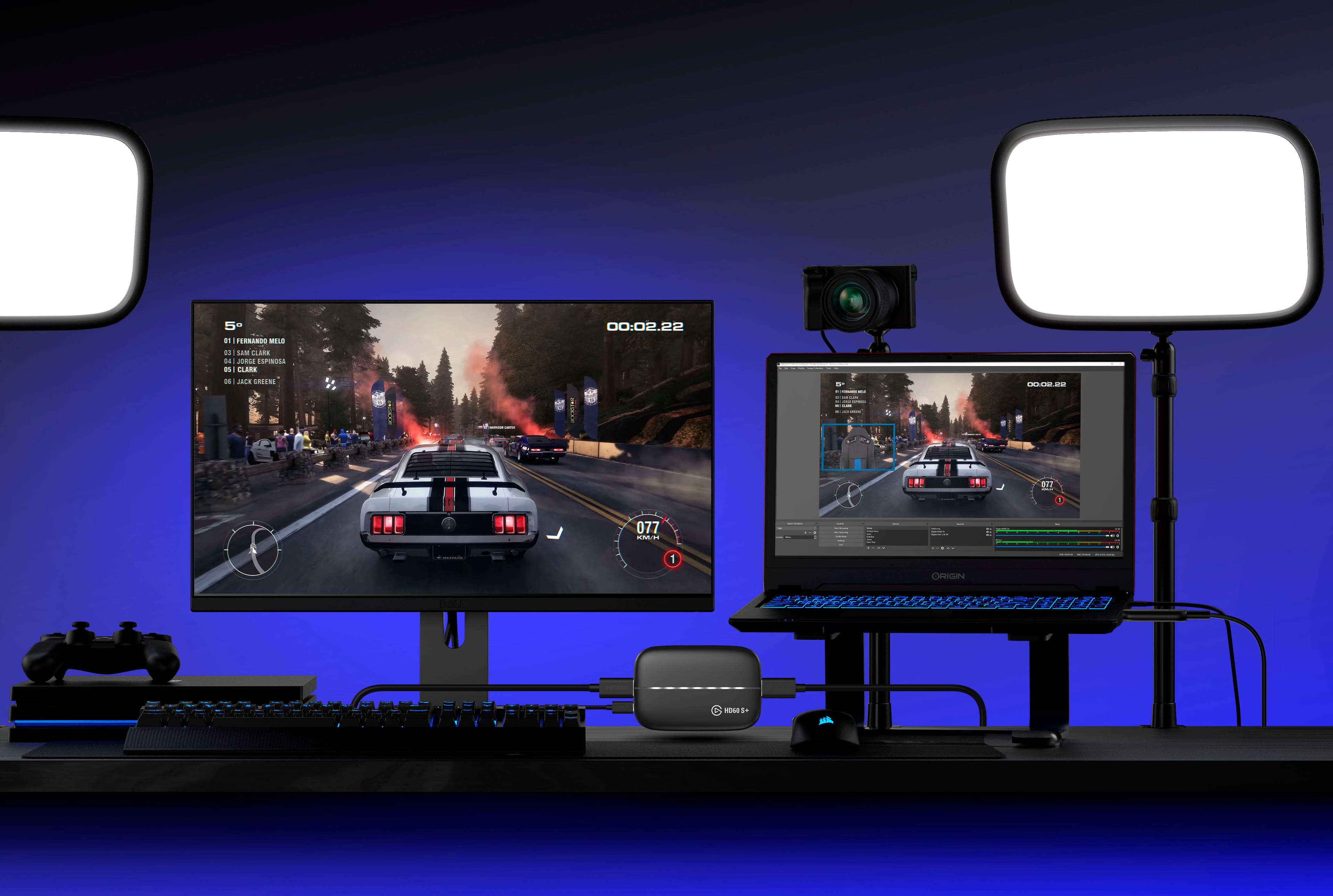
||Posted . Owned for 2 months when reviewed.This reviewer received promo considerations or sweepstakes entry for writing a review.Bought this capture card as an upgrade from the HD60, and I couldn’t be happier. Getting to play in 4k while streaming in 1080 without having separate wires and splitters is finally a breeze for me. Also makes for less clutter in my desk. I love Elgato and their products.
I would recommend this to a friend - Pros mentioned:Capture card
Rated 4 out of 5 stars
Good mobile card.
||Posted . Owned for 5 months when reviewed.This reviewer received promo considerations or sweepstakes entry for writing a review.For what it's supposed to do it does it perfectly well. I had originally gotten it so I could keep my system hooked up to my tv and run it through the capture card at my desktop pretty far away. Realized after that having an internal capture card would be basically the same thing except better so that's more on me than the product itself. But as a capture card it works well.
No, I would not recommend this to a friend Rated 5 out of 5 stars
Very easy to setup and start using
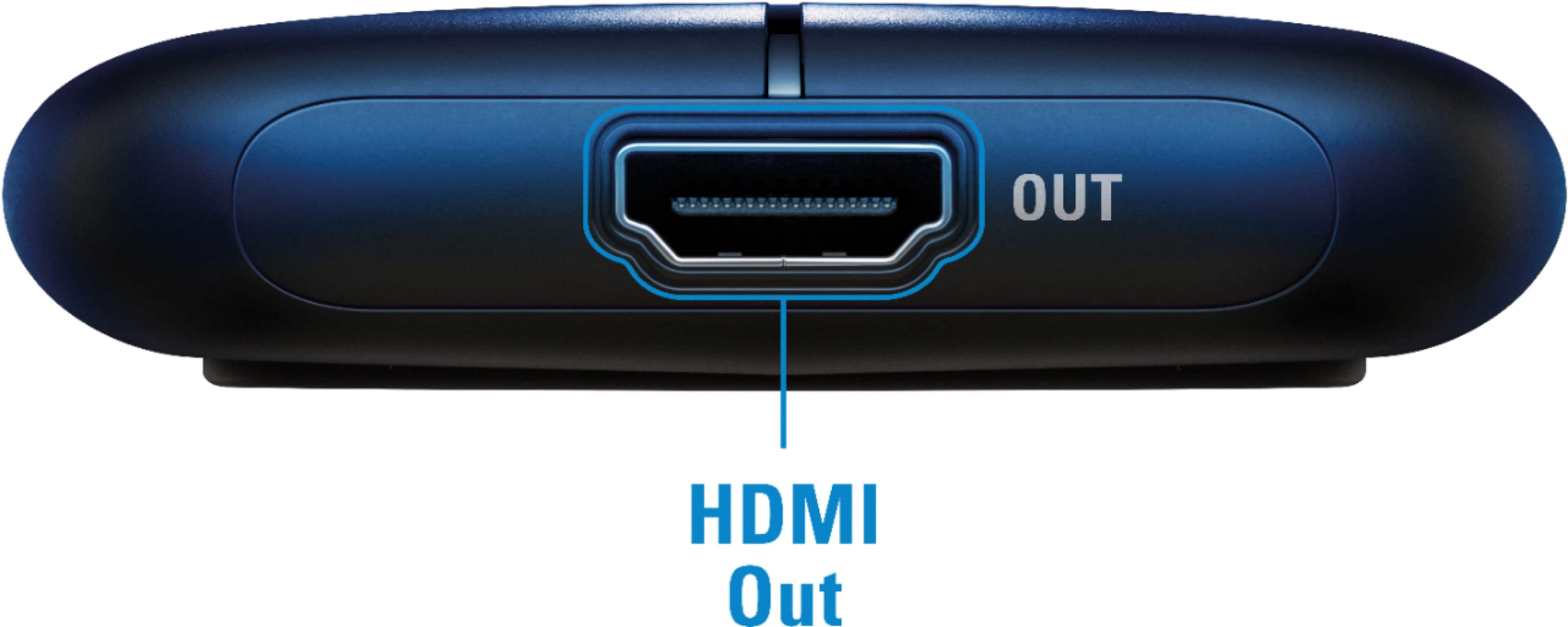
||Posted . Owned for 1 month when reviewed.This reviewer received promo considerations or sweepstakes entry for writing a review.This capture card works great. For those who may be deciding on whether to buy the "HD60 S+" or the "HD60 S," there's one major thing that separates the two: the supported passthrough resolutions. - If you intend on connecting the "HDMI Out" port to a 4K (3840x2160) monitor/screen, this -- the "HD60 S+" -- is the one you should choose - If you intend on connecting the "HDMI Out" port to a 1080p (1920x1080) or smaller monitor/screen, the "HD60 S" is the one you should choose The other difference between the two capture cards relates to HDR. The "HD60 S+" can passthrough and capture HDR10 signals. The "HD60 S" cannot do this.
I would recommend this to a friend- Pros mentioned:Ease of use
Rated 5 out of 5 stars
Greatness
||Posted . Owned for 1 month when reviewed.This reviewer received promo considerations or sweepstakes entry for writing a review.We love this device. We were trying to find a better way to stream and came across this and it does the job. It took us some time to get everything set up to work best for us. This works right out the box just get whatever software you use (would get theirs just to be safe) and it works
I would recommend this to a friend Rated 4 out of 5 stars
Works as advertised
||Posted . Owned for more than 2 years when reviewed.This reviewer received promo considerations or sweepstakes entry for writing a review.Works well. Haven't played with it enough to get full feedback yet
I would recommend this to a friend- Pros mentioned:Ease of use
Rated 5 out of 5 stars
Fantastic Game Captures
||Posted . Owned for 3 weeks when reviewed.This reviewer received promo considerations or sweepstakes entry for writing a review.Easy to setup and begin capturing video streams and audio. The ability to live stream and chat is nice to have and a must for those into streaming live. I you have any trouble seeing up just search YouTube for setting up (PS5 requires a slight tweak).
I would recommend this to a friend - Pros mentioned:Ease of use
Rated 5 out of 5 stars
One of the best capture cards you can get
||Posted . Owned for 1 week when reviewed.This reviewer received promo considerations or sweepstakes entry for writing a review.This capture card is absolutely great for both capturing the signal from your video camera to record on your PC, or any game streaming you might want to do. Elgato is the name trusted by many out there and I can add my voice to theirs as well. This card is extremely easy to set up and use for both windows and Mac.
I would recommend this to a friend Rated 3 out of 5 stars
Struggled to set up!
||Posted . Owned for 1.5 years when reviewed.This reviewer received promo considerations or sweepstakes entry for writing a review.I have struggled setting this up but I don’t think it should take from the product as it could more so be operator error. The audio settings are a bit challenging to figure out therefor I believe three stars is accurate in terms of an overall rating.
I would recommend this to a friend