Rating 4.6 out of 5 stars with 950 reviews
4.6- Ease of use (265)
- Video Quality (201)
- Compatibility (48)
- Setup (28)
- Capture Card (18)
- Lag (28)
- Price (18)
- Software (17)
Customer Images
The vast majority of our reviews come from verified purchases. Reviews from customers may include My Best Buy members, employees, and Tech Insider Network members (as tagged). Select reviewers may receive discounted products, promotional considerations or entries into drawings for honest, helpful reviews.
- Rated 5 out of 5 stars
Great for what it is
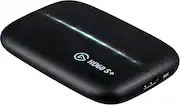
Mac owners rejoice! The original HD60 and HD60S were not supported on Mac using OBS. Yes, they worked if you also used Elgato's Game Capture software; however, if you use OBS you were out of luck. Until the HD60S+. Setup is as simple as it gets. Run HDMI cable from your source (PS4, Xbox, etc) to the HD60S+ input. Run another HDMI cable from the HD60S+ output to your monitor. Finally, run the USB cable from the HD60S+ to your computer. VERY IMPORTANT: if you are using a PS4 or Xbox, you MUST disable HDCP or the capture will not work. Please note, disabling HDCP will mean you cannot watch BluRay movies on your PS4 or Xbox. To disable on the PS4, Go to Settings->System and uncheck the box "Enable HDCP". Another note: the HD60S+ does NOT encode. It only captures. That means your computer will still be doing the encoding work (either your CPU with x264 or your GPU).
Posted by JonnyBravo
- Rated 5 out of 5 stars
Great device!
This card is awesome for streaming PS5 games on a Mac. I've used it for about a year and had no issues. It has also worked phenomenally well with my Nintendo Switch. It's basically plug and play, which is much better than the hoops I had to jump through for the previous model on Mac.
Posted by zeusdawg
- Rated 5 out of 5 stars
awesome...but remember
this allows you to PLAY in 4k while your 2nd screen (monitor) captures in 1080p. what took me awhile to realize is that I play on my xbox one x and I totally forgot that you will not be able to watch 4k movies due to copyright issues, because an el gato (captures) you can technically copy movies and sell them. So in order to watch movies, you will have to unplug one the hdmi that runs from the el gato 4k output and plug that hdmi into your xbox one x. basically unplug the current one plugged into your xbox and replace it, your all set after that. As far as the capture card goes, its amazing. does what it says.
Posted by The0nlySAMURAI
- Rated 4 out of 5 stars
Cool
[Employee of bestbuy] Very convenient to be able to stream my switch gameplay since there’s no built in streaming on nintendo switch.
Posted by JoshuaG
- Rated 5 out of 5 stars
great future proof buy
I'm currently using the el gato to stream on twitch and game capture for youtube via PS4, xbox one, switch and via apple devices (though I needed to purchase the HDMI adapter via Apple). Set up is extremely easy and I use the capture software on both my PC and Mac. Works excellent with Steam labs OBS and the 60 fps is excellent for future proofing with the next generation of games. I would def recommend over the HD60 is purchasing either new and not second hand.
Posted by Jabrave