Customer Ratings & Reviews



- Model:
- 15M-CP0011DX
- SKU:
- 6237349
Rating by feature
- Value
Rating 4.4 out of 5 stars
- Quality
Rating 4.4 out of 5 stars
- Ease of Use
Rating 4.5 out of 5 stars
Customers are saying
Customers are satisfied with the ENVY 2-in-1 15.6" Touch-Screen Laptop's touch screen, price, gaming capabilities, lightweight design, ease of use, and performance. They appreciate the excellent speed and outstanding battery life. However, some customers have concerns about its weight, limited storage, and memory upgradability. Additionally, a few customers have mentioned fan noise and overheating issues.
This summary was generated by AI based on customer reviews.
Nice but expensive
||Posted .This reviewer received promo considerations or sweepstakes entry for writing a review.It was a nice laptop but TOO expensive for my taste.
No, I would not recommend this to a friendPretty good
||Posted .This reviewer received promo considerations or sweepstakes entry for writing a review.Overall good machine. Powerful enough to run games but not at high settings. Battery life is a bit lacking for browsing and videos. It didn't include the hardware to attach the data drive and it's listed as not available for purchase from HP.
I would recommend this to a friendGreat performer, but not enough disk space
||Posted .This reviewer received promo considerations or sweepstakes entry for writing a review.Great product, but 128G is just not enough space on the main drive these days. I ended up getting the higher end model with the 256G. I missed out on a great sale, but I just couldn't live within the limited hard drive's space.
No, I would not recommend this to a friendcomputer
||Posted .This reviewer received promo considerations or sweepstakes entry for writing a review.Not really happy with the computer. There are times that it takes a long time for it to load a program. Sometimes there is a black screen and we have to turn it off and then back on. Otherwise it's a okay computer.
No, I would not recommend this to a friend
Terrific Performance
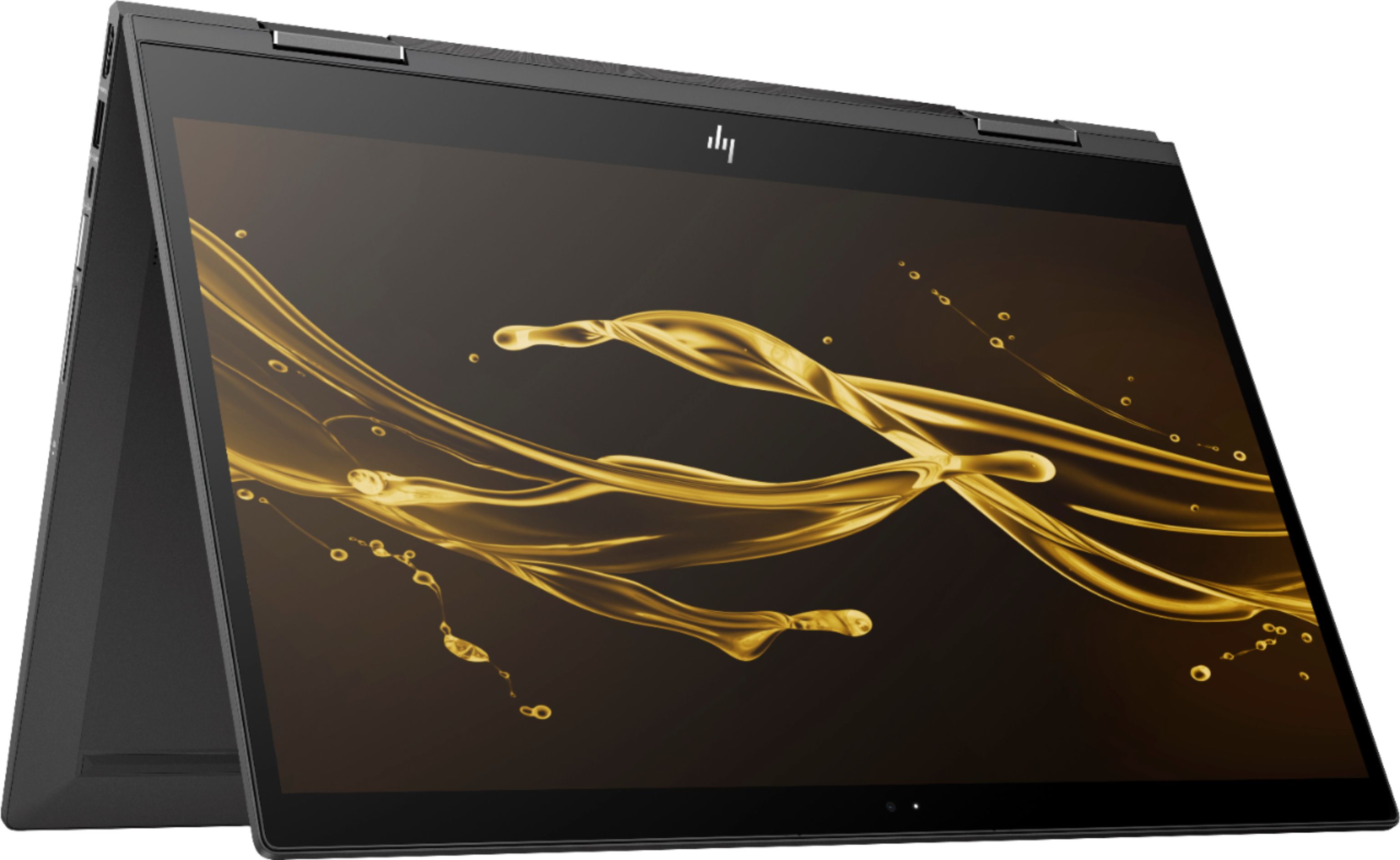
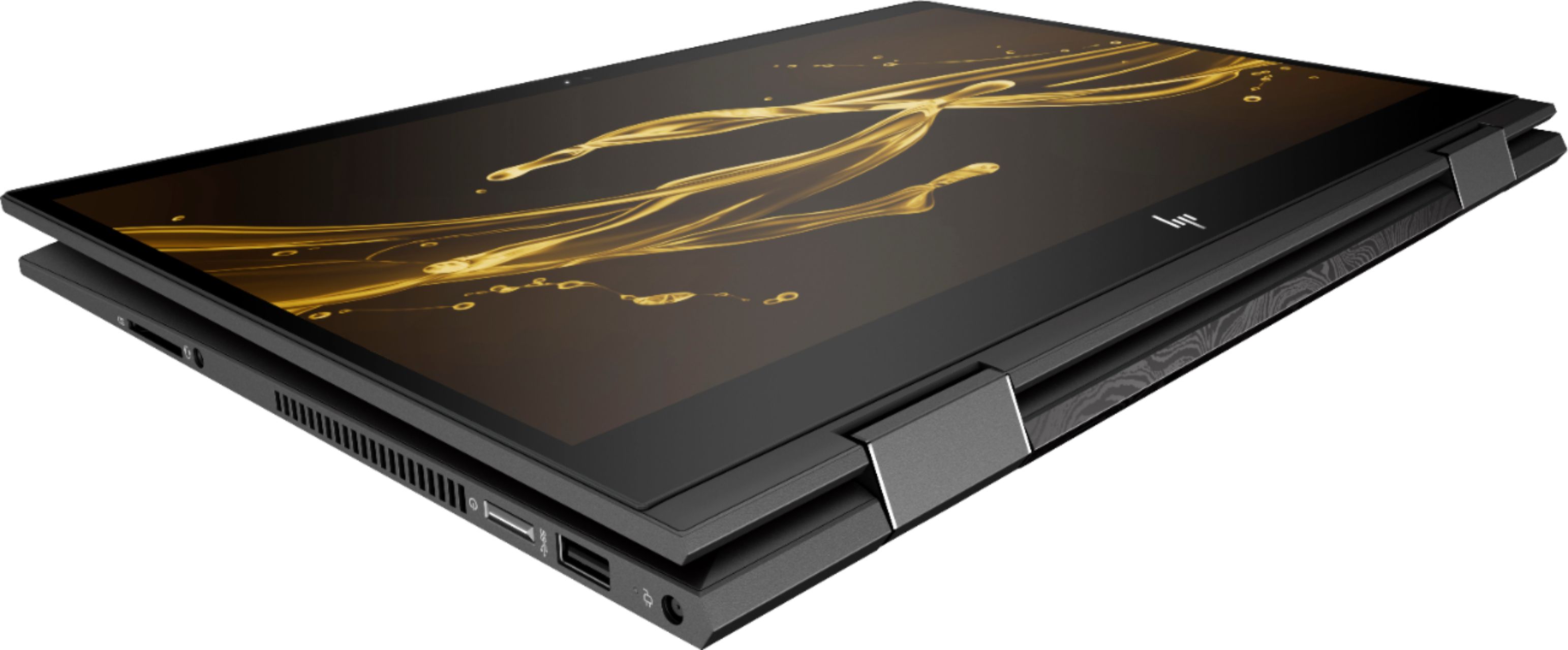
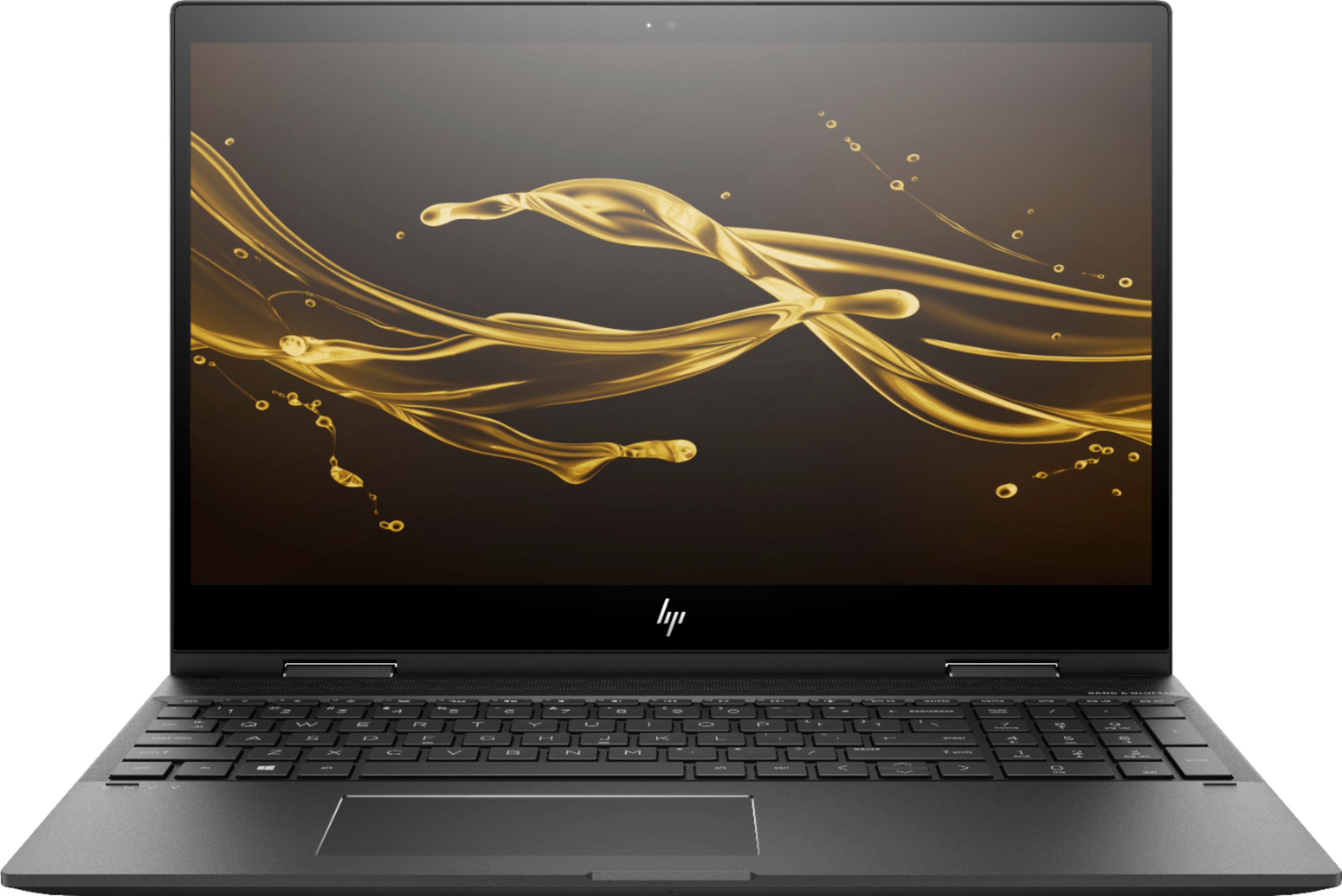
|Posted .This reviewer received promo considerations or sweepstakes entry for writing a review.I was very excited to try this laptop with the new AMD Ryzen 5 processor, and it hasn't disappointed. The Ryzen 5 2600U is AMD's new high-end mobile processor running 4 cores and 8 threads. For years, AMD has not been competitive in this particular market, but the Ryzen 5 packs a punch. Add in the Vega 8 GPU, which clocks up to 1100 MHz, and things get very interesting fast. Speed and fluidity are impressive. During initial setup, Cortana can walk you through via voice prompts (and responding to your verbal answers), or you can click buttons if you prefer. I did a mix of both, and both input methods worked great. You're also prompted to set up facial recognition, which works pretty well on this computer thanks to the Windows Hello front camera setup. Once you sign into your Windows account and get everything setup, the computer hums along very nicely. The only glitch I noticed was that it got particularly hot on the left side during setup. The fan was somewhat noisy and began running as soon as I powered the computer on for the first time and stayed on until I was done with setup. However, after setup, it was fine. I wonder if there's an issue with the setup script that causes the fan to run at high speed until setup is done. Of course, it has some bloatware on it. The first thing to get rid of - as always - is McAffee. For the love of all that is good, I'm begging manufacturers to stop putting that junk on computers. Anyway, it uninstalls pretty easily, and then you can install a better functioning anti-virus program of your choosing. One piece of bloatware you may want to hold onto, though, is 25 GB storage free for one year from Dropbox. And having Netflix pre-installed isn't such a bad thing. The design looks and feels good. It has a nice industrial look to it. Materials seem first-rate. I tried torquing the keyboard, and there were no noticeable squeaks. The hinge allows the screen to rotate into tablet mode but holds the screen steady while using it as a laptop. I've tried some touchscreens that wobble far too much; this one does not. It seemed as firmly held in place as a regular laptop. It comes with a 15.5-inch 1080p touchscreen that looks pretty good, but not as good as some of the high-end screens we see on more expensive laptops these days. Then again, this one is not super expensive, and the 1080p screen looks fine. Touch controls have worked seamlessly for me. It comes with the Bang & Olufsen speaker grill running the width of the computer across the top of the keys. It looks kind of cool and sounds a bit better than many other laptops. Granted, this is no B&O audiophile experience, but it's good for laptop speakers. Battery life is rated at 10+ hours, which isn't bad at all for this size of screen and is a significant improvement over prior models. The integrated AMD Radeon RX Vega 8 graphics chipset functions better than anything you're likely to find short of a dedicated graphics card. The Vega 8 processor really helps matters here, as it is dramatically faster than it's Intel counterparts. This particular model also has a nice 128GB SSD. There are a decent number of ports: 2 USB 3.0 Type A ports, 1 USB-C 3.1 port, 1 HDMI output, and a media card reader. Unfortunately, it uses a proprietary charger rather than charging by USB-C. Of course, at 15.5 inches, this is not a portable as smaller laptops. If you primarily want to use this as a desktop replacement with perhaps some light to moderate gaming, it's a great fit. If it will have to travel everywhere you go, I might suggest a 13-inch screen, instead. But as long as you know that going it, I think you'll be pleased. With a slick, industrial design vibe, solid construction, and a killer processor with terrific onboard graphics, what's not to like? Well, it'd be nice to have a 4k display, larger SSD (that is an option on different models), and charge via USB-C. But those are really minor gripes - especially at this price point. Overall, I'm extremely pleased with this computer.
I would recommend this to a friendDecent price
||Posted . Owned for 2 weeks when reviewed.This reviewer received promo considerations or sweepstakes entry for writing a review.My only disappointment is that the keyboard doesn't have a backlight. That is something so basic that I didn't even think to check for before making the purchase.
No, I would not recommend this to a friend- Cons mentioned:Overheating
Needs major improvements
||Posted . Owned for 1 year when reviewed.This reviewer received promo considerations or sweepstakes entry for writing a review.It overheats , got to touch . Loud annoying fan that makes it impossible to enjoy a movie . Waste of money
No, I would not recommend this to a friend Good, but
||Posted . Owned for 9 months when reviewed.This reviewer received promo considerations or sweepstakes entry for writing a review.It’s a good laptop.. my only issue is the turn on and off button is soo hard.. and sometimes keyboard gets stuck when typing
I would recommend this to a friendThe wireless stopped working.
||Posted .This reviewer received promo considerations or sweepstakes entry for writing a review.First of all when I bought the computer Best Buy told me that I would have a 30 day warranty. Turns out it is only 14 days. For the first two weeks the computer seemed great. Until the moment the warranty was up. Then of course the wireless suddenly stopped working. So I brought it to Best Buy and they said “oh this is a know issue” which is really frustrating because if it is “known” why didn’t I know about it and why wasn’t it fixed before I bought it. So they “fixed it” but as soon as I got home it stopped working again. I want to return the computer but since the warranty is up there is nothing I can do. The computer will not print or access the internet so it is useless to me.
No, I would not recommend this to a friendTakes a lot of getting used to
||Posted .This reviewer received promo considerations or sweepstakes entry for writing a review.I have had HP laptop for 10 years and I feel like I have entered a whole new world with this laptop. Thanks to all the great Geek Squad techs for their help.
I would recommend this to a friendIts Ok
||Posted . Owned for 1 year when reviewed.This reviewer received promo considerations or sweepstakes entry for writing a review.Its ok or well started out as a great laptop but after a few months , i started have issues with the screen and laptop itself.
No, I would not recommend this to a friendHP has Ryzen!
|Posted .This reviewer received promo considerations or sweepstakes entry for writing a review.Setup: The HP Envy 2 in 1 was super easy to setup. Unpacking and setup took about 10 minutes. Windows 10 with Cortana narration makes going through the steps of setup and sign-in simple. I was greeted with HP’s Jump Start program during my first sign on. Jump Start will guide you through product registration, McAfee Anti-Virus sign up, and other paperwork like items. There is also an HP Support Assistant that will handle items such as driver updates, firmware updates, and allows access to a lot of technical information about the laptop. This tool is also a very easy way to access the laptop’s serial number and model number. Both numbers are printed on the bottom of the laptop, but you won’t be able to read it without a magnifying glass. Having this information available through HP Support Assistant will come in very handy when you interact with HP for support services. Microsoft Word signed me into my Office 365 account and verified and instantly registered Office on my new laptop. Within minutes, all of my office applications were available to me. Windows took care of syncing my shortcuts between my different Windows 10 system. Synced my desktop settings such as my desktop background. One Drive and Windows 10 email took a few minutes to setup. Windows Update also went very smooth. Look and Feel: This laptop has an excellent feel to it. It feels solid to the touch. The laptop is thin. It is heavy at 4.7 pounds. It is not so heavy that it prevents me from throwing this in a backpack or computer bag to work on the go. The unique hinge design allows the laptop to fold in half so that I can use it as a tablet. The hinges are made of metal. I do not have any worries about the laptop joints being week and breaking with use. Microsoft has done a great job on the tablet experience. The screen supports both touch and Windows Ink. Meaning, I can use a Windows Ink enabled pen to draw, write, and paint on the screen. I can also use the pen as a mouse in many applications. My Microsoft Surface Pen synced with this laptop with no issues. Writing was smooth. Input lag was minimal if any at all. Probably my favorite part of the look and feel are the two AMD badges on the wrist wrest. It is so refreshing to finally have something other than an Intel logo on a laptop. It is a small thing but it did make me happy to see them. Screen: The screen is pretty good. The screen resolution is 1080p. Not as high resolution as a Microsoft Surface and certainly not in the same league as a Mac Book. But, the screen is adequately bright and vibrant enough for most uses. I played a few videos on Netflix. The motion was clean with some occasional stutter and pixilation. But nothing unlike what I see on an expensive LED TV. The AMD Settings application does give me the ability to adjust the video experience by giving you access to multiple video presets such as Cinema, Vivid, and Home Video. It also gives you the ability to custom tailor your experience by giving you access to all the settings controls. Working through office applications was easy. The screen responded to pinching, zooming, and navigation commands without hesitation. Scaling is also spot on. Images and text were clear regardless of the zoom level. Images were sharp and colorful. The screen provides an acceptable and pleasant computing experience. The laptop screen is FreeSync enabled. This means that the integrated Vega 8 graphics processor can squeeze better frame rates and performance out of the screen than it could without the technology. By default, FreeSync is not enabled. I have no idea why. You will need to go into the AMD Settings application to turn it on. The laptop is not a gaming platform. It will play games from the Windows Store with ease. I tested using Halo Spartan Assault. The graphics were butter smooth. Response between my Xbox controller and the laptop were also very quick. I was limited to what I could test due to the limited size hard drive on this system. Then again, I didn’t pick up this laptop to game on. Performance: Performance out of box has been very good. I have not seen any slow-downs working with Windows or Windows applications. Multi-tasking has been excellent. My only gripe is the performance of Microsoft’s Edge browser; which stinks on every computer I have used. This is not an issue unique to HP or AMD. My primary use for this computer is Microsoft Office, web browsing, and lite entertainment. Microsoft Office applications start quickly and without any issues. The computer does keep up with my typing without any pausing or keystroke buffering. Spreadsheets load quickly. I have had no issues manipulating data or working with pivot tables. Microsoft OneNote, which I do use extensively, does not hesitate when jumping between notebooks, typing pages of data, drawing, manipulating images, or importing content from the web. Overall, I would say this notebook rocks when it comes to productivity! For lite entertainment, I do watch the occasional Netflix movie. I was able to work through multiple OneNote notebooks while streaming a Netflix movie. The movie video played without any interruptions. There was no stuttering or artifacts that I could detect. OneNote did not give me any issues either. Having other applications open and minimized did not seem to have an impact on performance either. I did spend some time watching CPU and memory performance in Task Manager. Ryzen ate through whatever I threw at it. It was a real treat to see a laptop with eight threads all churning through work. The 8 GB of memory also seemed to be more than adequate for my needs. Touchpad and keyboard: The keyboard feels comfortable. The keyboard does include a full number pad. The over-sized touchpad is off center, favoring the left side of the keyboard, and is comfortably located under the space bar. Everything is offset due to the inclusion of the number pad. The keys are a comfortable size, have a good travel, and are relatively quiet. You will not be keeping anyone awake typing on this keyboard unless you are one of those people who really pound your way through a document. The keyboard keys are backlit. I work at my computer under multiple lighting conditions. Backlighting solves all the issues I have associated with workspace lighting. The keys and keyboard are evenly lit. Each key’s value is easy to read. No one key looks brighter than any other key. Finally, there are no bright spots bleeding between the keys. This makes the keyboard’s lighting easy on the eyes. The touchpad can make a break a notebook. I have had issues with laptops, name your manufacturer, where the typing experience is ruined by the cursor jumping around the screen while typing. This does lead to content being auto deleted while typing, text being injected into parts of the document where I did not intend it to go, and sometimes the mouse choosing items off the ribbon in MS Word and causing some random feature being activated. Most people will tell you to lift your wrists when typing. It is not a wrist issue. It is an issue with the touch pad. HP and Synaptics seem to have nailed the drives on this model. I’ve written this entire review without a single typing incident. Thank you both for fixing this! There are some issues still with the touchpad. For example, if I am on a media rich web page, the finger gestures may stutter or not work at all. The good news if that these issues do not extend to the touch screen. If I am having an issue scrolling down a web page with the touchpad then I can perform the same activity directly on the touch screen with little to no issues. If I had to choose between the typing experience and web surfing performance, I will choose the typing experience. Sound: Bang & Olufsen have done a remarkable job in the world of laptops. The sound is not deep and rich by any measure. All speaker laptops are similarly constrained. However B&O have done a great job of making their laptop solution clear at all volume levels. The sound is not tinny. The laptop and speakers do not resonate when the speakers are at volume. For laptops speakers, these are excellent! Misc: I was able to connect to multiple Bluetooth enabled devices including my office’s stereo receiver to stream Pandora while I worked. I also connected to a portable Sony speaker, another HP Laptop, wireless headphones, and a smart TV. I tried to connect to a Microsoft Xbox Controller but was not able to do it with the one controller I have. I am unsure if it was an issue with the controller or the laptop. The controller connected via USB cable without any issues. I enjoyed an hour of Halo Spartan Assault with the controller without any further issues. Overall Impressions: I think HP has a home run with this laptop. The build quality, the system specs, and the laptop’s performance are outstanding at this price point. Multi-tasking is superb. I really love that HP took a chance on the new Ryzen APU. AMD has come a long way over the last few years and this mobile processor shows that AMD can stand toe to toe with Intel. I did add a second monitor to this laptop via HDMI cable. Video is clear, bright, colorful, and smooth. The sound is great for a laptop. I can easily connect, via Bluetooth, to external devices to stream content. I am very thankful that my workflow is no longer interrupted by garbage touch pad issues thanks to improved driver support from Synaptic. The HP Support Assistant software is very useful. System specs, help documents, interactive help, and warranty information are a few clicks away where they used to be a painful phone call to support. This is a great laptop and I hope to get years of excellent use from it.
I would recommend this to a friendJust Okay
||Posted .This reviewer received promo considerations or sweepstakes entry for writing a review.I was a little disappointed with this computer. It ran very slow at times and just seem to struggle with multi-tasking.
No, I would not recommend this to a friendNot really impressed
||Posted .This reviewer received promo considerations or sweepstakes entry for writing a review.This computer is slow.. and it freezes up.. if you type fast, it takes a minute for the characters to catch up.
No, I would not recommend this to a friendTouchPad is a Horror
||Posted .This reviewer received promo considerations or sweepstakes entry for writing a review.The new two finger touchpad is a nightmare to live with. A mere hover over it deletes and/or loses windows and lines in my excel. I solved the problem by turning off tap. But click only frequently has to be re-clicked. This touchpad was not made for clicking. I would not recommend anyone buy this laptop. I'll live with it because the money is spent but I would not recommend it to anyone.
No, I would not recommend this to a friendPower Button Issue
||Posted .This reviewer received promo considerations or sweepstakes entry for writing a review.Do not buy! This model is notorious for the power button issue. In which the power button gets stuck and it won't power on. This happen to me in less than 30 days of owning it and I sent it in to HP for repair. The confirmed the power button was the issue and quoted over $600 to "fix" the power button. I have escalated the issue to HP customer service but I wished I bought another brand. Stay away and buy a Dell or another brand.
No, I would not recommend this to a friendIssues already!
||Posted .This reviewer received promo considerations or sweepstakes entry for writing a review.I purchased this laptop just over a month ago and already had to call HP and speak with a technician due to the on/off button not working. As of now, if it continues to not work I have to send it in so HP can replace the button. It should only take a week or so regardless it’s unacceptable to pay the amount that I paid for a laptop with issues.
No, I would not recommend this to a friendIt’s a great computer
||Posted .This reviewer received promo considerations or sweepstakes entry for writing a review.Is great but not something of another world . Through a short of tone you can get issues easily.
I would recommend this to a friendAlot of issues computer
||Posted . Owned for 1 year when reviewed.This reviewer received promo considerations or sweepstakes entry for writing a review.Does work very hood. Not a computer expert but wouldn't recommend tgis brand
No, I would not recommend this to a friendComputer seems to work as it should
||Posted .This reviewer received promo considerations or sweepstakes entry for writing a review.I really like the size and weight of this laptop. Very clear screen, good key pad touch.
I would recommend this to a friend