Customer Ratings & Reviews
- Model:
- C11CJ63201
- |
- SKU:
- 6470009
Customer reviews
Rating 4.5 out of 5 stars with 2631 reviews
(2,631 customer reviews)Rating by feature
- Value4.5
Rating 4.5 out of 5 stars
- Quality4.5
Rating 4.5 out of 5 stars
- Ease of Use4.5
Rating 4.5 out of 5 stars
Customers are saying
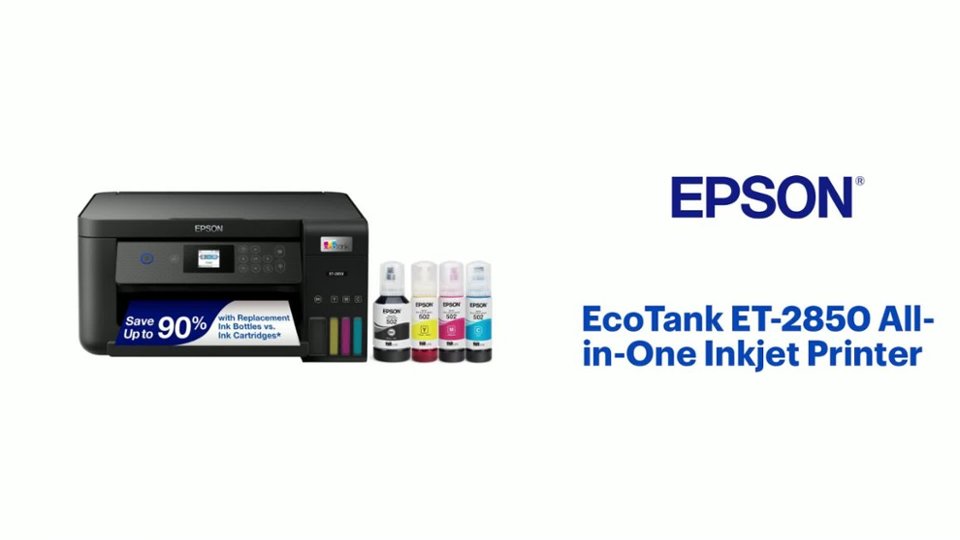
Customers often highlight the excellent print quality and ease of use of the EcoTank ET-2850 All-in-One Supertank Inkjet Printer. Many also appreciate its compact size and straightforward setup process, along with its reasonable price. While some users experienced occasional paper jams, the printer is generally considered quiet during operation.
This summary was generated by AI based on customer reviews.
Rated 1 out of 5 stars
Worst printer ever!!!
||Posted . Owned for 4 months when reviewed.This reviewer received promo considerations or sweepstakes entry for writing a review.The color printing is horrible. Do not buy this printer!
This review is from Epson - EcoTank ET-2850 All-in-One Supertank Inkjet Printer - White
No, I would not recommend this to a friendBrand response from Epson
Posted .Hello SandraR, we apologize for your disappointing experience with the ET-2850 printer. Epson considers all feedback to improve the performance and quality of our products. Epson also provides helpful information on FAQs and self-help tools on the product support web page at https://epson.com/Support/Printers/All-In-Ones/ET-Series/Epson-ET-2850/s/SPT_C11CJ63202#questions. Additionally, your printer includes a 1-year Limited Warranty plus free lifetime technical support. Please contact our support team directly at (562) 276-4382 between 7 am - 4 pm (PT), Monday - Friday, if you need further assistance.
Sincerely, Sam - The Epson Team
Rated 1 out of 5 stars
Mrs.Ward
||Posted .This reviewer received promo considerations or sweepstakes entry for writing a review.Printer constanly had to be realigned and the printhead had to be cleaned after a few copies were printed.
This review is from Epson - EcoTank ET-2850 All-in-One Supertank Inkjet Printer - White
No, I would not recommend this to a friendBrand response from Epson
Posted .Epson provides useful information at https://epson.com/Support/Printers/All-In-Ones/WorkForce-Series/Epson-WorkForce-WF-2850/s/SPT_C11CG31201#questions that can help you clear nozzle clogs. Your Epson WorkForce-WF-2850 includes free technical support for the life of your product. Our Advanced Epson Support Team may be able to provide additional assistance and can be reached at 1 (562) 276-4382 between 7 am - 4 pm (PT), Monday - Friday if you need assistance.
Sincerely, Tony - The Epson Team
Rated 1 out of 5 stars
10 thumbs down.
||Posted . Owned for 1 month when reviewed.This reviewer received promo considerations or sweepstakes entry for writing a review.Never worked.. right out of the box.. printed nothing but streaks. Horrible interface for interaction.
This review is from Epson - EcoTank ET-2850 All-in-One Supertank Inkjet Printer - White
No, I would not recommend this to a friendBrand response from Epson
Posted .Hello CB61, we apologize for your disappointing experience with the ET-2850 printer. Epson considers all feedback to improve the performance and quality of our products. Epson also provides helpful information on FAQs and self-help tools on the product support web page at https://epson.com/Support/Printers/All-In-Ones/ET-Series/Epson-ET-2850/s/SPT_C11CJ63202#questions. Additionally, your printer includes a 1-year Limited Warranty, plus free lifetime technical suppoPlease get in touch with our support team directly at (562) 276-4382 between 7 am - 4 pm (PT), Monday - Friday, if you need further assistance
ce. Sincerely, Sam - The Epson Team
Rated 1 out of 5 stars
No happy with my purchase
||Posted . Owned for 3 weeks when reviewed.This reviewer received promo considerations or sweepstakes entry for writing a review.Printing quality sucks. I will be returning it back to the store.
This review is from Epson - EcoTank ET-2850 All-in-One Supertank Inkjet Printer - White
No, I would not recommend this to a friendBrand response from Epson
Posted .Hi Johanna, we are sorry to hear that you are experiencing issues with your printer. Your EcoTank ET-2850 includes free technical support for the life of your product. Our Epson Support Team would be happy to help and can be reached at (562) 276-4382; Hours: Monday – Friday, 7 a.m. – 4 p.m. PT. Sincerely, Dylan – The Epson Team.
Rated 1 out of 5 stars
Quality Sucks
||Posted . Owned for 2 weeks when reviewed.This reviewer received promo considerations or sweepstakes entry for writing a review.I think the printing quality is horrible! Printing was dual and especially the red.
This review is from Epson - EcoTank ET-2850 All-in-One Supertank Inkjet Printer - White
No, I would not recommend this to a friendBrand response from Epson
Posted .Dear Vero, we appreciate your business, and would like to hear about the issue(s) you are experiencing with your Epson EcoTank ET-2850. You may contact Epson Support at (562) 276-4382; Hours: Monday – Friday, 7am – 4pm PT. Regards, Tony – The Epson Team.
Rated 1 out of 5 stars
Returned
||Posted . Owned for 1 month when reviewed.This reviewer received promo considerations or sweepstakes entry for writing a review.Returned. Did not have features I wanted. Bought a H P.
This review is from Epson - EcoTank ET-2850 All-in-One Supertank Inkjet Printer - White
No, I would not recommend this to a friendBrand response from Epson
Posted .Hi Jaztex523, we're sorry to hear you were not satisfied with your Epson printer. We appreciate you taking the time to share your experience. Kind Regards, Dylan – The Epson Team.
Rated 1 out of 5 stars
Mays landing
||Posted . Owned for 1 month when reviewed.This reviewer received promo considerations or sweepstakes entry for writing a review.Geek Squad did make work. Return it to store. Will be looking for new printer.
This review is from Epson - EcoTank ET-2850 All-in-One Supertank Inkjet Printer - White
No, I would not recommend this to a friendBrand response from Epson
Posted .Hello Powerkit, we appreciate your feedback on the ET-2850 printer. Epson considers all feedback to improve the performance and quality of our products. Epson also provides helpful information on FAQs and self-help tools on the product support web page at https://epson.com/Support/Printers/All-In-Ones/ET-Series/Epson-ET-2850/s/SPT_C11CJ63202#questions. Your printer also includes a 1-year Limited Warranty plus free lifetime technical support. Please get in touch with our support team directly at (562) 276-4382 between 7 am - 4 pm (PT), Monday - Friday, if you need further assistance.
Sincerely, Sam - The Epson Team
- Pros mentioned:Print quality, Size
Rated 5 out of 5 stars
Love it
|Posted .This reviewer received promo considerations or sweepstakes entry for writing a review.I love this printer. It is compact, but loaded with ability. There was a quick start guide and I followed the instructions and downloaded the app. The app gave very clear instructions on how to fill the cartridges which was a totally new concept for me. That was easy. I like that you can physically see the ink levels on the front. My old all in one was larger but didn’t do anymore, and as far as I can tell, nothing better than this Epson ET2850. My chief complaint for the Epson, and it is important, is that the screen on the printer is very small and the print is TINY and very dim. This made it very difficult to input my WiFi password during setup. Other than that, setup was very simple. Once I got my password in, it found and connected very quickly. I downloaded the app to my iPad, iphone and my husbands android. They all connected very easily. I did not find the same app available on the Microsoft store for my laptop. There was an older Epson app that works just fine. I will look again to make sure that I didn’t miss it. Another feature that I liked was a creativity app that lets me do some nifty designs. So far, I’ve printed a few documents and one photo just as tests. Everything looked great. I can’t speak to the print speed, but compared to my prior printers, it does very well. This Epson seems to “play” better with more devices with less proprietary obstacles than the old other brand printer. I didn’t have to set up an account to do things that wanted to do as my other printer did. So far no passwords required, except for my own WiFi. That being said, I’ve only begun to play with it. The picture I printed was only on plain paper, but it rendered perfect color with no adjustments. If it offers the ink life it promises, then it will be a huge improvement over my inkjets. Sadly if the ink really does last a year, then I could never do a timely a review. I can say, because I can see the ink levels, that the pages and full page color photo that I have printed have NOT lowered the ink at all! In the past, because I’m cheap, I worried every time I printed something. Not anymore! I love my new printer.
This review is from Epson - EcoTank ET-2850 All-in-One Supertank Inkjet Printer - White
I would recommend this to a friend Rated 3 out of 5 stars
Printer
||Posted . Owned for 3 weeks when reviewed.This reviewer received promo considerations or sweepstakes entry for writing a review.Not what I expected. Scanning is hard and everything has to be done through your devices. At times it is hard to attivate to your laptop.
This review is from Epson - EcoTank ET-2850 All-in-One Supertank Inkjet Printer - White
No, I would not recommend this to a friendBrand response from Epson
Posted .Hello Xtremelinepainting, we appreciate your feedback on the ET-2850 printer. Epson considers all feedback to improve the performance and quality of our products. Epson also provides helpful information on FAQs and self-help tools on the product support web page at https://epson.com/Support/Printers/All-In-Ones/ET-Series/Epson-ET-2850/s/SPT_C11CJ63202#questions. Additionally, your printer includes a 1-year Limited Warranty plus free lifetime technical support. Please get in touch with our support team directly at (562) 276-4382 between 7 am - 4 pm (PT), Monday - Friday, if you need further assistance.
Sincerely, Sam - The Epson Team
- Pros mentioned:Print quality, Setup
Rated 5 out of 5 stars
Unique, easy setup - incredible per page value
|Posted .This reviewer received promo considerations or sweepstakes entry for writing a review.This is my first experience using an Epson EcoTank printer and I really, really liked it! Out of the box setup was extremely cool and unique (I used the Smart Panel app for Android to set the printer up, rather than the traditional method on a PC). Typically I've avoided mobile apps for devices like printers, but Epson made this one pretty easy with QR codes on both the printer screen and the printed quick start guide. Also, they make clear that you can use either the app OR set it up from your PC, which is not as heavy handed as some other manufacturers. The reason I'm discussing the app so much is how cool and easy it was to use - once you load the app, it connects to your printer, and then guides you through each step of the process in a very conversational way. The steps appear as chat messages as if you're being walked through the setup by a live person. It was VERY easy, and had the benefit of only showing you the next step as you needed it (keeping you from skipping ahead) and also giving you an idea for how long each step would take as you proceeded through. I was a bit concerned about how messy filling the ink might be - considering I have some stains in my office carpet from just using regular ink cartridges on another printer, I feel that concern is justified! Two other brands I've used recently with "high capacity" ink cartridges/tanks still use traditional cartridges that just happen to be much bigger than the old ones. Epson instead sends you very large bottles with proprietary tips to fill the printer's EcoTanks. I found with the proprietary tips that they were easy to fill and I had no spills! The only frustration I had with the filling process was that the ink bottles are left with a small amount of ink left in the bottle after the initial fill. At first I was concerned that I'd have to store the bottles and hope they didn't dry out by the time I could top off the internal tank. That concern turned out to be unfounded, as after I completed the print head alignment (part of the setup process), I had just enough ink to top off each tank and then toss the bottles in the recycling bin. All other aspects of using the printer were exactly as expected with nothing negative to report. Printing directly to the printer from my Android phone was easy using the Smart Panel app (which even includes some basic photo editing ability), and through my windows and Chrome laptops. Print quality was very good even on cheap plain paper. Once the printer is filled with ink, it doesn't require any annoying persistent internet connections to cause frustration down the road, so I am anticipating this printer to be a mainstay of my home IT environment for a long time. With an elementary school teacher in the house, this thing will get a lot of use.
This review is from Epson - EcoTank ET-2850 All-in-One Supertank Inkjet Printer - White
I would recommend this to a friend - Pros mentioned:Print quality, Size
Rated 4 out of 5 stars
Just ok
Posted .This reviewer received promo considerations or sweepstakes entry for writing a review.Epson is a brand I trust and have used for several years so I was excited to give this new eco tank a try because it has a smaller footprint than the epson I currently use and it is lightweight which makes it easy to move around if needed. Setup was a pain to be honest. I was also discouraged to see just how small the paper tray was. I do a lot of printing so I’ll be refilling it probably daily. Getting this printer to connect to my wifi and stay connected has been an absolute nightmare. I feel like I should be able to pull up the app and print at any time but unfortunately when the printer isn’t in use it disconnects from my wifi for whatever reason (even though I have the wifi password saved to the printer). This is very frustrating and sometimes it takes more than 5 minutes and restarting the printer for it to finally connect again. I have a steady wifi connection all throughout my home, as I work from home, and this is the only device I have this issue with. I will say, that I like the idea of the refillable tanks. Filling them was simple and to my surprise not too messy. I like that I can see where the ink levels are without having to open the printer up. With regard to actually printing anything I’m pleased with the actual quality of the documents printed but it does move slower than I expected. I’d say this printer would be better for someone who doesn’t print or scan as frequently as I do. This is a review for the Epson EcoTank ET-2850 All-in-one printer that I received free of charge to do a beta test and review.
This review is from Epson - EcoTank ET-2850 All-in-One Supertank Inkjet Printer - White
I would recommend this to a friend - Pros mentioned:Print qualityCons mentioned:Paper jam
Rated 4 out of 5 stars
Multi-Functional and Efficient Printer
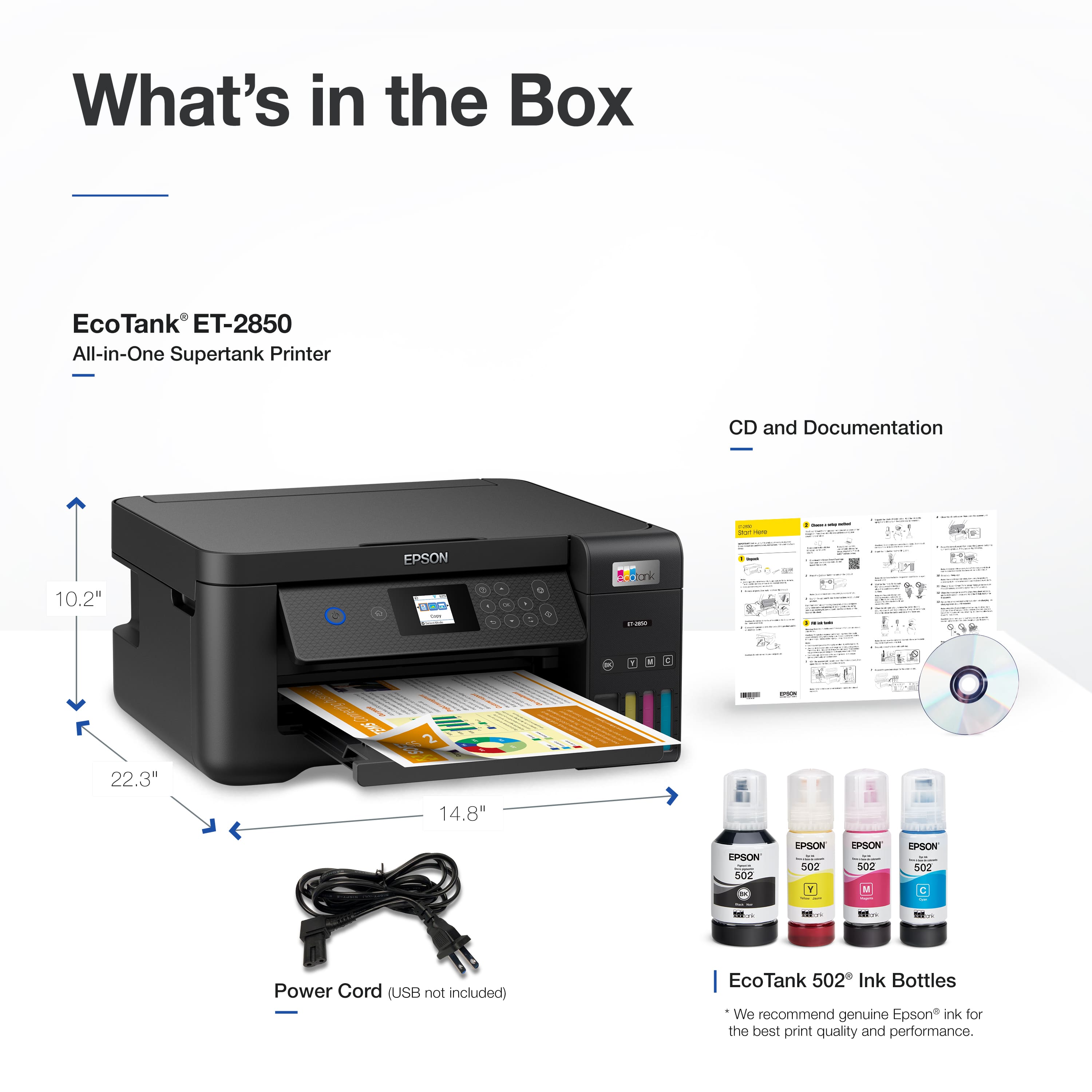
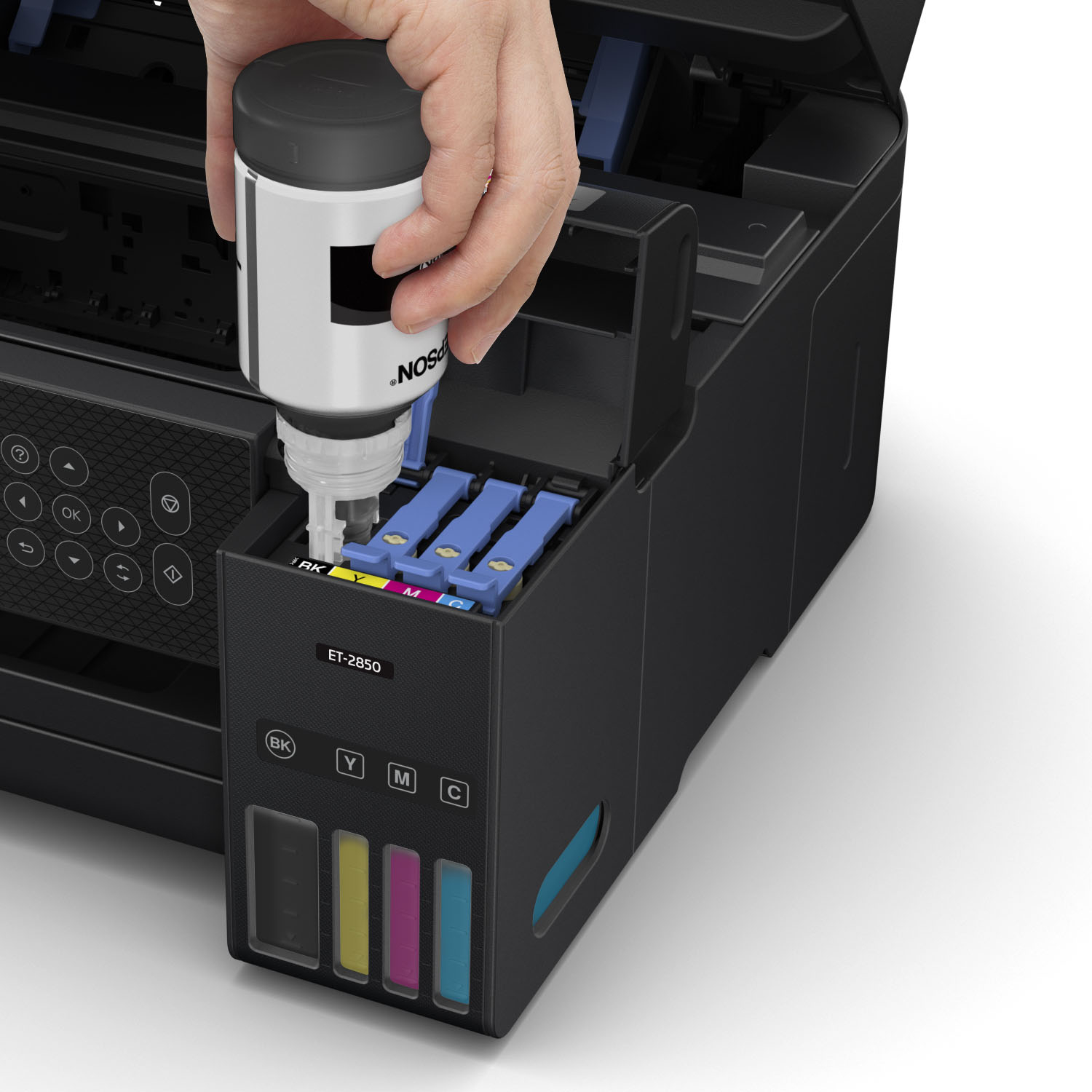
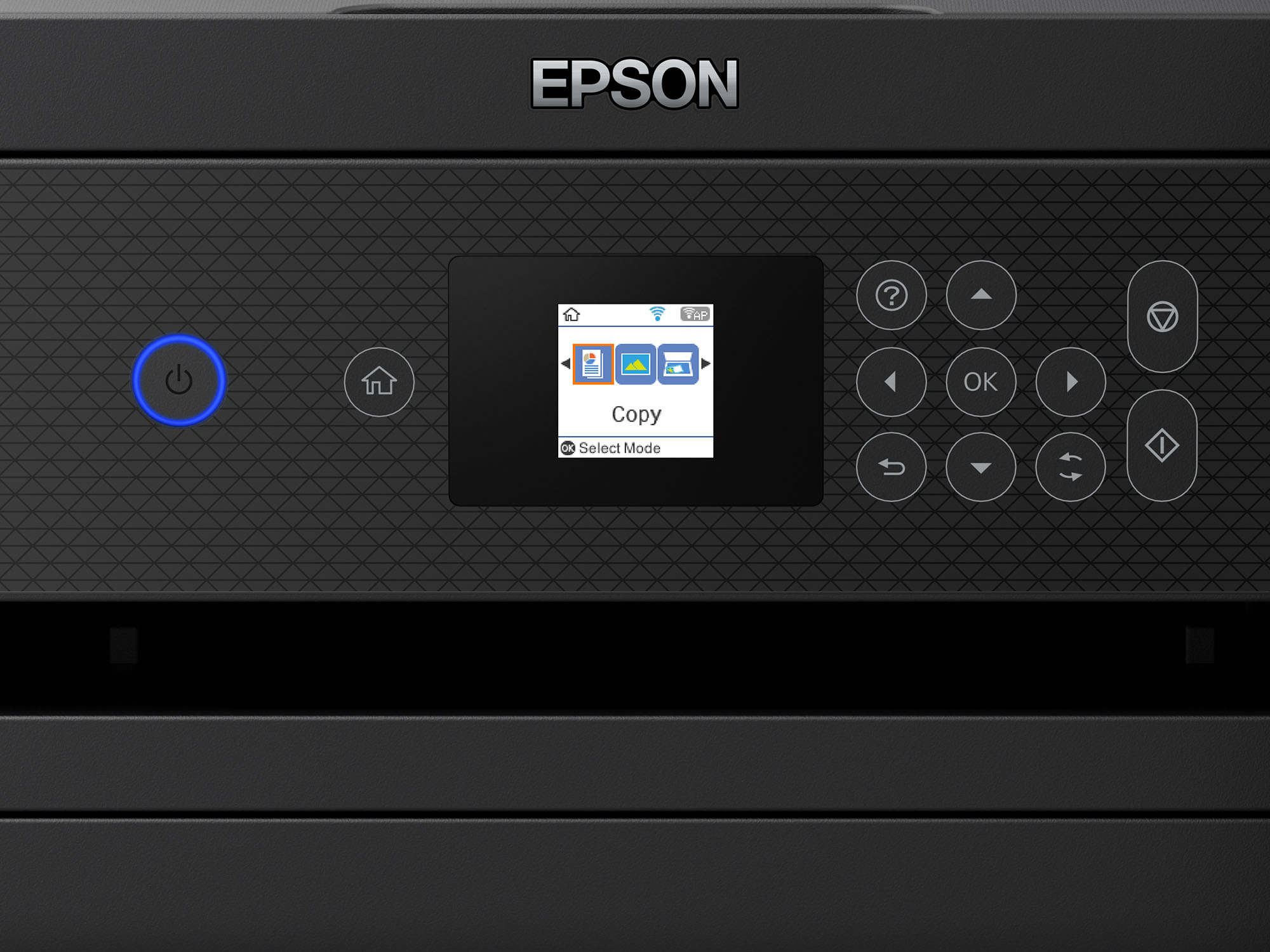
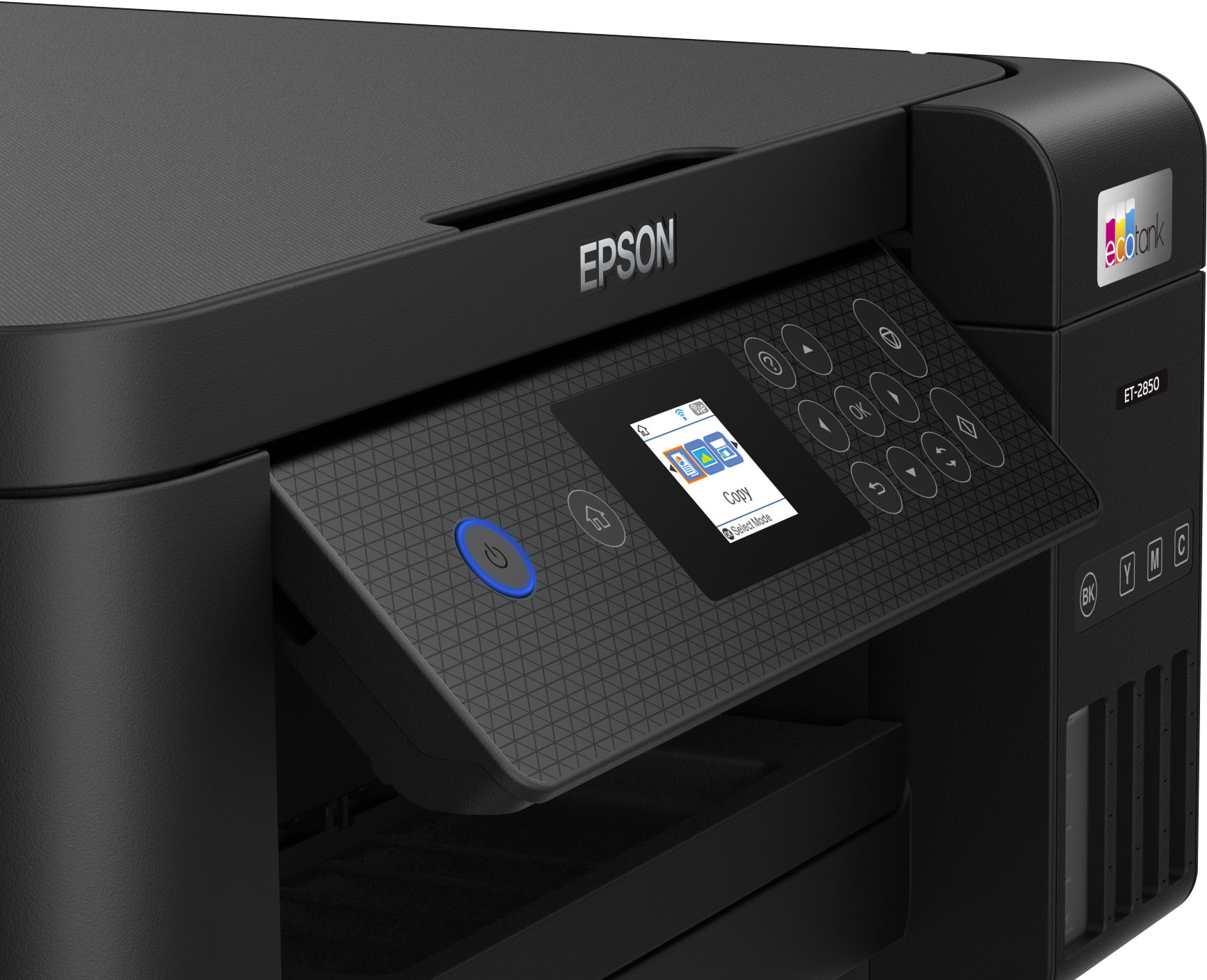
|Posted .This reviewer received promo considerations or sweepstakes entry for writing a review.I received my Epson EcoTank ET-2850 Wireless Color All-In-One printer and was quite pleased to start it going as I was in need of a good printer that didn't use expensive laser cartridges. The box arrived with the printer packed nicely inside. You'll find the printer, 4 ink bottles and a power cord. If you are looking to use this connected to directly to your computer via USB you'll have to purchase a cable as one is not provided. I already had a few so that was not an issue for me. It's nice that this printer offers both ways to connect instead of just all wireless. I have a Mac Mini computer (the 2020 model) and an iPhone Pro Max phone so after unpacking everything I downloaded the Epson Smart Panel and my phone found the printer right away after going through some setup steps. The quick start manual that accompanies the printer is easy to follow. When I plugged the USB cord into the back of my computer and the printer, restarted it all, the printer was found right off...just like it did with the wireless connection. However you should NOT connect the printer to your computer until the unit is completely setup per the instructions. Online you will find a 259 page very detailed manual as well. I was wondering how the ink tank chamber filling was going to be since the ink is liquid in a bottle but everything is color coded and you do one at a time. You can see the chambers on front of the printer and once they each are full the ink stops flowing automatically. You will notice a little ink left in each of the bottles and once the printer goes through an initialization process you will be able to pour the remaining ink in to completely fill. It took about 10 minutes to initialize the ink and you'll see a bar across the 1.44" LCD screen (not touch by the way) that shows when it's all complete. I find that LCD screen to be VERY difficult on the eyes, however being able to at least angle the front panel makes it somewhat easier to see. After all that I went to Epson's website and downloaded the software updates and a firmware update. You can select Apple Airprint or the Epson and the site takes you directly to an Express Registration that already had loaded my printer serial number on the form. Really simple. It has a Quiet Mode, which actually is really nice, but it takes slightly longer to print pages. The printer does about 10.5 pages of black and 5 color ISP pages per minute. It also features auto 2-sided printing and holds 100 sheets in a top feed design which I am not fond of. You load paper in the top rear and it leaves it exposed so paper can often start to get a limp look, especially if you are in a humid environment. A separate storage area for the paper, usually under the printer. would be ideal in my opinion, but that certainly wouldn't be a deal breaker for me. I was able to print right from my phone using the Epson Smart Panel app and it worked like a charm...just pick your network and you're good to go. After testing all the functions from copying to scanning I found this printer to be so very easy to use with decent print speed, great colors if you pick the higher resolution and picture prints were excellent. You have options to SAVE - ATTACH TO EMAIL - SEND TO GOOGLE DRIVE - SEND TO DROPBOX - SEND TO EVERNOTE or PRINT. Aside from the little LCD screen and the top feed design mentioned above, I definitely would recommend this printer if you are in the market for a wireless or USB connected printer. I really am quite pleased all around!
This review is from Epson - EcoTank ET-2850 All-in-One Supertank Inkjet Printer - White
I would recommend this to a friend - Pros mentioned:Print quality, Size
Rated 5 out of 5 stars
Perfect Family Wireless Cartridge-free Printer
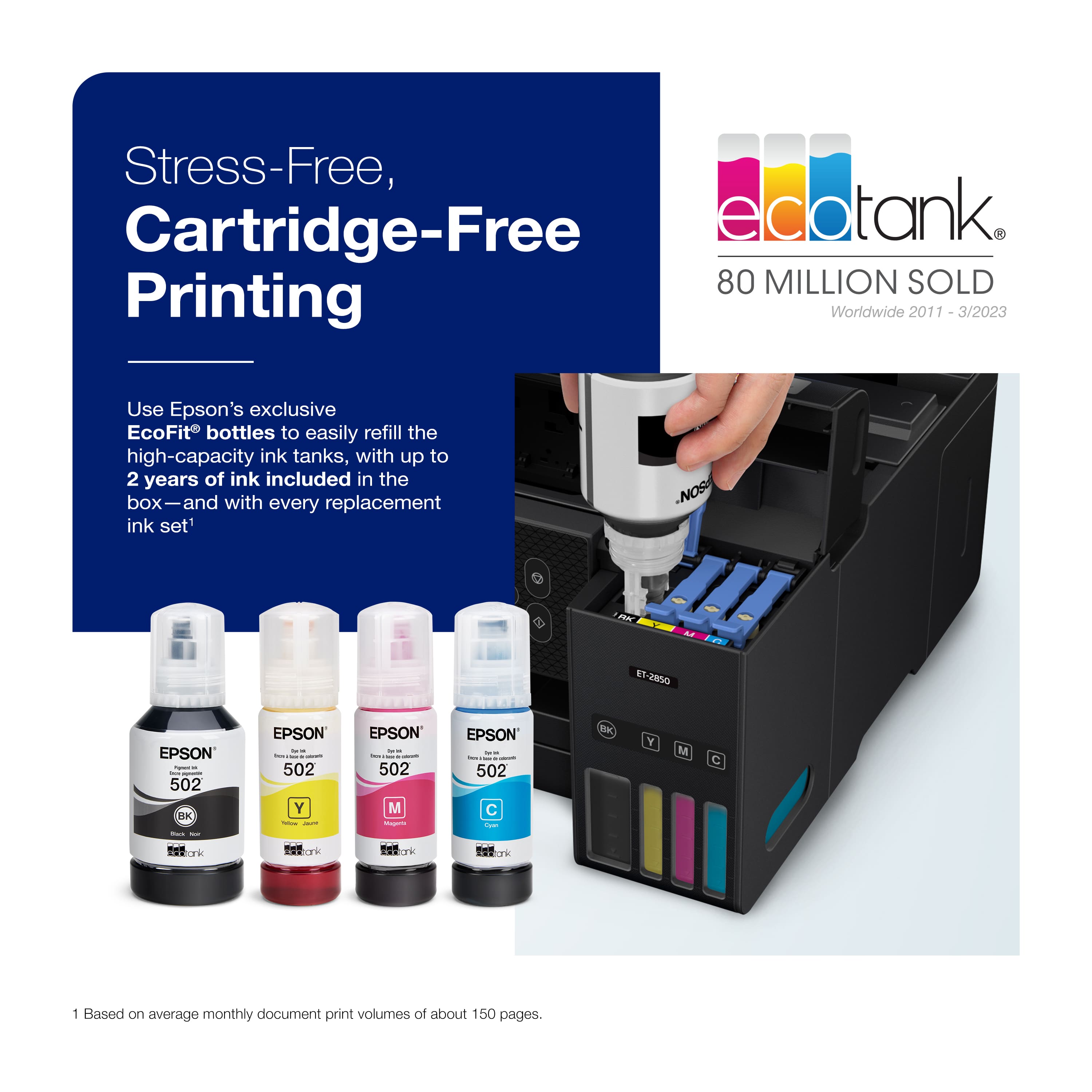
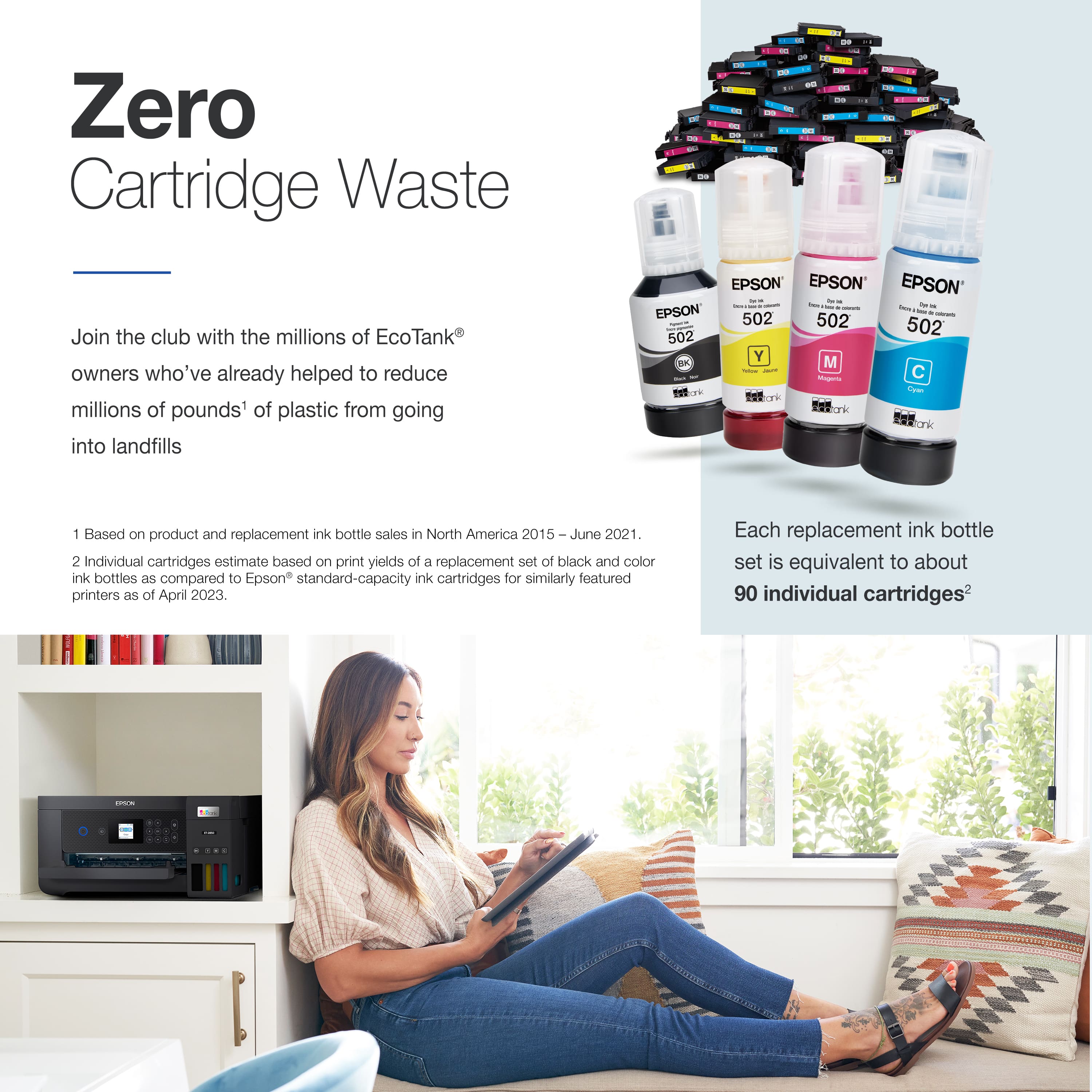
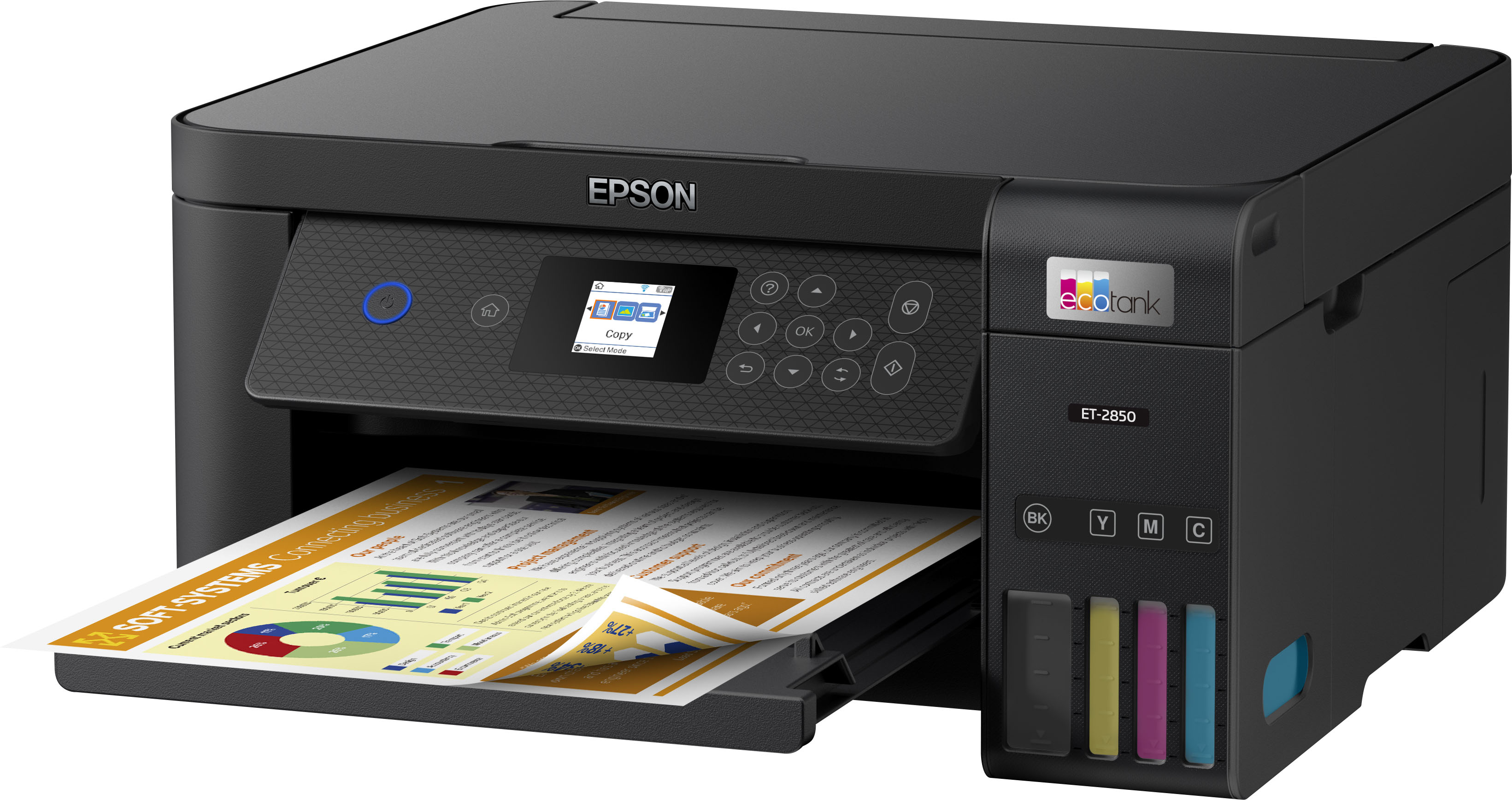
|Posted .This reviewer received promo considerations or sweepstakes entry for writing a review.Epson EcoTank ET-2850 all in one wireless printer is designed for use in small to medium home office that need print, copy and scan. This printer is an all-in-one color printer in a super compact form factor that doesn’t take more desk space. Its small but powerful and is using ecotank an innovative cartridge-free where there is no need to purchase expensive ink cartridges. Epson claims it will save upto 90% with replacement ink bottles compared to the ink cartridges and will print upto 7500 pages black / 6000 color which is equivalent to around 90 ink cartridges. Printer is faster with the two-sided (auto duplex) printing and very suited for high volume printing. Comes in 2 colors to choose from either in Black or White. What’s in the box: EcoTank Printer(white), Power cord, Installation disk, Black ink(127ml) and 1 bottle of Cyan, Magenta, yellow each (70ml) and instruction manual). Setup is simple and seamless with the Epson smart panel app that guides each step by step to get connected wirelessly. Download the app from the Appstore or play store and follow the instructions for setup. It does support Hi-Speed USB Wi-Fi®, (802.11 b/g/n), Wi-Fi Direct. On the front there is a small 1.44” LCD for display and supports apple airprint to print from apple devices. Works well with both windows and mac OS and doesn’t need any separate drivers to get started. Major Pro of this printer is zero cartridge waste (less cartridge waste in landfills) and stress-free printing (ink shelf life is 2 years). Print quality is very impressive with sharp texts and graphics. Replacement Ink(502) is affordable as a package price from Costco at $49 high yield for all 4 colors. Since the page yields are great like laser printer, cost per page to print color copies are very affordable. Epson has an impressive worry free 2-year warranty with registration that includes full unit replacement for peace of mind. Printer can hold 100 sheets of plain paper in the rear feed, 20 sheets of photo paper or 10 envelopes. Pros: Affordable low price for all-in-one, compact footprint, Stress-free printing, Zero cartridge waste, high performance printing, smartphone integration,2-year warranty with full unit replacement. Cons: Lack of automatic document feeder, no third-party ink option Bottom-line: Perfect compact affordable home or small office all-in-one Color Wi-Fi stress-free printer.
This review is from Epson - EcoTank ET-2850 All-in-One Supertank Inkjet Printer - White
I would recommend this to a friend Rated 1 out of 5 stars
Not happy
||Posted .This reviewer received promo considerations or sweepstakes entry for writing a review.Can not get it running. Getting the run around. Not happy
This review is from Epson - EcoTank ET-2850 All-in-One Supertank Inkjet Printer - White
No, I would not recommend this to a friendBrand response from Epson
Posted .Hello Swee, we're sorry to hear about your disappointing experience with the ET-2850 printer. Epson considers all feedback to improve the performance and quality of our products. Epson also offers helpful information, including FAQs and self-help tools, on the product support web page at https://epson.com/Support/Printers/All-In-Ones/ET-Series/Epson-ET-2850/s/SPT_C11CJ63202#questions. Your EcoTank printer includes a 1-year Limited Warranty, plus free lifetime technical support. If you need assistance, our Epson Support Team would be happy to help you and can be reached at (562) 276-4382; Hours: Monday - Friday, 7 am - 4 pm PT; Sincerely, Sam - The Epson Team.
- Pros mentioned:Ease of use, Print quality
Rated 5 out of 5 stars
So excited to save money on ink!!
|Posted .This reviewer received promo considerations or sweepstakes entry for writing a review.I’ve had this printer for about 2 weeks now. I’ve always had HP printers and I’ve been signed up with the HP instant ink monthly subscription for about 2 years now. With a family of 4, we go through ink in our printer like crazy! I was very hesitant about having the Ecotank because how could I switch from what I know best by having cartridges already filled, ready to use? Epson really made our printing life so much easier with the refillable cartridges. From start to finish it took no time at all to get it set up. Filling the tanks took the most time for me but it was super easy. I like how compact it is but will say the screen is a little small for my liking and isn’t a touchscreen. Not a total dealbreaker for me but I definitely prefer using the Epson Smart Panel app on my phone to control the printer vs the LCD screen. Print quality is awesome! So far I’ve printed more photos than actual text but I can say the photo prints turned out so clean, vibrant and crisp! I use my printer not only for home use and school work for the kids but I also use it for my crafting business. I have had no issues printing high quality sticker decals or water slide images for custom tumblers. The few items I have printed with text on it have come out just fine. With my HP printer I have the pull out paper tray but I’ll honestly say that the top feed paper tray is growing on me. Epson says it will hold 100 sheets of paper, I cannot attest to that part BUT it hasn’t jammed or had any issues with the different styles of paper I’ve been putting through it. Overall, this printer is worth getting IF you don’t like a bunch of bells and whistles. Don’t get me wrong, it’s a powerful little printer but I really think that if Epson didn’t have the Smart Panel App, it would be much harder to use this printer. Definitely a must have feature when you set your printer up at home! The ease of setup with the app, the quality of prints, overall functionality for our household and the money we will save in ink makes this printer perfect for us! Buy an Ecotank! You won’t regret it.
This review is from Epson - EcoTank ET-2850 All-in-One Supertank Inkjet Printer - White
I would recommend this to a friend Rated 1 out of 5 stars
Sucks don’t buy it
||Posted .This reviewer received promo considerations or sweepstakes entry for writing a review.Sucks don’t buy it! Hgffdddfghuihvvbbvfgghgfdffddfff
This review is from Epson - EcoTank ET-2850 All-in-One Supertank Inkjet Printer - White
No, I would not recommend this to a friendBrand response from Epson
Posted .Hi CynT, we appreciate your business and welcome the opportunity to assist you. If you're facing a specific issue, our Epson Support Team would be happy to help and can be reached at (562) 276-4382. Hours: Monday – Friday, 7am – 4pm (PT). We look forward to your call. Regards, Tony – The Epson Team.
Rated 1 out of 5 stars
Broke inside a month
||Posted . Owned for less than 1 week when reviewed.This reviewer received promo considerations or sweepstakes entry for writing a review.Good at first but ended up breaking inside a month
This review is from Epson - EcoTank ET-2850 All-in-One Supertank Inkjet Printer - White
No, I would not recommend this to a friendBrand response from Epson
Posted .Hello Jbone, thank you for taking the time to write a review of the ET-2850 printer. Epson considers all feedback to improve the performance and quality of our products. Epson provides helpful information to address most problems, including FAQs and self-help tools, on the product support web page at https://epson.com/Support/Printers/All-In-Ones/ET-Series/Epson-ET-2850/s/SPT_C11CJ63202#questions. Additionally, your printer includes a 1-year Limited Warranty, plus free lifetime technical support. Please reach our support team directly at (562) 276-4382 between 7 am - 4 pm (PT), Monday - Friday, if you need any assistance.
Sincerely, Sam - The Epson Team.
Rated 3 out of 5 stars
epson printer
||Posted . Owned for 1 month when reviewed.This reviewer received promo considerations or sweepstakes entry for writing a review.doesnt print as well as was said to. not that impressed
This review is from Epson - EcoTank ET-2850 All-in-One Supertank Inkjet Printer - White
No, I would not recommend this to a friendBrand response from Epson
Posted .Hello MelissaL, we apologize for your disappointing experience with the ET-2850 printer. Epson considers all feedback to improve the performance and quality of our products. Epson also provides helpful information on FAQs and self-help tools on the product support web page at https://epson.com/Support/Printers/All-In-Ones/ET-Series/Epson-ET-2850/s/SPT_C11CJ63202#questions. Additionally, your printer includes a 1-year Limited Warranty plus free lifetime technical support. Please contact our support team directly at (562) 276-4382 between 7 am - 4 pm (PT), Monday - Friday, if you need further assistance.
Sincerely, Sam - The Epson Team
Rated 1 out of 5 stars
Buy Anything But This....
||Posted . Owned for 11 months when reviewed.This reviewer received promo considerations or sweepstakes entry for writing a review.I purchased this Epson printer because it had great reviews. It is quite possibly the worst printer I have ever owned. It is constantly not working and when I requested support from Epson they gave me a solution and told me that I couldn't contact them for another month... Also, if you need to print anything with a graphic, this printer is not for you. I purchased this a year ago and the troubles started about 4 months ago.
This review is from Epson - EcoTank ET-2850 All-in-One Supertank Inkjet Printer - White
No, I would not recommend this to a friendBrand response from Epson
Posted .Hello JulieZ, we apologize for your disappointing experience with the ET-2850 printer. Epson considers all feedback to improve the performance and quality of our products. Epson also provides helpful information on FAQs and self-help tools on the product support web page at https://epson.com/Support/Printers/All-In-Ones/ET-Series/Epson-ET-2850/s/SPT_C11CJ63202#questions. Additionally, your printer includes a 1-year Limited Warranty plus free lifetime technical support. Please get in touch with our support team directly at (562) 276-4382 between 7 am - 4 pm (PT), Monday - Friday, if you need further assistance.
Sincerely, Sam - The Epson Team
- Pros mentioned:Print quality
Rated 1 out of 5 stars
What
||Posted . Owned for 1 week when reviewed.This reviewer received promo considerations or sweepstakes entry for writing a review.Still does what a printer does. Besides being faster, what else can it do?
This review is from Epson - EcoTank ET-2850 All-in-One Supertank Inkjet Printer - White
No, I would not recommend this to a friendBrand response from Epson
Posted .Hi Kiml, Epson takes into consideration all feedback to improve the performance and quality of our products. We will forward your feedback to the relevant Epson department, as we are always looking to make future Epson products better. Regards, Tony– The Epson Team.

.](https://pisces.bbystatic.com/image2/BestBuy_US/images/products/b5569c02-8627-4a03-9957-b063abecb45b.jpg;maxHeight=54;maxWidth=54;format=webp)


. 1 Most features require a Internet connection to the printer, as well as an Internet- and/or email-enabled device. For a list of Epson Connect enabled printers and compatible devices and apps, visit [www.epson.com/connect](http://www.epson.com/connect).](https://pisces.bbystatic.com/image2/BestBuy_US/images/products/f1212168-027b-4ffa-9155-e0532bbc2ece.jpg;maxHeight=54;maxWidth=54;format=webp)