Customer Ratings & Reviews

- Model:
- C11CL43201
- SKU:
- 11132430
Rating by feature
- Value
Rating 4.5 out of 5 stars
- Quality
Rating 4.5 out of 5 stars
- Ease of Use
Rating 4.5 out of 5 stars
Customers are saying
Customers find value in the product's excellent print quality and easy setup. Many also appreciate its reliable connectivity, compact size, and quiet operation. However, some users have noted concerns regarding the automatic retracting paper tray and find the control panel requires a bit of effort to use.
This summary was generated by AI based on customer reviews.
- Pros mentioned:Connectivity, Print quality

This is probably the printer that you want.
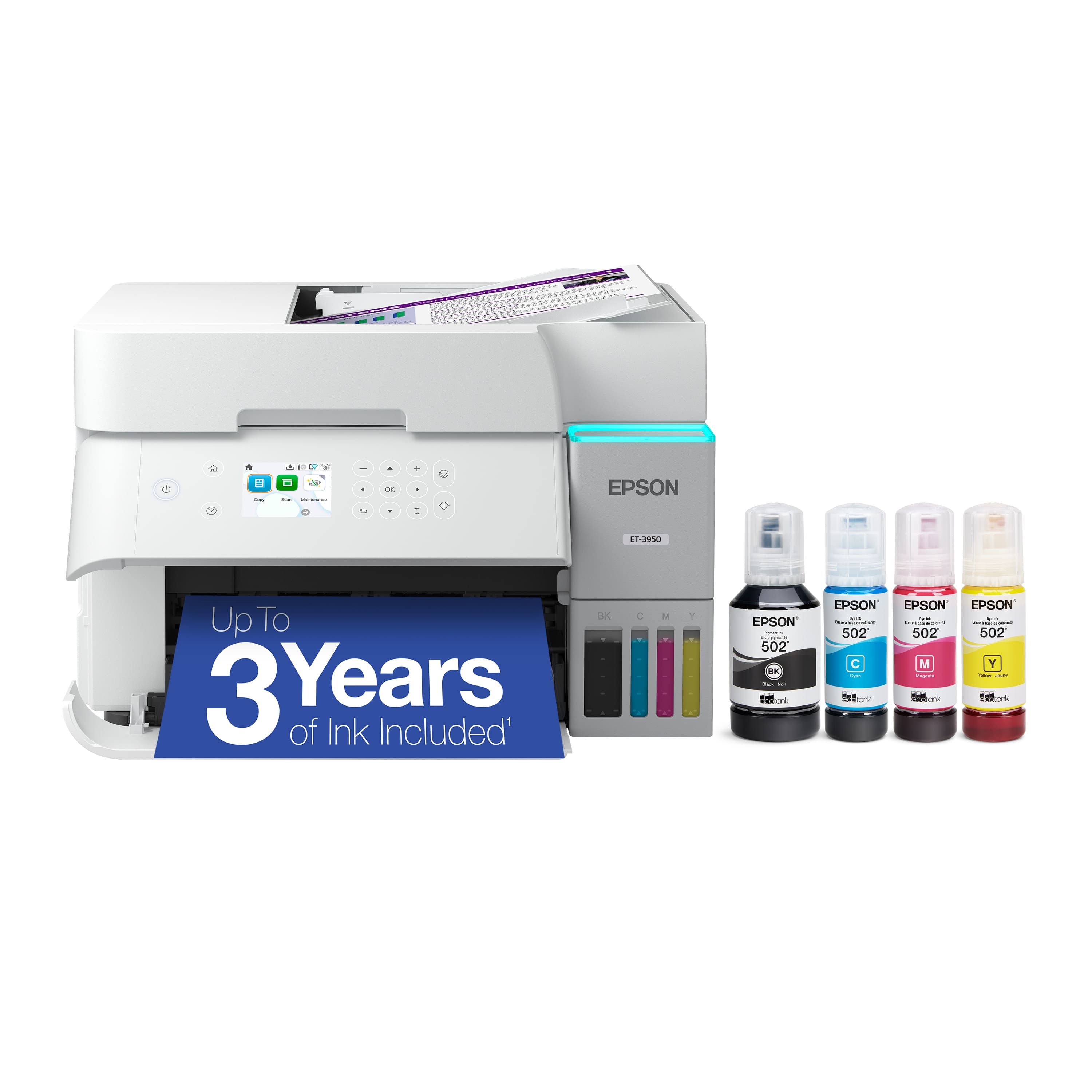
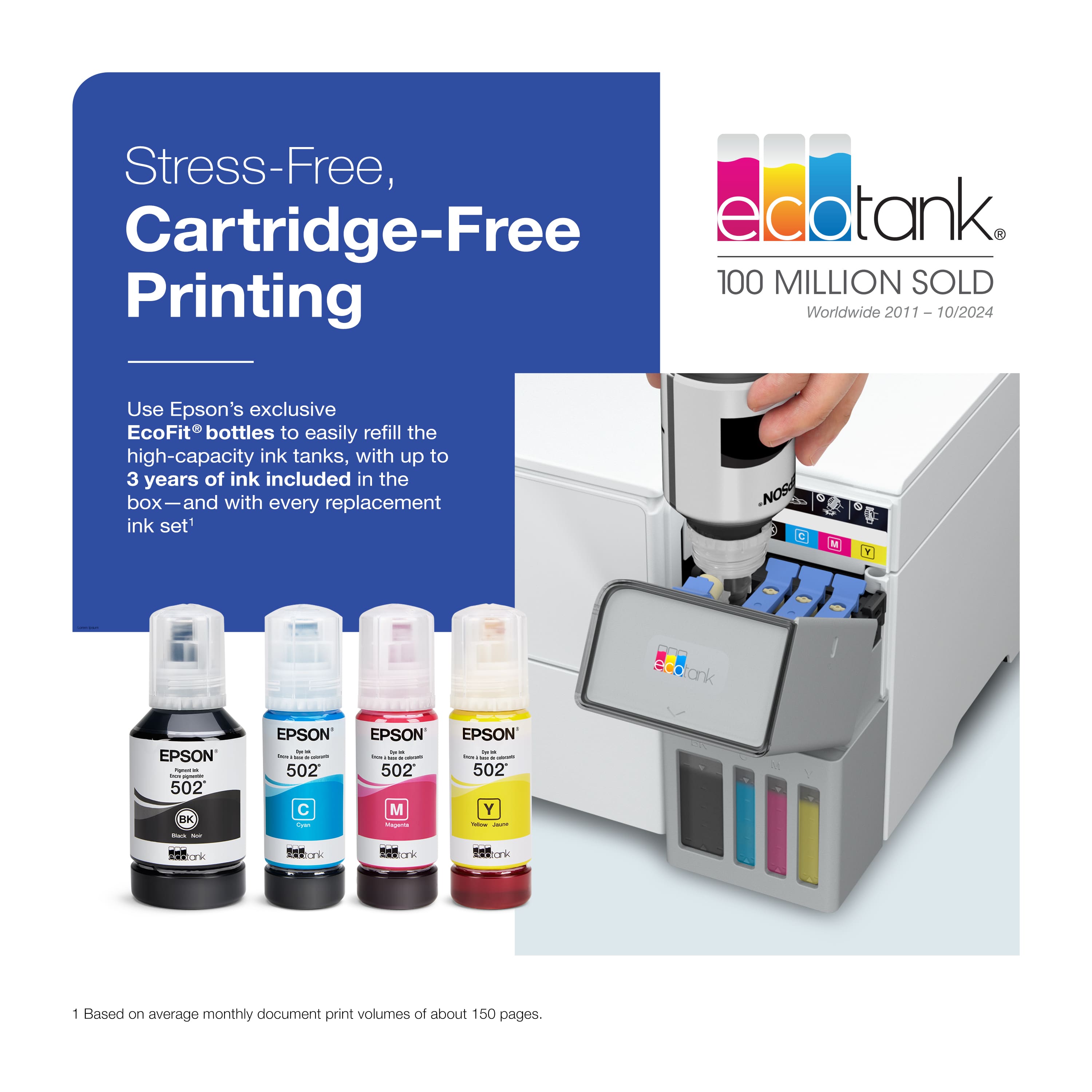
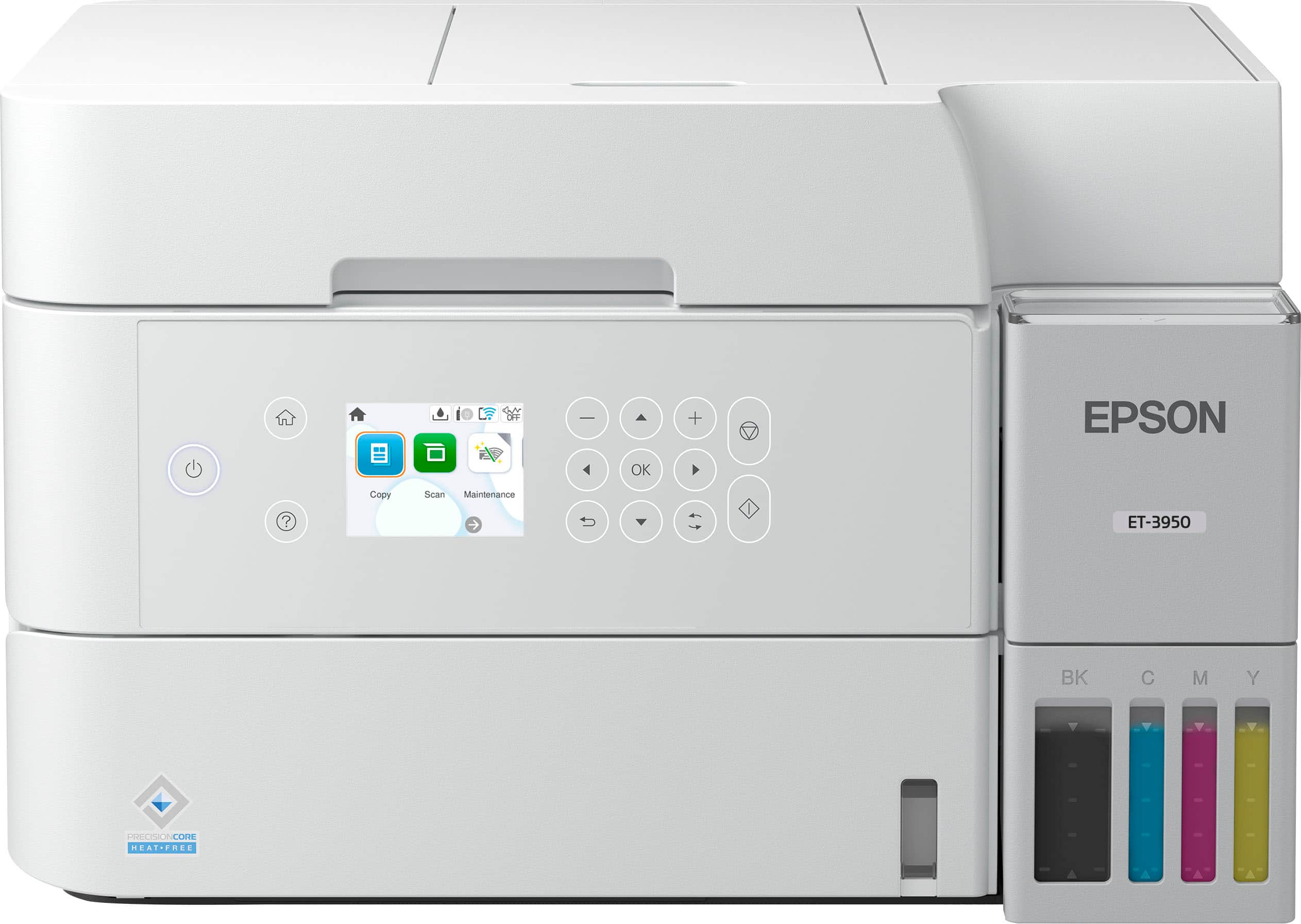
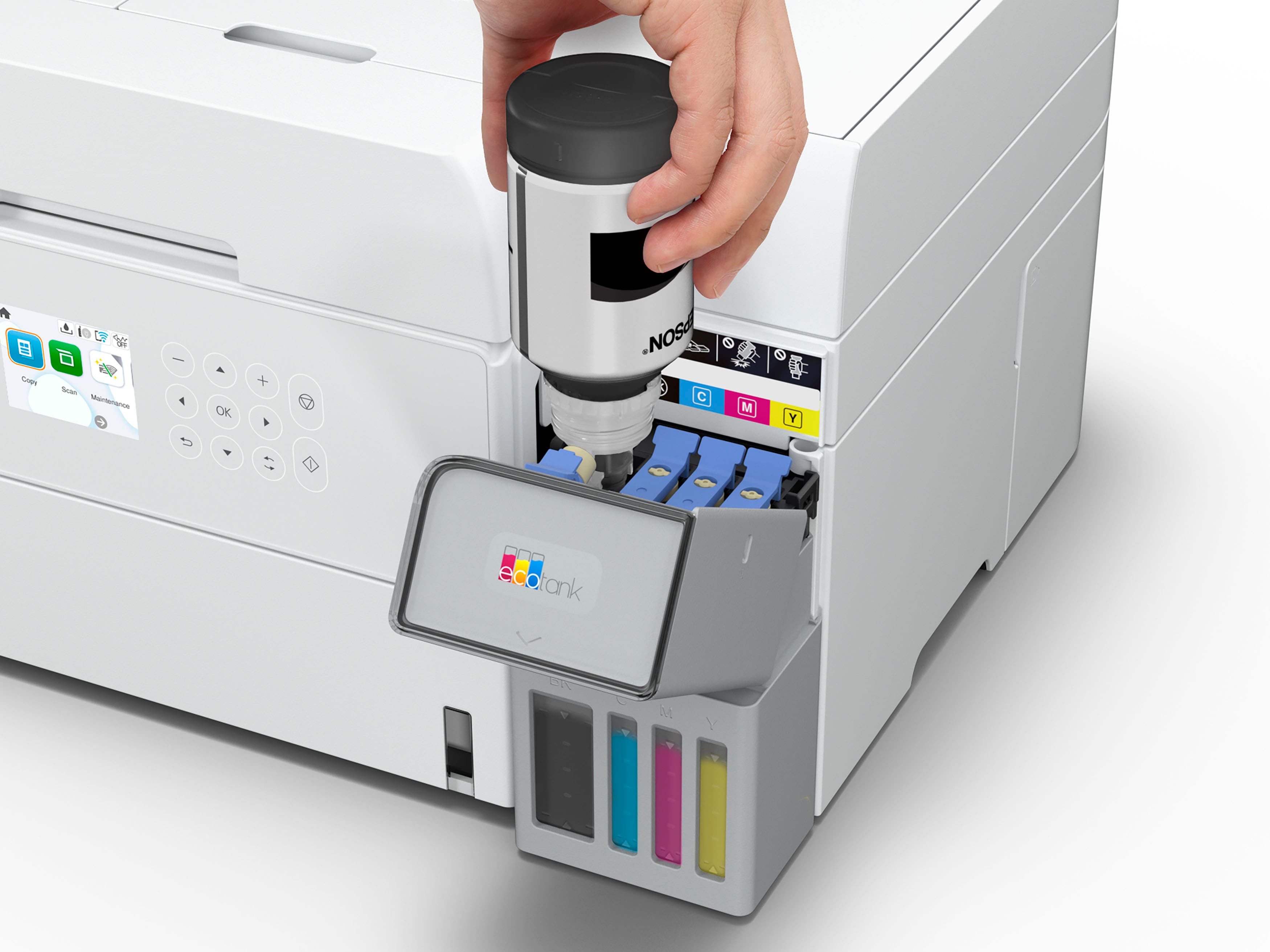
|Posted .This reviewer received promo considerations or sweepstakes entry for writing a review.For most people, this is probably the printer that you want. This does EVERYTHING, and should be economical to run for a long time. First, this is a networked printer, and can use USB, wired Ethernet, or wireless networks (both 2.5 and 5 GHz supported). It can print on both sides of the paper, and has a sheet feed scanner on the top. You can just put a stack of papers on there and it will scan them to your computer. The only things that it doesn’t do is scan both sides of the paper, and fax. So this has pretty much everything that you need for the home office. But there are a LOT of printers available. What makes this one special? Two things. First, this has huge tanks of ink, and it can be easily refilled from bottles. No more expensive ink cartridges. The ink is very reasonably priced for the amount that you get. So this won’t cost you a lot of money in the long run. The second? A removable ink sponge. Every time your printer cleans itself, it squirts ink onto the sponge. This is common for all inkjets. But what do you do when the sponge gets too full? For most printers, you throw it away. For this one, you can replace just the sponge, which is a great feature that I have never seen before. Setup can be accomplished via a phone app (I tried the Android version), or using the PC drivers (I was using Windows 11), or you can connect it to your network using the front display and buttons. There is a small but usable color display on the front that has enough buttons to allow the printer to be easily networked and set up. This display can also inform you of error conditions (such as ink status and jams) without having to run back to the computer. I have always been a fan of the print quality that you get from Epson, and this is no exception. Photos look great. The front panel also tilts out so that the screen and buttons are easier to reach. I only have two real complaints about this model. The first is that the white light around the power button pulses slowly, which can be distracting depending on where you put it. The second is that the output tray slides out automatically when you print, but you have to press a button to put it back. Yup, those are the only nits to pick. So, the final question is “who should NOT buy this printer?” There are only two cases. The first is the person who prints so seldom that they would never use up the ink. The other is the person who prints so office that they would be better served with a color laser printer. For everybody else, get this.
I would recommend this to a friend - Pros mentioned:Print quality, Setup ease
Ink tanks rule!
|Posted .This reviewer received promo considerations or sweepstakes entry for writing a review.I have always liked Epson printers. I think their print quality, especially for photos, has been top notch. Using the app on my phone, setup of the printer was straight forward and took about 15 minutes including filling the ink tanks. The app walks you through the setup step by step checking progress along the way. 1I like that it prints a printhead check page that you scan and the device then configures the best settings and in my case, it even told me I needed to do another head cleaning as there were missing segments in a couple of the colors. While the app connects to Wi-Fi, it walks you through filling the ink tanks. Each bottle is keyed for its location to make it difficult to mix up the colors. I love that you can see the levels right on the front of the printer as well as in the app. There is a color screen on the printer but it's not a touch screen, you have to navigate the icons and settings by pressing the membrane arrow and enter buttons to the right of it. You can also do everything from the app. The Epson Smart Panel app gives you full control of the printer including scanning, copying, printing and even document capture which takes a picture of a document and prints it. It also allows you to print remotely via the Epson Remote Print driver and software. I haven’t tried this out yet but looking forward to it. I also like the small footprint of this device and the unique slide out paper tray. This confused me at first as I thought it would self-retract after some time or when the printer goes to sleep but this is not the case. It does slide out when you print but you have to press the button to park it back. The print quality, like my previous Epson printers, is crisp and sharp on plain paper. I’m looking forward to printing photos on photo paper. Printing is also more than fast enough for home printing. It also does automatic duplex printing, a nice feature to conserve paper or large presentations or books. Scanning gives you two options, a sheet feeder and flatbed surface. Using the sheet feeder on a mixed setting and wi-fi, it took 15 seconds per page. The output back at my computer was very good. Overall, I really like this printer. It’s compact, uses inexpensive ink that lasts forever and the print quality is excellent. Five stars.
I would recommend this to a friend - Pros mentioned:Print quality, Setup ease
EcoTank ET-3950 Meets our Needs
Posted .This reviewer received promo considerations or sweepstakes entry for writing a review.The salesman was very helpful in finding a printer that met our needs. A printer where the ink doesn't dry out if it is not used that often... He showed us the types of printers that use 'supertanks' which met our need perfectly. It offers nice colors and B&W, easy to set up, and no need to worry about the cartridges drying out since it doesn't use cartridges.
I would recommend this to a friend - Pros mentioned:Noise level, Print quality, Setup ease
Easy Setup and Great Print Quality
||Posted . Owned for 1 month when reviewed.This reviewer received promo considerations or sweepstakes entry for writing a review.I’ve been really happy with this Epson printer. It was easy to install, the ink supply feels generous, and it prints beautifully. What stands out most to me is how simple it was to get started. The setup was straightforward, and once it was running, the print quality is excellent. I also appreciate that it operates quietly, which makes it a nice fit for home use. Overall, it feels like a reliable printer that does exactly what I need without a lot of fuss.
I would recommend this to a friend - Pros mentioned:Print quality
Awesome printer with great features!
|Posted .This reviewer received promo considerations or sweepstakes entry for writing a review.Overall, I think this printer is a great printer offering great features for home or home office/small business use. It has a clean modern look and feel while being easy to maintain and operate/use and because the ink is bulk you really don't need to worry about high costs to print photos or whatever you want. It's like the best of all worlds and even if you do only occasional printing, I'd still recommend this printer anyway. Here's how I'd rate this printer overall by function/feature: -Print Quality - Excellent - It prints crisp clean text and reasonably good photos. I was very surprised to see it supports borderless printing on 8.5"x11" and it looks great. -Print Speed/Function - Excellent - It prints really fast and handles duplex scanning and printing like a pro. -Scan Speed/Function - Excellent - The ADF is fast and picks up paper great. I love that how it closes and hides the ADF which keeps dust out. -Setup - Good - I had trouble connecting to Wifi initially, and I think Epson should look closer at compatibility with mesh Wifi networks. -App - Good - I'm not all that impressed with connectivity with the app, sometimes it works sometimes it doesn't. When it works, it's great and easy to use... I also wish it supported eFaxing either free with a limit on pages or a low-cost per use model as it's not used often anymore but it's sure handy to have it like HP does in their app which is free to use non-commercially with higher end printers. Outside of those two really minor things, I absolutely love this printer! It works great and is one I'd definitely recommend, especially with the duplex scanning and printing. It's fast, and just works great. Last... Here's a super helpful tip for those who print irregularly and are worried about clogs! Use the printer's email address and setup delayed/scheduled emails using gmail or other service to email the printer a color PDF document to print 1-2 pages each week... it may seem wasteful but doing this can keep your ink tanks/print heads from sitting too long which is one of the things that can contribute to clogs or poor print quality. At the end of the day, it doesn't necessarily consume any more ink than if you did a couple printhead cleaning cycles so all you are out is a sheet or two of paper. Since I started doing this with my inkjet printers - I have had ZERO issues with clogs and print quality so when I need to print, it just works every time. All I have to do is remember to have paper in the printer and update my scheduled emails when they run out. Epson - Maybe this is an optional "feature" that could be enabled by the end user where the printer can evaluate its usage with an AI algorithm and put special pages through to keep the print head in good condition if it's been left sitting for too long. This printer is a must if you have a home office and Epson's ink is top notch. Ditch the ink subscriptions and wasteful/expensive printhead/multicolor ink cartridges that end up clogging or wasting colors that aren't used and get this printer instead!
I would recommend this to a friend - Cons mentioned:Control panel
Good support but printer needs to be better
|Posted .This reviewer received promo considerations or sweepstakes entry for writing a review.Epson's EcoTank ET-3950 is short of being an ideal color printer/scanner combo for me. It's not my first Epson product - I was using Epson's ET-2720 until recently. It became completely unusable (I suspect planned obsolesce) when the waste tank ink counter became full. I contacted Epson and was told to purchase a replacement kit but it had to be shipped to Epson, so opted out. I contemplated buying a reset key online and washing the sponge (?) inside the waste tank (courtesy of YouTube) but luckily ET-3950 entered my life just in time. The pros. It's definitely an upgrade from my E-2720 from the exterior. It looks more like a commercial printer, instead of a home office look, and it has more bells and whistles. Do I need them all? Probably not, but I like that ET-3950 has its own paper tray, so I don't have to manually place the papers on the top sheet feeder. This model allows double-sided printing and scanning, a feature I never had (or needed) and likely will never use. Printing quality seems pretty good, although, not sure if it's that much better than ET-2720 before it became obsolete. Setting up the printer and connecting to my phone via Epson Smart Panel app wasn't too bad either. But that's where the good stuff ends. Now, the cons. My major complaint is Epson having different inks for different models. I still had almost full or new bottles of ink left over from ET-2720 but they are not compatible with ET-3950. WHY??? Also, during the printer setup, it used up SO MUCH ink, like the quarter of what was filled in the tank was gone afterwards. According to Epson's spec sheet, the approximate page yield is 6,600 pages for black ink and 5,500 for color ink but we'll see about that. So, I mentioned earlier that connecting EP-3950 to my phone wasn't too bad; however, connecting to my laptop was a nightmare. I tried connecting via Wi-Fi, ethernet cable, WPS and USB cord but none of them worked. I had a support call with Epson (great customer support, btw) and it finally worked when I restarted my router. Of course that's one troubleshoot I didn't perform but who can blame me? No one wants to lose internet connection for five minutes. This very nice tech support guy also had me uninstall old apps from ET-2720 (which should be explained somewhere in their guide or instructions) and other things that I can't remember. EP-3950 has fancy features but they don't really deliver. For example, the control panel looks like a touchscreen, so I kept hitting it not realizing you need to hit the buttons next to the screen instead. Also, the power button is not very engaging, so I have to push it at least three times for the printer to turn on. I'm also concerned that EP-3950 has too many moving parts, like the paper tray that comes out and extracts, that I'm afraid something is going to break and the whole printer becomes unusable. It's my luck that it'll happen a day after my one-year warranty expires. But my biggest concern is that I'm going to face another planned obsolescence by Epson, so that it will stop working because the waste tank is full and I cannot empty or clean it out myself and/or have to buy a reset key. The bottom line is I don't recommend ET-3950. It's a little pricey for a color printer/scanner combo in my opinion. Please do you research and find the printer that meets your needs.
No, I would not recommend this to a friendBrand response from Epson
Posted .Hi Xianomama, thank you for sharing your experience. Epson takes into consideration all feedback to improve the performance and quality of our products. We will forward your feedback to the relevant Epson department, as we are always looking to make future Epson products better. Your product includes a 1-year limited warranty. Our Epson Support Team would be happy to help you and can be reached at (562) 276-4382; Hours: Monday – Friday, 7 a.m. to 4 p.m. (PT). Once again, thank you. Regards, Joseph – The Epson Team.

- Pros mentioned:Noise level, Size
Great Epson Printer!!
||Posted . Owned for 1 month when reviewed.This reviewer received promo considerations or sweepstakes entry for writing a review.I really like the new Epson Eco-Tank ET-3950 printer. I’ve used Epson printers in past with those expensive ink cartridges so I’m happy those were eliminated. It was easy to use and setup with the user-friendly control panel. I had some initial wireless connection issues but was able to resolve them quickly. The colors on prints are crisp and clear, and the ink wells are easy to fill. The unit is quieter and takes up less space then my last Epson printer. Definitely like the auto-duplex scanning feature and the large paper tray. I think it’s the perfect printer for home and small office use.
I would recommend this to a friend - Pros mentioned:Connectivity, Print quality, Setup ease
Good home printer without cartridges
||Posted . Owned for 2 months when reviewed.This reviewer received promo considerations or sweepstakes entry for writing a review.So far so good on this printer. Prints good, easy to setup. WIFI working good. We did notice setup does use some ink and duplex printing gets jammed occasionally. So far, very happy with purchase.
I would recommend this to a friend - Pros mentioned:Print quality, Setup ease, Size
Simple set up, great quality prints
||Posted . Owned for 1 month when reviewed.This reviewer received promo considerations or sweepstakes entry for writing a review.Set up was simple, and it works great. It does not take up too much space and the print quality is super.
I would recommend this to a friend - Pros mentioned:Connectivity, Print quality
Excellent printer
||Posted . Owned for 2 weeks when reviewed.This reviewer received promo considerations or sweepstakes entry for writing a review.The printer works as expected. It was challenging to find printers with generally positive reviews, but this one stood out. The installation process was straightforward. I haven’t encountered any issues with Wi-Fi connectivity, and the print quality is quite satisfactory.
I would recommend this to a friend - Pros mentioned:Connectivity, Print quality
Great printer
||Posted . Owned for 2 months when reviewed.This reviewer received promo considerations or sweepstakes entry for writing a review.Love this printer. Synced easily to our phones and computers. Havent had to refill ink yet, nut seems to be efficient. Really liking it for general printing and it does decent with pictures
I would recommend this to a friend - Pros mentioned:Print quality
Great printer!
||Posted . Owned for 2 weeks when reviewed.This reviewer received promo considerations or sweepstakes entry for writing a review.The set up was a little time consuming, but was pretty straight forward. There are two reasons for not giving five stars. First, I’ve had a few connectivity issues. It hasn’t been major and I’ve been able to find a workaround when it happens, however, it is very inconvenient. Second, there have been a couple times when I’ve had something printing and it didn’t print the last couple of pages. I checked the print queue, and there were no jobs pending. The printer just stopped printing. I ended up reprinting the missing pages. Again, nothing major, just inconvenient. Overall, I think my family and I will really enjoy it. If it prints anywhere near the number of pages it claims on a full tank of ink, that that’s going to be a major plus. I’m willing to put up with a few inconveniences to save on ink costs.
I would recommend this to a friend - Pros mentioned:Print quality, Size
A great and much smaller printer
||Posted .This reviewer received promo considerations or sweepstakes entry for writing a review.I purchased this printer to replace an Epson WF-4630 that after nine years failed. I love the idea of the EcoTank that replaces the all too wasteful printer cartridges. Setting up the printer was easy, although I had to reach into my long time computer skills to update the firmware. The print quality for text and pictures is fine. I copied pictures I had printed on the WF-4630 and I could not tell the difference between the original and copy. I also love how compact the printer is, especially compared to the monster sized WF-4630. The cost was about the same. The only thing the printer lacks is faxing. I can fax from my computer or will buy a stand alone fax machine if necessary, doubtful. It's a keeper.
I would recommend this to a friend - Pros mentioned:Connectivity, Print quality, Setup ease
Good compact machine
||Posted .This reviewer received promo considerations or sweepstakes entry for writing a review.Was fairly easy to install even with computer that needed major updates. Phone recognized it immediately. Print quality is fine.
I would recommend this to a friend - Pros mentioned:Connectivity, Print quality, Setup ease
Great buy
||Posted . Owned for 1 week when reviewed.This reviewer received promo considerations or sweepstakes entry for writing a review.I love the new printer and it was easy to setup. No issue setting up the internet connection and phone connection. Prints great picture and now look forward to saving money on ink.
I would recommend this to a friend - Pros mentioned:Print quality
Great printer with a few drawbacks
||Posted . Owned for 3 weeks when reviewed.This reviewer received promo considerations or sweepstakes entry for writing a review.It's a great printer, but there are some hangups: Print quality- text doesn't look the most crisp, and colors aren't quite right. However, it prints pretty fast and simply setting print quality to *quality* instead of standard / draft fixes the crispness and most of the issues with colors. Copying via ADF- it came out of the box printing a line along the length of the copied pages. Required minor disassembly and cleaning (looks like some dust partical or something was in the film between the scan bed and adf tray. Otherwise, the scanning / copy quality itself is decent if not great for b+w. Wi-Fi connection: For whatever reason, it just will NOT connect to the 2.4ghz wifi band which we have all of our other IoT devices on. The easy fix? Just use 5ghz band. Not sure if this is a router issue, printer firmware issue, or what, but this is the only device we've had issues with our wifi so I'm inclined to point the blame at the printer. This could be a dealbreaker for you though if you have the same issue and are out of range of 5ghz or don't have a 5ghz band and also can't use the wifi direct functionality. Pros: - The mobile app for setup was incredibly intuitive and fast compared to the on-screen guide. Filling tanks, aligning print head etc were all easy to follow instructions on page. - Print speed is pretty fast - the screen / controls are fairly intuitive (and you can do almost everything you want from the mobile app even if not). Unlike other printer manufacturers, I actually want to use this app because it's good BUT the onboard experience is just fine as well - EcoTank printer print cost is drastically more cost effective than cartridge based printers, and they can't vendor lock you into their ecosystem. This leads to a marginally higher upfront cost, but the long-term savings if you print frequently are immediately apparent. We're talking single cents or tenths of a cent per page vs 2-8¢ per page - literally one tenth as expensive per page as our old cartridge based printer. If you compare to cartridge based printers, the break even point is roughly $100/1500 pages printed so if this printer is even $200 more expensive than a comparable cartridge printer, you would only need to print 3000 pages before this printer is more cost effective. You also get the benefit of putting exactly as much ink as you want in any of the tanks at any point technically from any vendor (though Epson sells their ink at basically commodity rate so why not just use the 1st party ink anyway). Overall, very happy with this purchase despite the minor flaws noted above. All issues were able to be worked around or resolved, and Epson provides comprehensive documentation and troubleshooting instructions for any issues that come up.
I would recommend this to a friend The right printer for me thank you
||Posted . Owned for 3 weeks when reviewed.This reviewer received promo considerations or sweepstakes entry for writing a review.I walked into the store and asked for a professional opinion on a printer. The person that helped me was fantastic. I must have asked 15 to 20 questions about different types of printers and what they did and how it would satisfy all of my needs appropriately and efficiently.. we went from the lowest price one to the highest priced one.. I ended up choosing the second highest priced one because it suited all of my needs efficiently.. Even the paper fed from the front just like I liked it. So thank you so much
I would recommend this to a friend- Pros mentioned:Print quality, Setup ease
Very solid, might need to adjust more settings
||Posted .This reviewer received promo considerations or sweepstakes entry for writing a review.So far it seems to be working well. Setup was very easy compared to printers I've used in the past, including over wifi. The scanning feature is probably the weakest aspect, it's a little confusing how to do it through the Epson app on my computer, and it's not the most intuitive. That said, scanning quality is very good. Print quality seems good--colors are not particularly vivid, but I'm using very cheap paper. I think with standard or higher quality paper it would pop more. Ink usage seems
I would recommend this to a friend - Pros mentioned:Connectivity, Print quality
Good quality
||Posted . Owned for 1 month when reviewed.This reviewer received promo considerations or sweepstakes entry for writing a review.It was so easy to connect to my laptop. I have not had no issues with this printer it's a good quality.
I would recommend this to a friend - Pros mentioned:Print quality, Setup ease
Printer
||Posted . Owned for 1 week when reviewed.This reviewer received promo considerations or sweepstakes entry for writing a review.I’ve been using this printer for a little while now, and I’m really impressed. The setup was quick and straightforward, and the wireless connection works flawlessly. The print quality is sharp for both documents and photos, and it prints faster than I expected. It’s quiet, compact, and perfect for home or office use. Definitely worth the purchase — highly recommended.
I would recommend this to a friend