Customer Ratings & Reviews
- Model:
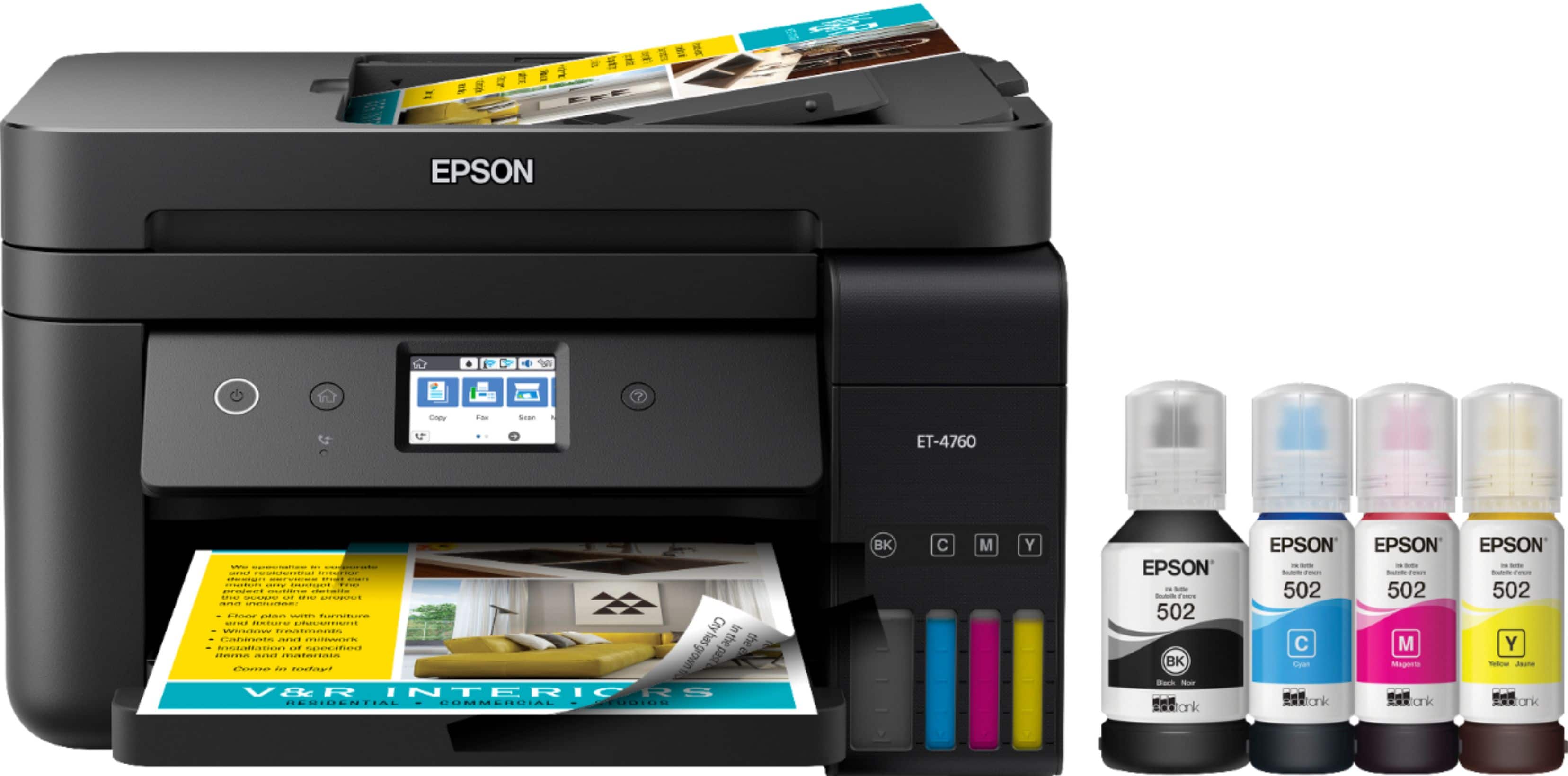
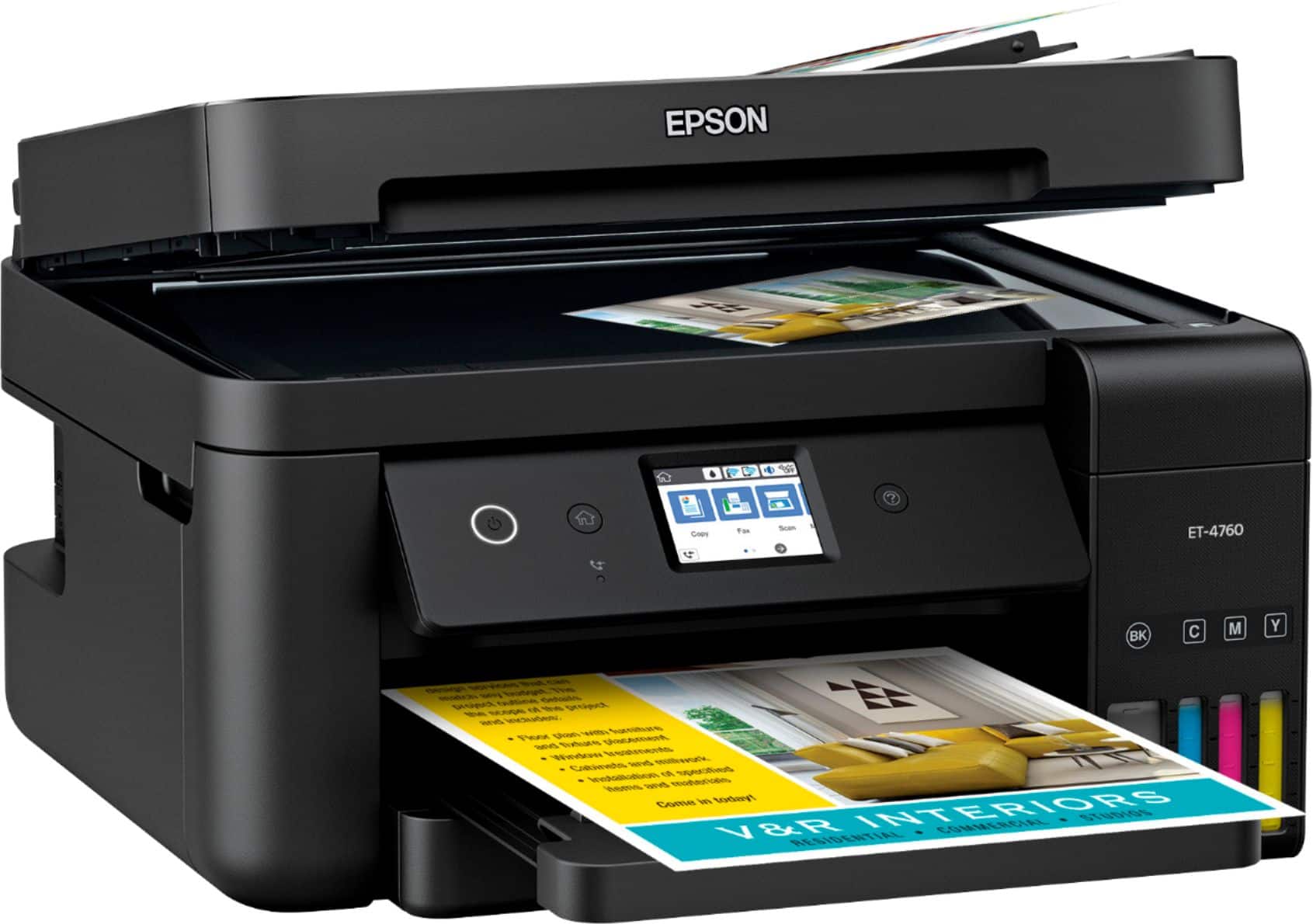
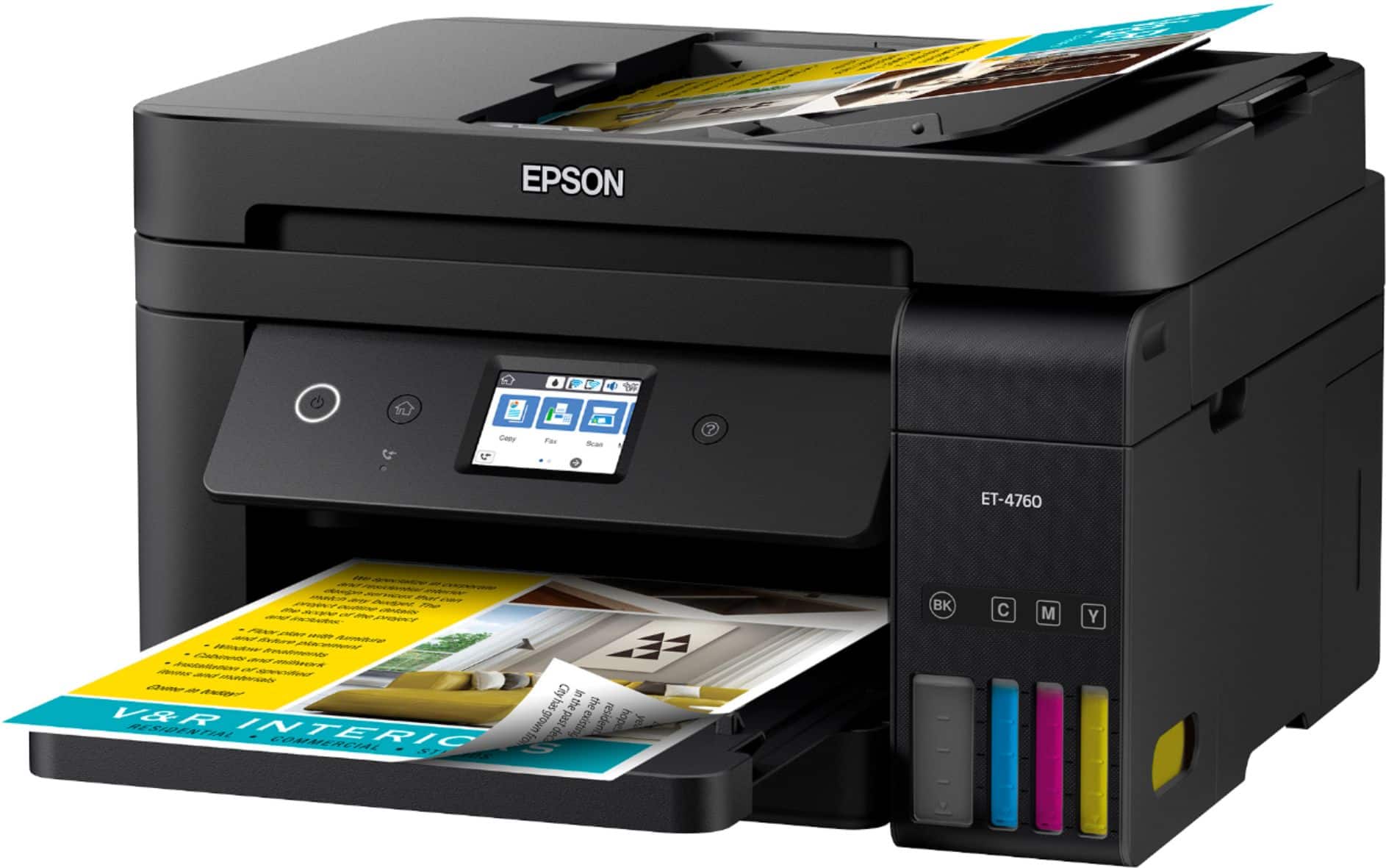
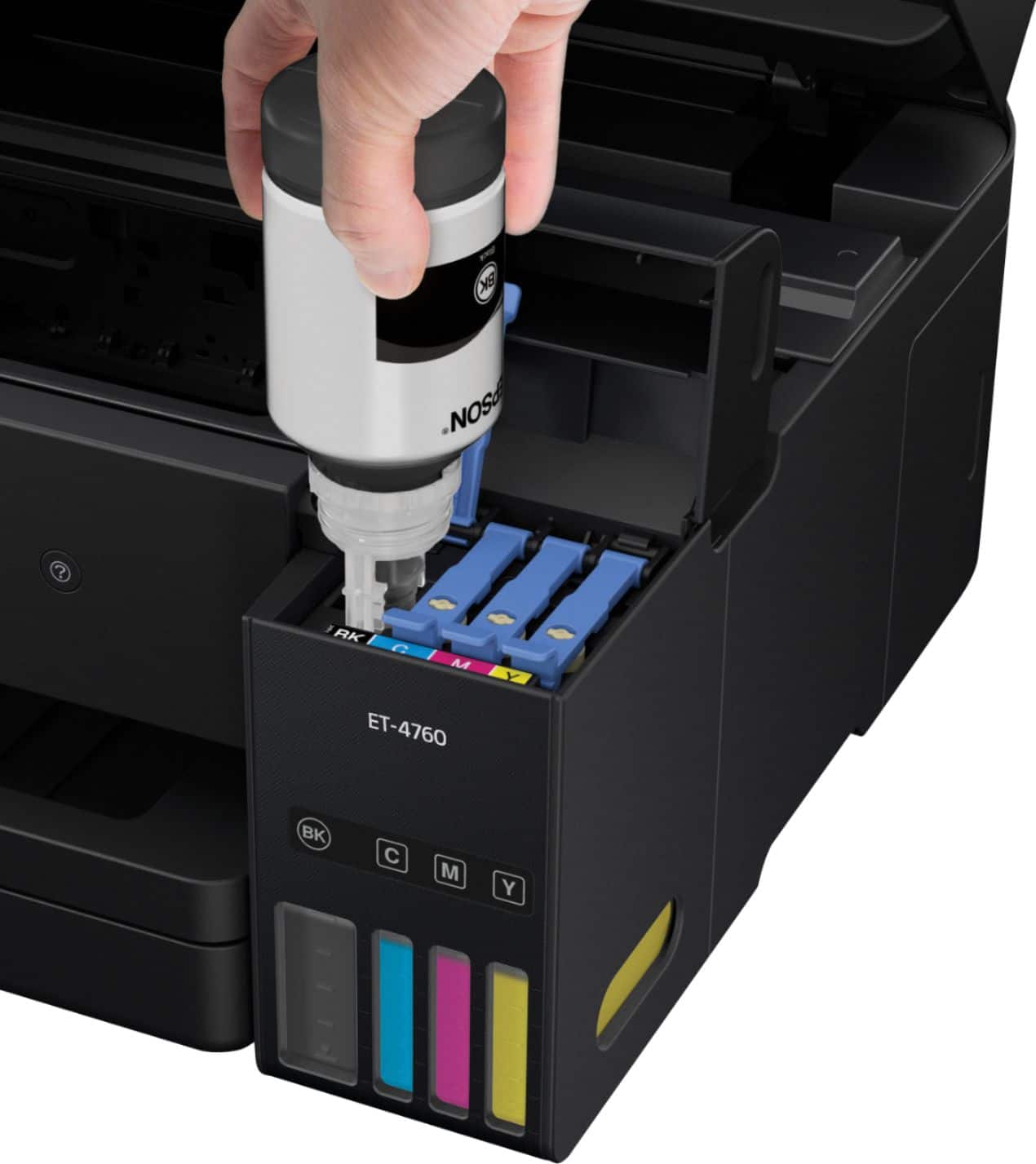
- EPSON ECOTANK ET-4760 C11CG19
- |
- SKU:
- 6347466
Customer reviews
Rating 4.5 out of 5 stars with 1618 reviews
(1,618 customer reviews)Rating by feature
- Value4.3
Rating 4.3 out of 5 stars
- Quality4.5
Rating 4.5 out of 5 stars
- Ease of Use4.5
Rating 4.5 out of 5 stars
Customers are saying
Customers often highlight the excellent print quality and ease of use of the EcoTank ET-4760 Wireless All-In-One Inkjet Printer. Many appreciate its compact size and straightforward setup process. While some users mention occasional noise and a higher price point, the positive feedback on printing and scanning capabilities is prominent.
This summary was generated by AI based on customer reviews.
- Pros mentioned:Print qualityCons mentioned:Price
Rated 3 out of 5 stars
Average printer
Posted .This reviewer received promo considerations or sweepstakes entry for writing a review.I would like to say this printer has few of the latest technologies that are added but few pros and cons that I have experience throughout this process. Let’s start out with the pros. First, this printer is lightweight. When I used to have my old HP printer, which was 8500 Plus All in one, it was so hard to lift and put it back down at one spot, which was troubling for my back. But the Epson printer made my day by lifting it up so easy and this time I can move it anywhere I go either at home or at work. Second what it is so amazing about this printer is that I can really save money on ink cartridges. Spending over $115 dollars on ink cartridges for an HP printer was insane and while I did a little research on the cost for this printer, it was approximately $62 for all four-color ink bottles, so that’s money saving for me. Plus, don’t forget taxes and fees. The good thing about this printer is the scanner. Its lightweight and it doesn’t go down so easily comparing to the HP printer that I had which was semi heavy to lift and goes back down by itself then presses my hand as if I had a large rock on top of my hand. Now into the latest technology that I am so impressed about which was connecting to a device such as Google Assistant. Once I say something to Google about printing a document that is on file from my computer it prints it out for me which is cool, but I won’t go too far since I am not too fond of voice assistance device, they can hear me. Setting up the printer was easy but must read the instruction first. When I print a document, the noise was quiet and faster to print than my old computer was. The great part of it all is that if I am not using the printer for a few minutes, it goes into sleeping mode which save a lot of energy. Overall, Epson did a great job, kudos for that! There are some things that I really want this printer to improve. First, its hard for me to tap the LCD screen since its too small for my index finger to tap. I have a hard time tapping the QWERTY screen that I must clear it several times to make it right. While finishing adding ink, I waited for 10 minutes to charge the ink in result wasted approximately 3 mL of ink. The word “Cassette” threw me off when it mentioned Load paper to the cassette. I always see the word “Tray” a lot on other printers, but “Cassette” is new to me. The cost of the printer I am not satisfied. I prefer for this printer to be around $300. The ink bottles are money saving but since this printer has a small LCD screen, lightweight, and unappealing, it cannot be worth $500. How it stated that the ink could last 2 year, I better keep a watch on that to believe it. The color pale white reminds me of a cheap printer that I used to have in the 1990s in which I left coffee stains. Harder to remove the stain, of course. To make it look appealing and safer, black will be the color favorite. Since the LCD screen small, make it look like a smartphone size, easier to press the button and easier to read 12-point font size since its small to read. Thus far, this is a review for the Epson Eco Tank ET-4760 All-In-One SuperTank Printer that I received free of charge to do a beta test and review.
This review is from Epson - EcoTank ET-4760 Wireless All-In-One Inkjet Printer - White
I would recommend this to a friend - Pros mentioned:Print qualityCons mentioned:Price
Rated 4 out of 5 stars
This printer is a workhorse
||Posted . Owned for more than 2 years when reviewed.This reviewer received promo considerations or sweepstakes entry for writing a review.I bought this printer for my fiancée (she is a teacher at an elementary school). She uses printers A LOT, and she was basically going bankrupt with her previous printer and the ink cartridges. This printer is way better, the ink bottles are cheaper, the print quality its acceptable, the only downside its the expensive entry price, but, if you are printing tons and tons of pages, you will recoup the initial cost very fast.
This review is from Epson - EcoTank ET-4760 Wireless All-In-One Inkjet Printer - White
I would recommend this to a friend - Pros mentioned:Print quality
Rated 5 out of 5 stars
Fantastic Multifunction!
Posted .This reviewer received promo considerations or sweepstakes entry for writing a review.The Epson ET4760 is a medium duty inkjet printer with a lot of great features that set it apart from other printers. I installed and used the printer at both my workplace (small business) and my home. If you are looking for an attractive, extremely economical printer mainly for documents with some occasional graphics, this is your machine. Text and color documents look sharp and crisp, just keep in mind this is a multifunction machine meant to handle many kinds of tasks and will never be a fancy photo printer. WHAT I LOVED Ink tank system: This is the best feature and the execution is fantastic. The ink tanks solve the biggest pain point of inkjet printers – frequent replacement of expensive ink cartridges, and cartridges drying out over time. The box claims that you get 2 years of ink in the box – wow! Each ink bottle top is keyed in a different shape so that you don’t accidentally put ink in the wrong color tank. There was zero mess and the amount of ink the tanks hold is impressive. Word to the wise – go through the initial setup instructions carefully. To start, you fill up the tanks, but you will have a small amount of ink left in each bottle. You then run the printer through several tests and alignment processes which pulls ink into the system and creates room for the rest of the ink. Once you have it all set up properly, your bottles will be completely empty. Design: This printer is modern and sleek in white and has a surprisingly small footprint making it easy to set up in a small area of your office or home. The LCD screen, though small, is responsive and easy to see – especially since the control panel can be swiveled up and down for the best viewing angle whether you are sitting down next to it or standing above it. My favorite design feature is the feeder tray on top which folds up flat when you don’t need it, keeping dust out and it just plain looks cool. WHAT I DIDN'T LOVE Setup: Be prepared to spend some time on this part. On my Win 7 system at the office as well as my Win 10 system at home, installation of the software took a really, really, long time. Once that part is done, there is a second installation process to update the firmware on the printer. I did it via USB at work which was successful once I got through it. Now, for some reason I could never get the printer fully setup wirelessly or via USB on my home Win 10 system. I ended up manually entering my Wi-Fi credentials into the printer directly and was able to print wirelessly after adding the printer through device manager. However, I am just using basic drivers and can’t adjust things like print quality and paper types. I got frustrated after trying multiple times and eventually gave up. Photo Printing: The print quality for photos is not that wonderful. My color laser looks better. Noise: it’s pretty loud, even my boss commented on it from the other room! Scanning: I wish I could name files rather than it just automatically saving it as a generic file name. You will have to go back and rename your scanned documents. This is a review for the Epson EcoTank ET-4760 All-In-One SuperTank Printer that I received free of charge to do a beta test and review.
This review is from Epson - EcoTank ET-4760 Wireless All-In-One Inkjet Printer - White
I would recommend this to a friend - Pros mentioned:Print quality
Rated 4 out of 5 stars
Great Printer!
Posted .This reviewer received promo considerations or sweepstakes entry for writing a review.Setting up the Epson ET-4760 was a breeze! I was in awe about the ink lasting 2 years. It states that you can print about 7,000 pages before you need to refill the ink. I was nervous about filling the ink tanks up but I put a piece of old fabric on the floor to sit the printer on and filled the ink tanks as instructed. It comes with 4 bottles of different colored ink. I didn’t experience any leakage at all. The setup process took about 45 minutes. I also setup the printer to my smartphone so I can print from there as well. I downloaded the Epson Iprint app to my phone. It gives the ink levels and allows you to perform maintenance on the printer like head cleaning, nozzle check and update firmware. You can also connect your cloud accounts from Google Drive, Microsoft One Drive, Dropbox, and Evernote. The print quality is amazing!! I have printed several pictures from my smartphone and they are flawless. You can select different print sizes which is a plus. I have printed documents from my laptop, tablet, and used the cloud service with no issues. I have also scanned several documents to my laptop. It allows you to save as a pdf or jpeg. You can also send faxes. I currently do not have a line to connect but I definitely will get one now. If you own an Amazon Alexa device, there is an Epson Skill you can enable. I also like that you can send prints from anywhere by emailing to the printer’s email address. It will allow you to change the name of the email address if you prefer. I have sent documents from work to print directly to the printer. What an awesome feature!! So far I have no complaints with this printer. I would definitely recommend to my friends and family. This is a review for the Epson Ecotank ET-4760 All-In-One Supertank Printer that I received free of charge to do a beta test and review.
This review is from Epson - EcoTank ET-4760 Wireless All-In-One Inkjet Printer - White
I would recommend this to a friend - Pros mentioned:Ease of use, Print quality
Rated 5 out of 5 stars
Excellent printer
Posted .This reviewer received promo considerations or sweepstakes entry for writing a review.It is an excellent printer that has everything in one, can send faxes, scan, is complicated. A small installation but finally we installed it well. Putting the inks was super easy. I was using it to print and it was super fast. I love the printer and I do not have to have cables because it is innalabrica, thank you epson for this opportunity This is a review for the Epson EcoTank ET-4760 All-In-One SuperTank Printer that I received free of charge to do a beta test and review
This review is from Epson - EcoTank ET-4760 Wireless All-In-One Inkjet Printer - White
I would recommend this to a friend - Pros mentioned:Print quality
Rated 4 out of 5 stars
Easy set up. Loads of features!
Posted .This reviewer received promo considerations or sweepstakes entry for writing a review.Upon arrival the unboxing of the item was fairly simple. During assembly, I loved how easy it was to fill the ink tanks. This thing has LOADS of amazing features. For example: a raising control panel that allows for easier accessibility towards task completion. The paper tray is easy load and the print quality GRADE A! I did however have one issue at set up during wireless connection. Instead of the program detecting connection on it's own, I had to enter it manually. Other than that the printer and computer works well together providing step by step intructions to complete your set up with ease. There is STILL much I enjoy about this product. You can connect your printer to Amazon Alexa. With that it allows you to command Alexa to complete ALL your printing tasks while hands free and on the move! You can print shopping lists, calenders, seasonal photo props, graph paper and much, much more! That being said, overall I truly enjoyed this item 1st time use and I highly recommend this as a space saving device that has it ALL! This is a review for the Epson EcoTank ET-4760 All-In-One Supertank printer that I recieved free of charge to do a beta test and review.
This review is from Epson - EcoTank ET-4760 Wireless All-In-One Inkjet Printer - White
I would recommend this to a friend - Pros mentioned:Ease of use, Print quality
Rated 5 out of 5 stars
High upfront cost, but savings in the long run
||Posted . Owned for 2 months when reviewed.This reviewer received promo considerations or sweepstakes entry for writing a review.Every few months I always went through the same dilemma, my inkjet printer was out of ink and the cost to replace the ink was almost the same cost as buying a new printer. I would hem and haw to figure out what I wanted to do, Then I saw this printer and while the up front cost if much higher than the traditional inkjet printer, I am anticipating only needing to refill the ink once a year. The cost of ink is very reasonable and since I plan to have this printer for several years, I will save money in the end. Print quality is as good as any other inkjet printer I have owned. It is easy to use and set-up. I have it connected to our network so I can use AirPrint which is a great feature when you want to print from your iPhone or iPad. I have not had to use the fax feature yet, but scanning is very easy. I only wish the auto-feeder for the scanner could scan double sided. If you can afford the upfront cost, I would definitely recommend looking at these EcoTank printers.
This review is from Epson - EcoTank ET-4760 Wireless All-In-One Inkjet Printer - White
I would recommend this to a friend - Pros mentioned:Print quality
Rated 3 out of 5 stars
Average at best
Posted .This reviewer received promo considerations or sweepstakes entry for writing a review.So, I have given this printer a basic run through. My first impression opening the box was that this is just going to be a cheap plastic that I have bought in the past made by other companies. This however was built well, and the packaging was actually very good. The setup process was easy from removing some stickers to adding the ink. So, my impression of the print quality was not the greatest… The quality of the print was terrible, and I was NOT impressed with a $500.00 printer at all. So, this all being said I had printed from the iPhone App, but I found out later that it was only set to “standard” which really is never the best for pictures. Later tests on this showed that when using best print the pictures are truly photo quality and a great print. This is key in the actual print setup when you are printing pictures. The standard print really is the equivalate of a “draft” print. Now setup seemed to have taken a lot longer than other installations that I have done. After putting the INK in it takes 10 min to “prime the print head” which does use a good amount of ink and you can see that in the pictures that I have posted here. Overall once the 10 min of priming is done the printer then prints what seems like a million copies of print pages that you must configure the printer with. So, after another 10 min of the basic printing I configured the WIFI this was easy and very basic once you were on the home screen. There was NO media that was shipped with the printer, so I went on Epson.com and went through the support pages to find the install software. The Install went flawless on a Windows 10 system the firmware did have to be updated but everything was just click click click. After doing some scans and some more prints from the computer if they are configured for best print the prints are great. Final impression, for standard use this printer should be good. Make sure that you are using BEST print that will use more ink keep in mind, but the print quality will be there for what is needed. This is a review for the Epson EcoTank ET-4760 All-In-One SuperTank Printer that I received free of charge to do a beta test and review.
This review is from Epson - EcoTank ET-4760 Wireless All-In-One Inkjet Printer - White
I would recommend this to a friend - Pros mentioned:Print quality
Rated 5 out of 5 stars
Never buying ink cartridges again!
Posted .This reviewer received promo considerations or sweepstakes entry for writing a review.I set up my Echo Tank RT-4760 yesterday and I am in LOVE! This printer is an all in one printer that does not use cartridges! You load up the super tanks with ink and you are good for UP TO 2 YEARS! I am in awe! The initial set up is super easy. The instructions are clear. You have the options to set up wired or wireless, with cloud print service options. The ink comes in easy to use containers. When filling the tank, you simply remove the lid and the ink container fits into the tube opening. I was worried about spilling ink, but it was so simple. The ink drains down into the tank itself and stops when the tank is full. No squeezing as the directions clearly state. The registration and set up, including firmware downloads took maybe 15 minutes. Then you are ready to print. I tested a few pages and the print quality was good. Now I went on to set up cloud printing and my Android phone. I did download an Epson app from Google play but not sure that I needed this. My phone detected the printer quickly and set up was easy. So now I can use cloud print from anywhere. I also discovered that you can link your printer to your Alexa. Super easy just link your printer to your Amazon account. Now I can say "Alexa tell Epson printer to print..." and it does!!! I would definitely recommend this printer to anyone who hates ink cartridges and trying to find the right ones or running out in the middle of an important print job. “This is a review for the Epson EcoTank ET-4760 All-In-One SuperTank Printer that I received free of charge to do a beta test and review.”
This review is from Epson - EcoTank ET-4760 Wireless All-In-One Inkjet Printer - White
I would recommend this to a friend - Pros mentioned:Print quality
Rated 5 out of 5 stars
I'm in love!
Posted .This reviewer received promo considerations or sweepstakes entry for writing a review.I have been needing a new printer for a long time and with not being tech savvy I'm always worried about getting a horrible product. So upon receiving this printer I was hoping I would be able to work it without any issues. When I received the printer in the mail I was pleasantly happy with the size and look of this printer. I have seen smaller printers but not with as many functions. With starting a new business I need to be able to cover all my bases. I love the fact that I can print straight from my phone since I do most of my work from my phone anyways. So upon set up it was relatively easy with little knowledge of printers. I did have some issues when trying to send stuff from my phone to the printer to print but once I figured out I needed the epson app I was fine. I have been having issues with not being able to use my data on my phone while printing due to having to be direct wifi connected I'm not sure if this is a tech flaw or operator lol. But I do feel with some time learning this amazing printer I will have no issue. I love the refillable ink and when just looking to see the cost to refill for future reference I was pleasantly surprised to see that it was cheap to replace the ink. I will definitely recommend this printer to anybody!!! I'm in love and also happy with it for printing pictures of my phone so they dont just die in my phones memory lol. “This is a review for the Epson EcoTank ET-4760 All-In-One SuperTank Printer that I received free of charge to do a beta test and review.”
This review is from Epson - EcoTank ET-4760 Wireless All-In-One Inkjet Printer - White
I would recommend this to a friend - Pros mentioned:Print quality
Rated 5 out of 5 stars
Best printer yet!
Posted .This reviewer received promo considerations or sweepstakes entry for writing a review.Just recently received this printer and right off the bat I can tell you this has been one of the best installations I have ever experienced! The install was so easy anyone could simply purchase and setup on their own. Next I would like to touch on the ink as this is the one reason why printers don't last as long they should. Most of the time people would purchase a whole new printer because it's cheaper then buying ink. In this case with this printer this will never happen you the ink you get with the printer and as well how well the printer uses the ink the ink you get with the printer can last up to 2 years. Before you say how the quality is because of how well the printer uses the ink . The quality is crisp and clear. You do not lose any quality in you printouts. Also, the ink you purchase for thos printer also comes in bottles not cartridges. You just need to insert the bottles in the printer to refill the built in reservoirs which cant be accidentally refilled with incorrect color as each bottle has a different insert key. The key is specially made for each reservoir. So far I am happy with the printer and can already tell you this printer has replaced my old printer. This is a review for the Epson EcoTank ET-4760 All-In-One SuperTank Printer that I received free of charge to do a beta test and review.
This review is from Epson - EcoTank ET-4760 Wireless All-In-One Inkjet Printer - White
I would recommend this to a friend - Pros mentioned:Print quality
Rated 5 out of 5 stars
Great printer
Posted .This reviewer received promo considerations or sweepstakes entry for writing a review.This is a light weight very professional looking printer. The set up is very easy as long as all instructions are followed properly. Do not just try to sent it up with out reading the instructions first because you can mess up the set up.The ink is easy to install and these inks last up to two years that is great to me because regular printers you get a cartridge that may last a month or two depending on printing. My HP cartridges cost $60 each so this was a big plus for me. This lovely machine allows you to copy,scan,print and fax (must be connected to a phone line) there aren't a bunch of cords just one the power cord. It is also wireless as long as you have Wi-Fi.The colors are beautiful and it gives you options to set up the type of lines you want.The screen is touch which is awesome. Now the thing I had a problem with The app is a bit difficult if you try to download online. The ratings for the app are a big crappy but I'm thinking it just depends on the phone you have,Because I had no problems with setup so don't let the negative app reviews steer you away. This is a very cool printer and I would most definitely buy it it is worth every penny.I received this Epson printer in exchange for my honest unbiased opinion.
This review is from Epson - EcoTank ET-4760 Wireless All-In-One Inkjet Printer - White
I would recommend this to a friend - Pros mentioned:Print quality, SetupCons mentioned:Price
Rated 4 out of 5 stars
Overall a very good All in One Printer
||Posted . Owned for 3 weeks when reviewed.This reviewer received promo considerations or sweepstakes entry for writing a review.I have only had this printer for about a month and in this time it has performed very well. Eco Tank printers are pricey but I figure I will save in the long run by not having to purchase exspensive ink cartridges. Both the printer setup and Ink filling process were easy to follow, each Ink bottle is keyed thus elimating the possibility of making a mistake in the filling process. I have not used the auto feeder feature as thus cannot comment on this. Overall print, copy, fax and Image features have met all of my expectations. The Image capture process maybe a bit slow but for me this is not a big concern. Overall I am very satisfied with my purchase, time will tell how this printer holds up in the long term
This review is from Epson - EcoTank ET-4760 Wireless All-In-One Inkjet Printer - White
I would recommend this to a friend - Pros mentioned:Print quality, Setup
Rated 5 out of 5 stars
Free from the Tyranny of Nagging Ink Cartridges
||Posted . Owned for 1 month when reviewed.This reviewer received promo considerations or sweepstakes entry for writing a review.I've had Epsons for decades, but with the one before I bought the ET-4760, it seemed to me that I hadn't gone a complete week in years without SOME cartridge whining about being low. I bought the ET-4760 about a month ago, and it has only complained once - the paper was out. OK, that's fair. Setup was a breeze, starting with removing the printer from the box - the plastic bag it was in had sort of a handle at the top, and I simply lifted it out. Easy peasy. The rest of the setup was equally simple. While it was doing its initial self-checks, ink-priming, and nozzle preparation, I had time to go to the Epson site (the URL is in the quick-start guide) and downloaded the drivers and related Epson software. So by the time it was ready to connect to my PC, my PC was ready to talk to it. The entire setup can be done over Wi-Fi; no first-time USB connection required. I had previously thought that having automatic duplex printing was a ridiculous luxury and that I was certainly capable of getting up and turning a stack of pages over. I was wrong. It was liberating to simply tell it what to do and just pick up the double-sided pages when I was ready, already in the proper order. I can't remember the last time I faxed anything, so I haven't used the fax capability and probably never will. The scanner works great. Scanning was easy and the resolution is great for all but archival masters of precious family images. I don't do a lot of that, so it's fine for me. Likewise the printing is crisp and fast for a home printer. I saw one review saying that the touch-screen was too small, but I haven't had any trouble with seeing it or pressing the icons. As others have noted, the printer is more expensive than the lower-end home printers, but the per-page cost of ink looks like it should work out less than the cartridge inks. All in all, I'm very happy with this printer. Two special notes: (1) Be SURE to read and follow the little setup guide. Setup isn't difficult, but there are a couple of steps which really need to be done in a specific order. (2) The Epson site no longer shows the ET-4760. If it's being discontinued, there's a chance that Best Buy will begin progressively discounting this printer. In fact, it's dropped $50 since I bought mine. So you may want to keep your eyes open for price cuts and sales.
This review is from Epson - EcoTank ET-4760 Wireless All-In-One Inkjet Printer - White
I would recommend this to a friend - Pros mentioned:Print quality, SizeCons mentioned:Paper jam
Rated 4 out of 5 stars
Nice Printer
||Posted . Owned for 5 months when reviewed.This reviewer received promo considerations or sweepstakes entry for writing a review.After reading review after review I finally bought this printer, I bought the ET 3760 in 2020, but returned it because the paper would jam when scanning, the colors looked washed out, looked more pastel, bought this one the 4760, much better, colors are great, paper does not jam when scanning, had for a few months now, between 5 people using this printer the ink is only about an 1/8 used. Using it wirelessly does not lag. Size is small compared to other printers, I checked the price on the refills, and they are about the same price as the other refills. So far a pretty good printer.
This review is from Epson - EcoTank ET-4760 Wireless All-In-One Inkjet Printer - White
I would recommend this to a friend - Pros mentioned:Print qualityCons mentioned:Noise level
Rated 5 out of 5 stars
Saving money on Ink
||Posted . Owned for 1 month when reviewed.This reviewer received promo considerations or sweepstakes entry for writing a review.I figured it was time to switch from using expensive cartridges to large ink tanks. Canon had been my brand for some years and I had been quite happy with my Pixma all-in-one for some years until it started having a weird error from time to time that required unplugging and restarting. I ended up giving the Pixma to my sister-in-law (who is still using it frequently without the error--so far, anyway--that I was experiencing). So, I went with the Epson ET-4760, partially because Epson has been around for quite a while and has a good reputation and partially because it uses the EcoTank system, because I was getting really tired of having to buy cartridges over and over (and have a large bag of empties I'm waiting to recycle) and the expense involved. First, this one isn't cheap and I wasn't expecting it to be. There are lots of cheaper printers out there and, if you can't afford this one, that's fine. I preferred to get one that was capable and made with some concern for quality. The feel of this unit is solid and so far I've seen no issues with the build or the printing quality. You get what you pay for and, given that I had some Rewards coming to me from Best Buy, I think I got a pretty good deal. The price came down at Best Buy the week after I got it, so there was a credit given to me as well. Second, the ET-4760 set up pretty easily. It found my home network without any problems and the ink tanks filled up quickly. The software (downloaded via wi-fi, no CD/DVD, which I'm not crazy about; I'd rather have a disc, but that's just me) loaded up fairly quickly and upgraded itself promptly. I've used it for work purposes since I purchased it since I've been having to work from home since the virus emergency and the Epson hasn't given me any trouble at all. Print quality for everyday documents is quite good and the few photos I've printed out using glossy paper have been excellent, no banding or other issues I've seen over the years and at least as good as my old Canon Pixma. Now, the ET-4760 is a bit on the loud side, so if you might have to close the door to keep from waking family members up if you use it during the night or early morning. It does grind out the paperwork fairly rapidly, but just be aware that Epson didn't make much of an effort to keep it quiet. One thing I haven't experimented much with it scanning; the Pixma had an excellent scanning suite and, unfortunately, the Epson doesn't seem to have one as easy to use. I may just be that I haven't fooled around with it enough to get familiar with it yet, but I will say Canon's was easier to use and play around with. So far, overall, the Epson's been a good buy and I'd recommend it, particularly because of the ink savings you'll experience almost immediately.
This review is from Epson - EcoTank ET-4760 Wireless All-In-One Inkjet Printer - White
I would recommend this to a friend - Pros mentioned:Ease of use
Rated 5 out of 5 stars
Awesome All in one printer
Posted .This reviewer received promo considerations or sweepstakes entry for writing a review.This is an awesome all in one printer. It was very easy to set up with the touch screen when I turned it on. And I love that it is cartridge free. The link to the software is provided in the instructions,it has installed error free. It was easy to fill the ink tanks up. I never seen anything like it. Just twist the caps off the ink and insert the ink bottle into the correct tank and let the ink drip into the tank. Easy!!! You can print up to 2 years on each ink bottle set. You can print up to 6,000 pages for the color ink or 7,500 pages on the black ink. I am very happy that I can print from my mobile devices with this wifi printer, I haven't been able to do that with my previous printer. I really missed doing that. I would definitely recommend this printer for personal or for business needs. This is a review for the Epson EcoTank ET-4760 All-In-One SuperTank Printer that I received free of charge to do a beta test and review.
This review is from Epson - EcoTank ET-4760 Wireless All-In-One Inkjet Printer - White
I would recommend this to a friend Rated 4 out of 5 stars
I like the ink cartridge solution!!
Posted .This reviewer received promo considerations or sweepstakes entry for writing a review.I do print photographs and type-written things, but I would not say I am a high volume home printer - perhaps a ream of paper every three to four months. Even with that I had to buy 3 - 4 sets of ink cartridges a year. I have had the Epson ET-4760 for about a week and I can see it is, for the most part, what I have been wanting in a home Printer. The frustrating part of ink cartridges is that even though they appear to have ink in them, the Printer tells me they are empty and must be replaced to proceed. When I started seeing the Epson EcoTank system advertised, I was instantly interested. Other than the ink cartridge issue, my previous 4-in-1-Printer did a decent job and lasted over 12 years. Nevertheless, I am replacing it with the Epson ET-4760 to (hopefully) save big on ink from now on. Attached are a couple of pictures of it - one is of one of the first pictures I printed with it. It LQQKS just like the photograph! The colors and tone are true. A couple of things I do not like is it lacks a USB port in front. I was accustomed to scanning directly to a thumb drive. It is a minor issue as I just scan to the computer and then to the thumb drive. The command screen is very small, and not good for folks with reading glasses, and we are now using a pencil eraser to select things on the panel. Overall, it is a keeper!! No more ink cartridges!! We bought this Printer from BestBuy.
This review is from Epson - EcoTank ET-4760 Wireless All-In-One Inkjet Printer - White
I would recommend this to a friend- Pros mentioned:Print quality
Rated 5 out of 5 stars
Epson EcoTank ET-4760
Posted .This reviewer received promo considerations or sweepstakes entry for writing a review.The Epson ET4760 is a medium-duty inkjet printer with many excellent features that set it apart from other printers. I installed and used the printer both in my workplace and in my home. I recommend that if you are looking for an attractive and extremely economical printer, mainly for documents with some occasional graphics, this is your perfect machine, the text and color documents look crisp and clear, just keep in mind that this is a multifunction machine designed to handle many types of programs, scan clear documents, faxes arrive clear and accurate, if you are looking for something like this here is the printer that has all the features that will serve you at work and at home.
This review is from Epson - EcoTank ET-4760 Wireless All-In-One Inkjet Printer - White
I would recommend this to a friend - Pros mentioned:Print quality
Rated 4 out of 5 stars
good printer
Posted .This reviewer received promo considerations or sweepstakes entry for writing a review.i just received the Epson ET-4760 all in one printer. when i first received it was heavy. but one i took it out i saw how it looks. it might be huge but when reading the info i was impressed of what it had to offer. it will definitely be a back up for when my original printer dies on me,. i love the fact that the ink lasts up to 2 years. especially when i have family members that love printing things and are not aware of how much i pay each month to replace the ink on my old printer. it will definitely save me lots of money in the long run.“This is a review for the Epson EcoTank ET-4760 All-In-One SuperTank Printer that I received free of charge to do a beta test and review.”
This review is from Epson - EcoTank ET-4760 Wireless All-In-One Inkjet Printer - White
I would recommend this to a friend