Customer Ratings & Reviews
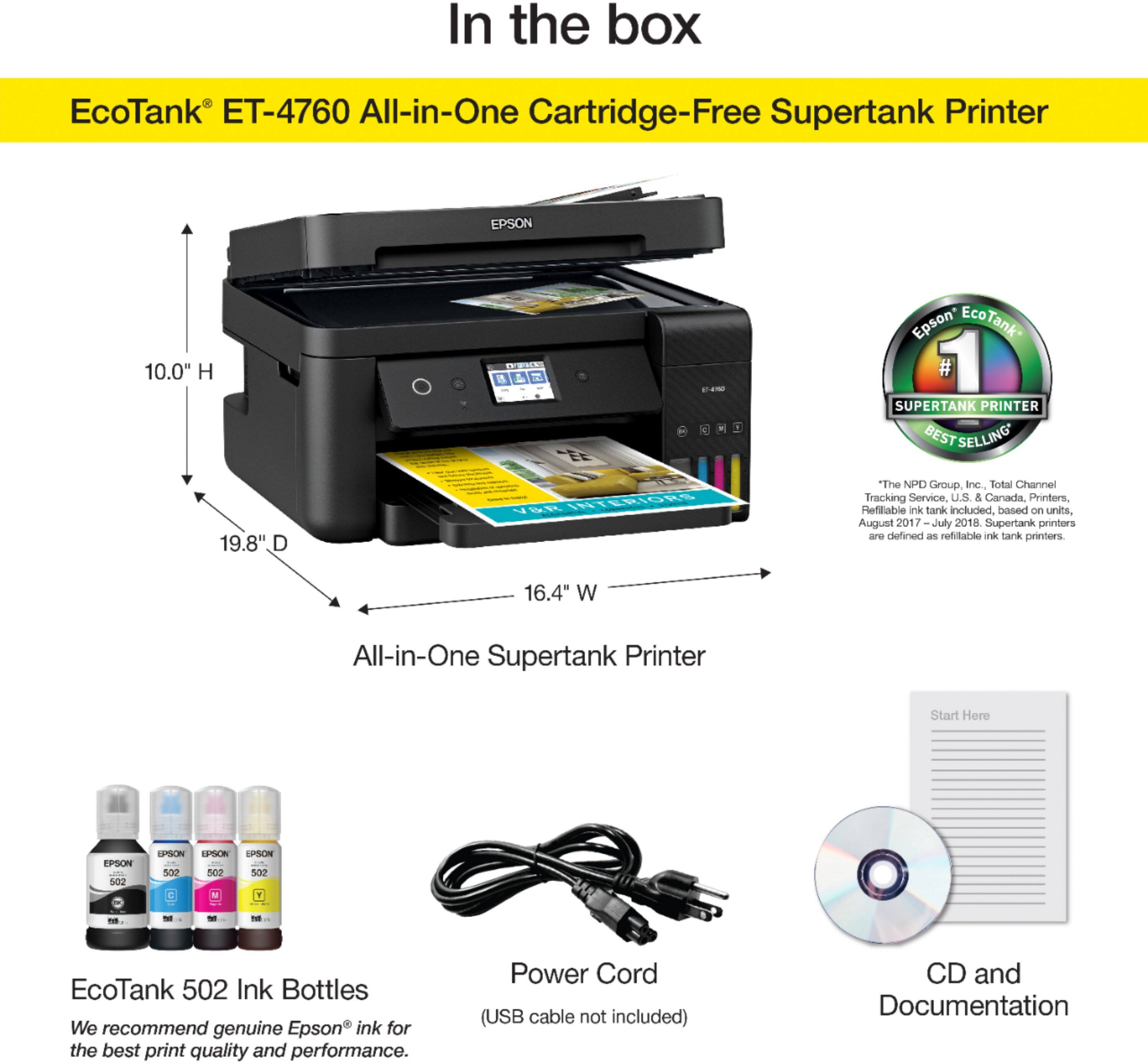
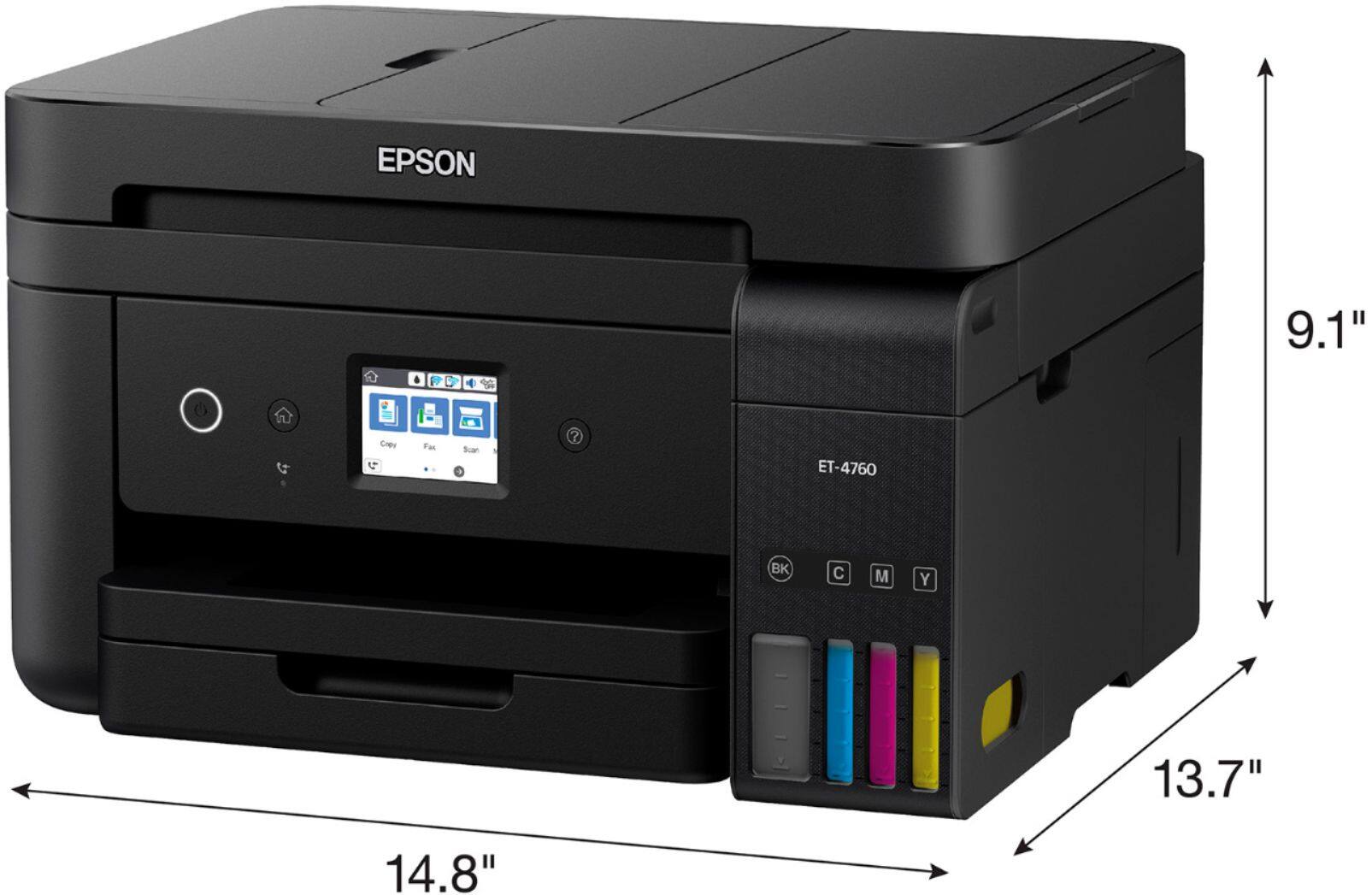
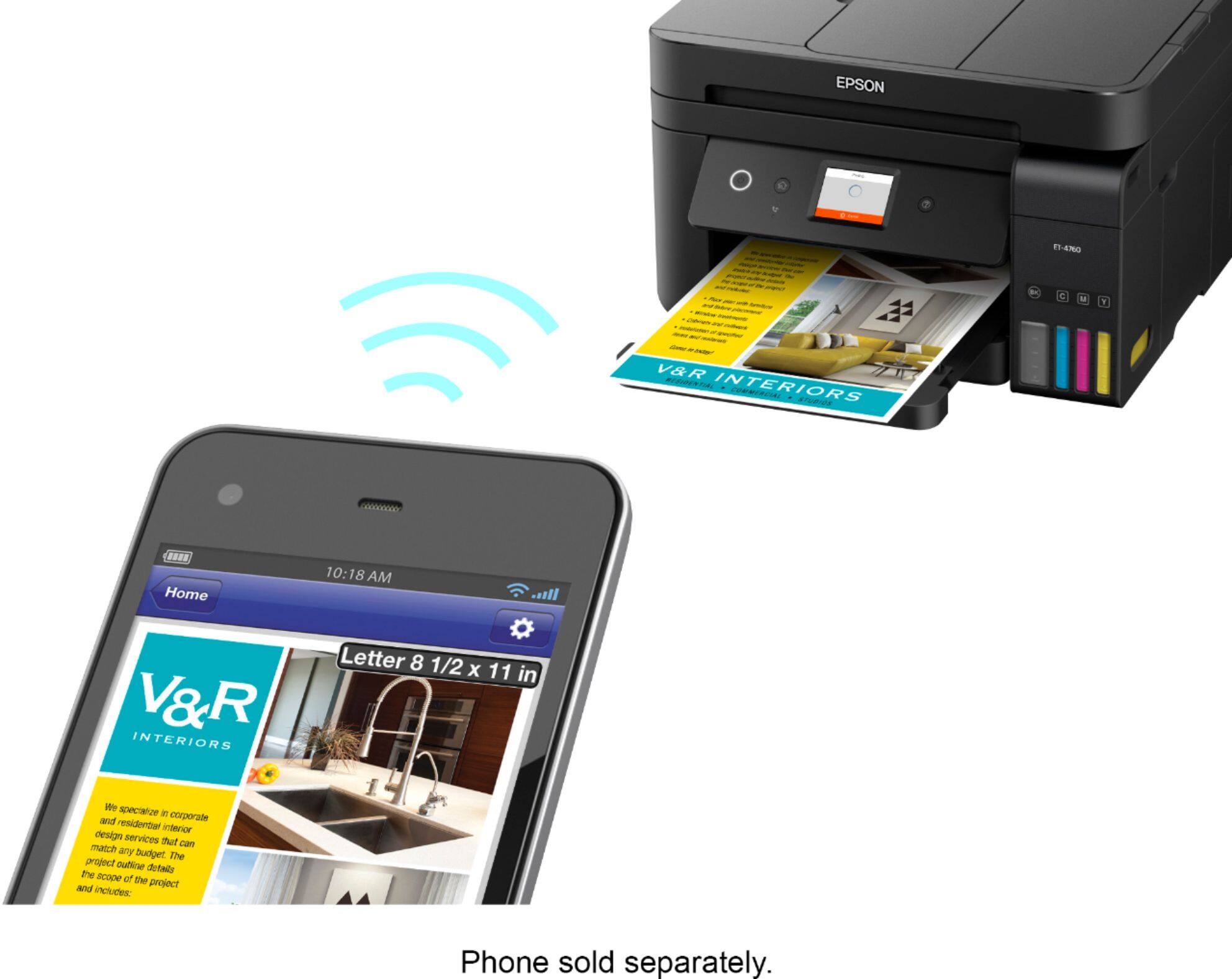
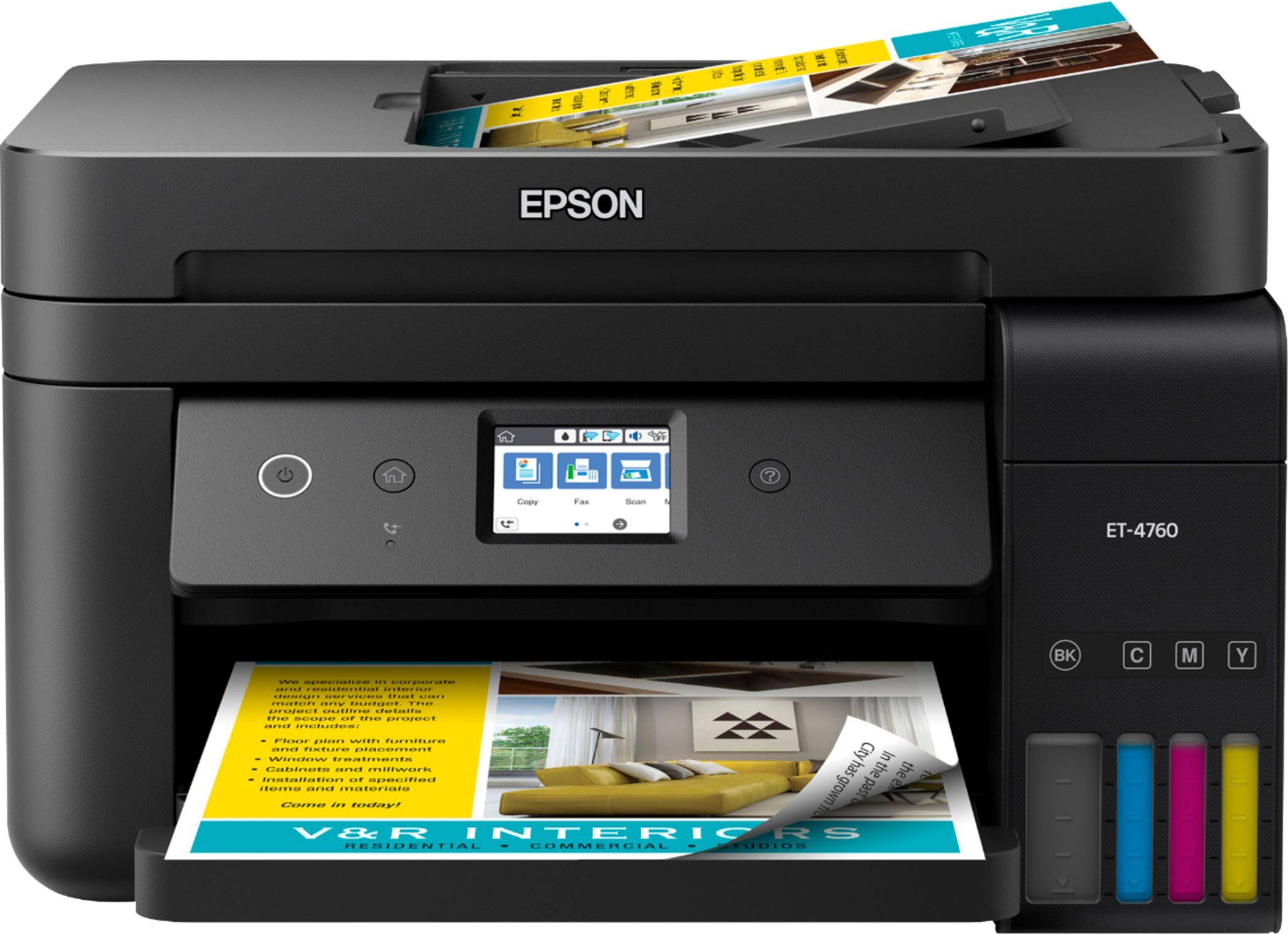
- Model:
- EPSON ECOTANK ET-4760 C11CG19
- SKU:
- 6347466
Rating by feature
- Value
Rating 4.3 out of 5 stars
- Quality
Rating 4.5 out of 5 stars
- Ease of Use
Rating 4.5 out of 5 stars
Customers are saying
Customers often highlight the excellent print quality and ease of use of the EcoTank ET-4760 Wireless All-In-One Inkjet Printer. Many appreciate its compact size and straightforward setup process. While some users mention occasional noise and a higher price point, the positive feedback on printing and scanning capabilities is prominent.
This summary was generated by AI based on customer reviews.
- Pros mentioned:Print quality, Setup
Perfect for a home office!
||Posted . Owned for 1 month when reviewed.This reviewer received promo considerations or sweepstakes entry for writing a review.The money saved on print cartridges makes this printer worth it. Set up is simple including the filling of the ink tanks. The back and white print is sharp and so is the material that I print in color. The features , such as scanning, are easy to use. My partner has a home office on the other side of the house and easily prints from his laptop using wi-fi. My customers are pleased with the work product I hand them that was printed from the Epson-EcoTank ET-4760
I would recommend this to a friend - Pros mentioned:Print quality, Size
Yay, a better ink system
||Posted . Owned for 6 months when reviewed.This reviewer received promo considerations or sweepstakes entry for writing a review.I've had several printers, brands, models. I think I like this one best. I bought it for the better ink system and also found that it's not oversized and works well. Ink is liquid, easy to install, reasonably priced (sometimes less than cartridges), and it really does last a long time (I do a lot of printing). Paper tray holds a 500 sheet ream of paper so not constantly adding paper. It's fairly quiet and nice print quality without overusing ink. It was a bit slow printing, but I googled info about it and found setting changes that help: In printer preferences-Maintenance-Extended settings check boxes for Always Spool Raw Data Type, Page Rendering Mode, Print As Bitmap, and High Speed. The software and utility features take a little getting used to, but not hard. The couple times I had a paper jam, it was easy to fix and easily accessible from a drop down door in the back. A couple more steps to print other options such as double side or different print quality, or copy from the printer screen, but not a big problem--this printer is worth it. Every printer has its quirks that are annoying, but this one has few and are tolerable. I have mine connected wirelessly to wifi, but I bought a long cable for times that my wifi is unstable. The printer is a bit more expensive, but I think worth it. The ink system alone is worth buying this printer.
I would recommend this to a friend - Pros mentioned:Print qualityCons mentioned:Noise level
What A Relief (from my old printer)
||Posted . Owned for 3 weeks when reviewed.This reviewer received promo considerations or sweepstakes entry for writing a review.I have had this for a month, replacing an HP. This printer is a little louder at times but doesn't sound broken (like the HP). Printing color good. Have not tested photo printing, but this is not a "photo printer", which I have had in the past. Scanning FAST (unlike HP) and file size is smaller. Made taxes easy this year. Setup was easy enough (had a user error). Had to re-register a few times do to WiFi/power problems. Instructions were NOT 100% clear when going from one step to another (forget the actual step) but if you assume, you can get it right. Love the EcoTank concept. Love I don't have to count pages (HP Ink) Love the "cheap" ink compared to cartridges. Nice small footprint Shaq! (and I wasn't the biggest Shaq fan until I saw what he gives to the community, but I am trusting/liking him now) Untested: Photos Fax Sending from phones Wish was different but doesn't cost in rating: Noise level (not horrible, just when someone is sleeping nearby) The color of the ink level display on the front of the machine looks black for all colors, not as it appears in the picture. (just me being picky and something I noticed) Go from a failing HP printer with problems post HP Ink Service.... The HP Ink service is 100% the worst thing ever. So when I got rid of that, I had more problems printing with ink I bought OTC, controlled by HP Ink. And HP Ink controlled the number of prints I could make. So, the Epson Eco Tank feels like 100% Best compared to HP. Just being able to print as many prints as I needed, RELIEF. Not having to pay HP prices for ink RELIEF. Not having to deal with HP Ink, RELIEF.
I would recommend this to a friend - Pros mentioned:Size
Very good printer
Posted .This reviewer received promo considerations or sweepstakes entry for writing a review.A couple of days ago I have this all-in-one printer in my hands. I think it is an excellent work tool. When I arrived by email it was a surprise, I did not imagine that it was so compact. I got very well packaged and it was very nice to open the box and discover an excellent tool for my work. I do not have much time using this printer, but I've liked it so far. It was a little difficult at first to be a functionary, but after you read the instructions well everything flows perfectly. I feel very happy with this great tool and I think it will help me a lot to save money in my printing costs. This is a review for the Epson EcoTank ET-4760 All-In-One SuperTank Printer that I received free of charge to do a beta test and review.
I would recommend this to a friend - Pros mentioned:Print quality, Setup, Size
Great Multi-Function Printer!
||Posted . Owned for 3 weeks when reviewed.This reviewer received promo considerations or sweepstakes entry for writing a review.Compact, 1/3rd of the size of my old HP MFP. Soooooo much easier to refill ink without the need for expensive and bulky cartridges. Easy to set up and prints fast! Double sided printing saves paper as well. Scanner/copy functions and associated software easy to install and use. Auto feed tray functions well. Would highly recommend. Second one I’ve purchased for home and business use. Both are functioning flawlessly.
I would recommend this to a friend - Pros mentioned:Print qualityCons mentioned:Adf
An excellent printer but a lousy scanner
||Posted . Owned for 3 months when reviewed.This reviewer received promo considerations or sweepstakes entry for writing a review.An expensive nice idea with the Eco Tanks, it prints well. The problems are with the ADF. The documents jam frequently. Sometimes It will scan half a page then stop. Other times it claims a paper jam with no paper in the machine. I had to return the defective unit to Epson for a replacement. Epson was very good at sending a new one Fed Ex and paid for all shipping. The new one is somewhat problematic at scanning from the ADF. I will keep trying for a while. In contrast I also own an Epson XP 7100 All in One. That works great, except for the ink drying up if not used much. I have scanned several thousand pages with the XP 7100, with infrequent jams. So much scanning that the clear plastic strip became cloudy with wear. Fortunately I could buy a complete assembly replacement for $7. plus tax and postage.
No, I would not recommend this to a friendBrand response from Epson
Posted .Hi bruceds101, we're sorry to hear about the paper jam issues you encountered with your ET-4760. You can find useful information to help address most issues with paper feed in the FAQs at https://epson.com/faq/SPT_C11CG19203~faq-00005f1-et4760. Please give us another chance to assist by calling our Advanced Support Team directly at 1-800-241-5794 between 7 am - 4 pm (PT), Monday - Friday. We're here to help. Kind Regards, Kevin - The Epson Team.

- Pros mentioned:Ease of use, Print qualityCons mentioned:Noise level
Great printer for home/small office use.
||Posted . Owned for 3 weeks when reviewed.This reviewer received promo considerations or sweepstakes entry for writing a review.Produces great prints, including double sided pages quickly. A bit noiser than my previous Epson printer, but the quality of the prints, the EcoTank system, and its ability to print double sided more than make up for the slight increase in sound. The large bottles of ink are so much better than cartridges, and the ink is easy to add to the printer. No drips or spills. Simple to set up and wireless worked immediately.
I would recommend this to a friend - Pros mentioned:Ease of use, Print quality
Modern tanks remove ink issues
||Posted . Owned for 1 year when reviewed.This reviewer received promo considerations or sweepstakes entry for writing a review.My eco tank is incredibly easy to refill, normal operational noise, moderate speed. Prints great quality.
I would recommend this to a friend - Pros mentioned:Print quality
Great printer: the owner need to be aware of funct
||Posted . Owned for more than 2 years when reviewed.This reviewer received promo considerations or sweepstakes entry for writing a review.Is necessary to be familiarize with the management of the ecotank printer, read very carefully the instructions and take care of every detail in the functioning of the printer. Almost one year after buy it, the cyan color do not work so i took a YouTube advice in drain and clean the flush line. If i was down in desperation i was spent almost $200 in fix it.
I would recommend this to a friend - Pros mentioned:Ease of use, Print quality
ET-4760 Wireless all in one printer. It's a great
||Posted . Owned for 3 weeks when reviewed.This reviewer received promo considerations or sweepstakes entry for writing a review.I had an HP printer that was quite expensive. I had signed up for their ink program paying for ink every month depending on much I used. Because of the cost each month, I canceled the service and discovered how much they really care for their customers. They send a signal to your printer, and make it so that you can't use what is left in the ink cartridges. I have a small Epson printer that I used for photo printing, it was a very good printer. I then learned about the new printers that you pour the ink in, and the ink lasts for many, many times longer than the small cartridges you have to buy. This Printer works very well, and is ECO friendly because of not having to buy individual cartridges. I purchased an all in one printer, with faxing, scanning, copying, and photo printing. The printer was very easy to setup, and connect to my WiFi. I have not had any problems with it, I have used my smart phone to print pictures, and items over the internet. I will never purchase anything from HP.
I would recommend this to a friend - Pros mentioned:Ease of use, Print quality, Size
Upgrade to this great personal printer
||Posted . Owned for 1 month when reviewed.This reviewer received promo considerations or sweepstakes entry for writing a review.Easy WIFI set up and user-friendly; excellent printing on a variety of paper types; compact footprint; crisp black and white, plus nicely-saturated color; prints two-sided without jamming. Best feature is the large ink reservoir unit - you can clearly see how much of each color ink is left. Highly recommend this printer for personal and light, remote-work use.
I would recommend this to a friend - Pros mentioned:Ease of use, Print quality, SetupCons mentioned:Price
Ehh Just Okay.. Will see if ink pays off
||Posted . Owned for 1 month when reviewed.This reviewer received promo considerations or sweepstakes entry for writing a review.Not the best quality but it will do. Like the idea of saving on ink. I think overpriced for quality of machine. Have an HP that costs $200 that prints in much better quality - more bright and less pixelated. Easy to refill and surprisingly no spill. Set up took ~20 minutes, very straightforward.
I would recommend this to a friendBrand response from Epson
Posted .Hello jess, thank you for sharing your experience with the Epson ET-4760. We'll forward your feedback to the appropriate department to help improve the quality and performance of our products. If you ever need assistance, our support team can be reached by phone at (562) 276-4382 or by email at https://epson.custhelp.com/app/ask/p_model_name/Epson%20ET-4760; Hours: Monday - Friday, 7 am - 4 pm PT. Once again, thank you. Kind Regards, Bobby D. - The Epson Team.
- Pros mentioned:Print qualityCons mentioned:Noise level
EcoTank Printer Upgrade
||Posted . Owned for 1 month when reviewed.This reviewer received promo considerations or sweepstakes entry for writing a review.This is the first Epson printer that I have purchased. I decided to invest in the EcoTank because I was tired of buying the ink cartridges. Wireless setup was easy - it does take some time so allow for that and follow the instructions. I needed to download printer drivers and update the PC and laptop. The ink that comes with the printer (out of the box) fills the ink tanks full - 1 time. But this is designed to last for 100's of prints. Filling the ink takes was very easy and not messy - designed well. The prints are clear, crisp and accurate in color. The printing does take a little more time than past printers - but only seconds per print. The Scaner and Copier work great. I have not tried the fax yet. The printer is a little noisier than other printers but not unreasonable. I would buy this printer again.
I would recommend this to a friend - Pros mentioned:Ease of use, Print quality, Size
Nice compact printer.
||Posted . Owned for 3 weeks when reviewed.This reviewer received promo considerations or sweepstakes entry for writing a review.We've had the printer less than a month and only used it a handful of times but so far it's been wonderful! It's easy to operate following the prompts in the window and the compact size fits nicely in our limited space. The ink system was a selling feature and we're looking forward to the savings and convenience there.
I would recommend this to a friend - Pros mentioned:Print qualityCons mentioned:Price
Great So Far
||Posted .This reviewer received promo considerations or sweepstakes entry for writing a review.I have an an older Epson printer which, while it is very good, chews up ink cartridges very quickly. I've had the 4760 for few weeks now and have done a lot of printing of disc labels and jacket covers and have barely made a dent in the initial supply of the ink. Print quality is very good and typical of higher level ink jet printers. The touch screen, while small, is more than adequate and the 150 page paper tray in OK. It also initializes and prints more quickly than my older Epson (it's wired directly into a network router), another plus. The 4760 comes at a relatively high price but it's Ecotank system will, in the long run, end up costing less than a traditional ink jet printer. If you do a lot of printing, the 4760 or one of its less expensive Ecotank units are worth a look.
I would recommend this to a friend - Pros mentioned:Ease of use, Print qualityCons mentioned:Noise level
Great Printer!
||Posted . Owned for 7 months when reviewed.This reviewer received promo considerations or sweepstakes entry for writing a review.I really love this printer a lot better than my old one. This one prints super fast. It's a little on the loud side, but I highly recommend it. It's easy to set up, easy to use and it's easy to add ink. I have only had one paper jam, and it was easy to clear up.
I would recommend this to a friend - Pros mentioned:Print qualityCons mentioned:Noise level
Setup takes time, printing is top notch
||Posted . Owned for 1 month when reviewed.This reviewer received promo considerations or sweepstakes entry for writing a review.You can never go wrong with an Epson. The Eco-tank and whole idea of refilling an ink reservoir is ingenious and should’ve been done years ago. The print quality is one of the best of the few brands I have purchased in the recent years. Scanning, and copying are pretty straight forward, the touch display is intuitive and pretty user friendly. I’m only giving it 4 stars due the lengthy setup process. It’s not necessarily plug-n-play as I had to manually type it the website address to get the correct drivers. After filling the ink for the first time, it takes about 10-15 minutes for the “juices” to flow if you will. Another negative to the setup is figuring out both the vertical and horizontal alignments, if you have questionable eyesight (like myself), it might take awhile. Also, when the printer spools up, it’s pretty loud.
I would recommend this to a friend - Pros mentioned:Print qualityCons mentioned:Adf
A Good Printer
||Posted . Owned for 3 months when reviewed.This reviewer received promo considerations or sweepstakes entry for writing a review.We bought this printer to replace our previous Epson printer that reached the end of its lifespan. I love the new ink architecture; cartridges are so yesterday because their ink dries out and makes you buy another cartridge. This printer cuts them out of the equation altogether; just fill and go. Much better for the environment, too, as the ink bottles are all recyclable, versus cartridges, which are only recyclable if you bring them back to the store, which many people don't even bother doing. My only complaint about this printer is that there's no duplex scanning in the ADF, where it scans both sides of a sheet. This makes scanning double-sided documents a real pain. You'd think a $499 printer would have this simple feature. Overall, this is a nice printer.
I would recommend this to a friend - Pros mentioned:Print quality, Size
Great Quality Print, Hoping To Save Big $$$ on ink
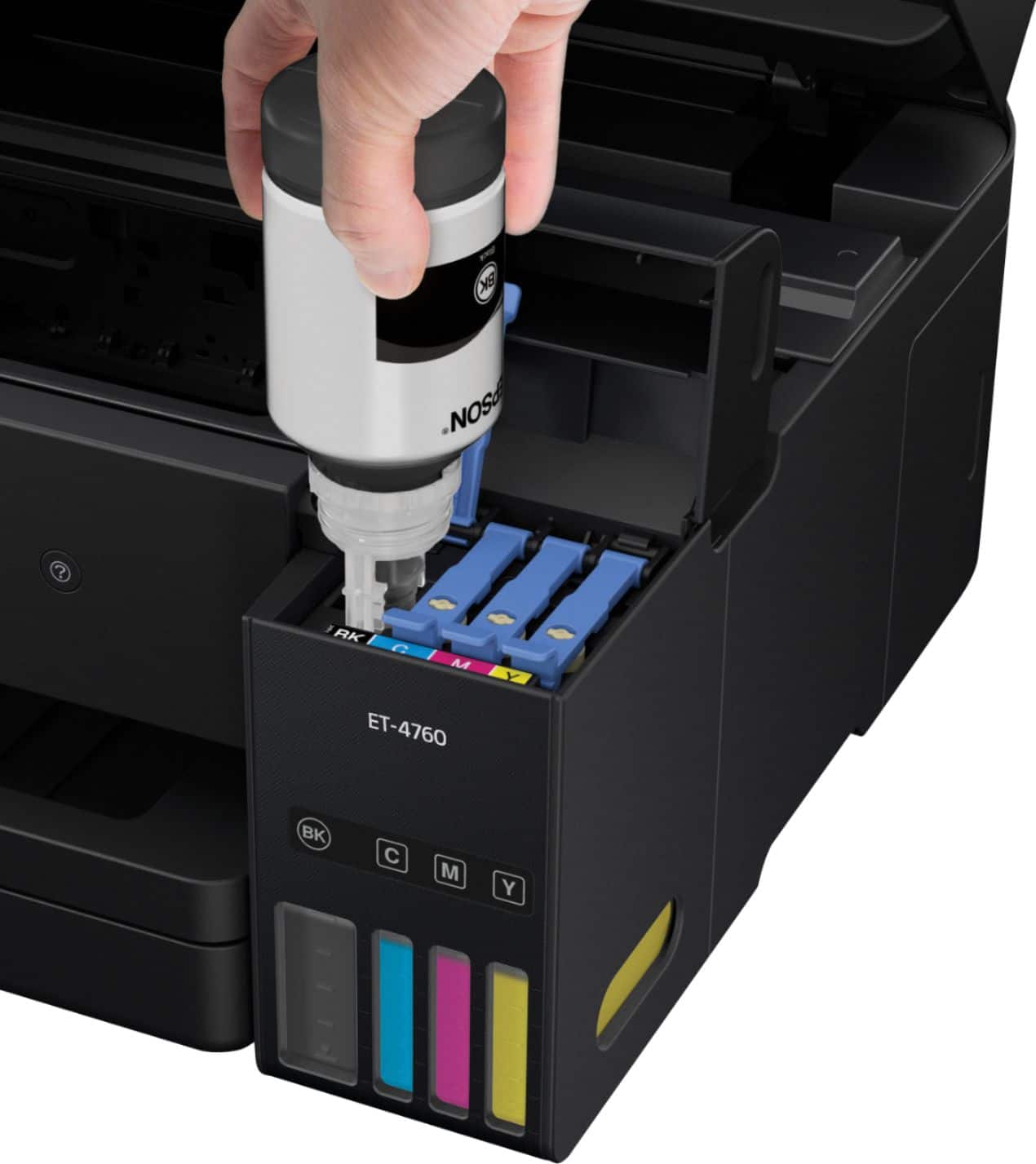
||Posted . Owned for 1 month when reviewed.This reviewer received promo considerations or sweepstakes entry for writing a review.I have been using this printer about one month. It is much smaller than the older Epson I had. In has a single paper tray and a small LCD Screen doubles as a keyboard to enter Fax numbers. While I perfered a dedicated keyboard and larger LCD display my old printer had, I like size of this printer. With my old Epson, cartridges cost about $45 each x 4 cartridges. That's about $180 for a complete cartridge change and I seemed to change the cartridges about 2x a year. This uses ink bottles that Epson claims will last about 2 years in normal use (we will see). Each bottle costs about $13 for much more ink. Filling requires you snap the bottle into a mechanism that allows the ink to drain form the bottle into the printer's tank. It is not messy. Print quality is much better than my old one which was about 3 years old. I think however, print quality degrades on a printer over time. I rarely fax, so the small LCD is not as much of an issue as if I faxed all the time. In all, I am happy with is printer and would recommend it, especially for all the money I will save on ink.
I would recommend this to a friend - Pros mentioned:Ease of use, Print quality
Great Little Printer/scanner
||Posted . Owned for 3 weeks when reviewed.This reviewer received promo considerations or sweepstakes entry for writing a review.1. Set up was fairly easy. Just followed instructions. 2. I got the printer for the large ink tanks. So far, I am not disappointed. I have printed out hundreds of pages. This would have cost me dearly for the ink cartridges used by my old printer. This means that it has already started to pay for itself. 3. The scanner, so far, works quite well. The interface is easy to learn and I found it intuitive. 4. Filling the ink tanks was simple and was not at all messy. This is my first non-HP printer in over 20 years and I am satisfied. Hopefully, all cartridge using printers in the future will be replaced by ink tanks.
I would recommend this to a friend